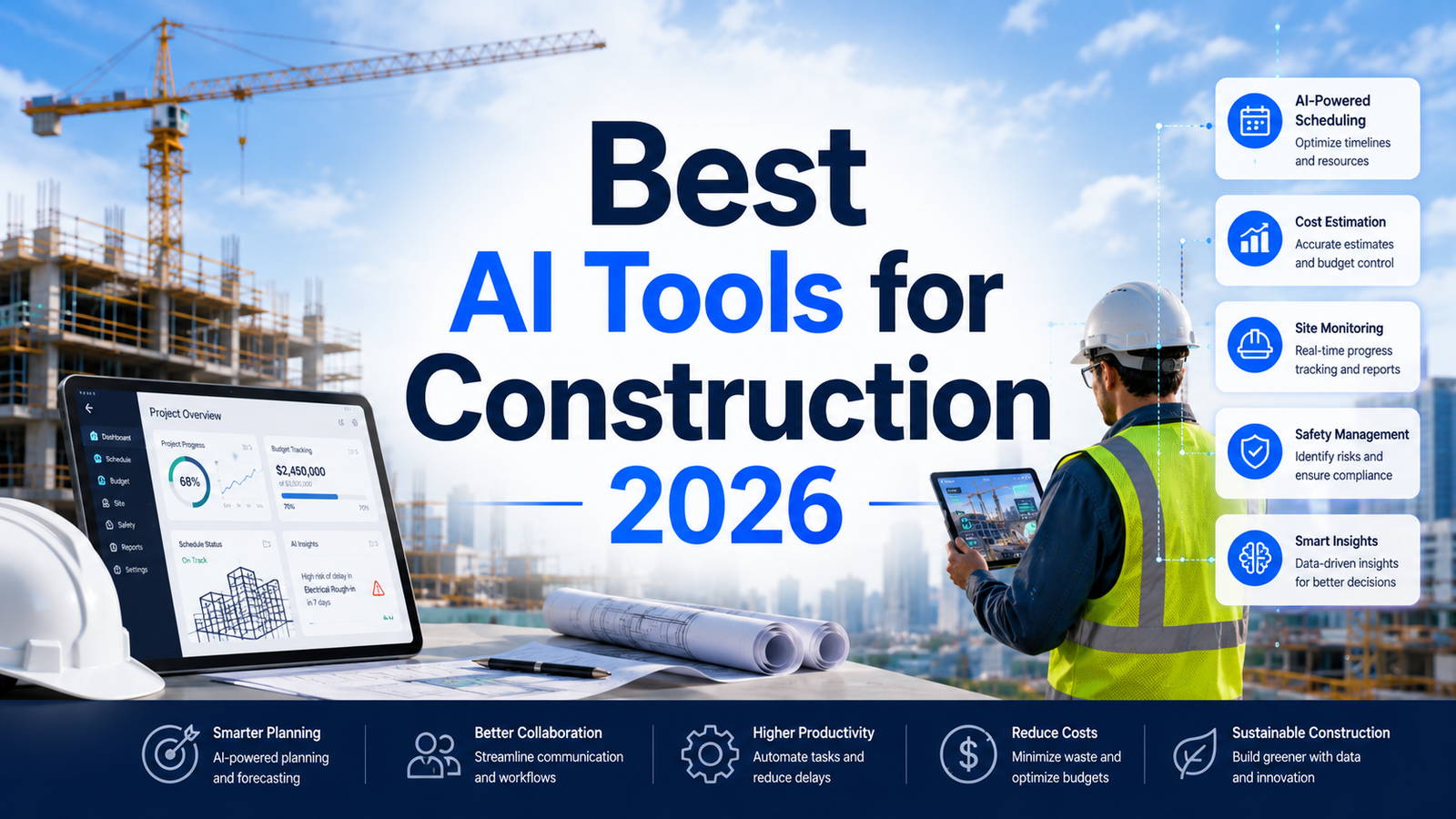
Best AI Tools for Construction 2026: Ranked, Reviewed and Compared
Construction is one of the least digitized major industries in the global economy and one of the most overdue for transformation. Projects routinely run 80 percent over budget and 20 months behind schedule, according to McKinsey analysis of large infrastructure projects. Labor productivity in construction has been essentially flat for two decades while manufacturing productivity has doubled. The average project loses 30 to 40 percent of its working time to non-productive activities including rework, idle time, and administrative overhead.
AI is attacking each of these problems with tools that were not operationally viable five years ago. Computer vision systems worn on hard hats now document site progress automatically and compare it against BIM models in real time, identifying schedule deviations weeks before they become visible to project managers. AI crane analytics reduce equipment cycle times by 20 to 30 percent. Takeoff AI completes in 30 minutes what manual estimators spend 4 to 8 hours on. Procore’s Copilot AI saves project managers 5 to 6 hours per week by automating document routing and RFI management.
The construction AI category in 2026 spans distinct workflow functions. Project management platforms (Procore, Autodesk) provide the operational backbone. Site documentation and progress tracking tools (OpenSpace, Buildots) address field visibility. Crane and equipment analytics (Versatile) address equipment utilization. Estimating AI (Togal.AI) addresses preconstruction. General AI tools (ChatGPT) address the surrounding professional communication and documentation work. The most effective construction AI stacks combine two to three tools addressing specific bottlenecks rather than attempting to automate the entire workflow simultaneously.
Comparison Table: Best AI Tools for Construction 2026
| Tool | Best For | Starting Price | Free Trial |
|---|---|---|---|
| Autodesk AI | Design coordination, BIM workflows, and AI-powered generative design across the project lifecycle | $310+/user/year (varies by product) | 30-day trial |
| Procore AI | General contractors and owners needing AI-powered project management across the full construction lifecycle | Custom enterprise pricing | No (demo) |
| PlanGrid (Autodesk Build) | Field teams needing mobile-first document management and drawing access on the jobsite | Included in Autodesk Build / custom | Demo |
| OpenSpace | Site documentation, as-built records, and 360° progress tracking across large project portfolios | From $3,990/year | No (demo) |
| Buildots | General contractors on large commercial projects who need automated BIM-aligned progress tracking | Custom enterprise pricing | No (demo) |
| Versatile | General contractors wanting AI-powered crane analytics to improve equipment utilization | Custom enterprise pricing | No (demo) |
| ChatGPT | Construction professionals needing AI for RFI drafts, subcontractor communications, and documentation | Free / $20/month (Plus) | Yes |
| Togal.AI | Estimators wanting to automate quantity takeoffs from digital plans with AI accuracy | From $250/month | No (demo) |
“Pricing is subject to change. Always verify current pricing on the tool’s official website before purchasing.”
Detailed Reviews
1. Autodesk AI
Best for design and construction teams who need AI integrated across BIM workflows, generative design, and project coordination at every phase of the construction lifecycle.
Autodesk’s AI capabilities span its Construction Cloud platform, covering design coordination in Revit, clash detection in Navisworks, generative design exploration in Forma, and construction documentation in Autodesk Build. The Autodesk AI layer across these products applies machine learning to automate repetitive tasks, surface insights from project data, and enable natural language queries across construction documents.
In Autodesk Build, AI-powered document management routes submittals, RFIs, and issues to the appropriate team members automatically. Autodesk Forma, formerly Spacemaker, uses AI to optimize building massing against environmental constraints at the early design stage. The Autodesk AI framework enables features like automated clash prioritization in coordination workflows, predictive analytics on project risk from schedule and budget data, and natural language queries across the full project document set.
Key Features: AI-powered document routing and RFI management in Autodesk Build, generative massing and environmental analysis in Autodesk Forma, automated clash detection prioritization in coordination workflows, natural language project document queries, machine learning risk prediction from schedule and cost data, and 30-day free trial access to evaluate specific product functionality.
Pros:
- Broadest AI coverage across the full construction lifecycle from design through closeout
- Autodesk ecosystem integration means AI works on data already in the platform for most firms
- Forma’s environmental analysis AI compresses urban-scale site optimization that previously took weeks of manual analysis
- 30-day free trial for individual products allows genuine workflow evaluation before purchase
Cons:
- Licensing complexity across multiple Autodesk products makes total cost difficult to calculate without a direct sales conversation
- AI features are strongest for firms already standardized on Autodesk products; non-Autodesk firms benefit less from the ecosystem integration
- Enterprise construction AI tools like Buildots and OpenSpace provide deeper site-specific capabilities than Autodesk’s native progress tracking
Pricing:
- Autodesk Build: Starting approximately $500/user/year, scaling with user count and modules
- Autodesk Forma: Starting approximately $400/month for enterprise deployments
- Contact Autodesk for current Construction Cloud pricing
- 30-day free trial available for most individual products
2. Procore AI
Best for general contractors, specialty contractors, and owners who need AI-powered project management across the full construction lifecycle from preconstruction through closeout.
Procore is the most widely adopted construction project management platform in the market, and its Copilot AI layer adds genuine productivity to the platform that general contractors already use daily. Procore Copilot AI saves project managers up to 5 to 6 hours per week by automating document routing, surfacing relevant RFIs and submittals, summarizing long email threads, and identifying which issues require immediate attention versus routine handling. Procore’s AI also analyzes historical project data to surface risk signals, comparing current project performance against benchmarks from completed projects in the Procore database.
The construction knowledge graph underlying Procore’s AI draws from the largest construction project data set in the industry, enabling risk predictions that are informed by patterns from projects similar to yours in type, size, and geography rather than general models with no construction context.
Key Features: Procore Copilot AI for document routing automation and intelligent issue prioritization, AI-powered risk prediction drawing from historical project benchmarks, natural language queries across the full project document and communication set, predictive analytics surfacing schedule and budget risk signals, Procore IQ for portfolio-level insights across multiple concurrent projects, and integration with over 500 construction software tools through the Procore App Marketplace.
Pros:
- 5 to 6 hours per week saved per project manager is the most consistent efficiency benchmark documented across Procore Copilot users
- Largest construction project data set in the industry produces more construction-specific risk predictions than general AI tools
- 500-plus app marketplace integrations connect Procore to existing specialty tools without data silos
- Most widely adopted construction platform globally provides the implementation ecosystem and peer community that accelerates adoption
Cons:
- Custom enterprise pricing requires direct Procore engagement; no published rates
- Full Copilot AI benefits require the complete Procore platform rather than individual modules
- Implementation and user adoption at scale requires dedicated change management investment; large firms often need Procore implementation partners
Pricing:
- Custom enterprise pricing based on project volume and modules
- Contact Procore for current rates; no self-serve pricing
- No free trial; demo-based evaluation
3. PlanGrid (Autodesk Build)
Best for field teams that need fast, reliable mobile access to drawings, specifications, and field documentation on the jobsite without dependency on desktop workflows.
PlanGrid, now integrated into Autodesk Build, provides field teams with mobile-first access to the complete drawing set, specifications, and field documentation from any device with or without continuous connectivity. The AI layer in Autodesk Build adds automated document organization, smart search across the full plan set, and AI-powered issue detection that identifies when field-marked conditions deviate from the drawing set.
For construction teams where the biggest bottleneck is field staff spending time chasing current drawing versions, routing RFIs through email, or documenting issues manually on paper, PlanGrid’s mobile-first workflow eliminates that overhead and connects field observations directly to the project record in real time.
Key Features: Mobile-first drawing access with offline capability for field teams, AI-powered smart search across the complete plan set, automated document organization and version control, field issue creation directly linked to drawing locations, RFI and submittal management connected to the field workflow, integration with Autodesk Build for full project coordination, and markup and annotation tools for field observations.
Pros:
- Mobile-first design is optimized for field crew use rather than office-centric project management
- Offline capability ensures continuity in areas with poor site connectivity
- Integration within Autodesk Build connects field observations to the broader project coordination workflow
- Version control eliminates the “working from wrong drawing” issue that causes significant rework on construction sites
Cons:
- Now only available as part of Autodesk Build rather than as a standalone product; pricing bundled accordingly
- Less suitable as a standalone tool for firms not using the broader Autodesk Construction Cloud ecosystem
- AI features are less deep than specialized progress tracking tools like OpenSpace or Buildots for site documentation
Pricing:
- Included within Autodesk Build subscriptions; contact Autodesk for current Build pricing
- No standalone PlanGrid pricing as of 2026; fully integrated into Autodesk Build
4. OpenSpace
Best for general contractors and owners who need comprehensive 360-degree site documentation, as-built records, and progress tracking across large project portfolios.
OpenSpace uses 360-degree cameras attached to hardhats to automatically map site walkthrough imagery to floor plans and BIM models as field staff conduct regular site walks. The result is a continuously updated digital twin of the construction site that provides time-stamped visual evidence of site conditions at any date in the project history. OpenSpace is active in over 70 countries and has documented more than 6 billion square feet of floor space, reflecting genuine adoption at portfolio scale.
For firms where subcontractor disputes about work completion create costly delays, OpenSpace provides the time-stamped 360-degree evidence that eliminates those disputes by creating an objective record of what was built and when. Continuous documentation also supports QA/QC checks, RFI resolution, and as-built verification without requiring dedicated documentation staff to manually photograph each area.
Key Features: 360-degree site capture mapping automatically to floor plans and BIM during regular site walks, time-stamped visual project history navigable as a virtual site tour, split-screen comparison of current site conditions against BIM model or earlier captures, AI-powered progress analytics identifying completion percentages by area, QA/QC documentation with visual evidence linked to specific plan locations, and integration with Procore, Autodesk, and major construction platforms.
Pros:
- Time-stamped visual evidence eliminates subcontractor disputes about work completion status
- 6 billion-plus square feet documented reflects genuine large-scale portfolio adoption
- AI progress analytics convert raw imagery into completion percentage data without manual counting
- Integration with Procore and Autodesk connects OpenSpace data to the project management workflow
Cons:
- Requires reliable internet connectivity for real-time imagery transmission and upload; challenging in underground or remote site conditions
- Cluttered or highly repetitive environments can confuse the AI spatial mapping, requiring manual correction
- Hardware cost for 360-degree cameras adds to total investment beyond the subscription
- Starting at $3,990 per year, the cost requires ROI justification before adoption for smaller projects
Pricing:
- From $3,990/year; full pricing requires direct contact with OpenSpace
- Contact OpenSpace for current team and enterprise rates
- No free trial; demo-based evaluation
5. Buildots
Best for general contractors running large commercial or infrastructure projects who need automated BIM-aligned progress tracking with predictive delay detection.
Buildots uses helmet-mounted 360-degree cameras and AI to automatically track construction progress against BIM models daily. Workers wear the cameras during regular site walks, and Buildots automatically compares the footage against the BIM model and project schedule to flag deviations. The platform accurately tracks installation across over 80 different construction stages, providing stakeholders with completion percentages and deviation alerts without manual data collection. Buildots has been deployed on over $45 billion worth of construction projects worldwide.
The Delay Forecast feature distinguishes Buildots from simple documentation tools: rather than reporting current status, it predicts which elements are trending toward schedule deviation weeks before the delay materializes. Buildots AI-powered progress tracking reduces project delays by up to 50 percent, according to the company’s published performance data. The Dot AI assistant enables natural language queries about project progress that return data-backed answers without digging through dashboards.
Key Features: Helmet-mounted 360-degree camera capture with automatic BIM comparison across 80-plus construction stages, Delay Forecast predictive analytics flagging schedule risk weeks in advance, Dot AI assistant for natural language project progress queries, Plan Tracker for weekly task planning grounded in actual progress data, remote project monitoring for multi-site oversight without physical site visits, and integration with major construction platforms.
Pros:
- Predictive delay detection catches schedule issues 3 weeks earlier than manual progress reviews, according to documented benchmarks
- 80-plus construction stage tracking provides granular completion visibility that manual reviews cannot match at equivalent frequency
- Remote monitoring capability enables multi-project oversight without proportional site visit overhead
- $45 billion in project deployments reflects genuine large-scale enterprise adoption
Cons:
- Best suited for repetitive commercial construction like multi-floor buildings where computer vision pattern matching works reliably; less effective for highly unique architectural projects
- Video capture quality dependency: low-light conditions, heavy dust, and obstructed areas reduce AI accuracy
- Custom enterprise pricing requires direct sales engagement; no published rates
- Implementation requires BIM model and schedule integration; sites without current BIM models need to invest in BIM development first
Pricing:
- Custom enterprise pricing based on project size and scope
- Contact Buildots for current rates; no published pricing
- No free trial; demo and pilot evaluation process
6. Versatile
Best for general contractors who want AI-powered crane analytics to reduce equipment cycle times, improve utilization, and generate objective labor productivity data.
Versatile installs sensors on tower cranes and uses machine learning to analyze crane movement patterns, cycle times, idle time, and utilization rates across the workday. The resulting analytics identify where crane time is being lost to waiting, poor lift sequencing, or inefficient material staging, and provide data-backed recommendations for improving throughput. According to Versatile’s own research in partnership with Dodge Construction Network, AI-powered crane analytics reduce cycle times by 20 to 30 percent on average across construction project types.
For high-rise and large commercial construction where tower crane throughput directly determines how many floors can be completed per week, this utilization improvement translates into schedule compression at significant scale. Crane time is typically the most expensive equipment resource on a high-rise site; recovering 20 to 30 percent of previously lost productivity is a directly measurable financial return.
Key Features: AI sensor-based crane utilization and cycle time analytics, idle time and delay cause identification with timestamps, lift sequence optimization recommendations from usage pattern analysis, labor productivity benchmarking tied to crane utilization data, real-time dashboards for project management oversight of equipment performance, and project-to-project benchmarking for portfolio-level productivity insights.
Pros:
- 20 to 30 percent cycle time reduction is one of the most specific and independently documented AI construction ROI figures available
- Crane analytics produce objective equipment utilization data that previously relied on manual observation
- Direct connection between crane efficiency and schedule performance makes ROI calculation straightforward
- Non-invasive sensor installation does not require significant equipment modification
Cons:
- Applicable only to projects with tower cranes; irrelevant for ground-level or smaller commercial projects
- Custom enterprise pricing requires direct engagement; no published rates
- The analytics produce insights that require operational changes to realize; teams must act on the data for the cycle time improvements to materialize
Pricing:
- Custom enterprise pricing based on crane count and project duration
- Contact Versatile for current rates; no published pricing
- No free trial; demo and pilot evaluation
7. ChatGPT
Best for construction professionals who need AI for RFI drafts, subcontractor communication, contract documents, safety plans, and professional writing across the project workflow.
Construction generates enormous volumes of written communication: RFIs, submittals, change order requests, subcontractor notices, owner reports, safety incident documentation, and meeting minutes. ChatGPT handles all of these faster than manual drafting, and at $20 per month for Plus, it is the lowest-cost AI investment on this list with immediate, measurable time savings for any construction professional who writes regularly.
For project managers drafting RFIs and change order justifications, ChatGPT compresses what was a 30 to 45 minute drafting process to under 10 minutes of editing an AI first draft. Custom GPTs pre-loaded with project-specific contract language, subcontractor contacts, and specification references generate consistent project communications without re-entering context in every session.
One important limitation applies specifically to construction use: do not share confidential project details, proprietary bid information, or sensitive safety incident data with consumer ChatGPT accounts without verifying data privacy settings. The Team plan at $25 to $30 per user per month includes stronger data privacy controls appropriate for more sensitive project communications.
Key Features: RFI and change order request drafting, subcontractor and owner communication templates, safety incident report and corrective action plan drafting, meeting minute generation from notes, contract clause explanation in plain language, building code research with web browsing, Custom GPTs for project-specific communication assistants, and Advanced Data Analysis for uploading and analyzing project budget and schedule data.
Pros:
- Free tier covers occasional construction writing tasks; Plus at $20 per month is accessible for any construction professional
- Most versatile tool on this list; handles every written communication type that construction generates
- Custom GPTs build project-specific communication assistants without repeated context setup
- Web browsing enables building code and regulation research within the conversation
Cons:
- Do not input confidential project data, bid information, or sensitive incident details on consumer accounts without verified data privacy controls
- Not connected to project management platforms, BIM, or site data; all input is manual
- Hallucination risk on specific regulatory, contractual, or code interpretation requires professional verification before use in official documents
Pricing:
- Free: GPT-5.x with daily limits, no credit card required
- Plus: $20/month, full GPT-5.4, web browsing, Custom GPTs, file analysis
- Team: $25 to $30/user/month, shared workspace, stronger data privacy controls
8. Togal.AI
Best for estimators and preconstruction teams who need to automate quantity takeoffs from digital plans with documented AI accuracy at a fraction of manual time.
Togal.AI uses computer vision to automate quantity takeoffs from construction drawings, automatically detecting and measuring spaces, walls, openings, and building elements from uploaded PDF plans. A takeoff that takes 4 to 8 hours manually takes 30 to 60 minutes with Togal.AI. The company claims 98 percent accuracy on floor plan takeoffs, and independent testing by Robotics and Automation News documented a full architectural takeoff completed in 12 minutes on real plans, not a demonstration scenario.
The Togal.CHAT feature allows estimators to ask questions directly about their plan set through a conversational interface: querying quantities, verifying measurements, and drafting RFP sections from the drawing data without switching tools. For contractors bidding 50-plus projects per year where preconstruction speed determines which bids are worth pursuing, Togal.AI’s throughput improvement directly translates into competitive advantage and margin protection.
Key Features: AI-powered quantity takeoff from PDF plans detecting spaces, walls, openings, and building elements, 98 percent claimed accuracy on floor plan takeoffs with 12-minute benchmark on full architectural set, drawing revision comparison identifying changes between plan versions without full re-takeoff, Togal.CHAT conversational interface for plan queries and RFP drafting, AI pattern search locating and counting any object or symbol across the full plan set, and integration with Bluebeam, SharePoint, OpenSpace, and major construction platforms.
Pros:
- 30 to 60 minute takeoffs versus 4 to 8 hours manually is the most concrete time saving benchmark in this comparison
- Drawing revision comparison eliminates the complete re-takeoff that mid-project plan changes previously required
- Togal.CHAT adds AI interaction with the specific plan set rather than generic AI assistance disconnected from project documents
- Starting at $250 per month, the ROI calculation is straightforward for estimators with meaningful monthly bid volume
Cons:
- Growth Plan at $299 per user per month annually is a significant cost for lower-volume estimating operations
- Complex or highly specialized projects may require manual refinements beyond the AI’s trained capabilities
- Business plans for teams of 4-plus require custom pricing rather than self-serve access
- No free trial; demo-based evaluation before commitment
Pricing:
- Individual plans from $250 to $299/month (Growth Plan billed annually)
- Business plans for teams of 4-plus: custom pricing
- Contact Togal for current rates
- No free trial; demo available
Frequently Asked Questions
Do construction AI tools require BIM models to work, and what if the project does not have BIM?
The requirement varies significantly by tool. Progress tracking tools like Buildots and OpenSpace benefit significantly from BIM integration because they compare site reality against the design model, but OpenSpace can operate with 2D floor plans when BIM is not available. Site documentation still works without BIM; the AI comparison features are reduced. Estimating tools like Togal.AI and project management tools like Procore and ChatGPT work entirely from 2D drawings and documents without any BIM requirement. Autodesk’s generative design and coordination tools are built around BIM and provide substantially less value without it. For the majority of commercial construction projects in the $5 million to $100 million range where BIM adoption is partial, the most immediately accessible AI tools are estimating AI, project management AI, and site documentation tools that work from existing 2D drawing sets. BIM-required tools like Buildots should be evaluated with BIM availability as a precondition.
What are the most common mistakes construction firms make when adopting AI tools?
Three failure patterns consistently appear across documented construction AI implementations. First, attempting to change everything simultaneously: construction companies that try to deploy project management AI, site tracking, estimating AI, and equipment analytics at the same time typically achieve adoption in none of them. Start with one project and one workflow, prove the value with documented KPIs, and roll out at scale from evidence. Second, underestimating data readiness requirements: AI site tracking tools require current BIM models and project schedules to compare against. AI risk prediction tools require clean, structured historical project data to generate meaningful predictions. AI estimating tools require well-organized digital plan sets. Deploying AI before the data foundation is ready produces poor outputs that create skepticism about AI value rather than building it. Third, skipping staff training: field teams who do not understand why they are wearing additional camera equipment, or estimators who do not trust AI-generated quantities enough to use them as starting points rather than complete replacements, will not adopt the tools that drive the ROI. Vendor certification programs and internal change management investment are as important as the technology selection.
How should construction firms evaluate the ROI of AI tools before committing to enterprise pricing?
The clearest ROI evaluation framework uses four measurable metrics. For estimating AI, measure the hours per takeoff before and after adoption and multiply the difference by the estimator’s hourly rate, then compare against the monthly subscription cost. For project management AI, measure the administrative hours per week per project manager before and after adoption. For site tracking tools, measure the number of rework incidents requiring cost and schedule impact per project quarter before and after adoption. For equipment analytics, measure crane utilization rate before and after adoption and calculate the schedule compression value from reduced cycle times. Most construction AI vendors provide a pilot engagement model where one project is instrumented with clear baseline KPIs before the tool is activated. Running a documented 60 to 90 day pilot with a single project produces the evidence needed to justify multi-project or portfolio-wide rollout to leadership and ownership without relying on vendor-provided case studies that may not reflect conditions specific to your project type, geography, and subcontractor base.
Final Recommendation
The right construction AI stack in 2026 matches specific workflow bottlenecks rather than attempting comprehensive coverage across all functions simultaneously.
For preconstruction and estimating teams where bid volume and accuracy are the primary constraints, Togal.AI at $250 to $299 per month delivers the clearest and most immediately measurable ROI: 4 to 8 hours of manual takeoff work compressed to 30 to 60 minutes with 98 percent claimed accuracy. For firms bidding 50-plus projects annually, this directly improves bid capacity and margin protection.
For general contractors managing large commercial projects where schedule visibility is the primary concern, Buildots provides the most sophisticated automated BIM-aligned progress tracking with predictive delay detection. The $45 billion in project deployments and documented 50 percent reduction in project delays reflects genuine large-scale validation.
For firms wanting portfolio-scale site documentation and as-built records without Buildots’ enterprise commitment level, OpenSpace at $3,990 per year provides comprehensive 360-degree documentation with time-stamped evidence that eliminates subcontractor disputes.
For general contractors and owners managing the full construction lifecycle from preconstruction through closeout, Procore’s Copilot AI provides the most complete project management AI on the most widely adopted construction platform, with 5 to 6 hours per week of project manager time recovered.
For design and construction teams already standardized on Autodesk products, the Construction Cloud AI features across Autodesk Build and Forma provide the most integrated coverage without requiring additional vendor relationships.
For all construction professionals regardless of which operational platforms are deployed, ChatGPT at $20 per month covers the written communication and documentation overhead that surrounds every construction project at the lowest cost of any tool in this comparison.
Start with the tool that addresses your most acute current bottleneck, run a 60 to 90 day pilot with documented baseline metrics, and expand from demonstrated results rather than theoretical completeness.