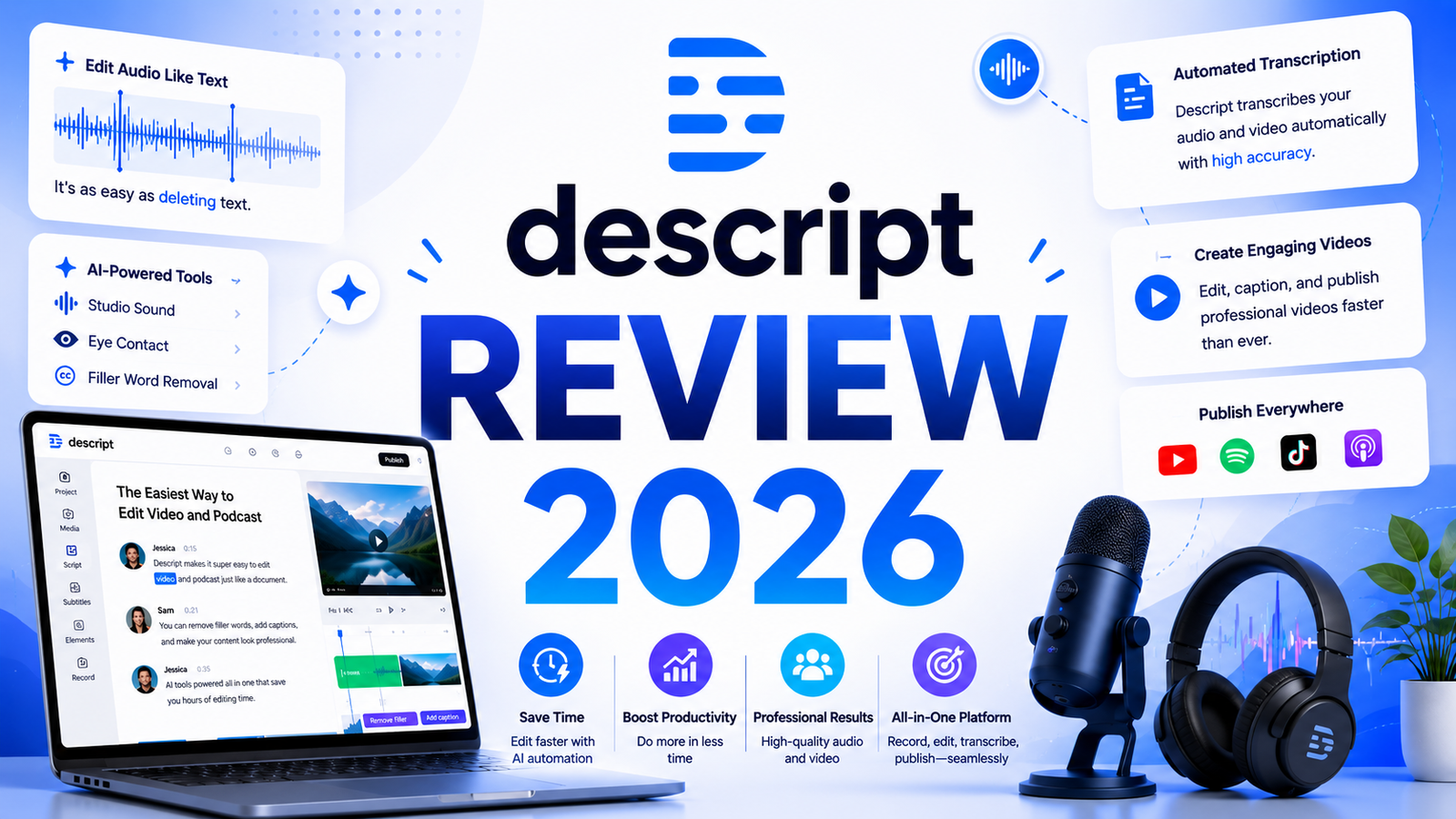
Descript Review 2026: The Editing Tool That Thinks Like a Writer
Most video editors were designed for video editors. They assume you understand timelines, layers, keyframes, and codecs. They reward people who already know what they are doing and frustrate everyone else.
Descript was designed for people who think in words. Its core premise is that editing a video should feel like editing a document. You record or upload media, Descript transcribes it automatically, and then you edit the spoken content by editing text. Delete a sentence from the transcript and that section disappears from the video. Cut a paragraph and the clip shortens. Rearrange words and the media rearranges with them. For anyone producing spoken-word content, podcasts, interviews, explainer videos, course material, or corporate communications, this approach is genuinely faster than anything a traditional timeline editor offers.
Since launching as a podcast-first audio editor, Descript has grown into a full video production platform with over 30 AI tools under its Underlord AI suite, including Studio Sound for audio cleanup, Eye Contact correction, Green Screen background removal, Overdub voice cloning, and translation and dubbing across 14 languages. In 2026 it holds a 4.6 out of 5 rating on G2 from over 800 reviewers, with consistently high marks for its editing approach and AI audio tools.
Our Take: Descript succeeds because it solves a real problem. Most creators don’t need more AI generated content. They need faster editing. By making video and podcast editing feel more like editing a document, Descript remains one of the most useful AI powered creative tools available today.
What Descript Is and Who It Is For
Descript is an all-in-one recording, transcription, editing, and publishing platform for audio and video content. It combines a text-based editing interface with an AI toolset that handles the most time-consuming parts of content production: cleaning up audio, removing filler words, correcting eye contact in webcam recordings, and generating captions automatically.
The text-based editing model is Descript’s defining characteristic. Traditional video editors display content as clips on a timeline. Descript displays content as a transcript. Editing the words edits the media. This paradigm works exceptionally well for dialogue-driven content and extremely poorly for anything driven by visual rhythm, music, or non-verbal footage.
The users who get the most value from Descript are:
Podcasters who want to remove filler words, edit conversations, and clean up audio without learning a dedicated audio production tool. Descript was built for this use case first, and it still handles it better than any competitor.
YouTubers and course creators producing talking-head videos, tutorials, interviews, and explainer content where the dialogue drives the edit. Users consistently report 60 to 70 percent time savings on rough cuts compared to traditional timeline editing.
Corporate communications and marketing teams producing internal videos, product demos, training materials, and branded content where team collaboration and consistency matter more than cinematic production value.
Journalists and documentary producers editing interview-heavy content where the ability to search for specific phrases, cut sections by editing text, and maintain a structured transcript is directly useful.
Descript is not the right tool for narrative filmmakers, music video editors, social media creators who rely on trendy visual effects and templates, or anyone whose workflow depends on multi-track color grading, precise audio mixing at the professional level, or complex motion graphics. Those use cases belong to Adobe Premiere, DaVinci Resolve, or Final Cut Pro.
Key Features
Text-based video and audio editing. Descript’s signature feature. Import or record any media and the platform transcribes it automatically. Every word in the transcript is linked to the corresponding moment in the recording. Edit the text and the media changes with it. Delete a sentence, cut a section, rearrange paragraphs: all of it works exactly as it does in a text document. This approach eliminates the scrubbing, cutting, and splicing of traditional timeline editing for any content where dialogue is the primary driver.
Underlord AI suite. Descript’s umbrella for all AI-powered editing tools. The most used features within Underlord include: automatic filler word removal (one click removes every “um,” “uh,” “like,” and “you know” across the entire recording); Studio Sound, which applies broadcast-quality audio enhancement to recordings made in imperfect environments; and Eye Contact correction, which digitally adjusts off-camera glances to appear as though the speaker is looking directly into the lens.
Studio Sound audio enhancement. Consistently the highest-rated feature in user reviews. Studio Sound analyzes the audio in a recording and applies AI-powered noise reduction, room tone removal, and clarity enhancement in a single click. Content producers working from home offices, spare bedrooms, and conference rooms report that Studio Sound makes recordings taken in suboptimal conditions sound professional enough for public release. This feature alone justifies Descript for many users who previously needed to book recording studios or invest in acoustic treatment.
Overdub voice cloning. Descript can clone a speaker’s voice from a recording sample and generate new audio in that voice from typed text. The primary use case is correcting mistakes in published recordings without re-recording. If you said “last Tuesday” when you meant “last Thursday,” you type the correction, and Overdub generates it in your voice. Overdub is available on the Creator plan and above. Custom-trained AI voices supporting 14 languages are available for localization and dubbing workflows on higher plans.
Green Screen and background removal. The AI Green Screen tool removes or replaces backgrounds in video recordings without requiring physical green screen equipment. Combined with the Eye Contact feature, these two tools make webcam recordings shot in casual home environments publishable for professional audiences. Enterprise users can access Green Screen for unlimited file durations.
Automatic captions and multichannel publishing. Descript generates captions automatically from the transcript and formats them for export. Captions can be burned into the video or exported as separate subtitle files. The platform also supports direct publishing to YouTube and podcast hosting platforms, compressing the final step of content production.
Screen recording with remote recording rooms. Descript includes built-in screen recording and a remote recording feature called Rooms, where guests can join a browser-based session and record their own high-quality local audio and video simultaneously. Rooms recordings import directly into the project with each participant on a separate track, and transcription happens automatically without consuming the user’s media hour allowance.
Pros and Cons
Pros:
- Text-based editing genuinely changes the workflow for spoken-word content; users consistently report dramatic time savings over traditional timeline editing
- Studio Sound audio enhancement is exceptional and works reliably even on recordings made in poor acoustic conditions
- All-in-one platform covering recording, editing, transcription, captions, publishing, and remote recording removes the need for multiple tools
- Overdub voice cloning solves a real and common problem for podcasters and video creators who discover mistakes after publishing
- Filler word removal in one click across an entire recording saves significant manual editing time
- 4.6 out of 5 G2 rating from 800-plus reviewers reflects consistently high satisfaction among active users
- Education and nonprofit pricing at $5 per user per month makes it accessible to institutions with limited budgets
Cons:
- AI credits introduced in the September 2025 pricing overhaul have created billing confusion; features that were previously unlimited now consume metered credits that run out faster than many users expect
- The monthly plan cost is significantly higher than the annual plan, and the gap between tiers is not always clearly communicated at signup
- Not suited for visual-first content: music videos, narrative film, social media content driven by effects and templates, or anything without significant dialogue will not benefit from text-based editing
- The desktop application can be resource-heavy on larger projects, with reported lag on older machines
- Customer support is primarily handled by an AI bot, which users on G2 and Reddit have described as inadequate for resolving billing and technical issues
- Brand Studio and custom branding assets require the Business plan; individual creators who want consistent branded exports face a significant price jump
- Some video formats are not supported for import, which occasionally requires conversion before editing
Pricing Breakdown
Descript restructured its pricing in 2026, renaming the Pro plan to Creator and introducing media hours and AI credits as the primary usage metrics in place of the older transcription-hours model. Annual billing saves up to 35 percent across all paid tiers.
Free: 60 minutes of media per month. 100 one-time AI credits (not replenishing). Watermarked video exports with one watermark-free export allowed per month. Video export capped at 720p. Basic editing tools, limited templates, and access to the transcript-based editing workflow. Sufficient for testing whether text-based editing suits your workflow; not workable as an ongoing production tool.
Hobbyist: $24/month (approximately $16/month on annual billing). 10 hours of media per month. 400 AI credits. Watermark-free exports. Access to basic Underlord AI tools. Suitable for creators publishing one to two pieces of content per week at modest length.
Creator: $35/month (approximately $24/month on annual billing). 30 hours of media per month. 800 AI credits. 4K export quality. Full Underlord AI access including Studio Sound, Eye Contact, Green Screen, and Overdub voice cloning. This is the plan that most individual creators and solo podcasters should start with. It covers a weekly publishing schedule with room for longer-form content.
Business: $65/month (approximately $50/month on annual billing). 40 hours of media per month. 1,500 AI credits. Everything in Creator plus Brand Studio for consistent branded exports across distributed teams, priority support, and higher credit allocations for high-volume teams. Designed for small to mid-sized content teams producing recurring branded content.
Enterprise: Custom pricing. Unlimited cloud storage, SSO, dedicated account management, security review, Overdub Enterprise with unlimited vocabulary, and custom invoicing options.
Education and nonprofit: $5 per user per month. Same features as Creator with a 4-hour monthly transcription rate limit. Requires verification of eligible institution status.
Important note: AI credits purchased as top-ups expire 12 months after purchase and require an active paid subscription to spend. Credits included in monthly subscriptions do not roll over between billing periods.
“Pricing is subject to change. Always verify current pricing on the tool’s official website before purchasing.”
How It Compares to Adobe Premiere and CapCut
Descript vs Adobe Premiere Pro
Adobe Premiere Pro is the professional standard for video editing, built for editors who need multi-camera support, precise color grading with Lumetri panels, complex audio mixing with integration to Audition, motion graphics through After Effects integration, and support for virtually every video format and codec. Its AI features, including speech-to-text captioning and Generative Extend for extending clips, have improved significantly. Premiere costs approximately $23 per month as part of a Creative Cloud subscription.
The comparison is not really competitive for most of Descript’s target users. Premiere Pro has a learning curve that takes weeks to months to reach proficiency. It is built for editors who spend most of their working hours in a timeline. For a podcaster, a course creator, or a marketing professional who edits spoken-word content occasionally, Premiere’s depth is overkill and its complexity is a genuine productivity drain. Descript is easier to learn, includes built-in transcription and AI audio tools that Premiere does not match natively, and produces publishable output for dialogue-driven content faster than Premiere for non-professional editors.
The case for Premiere over Descript is clear and specific: narrative film, music video, long-form documentary with heavy B-roll, color-critical productions, and any project requiring the full Adobe ecosystem integration. For that work, Premiere is the right tool. For talking-head video and podcast content, Descript is faster and more accessible.
Descript vs CapCut
CapCut is TikTok’s parent company’s video editor, built from the ground up for short-form social media content. It is free with a genuinely capable feature set: drag-and-drop timeline editing, auto-captions in over 100 languages with animated styling options, background removal, trending templates for TikTok and Reels, and AI tools for auto-cutting and noise reduction. The Pro tier at $7.99 per month removes watermarks and expands the template library.
The comparison reveals two tools built for entirely different creative contexts. CapCut is optimized for speed on short-form visual content. Its auto-caption system is among the best available, and its template library lets creators produce polished social media videos without significant editing skill. For a content creator whose primary output is 60-second to 3-minute videos for TikTok, Instagram, and YouTube Shorts, CapCut delivers faster and cheaper than Descript.
Descript is optimized for spoken-word content at any length. It has no comparable template library for short-form social content, no equivalent effects system, and its text-based editing model offers no advantage on visual content without significant dialogue. For the reverse situation, a podcaster or course creator producing 30 to 60-minute episodes, CapCut’s timeline interface offers no advantage over Descript’s transcript-driven approach.
Many professional creators use both: CapCut for short-form social content, Descript for long-form spoken-word production.
Frequently Asked Questions
Is Descript suitable for complete beginners with no video editing experience?
Yes, with an important caveat about the learning curve. The text-based editing concept is easy to understand intellectually but feels unfamiliar for the first few sessions, particularly for anyone who has experience with traditional timeline editors. Most new users report becoming comfortable with the core workflow within two to three editing sessions. What Descript does not require is prior knowledge of video production: you do not need to understand codecs, frame rates, audio levels, or any technical concepts to produce a polished result. For complete beginners producing spoken-word content, Descript’s learning curve is meaningfully shorter than Adobe Premiere or even intermediate tools like Final Cut Pro.
Do AI credits reset monthly and what happens when they run out?
AI credits included with paid subscriptions reset at the start of each billing period and do not roll over. Free users receive a one-time allocation of 100 credits that do not replenish. When credits run out, AI features including Studio Sound, Eye Contact, Green Screen, and Overdub stop working until the next billing reset or until additional credits are purchased as a top-up. Top-up credits are available for purchase and do not expire, but they require an active paid subscription to spend. This is the aspect of Descript’s 2026 pricing that has generated the most user frustration: workflows that were previously uncapped now consume credits faster than some users expected when Underlord features were metered.
Can Descript be used for team collaboration?
Yes, with the appropriate plan. The Creator plan includes basic project sharing and commenting. The Business plan adds Brand Studio for consistent branded exports, team-wide access management, and priority support. The Enterprise plan adds SSO, unlimited cloud storage, and dedicated account management for larger organizations. For small teams of two to three people producing collaborative content, the Creator plan with multiple seats covers most needs. For agencies or internal content teams producing branded content at scale, the Business plan is the appropriate starting point. One noted limitation: Descript does not have a mid-market team tier between Creator and Business, which means small teams who need Brand Studio features face a significant price jump per seat.
Final Verdict
Descript earns its reputation as the most innovative content creation platform for a specific, well-defined use case: editing spoken-word audio and video. The text-based editing paradigm is not a novelty feature. For podcasters, course creators, journalists, and anyone producing dialogue-driven content regularly, it is a genuinely faster and more accessible approach than traditional timeline editing.
Studio Sound audio enhancement and Overdub voice cloning are standout features that deliver real production value with minimal friction. The all-in-one platform covering recording, editing, transcription, captions, and publishing replaces a stack of tools that would cost significantly more individually.
The 2026 pricing overhaul introduced AI credit metering that has caused confusion and bill shock for some existing users. Walking in with a clear understanding of how credits are consumed, and testing usage patterns on the free plan before committing, is the most important advice for new subscribers.
The Creator plan at $24 per month on annual billing is the right starting point for most individual creators. It covers weekly production schedules at 30 media hours per month, exports at 4K, and provides full access to the Underlord AI tools that make Descript worth paying for. If the free plan confirms that text-based editing fits your workflow, the Creator plan is one of the most defensible content production subscriptions available at that price point.
Rating: 4.5 / 5
“Pricing is subject to change. Always verify current pricing on the tool’s official website before purchasing.”