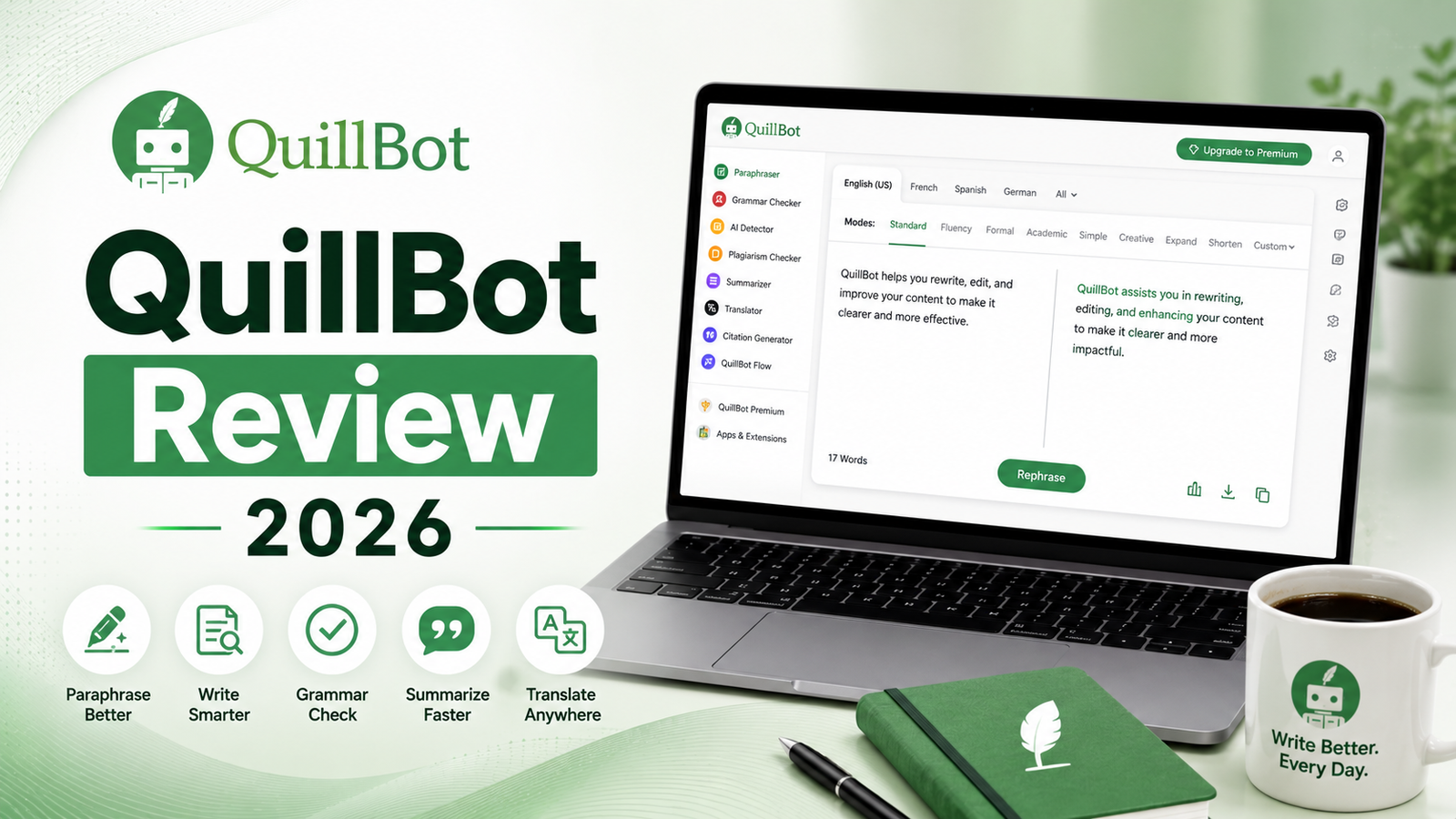
QuillBot Review 2026: The Best Paraphrasing Tool Available, With Important Caveats
QuillBot started in 2017 as a single-feature paraphrasing tool. The pitch was deceptively simple: paste text in, get a better-worded version out. That simplicity proved powerful. By 2026, the platform serves over 50 million users worldwide and has expanded into a full writing assistant suite covering paraphrasing, summarization, grammar checking, plagiarism detection, AI content detection, AI humanization, citation generation, and translation.
What sets QuillBot apart from the broader AI writing market is what it does not try to do. Unlike Jasper, Copy.ai, or ChatGPT, QuillBot does not generate content from scratch. It works upstream of the blank page problem: you write or import a draft, and QuillBot refines it. That specialization has earned it a 4.8 out of 5 on Trustpilot from over 6,000 reviews and made it the default recommendation for students writing academic essays, non-native English speakers polishing professional communications, and content teams reworking existing material for new audiences.
One important operational update for 2026: QuillBot’s privacy policy changed in November 2025 to allow storage of text inputs from desktop users to provide personalized experiences. Users working with sensitive, confidential, or proprietary content should be aware of this before using the desktop app or Chrome extension with that material.
What QuillBot Is and Who It Is For
QuillBot is an AI-powered text refinement platform that improves existing writing rather than generating new content from a blank prompt. The paraphraser is its core engine and strongest feature, processing text across ten distinct modes and offering a synonym slider for controlling how heavily the output diverges from the source. The surrounding tools, including the summarizer, grammar checker, plagiarism detector, and citation generator, complement the paraphraser rather than operating independently.
QuillBot serves a specific and clearly defined audience:
Students and academics who need to reformulate source material without plagiarizing, produce citations in APA, MLA, and Chicago format instantly, check final drafts against plagiarism databases, and summarize research papers before a complete read. The student annual plan at approximately $74.95 per year is one of the most compelling value deals in the writing tool category for this use case.
Non-native English speakers who write with strong ideas but struggle with idiomatic phrasing, sentence rhythm, and the subtle stylistic conventions of professional English. QuillBot’s paraphrasing modes convert technically correct but slightly awkward text into natural-sounding output without changing meaning.
Content editors and marketing teams who need to rework existing content for new contexts: adapting a blog post for a different audience, reformatting a whitepaper for social media, or updating outdated copy without rewriting from scratch.
Freelancers and professionals who produce high volumes of professional communication and want a quick quality pass on emails, proposals, and reports before sending.
QuillBot is the wrong tool for users who need to generate original content from a topic or keyword, build long-form creative writing, produce marketing copy from a brand brief, or perform the deep structural analysis and line-level editing that ProWritingAid provides for manuscript work.
Key Features
Paraphraser with ten modes. The paraphraser is where QuillBot earns its reputation and where its Premium plan is most clearly justified. The free plan limits input to 125 words, which is constraining enough to make the free tier feel more like a demo than a working tool. Premium removes the word limit entirely and unlocks all ten modes: Standard, Fluency, Formal, Academic, Simple, Creative, Shorten, Expand, Custom, and Boomer Mode (the October 2025 addition that converts informal or generational slang into professional language). The synonym slider controls divergence from the source, and freeze words lock specific terms that must not be changed in the output. In testing, Standard and Fluency modes produce natural, readable output that preserves original meaning reliably. Creative mode occasionally produces awkward phrasing that requires careful review before use.
Summarizer with custom mode. The summarizer condenses long documents into bullet points or paragraphs with adjustable length and format. The October 2025 update added Custom Mode, which generates personalized summaries based on user-specified criteria rather than a generic condensation. This is particularly useful for researchers who want the summarizer to focus on methodology, or practitioners who need only the conclusions section surfaced. The free plan limits summarization to 1,200 words; Premium removes the cap.
Grammar Checker. Real-time grammar and punctuation correction with inline suggestions. The grammar checker is functional but not the deep editorial layer that Grammarly or ProWritingAid provide. It catches clear errors reliably; it is not a substitute for the tone detection, clarity scoring, and sentence-level rewriting recommendations that premium grammar tools deliver. For users whose primary need is paraphrasing, the bundled grammar checker adds value. For users who need sophisticated grammatical analysis, it is not a replacement for dedicated tools.
Plagiarism Checker. Premium subscribers can check content against QuillBot’s database for originality. The plagiarism checker is bundled into the Premium subscription alongside the paraphraser and summarizer, rather than sold as a standalone add-on the way Grammarly charges separately for its plagiarism feature. For students and academics who need both paraphrasing and plagiarism checking, this bundling provides meaningful cost savings over assembling the equivalent features separately.
AI Content Detector. The AI detection tool analyzes text for signals associated with AI-generated content. In independent testing, QuillBot’s detector performed adequately on standard content but showed a 42 percent accuracy rate on AI-generated text specifically processed to evade detection. The detector is useful as a first-pass screening tool and less reliable as a definitive verdict on sophisticated AI content.
AI Humanizer. The AI Humanizer converts AI-generated text toward more natural phrasing, reducing the mechanical quality that AI detectors flag. Testing shows the humanizer is effective for light cleanup and phrasing smoothness but delivers less comprehensive restructuring than dedicated humanization tools. The free tier of the humanizer is capped at 125 words.
Citation Generator. Generates citations in APA, MLA, Chicago, and other academic formats from DOI, URL, or manual input. For students who produce many citations per assignment, this feature alone reduces significant mechanical work. No equivalent feature exists in Grammarly or ProWritingAid.
Integrations. The Chrome extension, Microsoft Word add-in, and browser extension that works across 500,000-plus websites allow inline paraphrasing without copy-pasting to the QuillBot web app. The extension has been downloaded by over 5 million users, which reflects how much of QuillBot’s value comes from meeting writers in the tools they already use rather than requiring a platform switch.
Pros and Cons
Pros:
- Best-in-class paraphrasing engine among purpose-built paraphrasing tools; ten modes and synonym slider provide significant creative control
- Citation generator for APA, MLA, and Chicago format is unique in the comparison category; Grammarly and ProWritingAid have no equivalent
- Premium plan at $8.33 per month (annual) is 31 percent cheaper than Grammarly Premium at $144 per year
- Student plan at approximately $74.95 per year is one of the best-value paid writing tool subscriptions available for academic users
- Chrome extension and Word add-in enable inline paraphrasing across all platforms without workflow interruption
- Plagiarism checker is bundled in Premium rather than charged as a separate add-on
- October 2025 Academic Mode in the Paraphraser specifically serves the needs of academic writing contexts
- Summarizer with Custom Mode compresses research document review time significantly
- Multilingual support across 23 languages for paraphrasing and 50 for translation
Cons:
- Free plan’s 125-word paraphrasing cap is genuinely constraining; the tool functions more as a paid subscription product than a freemium offering
- Not a content generation tool; users who need to create from scratch should use ChatGPT, Claude, or dedicated copywriting tools
- Creative mode occasionally produces awkward phrasing that requires careful review before use
- Grammar checker is less comprehensive than Grammarly or ProWritingAid for users who need deep editorial analysis
- November 2025 privacy policy change allows storage of desktop text inputs; users handling confidential material should be aware
- Refund policy offers only a 3-day money-back guarantee for first-time users; less generous than industry standard 7-day or 30-day refund periods
- AI detection accuracy at approximately 42 percent on sophisticated AI content is not reliable enough to serve as a definitive verification tool
Pricing Breakdown
QuillBot updated its pricing in October 2025, approximately doubling the annual plan from $49.95 to $99.95 per year. The tool remains significantly less expensive than Grammarly at comparable tiers.
Free: $0. Paraphrasing limited to 125 words per input with Standard and Fluency modes only. Summarizer limited to 1,200 words. Grammar Checker with basic corrections. No plagiarism checker. No citation generator access. Slower processing queue. Sufficient for brief, infrequent paraphrasing tasks; not suitable for regular professional or academic use.
Premium Monthly: $19.95 per month. Unlimited paraphrasing, all ten modes, full Summarizer, Grammar Checker, Plagiarism Checker, AI Content Detector, AI Humanizer, Citation Generator, and faster processing queue. Best for users who need short-term access without annual commitment.
Premium Semi-Annual: $13.31 per month (billed as $79.95 every 6 months). Same features as monthly at a 33 percent discount. Best for users who want quarterly evaluation flexibility.
Premium Annual: $8.33 per month (billed as $99.95 per year). Same features as monthly at a 58 percent discount over monthly billing. The clearest value proposition for regular users. At $99.95 per year, it costs 31 percent less than Grammarly Premium at $144 per year.
Student Annual: Approximately $74.95 per year. Full Premium features at approximately 25 percent off the standard annual rate. Requires student email verification. One of the strongest value deals in the AI writing tool category for the academic user profile QuillBot serves best.
Team Plans: Starting at $7.50 per user per month for 2 to 10 users. Includes centralized billing, admin controls, and the Team Style Guide feature launched August 2025 for maintaining brand and style consistency across team outputs. Per-user cost decreases with larger seat counts.
“Pricing is subject to change. Always verify current pricing on the tool’s official website before purchasing.”
How It Compares to Grammarly and ProWritingAid
QuillBot vs Grammarly
QuillBot and Grammarly are the two most commonly compared writing tools, and the comparison is most useful when framed correctly: they are complementary rather than competing for the same job.
Grammarly excels at real-time, cross-platform writing quality monitoring: grammar, punctuation, clarity, tone detection, and sentence-level improvements delivered inline across Gmail, Google Docs, Microsoft Word, Slack, and essentially every web-based writing surface through its browser extension. It is ubiquitous, invisible, and catches the quality issues that deadline pressure causes writers to miss.
QuillBot excels at deliberate, controlled text transformation: paraphrasing at scale, reformatting for different audiences, academic citation generation, and the systematic rewording of existing content. It is focused and manual, applied intentionally to specific passages rather than running continuously in the background.
The most practical frame: if you need an always-on writing quality layer across every surface, Grammarly is the right tool. If you need to rework a paragraph, process a document for a different audience, or generate academic citations, QuillBot is the right tool. Many professional writers use both: Grammarly for ongoing quality monitoring and QuillBot for deliberate transformation tasks. At $99.95 plus $144 per year combined, the two tools cost $243.95 annually, which is defensible for writers with both use cases.
QuillBot vs ProWritingAid
ProWritingAid and QuillBot serve different segments of the writing workflow, and the comparison is most relevant for serious writers evaluating which single tool to prioritize.
ProWritingAid is optimized for manuscript-level writing analysis: it generates 20-plus in-depth reports covering pacing, sentence structure variation, cliche density, dialogue authenticity, readability across audiences, and the Virtual Beta Reader feature that provides fiction-level story structure feedback. For authors, serious non-fiction writers, and anyone producing long-form content where structural analysis across the full document matters more than quick sentence-level paraphrasing, ProWritingAid delivers analytical depth QuillBot does not attempt.
QuillBot’s advantages over ProWritingAid are paraphrasing quality, citation generation, and platform coverage. ProWritingAid does not have a comparable paraphrasing engine, and its Chrome extension is less polished than QuillBot’s for inline web-based writing. For students specifically, QuillBot’s citation generator addresses a workflow need ProWritingAid does not cover.
The decision framework: QuillBot for paraphrasing, academic writing support, and text transformation. ProWritingAid for manuscript editing, structural analysis, and literary or long-form non-fiction writing. Neither tool replaces Grammarly for ubiquitous real-time quality monitoring.
Frequently Asked Questions
Can QuillBot’s paraphrasing help bypass plagiarism detection?
This is one of the most commonly asked questions about QuillBot and the answer requires honest handling. QuillBot’s paraphrasing produces genuinely reworded text that changes sentence structure and vocabulary, which does reduce similarity scores on basic similarity-based plagiarism checkers. However, sophisticated academic plagiarism detection tools used by universities, including Turnitin’s AI-assisted analysis, are increasingly effective at identifying paraphrased sources through semantic similarity rather than surface text matching. Using QuillBot to submit source material as your own work, even paraphrased, violates academic integrity policies at virtually every institution. QuillBot’s legitimate and appropriate use in academic writing is to reformulate your own ideas more clearly, adapt your own previously written text for new contexts, and practice alternative ways of expressing the same concept. The academic mode specifically is designed to assist with academic writing tasks, not to evade academic integrity requirements.
Is the free plan actually usable for regular professional use?
Not for sustained professional workflows. The 125-word paraphrasing cap per input means any standard paragraph, most of which exceed 125 words in professional writing, requires splitting into chunks and processing separately. For a 500-word email or a 2,000-word section of a report, this becomes impractical for regular use. The free plan is appropriately described as a demonstration of the tool’s quality before purchasing. For casual users who paraphrase a single short paragraph once a week, the free plan is functional within those constraints. For any regular professional or academic use, the Premium Annual plan at $8.33 per month is the appropriate tier. At that price, the cost justification is low: if paraphrasing saves you 30 minutes per week, the monthly cost is recovered in one session.
Does the October 2025 price increase affect whether QuillBot is worth paying for?
The annual plan doubled from $49.95 to $99.95 in October 2025, which is a significant price increase. However, at $99.95 per year or $8.33 per month, QuillBot Premium remains 31 percent less expensive than Grammarly Premium at $144 per year. The value comparison depends on your primary use case. If your primary need is paraphrasing, citation generation, and summarization, QuillBot at $99.95 per year covers those needs at a price that most regular users recover quickly in time savings. If your primary need is writing quality improvement, tone detection, and real-time grammar correction, Grammarly at $144 per year is the more appropriate tool for the specific job, and the price comparison is less relevant than the feature match. The student plan at approximately $74.95 per year makes the price increase proportionally less impactful for academic users, who are QuillBot’s strongest natural fit.
Final Verdict
QuillBot in 2026 remains the strongest purpose-built paraphrasing tool available, and for users whose primary writing challenge is transforming existing text rather than generating new content, it earns its subscription price clearly.
The paraphraser’s ten modes, synonym slider, freeze words, and Academic Mode specifically address the use cases QuillBot was built for. The bundled citation generator, plagiarism checker, and summarizer with Custom Mode make the Premium subscription meaningfully more complete than a standalone paraphrasing tool. The student annual plan at approximately $74.95 per year is one of the best value offers in the AI writing category for academic users.
The limitations are equally clear and worth understanding before subscribing. The 125-word free plan cap means there is effectively no meaningful free version. The grammar checker does not match Grammarly’s depth. The AI detector is not reliable enough for high-stakes verification. The November 2025 privacy policy change warrants attention for users handling sensitive content. And the October 2025 price increase, while still leaving QuillBot cheaper than Grammarly, reduces the automatic price-advantage framing that previously made the decision obvious.
For students, academics, non-native English speakers, and content editors who need a fast, accurate, and flexible text transformation tool, QuillBot Premium is a defensible investment. For users who need to generate content rather than refine it, or who need deep editorial analysis at the manuscript level, other tools serve those needs more precisely.
Rating: 4.3 / 5