Grammarly Review 2026: Still the Best AI Writing Assistant?
Grammarly has been a fixture on professional desktops since 2009, long enough to survive several generational shifts in how people work and write. The grammar checker became a writing assistant. The writing assistant became an AI coach. In 2026, the product has restructured its plans, merged its Premium and Business tiers into a unified Pro offering, and added AI humanization tools alongside its established editing suite.
The question that comes up in every honest Grammarly conversation in 2026 is not whether it works. It clearly does, and its 40 million-plus users and 50,000-plus organizational deployments reflect genuine value delivered at scale. The question is whether it still earns its place against increasingly capable free and low-cost alternatives, given documented billing friction, desktop app performance issues, and a feature set that stops well short of generating content from scratch.
This review covers everything you need to make that call.
What Grammarly Is and Who It Is For
Grammarly is an AI-powered writing assistant that monitors and improves writing quality in real time across virtually every digital surface where professionals write. The browser extension integrates with Gmail, Google Docs, Microsoft Word, Outlook, LinkedIn, Slack, WordPress, Notion, and more. Install it once and it works everywhere, requiring no manual activation or copy-paste workflow.
The product’s core value is not catching typos, which any spell-checker handles. It is identifying the subtler quality issues that make the difference between adequate and professional writing: passive constructions that obscure accountability, tone mismatches between message and audience, structural clarity issues that require readers to re-read a sentence, and wordy phrasing that buries the point.
Grammarly serves a broad but consistent professional profile:
Business professionals who produce significant volumes of email, reports, and documentation and want a quality safety net that works without interrupting the drafting process. For anyone writing 50-plus professional messages per week, the tone detection and clarity improvements prevent the communication failures that affect professional relationships.
Content creators and marketers who publish regularly and need to maintain consistent quality across high output volume without a dedicated editor reviewing every piece before publication.
Students and academics who need plagiarism detection alongside writing quality support, particularly for long-form assignments where structure, clarity, and originality are simultaneously evaluated.
Non-native English speakers who have high fluency but benefit from real-time correction of nuanced grammatical constructions that do not translate directly from their primary language.
Teams and organizations using the Pro plan’s Brand Voice feature to maintain consistent tone and vocabulary across all written output from multiple contributors.
Key Features
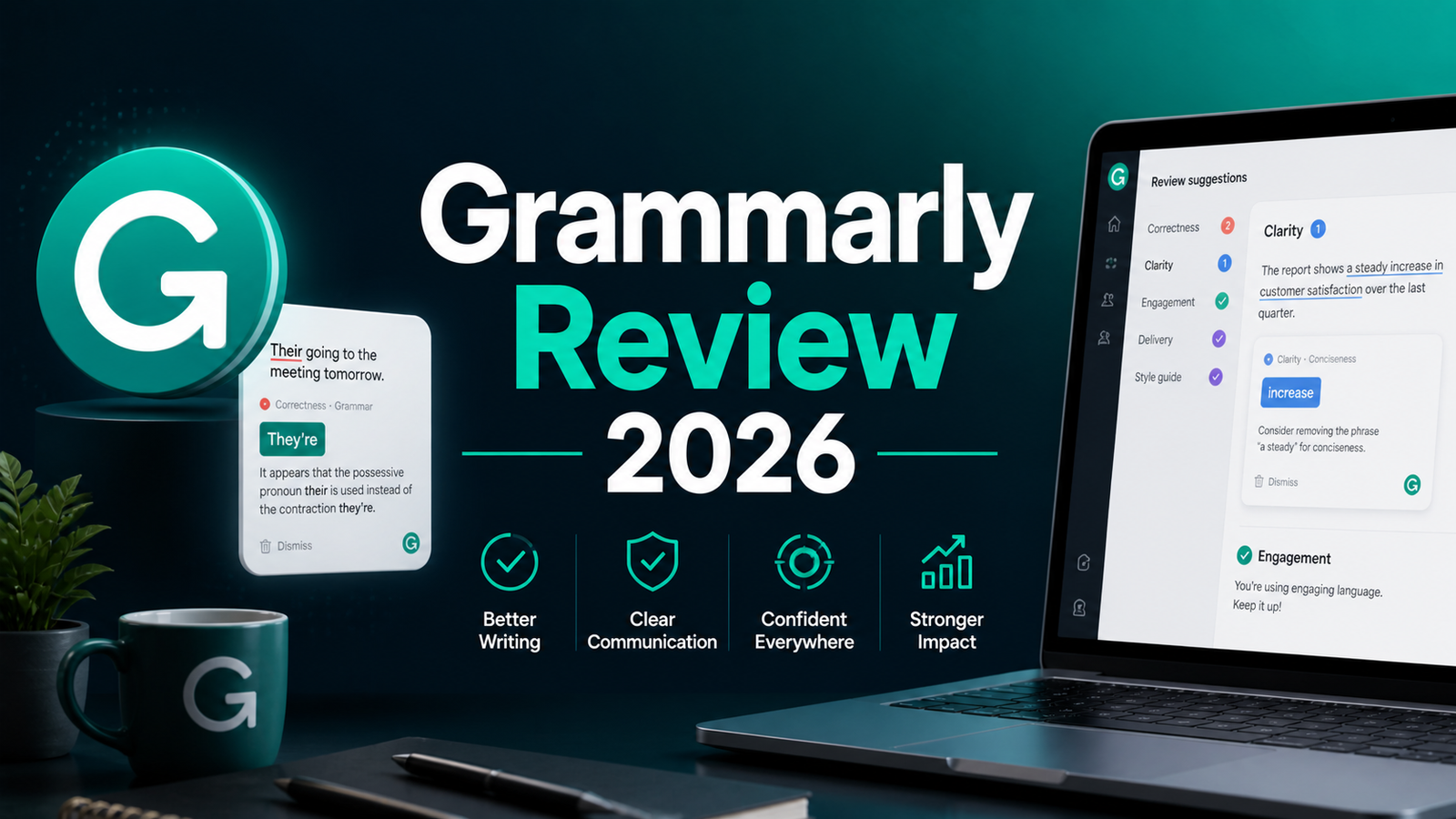
Real-time grammar, punctuation, and spelling correction. The foundation of Grammarly’s value, and still its strongest feature in independent testing. Grammarly catches comma splices, subject-verb agreement errors, misplaced modifiers, and context-specific spelling issues that basic spell-checkers miss. The 2026 contextual engine has improved on nuanced cases where the correct word depends on sentence structure rather than just individual word recognition.
Tone detection and adjustment. Grammarly analyzes the emotional register of written content and flags mismatches between intended tone and written result. A message intended to be collegial that reads as passive-aggressive, a proposal meant to be confident that reads as aggressive, a customer response meant to be empathetic that reads as dismissive. These tone failures are common, costly, and difficult to self-identify. Grammarly catches them before they reach the recipient.
Full-sentence rewrites and clarity suggestions. Beyond individual word corrections, Grammarly suggests complete sentence-level rewrites for passages that are grammatically correct but structurally unclear. The 2026 update improved the contextual intelligence of these rewrites, with suggestions that better preserve the writer’s intended meaning while improving the reader’s comprehension.
GrammarlyGO and AI agents. The Pro plan’s AI suite includes 2,000 monthly prompts covering paraphrasing, ideation, tone adjustment, and full-paragraph generation from a brief. The Grammarly Docs surface, added in recent updates, hosts AI agents that provide rubric-aligned feedback, citation assistance, and revision tools within a dedicated writing environment.
AI Humanizer. Launched in 2026, this feature converts AI-generated text toward more natural, human-sounding prose. Users select from preset voice templates (Neutral, Concise, Formal, Clear, Crisp, Assertive, Objective) or train the system on their own writing samples so it learns their specific voice and applies it consistently.
Plagiarism detection. Pro plan subscribers have access to a plagiarism checker that compares content against billions of web pages and academic sources. The Grammarly Authorship feature, launched alongside growing AI content disclosure requirements, identifies the likely origin of content sections, which is relevant for educators evaluating submissions and publishers verifying original work.
Brand Voice for teams. Organizations define their writing style once through Brand Voice on Pro plans, and Grammarly enforces it across all team members’ output. Consistent use of branded terminology, preferred phrasing patterns, and vocabulary to avoid are all enforced automatically without requiring editorial review of every document.
Pros and Cons
Pros:
- Works across every platform professionals write on without any workflow change after installation; the broadest cross-platform coverage of any writing tool
- Tone detection catches communication tone failures before they damage professional relationships
- Pro plan at $12 per month (annual) maintains the same price while delivering features previously limited to the Business plan
- 2,000 monthly AI prompts on Pro is substantial; at approximately 65 prompts per day, most professional users do not deplete the allocation
- Brand Voice for teams solves the brand consistency problem for content organizations without requiring a style guide enforcement process
- AI Humanizer with custom voice training is a 2026 addition with genuine value for teams using AI-assisted drafting
- Plagiarism detection covers billions of sources for students, academics, and content publishers
- 40 million-plus users and strong G2 rating reflect genuine user satisfaction with core functionality
Cons:
- Desktop app has documented performance issues: Trustpilot and Reddit reviewers report 17 GB or more RAM consumption, CPU spikes to 99 percent, and system freezes of 20 or more seconds on some hardware configurations
- Auto-renewal billing has generated consistent complaints: users who signed up at promotional rates report being renewed at standard rates without adequate warning, resulting in unexpected $144 annual charges
- Not a content generation tool; Grammarly improves and edits existing writing but does not produce high-quality first drafts the way Claude or ChatGPT can
- English-language only; no meaningful support for non-English writing assistance
- Browser extension can feel intrusive during casual or non-professional writing tasks
- Email-only support with 48-hour response target; no live chat or phone support for billing disputes
- No free trial for Pro; the free plan is the only pre-purchase evaluation path
Pricing Breakdown
Grammarly restructured its plans in 2025 and 2026, merging the previous Premium and Business tiers into a unified Pro offering and replacing Business-only features with the new Enterprise plan.
Free: $0. Basic grammar, spelling, and punctuation correction, 100 monthly AI prompts, limited tone suggestions, and Grammarly Docs access. Works across all integrated platforms via the browser extension. No credit card required. Suitable for casual personal use and initial evaluation; the 100-prompt monthly limit constrains meaningful AI feature use.
Pro: $30/month (monthly) or $12/month billed annually ($144 upfront). Full advanced writing suggestions including full-sentence rewrites, complete tone detection, plagiarism detection, 2,000 monthly AI prompts, GrammarlyGO features, AI Humanizer, Brand Voice, and team features for up to 149 seats. The annual billing rate of $12 per month is the figure typically cited in marketing. The monthly billing rate of $30 is the figure relevant for users who cannot commit to an annual prepayment.
Enterprise: Custom pricing. For organizations above 149 users or with advanced security, compliance, and integration requirements. Includes SSO, data loss prevention controls, bring-your-own-key encryption, unlimited AI usage, dedicated support, and custom onboarding. Contact Grammarly’s sales team for current rates.
Important billing note: Grammarly contracts auto-renew and promotional pricing is valid only for the first subscription period. Multiple Trustpilot reviewers report being renewed at the full $144 annual rate after signing up at promotional rates of $69 to $79. Set a calendar reminder before any renewal date if you are evaluating whether to continue.
“Pricing is subject to change. Always verify current pricing on the tool’s official website before purchasing.”
How It Compares to ProWritingAid and QuillBot
Grammarly vs ProWritingAid
ProWritingAid and Grammarly are genuinely different products that serve overlapping but distinct writing needs. Grammarly is optimized for real-time professional communication: the tone of an email, the clarity of a business document, the grammatical precision of content published at volume. ProWritingAid is optimized for manuscript-level editing: pacing across chapters, sentence length variation, dialogue authenticity, cliche density, and readability analysis that requires the full document to assess accurately.
ProWritingAid costs less and offers a lifetime plan, while Grammarly costs more and works everywhere. That summary captures the core trade-off precisely. ProWritingAid Premium at $10 per month annually, or the lifetime plan at $399, provides 20-plus in-depth analysis reports including Virtual Beta Reader feedback for fiction writers that Grammarly does not attempt to replicate. Grammarly Pro at $12 per month provides ubiquitous platform coverage and Brand Voice enforcement that ProWritingAid cannot match for teams producing cross-platform professional content.
The practical decision: Grammarly for professionals who write across email, Slack, Google Docs, and multiple other platforms daily and want consistent quality coverage everywhere. ProWritingAid for authors, serious writers, and anyone producing long-form manuscript content where structural analysis across the full document is more valuable than real-time sentence-level correction.
Grammarly vs QuillBot
QuillBot is primarily a paraphrasing tool with grammar checking as a secondary feature, which makes the comparison less direct than Grammarly versus ProWritingAid. QuillBot’s core capability is transforming existing text into alternative phrasings with control over how extensively the content is changed, which is valuable for academic writers looking to reformulate source material and content creators needing variations of existing copy.
Grammarly’s AI rewriting features overlap with QuillBot’s paraphrasing but with different emphasis. Grammarly rewrites to improve clarity and quality while preserving the original meaning and voice. QuillBot rewrites to produce alternatives with variable levels of structural change, from near-synonymous substitutions to substantially restructured paragraphs. QuillBot’s free tier is more capable than Grammarly’s for paraphrasing specifically, making it a useful free supplement for tasks where paraphrasing is the primary need.
For cross-platform writing quality, professional communication, and team features, Grammarly is the more complete tool. For paraphrasing, variation generation, and academic reformulation specifically, QuillBot is the more focused choice at lower cost.
Frequently Asked Questions
Is the Grammarly free plan actually usable for professional writing?
Yes for basic correction, no for AI-assisted improvement. The free plan catches genuine grammatical errors and basic clarity issues across all integrated platforms, which is more useful than most writers realize before upgrading. The constraint is the 100 monthly AI prompts: at 65-plus prompts per day for meaningful Pro usage, the free plan’s allocation is exhausted in roughly two working days of active AI feature use. Professionals who primarily want grammar and spelling correction and do not depend on AI rewrites, tone detection depth, or plagiarism checking can maintain professional output quality on the free plan indefinitely. Professionals who want the full AI assistance suite for daily use will consistently hit the prompt ceiling and find the free plan frustrating rather than functional.
Does Grammarly work well on the desktop app, and what are the known issues?
The browser extension works reliably across virtually every web-based writing surface, and this is where most Grammarly users interact with the product. The desktop application has documented performance issues that are worth testing on your specific hardware before committing to an annual plan. Documented desktop app issues include 17 GB or more of RAM consumption, potential CPU spikes to 99 percent, and reported system freezes of 20 or more seconds on some hardware. These issues are significant on older machines or systems running multiple resource-intensive applications simultaneously, and they appear consistently enough in Trustpilot and Reddit reviews to take seriously. The recommendation is to use the browser extension as the primary interface and evaluate desktop app performance on your specific hardware during the free plan period before purchasing a Pro subscription.
How does Grammarly handle content that writers want to deliberately break grammar rules?
Grammarly’s suggestions are exactly that: suggestions. Every correction can be dismissed individually or by accepting that a particular usage is intentional. Writers working in creative registers, producing dialogue, or maintaining deliberate stylistic choices that violate standard grammar rules can dismiss the flagged items without consequence. The product does not force corrections. The practical workflow for writers who work in non-standard registers is to treat Grammarly’s suggestions as a second reader’s perspective and selectively apply the corrections that align with intent while dismissing those that do not. Some users find the browser extension intrusive enough during creative drafting that they disable it and paste finished text into Grammarly for a final pass, which maintains quality control without interrupting the drafting process.
Final Verdict
Grammarly earns its position as the default writing quality layer for professional communication in 2026. The combination of ubiquitous platform coverage, reliable real-time correction, meaningful tone detection, and the Pro plan’s expanded AI suite at $12 per month annually is difficult to match for the specific use case of ongoing professional writing quality across multiple platforms.
The limitations are real and should be understood before purchasing. The desktop app performance issues are documented and hardware-dependent. The auto-renewal billing practices have generated legitimate complaints from users who were not adequately notified of promotional-to-standard price transitions. The product does not generate content from scratch at the quality that Claude or ChatGPT produce, and English is the only language it serves meaningfully.
For professionals who write constantly across email, Google Docs, Slack, and web-based tools, the free plan is worth installing today regardless of any upgrade decision. It delivers genuine value at zero cost. Upgrade to Pro when the upgrade prompts appear consistently on suggestions you would actually use, which is the clearest signal the free plan has reached its ceiling for your workflow.
Rating: 4.4 / 5