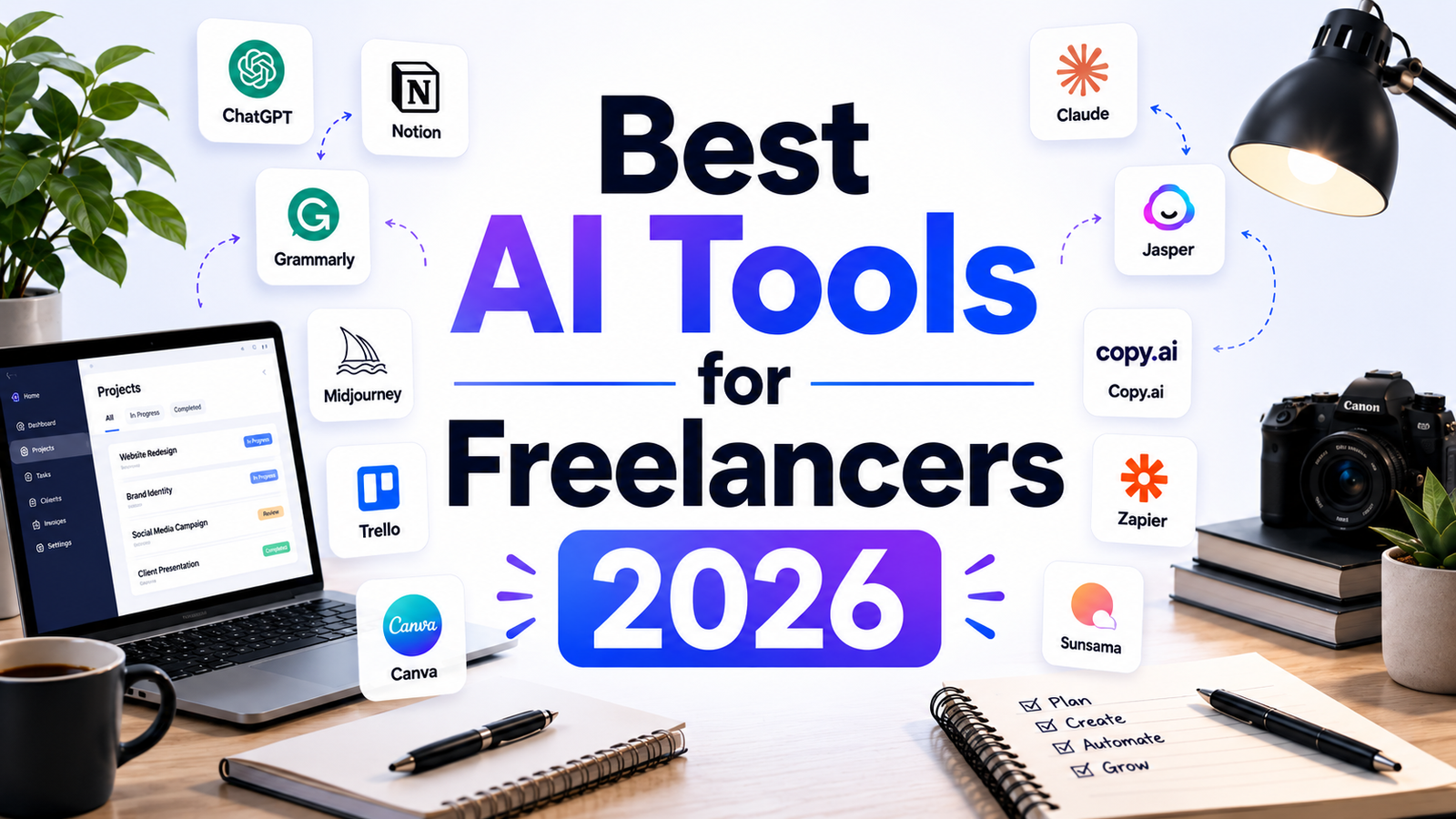
Best AI Tools for Freelancers 2026: Work Faster, Earn More
Freelancing in 2026 is a different game than it was three years ago. AI adoption among independent professionals has crossed 77%, and the gap between freelancers who use AI tools strategically and those who do not is measurable in hours saved, clients served, and income earned. A content writer who used to spend three hours on a 1,000-word article can now complete the same work in 90 minutes. A podcaster who dreaded editing now publishes the same week they record. A designer delivering social graphics for five clients simultaneously is not working five times as hard; they are using tools that multiply output without multiplying effort.
The most common mistake freelancers make with AI is adding too many tools at once. A focused analysis of freelance workflows found that consistent use of two or three tools outperforms scattered use of ten. Every new subscription has a learning curve, a login, and cognitive overhead. The goal is not to collect the largest AI stack. The goal is to eliminate the non-billable hours sitting around the edges of real work: client proposals, repetitive formatting, meeting notes, proofreading, audio editing, and administrative communication.
This guide reviews eight AI tools that consistently deliver measurable value for freelancers across different specializations. Each review identifies what the tool actually replaces in a freelance workflow so you can evaluate whether it addresses your specific time drains.
Our Take: The biggest mistake freelancers make with AI is chasing every new tool. The real advantage comes from building a small, reliable AI stack that improves productivity, client delivery, and income at the same time.
Who This Guide Is For
This article is built for:
- Freelance writers and content creators looking to produce more without sacrificing quality
- Designers and visual creators who need professional-grade visuals without a design team
- Podcasters, video creators, and educators who want to compress editing time dramatically
- Consultants and service freelancers who lose hours to meeting notes, proposals, and client communication
- Marketing freelancers managing multiple clients with high copy volume
Comparison Table: 8 Best AI Tools for Freelancers 2026
| Tool | Best For | Starting Price | Free Tier |
|---|---|---|---|
| ChatGPT | General writing, research, proposals, coding | Free / $20/month (Plus) | Yes |
| Grammarly | Proofreading, tone, client communication quality | Free / $12/month (Pro, annual) | Yes |
| Canva AI | Social graphics, client presentations, visual content | Free / $15/month (Pro) | Yes |
| Notion AI | Workspace organization, meeting notes, knowledge management | Free / $20/month (Business) | Limited trial |
| Copy.ai | Marketing copy, ad headlines, email sequences | Free / $29/month (Chat) | Yes |
| Otter.ai | Client meeting transcription and AI summaries | Free / $8.33/month (Pro, annual) | Yes |
| Descript | Podcast editing, video editing, voiceover production | Free / $24/month (Creator, annual) | Yes |
| Jasper | On-brand long-form content for multiple clients | $39/month (Creator, annual) | No (7-day trial) |
“Pricing is subject to change. Always verify current pricing on the tool’s official website before purchasing.”
Detailed Reviews
1. ChatGPT
The core AI assistant for every freelancer’s stack.
ChatGPT is the tool most freelancers reach for first, and for good reason. It handles the broadest range of freelance tasks of any single platform: drafting client proposals, generating first versions of deliverables, researching topics, writing cold outreach emails, explaining client briefs, debugging code, and brainstorming campaign angles. The free tier gives access to GPT-4o under rate limits, which is enough to evaluate whether ChatGPT fits your workflow. The Plus plan at $20/month unlocks expanded GPT-4o access, image generation, real-time web search, file analysis, memory across sessions, and Custom GPTs that can be pre-configured with your specific writing style and the types of clients you serve.
For freelancers starting their AI journey, ChatGPT is the highest-priority first investment. A freelance copywriter producing 40 product descriptions per week reported tripling her output after building a workflow around ChatGPT. A web developer using it to debug code recovered hours previously spent in documentation and forum threads. At $20/month, it delivers the highest ROI of any tool on this list for the widest range of freelance specializations.
Key Features:
- GPT-4o with memory: Learns your writing style, client preferences, and workflow patterns across sessions, reducing the time spent re-briefing the tool with each new conversation
- Custom GPTs: Build specialized AI assistants pre-configured for your most repeated tasks, such as a proposal writer, a subject line generator, or a specific client’s brand voice
- Real-time web browsing: Research current events, competitor pricing, and live data without switching tools
Pros:
- Most versatile AI tool available for freelancers across every specialization
- Free tier is genuinely capable for occasional and light use
- Memory feature adapts to your preferences over time, improving output quality as you use it
- Image generation included on Plus at no extra cost
- 200 million weekly active users means extensive prompt libraries and community resources
Cons:
- Long-form output can feel generic without detailed prompting and editing
- Rate limits on the Plus tier frustrate heavy daily users during peak hours
- No native integration with client management or project tools; requires copy-pasting between workflows
Pricing:
- Free: Limited GPT-4o access, basic image generation
- Plus: $20/month, full GPT-4o access, image generation, web browsing, file analysis, memory
- Team: $25 to $30/user/month, shared workspace, admin controls, data not used for training
- Pro: $200/month, near-unlimited access for extremely heavy users
Best For: Every freelancer, regardless of specialization. ChatGPT is the foundational AI tool to acquire first and build other tools around.
2. Grammarly
The non-negotiable quality layer for every piece of client-facing writing.
Every freelancer writes more than they realize: client emails, project proposals, deliverable copy, invoices, follow-ups, status updates, and onboarding documents. Grammarly sits across all of these, catching grammar errors, tone inconsistencies, and clarity issues in real time across Gmail, Slack, Google Docs, Word, and your browser. It does not replace ChatGPT; it improves everything that flows through your keyboard afterward.
The Pro plan’s GrammarlyGO AI assistant adds 2,000 monthly AI prompts for rewriting sentences, adjusting tone, and paraphrasing, which means it also functions as a lightweight content assistant on top of its proofreading role. For freelancers sending dozens of client communications per week, Grammarly is the cheapest insurance against the kind of errors that quietly undermine professional credibility.
Key Features:
- Real-time correction across all platforms: Works in Gmail, Slack, Google Docs, Word, Chrome, and mobile, without requiring a separate application switch
- Tone detection: Identifies how written communication will land emotionally and suggests adjustments before you send, particularly useful for sensitive client conversations
- GrammarlyGO AI assistant: 2,000 monthly prompts for rewriting, paraphrasing, and tone adjustment on the Pro plan
Pros:
- Works everywhere you type, with no workflow change required
- Plagiarism checker included on Pro, valuable for content freelancers delivering written work
- Pro at $12/month (annual) is one of the lowest-cost, highest-impact subscriptions available
- Catches tone and clarity issues that general-purpose AI tools routinely miss
Cons:
- Free plan limited to 100 AI prompts per month, which depletes quickly for active users
- Depth of style analysis is lighter than dedicated writing improvement tools
- No lifetime purchase option
Pricing:
- Free: Basic grammar, spelling, punctuation; 100 AI prompts/month
- Pro: $30/month (monthly), $20/month (quarterly), $12/month (annual, $144/year upfront)
- Enterprise: Custom pricing for larger teams
Best For: Every freelancer who sends client-facing communications. Grammarly is particularly high-value for writers, marketers, and consultants where written quality directly reflects professional reputation.
3. Canva AI
Professional-quality visual content without a design budget.
For freelancers who produce visual content alongside written deliverables, Canva AI is the tool that eliminates the need for a separate graphic designer. The Pro plan’s Magic Studio suite includes text-to-image generation, background removal, AI-powered design resizing across all social formats, video clip generation, and Brand Kit automation for storing client brand colors, fonts, and logos. Deliverables that previously required an hour in Adobe can be produced in fifteen minutes.
The freelance workflow benefit is particularly strong for marketing and social media freelancers managing multiple clients simultaneously. Brand Kit stores each client’s visual identity separately, and Magic Resize adapts any design to every platform dimension in a single click. For freelancers without design training, Canva AI is the most accessible path to professional-grade client deliverables.
Key Features:
- Magic Media: Text-to-image and text-to-video generation directly inside the Canva design workspace, eliminating platform switching
- Brand Kit: Store separate brand colors, fonts, and logos for each client, enabling rapid switching between client visual identities
- Magic Resize and Background Removal: Adapt any design to every social platform format and remove backgrounds from images without Photoshop
Pros:
- No design experience required; professional results accessible from day one
- Brand Kit enables clean management of multiple client accounts from a single workspace
- Free tier is functional for basic design needs
- Pro at $15/month is strong value for the design capabilities it replaces
Cons:
- Image generation quality ceiling is below dedicated generators like Midjourney
- Free AI credit allocation is modest; heavy users hit limits quickly
- Not the right choice if high-end artistic image quality is a deliverable requirement
Pricing:
- Free: Limited Magic Media credits, core templates
- Pro: $15/month, full Magic Studio access, Brand Kit, 1TB storage, premium templates
- Teams: $10/user/month (minimum 3 users)
Best For: Marketing freelancers, social media managers, and content creators who produce visual content for multiple clients and need to switch between brand identities quickly.
4. Notion AI
Your second brain, organized and AI-queryable.
For freelancers managing multiple clients across simultaneous projects, the cognitive overhead of keeping everything organized is often the biggest invisible productivity drain. Notion is the workspace where project notes, client documents, SOPs, content calendars, meeting summaries, and invoicing records can live together in one searchable system. Notion AI turns that organized workspace into something queryable in natural language: ask it to summarize all outstanding client deliverables, pull the action items from last week’s meeting notes, or generate a project update draft from your notes.
The pricing structure changed significantly in May 2025. Full AI access now requires the Business plan at $20/user/month rather than the previous add-on model. For solo freelancers, the free tier provides unlimited pages and blocks for personal use, with approximately 20 total AI trial responses before requiring an upgrade.
Key Features:
- Ask Notion: Query your entire workspace in natural language to find information across documents, databases, and meeting notes without manual searching
- AI document generation: Draft SOPs, project briefs, client onboarding documents, and meeting agendas from prompts within the workspace
- Database autofill: Automatically populate database fields with AI-generated summaries, tags, and categories to reduce manual data entry
Pros:
- Eliminates the cognitive cost of context-switching between documents, notes, and project tracking
- AI works on your existing content, not general knowledge, making it genuinely relevant to your specific clients and work
- Free tier is generous for individual use with unlimited pages
- Business plan bundles workspace and AI into a single subscription
Cons:
- Full AI access requires the Business plan at $20/user/month; free and Plus plans get only approximately 20 total AI responses
- Significant learning curve; plan for one to two weeks before feeling productive
- Not useful unless Notion is already or becomes your primary workspace
Pricing:
- Free: Unlimited pages and blocks for 1 user, 10 guests, approximately 20 total AI trial responses
- Plus: $10/user/month (annual), unlimited file uploads, 100 guests, no full AI access for new users
- Business: $20/user/month (annual), full AI access including Ask Notion and AI Agents
Best For: Freelancers who manage multiple clients simultaneously and want a central organized workspace where AI can work across all their stored knowledge and project information.
5. Copy.ai
Fast, unlimited marketing copy for freelancers serving multiple clients.
Copy.ai is the fastest path from a client brief to usable marketing copy. Email subject lines, social media captions, ad headlines, product descriptions, landing page copy, cold outreach sequences: the Chat interface generates all of these quickly with minimal prompting. For marketing freelancers producing copy across multiple client accounts per week, the Chat plan at $29/month for five seats and unlimited word generation provides strong per-seat value compared to any competitor.
The free plan’s unlimited chat-based writing is genuinely useful for light volume and testing. For freelancers who bill clients for copywriting deliverables, Copy.ai can compress production time significantly without reducing the quality of what clients receive, provided the outputs are edited and personalized rather than published raw.
Key Features:
- Chat by Copy.ai: Conversational AI interface for generating marketing copy across all standard formats, with guided prompts for specific output types
- Brand Voice (Pro plan): Train the tool on existing client content so outputs match each client’s established tone and style automatically
- 90+ templates: Pre-built formats for every standard marketing content type, accessible without detailed prompt engineering
Pros:
- Free plan with unlimited words is the most generous free tier in AI copywriting
- Five seats on the $29/month Chat plan delivers exceptional per-seat value for small teams
- Low learning curve, accessible to freelancers without AI experience
- Multi-model access across OpenAI, Anthropic, and Gemini models on paid plans
Cons:
- Long-form content requires editing; best for short-form marketing copy production
- Brand Voice locked behind paid tiers, requiring additional cost for per-client voice training
- No image generation, strictly a text tool
Pricing:
- Free: Unlimited words via Chat, 1 seat, limited features
- Chat: $29/month ($24/month annual), unlimited words, 5 seats, multi-model access
- Pro: $49/month ($36/month annual), Brand Voice, Infobase, integrations
Best For: Freelance copywriters and marketing freelancers producing high-volume short-form content across multiple client accounts who need fast, reliable first drafts.
6. Otter.ai
Never lose a client conversation again.
Client meetings generate decisions, action items, and commitments that determine whether projects succeed or stall. Manual note-taking during meetings splits attention between listening and writing, degrading both. Otter.ai’s AI meeting assistant joins Zoom, Google Meet, and Microsoft Teams calls automatically, transcribes every word in real time, identifies speakers, generates a summary, and extracts action items, delivering them to participants immediately after the call ends.
For consultants, account managers, and any freelancer whose work involves regular client meetings, Otter.ai is the most immediate time-saver available. At $8.33/month on the annual Pro plan, the cost recovers itself the first time you avoid losing a deliverable scope change or a client commitment that was not written down.
Key Features:
- Real-time AI transcription: Automatic speech-to-text across Zoom, Teams, and Google Meet with speaker identification and custom vocabulary support
- AI-generated meeting summaries and action items: Instant summaries and extracted to-dos sent to all participants after each meeting closes
- Otter AI Chat: Ask questions about past meeting transcripts and get instant answers from the conversation record
Pros:
- Eliminates manual note-taking, allowing full presence during client conversations
- Pro plan at $8.33/month (annual) is the most affordable productivity upgrade on this list
- Free plan provides 300 minutes/month, enough to evaluate the tool properly
- Action item extraction reduces post-meeting follow-up time significantly
Cons:
- Supports only English, French, and Spanish; multilingual freelancers may need additional tools
- Pro plan was reduced from 6,000 to 1,200 minutes/month without a corresponding price reduction
- File import capped at 10 per month on Pro; podcast producers need the Business tier
- Annual plan has no prorated refund policy; start monthly when testing
Pricing:
- Free: 300 minutes/month, 30-minute max per conversation, 3 lifetime file imports
- Pro: $16.99/month (monthly) or $8.33/month (annual), 1,200 minutes/month, 90-minute conversations
- Business: $30/user/month (monthly) or $19.99/user/month (annual), 6,000 minutes, team features
Best For: Freelance consultants, account managers, and service providers who conduct regular client discovery calls, project reviews, or strategy sessions and cannot afford to lose what was discussed.
7. Descript
The AI tool that makes podcast and video editing feel like document editing.
Descript’s core innovation is simple: edit audio and video by editing the text transcript. Delete a sentence in the transcript and the corresponding audio disappears. The Underlord AI suite handles filler word removal, silence trimming, Studio Sound audio cleanup, and automated generation of short clips and social trailers. For freelance podcasters, YouTubers, and course creators, Descript compresses what used to be a three-hour editing session into forty-five minutes.
The Creator plan at $24/month (annual) is the sweet spot: 30 hours of media, 800 AI credits, 4K export, and full Underlord AI access. For freelancers who produce audio or video content weekly for clients, this plan frequently replaces tools that would otherwise cost significantly more individually.
Key Features:
- Text-based video and audio editing: Edit the transcript to edit the media; no timeline scrubbing or technical audio software knowledge required
- Underlord AI: Automatic filler word removal, silence trimming, Studio Sound audio enhancement, and AI-generated clip and trailer creation from long recordings
- Overdub: Clone your own voice to correct recording mistakes or fill gaps without re-recording sessions
Pros:
- Most beginner-friendly video and audio editing tool available by a significant margin
- Studio Sound audio cleanup elevates recording quality dramatically without professional equipment
- Free plan includes 60 minutes of media per month for testing the full workflow
- Annual billing saves up to 35% versus monthly pricing
Cons:
- AI credits run out quickly during intensive editing sessions; plan credit usage carefully
- Not a generative video tool; requires your own recorded footage as the starting point
- Full team collaboration features require the Business plan at $65/month
- Poor value for infrequent or sporadic publishers
Pricing:
- Free: 60 minutes of media/month, 100 one-time AI credits, watermarked exports
- Hobbyist: $24/month ($16/month annual), 10 hours media, 400 AI credits, watermark-free
- Creator: $35/month ($24/month annual), 30 hours media, 800 AI credits, 4K export, full Underlord AI
- Business: $65/month ($50/month annual), 40 hours media, 1,500 AI credits, team features
Best For: Freelance podcasters, YouTubers, video editors, and online course creators who publish audio or video content weekly and want to compress production time without learning professional editing software.
8. Jasper
On-brand, consistent long-form content for freelancers managing multiple client voices.
Jasper is the premium option in AI writing, and the investment is justified specifically for freelancers managing multiple clients with distinct brand voices who need to produce consistent, on-brand content at volume. Its Brand IQ system analyzes each client’s existing content and establishes tone, style, and vocabulary rules so that every piece generated sounds like that client’s brand rather than generic AI output. For a freelance content strategist delivering blog posts and email campaigns to five different clients per week, this consistency matters.
The downside is price. At $39/month (annual) as the entry point, Jasper costs more than most tools on this list. The investment is justified when consistent brand voice across high-volume output directly impacts client retention and deliverable quality. For freelancers producing occasional content at lower volume, ChatGPT or Copy.ai delivers adequate results at lower cost.
Key Features:
- Brand Voice with Jasper IQ: Analyzes client content to establish consistent tone and style rules applied automatically to all generated outputs
- 50+ content templates: Blog posts, emails, ad copy, social posts, landing pages, and more with structured formatting
- Surfer SEO integration: Combine Jasper’s content generation with Surfer’s optimization scoring in a single workflow for SEO-focused clients
Pros:
- Best brand voice consistency of any AI writing tool for freelancers managing multiple client accounts
- 7-day free trial available across all plans before committing
- Strong for agencies and freelancers where inconsistent brand voice creates client complaints
- Surfer SEO integration enables a complete SEO content workflow in one tool
Cons:
- $39/month (annual) entry price is the highest starting cost on this list
- Business plan pricing requires contacting sales rather than transparent self-service pricing
- Not the best tool for nuanced long-form research writing or complex creative content
- Overage fees can increase costs at the Creator tier if word limits are exceeded
Pricing:
- Creator: $39/month (annual) / $49/month (monthly), 1 seat, 1 Brand Voice, 5 Knowledge Assets
- Pro: $59/month (annual) / $69/month (monthly), multiple seats, 3 Brand Voices, team collaboration
- Business: Custom pricing, unlimited Brand Voices, AI Agents, API access
Best For: Freelance content writers and marketing strategists managing five or more clients simultaneously who need AI-enforced brand voice consistency across high weekly content volume.
Frequently Asked Questions
Which AI tools are worth paying for versus using free tiers?
For daily professional use, three tools are worth upgrading from free tiers quickly: ChatGPT Plus ($20/month) provides meaningful capability improvements over the free tier for active daily users; Grammarly Pro ($12/month annual) adds plagiarism checking and 2,000 AI prompts that free users do not get; Otter.ai Pro ($8.33/month annual) at 1,200 minutes per month covers most freelancers’ meeting transcription needs. That combination costs $40.33/month and covers writing, communication quality, and meeting documentation. All other tools on this list have free tiers that are worth testing thoroughly before upgrading.
How much time can AI tools realistically save a freelancer per week?
Research cited by multiple platforms puts productivity improvement at 20 to 40% for knowledge workers using AI consistently. In practical terms: a 1,000-word article that takes three hours without AI typically takes 90 minutes with it. A meeting summary that takes 20 minutes to write manually takes two minutes with Otter.ai. Audio editing that takes three hours in standard software takes under an hour with Descript. Multiplied across a full working week, a two or three tool AI stack saves most freelancers between five and ten hours per week. At any billable rate, that represents significant additional income capacity.
Should freelancers disclose AI use to clients?
This depends on three factors: the platform policies of any marketplace involved (Upwork, Fiverr, and similar platforms have specific AI disclosure requirements), the contract terms agreed with the client, and professional ethics in your specific field. Many clients do not object to AI assistance when they understand it accelerates your process while your expertise ensures quality. The honest framing is that AI handles first drafts and repetitive tasks, and your skill and judgment shape the final deliverable. Transparency generally builds more client trust than concealment, and most working clients in 2026 understand and accept AI as part of professional creative and content workflows.
Final Recommendation
No single AI tool serves every freelancer equally. The right stack depends on what your time actually goes into.
If you do one thing: Start with ChatGPT Plus at $20/month. It covers more freelance use cases than any other tool and delivers the highest ROI for the widest range of specializations. Set up Custom Instructions with your writing style, preferred client communication tone, and the types of projects you take. Use it daily for 30 days before adding anything else.
Add Grammarly Pro next. At $12/month (annual), it protects every client-facing communication and requires zero workflow change. The combination of ChatGPT and Grammarly covers most of what freelancers need for writing, research, and professional communication quality.
Then match your third tool to your biggest remaining time drain:
- Regular client meetings: Otter.ai Pro at $8.33/month
- Audio or video production: Descript Creator at $24/month (annual)
- Visual content for multiple clients: Canva Pro at $15/month
- High-volume marketing copy: Copy.ai Chat at $29/month
- Knowledge management across multiple projects: Notion AI on the Business plan at $20/month
- Multiple clients with strict brand voice requirements: Jasper Creator at $39/month (annual)
The freelancers seeing the biggest productivity and income gains from AI in 2026 are not using fifteen tools. They are using two or three tools consistently, applied to the specific tasks that previously cost them the most non-billable time. Identify that bottleneck first, build around it, and measure the result before expanding your stack.
“Pricing is subject to change. Always verify current pricing on the tool’s official website before purchasing.”