Best AI Tools for Game Developers 2026: The Full Asset Pipeline
Three years ago, an indie developer building a game alone faced a hard choice at every production stage: spend money on freelance artists, spend time learning tools they did not need, or ship with lower-quality assets than the game deserved. In 2026, that trade-off has changed significantly. Not because AI replaces the creative decisions, but because it handles the production overhead that previously required either money or months.
Ludo.ai allows you to generate a wide range of game assets including spritesheets, icons, UI elements, textures, music, sound effects, 3D models, and video, all ready to drop directly into your game engine.</cite> That sentence would have been science fiction in 2021. In 2026 it is a product description.
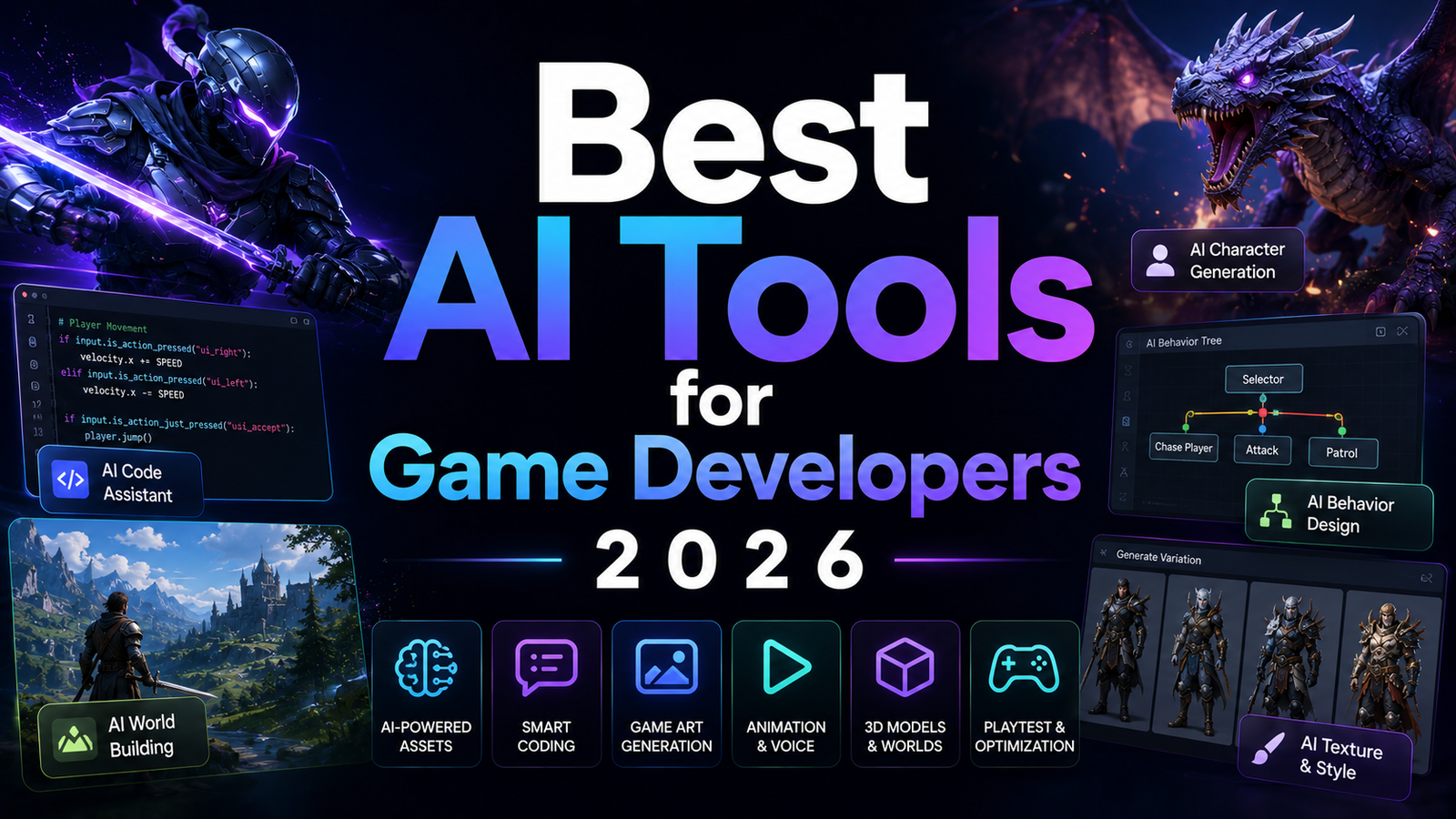
This guide covers eight tools across the full game development asset pipeline: 3D models, textures and 2D art, voice and SFX, music, game ideation, and code. Each tool is reviewed for where it genuinely belongs in a real indie or mid-tier development workflow.
Comparison Table: Best AI Tools for Game Developers 2026
| Tool | Best For | Starting Price | Free Plan |
|---|---|---|---|
| Tripo AI | Fast game-ready 3D with clean quad topology and 300 monthly free credits | Free (300 credits/month) / ~$10/month | Yes |
| Meshy AI | Full 3D pipeline: generation, texturing, auto-rigging, 500+ animation presets | Free (100 credits/month) / $20/month | Yes |
| Rodin (Hyper3D) | Highest-fidelity hero assets with 4K PBR and native quad mesh | Free to generate / pay per download | Yes (generate free) |
| Scenario | Style-consistent 2D game art and textures through custom LoRA model training | Free (50 credits/day) / $10/month (Starter) | Yes |
| ElevenLabs | Professional-grade voice acting, NPC dialogue, and SFX for games | Free (10K chars/month) / $5/month (Starter) | Yes |
| Suno | AI game music: background tracks, boss themes, and atmospheric loops | Free (limited) / $8/month (Pro) | Yes |
| Ludo AI | Game concept ideation, market research, playable prototypes, and sprite generation | Free (30 generation credits) / $20/month (Indie) | Yes |
| GitHub Copilot | Gameplay code in any engine with AI autocomplete and agentic PR generation | Free (60 completions/month) / $10/month (Pro) | Yes |
“Pricing is subject to change. Credits on Meshy, Tripo, and Scenario do not roll over at month end unless otherwise stated. Free plan commercial licenses vary by platform. Always verify current pricing and license terms on each tool’s official pricing page before purchasing.”
Detailed Reviews
1. Tripo AI
Best for rapid 3D prop and environment generation with structured quad topology at the fastest generation speed in the category.
Tripo AI generates structured quad mesh models in approximately 2 to 10 seconds via Smart Mesh P1.0, launched March 2026. For game developers who prototype asset directions by generating 20 to 30 variations before committing to a design, Tripo’s speed compresses that ideation from hours to under 10 minutes. The 300 monthly free credits is the most generous free tier in the AI 3D category, enabling genuine production evaluation before any payment commitment.
Key features: Smart Mesh P1.0 quad topology in under 10 seconds, text-to-3D and image-to-3D, AI rigging and animation, 8K texture output on HD models, native plugins for Blender, Maya, Unity, Unreal Engine, Godot, and Cocos, and GLB/FBX/OBJ/STL export.
Pros: Fastest generation with clean quad topology; largest free credit allocation; 40% annual discount; Cocos integration that Meshy lacks; best for rapid iteration workflows.
Cons: No built-in animation preset library; no retexturing of imported meshes; no 3D printing integration.
Pricing: Free (300 credits/month, non-commercial); paid plans from approximately $10/month. See our full Tripo AI Review 2026.
2. Meshy AI
Best for game developers who need the complete end-to-end 3D pipeline from generation through animation, all under one subscription.
Meshy AI earned a 63.8% preference over Tripo 3.1 in a 1,331-vote blind benchmark by senior 3D artists from NetEase and Tencent. The platform’s 500-plus animation presets with auto-rigging make it the most complete game development 3D pipeline available: generate a character in Meshy, rig it automatically, apply a walk cycle from the preset library, and export directly to Unity, Unreal, Godot, or Roblox in one workflow. No separate rigging software, no external motion library subscription.
Key features: Text-to-3D and image-to-3D with Meshy-6 and Low Poly Mode, full PBR texturing with retexturing of imported meshes, auto-rigging with 500-plus animation presets, direct Bambu Studio integration for 3D printing, seven native DCC/engine plugins, and FBX/OBJ/GLB/USDZ/STL/BLEND/3MF export.
Pros: Most complete game 3D pipeline; animation preset library is the largest in the category; retextures externally generated meshes; 3D printing workflow for physical game pieces.
Cons: 60-second generation vs Tripo’s 10 seconds; 100 free credits vs Tripo’s 300; complex character faces need Blender cleanup.
Pricing: Free (100 credits/month, non-commercial); Pro $20/month. See our full Meshy AI Review 2026.
3. Rodin (Hyper3D)
Best for the highest-fidelity hero assets where photo-quality PBR textures and native quad mesh are required for close-up rendering.
<cite index=”7-1″>Rodin is the only tool tested that consistently delivered assets droppable into a real production pipeline without two hours of cleanup.</cite> The free-to-generate model makes testing zero-risk: generate unlimited variations, pay $0.50 to $1.50 only for the models worth keeping. Gen-2.5 generates 1M-poly models in approximately 4 seconds with full PBR in approximately 5 seconds. ByteDance, Amazon, and Unity use Rodin in production.
Key features: Gen-2.5 10-billion-parameter architecture, native quad-mesh at 18K or 50K face density, 4K PBR textures, multi-image fusion (concat and fuse modes), T/A pose control for characters, OmniCraft editing suite, Blender/Unity/Unreal plugins, and GLB/FBX/OBJ/USDZ/STL export.
Pros: Best photorealistic texture quality in the category; free to generate, pay per download; native quad topology ready for animation pipelines; T/A pose control for rigging-ready characters.
Cons: More expensive at volume than Tripo or Meshy; no built-in animation library (coming soon); heavier meshes require decimation for real-time use; weaker on complex organic shapes.
Pricing: Free to generate; $0.50-$1.50 per download; Creator $30/month; Business $120/month.
4. Scenario
Best for game studios that need style-consistent 2D art, textures, and concept images across an entire game without per-asset inconsistency.
<cite index=”21-1″>Scenario lets you train AI models specifically on your art style. You upload reference images, tag them properly, and the system learns your visual language. This means when you generate new assets, they actually look like they belong in your game.</cite> Custom LoRA model training from as few as 5 reference images captures a franchise look and applies it consistently across characters, environments, UI elements, and promotional materials.
<cite index=”26-1″>Scenario gives access to 140-plus state-of-the-art models across image, video, 3D, and audio, plus editing tools. It supports training custom models, style-preserving upscaling, retouch, 360 skyboxes, and more.</cite> Unity, Unreal Engine, and Blender integrations connect generation directly to the development environment.
Key features: Custom LoRA training on studio art style, 140-plus models across image/video/3D/audio, Canvas inpainting for iterative asset editing, PBR texture baking, 360 skybox generation, Unity and Unreal Engine integration, and SOC 2 Type II security.
Pros: Style consistency across all generated assets is the category’s strongest capability; 50 daily free credits with no credit card required; enterprise-grade security for IP protection; broad model access from one platform.
Cons: <cite index=”21-1″>Credit-based system needs attention because different generation types consume credits quickly, and unused monthly credits do not roll over;</cite> custom model training has a learning curve for non-technical users; pricing is not fully transparent on the website for higher tiers.
Pricing: Free (50 daily credits, no credit card); Starter $10/month (1,500 credits); Pro $30/month (5,000 credits, custom model training); Max $50/month (10,000 credits, team workspace).
5. ElevenLabs
Best for game voice acting, NPC dialogue, enemy sound effects, and multilingual game audio at professional quality without a recording studio.
ElevenLabs is the benchmark for AI voice naturalness in 2026, serving 41% of Fortune 500 companies. For game developers, the most immediate value is NPC voice generation: type the dialogue for 50 NPCs with distinct personalities and generate all 50 audio files in under an hour. The Creator plan at $22 per month adds Professional Voice Cloning to create distinct character voices that stay consistent across the entire game.
Sound effects generation covers ambient audio, enemy sounds, and environmental audio for games that need unique SFX without licensing stock libraries. The multilingual support in 70-plus languages enables localization audio from a single English master dialogue set.
Key features: Text-to-speech in 70-plus languages, Professional Voice Cloning from Creator tier, sound effects generation for game SFX, AI dubbing for multilingual localization, and API for programmatic audio generation from game engines.
Pros: Best voice naturalness for NPC dialogue; Professional Voice Cloning creates distinct persistent character voices; SFX generation eliminates stock library licensing; API enables audio generation directly from game logic.
Cons: Commercial rights require minimum Starter plan at $5/month; non-English quality varies by language.
Pricing: Free (10K chars/month, no commercial rights); Starter $5/month; Creator $22/month (Professional Voice Cloning). See our ElevenLabs Review 2026.
6. Suno
Best for generating original game music including background tracks, boss themes, combat music, and ambient loops without licensing fees.
Suno AI generates complete songs with vocals, instrumentation, and arrangement from text prompts. For game developers, the practical workflow is: describe the mood, genre, and instruments for each game scene, generate 3 to 5 variations, select the most appropriate, and export the audio. The Pro plan at $8 per month provides commercial license and 2,500 monthly credits covering approximately 250 track generations.
The limitation most relevant to games is that Suno generates complete songs rather than looping stems, which means additional processing in a DAW is needed to create seamless infinite loops for ambient game music.
Key features: Text-to-music generation with vocals and full arrangement, genre and mood control, commercial license on Pro and above, and MP3/WAV export.
Pros: Fastest path to original game soundtracks without composer fees; broad genre range covering chiptune, orchestral, ambient, and electronic; commercial license at $8/month.
Cons: Generated tracks are full songs requiring DAW processing for seamless game loops; less control over specific instrument layers than dedicated music tools; quality varies with prompt specificity.
Pricing: Free (limited monthly generations, non-commercial); Pro $8/month (~2,500 credits, commercial license).
7. Ludo AI
Best for game concept validation, market research, sprite generation, and building playable prototypes before committing to full development.
<cite index=”37-1″>Ludo.ai is an AI-powered platform purpose-built for the game pre-production stage. It provides game developers and studios with a unified workspace for researching market trends, ideating game concepts, generating 2D sprites, 3D models, audio assets, and even building playable web prototypes from text prompts.</cite>
The proprietary Ludo Market Score validates game concepts before development commitment: <cite index=”37-1″>the Ludo Market Score analyzes your game concept across four dimensions: chart dominance, trend alignment, newcomer impact, and creative edge, returning a score from 1 to 10 with data-backed insights so you can refine or pivot your idea before committing development resources.</cite>
<cite index=”30-1″>Ludo is strongest when a team needs a lot of 2D animation and supporting assets but does not have a large art department. The sprite generator, style system, and integrations make it a practical workhorse for indie developers and small studios that live in Unity and modern AI editors.</cite>
Key features: AI game ideator from keywords, Ludo Market Score for concept viability validation, AI sprite generator with spritesheet animation, Playable Generator for web-based prototypes from text, text-to-3D asset generator, AI audio generator, Unity plugin, and MCP/API integration.
Pros: Only tool in this comparison that validates game concepts against market data before development; playable web prototype from text description eliminates early code investment; sprite animation from motion prompts is the strongest 2D animation workflow in the category; users retain full ownership of all generated content.
Cons: May require multiple prompts for perfect animation results; complex 3D asset generation options might have a learning curve;</cite> primarily English language platform.
Pricing: Free (30 generation credits); Indie $20/month; Pro $50/month (unlimited ideation, API and MCP access, credits roll over).
8. GitHub Copilot
Best for game code across any engine, handling gameplay logic, state machines, input systems, and the backend code that game assets run on.
GitHub Copilot is the most widely adopted AI coding tool for developers at 4.7 million paid subscribers. For game developers, the most valuable workflows are autocomplete for repetitive gameplay code patterns (enemy AI state machines, inventory systems, input handlers), chat for explaining engine APIs, and the Coding Agent that converts GitHub Issues into pull requests for feature implementation.
Copilot’s breadth of IDE support including VS Code, JetBrains, Visual Studio, and Neovim means it works in whatever editor and engine combination the developer uses, from Unity with VS Code to Godot with its native editor.
Key features: AI code autocomplete across all supported IDEs, Copilot Chat for code explanation and debugging, GitHub Coding Agent for autonomous PR generation from Issues, 6 IDE support, and 56.0% SWE-bench Verified accuracy.
Pros: Most accessible AI coding tool at $10/month; 6-IDE support covers any engine workflow; best benchmark accuracy at 56.0% SWE-bench Verified; GitHub ecosystem integration for game development repositories.
Cons: Agentic depth is less than Cursor for complex multi-file game architecture work; no game-engine-specific context beyond what’s in training data.
Pricing: Free (60 completions/month); Pro $10/month; Business $19/user/month.
Frequently Asked Questions
What is the most cost-effective AI tool stack for a solo indie game developer on a tight budget?
A functional full-pipeline stack for under $40 per month: Tripo AI free tier for 3D asset prototyping (300 credits free), Scenario free tier for 2D art and texture experiments (50 daily credits free), ElevenLabs Starter at $5 per month for NPC voice commercial rights, Suno Pro at $8 per month for original game music, Ludo AI free tier for concept validation, and GitHub Copilot Pro at $10 per month for gameplay code. That is $23 per month for the paid tools covering voice, music, and code, with the most credit-intensive tools (3D generation and 2D art) evaluated on free tiers before upgrading. For a solo developer whose primary bottleneck is NPC dialogue and gameplay code, the $15 per month combination of ElevenLabs Starter and GitHub Copilot covers the most time-consuming production tasks at the lowest sustainable cost.
Can AI tools replace game artists entirely, or do they always require human refinement?
Not yet, and the honest answer from independent benchmarks is that approximately 1 in 10 AI-generated 3D assets is client-ready without additional artist work. The correct framing is that AI tools replace the production time for a large proportion of assets while compressing the refinement time on the remainder. A game developer who previously needed 3 to 5 hours per 3D prop now needs 15 to 30 minutes: 5 to 10 minutes of generation and iteration, 10 to 20 minutes of cleanup in Blender. The most reliable use cases without cleanup are hard-surface game props (weapons, vehicles, tools) in Rodin and Meshy, style-consistent 2D art when Scenario’s custom model training is well-configured, and NPC dialogue audio from ElevenLabs where the voice quality clears the “sounds human enough” threshold reliably. The use cases that consistently require significant human finishing are hero character faces, complex organic shapes, and any asset requiring precise technical topology for high-deformation animation.
Which AI tools work best with Unity specifically, and which work best with Unreal Engine?
Most tools in this comparison provide native integration for both Unity and Unreal Engine, with minor differences. Tripo AI, Meshy AI, and Rodin all provide native Unreal Engine and Unity plugins. Scenario’s Unity and Unreal Engine integrations are among its documented connections. Ludo AI’s Unity plugin is open source on GitHub, enabling in-editor sprite, 3D model, and audio generation directly within the Unity interface. GitHub Copilot works equally across both engines in VS Code or JetBrains. The one tool with a Unity-specific advantage is Ludo AI, whose Unity plugin and API integration with MCP-compatible editors provide the most seamless in-engine asset generation pipeline documented for Unity specifically. For Unreal Engine developers working with Blueprints and C++, GitHub Copilot’s Unreal-specific code suggestions through VS Code provide the most productive coding assistance.
Final Recommendation
The AI game development pipeline in 2026 covers every production stage that previously required budget, specialist contractors, or months of learning. The eight tools above do not replace creative vision, they compress the production overhead that surrounds it.
For 3D assets, the top two picks by use case:
Tripo AI for rapid iteration and prop generation at speed: 300 free monthly credits, 10-second quad mesh generation, and the broadest engine integration including Cocos. Start here for most game 3D workflows.
Meshy AI for the complete pipeline: when animated characters with auto-rigging and 500-plus animation presets matter more than generation speed, Meshy Pro at $20 per month replaces a freelance animation budget that previously ran significantly higher.
For voice and audio: ElevenLabs at $5 per month covers commercial NPC dialogue at professional quality, making it the highest-impact per-dollar tool in this entire comparison for games with significant dialogue.
For game music: Suno Pro at $8 per month provides original game soundtrack generation with commercial license.
For 2D art and textures: Scenario’s custom model training with 50 free daily credits covers style-consistent asset generation once the initial LoRA training setup is invested.
For concept validation: Ludo AI’s Ludo Market Score and playable prototype generator provide the pre-production research layer that prevents building the wrong game.
For gameplay code: GitHub Copilot Pro at $10 per month is the most accessible code assistant across all game engines and development environments.
Start with the free tiers across every tool. Test each against real assets for your specific game before upgrading. The total cost of the full paid stack is under $90 per month, less than one hour of senior artist time.
Disclosure: This article contains affiliate links.