Julius AI Review 2026: The No-Code Data Analyst That Actually Works?
The typical analyst workflow before Julius: export data from CRM, open Excel, write formulas, spend 30 minutes building a chart, realize the chart needs different grouping, rebuild it, and eventually produce a visualization that is three days old by the time it reaches a stakeholder. The typical workflow after Julius: upload the same export, type “show me which channels drove the most revenue by quarter,” review the bar chart that appears in under 30 seconds, and ask follow-up questions until the analysis is complete.
That workflow compression is what the category promises. Julius AI delivers on it more consistently than any comparable tool for non-technical data work in 2026, with the caveats that the free plan is too limited for meaningful evaluation, the jump from individual to team pricing is steep, and outputs still require verification before they are used in decisions or shared externally.
Julius AI was originally launched as ChatCSV, a tool for querying CSV files through natural language. The 2026 version is substantially more capable: multi-format file support, direct database connectors to Snowflake, BigQuery, and PostgreSQL, notebook-style repeatable workflows, scheduled reports, and SOC 2 Type II certification for organizations with security requirements. The trajectory from lightweight spreadsheet chat tool to data analysis platform is visible in the product, and the pricing structure has changed to reflect it.
Plan Comparison Table
| Plan | Best For | Starting Price | Free Plan |
|---|---|---|---|
| Free | Platform interface evaluation only; not suitable for real analysis | $0 (15 messages/month) | Yes |
| Plus | Individual analysts doing occasional file-based analysis | $35/month ($29.16/month annual) | No |
| Pro | Analysts working with data weekly or needing live database connectors | $45/month ($37/month annual) | No |
| Max | Power users processing very large datasets or requiring maximum throughput | $200/month ($166/month annual) | No |
| Business | Teams needing collaborative workspaces, shared dashboards, and database access | $375/month (3 editor seats) | No |
“Pricing is subject to change. Annual billing saves approximately 15%. Students and educators receive 50% off all plans, making Pro available at approximately $18.50/month on monthly billing. Julius offers a 14-day refund window on paid plans. Always verify current pricing directly at julius.ai/pricing before purchasing.”
What Julius AI Is
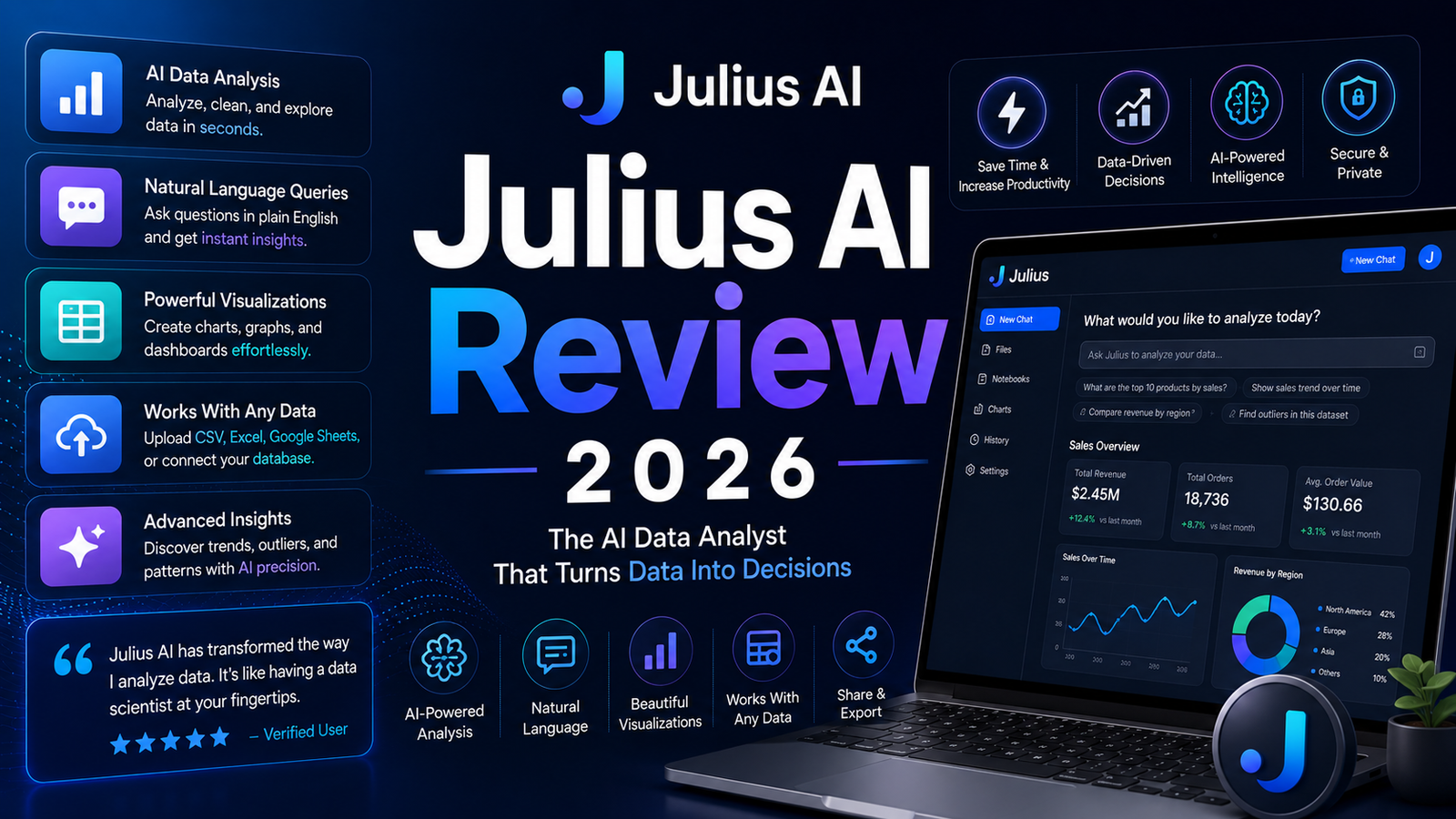
Julius AI is an AI-powered data analysis platform that allows users to query datasets in plain English, generate visualizations, and produce structured analytical outputs without writing code. The platform accepts CSV, Excel, JSON, PDF, image files including photographs of tables, Python scripts, R scripts, Jupyter notebooks, and direct database connections to Snowflake, BigQuery, and PostgreSQL.
Behind every natural language query, Julius generates and executes Python, R, or SQL code appropriate to the question. Users who want to verify or extend the analysis can inspect the generated code, but the majority of users never need to engage with it. The platform’s self-recovery capability, which identifies errors in its own generated code and adapts its approach rather than failing silently, is cited by independent testers as meaningfully better than comparable tools.
The platform targets analysts and business users who work with data regularly but do not code, researchers who need to explore datasets and produce visualizations without building infrastructure, operations and marketing teams that need self-serve reporting without analyst dependency, and students working with assignment datasets at the 50 percent discounted academic rate.
Key Features
Natural language data queries with contextual follow-up. The conversational interface allows asking questions in plain English and following up within the same session without re-establishing context. One independent tester described the behavior directly: “When I asked it to compare that to the previous quarter, Julius ran the same analysis on older data and updated the chart automatically, instead of restarting. That follow-up behavior is what makes it feel like a real analyst rather than a static tool.” This session-level context retention distinguishes Julius from tools that treat each query independently.
Multi-format file upload support. CSV, Excel, JSON, PDF, PNG, JPG, GIF, Python scripts, R scripts, and Jupyter notebooks are all supported as input formats. The platform handles messy or inconsistently structured files reasonably well. One tester uploaded a second CRM export with different field names and Julius processed it without requiring field remapping. Important file handling note: files auto-delete after 1 hour on the free plan and after 7 days on paid plans. Long-term analysis projects require periodic re-upload or use of database connectors to avoid data loss.
40-plus chart types with automatic type selection. Bar charts, line graphs, scatter plots, heatmaps, pie charts, and more complex visualization types are generated based on the question and data structure. When users are unsure which chart type serves their analysis, Julius selects automatically, and the suggestion is usually appropriate. Charts are interactive: hover states show data values, zoom controls allow focusing on specific ranges, and export to PNG or SVG is available. For teams producing recurring reports, the visual output quality consistently described as “presentation-ready” by independent reviewers covers most stakeholder communication needs without additional design work.
Notebooks for repeatable analysis workflows. Notebooks allow building a sequence of analysis steps, saving them, and running the same analysis on new data later. A monthly sales dashboard that previously required manual rebuilding each reporting cycle becomes a single re-run on the updated dataset. For operations teams, marketing analysts, and any role producing recurring reports, this is the feature that converts Julius from a one-time analysis tool into a permanent workflow component.
Database connectors on Pro and Business plans. Direct connections to Snowflake, BigQuery, and PostgreSQL allow analysis on live data without the file-upload workflow. This eliminates the stale-data problem that plagues file-based reporting and enables Julius to function as part of an active data pipeline. The database connectors are available from the Pro plan upward and represent the feature that moves Julius from file analysis tool to workflow infrastructure.
Statistical analysis and forecasting. Statistical tests including t-tests, chi-square, and ANOVA, regression analysis, and basic predictive modeling are accessible through natural language requests. One tester asked Julius to predict next quarter’s revenue based on two years of historical data. Julius built and evaluated a forecasting model and produced projections. Another tester reported that Julius predicted a sales dip two weeks before it occurred. These capabilities are not appropriate for production statistical work requiring controlled methodological standards, but for business users needing quick directional forecasting, the results are described as “surprisingly solid” by independent reviewers.
SOC 2 Type II, GDPR, and TX-RAMP compliance. Julius’s security posture includes SOC 2 Type II certification, GDPR compliance for European data processing, and TX-RAMP certification for Texas government use. Data analysis runs inside secure containers that terminate when the session ends, uploaded files do not persist beyond the 7-day paid plan window, and the platform does not use uploaded files to train its underlying AI models.
Pros and Cons
Pros:
- Conversational data analysis with session-level context retention produces a more fluid analytical experience than single-query tools
- 40-plus chart types with automatic selection and interactive visualizations at a quality level described consistently as presentation-ready
- Notebooks enable repeatable workflows on recurring reports, converting one-time analysis into persistent infrastructure
- Database connectors to Snowflake, BigQuery, and PostgreSQL on Pro enable live data analysis without file management overhead
- SOC 2 Type II certification meets enterprise security requirements that many team-scale data analysis tools cannot satisfy
- 50 percent student and educator discount makes Pro available at approximately $18.50 per month on monthly billing
- 14-day refund window on paid plans provides a practical evaluation period before annual billing commitment
Cons:
- The free plan’s 15 messages per month is insufficient for meaningful evaluation; a single real analysis session typically consumes 10 to 15 messages, depleting the entire monthly allocation in one sitting
- Outputs require verification before use; data quality problems in the source data produce incorrect analysis results, and the AI’s interpretations require human review for consequential decisions
- The jump from Pro at $45 per month to Business at $375 per month is abrupt for small teams; the intermediate pricing gap means teams of 3 to 5 people comparing multiple individual Pro subscriptions against one Business plan need to model the math carefully
- Files auto-delete after 1 hour on the free plan and 7 days on paid plans; long-term project workflows require database connector setup or periodic re-upload
- Advanced statistical modeling for production research workflows is limited compared to dedicated tools like Python with pandas and scikit-learn or R with specialized packages
- Non-technical users report a steeper learning curve than the natural language interface suggests; effective query construction for nuanced analysis requires iteration and practice before it becomes efficient
Pricing Breakdown
Free: $0. 15 messages per month. Most independent reviewers describe this as a preview rather than a working tool, noting that a real analysis session depletes the monthly allocation in a single sitting. Use the free plan to evaluate the interface and how Julius responds to a sample question. Treat the 14-day refund window on paid plans as the actual evaluation period.
Plus: $35/month ($29.16/month annual). 250 messages per month, expanded file support, and basic analysis features. The 250-message cap is sufficient for 2 to 3 analysis sessions per week. For individual analysts doing occasional file-based analysis without database connector needs, Plus covers the core value.
Pro: $45/month ($37/month annual). Higher message limits approaching or at unlimited for typical analyst workflows, live database connectors to Snowflake, BigQuery, and PostgreSQL, notebook functionality for repeatable workflows, scheduled report delivery, and Slack integration. This is the tier where Julius becomes a working part of a data workflow rather than an ad hoc analysis tool. For analysts using data weekly who hit Plus’s message limits or need live database access, Pro is the minimum functional tier.
Max: $200/month ($166/month annual). For power users processing very large datasets or requiring the highest available throughput. One analysis identifies Max as justified only if consistently hitting processing limits on Pro, which most analysts do not.
Business: $375/month (includes 3 editor seats). Collaborative workspaces, shared dashboards, team-level database connections, centralized billing, and priority support. For small teams, modeling whether multiple individual Pro subscriptions at $135 to $180 per month combined are more economical than Business at $375 is worth doing before committing.
Annual billing saves approximately 15 percent. Student and educator verification through Julius’s checkout process unlocks 50 percent off all plans.
How It Compares to ChatGPT’s Data Analysis
Julius AI vs ChatGPT Advanced Data Analysis
The comparison between Julius and ChatGPT Advanced Data Analysis (ADA) is the most relevant for most buyers evaluating Julius, because ChatGPT Plus at $20 per month offers file upload and Python-based analysis at half the price of Julius Plus.
One independent assessment frames the trade-off directly: for casual analysis needs a few times per month, ChatGPT Plus at $20 per month delivers 80 percent of the value at less than half the price. You lose Julius’s superior visualization library, database connectivity, and repeatable notebook workflows, but for basic spreadsheet Q&A, the value difference is harder to justify.
Where Julius pulls ahead decisively: session-level context retention across an entire analysis conversation versus ChatGPT’s fresh context per conversation, 40-plus specialized chart types versus ChatGPT’s more general Python matplotlib output, direct database connectors to live data sources that ChatGPT cannot access, and notebook functionality for repeatable workflows on recurring datasets. For analysts who work with data more than a few times per week and need visualization quality and database connectivity, Julius’s specialization justifies the premium over ChatGPT.
For users who primarily need occasional Q&A with uploaded spreadsheets and basic charts, ChatGPT Advanced Data Analysis is the more cost-efficient starting point. Start there, and upgrade to Julius when the limitations become the bottleneck.
Frequently Asked Questions
How does Julius AI handle data security, and is it appropriate for sensitive business data?
Julius’s security posture is the strongest among comparable no-code analysis tools: SOC 2 Type II certification, GDPR compliance, and TX-RAMP certification for government use. Data analysis runs inside secure containers that terminate at session end. The platform does not use uploaded files to train its underlying AI models, and data does not persist beyond the 7-day paid plan retention window. For most business data analysis needs, this security posture is adequate. For data subject to specific industry regulations such as HIPAA for healthcare or financial data under specific compliance frameworks, a direct security review of Julius’s current certifications and data processing agreements is recommended before uploading regulated data. Enterprise plan users can negotiate data processing agreements that address specific compliance requirements.
What types of data questions does Julius handle well, and where does it struggle?
Julius handles straightforward analytical questions reliably: summarize this dataset, compare these two groups, find which segments performed best, build a month-over-month trend line, flag outliers. Statistical tests and basic forecasting are available and described as directionally reliable for business use. The limitations appear at complexity and specificity extremes. Highly specialized statistical modeling requiring controlled methodology, production machine learning pipelines, and analysis of extremely large datasets beyond Julius’s processing capacity all require specialized tools beyond Julius. Data quality problems in the source data propagate into Julius’s outputs; clean, well-structured source data produces consistently better results than messy exports with missing values or inconsistent formatting. As a practical best practice: use clean column headers, remove irrelevant rows before uploading, and manually verify critical numbers before including them in financial or research reporting.
Is Julius AI worth it for non-technical business users compared to just using Excel?
For users who spend more than two hours per week working with data, the consensus across independent testing is yes. The time comparison is the clearest argument: a task that requires 30 to 60 minutes building in Excel, including formula construction, pivot table setup, and manual chart formatting, typically completes in under 30 seconds in Julius. Over a week of regular data work, this time savings is measurable and compounds. The limitation Excel covers that Julius does not is fine-grained manual formula control and the specific customization capabilities that experienced Excel users rely on for complex financial models. For exploratory analysis, trend identification, and visualization, Julius compresses the workflow in a way that Excel fundamentally cannot. For deterministic formula-driven financial modeling where every cell behavior is precisely specified, Excel remains the more appropriate tool.
Final Verdict
Julius AI in 2026 is the strongest no-code data analysis tool for non-technical business users who work with data regularly. The natural language interface genuinely works for standard analysis tasks at a quality level that independent testing consistently describes as surprisingly capable. The 40-plus chart types produce presentation-ready visualizations. The notebook functionality converts recurring reports into reusable workflows. And the database connectors move Julius from a file-upload tool into an active data pipeline component.
The honest framing: treat the free plan as an interface preview, not an evaluation. A single analysis session depletes the monthly message allocation. The 14-day refund window on paid plans is the practical trial window before any annual billing commitment. And outputs require verification before use in consequential decisions, particularly when source data quality is uncertain.
For occasional analytical needs where basic spreadsheet Q&A suffices, ChatGPT Advanced Data Analysis at $20 per month covers a meaningful portion of the use case at a lower cost. The step up to Julius is justified when database connectivity, visualization depth, and notebook-based repeatable workflows become operational requirements.
For the analyst, researcher, or business user who works with data multiple times per week and wants the most capable no-code analysis interface available: Julius Pro at $37 per month annually is one of the most defensible data tool subscriptions in the market.
Rating: 4.2 / 5 — Best no-code AI data analysis tool for non-technical users. Free plan too limited for real evaluation; Business pricing gap is steep for small teams.
Disclosure: This article may contain affiliate links. OnyxRanked may earn a commission on qualifying purchases or subscriptions made through links on this page. This does not affect our editorial recommendations or ratings.