Best AI Email Tools 2026: Ranked, Reviewed and Compared
Email consumes 28 percent of the average professional’s workday. It is the highest-volume communication medium in most organizations, the channel where inbox management overhead accumulates quietly and relentlessly, and the place where AI is delivering some of the most measurable productivity gains of any category in 2026.
The email AI landscape has split into two distinct directions that serve very different problems. On one side are email management and productivity tools: Superhuman, SaneBox, and Flowrite address the inbox overhead that slows individual professionals, offering faster email triage, AI-assisted drafting, and intelligent organization without switching your email provider. On the other side are email marketing platforms: Mailchimp, Klaviyo, and ActiveCampaign use AI for campaign optimization, audience segmentation, and send-time personalization at scale for marketing and sales teams. These two categories solve different problems for different users, and matching the tool to the actual pain point determines whether an AI email investment delivers measurable return.
Heavy email users report 30 to 50 percent time savings when they adopt AI email tools consistently. For sales professionals using tools like Lavender to optimize outreach, improved reply rates can generate additional meetings that justify the subscription cost within the first month. For executives paying for Superhuman, the fastest email interface available makes inbox processing bearable at high volume. The right tool is the one that matches your specific email bottleneck.
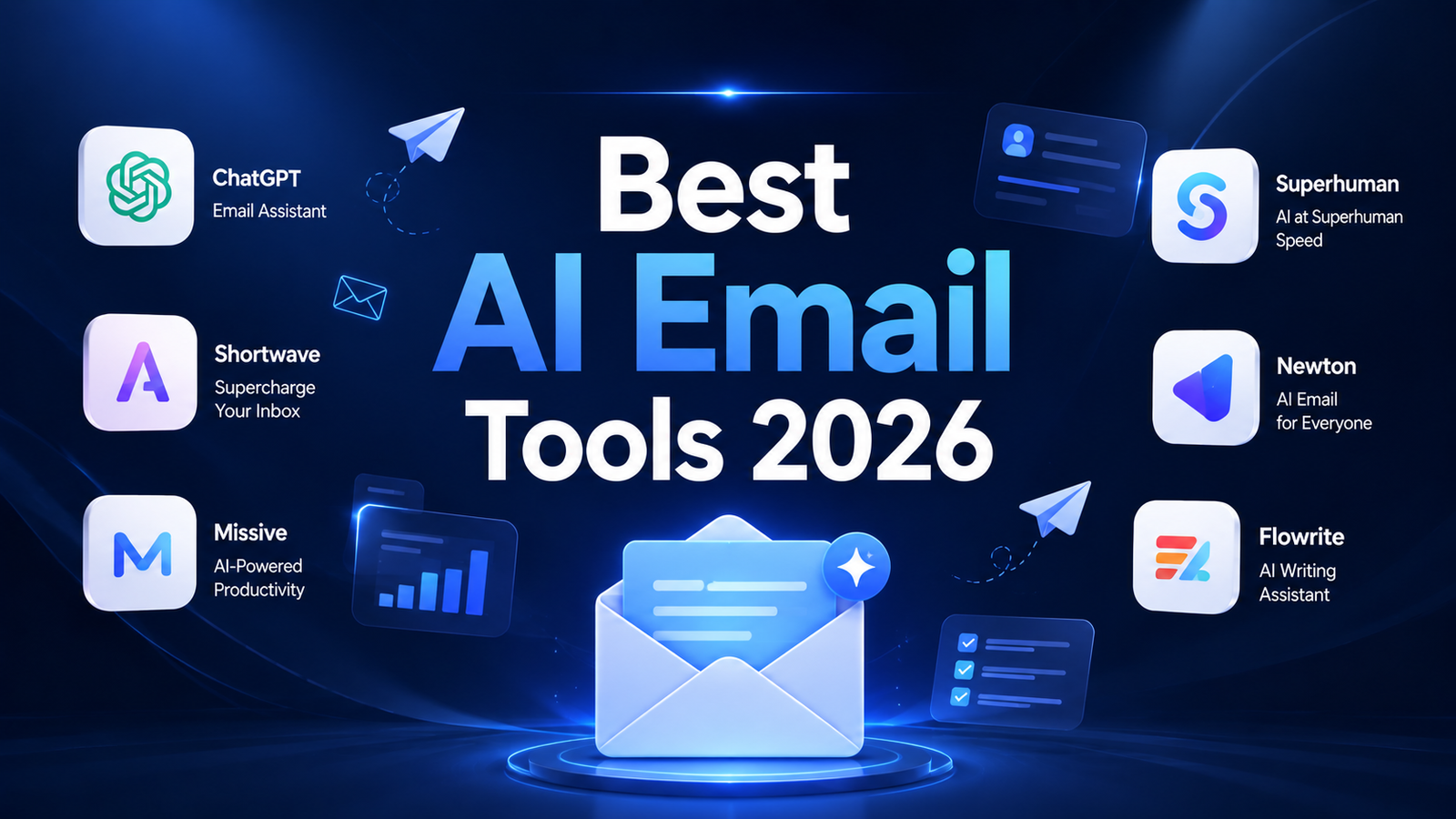
Comparison Table: Best AI Email Tools 2026
| Tool | Best For | Starting Price | Free Plan |
|---|---|---|---|
| Mailchimp AI | Email marketing with AI-powered audience segmentation and send optimization | Free (500 contacts) / $20/month+ | Yes |
| Klaviyo AI | E-commerce email and SMS with predictive analytics and revenue attribution | Free (250 contacts) / $20/month+ | Yes |
| ActiveCampaign AI | Sales and marketing automation with advanced behavior-triggered email sequences | $15/month (Starter) | No (14-day trial) |
| ChatGPT | Flexible AI email drafting, response templates, and campaign copywriting | Free / $20/month (Plus) | Yes |
| Lavender | Sales teams improving cold email reply rates with real-time AI coaching | Free (limited) / $29/month (Pro) | Yes |
| Superhuman AI | Power users who want the fastest email client with AI composition and triage | $30/month (Starter) | No |
| SaneBox | Inbox overwhelm relief through passive AI filtering with any email client | $7/month (Snack) | No (14-day trial) |
| Flowrite | Converting brief bullet points into polished email drafts instantly | $4/month (Personal, annual) | No (trial) |
“Pricing is subject to change. Always verify current pricing on the tool’s official website before purchasing.”
Detailed Reviews
1. Mailchimp AI
Best for small businesses and marketers who want AI-powered email campaigns with the most accessible entry point in the marketing automation category.
Mailchimp is the most widely recognized email marketing platform and its AI features have matured significantly through 2025 and 2026. Send time optimization delivers emails to each individual subscriber when they are most likely to open based on historical engagement patterns. AI-powered subject line generation and A/B testing provide data-backed optimization for campaign performance. Audience segmentation tools identify which subscribers are most likely to purchase, unsubscribe, or respond based on behavioral signals.
The free plan covering up to 500 contacts and 1,000 monthly sends is the most accessible entry point in the email marketing category. For small businesses and creators building email lists, Mailchimp’s free tier provides genuine campaign capability before any subscription is required.
Key Features: AI-powered send time optimization per individual subscriber, subject line generation and A/B testing, audience segmentation based on engagement behavior and purchase history, automation workflows for welcome series and re-engagement campaigns, landing page builder with email integration, and basic analytics and campaign reporting.
Pros:
- Free plan for up to 500 contacts makes it the most accessible email marketing entry point
- Send time optimization improves open rates without manual A/B testing overhead
- Most recognized email marketing brand; extensive documentation, community, and support resources
- Integrates with 300-plus third-party tools including Shopify, WooCommerce, and Salesforce
Cons:
- Pricing scales with contact list size; rapidly growing lists see significant monthly cost increases
- AI features on the free and Essentials plans are more limited than higher tiers
- Some advanced automation features require the Standard plan or above
- Not designed for complex B2B sales automation; ActiveCampaign is better suited for that use case
Pricing:
- Free: 500 contacts, 1,000 sends/month, basic features
- Essentials: Starting approximately $13/month (500 contacts), scaling with list size
- Standard: Starting approximately $20/month, full AI features and automation
- Nonprofit discount: Available for qualifying organizations
2. Klaviyo AI
Best for e-commerce brands that want AI-powered email and SMS marketing with revenue attribution tied to specific campaigns and flows.
Klaviyo’s AI layer is built specifically for e-commerce revenue generation rather than general email marketing. Predictive analytics identify when each individual subscriber is most likely to make their next purchase, enabling precision timing that batch campaigns cannot replicate. Product recommendations based on catalog purchase history and browsing behavior surface in follow-up emails automatically. Segments AI creates complex audience segments from natural language descriptions, eliminating the manual audience builder complexity for sophisticated targeting.
The platform’s primary reputation metric is the $85-per-dollar return that Shopify stores using Klaviyo report. Post-purchase flows, abandoned cart recovery, win-back sequences, and welcome series all run on AI-optimized timing rather than fixed schedules. For e-commerce brands, this performance advantage over general email platforms typically justifies Klaviyo’s higher price point at scale.
Key Features: Predictive analytics for individual purchase timing, AI product recommendations from catalog data, Segments AI for natural language audience creation, automated flows for abandoned cart, welcome series, post-purchase, and win-back sequences, SMS and email in one platform, and native Shopify, WooCommerce, BigCommerce, and Magento integrations.
Pros:
- Best e-commerce email platform for revenue attribution; Shopify stores report $85 return per dollar spent
- Predictive analytics provide individualized send timing that generic platforms cannot match
- Segments AI eliminates the manual audience builder for sophisticated targeting
- Free plan for 250 contacts allows validating flows before upgrading
Cons:
- Pricing scales aggressively with contact list size; larger lists see significant monthly cost increases
- Full AI feature access requires paid tiers beyond the free plan
- Platform depth can feel overwhelming for beginners without email marketing experience
- Best value realized for e-commerce; less applicable for B2B or service businesses
Pricing:
- Free: 250 contacts, 500 monthly emails, 150 SMS credits
- Email: Starting at $20/month (251 to 500 contacts), scaling with list size
- Email and SMS: Starting at $45/month, scaling with contacts and SMS volume
3. ActiveCampaign AI
Best for B2B sales and marketing teams that need sophisticated behavior-triggered email sequences and CRM-integrated automation.
ActiveCampaign positions itself at the intersection of email marketing and sales CRM, with AI automation capabilities that connect customer behavior to triggered email sequences in ways that standard email platforms cannot replicate. The Automation Map shows how contacts flow through triggered sequences based on their specific actions: opening an email, visiting a pricing page, or not responding to a follow-up within a defined window all trigger different automated responses without manual intervention.
Predictive sending adjusts delivery timing per contact based on individual engagement history. The AI content generation feature drafts campaign copy with tone control and audience targeting. CRM integration connects email engagement data to deal stage progression, enabling sales teams to see exactly how email interactions correlate with pipeline movement.
Key Features: Visual automation builder with behavior-triggered sequences, predictive sending per individual contact, AI content generation for campaigns, built-in CRM with email-to-pipeline integration, lead scoring based on email and website engagement, and deep integration with Salesforce, HubSpot, and WooCommerce.
Pros:
- Most powerful marketing automation for B2B sales funnels among platforms in this comparison
- Behavior-triggered automation maps cover the full customer journey without manual sequence management
- CRM integration connects email performance to revenue pipeline
- Starter plan at $15 per month is accessible for small teams beginning automation
Cons:
- No free plan; 14-day trial is the only risk-free evaluation path
- Interface complexity requires investment before reaching productive automation depth
- Full AI features and advanced automation require higher-tier plans
- Better suited for B2B and service businesses than pure e-commerce where Klaviyo has the advantage
Pricing:
- Starter: $15/month (annual), core email and basic automation
- Plus: $49/month (annual), CRM, lead scoring, advanced automation
- Professional: $79/month (annual), full AI features and predictive sending
4. ChatGPT
Best for professionals who need flexible AI email drafting, campaign copywriting, and response template creation without a dedicated email-specific tool.
ChatGPT covers every email writing task a professional or marketer faces: cold outreach drafts, follow-up sequences, newsletter copy, promotional campaign emails, customer support responses, and internal communications. At $20 per month for Plus, or from the free tier for occasional use, it provides AI email writing capability across every format without platform lock-in.
For marketers producing campaign copy, Custom GPTs pre-loaded with brand voice, product details, and audience persona generate on-brand email content without re-establishing context in every session. For professionals managing high volumes of outgoing communication, ChatGPT compresses first-draft time for personalized outreach from 15 to 20 minutes per email to under 2 minutes with edited output.
Key Features: Email draft generation across all formats and tones, sequence planning for multi-email campaigns, subject line and preview text generation and A/B variant creation, response drafting from provided context, Custom GPTs for brand-specific email assistants, and web browsing for incorporating current context into outreach.
Pros:
- Free tier covers occasional email writing without any subscription
- Most versatile email writing tool; handles every email format from outreach to campaigns
- Custom GPTs create persistent brand voice assistants without repeated setup
- Covers email writing alongside every other content need from a single subscription
Cons:
- No integration with email clients, CRM, or marketing platforms; outputs require copy-pasting
- Does not track engagement, optimize send times, or automate sequences
- Not a replacement for email marketing platforms for campaign management at scale
Pricing:
- Free: GPT-5.x with daily limits, no credit card required
- Plus: $20/month, full GPT-5.4, web browsing, Custom GPTs, memory
5. Lavender
Best for SDRs and sales professionals who want real-time AI coaching on cold email quality that measurably improves reply rates.
Lavender operates as a Chrome extension and sidebar that scores every outbound email in real time as the rep writes, explaining specifically why the email will or will not get a reply and providing concrete improvement suggestions. Length too long. Opening line too generic. CTA too vague. Each suggestion is specific and actionable. The Ora AI agent researches the prospect before the rep begins writing, surfacing relevant context that enables personalization at the sentence level rather than just the name field.
For sales teams sending 25-plus prospecting emails per day, Lavender’s coaching layer produces measurable reply rate improvements that typically recover its cost within the first month through additional booked meetings. It works inside Gmail, Outlook, Outreach, and Salesloft without requiring an interface change. The free plan allows evaluating the scoring quality on real emails before committing.
Key Features: Real-time email scoring with specific improvement suggestions, Ora AI agent for pre-write prospect research, talk track and opener suggestions, email length and CTA optimization, team analytics for manager coaching visibility, and Chrome extension working inside Gmail, Outlook, Outreach, and Salesloft.
Pros:
- Real-time coaching produces visible improvement in email quality without a training session
- Works inside existing email and sales engagement tools without interface switching
- Free plan allows genuine quality evaluation before purchasing
- Pro at $29 per month pays for itself from one additional meeting booked per month at typical sales conversion rates
Cons:
- Single-purpose tool: improves email quality but does not manage sequences, update CRM, or book meetings
- Most valuable for reps sending 25-plus prospecting emails daily; lower ROI for occasional outreach
- Chrome extension dependency means mobile or non-Chrome workflows are not covered
Pricing:
- Free: Limited emails per month with basic scoring
- Pro: $29/user/month, unlimited email scoring, Ora AI agent
- Team: Custom pricing with team analytics and manager visibility
6. Superhuman AI
Best for executives, founders, and high-volume email professionals who want the fastest email experience available and are willing to pay a premium for it.
Superhuman is a premium email client built on top of Gmail and Outlook that has a loyal following among founders and professionals willing to pay significantly more for inbox speed. The keyboard-first workflow eliminates mouse dependency for experienced users, compressing time-per-email dramatically once the shortcuts are learned. The Starter plan at $30 per month now includes AI features as a base offering rather than an add-on, which is a meaningful improvement from previous pricing structures.
An important acquisition note for buyers: Grammarly acquired Superhuman in July 2025 for over $800 million. Since October 2025, Superhuman Mail is bundled within the Superhuman Business Suite alongside Grammarly and Coda, with the Business plan at $33 per month (annual) or $40 per month (monthly). A 10-person team pays $3,600 to $4,800 per year just for email. That price demands honest evaluation of whether the speed gains justify the premium over free Gmail with AI enhancements.
Key Features: Keyboard-first email interface with no mouse required for experienced users, AI composition with one-line-to-full-draft generation, Auto Drafts for automatic response drafting, Ask AI for conversational queries about inbox content, custom auto-labels for intelligent organization, CRM integrations with HubSpot and Salesforce on Business plan, and team collaboration and group productivity coaching.
Pros:
- Fastest email processing experience available; heavy users consistently describe it as transformative for inbox management
- AI composition and Auto Drafts meaningfully reduce time-per-email once the interface is learned
- Starter plan includes AI features without a separate add-on purchase
- HubSpot and Salesforce CRM integration on Business plan connects email to pipeline management
Cons:
- $30 per month Starter plan is the highest entry price for a personal productivity email tool on this list
- Grammarly acquisition introduced bundled pricing at Business tier; $33 per month requires broader Superhuman Suite to justify
- Significant learning curve for keyboard shortcuts; full productivity gains take 2 to 4 weeks to realize
- Investment does not make sense for users who send fewer than 30 to 50 emails per day
Pricing:
- Starter: $30/user/month ($25/month annual), core email and AI features
- Business: $40/user/month ($33/month annual), Auto Drafts, Ask AI, CRM integrations
- Enterprise: Custom pricing with SSO and dedicated support
7. SaneBox
Best for any professional whose inbox is overwhelming and who wants passive AI filtering without switching email clients or changing existing workflows.
SaneBox has been filtering inboxes since 2011, long before AI email became a category, and its approach remains distinctly no-drama: it connects to your existing email provider, learns which senders and types of email you actually engage with, and silently routes lower-priority email into SaneLater, SaneNews, and SaneBlackHole folders without requiring any interface change. You continue using Gmail, Outlook, Apple Mail, or any other client you currently use. SaneBox just makes the inbox quieter.
For professionals who receive hundreds of emails per day but only need to act on a small fraction of them, SaneBox’s passive filtering approach recovers the time spent triaging without replacing the email client workflow. SaneReminders follow up on outgoing emails that do not receive a response within a defined window. SaneBlackHole permanently blocks unwanted senders in one click. These features address the most common inbox pain points without a learning curve.
Key Features: AI-powered email triage routing to SaneLater, SaneNews, SaneBlackHole, and custom smart folders, sender engagement learning that improves routing accuracy over time, SaneReminders for automatic follow-up on unanswered outgoing emails, SaneBlackHole for permanent unsubscribing from unwanted senders, Snooze for deferring emails to a specific time, and compatibility with any email provider and any email client.
Pros:
- Works with any email client and any email provider; zero workflow change required
- Snack plan at $7 per month for one email account is the most affordable meaningful inbox tool on this list
- 14-day free trial with all features for genuine evaluation
- Passive operation; no daily configuration or learning curve after initial setup
Cons:
- No AI email composition or drafting capability; purely an organization and filtering tool
- Less useful for users whose primary problem is email writing speed rather than inbox volume
- Training period of 2 to 4 weeks before routing accuracy reaches high confidence levels
- UI is functional but not visually polished compared to newer tools
Pricing:
- Snack: $7/month (1 email account), core filtering features
- Lunch: $12/month (2 accounts), expanded features
- Dinner: $36/month (all features, multiple accounts, advanced controls)
- 14-day free trial available
8. Flowrite
Best for professionals who need to convert brief bullet points or casual instructions into polished email drafts instantly, without managing a complex tool.
Flowrite is the most focused tool in this comparison and it does one thing exceptionally well: turn a brief instruction into a finished email in seconds. Type a few bullet points or a casual description like “tell them I can do Tuesday at 2pm but not Thursday, and ask if they want a call or a coffee” and Flowrite generates a professional, context-appropriate email ready to send with minimal editing.
The browser extension operates inside Gmail and other web-based email interfaces. At approximately $4 to $5 per month on annual billing, it is the most cost-efficient dedicated email AI writing tool on this list. For professionals who produce 10 to 30 standard professional emails per day and want to compress that output significantly without a complex setup, Flowrite’s narrow focus is a feature rather than a limitation.
Key Features: Browser extension operating inside Gmail, Outlook, LinkedIn, and other web surfaces, one-line-to-draft email generation from bullet points or brief instructions, tone and style settings for professional versus casual contexts, template shortcuts for frequently sent email types, and multi-language support.
Pros:
- Most affordable dedicated email writing tool at approximately $4 to $5 per month annually
- Laser-focused on one high-value problem; bullet points to polished email with one click
- No interface switching; works inside Gmail and other existing email clients
- Low learning curve; productive within the first session
Cons:
- Less suitable as a standalone tool for complex email management, sequencing, or inbox organization
- Monthly billing at higher rates makes annual commitment the appropriate pricing tier
- Does not research prospects, score email quality, or provide coaching like Lavender
Pricing:
- Personal: Approximately $4/month (annual), core features
- Professional: Approximately $8/month (annual), more templates and features
- Team: Custom pricing for multiple users
Frequently Asked Questions
What is the difference between AI email marketing tools and AI email productivity tools, and do I need both?
These are genuinely different categories solving different problems, and many professionals need one but not the other. Email marketing platforms like Mailchimp, Klaviyo, and ActiveCampaign are for organizations broadcasting campaigns to lists: newsletters, promotional emails, automated nurture sequences, and transactional messages. Their AI features optimize campaign performance, improve open and click rates, and drive measurable revenue from email marketing programs. Email productivity tools like Superhuman, SaneBox, Flowrite, and Lavender address individual professional inbox management: processing your own incoming email faster, drafting your own outgoing messages more quickly, and improving the quality of individual outreach. A marketing manager might use Klaviyo for email campaigns and SaneBox for their personal inbox. A sales rep might use Flowrite to draft emails and Lavender to optimize them. The overlap is minimal; evaluate which category addresses your actual bottleneck before purchasing.
How do I know if paying for a premium email productivity tool like Superhuman is worth it?
The ROI calculation for email productivity tools is time-based. Superhuman’s own data suggests it saves heavy users roughly three hours per week. At a fully-loaded professional cost of $50 per hour, that is $600 per month of time recovered versus $30 to $33 per month in subscription cost. The math works for someone processing 100-plus emails per day who will actually commit to learning the keyboard shortcuts and changing their email workflow. It does not work for someone who sends 15 emails per day and would not use the speed features consistently. The honest self-assessment question before purchasing any premium email productivity tool is: how many individual emails do I actually send and receive per day, and am I willing to invest two to four weeks learning a new workflow before seeing productivity gains? If the answer to both is yes, the math typically supports the investment. If the email volume is low or the willingness to change workflow is limited, SaneBox’s passive approach at $7 per month delivers more value per dollar for that profile.
Can ChatGPT or Claude replace dedicated email AI tools?
For email drafting specifically, ChatGPT and Claude produce strong first drafts at lower cost than dedicated tools. A professional who pays $20 per month for ChatGPT Plus can draft emails, campaigns, and sequences with strong output quality. The cases where dedicated email tools add value that general AI cannot replicate are: Mailchimp and Klaviyo for actual campaign management, scheduling, list management, and deliverability infrastructure; ActiveCampaign for behavior-triggered automation sequences that run without manual oversight; Lavender for real-time scoring and coaching on email quality that operates within the composition workflow; Superhuman for the keyboard-first speed optimization that compresses inbox processing time; and SaneBox for passive AI filtering that works in the background without requiring any active tool use. For pure email copywriting, ChatGPT or Claude cover the need efficiently. For email automation, deliverability management, engagement tracking, or inbox organization, purpose-built tools provide capabilities that general AI assistants cannot replicate.
Final Recommendation
The right AI email tool in 2026 depends on whether you need email marketing capability, individual email productivity improvement, or both.
For small businesses and content creators running email list campaigns, Mailchimp’s free plan for up to 500 contacts covers the core marketing automation need at zero cost. Upgrade to the Standard plan when send time optimization and advanced automation become documented growth constraints.
For e-commerce brands where email drives measurable revenue, Klaviyo’s predictive analytics and revenue attribution make it the highest-ROI email platform available. The free plan for 250 contacts validates the flows before the subscription investment.
For B2B companies with sales-driven email automation requirements, ActiveCampaign’s behavior-triggered sequences and CRM integration serve the full prospect-to-customer email journey better than simpler marketing platforms.
For individual professionals and sales teams who want AI email drafting without dedicated platform cost, ChatGPT Plus at $20 per month covers campaign copywriting and outreach drafting with the flexibility to handle every other content need from the same subscription.
For sales reps sending high-volume outbound email, Lavender Pro at $29 per month typically pays for itself from one additional booked meeting per month through reply rate improvement.
For executives and power users who process more than 50 emails per day and want the fastest email interface available, Superhuman at $30 to $33 per month is the most effective choice when the commitment to learning the keyboard workflow is genuine.
For any professional whose inbox volume has outgrown manual triage without wanting to change their email client, SaneBox at $7 per month is the most accessible and lowest-friction solution available.
For professionals who want to convert brief thoughts into polished emails instantly at the lowest dedicated tool cost, Flowrite at approximately $4 per month annually delivers the highest value-per-dollar for pure email drafting.