Best AI Productivity Tools 2026: The Platforms That Actually Save Time
Productivity software has become one of the most crowded categories in AI, but most tools still struggle to create meaningful workflow improvements. The best AI productivity platforms in 2026 are the ones that reduce friction, centralize work, and eliminate repetitive tasks without overcomplicating the process.
According to a Gallup survey from late 2025, approximately 38 percent of US workers now use AI tools frequently, either daily or several times per week. The gains they report are concentrated in specific, measurable areas. AI scheduling tools like Motion and Reclaim eliminate the daily ritual of staring at a task list and deciding what to work on next. AI meeting transcription tools like Otter.ai remove the cognitive burden of note taking during conversations. AI writing tools like Claude and ChatGPT compress first drafts from hours to minutes. Each tool targets a specific bottleneck, and the compounding effect of several working together is where meaningful time savings emerge.
The challenge in 2026 is not finding AI productivity tools. It is knowing which ones address your actual time sinks, how they fit together, and what each genuinely delivers beyond marketing claims.
This guide reviews eight tools that together cover the most common productivity workflows: knowledge management, meeting capture, intelligent scheduling, task management, and AI assisted writing.
Comparison Table: Best AI Productivity Tools 2026
| Tool | Best For | Starting Price | Free Plan |
|---|---|---|---|
| Notion AI | Knowledge management, notes, and team wikis | Free workspace / $20/month (Business + AI) | Yes (workspace only) |
| Otter.ai | Meeting transcription and searchable note taking | Free (300 min/month) / $16.99/month (Pro) | Yes |
| Motion | Fully automated task scheduling and calendar management | $19/month (Pro AI, annual) | No (7 day trial) |
| Reclaim AI | Habit and focus time protection for Google Calendar users | Free / $10/month (Starter) | Yes |
| Todoist AI | Reliable cross platform task management with AI assist | Free / $5/month (Pro, annual) | Yes |
| ChatGPT | Versatile AI writing, research, and thinking partner | Free / $20/month (Plus) | Yes |
| Claude | Long form writing, analysis, and complex reasoning | Free / $20/month (Pro) | Yes |
| Microsoft Copilot | AI productivity inside Microsoft 365 apps | Free / $30/user/month (M365 Copilot) | Yes (limited) |
“Pricing is subject to change. Always verify current pricing on the tool’s official website before purchasing.”
Detailed Reviews
1. Notion AI
Best for professionals who already live in Notion and want AI that knows their workspace.
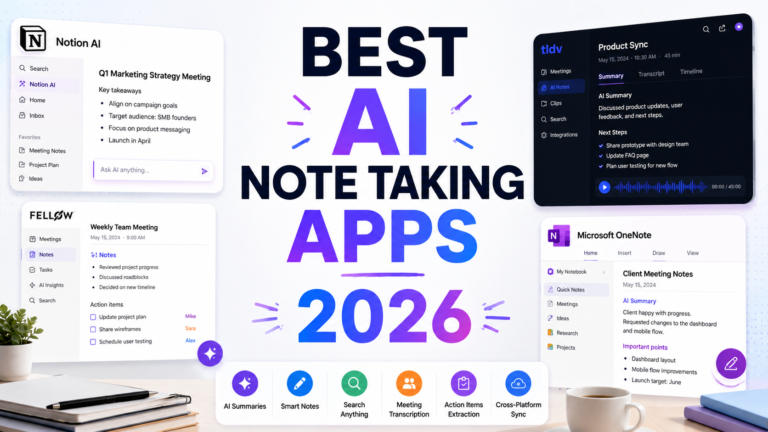
Notion is the most flexible knowledge management platform available, serving as notes, databases, wikis, project management, and documentation for individuals and teams. Notion AI adds an intelligence layer directly on top of this: Ask Notion AI queries your entire workspace using natural language, answering questions like “What did we decide about pricing last month?” or “Which tasks are overdue in the Q2 project?” without manual search.
The AI summarizes meeting notes, generates first drafts from document context, fills database properties automatically, and translates content across languages. The critical advantage is context: because Notion AI has access to everything you have written inside your workspace, it generates more relevant and useful outputs than a standalone AI assistant working from a blank prompt.
Key Features: Natural language workspace search across all pages, AI generated summaries and drafts from existing content, database automation for filling properties, content translation, and the AI Meeting Notes feature that connects with Otter.ai and calendar integrations for automatic meeting documentation.
Pros:
- Context aware AI outputs that reference your actual notes, not generic responses
- Replaces several separate tools for many users: notes, wiki, project management, and AI in one workspace
- Generous free plan for individual workspace use
- Students with verified .edu email get the Plus plan free
Cons:
- Full Notion AI requires the Business plan at $20/user/month following May 2025 restructure; free and Plus users receive only approximately 20 trial AI responses
- AI is limited to the Notion ecosystem; it does not help with content in Google Docs, email, or other tools
- 5MB file attachment limit on the free plan frustrates users working with large PDFs
- Steeper setup time than standalone tools; productive use requires investing in workspace structure
Pricing:
- Free: Unlimited pages and blocks for individuals, approximately 20 AI trial responses
- Plus: $10/month (annual), free for verified students; limited AI
- Business: $20/user/month (annual), full Notion AI access
- AI add-on at 50% off ($5/month) for students for the first 12 months
2. Otter.ai
Best for professionals who attend multiple meetings per week and need searchable transcripts without manual effort.
Otter.ai joins Zoom, Google Meet, and Microsoft Teams calls automatically and generates live transcripts with speaker identification before the meeting ends. The AI summary compresses a 60 minute call into a structured set of key points and action items. The searchable archive makes every meeting a queryable knowledge resource rather than a fading memory.
The 2025 AI Meeting Agent Suite expanded Otter’s role from passive recorder to active participant: the bot responds to spoken commands mid meeting, answers questions by searching previous meeting transcripts, and can schedule follow ups by voice. For teams that run heavily on meetings, this evolution makes Otter genuinely useful rather than just convenient.
Key Features: Real time transcription with automatic speaker identification, AI generated summaries and action item extraction, searchable archive across all meeting history, Zoom, Google Meet, and Teams integration via calendar sync, and the AI Meeting Agent for voice interactive assistance during calls.
Pros:
- Free plan provides 300 minutes per month with no credit card required
- Searchable archive transforms years of meeting history into an accessible knowledge base
- AI summaries are accurate for structured professional meetings
- The AI Meeting Agent reduces post meeting action item tracking to near zero
Cons:
- 30 minute conversation cap on the free plan cuts off any meeting over that length
- Only 3 lifetime file imports on the free plan, which never resets
- Accuracy drops noticeably with heavy accents, overlapping speakers, or poor recording quality
- Transcription is primarily optimized for English; multilingual accuracy varies
Pricing:
- Free: 300 minutes/month, 30 minute session max, 3 lifetime file imports
- Pro: $16.99/month ($8.33/month annual), 1,200 minutes, 90 minute sessions
- Business: $30/user/month (annual), unlimited transcription, team features
3. Motion
Best for professionals overwhelmed by shifting priorities who want AI to manage their calendar completely.
Motion does not help you plan your day. It plans your day for you. Enter your tasks with priorities, deadlines, and estimated durations, and Motion’s AI scheduler places them on your calendar around your existing meetings, defending deep work blocks and rescheduling automatically when priorities or meetings change. When a meeting is added or a task takes longer than expected, Motion does not ask what to reschedule. It figures it out.
The 2026 version includes an AI Project Builder that generates full project plans from text descriptions, a Meeting Notetaker that automatically converts discussed action items into scheduled tasks, and team workload visibility for managers who need to assign work based on actual calendar capacity.
Key Features: Fully automated task scheduling onto your calendar with continuous re optimization as priorities shift, AI Project Builder generating complete project plans from natural language descriptions, AI Meeting Notetaker converting action items to scheduled tasks automatically, team workload view showing capacity before assigning work, and Kanban and List views for project tracking.
Pros:
- Most powerful AI scheduling available: eliminates the daily planning ritual entirely for committed users
- AI Meeting Notetaker and Project Builder replace three separate tool subscriptions (Calendly, task manager, notes)
- Team capacity view prevents overassignment before it becomes a problem
- “I love the fact that Motion takes the thinking out of my day” is a representative verified user review sentiment
Cons:
- No free plan; the 7 day trial is too short for many users to evaluate a tool that requires full calendar commitment
- $29/month on the monthly plan makes it one of the most expensive individual productivity subscriptions in the market
- Full buy in required: Motion works best when it controls your entire task and calendar system, not alongside another task manager
- Steep learning curve; productive use requires committing to rebuilding your workflow around the platform
Pricing:
- Pro AI: $19/month (annual), $29/month (monthly), 7,500 AI credits/month
- Business AI: $29/seat/month (annual), $49/seat/month (monthly), team features and 15,000 AI credits
4. Reclaim AI
Best for Google Calendar users who want AI to protect their habits and focus time without a full workflow overhaul.
Reclaim takes a fundamentally different approach from Motion. Rather than replacing your task manager and taking over your calendar, Reclaim works on top of your existing Google Calendar and pulls tasks from the tools you already use: Todoist, Asana, ClickUp, Jira, Linear, and Google Tasks. It finds the best available time for each task and defends that time against meeting sprawl.
The Habits feature is Reclaim’s strongest differentiator. Define recurring routines like daily planning, lunch, exercise, or weekly review, set a preferred time window, and Reclaim automatically schedules them into the best available slot each week. When your calendar shifts, the habit moves to accommodate the change rather than simply being deleted.
Key Features: Automatic task scheduling from connected tools (Todoist, Asana, ClickUp, Jira, Linear), Habits for auto scheduling recurring routines around meetings and commitments, smart meeting buffers and focus time blocks, team scheduling for finding meeting times across multiple calendars, and Zapier integration for connecting the full workflow stack.
Pros:
- Free plan is genuinely useful for individual users, not just a trial
- Works with your existing task manager rather than requiring migration to a new system
- Habits feature handles the recurring routine problem better than any competing tool
- Google Calendar integration is native and reliable; Outlook support available in beta
- More affordable than Motion at every tier
Cons:
- Google Calendar is the primary supported environment; Outlook integration is functional but less feature complete
- Less powerful than Motion for complex project management and dynamic task re prioritization
- Does not read your inbox or extract tasks automatically; tasks must still be entered in a connected tool
- Team analytics and advanced reporting require Business tier
Pricing:
- Free (Lite): 3 habits, basic scheduling links, limited task syncs
- Starter: $10/user/month (annual), unlimited habits, full task integration, team scheduling
- Business: $15/user/month (annual), analytics, priority support, advanced admin
- Enterprise: Custom pricing
5. Todoist AI
Best for professionals who want reliable cross platform task management with lightweight AI assistance at the lowest possible cost.
Todoist has been the most trusted task manager for millions of professionals for over a decade, and the 2026 version adds meaningful AI without abandoning the simplicity that made it the default recommendation in its category. The AI features are additive rather than transformative: Task Assist provides smart scheduling suggestions, the Ramble feature parses voice dictated tasks into structured items with due dates and priorities, and natural language input handles entries like “Call Alex next Tuesday at 3pm” without manual field entry.
The practical value of Todoist remains what it has always been: a reliable, clean, cross platform task container that works the same on Mac, Windows, Android, iOS, and the web. At $5 per month annually for Pro, no other AI assisted task manager comes close on per dollar value.
Key Features: Natural language task entry with AI date and priority parsing, Task Assist smart scheduling suggestions, Ramble for voice dictated task capture, cross platform sync across all major platforms, and integrations with Reclaim, Motion, Google Calendar, and Outlook for calendar aware task management.
Pros:
- The most affordable full featured task manager at $5/month (Pro, annual)
- Free plan is usable for real work within the 5 project limit
- Best cross platform reliability of any task manager; consistent experience on all devices
- Integrates cleanly with Reclaim and Motion to add AI scheduling on top of manual capture
- December 2025 pricing update was modest; still exceptional value
Cons:
- Everything requires manual entry: Todoist does not read email, extract tasks from meetings, or pull work from Slack
- Reminders require Pro; the free plan has no nudge system for deadlines
- AI features are lightweight compared to dedicated AI scheduling tools; Todoist is a task container, not an AI planner
- 5 project cap on the free plan is restrictive for users with varied work
Pricing:
- Free: 5 active projects, unlimited tasks, basic collaboration
- Pro: $5/month (annual), $7/month (monthly), 300 projects, reminders, Task Assist AI, Ramble
- Business: $8/user/month (annual), shared workspaces, 500 team projects, admin controls
6. ChatGPT
Best for professionals who want a flexible AI thinking partner for writing, research, and daily knowledge work.
ChatGPT is the most versatile AI productivity tool available and the highest return starting point for any professional beginning to integrate AI into their daily workflow. The free tier provides access to GPT-5.x with meaningful daily capacity, and the Plus plan at $20 per month unlocks full model access, image generation, web browsing, file analysis, memory, and the Canvas collaborative document interface.
For productivity specifically, ChatGPT’s value compounds with use. The Memory feature builds context about your work, preferences, and communication style over time. Custom GPTs allow creating pre configured assistants for recurring task types: weekly report drafts, meeting agenda templates, email tone adjustments. Advanced Data Analysis enables uploading spreadsheets and documents for AI generated insights without leaving the conversation.
Key Features: GPT-5.x with real time web browsing, Memory for persistent context across sessions, Canvas for collaborative document editing, Advanced Data Analysis for spreadsheet and file analysis, Custom GPTs for recurring workflows, and DALL-E image generation for visual content creation.
Pros:
- Most versatile AI tool available; covers writing, research, analysis, coding, and image generation from a single subscription
- Memory feature adapts to individual working style and preferences over time
- Custom GPTs enable specialized assistants for recurring task types without repeated prompting
- Free tier provides genuine value for light professional use
Cons:
- No native integration with calendar, task manager, or project tools; requires copy pasting outputs into other systems
- Writing output can feel slightly formulaic compared to Claude for high stakes professional prose
- Daily rate limits on free tier interrupt workflow during intensive sessions
Pricing:
- Free: GPT-5.x with daily limits, basic image generation, no credit card required
- Plus: $20/month, full GPT-5.4 access, unlimited memory, web browsing, Canvas, image generation
- Team: $25 to $30/user/month, shared workspace, admin controls, data privacy
7. Claude
Best for professionals whose primary productivity gains come from writing quality and long document analysis.
Claude is not the most feature rich AI assistant, but it is the most reliable one for two specific high value productivity tasks: writing with genuine quality and reasoning across very long documents. The 200K token context window on the Pro plan means you can upload an entire project brief, all previous meeting notes, and a long draft document simultaneously and ask Claude to synthesize, edit, or critique across the full set. The instruction following precision means complex multi step writing tasks produce consistent outputs without the editing overhead that other AI tools require.
For knowledge workers whose day involves substantial writing, Claude Pro at $20 per month is one of the highest ROI AI subscriptions available. Claude Code, included at no additional cost on the Pro plan, extends this value to developers who want agentic coding capability.
Key Features: 200K token context window for long document analysis, best in class writing quality verified in independent blind tests, Claude Code for agentic software development, Projects for persistent context across sessions, web search and multi step Research, and extended thinking mode for complex analytical problems.
Pros:
- Best writing quality among AI assistants based on consistent blind test results
- 200K token context window outperforms ChatGPT’s 128K at the standard paid tier
- Claude Code for developers is included in the Pro plan at no extra cost
- Lower hallucination rates than ChatGPT for technical content and API specifications
- No training by default policy on paid plans provides strong privacy posture
Cons:
- No native image generation; requires a separate tool for any visual content workflow
- Voice mode is limited compared to ChatGPT’s Advanced Voice Mode
- Daily usage limits on free and Pro tiers are tighter than ChatGPT
- Smaller plugin and integration ecosystem
Pricing:
- Free: Claude Sonnet 4.6 with daily limits, no credit card required
- Pro: $20/month, Opus 4.6 access, Claude Code, 200K context, Projects, Research
- Max: $100 to $200/month for heavy daily users who consistently exceed Pro limits
- Team: $25/user/month (annual), minimum 5 users, no training on team data
8. Microsoft Copilot
Best for professionals and teams already invested in the Microsoft 365 ecosystem.
Microsoft Copilot is not a standalone AI assistant to add to your stack. It is the AI layer embedded throughout Microsoft 365: Word, Excel, PowerPoint, Outlook, Teams, and SharePoint. If your work runs through these tools, Copilot is available inside the applications you already open every day without context switching.
Teams meeting summaries are the most consistently praised feature. Copilot joins Teams calls, transcribes, and generates a structured summary with decisions and action items that is available within minutes of the meeting ending. In Outlook, it drafts emails, summarizes threads, and adjusts communication tone. In Excel, it generates formulas and analyzes data using natural language. In PowerPoint, it builds presentations from text prompts.
Key Features: Teams meeting summaries and real time transcription, Outlook email drafting and thread summarization, Excel natural language data analysis and formula generation, PowerPoint presentation creation from prompts, Word writing assistance and document summarization, and Copilot Pages for collaborative AI generated documents.
Pros:
- Native integration in the tools your team already uses with no workflow change required
- Teams meeting summaries are among the most mature and reliable AI meeting features available
- For organizations already paying for M365, Copilot is a logical extension of an existing investment
- Python in Excel enables advanced financial modeling and data analysis through natural language
Cons:
- Microsoft 365 Copilot requires an M365 subscription plus the $30/user/month add-on, making the total cost significantly higher than standalone AI tools
- Output quality is inconsistent; Excel and PowerPoint features receive stronger reviews than Word writing assistance
- The $30/user/month rate requires E3 or above M365 licensing, adding complexity to the cost calculation
- Less useful outside the Microsoft ecosystem; teams running on Google Workspace gain little
Pricing:
- Free (Copilot Chat): Limited features, available in Bing, Edge, and Windows
- Copilot Pro: $20/month per user, enhanced AI across M365 apps, requires separate M365 subscription
- Microsoft 365 Copilot Business: $18/user/month (add-on for M365 Business plans, up to 300 users)
- Microsoft 365 Copilot (Enterprise): $30/user/month (with E3 or E5 licensing)
Frequently Asked Questions
How many AI productivity tools do I actually need?
Most knowledge workers get outsized return from two to four tools rather than a comprehensive stack. Adding more tools without clear purpose creates its own productivity tax: subscription management, context switching between interfaces, and learning overhead all cost time. The most practical starting point is a primary AI assistant (ChatGPT or Claude for general writing and thinking), a meeting transcription tool (Otter.ai free tier works for most users), and either a scheduling tool (Reclaim free tier) or an improved task manager (Todoist). That three tool stack at zero to $35 per month covers the majority of professional AI productivity needs. Add Motion if your calendar is genuinely chaotic and automated scheduling would eliminate a real daily pain. Add Notion AI if you already live in Notion and want AI that understands your workspace. Add Microsoft Copilot only if your organization runs on M365 and the licensing math works.
What is the most cost effective AI productivity stack for a solo professional?
For under $40 per month, a three tool stack covers the full productivity workflow. ChatGPT Plus or Claude Pro at $20 per month as the primary AI assistant, Otter.ai Pro at $8.33 per month (annual) for meeting transcription, and Reclaim AI Starter at $10 per month for calendar protection and habit scheduling covers writing assistance, meeting capture, and intelligent scheduling. Todoist Pro at $5 per month adds task management if you prefer a dedicated app over your AI assistant’s memory. That combination at $33 to $38 per month outperforms any single tool at any price point for a professional whose work involves meetings, writing, and planning.
Do AI scheduling tools like Motion and Reclaim actually work in practice?
Both tools deliver measurable benefits for users whose calendar problems match what the tools are designed to solve. Motion works best for professionals with genuinely complex, shifting task loads where the value of automatic re prioritization is real. Users with stable, predictable workloads often find the automation more disruptive than helpful, since Motion rearranges your calendar continuously whether you want it to or not. Reclaim works best for Google Calendar users who want specific protections: focus blocks, recurring habits, and automatic task scheduling from their existing tools, without giving up manual control. The most honest test is a committed 7 to 14 day trial on your actual calendar, not a toy workload. Both tools require full commitment to deliver full value; half hearted use produces half the benefit.
Final Recommendation
The right AI productivity stack in 2026 depends on where your actual time is going.
If your biggest time sink is writing, drafting, and analytical thinking, start with Claude Pro at $20 per month. The writing quality and long-document capabilities compress hours of professional writing and document review into minutes.
If you want the broadest single tool coverage for a professional who does varied work, ChatGPT Plus at $20 per month is the most versatile entry point. Memory, image generation, web browsing, and Custom GPTs cover more distinct use cases from one subscription than any alternative.
If meetings are consuming your days without producing clear action, Otter.ai Pro at $8.33 per month on annual billing converts meeting time into searchable, structured, actionable records automatically.
If your calendar feels out of your control, Reclaim AI’s free plan is the lowest friction starting point. Set up three habits and focus blocks in one session and evaluate whether automated calendar protection changes your week before paying anything.
If you are already on Microsoft 365 and your team runs on Teams, Microsoft Copilot’s meeting summaries alone may justify the add-on cost for your organization.
The most important recommendation across all of these: start with one tool, use it consistently for a month, and add others only when you identify a specific gap it would fill. Tool proliferation without consistent habit is the most common AI productivity mistake in 2026.
“Pricing is subject to change. Always verify current pricing on the tool’s official website before purchasing.”