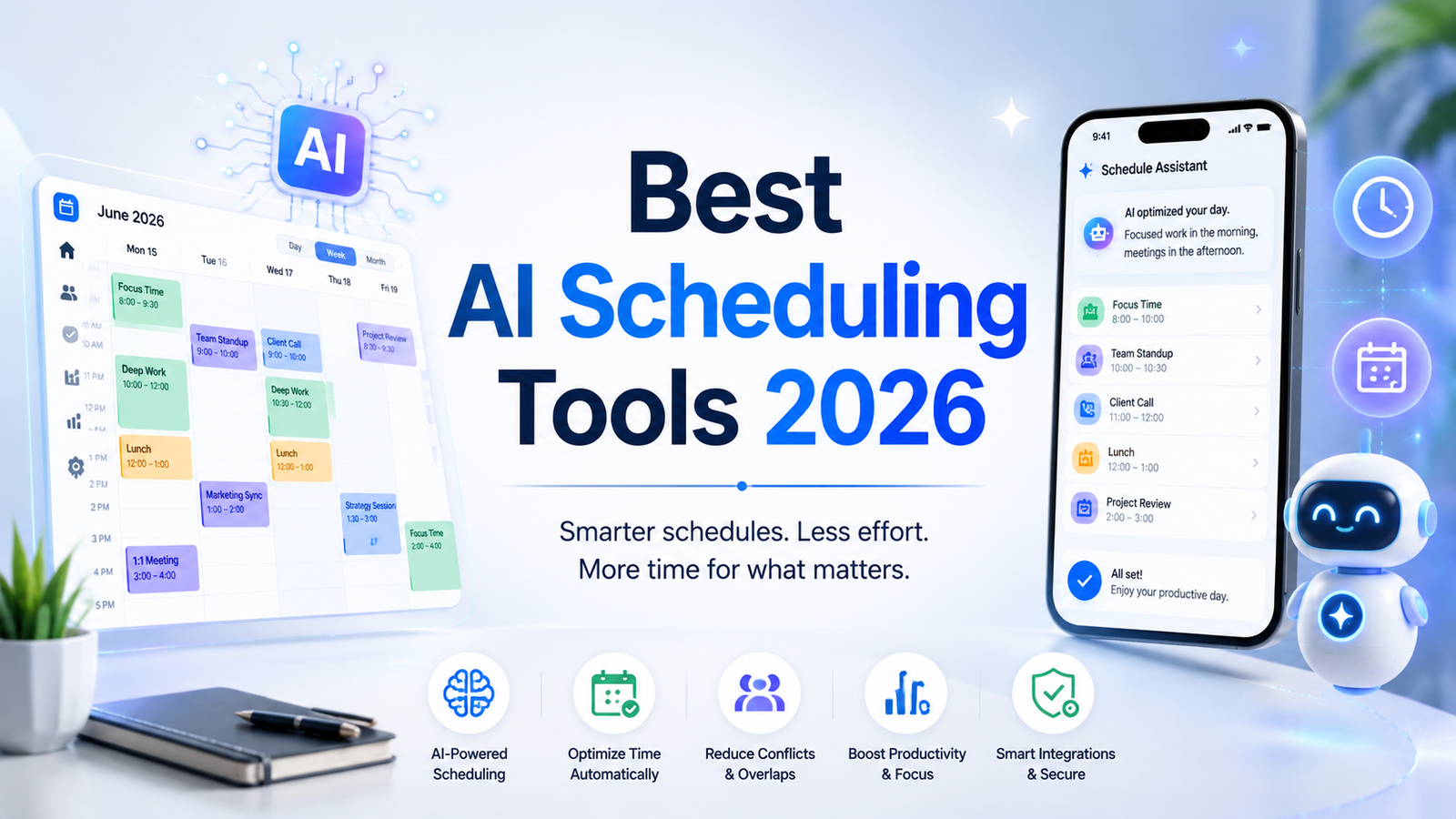
Best AI Scheduling Tools 2026: Ranked, Reviewed and Compared
Time is the one resource every professional has in equal measure and almost nobody manages well. The average knowledge worker spends 28 percent of the workday managing email and scheduling meetings, according to McKinsey research. An additional 10 to 15 percent of the week goes to context switching between interrupted deep work sessions. AI scheduling tools in 2026 are attacking both problems: automating the logistics of when things happen, and protecting the cognitive space needed for actual work.
The ROI is documented and specific. Studies across AI scheduling tool users consistently show 4 to 5 hours per week saved for active users. At typical professional rates, the math is straightforward: at $10 to $30 per month for subscription cost versus hours recovered, most professionals reach breakeven within the first week if they adopt the tool consistently. A startup that adopted Motion reported saving ten hours per week in manual scheduling. A remote team using Clockwise cut recurring meeting conflicts by 20 percent. A freelancer using AI time tracking increased billing accuracy by 15 percent.
The critical distinction to understand before evaluating any tool is the difference between traditional calendar applications and AI scheduling assistants. Traditional calendar apps like Google Calendar and Outlook store and display events. AI scheduling assistants actively manage your time, auto-scheduling tasks, protecting focus blocks, rescheduling around conflicts, and optimizing your entire week as priorities shift. The shift is from passive storage to active optimization.
The tools in this guide span two overlapping categories: personal scheduling AI that maximizes individual productivity (Motion, Reclaim, Trevor), and coordination AI that handles the external logistics of getting time with other people (Calendly, Clara, Clockwise). Most professionals need both.
Comparison Table: Best AI Scheduling Tools 2026
| Tool | Best For | Starting Price | Free Plan |
|---|---|---|---|
| Motion | Professionals who want their entire day auto-planned around tasks and meetings | $19/month (Individual) | No (7-day trial) |
| Reclaim AI | Individuals and teams protecting focus time and building consistent work habits | Free / $8/user/month (Starter) | Yes |
| Calendly AI | External meeting booking with AI-powered routing and qualification | Free / $10/month (Standard) | Yes |
| Clara | Email-based AI meeting scheduling without requiring contacts to use a booking link | Beta pricing TBD | No (beta) |
| Clockwise | Teams of 5-plus adopting calendar optimization collectively for focus time | Free / $6.75/user/month (Teams) | Yes |
| Trevor AI | Visual planners who want task-to-calendar time-blocking with control | Free / $5/month (Pro) | Yes |
| Microsoft Copilot | Microsoft 365 organizations wanting AI scheduling embedded in Outlook and Teams | Included with M365 plans | No |
| Google Calendar AI | Google Workspace users wanting AI assistance within their existing calendar | Free (Workspace AI add-on) | Yes (basic) |
“Pricing is subject to change. Always verify current pricing on the tool’s official website before purchasing.”
Detailed Reviews
1. Motion
Best for professionals who want AI to build and continuously rebuild their complete daily schedule automatically around tasks, deadlines, and meetings.
Motion is the most ambitious tool in this comparison. Rather than helping you manage your schedule, Motion builds it for you. Connect your task list and calendar, set deadlines and priorities, and Motion auto-generates a complete day plan that fits every task into available time between meetings. When a meeting overruns or a new task arrives, Motion rebuilds the schedule automatically to accommodate the change without requiring manual rescheduling.
The result is a live, continuously optimized schedule that reflects current priorities rather than last week’s intentions. Motion starts at $19 per month for individuals and $12 per user per month for teams on annual billing. The trade-off is commitment: Motion requires adopting its workflow entirely to capture the time-saving benefit. Users who partly use Motion alongside other task management systems get less value than users who fully commit to it as their single source of task and calendar truth.
Key Features: AI auto-scheduling that builds and rebuilds your daily plan around tasks, deadlines, and meetings, priority-based task scheduling that fits work into available calendar gaps, automatic rescheduling when meetings change or tasks are added, team scheduling for coordinating across shared calendars, meeting booking that integrates with the task planning system, and integration with Google Calendar and Microsoft Outlook.
Pros:
- Most comprehensive automation: the AI actively plans the full day rather than suggesting improvements
- Automatic rescheduling when priorities or meetings change eliminates manual calendar maintenance
- Team plan at $12 per user per month (annual) is accessible for small teams wanting coordinated scheduling
- 7-day trial provides adequate time to evaluate whether the workflow commitment is sustainable
Cons:
- No free plan; $19 per month is the highest individual starting price on this list
- Requires significant workflow change; users who cannot commit to Motion as their primary task system see limited benefit
- Some users report that Motion’s auto-generated schedules can feel mechanical; the AI optimizes for time allocation, not cognitive energy levels
- Mobile app quality trails the desktop experience for certain workflow configurations
Pricing:
- Individual: $19/month ($17/month annual)
- Team: $12/user/month (annual)
- 7-day free trial available
2. Reclaim AI
Best for individuals and teams who want AI to protect focus time, schedule consistent work habits, and coordinate meetings without overwhelming automation.
Reclaim takes a more balanced approach than Motion: it automates calendar management and priorities without requiring a complete workflow rebuild. The Habits feature schedules recurring time blocks for deep work, exercise, lunch, or any other recurring priority, automatically adjusting their placement each week to fit around meetings while ensuring they actually happen. Smart Meetings coordinates scheduling across teams with AI that finds the optimal time for everyone based on actual calendar availability and stated preferences.
Reclaim’s team features earn it a specific recommendation: the tool handles team coordination through AI-driven scheduling in a way that works even when only some team members are using it. For teams of knowledge workers trying to protect focus time collectively while coordinating meetings efficiently, Reclaim is consistently the highest-reviewed option on this list. The free plan is genuinely functional for individual use.
Key Features: Habits for scheduling recurring priorities around meetings automatically, Smart Meetings for coordinating scheduling across teams, focus time protection that defends deep work blocks from meeting creep, task scheduling integration with Asana, Linear, GitHub, and Jira, Slack integration showing availability without requiring calendar sharing, and real-time calendar optimization as availability changes.
Pros:
- Free plan is the most functional of any tool in this comparison for individual use
- Habits feature reliably protects recurring priorities that manual scheduling fails to defend consistently
- Team coordination features work even when not all team members adopt Reclaim
- G2 and Capterra ratings consistently among the highest for AI scheduling tools
- Best value combination of individual productivity and team coordination features
Cons:
- Google Calendar integration is deeper than Outlook integration; Microsoft-centric organizations get less value
- Less comprehensive task management than Motion; primarily a scheduling assistant rather than a full productivity system
- Some advanced team features require the Business plan at $12 per user per month
Pricing:
- Free: Core scheduling features, limited habits and tasks
- Starter: $8/user/month, expanded habits and task scheduling
- Business: $12/user/month, full team features and analytics
- Enterprise: $18/user/month, advanced admin and security
3. Calendly AI
Best for professionals and businesses that need external meeting booking with AI-powered routing, qualification, and integration with sales and customer workflows.
Calendly is the default external scheduling tool for most professionals and its AI features in 2026 make it more capable than the booking link it started as. Routing Forms with AI qualification route meeting requests to the appropriate team member based on intake answers, which eliminates the manual triage that sales and customer success teams previously handled for incoming demo and support requests. AI-powered scheduling suggestions optimize available times based on meeting patterns and attendee preferences rather than just presenting open slots.
For sales teams and customer-facing professionals, Calendly’s integration with Salesforce, HubSpot, and payment processors completes workflows that extend well beyond simple scheduling. Payment collection at booking turns discovery calls into paid advisory sessions without a separate invoicing step.
Key Features: External meeting booking with shareable scheduling links, Routing Forms for AI-powered meeting qualification and team routing, payment collection at booking via Stripe, Salesforce and HubSpot integration for CRM-connected scheduling, group session and cohort scheduling, automated confirmation and reminder sequences, and round-robin distribution for team meeting load balancing.
Pros:
- Industry-standard external booking tool with the highest recognizability among recipients
- Routing Forms with AI qualification automates the meeting triage step for customer-facing teams
- Payment collection at booking is native without a separate tool
- Standard plan at $10 per month is accessible for individual professionals
- Free plan covers single event type for basic external booking evaluation
Cons:
- Primarily an external scheduling tool; not designed for personal calendar optimization or focus time protection
- Best paired with Reclaim or Clockwise for internal calendar optimization alongside external booking
- Team scheduling features require the Teams plan at $16 per user per month
Pricing:
- Free: 1 event type, basic scheduling
- Standard: $10/user/month (annual), unlimited event types, Routing Forms
- Teams: $16/user/month (annual), team scheduling and analytics
- Enterprise: Custom pricing
4. Clara
Best for executives and professionals who want meeting scheduling handled via email conversation without requiring contacts to visit a booking page.
Clara is an AI scheduling assistant that works through email threads rather than booking links. CC Clara on an email where you are trying to schedule a meeting, and Clara handles the conversation with your contact: proposing times, responding to counterproposals, confirming the final time, and sending calendar invites. Your contacts interact with Clara as if she were a real assistant, which eliminates the friction of asking someone to visit a scheduling page and click a time.
For distributed teams coordinating across time zones, Clara also handles follow-ups automatically when someone does not respond within a reasonable window. The email-native approach is Clara’s clearest differentiator: it fits into normal professional email workflow without requiring behavioral change from either party.
Clara is currently in beta in 2026. Previous pricing was $99 to $199 per month, which positioned it for executive users who valued the assistive experience over a lower-cost booking link. Current beta pricing is not yet finalized. Verify current access and pricing directly at clara.com before evaluating for budget planning purposes.
Key Features: Email-thread meeting scheduling without requiring contacts to visit a booking link, natural conversational AI that handles counterproposals and re-scheduling via email, automatic follow-ups for non-responsive contacts, integration with Zoom, Google Meet, and Microsoft Teams for automatic conference link generation, and handling of time zone detection and conversion across participants.
Pros:
- Email-native workflow eliminates booking link friction for recipients who prefer email coordination
- Handles counterproposals and follow-ups autonomously without requiring the user to re-engage
- Works naturally for professionals whose contacts are not comfortable with booking links
- Scales across multiple concurrent scheduling threads without additional user effort
Cons:
- Currently in beta; pricing and features are subject to change
- Focused exclusively on meeting scheduling; does not address personal calendar optimization or focus time protection
- Previous pricing of $99 to $199 per month positioned it as a premium executive tool; new pricing not yet published
- Less suitable than Calendly for high-volume inbound meeting requests where a structured booking page has advantages
Pricing:
- Beta access; pricing TBD
- Verify current pricing and availability at clara.com
5. Clockwise
Best for teams of five or more who want collective calendar optimization for focus time and reduced meeting conflicts when the whole team adopts the tool.
Clockwise automates scheduling across team calendars by moving flexible meetings to create uninterrupted focus time for everyone simultaneously. Rather than each individual managing their own calendar in isolation, Clockwise sees the full team’s availability and optimizes meeting placement collectively to maximize focus time across all participants. When a team adopts Clockwise together, the system can shift flexible one-on-ones and team syncs to configurations that create longer focus blocks for everyone rather than fragmenting everyone’s day with scattered meetings.
Natural language scheduling through the Clockwise AI allows typing or voice instructions like “move my one-on-ones to Thursday” and Clockwise interprets and executes the change, respecting other constraints in the calendar. The free plan covers the core focus time protection feature, with team coordination features requiring the paid Teams plan.
Key Features: Automatic flexible meeting rescheduling to create focus time blocks across the team, natural language scheduling commands interpreted and executed by AI, cross-team focus time optimization when multiple members adopt the tool, time zone-aware scheduling for distributed teams, Slack integration showing real-time availability status, and preference settings for protecting specific calendar boundaries.
Pros:
- Collective optimization produces meaningfully more focus time than individual optimization tools when teams adopt together
- Natural language scheduling interface is the most conversational on this list
- Free plan covers core focus time protection for individual evaluation
- Teams plan at $6.75 per user per month (annual) is the most affordable paid team scheduling tool in the comparison
Cons:
- Value scales strongly with team adoption; individual users without teammates on Clockwise benefit less than fully adopted teams
- Less impact when most calendar events are fixed rather than flexible; works best with a mix of hard and soft meetings
- Google Calendar integration is stronger than Outlook integration; Microsoft-centric teams should verify compatibility
Pricing:
- Free: Core focus time features, limited scheduling
- Teams: $6.75/user/month (annual), team optimization and coordination
- Business: $11.50/user/month (annual), advanced analytics and admin
- Enterprise: Custom pricing
6. Trevor AI
Best for visual planners and freelancers who want to drag tasks onto their calendar with AI suggestions, maintaining control over the final schedule.
Trevor AI bridges the gap between task management and time management through a visual drag-and-drop interface where users place tasks onto calendar slots each morning. The AI’s contribution is the Plan My Day feature, which generates a suggested daily schedule the user can accept, adjust, or ignore entirely. This approach gives AI assistance without full automation, which is the right balance for users who want help planning but not a system that plans for them.
Trevor’s integrations with Google Calendar, Microsoft Outlook, iCloud, and CalDAV cover most calendar stacks, and its task integrations with tools like Todoist provide a task-to-calendar pipeline without a full platform migration. At $5 per month for the Pro plan, Trevor is the most affordable paid AI scheduling tool on this list by a significant margin.
Key Features: Visual drag-and-drop task-to-calendar interface with AI scheduling suggestions, Plan My Day feature generating a suggested daily schedule from task list, calendar integration across Google Calendar, Outlook, iCloud, and CalDAV, task integration with Todoist and other task management tools, time-blocking visualization showing tasks and meetings together, and AI suggestions that can be accepted, modified, or ignored.
Pros:
- Most affordable paid AI scheduling tool at $5 per month
- Balances AI assistance with user control; suggestions are never imposed without acceptance
- Covers the broadest calendar ecosystem including Google, Microsoft, Apple, and CalDAV
- Low commitment evaluation; switching from another tool requires no project migration
Cons:
- AI suggests rather than automates; requires daily engagement from the user to build and maintain the schedule
- No native mobile app; web-first design is a real limitation for users who primarily plan on phones
- Less comprehensive than Motion for full task lifecycle management and automated rescheduling
Pricing:
- Free: Core time-blocking features
- Pro: $5/month, full AI features and unlimited tasks
- Business: Custom pricing for team features
7. Microsoft Copilot (Scheduling in Outlook and Teams)
Best for Microsoft 365 organizations wanting AI scheduling assistance embedded natively in Outlook and Teams without adopting a separate tool.
Microsoft Copilot’s scheduling capabilities in Outlook and Teams provide AI-powered meeting scheduling assistance directly within the tools Microsoft 365 users already use daily. Finding meeting times, drafting meeting invitations, summarizing meeting histories before scheduling a follow-up, and suggesting optimal meeting slots based on attendee availability all happen without leaving Outlook or Teams. For organizations where every employee uses Microsoft 365, this embedded approach eliminates the tool-switching overhead that standalone scheduling assistants require.
The Microsoft 365 Copilot plan includes scheduling AI as part of a broader AI assistant that covers email drafting, document summarization, and productivity assistance across the full Microsoft suite. For organizations that have already purchased M365 Copilot for productivity reasons, the scheduling assistance comes at no incremental cost.
Key Features: AI-powered meeting time suggestions within Outlook, natural language meeting scheduling from email composition, Teams meeting coordination with AI attendee availability analysis, meeting summary generation for scheduling context, integration with Microsoft 365 calendar, contacts, and email data, and cross-platform consistency across Outlook desktop, web, and mobile.
Pros:
- Zero additional tool adoption required for Microsoft 365 users; AI scheduling activates within existing Outlook workflow
- Included in M365 Copilot licensing without separate subscription for scheduling features
- Consistent with the broader Microsoft 365 productivity AI suite for a unified assistant experience
- Enterprise-grade compliance and data security inherent to Microsoft 365 infrastructure
Cons:
- M365 Copilot at $30 per user per month is expensive if purchased solely for scheduling assistance
- Scheduling AI depth is less specialized than dedicated tools like Motion or Reclaim for personal productivity optimization
- Best value for organizations that already need Copilot for broader Microsoft 365 productivity; poor value as a standalone scheduling investment
Pricing:
- Microsoft 365 Copilot: $30/user/month (requires qualifying M365 base plan at $20 to $35/user/month)
- Scheduling features included in Copilot; no standalone scheduling pricing available
8. Google Calendar AI
Best for Google Workspace users who want AI scheduling assistance within their existing calendar without adopting a separate tool.
Google Calendar’s AI features, powered by Gemini, provide scheduling assistance within the Google Workspace environment. Smart Scheduling suggests meeting times based on attendee availability, time zones, and preferences from the calendar creation interface. Gemini AI in Google Workspace can draft meeting invitations, summarize meeting histories, and provide scheduling recommendations through the Google Calendar and Gmail interfaces.
For Google Workspace users, the relevant question is whether the native Google Calendar AI meets their scheduling needs before adopting a third-party tool. For basic scheduling coordination, it often does. For personal calendar optimization, focus time protection, and task-to-calendar integration, dedicated tools like Reclaim provide substantially more capability.
Key Features: Smart Scheduling for AI-powered meeting time suggestions based on attendee availability, Gemini AI integration for natural language meeting management and scheduling queries, cross-product scheduling intelligence connecting Gmail and Google Calendar, time zone detection and management for distributed team scheduling, and Google Workspace integration connecting scheduling to Docs, Drive, and Meet.
Pros:
- Zero additional cost for Google Workspace users; AI scheduling features are included in the existing subscription
- Smart Scheduling reduces the friction of finding meeting times within the existing calendar interface
- Gemini integration provides conversational scheduling assistance without a separate tool login
- Native integration with Gmail makes scheduling directly from email threads seamless
Cons:
- AI scheduling depth significantly trails dedicated tools for personal productivity optimization and focus time protection
- Best as a baseline for Google Workspace users; not a substitute for dedicated scheduling AI for heavy scheduling workflows
- Team-wide calendar optimization capabilities lag behind Clockwise and Reclaim for coordinated focus time management
Pricing:
- Included with Google Workspace plans: Business Starter from $6/user/month, Business Standard from $12/user/month
- Gemini AI for Workspace: $30/user/month add-on for advanced AI features
- Google Calendar free tier includes basic Smart Scheduling for personal Gmail accounts
Frequently Asked Questions
Should I use one AI scheduling tool or combine multiple tools?
Combining two tools that address different parts of the scheduling problem is the most effective approach for most professionals, and independent reviews consistently confirm this. The most recommended combination is Calendly or Clara for external booking (handling the logistics of scheduling with people outside your organization) alongside Reclaim or Clockwise for internal optimization (protecting focus time and coordinating within your team). What you should avoid is running multiple task schedulers simultaneously, such as Motion plus Trevor, because they will conflict over the same calendar slots and produce unreliable results. A startup team using Calendly for inbound demo requests alongside Clockwise for internal coordination pays under $25 per user per month combined and addresses both sides of the scheduling problem without overlap.
How much time do AI scheduling tools realistically save, and is the investment worth it?
Studies suggest AI scheduling saves 4 to 5 hours per week for active users who adopt a tool consistently and use it as their primary scheduling workflow. At $10 to $30 per month in subscription cost, that works out to roughly $0.50 to $1.50 per hour saved. If your time is worth more than that to you or your employer, the math works. The critical qualifier is consistent adoption: the same research consistently shows that partial adopters, users who install a tool but continue managing their calendar manually alongside it, save less than one hour per week because the tool never accumulates enough calendar data to optimize effectively. The tools that deliver the highest time savings are those where the user commits to using the tool as their primary calendar management interface rather than treating it as a supplement to existing manual habits. The first two weeks of any scheduling AI tool typically feel slower than manual scheduling because the tool is learning preferences. Committing through the learning period before evaluating ROI is the behavior that separates users who report significant time savings from those who cancel.
What is the best AI scheduling tool for a solopreneur or freelancer on a tight budget?
The highest-value zero-cost combination for a solo professional is Reclaim’s free plan for focus time protection and work habit scheduling, plus Calendly’s free plan for a single external booking event type. This combination costs nothing and covers the two most common scheduling pain points: defending time for actual work and eliminating email back-and-forth for client meetings. The first paid upgrade that delivers the clearest additional value is Trevor Pro at $5 per month, which adds full task-to-calendar planning with AI suggestions for under a weekly coffee. The second is Reclaim Starter at $8 per month when the free plan’s limits on habits and task scheduling become a constraint. For the majority of solo professionals with moderate scheduling needs, the free tiers of Reclaim and Calendly combined with Trevor Pro at $5 per month deliver comprehensive scheduling AI coverage for $5 per month total.
Final Recommendation
The right AI scheduling stack in 2026 covers both personal calendar optimization and external meeting coordination without redundant tool overlap.
For professionals who want full AI automation of their daily schedule and are willing to commit entirely to a single productivity system, Motion at $19 per month is the most comprehensive tool available. The automatic daily rebuilding of the schedule around priorities and meetings is genuinely distinctive.
For professionals and teams who want AI to protect focus time and coordinate meetings without requiring a complete workflow change, Reclaim at $8 per user per month provides the strongest combination of individual productivity and team coordination features. The free plan is the most functional starting point in the category.
For external meeting booking and sales team coordination, Calendly Standard at $10 per month is the industry-standard recommendation, with Routing Forms for qualification and CRM integration for customer-facing workflows.
For teams of five or more who want collective calendar optimization for focus time and meeting conflict reduction, Clockwise at $6.75 per user per month (annual) delivers measurably more value per dollar than any individual productivity tool for the team coordination use case.
For visual planners who want task-to-calendar scheduling assistance at the lowest possible cost, Trevor Pro at $5 per month is the highest-value paid scheduling tool on this list for users who want AI suggestions without full automation.
For Microsoft 365 organizations already paying for M365 Copilot, the embedded scheduling assistance in Outlook comes at no incremental cost and covers basic coordination needs before any third-party tool investment is justified.
The consistent starting point for any professional: install Reclaim’s free plan and Calendly’s free plan today. Use both for two weeks on actual scheduling tasks. Upgrade or add tools only when the specific limitations of the free tiers create documented friction in your scheduling workflow.