Best AI Tools for Bloggers 2026: The Stack That Actually Saves You Time
Two years ago, the AI blogging workflow question was “should I use AI at all?” Today it is “which combination of tools removes the most friction without producing content that reads like it was written by a robot?”
The honest answer in 2026 is that a three-tool stack covers 80 percent of the time savings available to most bloggers: one tool for writing assistance, one for SEO research and optimization, and one for visual content. The other 20 percent depends on whether you are a solo blogger on a tight budget or a team running a content operation. Getting the stack right matters because the wrong combination creates redundancy, overlapping subscriptions, and a workflow that is slower than the manual process it was supposed to replace.
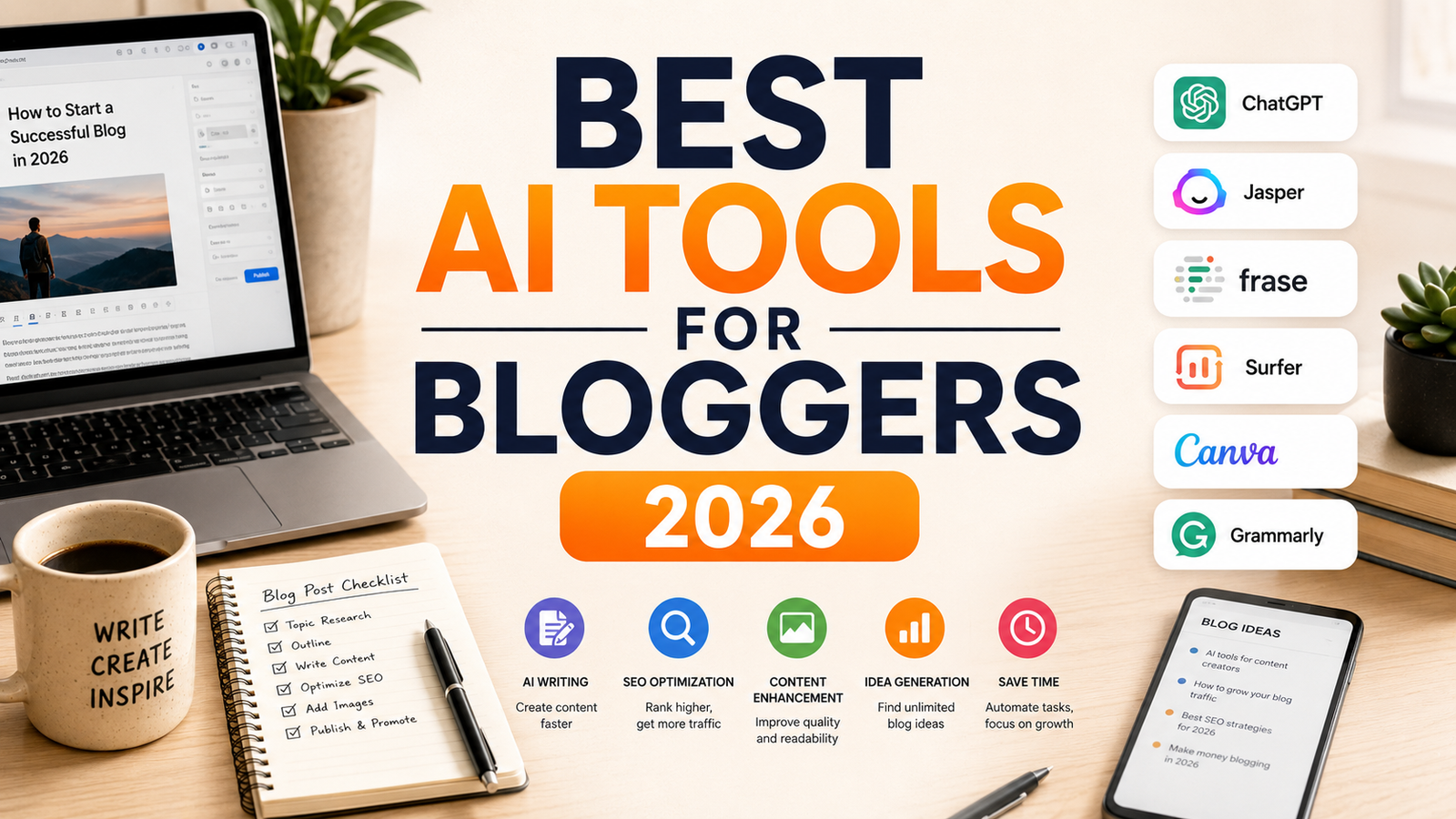
This guide covers eight tools across writing, SEO, and design. Each is reviewed against real blogging workflows rather than feature checklists.
Comparison Table: Best AI Tools for Bloggers 2026
| Tool | Best For | Starting Price | Free Plan |
|---|---|---|---|
| Jasper AI | Brand-consistent marketing blogs with team governance | $39/month (Creator, annual) | No (7-day trial) |
| Rytr | Budget bloggers who want AI drafting at the lowest cost | $7.50/month (Saver, annual) | Yes |
| Surfer SEO | Bloggers optimizing for Google rankings with real-time NLP scoring | $99/month (Essential) | No (7-day trial) |
| Frase.io | Content brief generation and SEO plus GEO optimization at lower price | $45/month (Solo, annual) | No ($1 for 5 days) |
| Koala Writer | Bloggers who want one-click AI article generation from a keyword | $9/month (Essentials) | No (free credits at signup) |
| Canva AI | Visual content including blog headers, social graphics, and thumbnails | Free / $15/month (Pro) | Yes |
| ProWritingAid | Serious bloggers who want deep structural editing beyond grammar | Free (limited) / $10/month (annual) | Yes (limited) |
| Claude | Complex research, long-form analysis, and nuanced professional writing | Free / $20/month (Pro) | Yes |
“Pricing is subject to change. Always verify current pricing on the tool’s official website before purchasing.”
Detailed Reviews
1. Jasper AI
Best for bloggers and content teams who need consistent brand voice across multiple writers or content types.
Jasper AI is the most expensive writing tool in this comparison and the most justified for teams. The Brand Voice system analyzes existing content to extract tone, vocabulary, and stylistic patterns, then enforces them across everything generated. For a solo blogger, this is overkill at $39 per month when Claude or Rytr produces comparable drafts. For a blog with multiple contributors or a content agency, the Brand Voice governance is the specific capability that justifies the premium.
The Campaigns feature generates multi-format content from a single brief, blog post, social captions, and email newsletter simultaneously. Jasper Art handles image generation within the same subscription. For bloggers who produce companion content across channels from each post, the multi-format generation compresses production time significantly.
Key features: Brand Voice enforcement across all outputs, Campaigns for multi-format content from one brief, SEO Mode with Surfer SEO integration (requires separate Surfer subscription), Jasper Chat for conversational ideation, and 50-plus templates for different content formats.
Pros: Best brand consistency of any AI writing tool; multi-format output from a single brief reduces channel production time; Jasper Art image generation is included.
Cons: No free plan; $39/month is the most expensive writing tool here for solo use; SEO Mode requires a separate Surfer subscription adding $99/month minimum; overkill for solo bloggers without brand governance needs.
Pricing: Creator $39/month (annual), 1 seat; Pro $59/month (annual); Business custom.
2. Rytr
Best for solo bloggers and freelancers who want AI drafting at the most accessible price in the category.
Rytr is the most affordable dedicated AI writing tool that covers core blogging formats: blog intros, outlines, full sections, email newsletters, and social captions. At $7.50 per month on annual billing, it is the lowest-cost entry into AI-assisted content production among dedicated tools. The tone selector across 20 styles allows matching different content types and audiences without manual prompt engineering.
The honest limitation is output quality. Rytr consistently produces competent first drafts that require editing rather than polished copy ready to publish. For bloggers who treat AI as a drafting accelerator rather than a replacement for their editorial voice, this is the appropriate tool at the appropriate price. For bloggers who want AI to produce camera-ready content with minimal editing, other tools in this comparison are closer to that goal.
Key features: 40-plus use case templates covering blog formats, tone selector across 20 styles, plagiarism checker on paid plans, Chrome extension, and 30-plus language support.
Pros: Most affordable paid AI writing tool at $7.50/month; free plan provides 10,000 characters per month for genuine evaluation; covers every core blog content format; multilingual support.
Cons: Output quality requires consistent editing; not suitable for technical or highly specialized content without significant human revision; free plan cap limits production volume.
Pricing: Free (10,000 chars/month); Saver $7.50/month (annual, 100,000 chars); Unlimited $24.16/month.
3. Surfer SEO
Best for bloggers who want real-time NLP content scoring alongside keyword research in a single interface.
Surfer SEO is the standard for bloggers whose success metric is Google rankings. The Content Editor displays a live score as you write, updating with each paragraph to reflect how closely your content matches the structural and topical patterns of pages currently ranking for your target keyword. The score is NLP-driven rather than keyword-density-driven, which means it rewards comprehensive topic coverage rather than phrase repetition.
The Topical Map feature plans content clusters rather than individual posts, identifying which articles should be created together to build topical authority rather than competing with each other. For bloggers growing toward meaningful traffic, this cluster approach is the difference between incremental growth and compound growth.
Key features: Real-time content editor with NLP scoring, Topical Map for content cluster planning, Keyword Research integrated into the editor workflow, Content Audit for optimizing existing posts, and integrations with Google Docs, Jasper, and WordPress.
Pros: Best content scoring precision in the category; Topical Map addresses cluster-level content strategy; Google Docs and WordPress integrations fit existing workflows.
Cons: $99/month Essential plan is expensive for bloggers with limited article volume; scoring depth is more than solo bloggers need for low-competition niches; SEO optimization is the entire product.
Pricing: Essential $99/month; Scale $219/month; Scale AI $289/month.
4. Frase.io
Best for bloggers who want content brief generation and SEO optimization without paying Surfer’s premium.
Frase.io covers the same core SEO content optimization use case as Surfer at a lower entry price, with one capability Surfer does not currently offer: GEO (Generative Engine Optimization) tracking for AI search citation visibility across ChatGPT, Perplexity, and Google AI Overviews.
The content brief generator is Frase’s clearest value: it produces a structured brief from SERP analysis in approximately 4 minutes, compared to 2 to 3 hours of manual competitor research. For bloggers who publish 4 to 8 posts per month, that time saving is the primary ROI. The AI writing assistant drafts content against the brief, though consistent editorial oversight is required before publishing.
Note on the effective price: unlimited AI writing requires a $35/month Pro Add-on on top of the $45 Solo plan, making full-featured individual use $80/month rather than the headline $45.
Key features: Automated SERP-based content brief generation, AI writing assistant against brief context, SEO and GEO dual scoring, site audit, internal link suggestions, and AI visibility tracking across 8 AI platforms.
Pros: Best brief generator in the category; GEO tracking is unique among optimization tools; $45 entry is 54 percent cheaper than Surfer; topic coverage scoring aligned with modern search behavior.
Cons: Full-featured use costs $80/month not $45 due to Pro Add-on requirement; article volume caps; keyword discovery is less comprehensive than Semrush or Ahrefs.
Pricing: Solo $45/month (annual) + Pro Add-on $35/month; Basic $115/month; 5-day trial for $1.
5. Koala Writer
Best for bloggers who want one-click AI article generation from a keyword with minimal setup.
Koala Writer is the most direct answer to “generate a complete, publishable article from a keyword” in 2026. Enter a keyword, select a content type and style, and Koala Writer generates a complete article using real-time Google search data to ensure accuracy and current relevance. The KoalaChat feature provides a ChatGPT-style conversational interface for research and ideation within the same platform.
At $9 per month for the Essentials plan, Koala is the most affordable tool in this comparison that produces full article drafts rather than sections or briefs. For high-volume bloggers on affiliate sites or content farms where draft speed is the primary variable, this positions Koala above Rytr for the complete-article use case while costing $1.50 more per month.
Key features: One-click full article generation from keyword with real-time search grounding, KoalaChat for research and ideation, Amazon Product Review Article mode, bulk article generation, WordPress and Google Docs publishing integration, and image sourcing integration.
Pros: Most complete one-click article generation at the lowest cost for the full-draft use case; real-time search grounding reduces factual error rates; Amazon affiliate content mode is useful for product review bloggers; bulk generation supports high-volume content operations.
Cons: Output requires editing for voice and accuracy; not suitable for highly technical or experience-based content where E-E-A-T signals require genuine first-hand knowledge; lower output quality ceiling than Claude or Jasper for nuanced long-form writing.
Pricing: Essentials $9/month; Starter $25/month; Professional $49/month; free credits at signup for initial evaluation.
6. Canva AI
Best for bloggers who need a complete visual content workflow for blog headers, social graphics, and video thumbnails in one place.
Canva AI is the visual content layer that most bloggers need but few treat as a strategic tool. Blog post header images, Pinterest graphics, YouTube thumbnails, social media cards, and email newsletter visuals all emerge from the same Canva Pro workspace at $15 per month. The AI features accelerate what was already Canva’s core value: Magic Resize adjusts designs across formats without manual rework, Magic Eraser removes objects from images, and AI image generation creates original visuals from text prompts.
For bloggers producing companion visual content across platforms, Canva’s integrated workflow and brand kit features keep visual identity consistent across every piece of content the blog produces.
Key features: AI image generation from text prompts, Magic Resize for multi-format adaptation, Magic Eraser for object removal from images, Brand Kit for consistent visual identity, 100-plus million template library, and direct social media publishing.
Pros: Best-value complete visual content workflow for bloggers at $15/month; Brand Kit ensures visual consistency without per-design decisions; Magic Resize compresses multi-format production significantly; free plan is functional for basic visual needs.
Cons: Not a replacement for Adobe for complex image editing; AI image quality trails Midjourney for stylized creative outputs; some AI features require Pro plan rather than the free tier.
Pricing: Free; Pro $15/month; Teams $10/user/month (annual).
7. ProWritingAid
Best for serious bloggers who want structural manuscript-level editing beyond grammar correction.
Where Grammarly catches errors as you write, ProWritingAid analyzes completed drafts at a deeper structural level: pacing, sentence length variation, overused words, passive voice patterns, cliche density, and dialogue quality. The 20-plus in-depth reports surface writing quality issues that sentence-level grammar tools cannot identify. For bloggers who want to develop their own craft rather than rely entirely on AI output, ProWritingAid’s reports build editorial judgment over time.
The lifetime plan at $399 is the most compelling pricing option for any blogger who intends to write seriously for more than three years. The annual cost of Grammarly Pro exceeds $399 within two to three subscription years, making the one-time ProWritingAid investment more economical over the long term.
Key features: 20-plus in-depth writing reports covering structure, pacing, and style, Virtual Beta Reader for fiction and long-form feedback, Google Docs and Scrivener integration, plagiarism checker, and one-time lifetime plan option.
Pros: Deeper structural analysis than any grammar tool in the category; lifetime plan at $399 is the best long-term value in writing tools; Scrivener integration for long-form bloggers; develops editorial judgment rather than substituting for it.
Cons: Steeper learning curve than Grammarly; most value on longer drafts; not a real-time writing assistant in the way browser-extension grammar tools are.
Pricing: Free (limited features); Premium $10/month (annual); Premium Pro $24/month (annual); Lifetime $399 one-time.
8. Claude
Best for bloggers who need nuanced, research-grounded writing assistance for complex or technical content.
Claude is not a dedicated blogging tool. It is a general AI assistant with the best long-form writing quality among major AI tools, which makes it the most useful AI for the specific blog posts that require genuine research synthesis, careful reasoning, and stylistically sophisticated prose. The 200,000-token context window on Pro allows uploading multiple source documents and asking Claude to synthesize them into a structured post, which no template-based writing tool can replicate.
For bloggers producing in-depth analysis, expert roundups, technical guides, and any content where the depth of reasoning distinguishes the post from AI-generated mediocrity, Claude Pro at $20 per month is the highest-value single tool in this comparison. Combine it with Frase for brief creation and Canva for visuals, and the three-tool stack at $80 per month covers a complete professional blogging workflow.
Key features: Best-in-category long-form writing quality and nuanced instruction-following, 200,000-token context for multi-document synthesis, Projects for maintaining blog-specific context across sessions, no-training-by-default on paid plans, and extended thinking for complex research synthesis.
Pros: Best writing quality for nuanced, research-grounded blog content; 200K context enables genuine multi-source synthesis; $20/month Pro is the most cost-effective premium AI writing tool; no-training policy protects draft content.
Cons: Not a specialized blogging or SEO tool; no templates or blog-specific workflows; daily message limits on Pro can frustrate high-volume writing sessions.
Pricing: Free (Sonnet model, daily limits); Pro $20/month (Opus 4.6, Projects, 200K context).
FAQ
What is the minimum viable AI stack for a solo blogger on a tight budget?
The most effective zero-cost starter stack uses Claude’s free tier for writing assistance and Canva’s free plan for visuals. This covers the two highest-leverage workflow improvements, reducing first-draft time and producing professional visual assets, at zero monthly cost. The first paid upgrade that adds clear value is Frase at $45 per month when SEO optimization becomes the primary traffic growth driver. Adding the Pro Add-on at $35/month makes sense only when full AI drafting replaces manual writing for a meaningful portion of posts. Surfer SEO at $99/month is justified when the blog has existing traffic and optimization of existing content is a documented growth opportunity. Most solo bloggers reach meaningful results with Claude Pro at $20/month plus Frase Solo at $45/month as the two-tool foundation.
Does using AI tools hurt Google rankings through content quality signals?
Google’s 2024 and 2025 guidance was explicit: the origin of content (human or AI) is not a ranking factor. Content quality, as measured by E-E-A-T signals, topic coverage, helpful depth, and user engagement metrics, determines ranking. AI-generated content that adds genuine value and demonstrates expertise ranks. AI-generated content that is thin, repetitive, or interchangeable with thousands of similar articles does not. The practical workflow that produces ranking-eligible AI-assisted content: use AI for structural drafting and SEO optimization, then add personal expertise, first-hand experience, original data or analysis, and editorial voice that generic AI output lacks. The tools in this guide assist with the structural and optimization work; the experiential and expert layer remains the blogger’s contribution.
Is a good chair and monitor setup important for bloggers using AI tools all day, and what should I look for?
For bloggers spending 4-plus hours per day at a desk, ergonomic hardware compounds in value over time. A monitor at eye height reduces neck strain that builds across a long writing session. A laptop stand paired with an external keyboard brings the screen to a comfortable position without requiring a standalone monitor purchase. Blue-light glasses reduce eye strain during evening writing sessions when screen exposure after dark affects sleep quality. These are not productivity tools in the way the AI stack is, but they determine how many hours you can productively use the AI tools before fatigue limits output.
Final Recommendation
The three-tool stack that covers most professional blogging needs at the lowest sustainable cost in 2026:
Claude Pro at $20/month for writing quality and research synthesis on complex posts. The 200K context, nuanced instruction-following, and Projects for persistent blog context make it the highest-value writing tool in the comparison per dollar.
Frase.io Solo at $45/month (budget $80 with Pro Add-on for unlimited AI drafting) for content brief generation, SEO and GEO optimization scoring, and AI search visibility tracking. The brief generator alone saves 2 to 3 hours per article.
Canva Pro at $15/month for every visual asset the blog produces from headers through social graphics and thumbnails, with Brand Kit for consistent visual identity.
Combined at $80 to $115 per month depending on Frase Add-on usage, this stack covers writing, SEO, and visual content from tools with minimal overlap and clear specialization in each function.
Add Rytr at $7.50/month if high-volume first-draft production is the bottleneck and Claude’s daily limits constrain output volume. Add Surfer SEO at $99/month when the blog has established traffic and precise NLP optimization is a documented ranking improvement lever.
Disclosure: This article may contain affiliate links. OnyxRanked may earn a commission on qualifying purchases made through links on this page. This includes any Amazon Associates links. Prices and availability are subject to change.