Best AI Tools for Solopreneurs 2026: Work Like a Team of One
Running a business alone used to mean accepting a permanent capacity ceiling. There were only so many hours in a day, only so many clients you could serve, only so much content you could create, and only so many systems you could manage before the operational overhead started eating the revenue-generating work.
AI tools have fundamentally changed that math. A solopreneur with the right stack in 2026 can produce content at the volume of a three-person marketing team, handle client communications at the quality of a professional copywriter, organize an entire business knowledge base in minutes, and analyze market opportunities that previously required an agency relationship. The advantage is not that AI replaces the solopreneur’s expertise. It is that AI eliminates the administrative and production overhead around that expertise, freeing attention for the work that actually drives income.
The data bears this out. Upwork’s 2025 research found that freelancers using AI tools command a 40 percent rate premium on comparable work. McKinsey estimates that AI tools compress professional output timelines by 30 to 45 percent on core knowledge work tasks. For a solopreneur charging $100 per hour, recovering even three hours per week from AI-automated tasks generates over $15,000 in additional annual capacity.
The challenge is not finding AI tools. It is knowing which ones to use for which problems, and how to build a lean stack that delivers real output without subscriptions that go unused. This guide covers eight tools that together address the complete solopreneur workflow.
Comparison Table: Best AI Tools for Solopreneurs 2026
| Tool | Best For | Starting Price | Free Plan |
|---|---|---|---|
| ChatGPT | General AI assistant for writing, research, strategy, and daily tasks | Free / $20/month (Plus) | Yes |
| Claude | Long-form writing, document analysis, and complex reasoning | Free / $20/month (Pro) | Yes |
| Notion AI | Business knowledge base, client notes, and AI over your own content | Free workspace / $20/month (Business) | Yes (workspace) |
| Canva AI | Social media graphics, client deliverables, and marketing visuals | Free / $15/month (Pro) | Yes |
| Grammarly | Writing quality and tone consistency across all client communications | Free / $12/month (Pro, annual) | Yes |
| Otter.ai | Client meeting transcription and searchable note archives | Free (300 min/month) / $8.33/month (Pro) | Yes |
| Copy.ai | Fast short-form copy, social posts, and email sequences | Free / $29/month (Chat) | Yes |
| Surfer SEO | Content optimization for solopreneurs building organic traffic | $79/month (Essential, annual) | No (7-day money-back) |
“Pricing is subject to change. Always verify current pricing on the tool’s official website before purchasing.”
Detailed Reviews
1. ChatGPT
Best for solopreneurs who want one versatile AI tool that handles the widest range of daily business tasks.
ChatGPT is where most solopreneurs start their AI journey, and for good reason. The breadth of what it handles from a single subscription is unmatched: client email drafts, proposal outlines, pricing strategy research, competitive analysis, social media calendars, FAQ content, onboarding guides, and contract clause explanations all come from the same interface with no additional tools, integrations, or learning curves.
The Custom GPT feature is the highest-leverage capability for solopreneurs. Build a GPT pre-loaded with your service descriptions, ideal client profile, tone guidelines, and frequently used frameworks, and it produces on-brand outputs for recurring tasks without re-entering context in every session. A solopreneur who has invested 30 minutes building a custom proposal-writing GPT can draft client proposals in under 10 minutes rather than the 90 minutes it previously required.
The memory feature builds context about your business over time. ChatGPT learns your pricing, your service scope, your preferred communication style, and your recurring clients, reducing the setup time for each new request as the tool accumulates organizational knowledge.
Key Features: GPT-5.4 with real-time web browsing for market research and competitor monitoring, Custom GPTs for building specialized business assistants pre-loaded with brand context, memory for persistent business and client knowledge across sessions, Advanced Data Analysis for uploading and analyzing client spreadsheets and reports, DALL-E image generation for basic visual content, and file analysis for reviewing documents and contracts.
Pros:
- Broadest versatility of any tool on this list; covers content, research, strategy, and analysis from one subscription
- Custom GPTs eliminate repeated context-setting for every recurring business task
- Memory feature adapts to your specific business model and communication style over time
- Free tier is genuinely capable for solopreneurs with light AI needs
Cons:
- No native integration with project management, CRM, or invoicing tools; outputs require manual transfer
- Writing quality is capable but leans toward a slightly generic style that benefits from editing for brand voice
- Daily usage limits on the free tier interrupt workflow during intensive sessions
Pricing:
- Free: GPT-5.x with daily limits, no credit card required
- Plus: $20/month, full GPT-5.4 access, browsing, file analysis, Custom GPTs, memory, image generation
- Team: $25 to $30/user/month for shared workspace if you bring on contractors
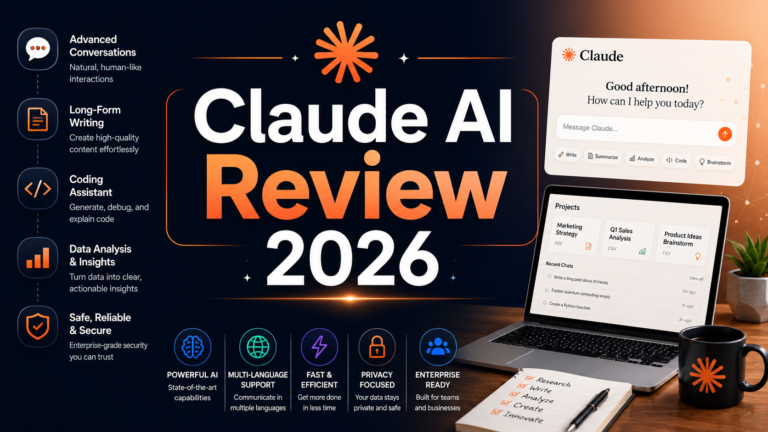
2. Claude
Best for solopreneurs whose primary value delivery involves writing quality, long-document work, or complex client analysis.
Where ChatGPT wins on breadth, Claude wins on depth. Its writing quality advantage is verified in independent blind tests: Claude produces prose with more natural cadence, stronger paragraph structure, and more faithful adherence to stylistic instructions. For solopreneurs who charge premium rates for writing, consulting, or strategy work where the quality of written deliverables directly reflects on their expertise, Claude’s output ceiling is meaningfully higher.
The 200,000-token context window is the technical differentiator that matters most for solopreneurs handling complex client work. Uploading an entire project brief, all meeting notes, the client’s existing documentation, and your draft deliverable simultaneously, then asking Claude to analyze coherence and flag gaps, is a workflow that ChatGPT’s 128,000-token window handles less reliably at the standard tier.
Claude Code, included in the Pro plan, is the most capable agentic coding tool available in 2026, making Claude Pro the default choice for solopreneur developers and technical consultants who want both writing depth and coding assistance from one subscription.
Key Features: Best-in-class writing quality across independent blind tests, 200,000-token context window for long-document analysis and multi-source synthesis, Claude Code for agentic software development included at no additional cost, Projects for maintaining persistent context about each client engagement across conversations, extended thinking mode for complex analytical and strategic problems, and Research for autonomous multi-step information gathering.
Pros:
- Best writing quality for premium deliverables where output reflects directly on professional reputation
- Largest context window at the standard paid tier; handles entire project files in one session
- Claude Code included in Pro plan for developer solopreneurs at no additional cost
- Lower hallucination rates than ChatGPT for technical content and specification-sensitive writing
- No-training-by-default on paid plans; strong privacy posture for confidential client work
Cons:
- No native image generation; requires a separate tool for any visual deliverable production
- Daily message limits on free and Pro tiers are tighter than ChatGPT for high-volume users
- Voice interaction is limited compared to ChatGPT’s Advanced Voice Mode
- No native integration with project management or CRM tools
Pricing:
- Free: Claude Sonnet 4.6 with daily limits, no credit card required
- Pro: $20/month, Opus 4.6 access, Claude Code, 200K context, Projects, Research
- Max: $100 to $200/month for solopreneurs who consistently hit Pro daily limits
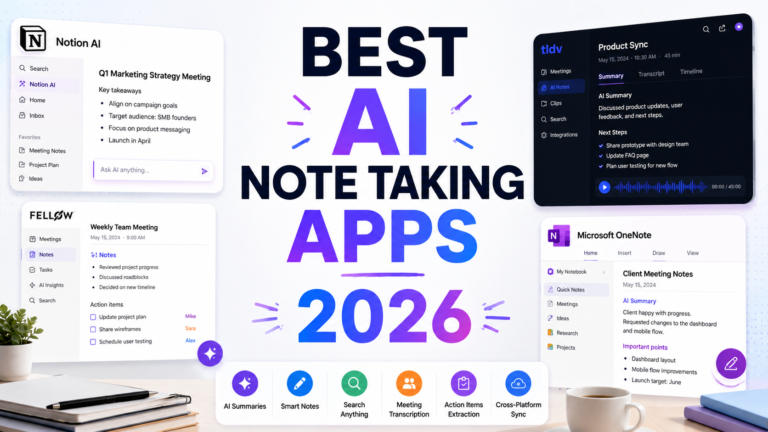
3. Notion AI
Best for solopreneurs who want AI that works directly from their existing business documentation and client notes.
The case for Notion AI is not the AI features themselves. It is the combination of those features with the organizational infrastructure that serious solopreneurs build over time. When your entire business lives in Notion, including client project notes, meeting records, SOPs, proposal templates, and research libraries, the Ask Notion AI feature turns all of that documentation into a queryable knowledge base. Asking “What were the deliverables we agreed on with Acme Corp in March?” or “What positioning angle worked best for my SaaS clients last quarter?” returns answers from your actual business history rather than generic responses.
For solopreneurs who have not yet built a Notion workspace, the free individual plan is the starting point. Unlimited pages and blocks for individual use allow building a complete business operating system before deciding whether the AI features justify the Business plan investment.
Key Features: Ask Notion AI for natural language queries across your entire workspace content, AI-generated summaries of meeting notes and project documents, database templates for client management, project tracking, and content calendars, collaborative workspace for contractors and clients on Business plans, Projects with task management and timeline views, and real-time collaboration with guests on the free plan.
Pros:
- AI that references your actual client notes and business documents produces more relevant outputs than generic AI assistants
- Free workspace is fully functional for building a solopreneur operating system without AI subscription
- Students with verified .edu emails get the Plus plan free
- Flexible enough to replace separate tools for notes, project management, CRM, and content planning
- Mobile app is strong for capturing ideas and client notes on the go
Cons:
- Full Notion AI requires the Business plan at $20/user/month following the May 2025 restructure; free and Plus users receive approximately 20 trial AI responses that do not replenish
- Value depends on investing time to build and maintain the workspace; AI output is only as good as the content it references
- 5MB file attachment limit on the free plan creates friction for solopreneurs storing large client deliverables
Pricing:
- Free: Unlimited pages and blocks for individuals, approximately 20 trial AI responses
- Plus: $10/month (annual), free for verified students; limited AI
- Business: $20/user/month (annual), full Notion AI access
4. Canva AI
Best for solopreneurs who produce visual content for clients or their own marketing without a graphic design background.
Solopreneurs who do not come from a design background face a real choice: pay a designer for every visual deliverable, learn design software with a steep learning curve, or use Canva. In 2026, Canva Pro’s Magic Studio suite has made the third option genuinely competitive for most solopreneur visual needs. Social media graphics, presentation decks for client proposals, media kit pages, email headers, workshop slides, and promotional announcements all emerge from templates in minutes with professional-looking results.
The Brand Kit is the solopreneur-specific feature that justifies the subscription on its own. Store your brand colors, fonts, and logo once, and Canva applies them automatically across every new design. If you manage multiple client brands, each gets its own Brand Kit with instant switching. Magic Resize adapts any design to every platform dimension in one click, eliminating the per-platform recreation that previously consumed significant production time.
Key Features: Magic Studio AI suite including background removal, image generation, Magic Eraser, Magic Expand, and text-to-video; Brand Kit for storing and applying personal and client brand identities; Magic Resize for single-click multi-platform adaptation; Magic Write for generating copy within designs; 140 million-plus premium templates including business, social media, and presentation layouts; and up to 1,000 Brand Kits on Pro for multi-client management.
Pros:
- At $15/month, Canva Pro compresses design costs that would otherwise require freelancer spend per project
- Up to 1,000 Brand Kits on Pro enables clean management of multiple client visual identities
- Background Remover and Magic Eraser handle most product and headshot editing needs without Photoshop
- Presentation templates produce professional-quality client-facing decks quickly
Cons:
- AI image generation quality trails dedicated generators for complex or highly specific visual needs
- 500 shared AI credits per month depletes for solopreneurs producing high volumes of generated imagery
- Not suitable for print-quality design work requiring precise color management or vector output
Pricing:
- Free: Core templates and limited Magic Studio credits
- Pro: $15/month, full Magic Studio, Brand Kit, 1TB storage, commercial rights
- Teams: $10/user/month (3-user minimum) if you add contractors
5. Grammarly
Best for solopreneurs who send high volumes of client communications and cannot afford to let writing quality undermine professional perception.
Solopreneurs do not have an editor reviewing their work before it reaches clients. Every proposal, client update, invoice email, LinkedIn post, and contract draft goes out exactly as written. Grammarly operates across all of these surfaces simultaneously, catching grammar errors, tone inconsistencies, unclear phrasing, and word choice issues in real time across Gmail, Google Docs, Microsoft Word, LinkedIn, and any web browser. It is the professional editing layer that runs in the background without requiring any deliberate effort.
The tone detection feature is the most underrated capability for solopreneurs. When a client email reads as passive-aggressive or a proposal reads as uncertain, Grammarly flags the issue before the message is sent. For solopreneurs navigating difficult client conversations or negotiating rates, this real-time tone feedback prevents the communications mistakes that are disproportionately costly in one-person businesses where each client relationship carries significant revenue weight.
Key Features: Real-time grammar, spelling, and punctuation correction across all integrated platforms, tone detector that flags how communications are perceived emotionally before sending, clarity suggestions for convoluted sentences in proposals and deliverables, GrammarlyGO for AI-powered rewriting and paraphrasing (100 prompts per month on free, 2,000 on Pro), and plagiarism checking on Pro for solopreneurs producing AI-assisted content.
Pros:
- Works across every surface where a solopreneur writes with no workflow change required
- Installation takes five minutes; immediate quality improvement from day one
- Pro at $12/month on annual billing is among the highest-ROI subscriptions in any professional stack
- Plagiarism checker on Pro is essential for solopreneurs publishing AI-assisted content
Cons:
- 100 AI prompts per month on the free plan depletes quickly for solopreneurs using GrammarlyGO regularly
- Occasionally overrides intentional stylistic choices with generic corrections
- Not a content generation tool; it improves existing writing rather than producing it from scratch
Pricing:
- Free: Basic grammar and spelling, 100 GrammarlyGO prompts/month, no credit card required
- Pro: $30/month monthly, $12/month (annual, billed at $144 upfront)
6. Otter.ai
Best for solopreneurs who conduct regular client calls and need reliable records without manual note-taking.
Client calls are where solopreneurs make commitments, receive briefs, and establish the scope of work that determines project success. Losing the detail of those conversations to imperfect notes is a genuine business risk: missed deliverables, scope disputes, and follow-up failures all trace back to inaccurate or incomplete meeting records. Otter.ai joins Zoom, Google Meet, and Microsoft Teams calls automatically and generates live transcripts before the meeting ends, with AI summaries that compress the conversation into key decisions and action items.
The searchable archive is the compounding value. Every client call becomes a searchable record. When a client disputes what was agreed in a discovery call three months ago, the transcript provides the exact exchange. When you need to recall what feedback a client gave on a previous project iteration, the search function surfaces it in seconds.
Key Features: Real-time transcription with automatic speaker identification on Zoom, Google Meet, and Teams via calendar sync, AI-generated summaries with key decisions and action items, searchable archive of all client meeting transcripts, AI Meeting Agent for voice-interactive meeting assistance, and the ability to query across your entire meeting history to retrieve specific information.
Pros:
- Free plan provides 300 minutes per month with no credit card, sufficient for solopreneurs with moderate client call volume
- Searchable transcripts transform every client meeting into a retrievable business record
- AI summaries produce client-ready meeting recaps without manual write-up time
- Speaker identification makes multi-party call transcripts immediately readable
Cons:
- 30-minute conversation cap per session on the free plan cuts off any call exceeding that length
- Only 3 lifetime file imports on the free plan, which never resets
- Accuracy drops with heavy accents, overlapping speakers, or poor audio quality
Pricing:
- Free: 300 minutes/month, 30-minute session max, 3 lifetime file imports
- Pro: $8.33/month (annual) / $16.99/month (monthly), 1,200 minutes, 90-minute sessions
7. Copy.ai
Best for solopreneurs who need fast short-form copy for social media, email sequences, and marketing campaigns at the lowest cost.
Copy.ai’s strength is exactly what solopreneurs need from a copy tool: speed, volume, and an accessible free tier. Where Jasper earns its premium price through brand voice depth and long-form content quality, Copy.ai serves the volume end of copy production. LinkedIn posts, Instagram captions, email subject line variations, product blurbs, ad headline tests, and welcome sequence drafts are all generated in seconds with enough quality that editing takes minutes rather than hours.
The Chat plan at $29 per month includes five seats and unlimited word generation, which makes it the most cost-efficient team expansion option when a solopreneur brings on a VA or contract writer. Multi-model access on paid plans routes requests to OpenAI, Anthropic, or Gemini models depending on the task type.
The free plan with unlimited chat-based writing is the most genuinely usable free copy tier in the market, functional for light professional use without requiring a subscription commitment.
Key Features: Chat interface for conversational copy generation across all standard formats, 90-plus templates pre-built for e-commerce, content marketing, social media, and email use cases, Brand Voice on paid plans for consistent tone across generated content, multi-model access to OpenAI, Anthropic, and Gemini models on paid tiers, and five seats included on the Chat plan for solopreneurs working with contractors.
Pros:
- Free plan with unlimited word generation is the most generous free copy tier available
- Five seats on the $29/month Chat plan provides exceptional per-seat value when expanding with contractors
- Low learning curve accessible to solopreneurs without dedicated copywriting experience
- Fast output for high-volume short-form copy needs
Cons:
- Best suited for short-form copy; long-form content like blog posts or white papers requires significant editing
- Brand Voice locked behind paid tiers
- Output quality for nuanced or highly specific professional copy requires more editing than Claude or Jasper
Pricing:
- Free: Unlimited chat words, 1 seat
- Chat: $29/month ($24/month annual), unlimited words, 5 seats, multi-model access
- Pro: $49/month ($36/month annual), Brand Voice, Infobase, integrations
8. Surfer SEO
Best for solopreneurs building organic content strategies who need data-driven guidance on what content to create and how to optimize it.
For solopreneurs who invest in content marketing as a primary lead generation channel, Surfer SEO addresses the most time-consuming part of the process: understanding what a piece of content needs to contain to rank for a specific keyword. The Content Editor provides a real-time optimization score calibrated against what is actually ranking for any target keyword, showing which NLP terms to include, what heading structure the top-ranking pages use, and how long the content typically runs.
The 2026 Surfer platform also includes Topical Maps for building content cluster strategies that establish topical authority across a subject area, and an AI Tracker add-on for monitoring brand visibility in ChatGPT, Google AI Overviews, and Perplexity. For solopreneurs who rely on organic search for business development and have noticed traffic declining from AI-powered search answers, this visibility tracking addresses a real and growing concern.
Surfer is the most expensive tool on this list and the most narrowly applicable. It earns its place only for solopreneurs who publish eight or more optimized content pieces per month and treat organic search as a meaningful acquisition channel. For solopreneurs who publish occasionally or rely primarily on referrals, social media, or paid channels, the $79 per month Essential plan does not deliver comparable value.
Key Features: Real-time Content Editor with NLP scoring against current top-ranking competitors, Topical Map for building content cluster strategies, keyword research integrated with content planning, Google Docs and WordPress integrations for in-editor optimization, SEO Writing Assistant for real-time guidance during drafting, and AI Tracker add-on for brand visibility monitoring in AI-generated search results.
Pros:
- Industry standard for content optimization; used by major brands and agencies as the benchmark tool
- Integrates with Google Docs and WordPress, fitting naturally into existing content workflows
- Topical Maps help solopreneurs plan content strategy rather than just individual pieces
- 7-day money-back guarantee allows evaluation before the first billing cycle
Cons:
- $79/month is the highest starting price on this list; requires meaningful content volume to justify
- No free trial; money-back guarantee requires requesting a refund rather than a trial period
- Credits on monthly plans expire with no rollover, penalizing inconsistent publishing schedules
Pricing:
- Essential: $79/month (annual) / $99/month (monthly), 30 Content Editor articles/month
- Scale: $175/month (annual) / $219/month (monthly), 100 articles/month, team features
- AI Tracker: $95/month add-on for GEO visibility monitoring
Frequently Asked Questions
How much should a solopreneur budget for AI tools per month?
The budget depends on the stage and revenue of the business, but a sensible framework is to allocate one to three percent of monthly revenue to tools that generate or protect revenue. For a solopreneur earning $5,000 per month, that is $50 to $150 per month for tools. The highest-return starting stack for that budget is ChatGPT Plus at $20 per month for general AI assistance, Grammarly Pro at $12 per month for communication quality, and Canva Pro at $15 per month for visual content, totaling $47 per month before any specialized tools. Otter.ai’s free plan handles meeting transcription without additional spend. At $10,000 per month in revenue, the budget expands to include Copy.ai or Surfer SEO based on whether content volume or SEO strategy is the primary growth lever. Most solopreneurs who are systematic about measuring tool ROI find that two to four tools used consistently outperform larger stacks where several subscriptions go underutilized each month.
Should a solopreneur use ChatGPT or Claude as their primary AI assistant?
Both tools cost $20 per month at the Pro tier, both have capable free tiers, and the right choice depends on your primary use case. Choose Claude if writing quality is central to your business, if you regularly work with long documents or complex client deliverables, or if you are a developer who wants agentic coding included in the base subscription price. Claude’s 200,000-token context window and independent writing quality advantage make it the stronger specialized tool for these workflows. Choose ChatGPT if you want the broadest feature set from one subscription, including image generation, voice interaction, web browsing, and the widest range of Custom GPT integrations. ChatGPT also has higher effective daily usage limits for free tier users and a more mature ecosystem of templates and community resources. Many productive solopreneurs use both: Claude for client deliverables requiring premium output quality, ChatGPT for research, quick drafts, and visual content. At $40 per month combined, the complementary capabilities justify the dual subscription for anyone whose primary income comes from knowledge work.
Can AI tools replace the need to hire contractors or employees as a solopreneur?
Partially, and the honest answer depends on the type of work. AI tools effectively replace the need to hire contractors for routine content production (blog posts, social captions, email sequences), basic visual design (social graphics, presentations, promotional materials), meeting note-taking and transcription, and first-draft copy for marketing materials. These are the tasks where AI has reached a quality level sufficient for professional use with editing, and where the time-per-task reduction makes a contractor relationship economically unnecessary for most solopreneurs. What AI tools do not replace is specialized expertise that requires judgment, client relationships that require personal trust, and creative or strategic work where a skilled human contractor adds differentiated value that AI cannot replicate. The solopreneurs seeing the greatest leverage from AI in 2026 use it to handle the operational overhead around their core expertise, freeing capacity for the high-judgment work that commands premium rates and cannot be automated.
Final Recommendation
The right AI stack for a solopreneur in 2026 is not the longest list of subscriptions but the fewest tools that cover the most important bottlenecks completely.
For solopreneurs in the first year of business or under $5,000 per month in revenue, a three-tool free stack covers the majority of AI needs at zero cost. ChatGPT free for general AI assistance and content drafts. Claude free for client deliverables and documents requiring careful writing. Grammarly free for communication quality across every surface. Otter.ai free for client call transcription. That combination at $0 per month addresses four of the most time-consuming solopreneur workflows.
For solopreneurs between $5,000 and $15,000 per month, upgrading ChatGPT or Claude to the paid tier at $20 per month removes the daily usage limits that interrupt intensive workdays. Adding Canva Pro at $15 per month handles visual production. Adding Grammarly Pro at $12 per month adds plagiarism checking essential for AI-assisted content publishing. Total at $47 per month.
For solopreneurs above $15,000 per month whose growth depends on content marketing, adding Surfer SEO at $79 per month for organic content strategy is the highest-return specialized investment. Adding Otter.ai Pro at $8.33 per month removes the 30-minute call recording limit that becomes restrictive at higher client meeting volumes.
Across every stage, the principle is the same: identify the specific task that is consuming disproportionate time or producing inadequate quality, choose the tool that addresses exactly that problem, implement it properly, and measure whether the investment is justified before adding the next subscription.