Ludo AI Review 2026: The Game Asset Studio Built for Indie Teams?
Most game asset tools make one category of asset well and expect you to assemble the rest from elsewhere. Ludo AI takes the opposite approach: build every category an indie game needs from a single browser-based studio, then connect that studio directly to your engine and AI workflow through an API, an MCP server, and an open-source Unity plugin.
Ludo generates character sprites in over 30 art styles, animates them into looping sprite sheets for idle, walk, run, attack, hit, and death cycles, and then produces the supporting cast of game assets around those characters: tile sets, UI elements, item icons, splash art, audio tracks, sound effects, voice acting, 3D models, and video. A pixel-art tower defense game called Bullet Girl: Zombie Defense shipped on Steam in April 2026 with Ludo assets, which is the kind of production validation that proves the platform’s output clears at least one indie commercial release bar.
The honest positioning that explains who Ludo is and is not for: it is strongest for 2D sprite animation and the 2D asset pipeline around it. Its 3D generation produces static unrigged meshes that need external animation work. If properly rigged and animated 3D characters are the primary production requirement, dedicated generators like Tripo AI and Meshy AI are the more complete solution. If animated 2D sprites are the core asset type, nothing in the comparison covers that use case at the same depth.
Plan Comparison Table
| Plan | Best For | Starting Price | Free Plan |
|---|---|---|---|
| Free | Testing quality with 30 generation credits, no credit card required | $0 | Yes |
| Indie | Individual developers generating sprites, UI, audio, and 2D assets regularly | $20/month | No |
| Pro | Teams and power users needing unlimited image generation plus API and MCP access | $50/month | No |
| Studio | Larger teams needing collaborative workspaces and team-level management | Custom / higher tier | No |
“Pricing is subject to change. Annual billing offers a discount over monthly rates. The API and MCP server require the Pro plan or above. API asset URLs expire after several days and must be downloaded promptly after generation. Annual plans may be refunded within 30 days or before 250 credits are used (1,000 for Pro or Studio), with a charge equivalent to one month at the monthly rate. Monthly plans are non-refundable but cancellable at any time. Always verify current pricing at ludo.ai/pricing before purchasing.”
What Ludo AI Is
Ludo AI is a web-based game asset studio built by a team focused on accelerating game development workflows for indie developers and small studios. The platform is accessed through a browser at ludo.ai with no local installation, and connects to game engines and AI development environments through a REST API, an MCP server, and an open-source Unity plugin published on GitHub.
The production architecture is sprite-first. Ludo generates original character art from a text prompt in any of 30-plus styles including 8-bit and 16-bit pixel art, chibi, hand-painted, voxel, and illustrated. Those generated sprites are then animated into engine-ready spritesheets using motion presets for standard game character cycles. The export pipeline outputs GIF for preview, PNG spritesheets with TexturePacker-compatible JSON frame data, and MP4 video for documentation and trailers.
Beyond the sprite pipeline, the platform generates tiles and textures, UI elements, item icons, card art, dialogue portraits, backgrounds, splash art, screenshots, 3D models, music tracks, sound effects, and voice acting from the same browser interface. For teams that would otherwise assemble these asset categories from four or five separate tools with separate subscriptions, Ludo consolidates them into one platform under the $20 to $50 per month pricing range.
Key Features
AI Sprite Generator with animated spritesheets. This is the feature that most clearly differentiates Ludo from general image generators that happen to produce game art. Upload or generate a starting character frame from a text prompt, describe the motion in plain English (“walk cycle at 8 frames,” “attack swing with follow-through”), and Ludo returns a packed spritesheet with consistent character identity across all frames. The JSON frame data is TexturePacker-compatible, which means the spritesheet drops into Unity, Godot, and other engines without manual frame coordinate setup.
The motion preset system covers idle, walk, run, attack, hit, and death cycles at configurable frame counts with loop or one-shot behavior. A revamped Pose Generator released in 2026 added Change Pose and Rotate Sprite controls, enabling four-directional character variants from a single base sprite without re-prompting.
Iterative image editor that preserves character identity. The image editor allows refining generated sprites while maintaining the visual identity of the original character across edits. For asset pipelines where the same character appears in multiple poses, equipment states, or art conditions, the identity-preserving editing produces more consistent outputs than regenerating from scratch for each variant. This is the specific capability described in independent review as a genuine differentiator: “the ability to edit and iterate assets without losing original identity is a game-changer.”
2D asset generators covering the full game art stack. Separate type-specific generation models produce each category of 2D game asset: map tiles, textures, item icons, game UI elements, card art, dialogue portraits, and tilesets. Each model is trained for its specific asset category rather than applying a general image model to every generation request, which produces outputs with category-appropriate framing and composition rather than generic AI image output.
AI audio generator covering music, sound effects, and voice. Music tracks in genre and mood variants, sound effects for game events, character voices, and voice-cloning for consistent character dialogue are all accessible from the audio generation section. For indie developers who need original game audio without licensing stock libraries, the audio generator addresses the full audio stack from one platform.
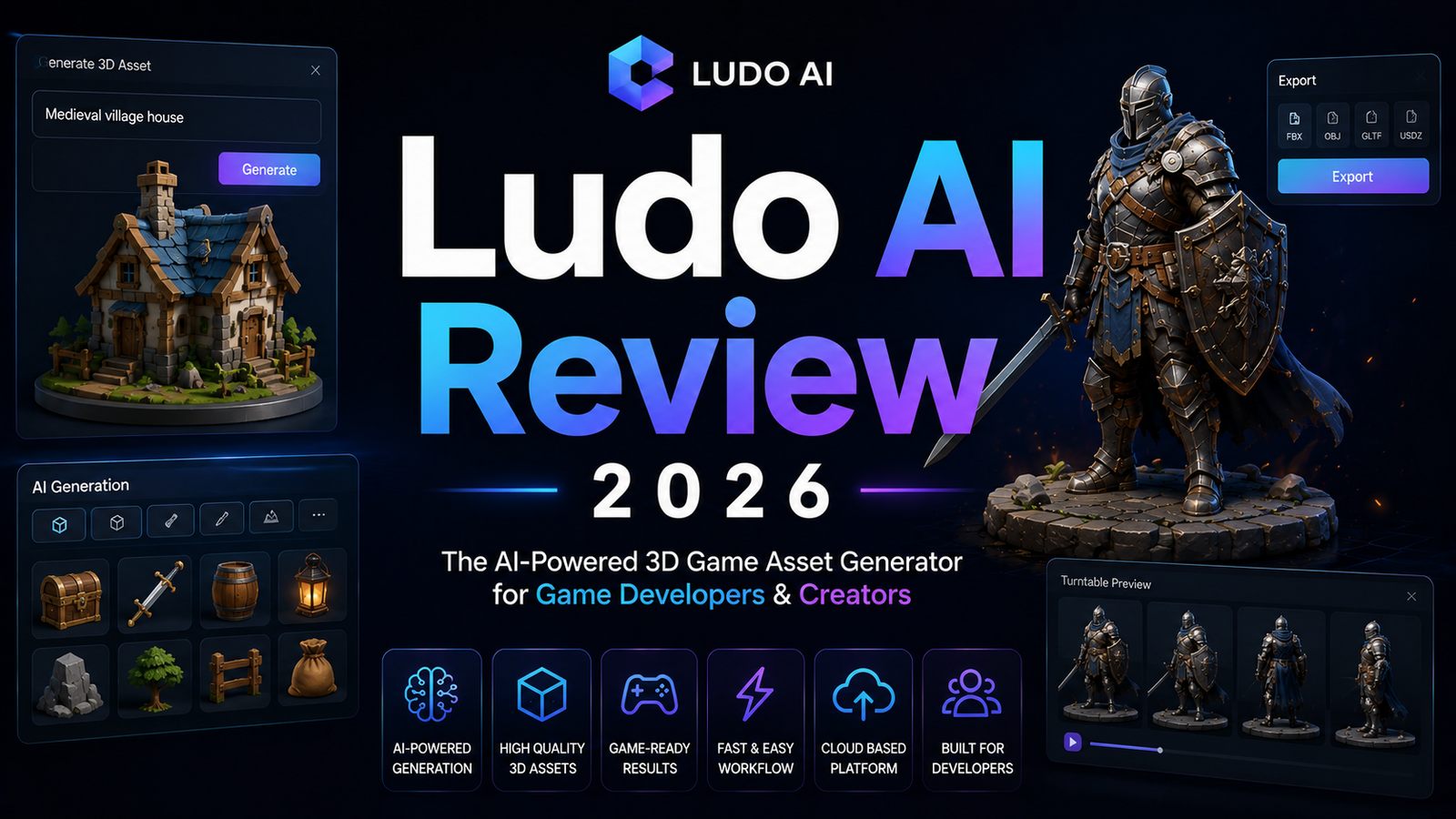
Text-to-3D asset generation with GLTF export. 3D model generation from text prompts and 2D reference images produces GLTF format exports compatible with Unity, Blender, and other 3D-capable engines. The important limitation: generated 3D assets are static unrigged meshes. Character animation requires importing the mesh into Blender or Maya and adding skeleton and rigging manually, or using a dedicated 3D platform with auto-rigging. This is not a limitation unique to Ludo, but it is the specific gap that separates Ludo’s 3D generation from what Tripo AI and Meshy AI offer in their dedicated 3D pipelines.
REST API and MCP server for pipeline integration. The API and MCP server, released in beta in 2026, enable generating game assets without leaving the development environment. Claude, Cursor, and other MCP-compatible AI assistants can trigger sprite generation, animation, audio creation, and 3D model generation through the same tools developers already use for code. The open-source Unity plugin on GitHub enables in-editor asset generation and direct import into Unity projects. API and MCP access require the Pro plan at $50 per month or above.
Important operational note: API responses use asset URLs that expire after several days. Generated assets accessed through the API must be downloaded and stored locally or to a project asset management system promptly. Relying on the API URL as a persistent asset link will produce broken references after expiry.
Ludo Market Score for concept validation. Before generating any assets, the Ludo Market Score analyzes a game concept across four dimensions: chart dominance, trend alignment, newcomer impact, and creative edge, returning a score from 1 to 10 with data-backed insights about commercial potential. For teams deciding which game concept to develop before committing production resources, this pre-production market validation is a capability no other tool in the AI game asset category offers.
Pros and Cons
Pros:
- Broadest game asset coverage under one subscription: sprites, spritesheets, tiles, UI, audio, 3D, and video from a single browser platform replaces four or more separate tool subscriptions
- Animated spritesheet quality with TexturePacker-compatible JSON is production-ready for Unity, Godot, and other engines without additional frame data setup
- Identity-preserving image editor maintains character consistency across variant generations rather than requiring full regeneration for each edit
- 30-plus art style support covering pixel art, chibi, hand-painted, voxel, and illustrated ensures the platform covers the visual direction of most indie games
- API and MCP integration at $50 per month connects Ludo asset generation to Claude, Cursor, and other AI development environments without context-switching
- Open-source Unity plugin enables in-editor generation and import
- Ludo Market Score provides pre-production concept validation not available in any comparable tool
- Free tier with 30 generation credits requires no credit card for quality evaluation
Cons:
- Generated 3D assets are static unrigged meshes: character animation requires external rigging in Blender, Maya, or a dedicated 3D platform; this is the most significant functional gap versus Meshy AI’s auto-rigging and 500-plus animation presets
- API and MCP access restricted to the Pro plan at $50 per month, doubling the cost for developers who need programmatic integration over the $20 Indie plan
- API asset URLs expire after several days, requiring prompt download or re-generation for assets accessed programmatically; this creates operational overhead for teams building automated pipelines that expect persistent asset URLs
- Ludo does not train custom models on proprietary art; style consistency comes from reference images rather than custom LoRA training as Scenario provides, which limits locked house-style enforcement
- Credit consumption on the Indie plan at 250 credits per month depletes on credit-intensive workflows combining sprite animation, audio generation, and multiple 2D asset categories; the Pro plan’s unlimited image generation is the appropriate tier for high-volume production
Pricing Breakdown
Ludo’s pricing is simpler than most AI game asset platforms and more transparent than enterprise alternatives like Kaedim.
Free: $0. 30 generation credits, no credit card required. Every asset type is accessible on the free plan within the credit limit. For evaluating sprite generation quality, animation cycle output, and audio generation on a sample character concept, 30 credits provide enough experimentation to make an informed subscription decision.
Indie: $20/month. 250 generation credits per month, access to all asset categories including sprites, 2D art, audio, 3D, and video generation. All content is retained in Ludo’s library. Full ownership and commercial rights on all generated assets. No API or MCP access. For individual developers producing assets at moderate volume who do not need programmatic pipeline integration, Indie is the production tier.
Pro: $50/month. Unlimited image generation (sprites and 2D art categories), plus credits for audio, video, and 3D generation where per-generation cost applies. Full API access, MCP server integration, and connection to Claude, Cursor, and other AI development environments. This is the tier for teams building automated asset pipelines or integrating Ludo into AI-assisted development workflows. The unlimited image generation removes credit management overhead for the 2D sprite and art generation that constitutes most indie development output.
Studio: Custom pricing. Team workspaces, collaborative asset libraries, and team management features. Contact Ludo for current Studio rates.
Refund policy: annual plans are refundable within 30 days or before 250 credits are used (1,000 for Pro or Studio), with a charge equivalent to one month at the monthly rate. Monthly plans are non-refundable but cancellable at any time.
How It Compares to Tripo AI and Meshy AI
See our full Tripo AI Review 2026 and Meshy AI Review 2026 for complete breakdowns of Tripo AI and Meshy AI.
The comparison between Ludo and dedicated 3D generators like Tripo AI and Meshy AI is most useful for understanding where the tools complement rather than compete. For most indie teams developing both 2D and 3D game projects, the three platforms address genuinely different parts of the production pipeline.
Where Ludo wins over Tripo and Meshy: Animated 2D spritesheets are Ludo’s primary competitive advantage, and this is a capability neither Tripo nor Meshy addresses at any price point. Tripo AI and Meshy AI generate 3D models. Neither produces game-engine-ready 2D character animation cycles with packed spritesheet exports. For indie developers whose primary asset needs are 2D sprite animation, Ludo is the only platform in this comparison built for that job. The surrounding 2D asset generators for tiles, UI, icons, and audio extend Ludo’s coverage to the complete 2D game asset pipeline.
Where Tripo and Meshy win over Ludo: 3D assets that need to be animated require auto-rigging and motion data. Meshy AI provides auto-rigging with 500-plus animation presets at $20 per month, producing animated 3D characters ready for Unity, Unreal, and Godot export in a single workflow. Tripo AI provides structured quad-topology 3D models in approximately 10 seconds with AI rigging and 300 free monthly credits. Both platforms produce more complete 3D character pipelines than Ludo’s static unrigged mesh output.
The practical recommended stack for most indie teams: Use Ludo for 2D sprite animation and the surrounding 2D asset pipeline at $20 to $50 per month. Use Tripo AI (free tier with 300 monthly credits) or Meshy AI ($20 per month Pro) for 3D character and prop generation where animation from a dedicated rigging pipeline is required. The total cost for this combined stack runs $20 to $70 per month depending on plan tiers, covering the full 2D and 3D indie game asset pipeline more completely than any single platform covers alone.
Frequently Asked Questions
Does Ludo AI work for 3D game projects, or is it only for 2D games?
Ludo generates 3D models from text prompts and 2D reference images with GLTF export compatible with Unity, Blender, and other 3D engines. For 3D games where static props, environment objects, and non-animated set dressing are the primary asset need, Ludo’s 3D generation covers that use case. The limitation is character animation: generated 3D assets are static unrigged meshes. Humanoid characters that need walk cycles, attack animations, and idle states require importing the Ludo-generated mesh into Blender for skeleton addition and rigging, or using a dedicated 3D platform with auto-rigging. For 3D games with a significant animated character count, running Ludo for 2D UI and audio assets alongside Tripo AI or Meshy AI for rigged 3D characters is the more complete pipeline than Ludo alone. For 3D games with primarily static environmental assets, Ludo’s 3D generation is functional without requiring a separate 3D subscription.
What does the API URL expiry mean in practice, and how should teams handle it?
When generating assets through the Ludo API, each returned asset is accessible at a time-limited URL that expires after several days. For teams building automated pipelines that reference Ludo asset URLs directly in their projects, those URLs will become invalid within days, causing broken references in any project that relies on the API URL as a permanent asset location. The correct handling is to download generated assets to local storage or a project asset management system immediately after generation via API, and reference the locally stored asset rather than the Ludo API URL. For teams using the Ludo webapp directly rather than the API, assets are stored in Ludo’s library and accessible persistently without the expiry concern. The URL expiry is specifically a technical consideration for teams building programmatic pipelines rather than a practical issue for developers using the web interface directly.
How does Ludo handle style consistency across a large asset set, and is it as reliable as Scenario’s custom model training?
Ludo’s style consistency comes from reference image input: when generating new sprites or 2D assets, providing a reference image from the existing asset set guides the generation toward the established visual style. For most indie teams producing a consistent art style across a game’s asset library, this reference-driven approach produces adequately consistent results across the asset types Ludo generates. Where Ludo’s approach falls short of Scenario’s custom model training is in locked, automated house-style enforcement: Scenario trains a custom LoRA model on uploaded reference art and applies that model automatically to every subsequent generation without requiring a reference image input. For larger teams with strict visual consistency requirements across many simultaneous contributors, Scenario’s custom model approach is more reliable. For indie teams and small studios managing consistency through reference images and manual review, Ludo’s reference-based style matching is sufficient for shipped commercial projects, as evidenced by Bullet Girl’s April 2026 Steam release.
Final Verdict
Ludo AI in 2026 is the most complete single-platform game asset studio for indie developers whose primary production needs are 2D sprite animation and the supporting 2D game art pipeline. The animated spritesheet generation with TexturePacker-compatible JSON export, the 30-plus art style coverage, the identity-preserving image editor, and the surrounding generators for tiles, UI, audio, and video collectively cover the asset pipeline that previously required assembling and managing multiple separate subscriptions.
The limitations are specific and honest: generated 3D assets are static unrigged meshes, API access costs an additional $30 per month above the Indie plan, and API asset URLs expire requiring prompt download. For animated 3D character generation, Tripo AI and Meshy AI provide more complete pipelines with auto-rigging that Ludo’s 3D generation does not match.
The recommended approach for most indie teams: start on Ludo’s free tier with 30 credits to validate sprite quality and animation cycle output on a sample character. Upgrade to Indie at $20 per month when the credit limit is the constraint. Add Tripo AI’s free tier or Meshy AI’s Pro plan for any 3D character animation requirement. See our Tripo AI Review 2026 and Meshy AI Review 2026 for those pipelines.
Rating: 4.2 / 5 — Best AI sprite animation and 2D game asset platform for indie teams. 3D pipeline requires external auto-rigging tools for animated characters.
Disclosure: This article contains affiliate links.