Best AI Tools for Students 2026: Study Smarter, Not Harder
The student experience in 2026 looks fundamentally different from what it was five years ago, and the shift is not just about what students are learning. It is about how they prepare, research, write, and retain information. AI tools have moved from novelty to infrastructure for serious students at every level.
The practical effect is measurable. A student who previously spent three hours summarizing a set of research papers for an essay can now complete that task in 20 minutes with NotebookLM, review the source citations, and move directly to drafting. A student who struggled to memorize 200 vocabulary terms before an exam can upload their notes to Quizlet AI and have a personalized flashcard set generated in seconds. A student recording a lecture for later review can run the audio through Otter.ai and search the full transcript by keyword rather than scrubbing through an hour of audio.
These are not theoretical improvements. They are the same compounding advantages that have made AI tools standard equipment for professional writers, researchers, and knowledge workers. Students are now operating in the same environment with access to the same tools.
A quick note on setup before the tools: the right gear makes these AI study tools far more effective. A tablet for note-taking and reading keeps your materials in one place, and a solid pair of noise-canceling headphones makes Audio Overviews and focused study sessions far more productive in a noisy dorm or library.
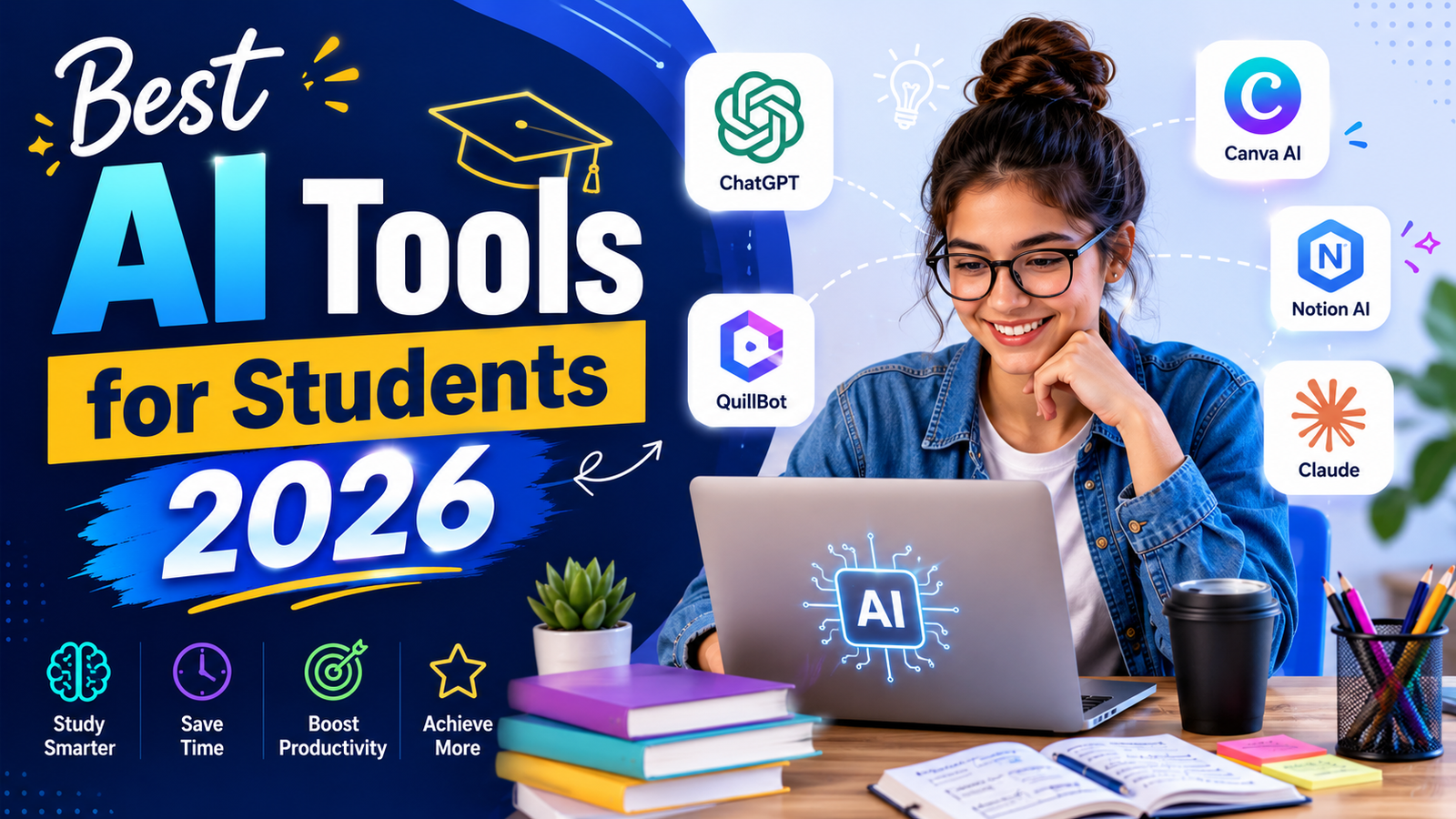
Our Take: ChatGPT, Claude, and NotebookLM have emerged as the most useful AI tools for students, but for different reasons. ChatGPT excels at explanations, Claude shines with writing and reasoning, and NotebookLM stands out for research. Together, they cover nearly everything most students need.
Comparison Table: Best AI Tools for Students 2026
| Tool | Best For | Starting Price | Free Plan |
|---|---|---|---|
| ChatGPT | General study assistance, essay outlining, concept explanation | Free / $20/month (Plus) | Yes |
| Claude | Long-document analysis, essay feedback, academic writing | Free / $20/month (Pro) | Yes |
| Grammarly | Writing quality, grammar, tone consistency | Free / $12/month (Pro, annual) | Yes |
| Notion AI | Notes organization, knowledge base, study planning | Free workspace / $20/month (Business with AI) | Yes (workspace) |
| Perplexity | Research with cited sources, current events, fact-checking | Free / $10/month (Education Pro) | Yes |
| Quizlet AI | Flashcards, adaptive quizzes, exam preparation | Free / $35.99/year (Plus) | Yes |
| Otter.ai | Lecture transcription and note-taking | Free (300 min/month) / $8.33/month (Pro, annual) | Yes |
| Google NotebookLM | Document-grounded study guides, Audio Overviews | Free / $19.99/month (Google AI Premium, Plus) | Yes |
“Pricing is subject to change. Always verify current pricing on the tool’s official website before purchasing.”
Detailed Reviews
1. ChatGPT
The most versatile all-purpose study assistant available.
ChatGPT is where most students start and where many stay, because the combination of breadth and accessibility is unmatched. The free tier provides access to GPT-4o with daily usage limits, which covers the majority of everyday student needs without requiring a subscription. From explaining a concept from a lecture you did not fully understand to helping you structure an argument for an essay or generating practice exam questions on any topic, ChatGPT handles all of it conversationally without requiring you to configure anything.
Key Features: ChatGPT can explain complex academic concepts in plain language, generate essay outlines from a brief description of your topic, create customized practice questions for any subject, summarize readings, help with code for computer science students, and assist with brainstorming when you are stuck on a topic. The Study Mode introduced in recent updates creates a more focused academic environment, and GPT-4o handles STEM subjects, humanities, and foreign language help with equal capability.
Pros:
- Free tier provides GPT-4o access adequate for most student tasks without a subscription
- Covers virtually every subject area with no additional configuration
- Conversational format allows follow-up questions to deepen understanding
- Widely accepted in academic contexts for research and brainstorming assistance
- Many universities now provide free ChatGPT Edu accounts through institutional partnerships
Cons:
- Knowledge cutoff means it cannot access the most recent research or current events without web browsing (available on Plus)
- Does not cite sources, making it unsuitable as a primary research tool where references are required
- Daily rate limits on free tier can interrupt workflow during intensive study sessions
- Can occasionally produce confident-sounding incorrect information; always verify factual claims
Pricing:
- Free: GPT-4o access with daily usage limits
- Plus: $20/month, unlimited GPT-4o, web browsing, file analysis, image generation
- Check with your university for potential free Edu account access before subscribing
Best For: General study support, concept explanation, essay and presentation planning, practice question generation, and any subject area where you need a knowledgeable tutor available at any hour.
2. Claude
The strongest AI for reading, analyzing, and writing about long documents.
Claude’s defining academic advantage is its context window. On the free plan, it can handle substantial documents and maintain coherent conversations across lengthy exchanges. On the Pro plan, the context window extends to 200,000 tokens, meaning you can upload an entire thesis, a full set of lecture notes, or multiple chapters of a textbook and ask Claude to analyze, summarize, or critique the content as a unified whole.
For essay feedback specifically, Claude is the most useful AI tool in this list. It does not simply grammar-check your work; it reads your argument, identifies where your reasoning is unclear, points out where evidence does not support the claim you are making, and suggests structural improvements. For students at the undergraduate and graduate level who want rigorous feedback on written work before submission, this capability is genuinely valuable.
Key Features: Upload full documents for comprehensive feedback, use extended thinking for complex analytical problems, leverage Claude’s nuanced writing style for essay brainstorming, and get research synthesis across uploaded materials. Claude handles citations and academic writing conventions with more care than most competitors.
Pros:
- Best AI for feedback on long-form academic writing at any level
- Context window allows whole-document analysis that most tools cannot handle
- More likely than other AI tools to acknowledge uncertainty rather than confidently inventing facts
- Strong at STEM reasoning, coding help, and quantitative problem explanation
- Free tier is genuinely useful for moderate academic use without a subscription
Cons:
- Daily message limits on the free tier become frustrating during intensive revision periods
- Does not search the web in real time, limiting usefulness for current events research
- Opus model (most powerful) requires Pro plan; free tier uses Sonnet
- No native integration with academic reference managers
Pricing:
- Free: Claude Sonnet 4.6 with daily message limits, no credit card required
- Pro: $20/month, higher message limits, access to Opus model, extended thinking mode
Best For: Essay feedback and revision, analyzing long academic documents, thesis and dissertation support, and any writing task that benefits from thoughtful structural critique rather than surface-level grammar checking.
3. Grammarly
The writing quality tool that works quietly across everything you write.
Grammarly is different from every other tool on this list in one important way: it does not require you to change your workflow. Install the browser extension and it activates across Gmail, Google Docs, Microsoft Word, LinkedIn, your university’s learning management system, and any other web-based text field. Every email, assignment, lab report, and discussion forum post you write gets real-time correction without any deliberate action on your part.
For students, this persistent quality overlay is particularly valuable because the volume of writing in academic life is high and the stakes vary widely, from casual discussion board posts to formally graded essays. Grammarly catches what spellcheck misses: subject-verb disagreement, incorrect homophones, comma splices, passive voice overuse, and awkward phrasing that technically passes grammar rules but reads poorly.
Key Features: Real-time grammar, spelling, and punctuation correction across all integrated platforms, tone detector that flags when formal writing sounds too casual (or vice versa), clarity suggestions for convoluted sentences, and GrammarlyGO for AI-assisted rewriting and paraphrasing (100 prompts per month on the free tier).
Pros:
- Works across every surface where students write without any workflow change required
- Catches nuanced grammatical and clarity issues that most students would not notice independently
- The free tier is sufficient for most students, covering grammar, spelling, and basic clarity
- Plagiarism checker on Pro is valuable for AI-assisted content before submission
- Tone adjustment features help students writing in a second language
Cons:
- 100 GrammarlyGO AI prompts per month on the free tier depletes quickly for heavy users
- Does not generate content; it improves existing writing rather than helping you write from scratch
- Suggestions occasionally override stylistic choices that are intentional
- The plagiarism checker and full tone suite require Pro
Pricing:
- Free: Basic grammar, spelling, 100 AI prompts per month, no credit card required
- Pro: $30/month ($12/month annual), full suggestions, plagiarism checker, tone adjustments
Best For: Every student. Grammarly’s free tier improves writing quality across every assignment, email, and application with no effort beyond the initial installation. It is the single best return on zero investment in this guide.
4. Notion AI
The best platform for organizing your entire academic life in one place.
Notion’s core value for students is not its AI features but its flexibility as a workspace. You can build a second-brain system for your entire academic career: notes organized by course, reading lists linked to assignments, project timelines, exam schedules, and research databases all living in one customizable interface. Students who establish a solid Notion workspace in their first year of university often maintain and expand it throughout their degree.
The AI layer adds genuine utility on top of this organizational foundation. Notion AI can summarize your lecture notes, generate study guides from your existing content, draft outlines for papers based on what you have already written in your workspace, and auto-fill database properties for tracking assignment progress. The key advantage over standalone AI tools is that Notion AI has direct access to everything you have already written in your workspace, so it generates contextually relevant outputs rather than generic responses.
Key Features: Unlimited pages and blocks for individual users on the free plan, AI writing assistance and summarization on the Business plan, database templates for tracking assignments and readings, collaboration features for group projects, and the Ask Notion AI feature (Business plan) that answers questions across your entire workspace.
Pros:
- Free workspace is genuinely excellent for individual note organization with no AI required
- Students with a university email get the Plus plan free, which significantly expands the workspace
- Template library covers every common student use case including Cornell notes, reading lists, and project trackers
- AI features that reference your actual notes are more contextually useful than generic AI responses
- Available on all platforms including strong mobile apps for capturing notes on the go
Cons:
- Full Notion AI now requires the Business plan at $20/user/month following the May 2025 restructure
- Free and Plus users receive only approximately 20 trial AI responses before AI access is exhausted
- 5MB file upload limit on the free tier creates friction for students working with large PDFs
- Learning curve for new users; getting value from Notion requires time investment in setup
Pricing:
- Free: Unlimited pages and blocks, approximately 20 trial AI responses
- Plus: Free for verified university students with a valid .edu email; $10/month without verification
- Business: $20/month including full AI access (required for ongoing AI features)
- AI add-on at 50% off ($5/month) for students for the first 12 months
Best For: Students who want a comprehensive workspace for organizing notes, assignments, and research across their entire academic program, with AI features that can reference what they have already written.
5. Perplexity
The essential tool for academic research with verified citations.
The biggest problem with using AI for research is that most AI tools make up sources. Perplexity solves this fundamentally: it is a real-time search engine layered with AI synthesis, meaning every answer it generates is sourced from live web results with inline citations you can click to verify. For students who need to build reference lists, verify facts before citing them, or quickly understand a topic they have not encountered before, Perplexity eliminates the most dangerous failure mode of AI research assistance.
For students with a university email, Perplexity offers one year of Pro access free. This is the most impactful student discount in the AI tools market. Perplexity Pro at $20/month (or $10/month standard) unlocks access to more powerful models, file uploads for document-specific research, and Study Mode with interactive flashcard generation from research results.
Key Features: Real-time web search with inline citations for every claim, follow-up question capability that maintains research context across a conversation, academic paper search via Perplexity’s scholarly search, and integration with Wiley academic resources for direct access to research content.
Pros:
- Inline citations make it easy to verify sources and build reference lists for papers
- Real-time web access means answers include the most current information, not just training data
- Free year of Pro with verified .edu email is the single best student deal in AI tools
- Study Mode on Pro generates interactive learning materials from research results
- No hallucinated sources: if a citation appears, you can click it to verify
Cons:
- Standard free tier limits the volume of Pro (premium model) searches to approximately 5 per day
- Less useful for essay writing assistance than ChatGPT or Claude; primarily a research tool
- Works best for web-indexed information; older academic literature may not always surface
Pricing:
- Free: Unlimited standard searches, approximately 5 Pro searches per day
- Pro: $20/month ($10/month for students with .edu email verification), unlimited Pro searches, file uploads
Best For: Research papers, fact-checking, current events analysis, building citation lists, and any assignment that requires finding and verifying credible sources.
6. Quizlet AI
The gold standard for flashcards and exam preparation, now with AI.
Quizlet has been the dominant flashcard platform for over a decade. Its 2024 to 2026 AI integration transformed it from a static flashcard tool into an adaptive study system. The Magic Notes feature allows you to upload class notes, slides, or PDFs and automatically generate complete flashcard sets without any manual input. The adaptive quiz engine tracks which concepts you are getting wrong and increases their frequency in subsequent sessions until you demonstrate consistent recall.
Over 60 million students use Quizlet, including two in three high school students and one in two college students in the US. This user base creates enormous value in the shared study set library: for most common courses, especially in STEM, languages, and standardized test preparation, high-quality study sets already exist and can be used immediately.
Key Features: Magic Notes for auto-generating flashcards from uploaded course materials, adaptive practice tests that focus on weak areas, multiple study modes including Learn, Test, Match, and Spell, and a massive shared library of user-created decks for common subjects and standardized exams.
Pros:
- Fastest path from lecture notes to a complete flashcard set for any subject
- Adaptive difficulty adjustment improves memorization efficiency significantly over static flashcards
- Shared library means you often do not need to create your own sets from scratch
- Excellent mobile experience for studying during commutes and breaks
- Works well for virtually every subject that involves memorization
Cons:
- Free tier has become more limited over time; some AI features require Quizlet Plus
- Cannot upload PDFs directly on the free plan; text must be copied and pasted manually
- Spaced repetition algorithm is less sophisticated than dedicated tools like Anki for long-term memorization
- AI generation requires pasting text rather than native file upload on lower tiers
Pricing:
- Free: Flashcard creation and basic study modes, limited AI features
- Plus: $35.99/year ($2.99/month), full AI generation, unlimited study modes, offline access
Best For: Exam preparation in any subject requiring memorization: vocabulary, definitions, dates, formulas, concepts, and terminology across STEM, humanities, languages, and professional exam preparation.
7. Otter.ai
The lecture transcription tool that turns recorded audio into searchable notes.
Otter.ai solves a specific student problem: the gap between what is said in a lecture and what ends up in your notes. AI transcription means you can be present in the lecture rather than frantically writing, and later access a full searchable transcript of everything that was said. Otter integrates with Zoom, Google Meet, and Microsoft Teams, making it useful for both in-person lectures (recorded on your phone) and online classes.
The free plan provides 300 transcription minutes per month with a 30-minute maximum per conversation. For a student attending two to three lectures per week, this allowance covers most needs if sessions are within the time limit. The AI summary feature automatically generates key points from each transcript, and the AI Chat function allows you to ask questions about a recorded lecture’s content without reading the full transcript.
Key Features: Real-time transcription of live audio or uploaded recordings, AI-generated summaries with key points and action items, searchable transcript archive, automatic speaker identification for distinguishing between professors and students in discussions, and Zoom, Google Meet, and Teams integration.
Pros:
- Frees students to focus on understanding the lecture rather than copying notes
- Searchable transcripts allow finding specific information without replaying the entire recording
- AI summaries compress an hour-long lecture into a review-ready format
- Free plan covers 300 minutes per month with no credit card required
- Works well for study group sessions, not just formal lectures
Cons:
- 30-minute per-session cap on the free plan cuts off any lecture exceeding that length
- Only 3 lifetime file imports on the free plan, not a monthly reset
- English-only transcription on the free tier
- Transcription accuracy decreases with heavy accents, technical terminology, or poor recording conditions
Pricing:
- Free: 300 minutes per month, 30-minute session max, 3 lifetime file imports
- Pro: $8.33/month (annual, $16.99/month monthly), 1,200 minutes, 90-minute sessions
Best For: Students who want a searchable record of lectures without manually transcribing, particularly valuable for fast-paced lectures, review sessions, and online classes.
8. Google NotebookLM
The most powerful free research tool available for academic work.
NotebookLM is the AI tool that has most transformed serious academic workflows. The concept is straightforward: you upload your course materials (PDFs, Google Docs, YouTube links, web pages, lecture notes) and NotebookLM becomes an AI expert on those specific materials. Every answer it provides is sourced exclusively from what you uploaded, with inline citations to the exact passage it is drawing from. This source-grounded approach eliminates hallucination for document-specific queries.
The Audio Overview feature generates a natural-sounding podcast-style conversation between two AI hosts who discuss, summarize, and connect the key themes from your uploaded sources. For auditory learners, students commuting between classes, or anyone who retains information better through listening than reading, this feature is transformative. A March 2026 update added direct Google Classroom integration for students at institutions using Google Workspace for Education.
Key Features: Upload up to 50 sources per notebook (PDFs, Google Docs, websites, YouTube videos, audio files), source-grounded Q&A with inline citations, Audio Overviews generating podcast-style summaries of uploaded materials, study guide generation, and Cinematic Video Overviews for visual explanations of complex concepts.
Pros:
- Completely free with generous limits: 100 notebooks, 50 sources each, 50 chat queries per day
- Source-grounded responses prevent hallucination on document-specific questions
- Audio Overviews are genuinely engaging for studying complex material during commutes
- Ideal for synthesizing across multiple course readings and research papers simultaneously
- Google for Education integration means verified students may have access through their institution
Cons:
- Cannot draw on knowledge outside your uploaded sources; external research requires a separate tool
- 3 Audio Overviews per day on the free plan is a real constraint during heavy study periods
- No built-in flashcard or spaced repetition system for active recall
- Works best as part of a broader tool stack, not as a standalone research and writing tool
Pricing:
- Free: 100 notebooks, 50 sources per notebook, 50 daily chat queries, 3 Audio Overviews per day
- Plus: Available via Google AI Premium at $19.99/month, higher limits across all features
- Many institutions provide NotebookLM through Google Workspace for Education at no student cost
Best For: Exam preparation using actual course materials, synthesizing multiple research papers for essays, creating audio study guides, and any academic task where accuracy and source traceability are more important than breadth of knowledge.
Frequently Asked Questions
Is using AI tools considered academic dishonesty?
Policies vary significantly between institutions and even between individual professors. In 2026, most universities have moved toward nuanced AI use policies rather than blanket bans, permitting AI for research assistance, brainstorming, grammar checking, and outline development while restricting its use for producing graded written work without disclosure. The honest approach is to check your institution’s specific policy and your individual course syllabi before using any AI tool on assessed work. When in doubt, ask your professor directly. Most instructors who permit AI use appreciate proactive disclosure over discovering undisclosed AI content after submission. Using AI to understand concepts, generate practice questions, or improve your writing is almost universally considered acceptable; submitting AI-generated text as your own original work is almost universally considered a violation.
Do I need to pay for any of these tools to get real value as a student?
No, and the free tiers available to students in 2026 are genuinely substantial. ChatGPT free, Claude free, Grammarly free, Notion free workspace, Perplexity free, Quizlet free, Otter.ai free (300 minutes/month), and NotebookLM free together cover most student needs at zero cost. The two highest-value paid upgrades for students are Perplexity Pro at $10/month with a verified .edu email (the most valuable student discount in AI tools) and Grammarly Pro at $12/month annually, which adds plagiarism checking relevant for AI-assisted work. Students who write a lot of research papers benefit most from Perplexity Pro. Students who attend long lectures would benefit from Otter.ai Pro at $8.33/month to remove the 30-minute per-session limit. For most students, starting with free tiers and upgrading only after hitting consistent limits is the practical approach.
Which AI tool is best for STEM students versus humanities students?
The toolstack shifts somewhat by discipline. STEM students benefit most from ChatGPT or Claude for working through quantitative problems and explaining mathematical concepts step by step, NotebookLM for organizing dense technical papers and textbook chapters, and Quizlet AI for memorizing formulas, terminology, and definitions for lab practicals. Humanities students benefit most from Claude for essay feedback and argument analysis, Perplexity for research and source discovery, Grammarly for polishing formal analytical writing, and NotebookLM for synthesizing across historical primary sources or critical theory readings. Otter.ai is valuable across all disciplines for lecture capture, and Notion provides organizational utility for both. The strongest universal student stack regardless of discipline is ChatGPT or Claude plus Grammarly plus either Perplexity or NotebookLM depending on whether research discovery or document synthesis is the primary need.
Final Recommendation
The best AI tools for students in 2026 are not necessarily the most powerful or the most expensive. They are the ones that solve the specific bottlenecks in your actual study workflow.
If you could only use two tools, make them Grammarly free and either ChatGPT or Claude free. Grammarly improves everything you write automatically with no effort. ChatGPT or Claude handles concept explanation, essay planning, and study support across every subject. Together these two free tools add more academic value than any paid tool used without a free quality layer underneath it.
Add Perplexity when you write research papers. Its free tier is functional and the $10/month Education Pro tier for .edu students is the best value upgrade in this guide. Add NotebookLM when you want to study directly from your own course materials. The free tier is more than sufficient for most students and it genuinely changes how useful AI study assistance feels when the AI is grounded in your actual readings rather than its general training.
Add Quizlet AI when you face memorization-heavy exams. Add Otter.ai when you need to capture more information from lectures than manual note-taking allows. Add Notion when you want a long-term organizational system for your academic life.
The best approach is to start with two or three tools, use them consistently for a month, and add others only when you identify a specific gap they would fill. AI tools compound in value with consistent use, but tool proliferation without consistent workflows produces noise rather than results.
“Pricing is subject to change. Always verify current pricing on the tool’s official website before purchasing.”
As an Amazon Associate, OnyxRanked earns from qualifying purchases.