Taskade Review 2026: The AI Productivity Tool That Does Everything
Most productivity tools pick a lane. Notion is the knowledge base. ClickUp is the project manager. Slack is the communication hub. Loom is the async video tool. Zapier handles the automations. For a 10-person team, assembling those tools costs $100 to $200 per month before anyone does any actual work.
Taskade bets against that model. It combines task management, document collaboration, AI agents, no-code app building, and team video calls in one workspace at flat-rate pricing that does not scale with team size. For a 10-person team, Taskade Pro costs $16 per month total. That same team on ClickUp would pay $70 per month. On Notion AI Business it would cost $200 per month.
The value proposition is unusually honest: Taskade is not the most powerful project manager, not the deepest documentation platform, and not the most sophisticated AI assistant. It is the most affordable all-in-one workspace that meaningfully delivers on every category it covers. Whether that is what you need depends on whether breadth at low cost beats depth at higher cost for your specific workflow.
Plan Comparison Table
| Plan | Best For | Starting Price | Free Trial |
|---|---|---|---|
| Free | Individuals and small teams evaluating the platform with limited AI credits | $0 | Yes |
| Starter | Small teams needing expanded AI credits, unlimited apps, and core collaboration | ~$4/month (annual) | Free tier |
| Pro | Growing teams wanting unlimited AI agents, frontier models, and advanced automation | ~$16/month flat (annual, team pricing) | Free tier |
| Business | Larger organizations needing 150,000 monthly credits and team-wide AI deployment | Custom/higher tier | Free tier |
“Pricing is subject to change. Always verify current pricing on the tool’s official website before purchasing.”
What Taskade Is
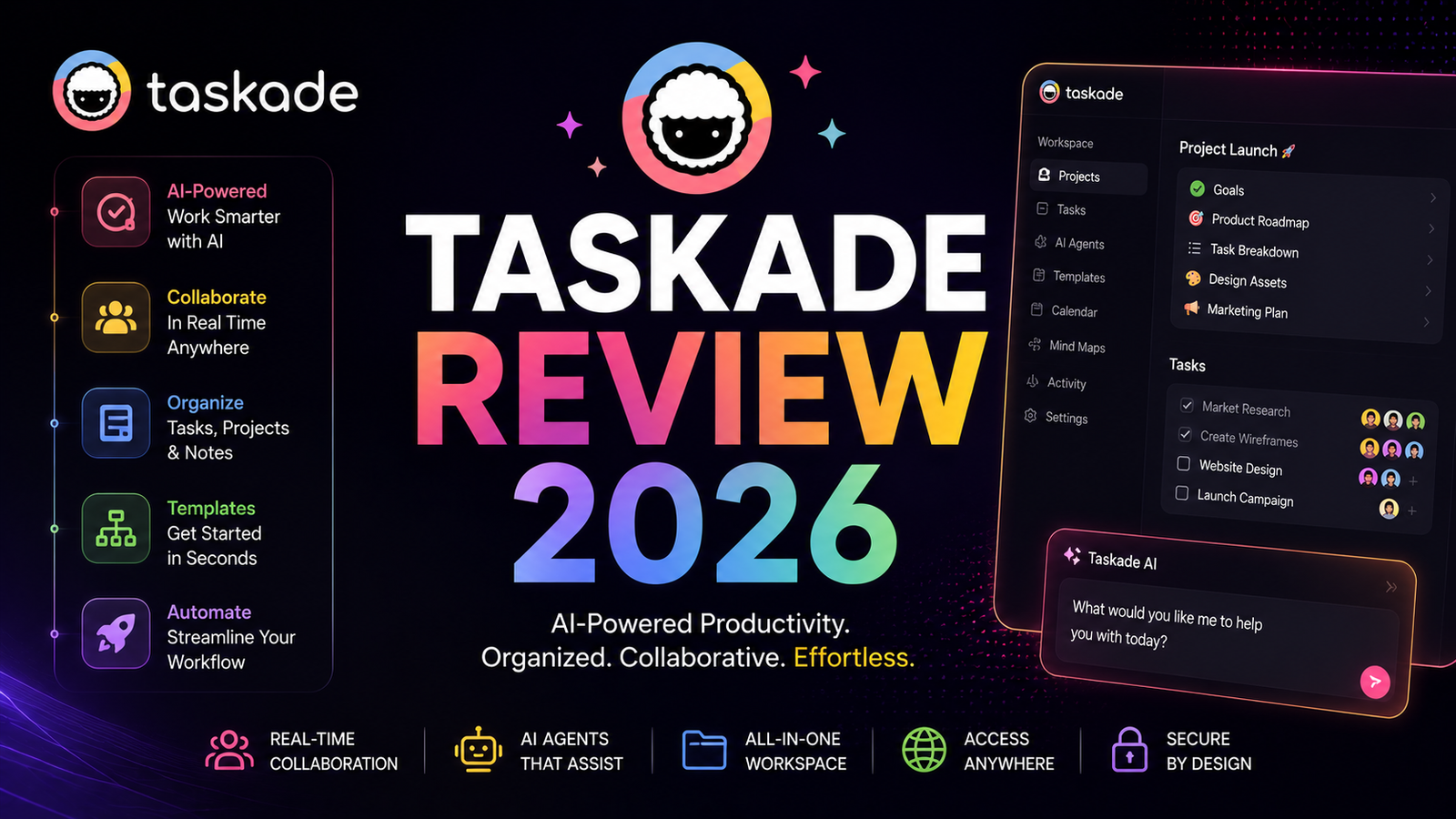
Taskade is a Y Combinator-backed AI productivity platform founded in 2019 and used by over one million users globally, including teams at Nike, Netflix, Airbnb, Tesla, Disney, Adobe, and thousands of startups and agencies. The platform combines task management, document collaboration, AI agents, a no-code app builder called Genesis, and real-time team video calls in a single workspace.
The defining characteristic of Taskade in 2026 is that AI is native to the architecture rather than a bolt-on feature. The AI agents, task generation, automation, and document assistance operate as a unified system. Users completed over 17 million tasks and ran 3 million automations on the platform in 2025, reflecting genuine production-level adoption rather than novelty exploration.
Taskade is available on web, iOS, Android, MacOS, Windows, and Linux with synchronized workspaces and offline support across platforms. The Y Combinator backing and weekly product update cadence signal a development pace that has moved faster than most competitors at equivalent pricing.
Key Features
AI Agents with autonomous execution. Taskade’s AI agents are the feature that most clearly separates it from standard project management tools. These are not chatbots that answer questions: they are assignable, autonomous AI team members with persistent memory, custom tools, and the ability to run in the background 24/7 without human initiation. A research agent gathers information from external sources. A writing agent drafts content on a schedule. A scheduling agent monitors calendars and creates follow-up tasks. The Pro plan includes unlimited agents; Starter allows up to three.
Independent reviewers consistently describe this as Taskade’s most significant advantage for solopreneurs and small teams. The coordination overhead that previously required dedicated project management staff is now automatable at $16 per month for a team. One reviewer noted that what Taskade has built is a more accessible version of a dedicated project coordinator, without the headcount cost.
Genesis no-code app builder. Genesis allows building custom AI-powered applications from text prompts without writing code. CRM tools, booking portals, knowledge bases, event management dashboards, and marketing automation apps can all be built within the Taskade workspace using the Genesis builder. The Community Gallery provides 500-plus pre-built apps that can be cloned, customized, and deployed immediately. The Pro plan allows unlimited live apps; the free plan deploys up to 3. Apps inherit workspace data connections, meaning agents and automations within the app draw from the same project data and AI configuration.
G2 reviewers specifically highlight Genesis as the standout 2026 feature: “Genesis is probably the best feature now, letting me vibecode apps using all their previous features as the base.”
Eight project views with seamless switching. The same project data renders as a list, board, table, mind map, org chart, calendar, or Gantt view without data loss or re-entry. For teams whose work naturally spans multiple formats, where planning benefits from a mind map, execution from a board, and reporting from a table, this view flexibility eliminates the tool-switching that dedicated tools create. No other platform at Taskade’s price point offers this range of views natively.
Flat team pricing, not per-seat. The pricing model is the most distinctive commercial characteristic of Taskade. Pro costs approximately $16 per month for the entire team, not per user. For a 10-person team, this creates a price gap of roughly $54 per month versus ClickUp, $84 per month versus Notion AI Business, and over $100 per month versus some other productivity suites. Over a year, the saving for a 10-person team reaches $1,600 versus ClickUp and $2,400 versus Notion AI Business.
Multi-model AI access included. Taskade provides access to 11-plus AI models including GPT-5, Claude, and Gemini without additional per-model charges. Users select the appropriate model for each task: fast, lightweight models like Gemini Flash or Claude Haiku for quick iterations and bulk agent tasks, and frontier models for complex reasoning and high-quality content generation. No other productivity platform at this price point bundles multi-model frontier AI access across every plan including the free tier.
Built-in video calls. Native video calling is included within the Taskade workspace, eliminating the need for a separate Zoom or Google Meet license for basic team video coordination. For small teams managing their entire workflow in Taskade, this removes another subscription from the stack.
100-plus integrations and Zapier connectivity. Native integrations with Slack, Gmail, Google Workspace, Microsoft 365, HubSpot, Salesforce, Stripe, GitHub, and 100-plus other tools enable bidirectional data sync and automated triggers. Zapier connectivity extends this to 7,000-plus additional apps for teams with specialized tool stacks.
Pros and Cons
Pros:
- Flat team pricing of $16 per month is 5 to 9 times cheaper than major competitors for a 10-person team, with AI included across every plan
- AI agents with autonomous 24/7 execution are genuinely distinct from chatbot-style AI features in competing tools
- Genesis no-code app builder creates custom tools and dashboards within the workspace without coding
- Eight project views including mind map, org chart, and Gantt in addition to standard list and board
- Multi-model AI access including GPT-5, Claude, and Gemini without additional charges
- Built-in video calling eliminates a separate video conferencing subscription for basic team communication
- G2 and Capterra ratings of 4.7 to 4.8 out of 5 reflect genuine user satisfaction with the value delivered
- Weekly product update cadence means the platform improves measurably throughout a subscription period
Cons:
- AI credit consumption is faster than most users anticipate; one reviewer noted that two AI actions consumed over half the free plan’s monthly credit allocation, and background automation runs deplete credits without visible alerts
- Not the deepest tool in any individual category: ClickUp has stronger Gantt, waterfall, and complex reporting; Notion AI is deeper for database-driven documentation; dedicated whiteboarding apps are richer for visual collaboration
- Fewer native third-party integrations than Notion or ClickUp; Zapier closes the gap but adds cost and complexity
- Interface can feel overwhelming to new users as features compound rapidly; several G2 reviewers describe the learning curve as the primary onboarding friction
- Automation rules require ongoing maintenance as workflows evolve; teams that set automations and expect them to run without adjustment encounter misfires as project structures change
- No Gantt chart in the traditional sense despite recent view additions; complex project management methodologies like waterfall are not fully supported
Pricing Breakdown
Taskade’s pricing model is flat-rate per workspace rather than per seat, which is the structural differentiator from competitors. All plans include AI features; the differences are AI credit allocation and capability limits.
Free: $0. 3,000 one-time AI credits, up to 3 live Genesis apps, 500-plus template library, real-time collaboration, unlimited tasks and documents, and native apps across all platforms. The free plan is genuinely useful rather than a crippled demo. Up to 4 teammates, AI task execution, and document collaboration all work on the free tier. The 3,000 credit limit is the practical constraint; heavy AI users exhaust it within days.
Starter: Approximately $4/month (annual billing). 10,000 monthly AI credits, unlimited live Genesis apps, 3 AI agents, 10 automations, and expanded collaboration features. Suitable for small teams beginning to use AI agents with modest automation volume.
Pro: Approximately $16/month total (annual billing). 50,000 monthly AI credits, unlimited AI agents, access to frontier AI models including GPT-5 and Claude Opus, unlimited automations, unlimited Genesis apps, and pay-as-you-go credit top-ups when the monthly allocation is exhausted. This is the plan that delivers the full Taskade value proposition at the price point most reviewers reference.
Business: Higher tier, custom/contact. 150,000 monthly AI credits, team-wide AI agent deployment, advanced admin controls, and larger storage allocations per user.
Annual billing saves approximately 20 percent compared to monthly billing across all plans. Pay-as-you-go credit packs are available at all tiers for teams that exceed their monthly allocation without wanting to upgrade plans.
How It Compares to Notion AI and ClickUp
Taskade vs Notion AI
The comparison with Notion AI reveals a fundamental architectural difference. Notion AI is a workspace that added AI as a layer on top of its established database and documentation foundation. Taskade built AI agents as a core architectural component from the beginning. The practical consequence is that Notion AI is deeper and richer for knowledge management, complex database structures, and documentation workflows where the AI assists but does not replace the human organizing activity. Taskade is more autonomous: its agents execute tasks independently rather than suggesting what the human should do next.
The cost comparison is stark. Notion AI Business at $20 per user per month (annual) costs $200 per month for a 10-person team and requires the Business plan for full AI feature access. Taskade Pro at $16 per month flat covers the same team size. For teams where the documentation depth of Notion AI is the primary need, Notion AI‘s investment is justified. For teams where AI automation and task execution are the primary need, Taskade delivers more AI autonomy per dollar by a significant margin.
Taskade vs ClickUp
ClickUp is the most feature-complete project management platform available and is consistently recommended for teams with complex project management requirements: detailed Gantt charts, resource management, sprint planning, portfolios, and advanced time tracking. ClickUp AI, available as an add-on at $14 per user per month, provides AI writing assistance but does not provide autonomous AI agents that execute tasks independently.
For a 10-person team, ClickUp Unlimited costs approximately $840 per year. Taskade Pro costs approximately $192 per year. The $648 annual difference is the premium ClickUp charges for deeper traditional project management features. For teams that genuinely need complex Gantt, waterfall methodology support, and detailed resource tracking, ClickUp’s depth justifies the premium. For teams primarily needing coordinated task execution, AI automation, and collaborative documents, Taskade’s feature set covers the requirement at a fraction of the cost.
Frequently Asked Questions
What happens when I run out of AI credits mid-month on Taskade?
Credit depletion is the most practically important limitation to understand before committing to any Taskade plan. AI credits power every AI operation: agent runs, Genesis app generation, automation execution, and AI content assistance. When the monthly allocation is exhausted, AI features stop until the billing cycle resets or you purchase additional credits through the pay-as-you-go top-up system. The free plan’s one-time 3,000 credits deplete particularly fast for active AI usage. On the Pro plan, 50,000 monthly credits support steady daily AI use for most team sizes, but teams running high-frequency background automations can exhaust this before month-end. Taskade provides credit tracking in the dashboard, and monitoring this regularly during the first month prevents workflow disruption from unexpected depletion.
Is Taskade appropriate for enterprise teams, or is it primarily a small team tool?
Taskade genuinely serves both segments but excels at different things for each. For small teams and solopreneurs, the full value proposition applies directly: flat pricing, AI agents that cover coordination functions without headcount, and a consolidated workspace that eliminates multiple subscriptions. For enterprise teams, Taskade competes primarily on automation capability and Genesis app building rather than on the governance, compliance, and advanced analytics that enterprise project management requires. Organizations with strict security requirements, complex reporting needs, detailed resource management, or regulatory compliance obligations will find Notion AI‘s enterprise tier or ClickUp’s enterprise features more appropriate. Taskade’s Business plan serves mid-market teams where AI automation volume is the primary scaling requirement, not compliance complexity.
How difficult is the initial setup, and how long before Taskade is actually productive?
Multiple G2 and Capterra reviews describe the same onboarding pattern: an initial sense of overwhelm followed by rapid adoption once the core workflow is established. The interface houses a significant number of features, and the Genesis app builder and agent configuration add additional complexity that does not exist in simpler task tools. Most users describe reaching productive daily use within 2 to 5 days of regular engagement. The 500-plus templates and Community Gallery apps substantially accelerate setup by providing working configurations that teams customize rather than building from scratch. Taskade’s customer support receives consistently strong reviews, with response times described as impressive and live support available via regular product streams. For teams transitioning from a single-purpose tool, the parallel workspace creation capability means Taskade can be evaluated alongside existing tools before a full migration is committed.
Final Verdict
Taskade is the best value AI productivity platform for small teams in 2026. At $16 per month flat for a 10-person team with AI agents, no-code app building, eight project views, multi-model AI access, and built-in video calling, nothing in the market delivers comparable AI automation capability per dollar. The G2 and Capterra ratings of 4.7 to 4.8 out of 5, particularly the 4.8 out of 5 on value for money, reflect genuine user satisfaction with this proposition rather than marketing positioning.
The limitations are real and matter for specific use cases. Teams that need ClickUp’s Gantt depth, complex sprint management, and resource allocation tools will find Taskade’s project management less capable. Teams that need Notion AI‘s rich database structures and knowledge management depth will find Taskade’s documentation features less comprehensive. The AI credit system requires monitoring to avoid mid-month disruption. The learning curve is genuine before the platform becomes intuitive.
The honest recommendation: start on the free plan. Build two or three AI agents for tasks your team currently handles manually. Try Genesis to build one internal tool. If those experiments deliver value, the Pro plan’s flat pricing makes the upgrade decision one of the easiest in the productivity software market. If they do not deliver value, the free tier exit costs nothing.
For solopreneurs and teams of 2 to 15 people who are currently paying for three or four separate productivity subscriptions and want to consolidate without sacrificing meaningful AI capability, Taskade Pro at $16 per month flat is genuinely hard to argue against.
Rating: 4.3 / 5