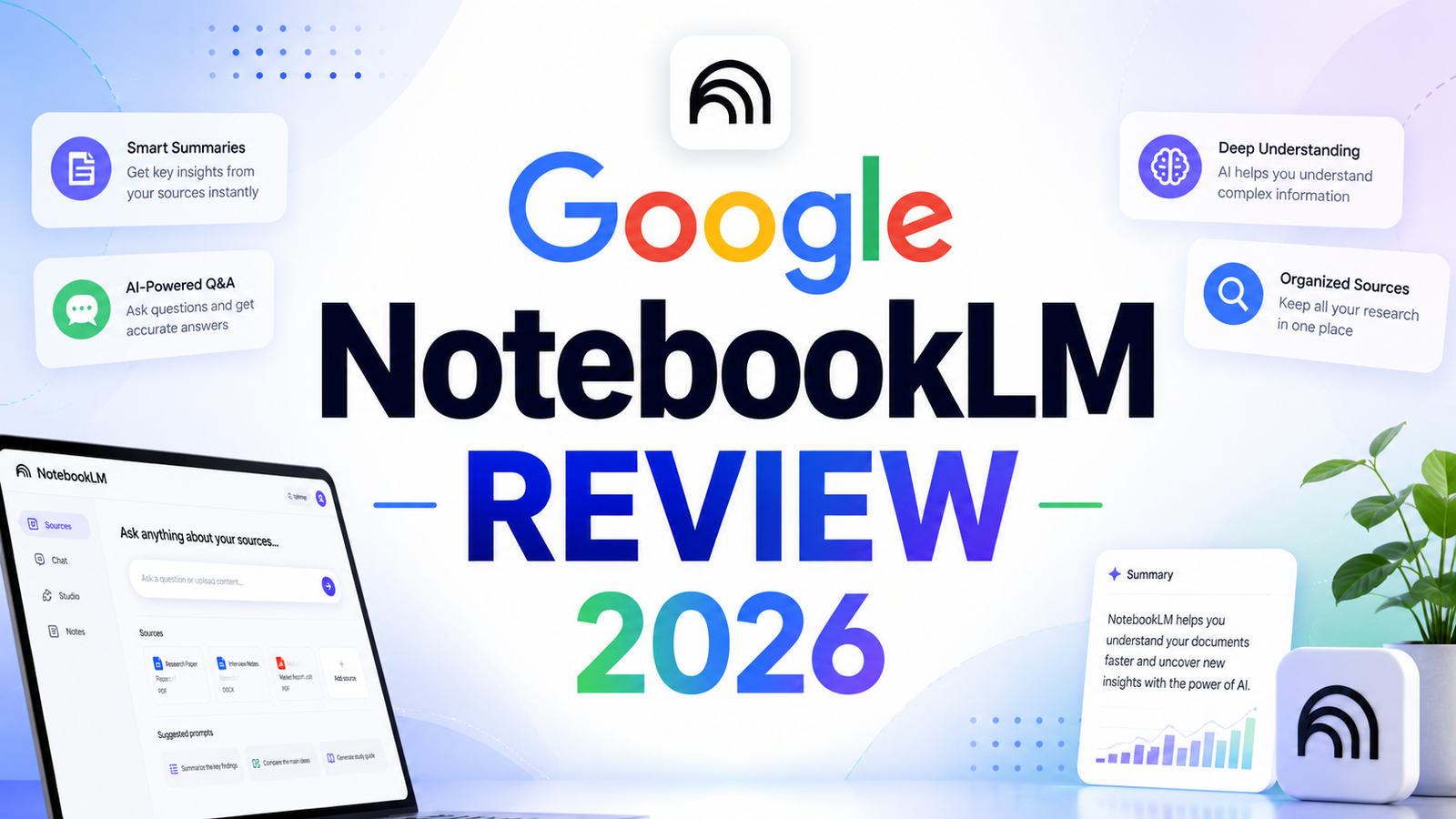
Google NotebookLM Review 2026: The AI That Only Knows What You Tell It
Most AI tools have a hallucination problem. They pull from training data, blend in confidence, and hand you answers that are partially or entirely wrong. The larger the question and the more obscure the topic, the worse the problem gets. For casual use, this is a minor inconvenience. For researchers, students, legal professionals, analysts, or anyone whose work depends on accuracy, it is a genuine liability.
Google NotebookLM was built around the exact opposite premise. It does not answer from general training data. It answers only from sources you upload. Every response is grounded in the documents you provide, and every claim links back to the specific passage in your material where it came from. If the answer is not in your sources, NotebookLM says so.
That single design decision makes NotebookLM fundamentally different from every general-purpose AI assistant on the market. It is not a chatbot. It is a research assistant that has read exactly the documents you give it and nothing else. Since its viral moment in 2024 when the Audio Overviews feature captured widespread attention, the platform has grown substantially. By March 2026 it runs on Gemini 3 models, supports cinematic video overviews, AI-generated slide decks with PPTX export, ten infographic styles, and collaborative notebooks for enterprise teams.
Our Take: NotebookLM feels less like an AI chatbot and more like an AI research partner. For users working with large amounts of documents, reports, and source material, few tools currently offer a more practical workflow.
What NotebookLM Is and Who It Is For
NotebookLM is Google’s AI-powered research and note-taking tool built on Google Gemini. Originally launched in 2023 under the name Project Tailwind, it functions as a conversational interface for user-uploaded documents. You create a notebook, upload your sources, and NotebookLM becomes a research assistant that has read and understood everything in that collection.
The platform accepts a broad range of source types: PDFs, Google Docs, Google Slides, Google Sheets, Microsoft Word documents, plain text files, Markdown files, web URLs, YouTube videos (via transcript), audio files, images, CSV files, and as of 2026, EPUB files. Most research workflows are covered without format conversion.
The users who get the most out of NotebookLM are:
Students and academics processing research papers, textbooks, lecture notes, and reading lists. Instead of reading every source in full before synthesis, they can query across the entire notebook and get cited answers in seconds.
Researchers and analysts working with large volumes of technical documents, market reports, legal filings, or scientific literature. The source-grounded approach eliminates hallucinations about the material under analysis.
Knowledge workers and professionals who regularly receive large documents, strategy reports, board packs, or briefings and need to extract specific information quickly without reading everything cover to cover.
Educators and course creators who want to turn dense course materials, textbooks, or reading packets into Audio Overviews, flashcard sets, study guides, and quizzes for student use.
Teams and enterprises managing shared knowledge bases, sales playbooks, compliance documentation, or onboarding materials that need to be queryable by multiple team members.
NotebookLM is explicitly not the right tool for tasks that require web search, real-time information, content generation from scratch, or general-purpose AI assistance. Those use cases belong to tools like ChatGPT, Perplexity, or Claude.
Key Features
Source-grounded AI with inline citations. Every answer NotebookLM generates links directly to the relevant passage in the uploaded source. Users can click through and verify any specific claim in seconds. This is not a secondary feature; it is the foundational architecture of the entire platform. The grounding model significantly reduces AI hallucinations by constraining responses to only what the uploaded materials contain.
Audio Overviews. The feature that made NotebookLM go viral. Upload any combination of sources and generate a podcast-style conversation between two AI hosts who discuss, debate, and synthesize the material. The result is a 10 to 20-minute audio summary that is genuinely conversational rather than a robotic text-to-speech reading. Audio Overviews are available in over 80 languages in 2026. Interactive mode allows users to join the conversation and ask questions directly. For dense academic papers or long reports, listening to an Audio Overview before reading saves significant time and improves comprehension.
Video Overviews and Cinematic Video. NotebookLM generates short video summaries that combine AI narration with visuals, diagrams, and structured explanations derived from the uploaded sources. Cinematic Video Overviews, available for eligible users since July 2025, produce more immersive, animation-rich outputs for deeper topic exploration. These are particularly useful for visual learners and for generating explainer content from complex material.
AI-generated slide decks and infographics. NotebookLM can generate presentation slide decks directly from uploaded sources, exportable as PPTX or PDF. A February 2026 update added full slide revision capabilities, allowing users to submit feedback on individual slides and regenerate specific sections without rebuilding the entire deck. Ten predefined infographic styles are available including Sketch Note, Scientific, Anime, Editorial, and Bento Grid, giving users visual control over how information is displayed.
Study tools: flashcards, quizzes, and study guides. NotebookLM generates flashcard sets and quizzes from uploaded content. Progress is saved across sessions, and users can mark cards as understood or missed, shuffle the deck, and run targeted reviews on missed questions. For students working from a fixed set of reading materials, this converts static documents into an active learning system.
Notebook Q&A and Deep Research mode. Standard chat queries return cited answers from sources immediately. Deep Research mode conducts a more thorough cross-source analysis before responding, equivalent in depth to what Perplexity’s Deep Research mode offers but limited to the uploaded document set rather than the open web.
Collaborative notebooks for teams. Shared notebooks allow teams to query a common document set. In enterprise tiers, notebooks use IAM role management for secure access control, audit trails, and VPC-SC compliance. Individual conversation histories within shared notebooks are private by default, while the shared sources are accessible to all members.
Pros and Cons
Pros:
- Source grounding eliminates the hallucination problem for any question that can be answered from the uploaded material
- Completely free for individual use with a generous free tier that covers core functionality
- Audio Overviews are a genuinely novel and useful format for processing dense material quickly
- Accepts the broadest range of input formats of any comparable tool including YouTube transcripts, audio files, images, and EPUB files
- Gemini 3 integration provides a 1 million token context window, enabling analysis of extremely large document collections
- Slide deck generation with PPTX export and full revision capability is a strong addition for knowledge workers preparing presentations from research
- Deep Google ecosystem integration for users already working in Google Docs, Drive, and Workspace
- Student pricing at $9.99 per month (50 percent off the first year) makes the Plus tier accessible for academic users
Cons:
- Cannot search the web or access any information beyond what is uploaded; not suitable as a general-purpose AI assistant
- Free tier limits Audio and Video Overviews to 3 per day, which can be restrictive for heavy users
- Audio Overviews are English-only on the free plan, limiting multilingual research workflows
- The 50-source-per-notebook limit on the free tier creates friction for large literature reviews or extensive research projects
- Deep Research mode is available only 10 times per month on the free tier
- Not a writing or content generation tool; it synthesizes and organizes rather than creating new prose from scratch
- Real-time collaboration features within shared notebooks are limited compared to dedicated collaboration platforms like Notion
- Slide deck design flexibility remains basic compared to professional presentation software
Pricing Breakdown
NotebookLM operates across three tiers in 2026: a free individual plan, a Plus tier available through Google One AI Premium, and enterprise access through Google Workspace and Google Cloud.
Free: Available to anyone with a Google account at no cost. Includes up to 100 notebooks with 50 sources per notebook, 50 chat queries per day, 3 Audio and Video Overviews per day, and 10 Deep Research sessions per month. For casual users, students on a budget, and professionals exploring the tool before committing, the free tier covers core functionality with meaningful limits that only become restrictive at higher usage volumes.
NotebookLM Plus (via Google One AI Premium): $19.99 per month. Cannot be purchased as a standalone product. The subscription bundles NotebookLM Plus with Gemini Advanced, AI features across Gmail and Google Docs, and 2TB of Google cloud storage. NotebookLM Plus increases notebook capacity to 300 sources per notebook, raises daily query limits to 500, provides 5 Audio and Video Overviews per day, priority access during peak hours, and interactive Audio Overviews where users can join the AI conversation. Students in the US aged 18 and above can access the plan for $9.99 per month for the first year with SheerID verification.
Google AI Ultra: $249.99 per month. The highest individual tier. Includes NotebookLM at the maximum capacity level with 600 sources per notebook, the highest available limits across all features, watermark removal from generated slides and infographics, access to the most advanced Gemini models, and Veo video generation. Positioned for power users and professionals who depend on NotebookLM as a core daily tool at significant document volume.
Google Workspace and Enterprise: NotebookLM Plus is included from the Google Workspace Standard plan ($14 per user per month on annual billing). Enterprise access through Google Cloud provides VPC-SC compliance, full audit trails, IAM access controls, no model training on customer data, and 5x higher capacity than the individual Plus tier. Pricing scales with team size and is available via Google Cloud sales.
“Pricing is subject to change. Always verify current pricing on the tool’s official website before purchasing.”
How It Compares to Perplexity and ChatGPT
NotebookLM vs Perplexity
The comparison between NotebookLM and Perplexity reveals two tools that overlap in exactly one dimension: they both produce cited, verifiable answers. Everything else is different.
Perplexity searches the live web in real time. It is built for questions about the current state of the world, recent news, publicly available facts, and any topic where the answer exists somewhere on the internet. Its Pro Search and Deep Research modes are genuinely powerful for synthesizing what the web currently says about any topic. The Pro plan at $20 per month provides unlimited Pro Searches and multi-model access.
NotebookLM searches your uploaded documents and nothing else. It is built for questions about material you already have. For a researcher working through 30 academic papers, an analyst studying a company’s last five annual reports, or a student preparing from a specific textbook and lecture notes, NotebookLM is more useful than Perplexity for that specific material because its answers are constrained entirely to the source set rather than influenced by anything beyond it.
The practical decision: if the research starts from material you already have, use NotebookLM. If the research starts from a topic and requires finding sources, use Perplexity. Many serious researchers use both: Perplexity to discover and gather material, NotebookLM to analyze the material once collected.
NotebookLM vs ChatGPT
ChatGPT is a general-purpose AI assistant. It writes, codes, reasons, generates images, browses the web, analyzes uploaded files, and handles a wider range of tasks than NotebookLM by a significant margin. Its memory across sessions, custom GPTs, and Canvas editor make it a flexible long-term productivity tool. ChatGPT Plus at $20 per month provides access to the full GPT model suite with DALL-E image generation, real-time browsing, and advanced data analysis.
ChatGPT also hallucinate from training data on factual questions, particularly about obscure or technical topics. Its file analysis capability is real but secondary to its primary function as a general-purpose assistant.
NotebookLM is purpose-built for one thing: understanding and working with documents. Within that scope it is more reliable than ChatGPT because it cannot speculate beyond the sources. A student who uploads their course readings and asks NotebookLM for an explanation will always get an answer traceable to their actual materials. The same question to ChatGPT might draw from training data rather than the specific texts assigned.
The practical comparison: ChatGPT is the more capable all-rounder. NotebookLM is the more trustworthy document analysis tool. For users whose primary AI use case is researching, synthesizing, or studying a fixed body of material, NotebookLM’s free tier often delivers more value per dollar than a paid ChatGPT subscription.
Frequently Asked Questions
Does NotebookLM work without uploading documents?
Technically yes, but not usefully. NotebookLM will respond to queries without uploaded sources using its underlying Gemini model, but responses from empty or sparse notebooks are significantly less detailed and do not include source citations. The entire value proposition of NotebookLM is its source-grounding architecture: when you give it material to work from, it becomes a highly reliable research assistant for that material. Without sources, it functions as a basic, citation-free chatbot that is inferior to ChatGPT or Perplexity for general queries. The tool is designed to be loaded with context before use.
Is the Audio Overview feature actually useful or just a gimmick?
Based on consistent user feedback across review platforms and independent testing, Audio Overviews are genuinely useful for specific workflows rather than a novelty feature. They work particularly well for processing dense academic papers, long strategy documents, or technical reports before a meeting or presentation. Hearing a synthesized two-host conversation about material aids comprehension and retention in ways that reading a bullet-point summary does not. The conversational format encourages the AI hosts to explain concepts, push back on claims, and raise questions in ways that reveal the structure of the argument. The limitation is that Audio Overviews are not precise: they synthesize the key themes rather than representing every detail of the source. For precise information extraction, text-based Q&A with citations is more reliable.
Can NotebookLM be used for team research and collaboration?
Yes, with appropriate plan access. Free and Plus tier users can share individual notebooks with specific collaborators, and each collaborator can query the shared source set. Private conversation history within shared notebooks protects individual research threads from being visible to teammates. For teams that need more structured access control, the enterprise tiers accessed through Google Workspace or Google Cloud provide IAM role management, audit logs, VPC-SC compliance, and the guarantee that no data is used for model training. For small teams doing collaborative research on a shared document set, sharing a Plus tier notebook works well. For organizations with compliance requirements or sensitive document handling, the enterprise tier is the appropriate choice.
Final Verdict
Google NotebookLM has earned a genuinely unusual position in the AI landscape. While ChatGPT, Claude, and Perplexity compete for the broadest possible audience with general-purpose capabilities, NotebookLM serves a narrower use case with more reliability than any of them can offer for that specific job.
If your work involves regularly analyzing, synthesizing, or learning from a fixed body of documents, NotebookLM is the most reliable AI tool for that task. The source-grounding architecture means every answer is traceable and every hallucination from outside your material is structurally impossible. The Audio Overviews, Video Overviews, flashcard generation, and slide deck creation expand it from a research assistant into a full learning and synthesis platform.
The free tier is one of the most genuinely capable free AI products available in 2026. Most individual users, including students, researchers, and professionals with moderate document volumes, never need to upgrade. The Plus tier at $19.99 per month is most defensible for users who regularly hit Audio Overview limits or work with document collections approaching the 50-source free tier ceiling.
For any professional whose daily work involves reading, analyzing, and synthesizing large volumes of written material, NotebookLM belongs in the workflow. The fact that it is free to start removes every barrier to finding out whether it fits yours.
Rating: 4.6 / 5
“Pricing is subject to change. Always verify current pricing on the tool’s official website before purchasing.”