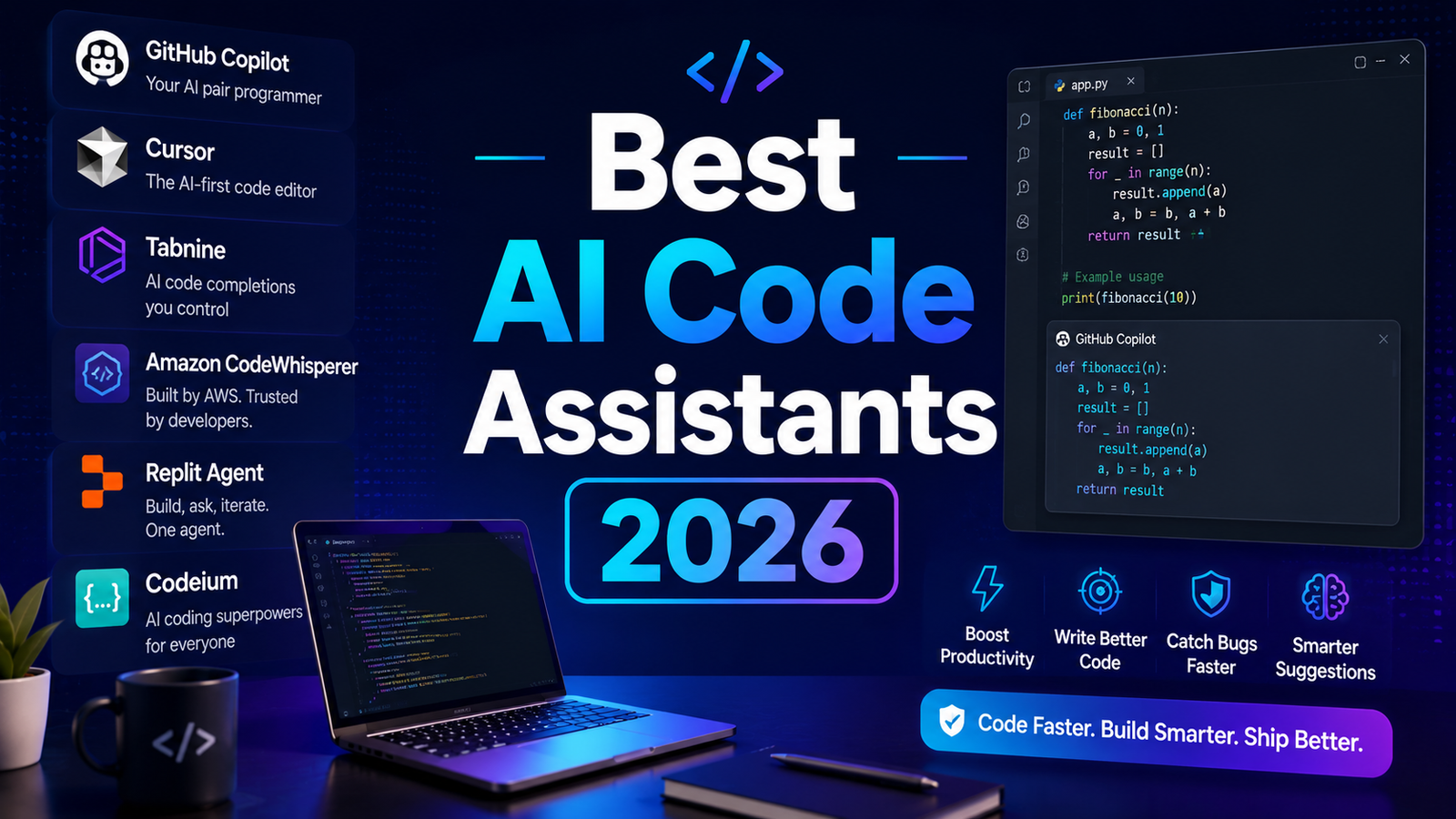
Best AI Code Assistants 2026: Ranked, Reviewed and Compared
Writing code in 2026 without an AI assistant is the equivalent of writing without spell check. The tools are no longer experimental. GitHub reports that 92 percent of developers now use AI in their daily workflow, and the productivity data is consistent: AI code assistants accelerate task completion by 30 to 55 percent on common coding tasks, with the gains concentrated in the boilerplate, debugging, and documentation work that traditionally consumed the most time without producing the most value.
The way these tools work varies by category. Editor-based assistants like GitHub Copilot and Tabnine sit inside your existing IDE and generate inline suggestions as you type, predicting what comes next based on the current file, surrounding context, and training on billions of lines of code. AI-native editors like Cursor take the next step: they embed AI into the editor architecture itself, enabling multi-file understanding, natural language refactoring instructions, and codebase-wide context that inline autocomplete cannot access. Agentic tools like Replit AI go further still, autonomously building features, running tests, and deploying code from natural language descriptions.
General-purpose AI assistants like Claude and ChatGPT sit outside the IDE entirely but serve a distinct and valuable role: deep reasoning about complex architecture problems, explaining unfamiliar codebases, reviewing code for security and logic issues, and writing code from scratch when the task starts with a prompt rather than an existing file.
This guide reviews eight tools across those categories, covering everything from solo developers on a budget to enterprise teams with strict compliance requirements.
Our Take: GitHub Copilot, Claude, and Cursor have pulled ahead of the field for different reasons. Copilot offers familiarity, Claude provides stronger reasoning, and Cursor delivers a more AI-native development experience. Choosing the right tool is often about how you work, not what you build.
Comparison Table: 8 Best AI Code Assistants 2026
| Tool | Best For | Starting Price | Free Tier |
|---|---|---|---|
| GitHub Copilot | Most developers wanting proven inline assistance in any IDE | $10/month (Individual) | Yes (limited) |
| Cursor | Power users wanting AI-native multi-file editing | $20/month (Pro) | Yes (trial) |
| Tabnine | Enterprises with strict privacy and on-premise requirements | $12/month (Pro) | Yes |
| Amazon Q Developer | AWS-heavy teams needing cloud-native AI assistance | Free / $19/month (Pro) | Yes |
| Codeium | Individual developers wanting capable AI at no cost | Free / $15/month (Pro) | Yes |
| Replit AI | Beginners, learners, and browser-based rapid prototyping | Free / $25/month (Core) | Yes |
| Claude | Complex debugging, architecture review, long context reasoning | Free / $20/month (Pro) | Yes |
| ChatGPT | General-purpose coding assistance, code generation from scratch | Free / $20/month (Plus) | Yes |
“Pricing is subject to change. Always verify current pricing on the tool’s official website before purchasing.”
Detailed Reviews
1. GitHub Copilot
The industry standard that most developers should start with.
GitHub Copilot remains the most widely used AI coding assistant in the world, serving over 1.8 million paying developers. Built by GitHub and powered by OpenAI, it provides real-time code suggestions directly inside VS Code, JetBrains IDEs, Neovim, Visual Studio, and more. Its greatest strength is integration: it works within the tools developers already use, requires no editor switch, and generates suggestions with enough frequency and accuracy that most users find it becomes an invisible part of the workflow rather than an additional tool to manage.
Beyond inline autocomplete, Copilot Chat allows developers to ask questions, debug issues, and get explanations without leaving the IDE. Multi-file editing through the Edits feature enables coordinated changes across several files, though less aggressively than Cursor’s Composer. The Copilot Coding Agent, launched in May 2025, allows developers to assign GitHub Issues directly to AI for autonomous resolution.
Key Features:
- Multi-model choice including GPT-4o, Claude 4, Gemini 2.0 Flash, and o3-mini, switchable within Copilot Chat
- Copilot Coding Agent that accepts GitHub Issues and works autonomously toward resolution with pull request output
- Broad IDE support covering VS Code, all major JetBrains IDEs, Visual Studio, Neovim, and Xcode
Pros:
- Widest IDE support of any tool on this list; works wherever developers already are
- Most proven and reliable day-to-day coding experience across languages and frameworks
- Enterprise tier offers zero-retention policy, IP indemnity, and SSO compliance
- Free tier available for students and open-source maintainers; Copilot Free available for all users with limited monthly completions
- Deepest GitHub ecosystem integration including Issues, Pull Requests, and Actions
Cons:
- Multi-file editing capabilities trail Cursor’s Composer for complex refactors
- Per-seat enterprise pricing at $19/user/month is expensive at scale versus flat-rate alternatives
- Autocomplete quality can feel generic on highly specialized or internal codebases not well-represented in training data
Pricing:
- Individual: $10/month or $100/year
- Business: $19/user/month
- Enterprise: $39/user/month (adds SSO, policies, audit logs, custom models)
- Free: Available for students, open-source maintainers, and limited monthly use for all users
Best For: Professional developers across all skill levels who want a proven, low-friction AI assistant that integrates with their existing IDE and GitHub workflow without requiring any tool migration.
2. Cursor
The AI-native editor that represents the future of coding workflows.
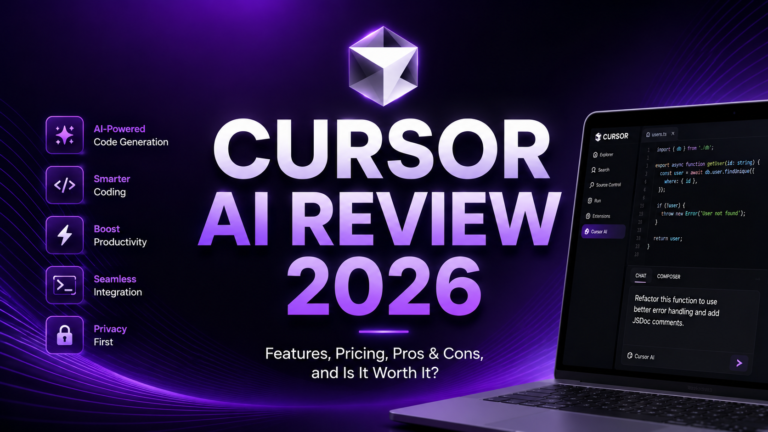
Cursor is a fork of VS Code redesigned around AI from the ground up rather than layered on top of an existing editor. Its key differentiator is codebase-wide context: where Copilot understands the current file and nearby code, Cursor’s Composer mode understands the entire repository, allows developers to issue natural language instructions for multi-file refactoring, and applies changes across several files simultaneously. For developers working in large or unfamiliar codebases, this capability saves enormous amounts of navigation and context-gathering time.
Cursor has reached a $10 billion valuation with 50 percent Fortune 500 adoption as of 2026, reflecting real enterprise uptake beyond developer-community hype. Its model flexibility, allowing selection from GPT-4o, Claude 4 Sonnet, Gemini 2.5 Pro, and others for different tasks, means developers can route complex reasoning to the best available model rather than accepting whatever a single vendor provides.
Key Features:
- Composer mode for multi-file, codebase-wide AI editing from natural language instructions
- Multi-model flexibility allowing developers to choose optimal models per task from OpenAI, Anthropic, and Google offerings
- AI chat with repository context that understands project structure, references specific files, and maintains codebase awareness throughout a session
Pros:
- Best-in-class multi-file refactoring capability, genuinely ahead of all other tools on complex codebase tasks
- Minimal learning curve for VS Code users since the interface is nearly identical
- Model flexibility gives access to the best available reasoning without vendor lock-in
- Fast adoption and active development means new features ship regularly
Cons:
- Requires migrating away from existing IDE, which creates friction for JetBrains-dependent teams
- Enterprise security controls still maturing; SOC 2 Type II compliance in progress but not as established as Copilot or Tabnine
- Heavy users on Pro can hit usage overages based on model call volume
- Higher monthly cost than Copilot at the individual level
Pricing:
- Hobby: Free (limited completions and model calls)
- Pro: $20/month, includes premium model access and higher usage limits
- Business: $40/user/month, adds team administration and privacy controls
- Enterprise: Custom pricing
Best For: Power users, startups, and fast-moving teams that primarily work in VS Code and want the most capable AI-native editing experience available, particularly for large codebase navigation and multi-file refactoring.
3. Tabnine
The only serious option for enterprises that cannot send code outside their infrastructure.
Tabnine occupies a unique position in the AI coding market: it is the only major tool that supports fully air-gapped, on-premise deployment with zero data transmission to external servers. For healthcare organizations, financial institutions, government contractors, and any company with strict data residency requirements, this is not a nice-to-have feature; it is the baseline requirement that eliminates most other tools from consideration before the first feature comparison.
Beyond privacy, Tabnine offers team-trained custom models that learn from an organization’s own codebase, improving suggestion relevance to internal frameworks and naming conventions over time. Support for 15-plus IDEs including legacy editors that other tools do not support makes it viable for engineering teams that cannot standardize on VS Code or JetBrains.
Key Features:
- Air-gapped and on-premise deployment with zero data retention, no external transmission, and full local processing
- Team-trained models that learn from proprietary repositories to align suggestions with internal coding standards and patterns
- Broad IDE support across 15-plus editors including legacy environments not supported by competitors
Pros:
- The only viable option for regulated industries with strict data sovereignty requirements
- SOC 2 Type II, GDPR, and HIPAA compliance on enterprise tiers
- Team learning genuinely improves suggestion relevance over time on proprietary codebases
- New agentic capabilities and MCP support added in 2025 expand beyond pure autocomplete
Cons:
- No longer offers a meaningful individual developer tier; now positioned primarily as enterprise software at $39/user/month
- Raw suggestion quality consistently trails cloud-based alternatives like Copilot and Cursor
- Agentic capabilities are newer and less proven than Cursor’s or Copilot’s
- Higher per-seat cost than competitors with more general-purpose features
Pricing:
- Starter: Free (basic completions only)
- Pro: $12/user/month (natural language prompts, IDE chat)
- Enterprise: $39/user/month (on-premise deployment, admin controls, custom models, compliance)
Best For: Enterprises in regulated industries where code cannot leave the organization’s infrastructure, and teams with large proprietary codebases that benefit from AI trained specifically on their own code.
4. Amazon Q Developer (formerly CodeWhisperer)
The essential companion for any team building on AWS.
Amazon Q Developer rebranded and substantially expanded from the original CodeWhisperer in April 2024, adding autonomous agents, conversational AI about AWS resources, console error diagnostics, code transformation for legacy Java and .NET, and security scanning against the AWS Well-Architected Framework. The free individual tier remains one of the most generous in the market: unlimited code suggestions with no hard cap, making it a zero-cost addition for AWS developers who want meaningful AI assistance without a subscription.
Outside AWS-centric workflows, Q Developer’s general-purpose coding capabilities trail GitHub Copilot and Cursor noticeably. The tool is at its best when generating CloudFormation templates, IAM policies, Lambda functions, and SDK usage patterns, where its training on AWS documentation and best practices creates suggestions that align with cloud architecture decisions rather than just local code patterns.
Key Features:
- AWS-native code generation including CloudFormation, CDK, Terraform for AWS, Lambda functions, and SDK usage with IAM pre-configuration
- Security scanning that audits generated code against the AWS Well-Architected Framework and flags misconfigurations before commit
- Autonomous agents for multi-step tasks including feature implementation, dependency upgrades, and legacy code transformation
Pros:
- Free individual tier with unlimited code suggestions, the most generous free offering for general coding assistance
- Unmatched context for AWS services, SDKs, CloudFormation, and infrastructure-as-code
- SOC, ISO, HIPAA, and PCI compliance on Pro tier with zero training on customer inputs
- IP indemnity and IAM Identity Center integration on Pro tier
Cons:
- Significant quality drop compared to Copilot and Cursor for non-AWS code
- Agentic capabilities limited relative to Cursor’s Composer
- Free tier caps at 50 agentic and chat requests per month; code suggestions remain unlimited
- AWS-centric value proposition narrows its appeal for teams on multi-cloud or non-AWS stacks
Pricing:
- Free: Unlimited code suggestions, 50 chat and agentic requests/month, basic security scans
- Pro: $19/user/month, 500 security scans, 4,000 lines transformed/month, admin controls, IP indemnity, SSO
Best For: Teams building primarily on AWS who want AI assistance that understands cloud infrastructure patterns. Best used as a complement to a primary coding assistant rather than as the sole tool.
5. Codeium
The most capable free AI coding assistant available for individual developers.
Codeium, which operates its standalone IDE product under the Windsurf brand, offers the most generous free tier in the AI coding market for individuals. Basic autocomplete is genuinely unlimited on the free tier, supporting over 70 programming languages with zero cost and no credit card required. The Cascade agent feature provides multi-file editing capabilities that in the paid version rival what Cursor Pro offers, though it is heavily rate-limited on the free plan.
For individual developers and small teams that cannot justify a $10 to $20 per month subscription but want meaningful AI assistance beyond simple keyword completion, Codeium delivers more capability per dollar than any alternative. Privacy-conscious teams also benefit from zero data retention options and support for on-premise deployment at the enterprise level.
Key Features:
- Unlimited basic autocomplete on the free tier across 70-plus languages with no usage caps
- Cascade agent for multi-file editing and codebase-aware refactoring on paid plans
- On-premise deployment option at the enterprise tier with zero data retention guarantees
Pros:
- Unlimited free-tier autocomplete is the most genuinely useful free offering in the category
- Supports the widest range of programming languages of any tool on this list
- Zero learning curve for VS Code users; Windsurf IDE is nearly identical to VS Code
- Strong privacy commitments with optional local processing
Cons:
- Free tier routes to smaller models that struggle with complex questions and nuanced code
- Cascade agent is rate-limited on free plans, making it a preview rather than a production workflow
- Credit system can be opaque; difficult to predict when premium features will become unavailable
- Enterprise features are still maturing relative to established competitors
Pricing:
- Free: Unlimited autocomplete, rate-limited Cascade agent
- Pro: $15/month (Windsurf Pro), expanded model access and Cascade usage
- Teams: Custom pricing for team features and administration
Best For: Individual developers and students who want capable AI coding assistance without a monthly subscription. Also strong for polyglot developers who work across many programming languages.
6. Replit AI
The fastest path from idea to deployed prototype, browser-based.
Replit is a browser-based development environment that removes local setup entirely. The Replit AI Agent builds complete web applications from natural language descriptions, handling frontend, backend, database configuration, and deployment to Replit’s edge network in a single workflow. For beginners, students, and developers prototyping ideas without wanting to configure a local development environment, this combination of environment and AI agent is the lowest-friction path to running code.
The educational component is strong: Replit explains concepts interactively, suits bootcamp environments, and allows beginners to see results without understanding the full build toolchain. For professional development on large codebases, Replit’s session limits and browser-based architecture create friction that local IDE tools do not have.
Key Features:
- Replit AI Agent that builds complete applications from natural language descriptions including frontend, backend, and deployment
- Browser-based environment requiring no local installation, accessible from any device
- Live collaboration with multiple developers editing simultaneously, with AI mediating conflict resolution in real time
Pros:
- Zero environment setup time; code runs immediately in the browser
- Strong educational experience with interactive explanations suitable for learners
- AI Agent handles the full stack from description to deployed application
- Live collaboration with AI assistance is unique among tools on this list
Cons:
- AI Agent quality requires the Core plan at $25/month; free tier AI is minimal
- Session and compute limits restrict sustained professional development workflows
- Less effective for large, complex codebases than local IDE tools
- Not suitable as a primary development environment for experienced professional developers
Pricing:
- Free: Basic editor, limited compute, minimal AI
- Core: $25/month, full AI Agent access, more compute, collaboration features
- Teams: Custom pricing for team plans and shared environments
Best For: Beginners learning to code, educators teaching programming, and developers who want to rapidly prototype and deploy a proof-of-concept without local environment setup.
7. Claude
The strongest reasoning engine for complex code problems.
Claude is not an IDE-based coding assistant. It is a general-purpose AI assistant built by Anthropic that excels at understanding and reasoning about complex code in a way that dedicated coding tools, optimized for speed and inline completion, typically do not match. For debugging a subtle multi-threaded race condition, understanding the architecture of an unfamiliar legacy codebase, reviewing a pull request for security vulnerabilities, or designing a database schema with careful attention to edge cases, Claude’s extended thinking and large context window make it the most capable tool available.
The 200,000-token context window on Claude Pro allows uploading entire codebases or multiple large files for cross-file analysis that exceeds what most IDE tools maintain. Many developers use Claude alongside their primary IDE tool: Copilot or Cursor for inline coding work, Claude for architecture discussions, complex debugging, and code review tasks that benefit from deep reasoning rather than fast completion.
Key Features:
- Extended context window of up to 200,000 tokens, enabling analysis of entire codebases or multiple large files simultaneously
- Code reasoning and explanation that goes beyond syntax to address logic, architecture, security implications, and design tradeoffs
- Extended thinking mode on Pro for particularly complex problems requiring multi-step reasoning before responding
Pros:
- Best-in-class reasoning for complex code problems, architecture discussions, and security reviews
- Largest context window of any general-purpose AI assistant, critical for analyzing large codebases
- Excellent at explaining existing code including legacy systems with little documentation
- Does not require IDE integration; works from any browser or API connection
Cons:
- No inline IDE integration; requires copy-pasting code in and out of the conversation
- Not optimized for high-frequency autocomplete use cases where Copilot and Cursor excel
- Pro plan at $20/month is the same price as Copilot, which adds IDE integration
Pricing:
- Free: Generous access to Claude Sonnet with rate limits
- Pro: $20/month, expanded access, extended thinking, priority availability
- API access: Pay-per-token for programmatic use
Best For: Developers tackling complex debugging, architecture review, security analysis, understanding unfamiliar codebases, and any coding task where reasoning quality matters more than generation speed.
8. ChatGPT
The general-purpose coding assistant for developers who need flexibility.
ChatGPT is the most widely used AI tool in the world, and its coding capabilities cover the full spectrum from simple snippet generation to complex multi-language projects. The Plus tier at $20/month provides GPT-4o access with real-time web browsing, file analysis for uploading code files, image understanding for wireframes and diagrams, and Advanced Data Analysis for running and debugging code within the conversation.
Where ChatGPT stands out for coding is breadth and flexibility. It handles virtually every language, framework, and problem type with reasonable quality. It explains code, writes documentation, translates between languages, generates unit tests, and helps with SQL, regex, shell scripts, and infrastructure configuration with equal competence. For developers who want a single AI tool that handles every type of coding question without dedicated IDE integration, ChatGPT is the most versatile choice available.
Key Features:
- Advanced Data Analysis for running Python code within the conversation, debugging in real time, and analyzing datasets or log files
- Custom GPTs for creating specialized coding assistants pre-configured with specific frameworks, coding standards, or documentation sets
- File analysis and web browsing enabling upload of code files for review and real-time documentation lookup within a single conversation
Pros:
- Broadest general-purpose capability across languages, frameworks, and task types
- Memory feature adapts to individual coding preferences and project context over time
- Custom GPTs allow pre-configuration for specific tech stacks or client coding standards
- Best ecosystem of community resources, prompt libraries, and third-party integrations
Cons:
- No direct IDE integration; less convenient than Copilot or Cursor for inline coding work
- Can hallucinate library APIs or incorrect syntax that looks plausible; always verify output
- Rate limits on Plus tier during peak hours frustrate heavy daily users
Pricing:
- Free: Limited GPT-4o access with rate limits
- Plus: $20/month, full GPT-4o access, web browsing, file analysis, image input, Advanced Data Analysis
- Team: $25 to $30/user/month, shared workspace, admin controls, data privacy
Best For: Developers who want a single flexible AI tool that handles every type of coding task across all languages without IDE integration requirements, particularly useful for full-stack developers who work across diverse tech stacks.
Frequently Asked Questions
Do AI code assistants actually make developers more productive, or is that marketing?
The productivity data is consistent and comes from multiple independent sources. GitHub’s research shows Copilot users complete coding tasks up to 55 percent faster. McKinsey estimates generative AI cuts software engineering time by 20 to 45 percent on common tasks. A 2024 study cited across multiple platforms found productivity improvements of 30 to 50 percent for developers using AI tools consistently. The gains are concentrated in specific task types: boilerplate generation, writing tests, translating between languages, documentation, and initial function implementation. Complex architectural decisions, security review, and code quality judgment still require human expertise. The tools augment rather than replace developer skills.
Are AI code assistants safe to use with proprietary code?
This depends entirely on which tool you use and which plan tier. Most cloud-based tools including Copilot Business and Enterprise, Cursor Business, and Amazon Q Developer Pro explicitly do not train on customer code and offer zero-retention policies at the enterprise tier. The free and individual tiers of some tools may use code for model improvement unless you explicitly opt out. Tabnine Enterprise is the most conservative option: fully on-premise with air-gapped deployment and zero data transmission. Before deploying any AI coding tool at an organization, review the data handling policy for the specific plan, not the general marketing page, and verify opt-out options for training data use. For regulated industries, legal review of data processing agreements is advisable before widespread deployment.
Should developers use one AI coding tool or multiple?
The most productive professional workflows in 2026 typically involve two or three tools serving different purposes. A common combination: GitHub Copilot or Cursor for inline daily coding work in the IDE, Claude or ChatGPT for complex reasoning, architecture discussions, and code review that benefits from a conversational interface, and Amazon Q Developer as a free addition for teams building on AWS. The tools do not conflict with each other and serve genuinely distinct use cases. The risk is tool bloat: adding tools without clear workflow purpose creates subscription cost and cognitive overhead without productivity return. Adding a second or third tool should address a specific gap in the primary tool’s capability, not simply collect options.
Final Recommendation
There is no single best AI code assistant for every developer. The right tool depends on where you write code, what you build, and what your most expensive productivity bottleneck is.
For most professional developers: Start with GitHub Copilot Individual at $10/month. The IDE integration is the best in the market, the quality is reliable across languages, and the GitHub workflow integration adds value beyond raw code completion. It is the safe, proven choice with the lowest adoption friction.
For power users willing to switch editors: Cursor Pro at $20/month delivers the most capable multi-file and codebase-aware AI editing available. If you primarily use VS Code and regularly work in large codebases, the investment is justified.
For enterprise teams with compliance requirements: Tabnine Enterprise is often the only viable option when code cannot leave the organization’s infrastructure. The premium cost reflects a capability that no cloud-based tool can replicate.
For AWS-heavy teams: Add Amazon Q Developer free tier to your primary tool. It costs nothing, adds AWS-specific intelligence, and the individual free tier requires no enterprise approval for individual developer use.
For beginners and learners: Replit Core at $25/month provides the lowest-friction path from idea to running code, without requiring any local environment setup or toolchain knowledge.
For complex reasoning and architecture work: Claude Pro at $20/month as a complement to your primary IDE tool covers the reasoning-intensive tasks where specialized coding tools are weakest.
The highest-value starting point for any developer not yet using AI tools is to try GitHub Copilot and Claude for one month at a combined cost of $30. That combination covers inline coding assistance and deep reasoning in a way that a single tool cannot, and the productivity gains will be visible within the first week.
“Pricing is subject to change. Always verify current pricing on the tool’s official website before purchasing.”