Opus Clip Review 2026: Does the AI Clipping Tool Actually Find Viral Moments?
Opus Clip now serves over 12 million creators. Major YouTubers including Mark Rober, Logan Paul, and Grant Cardone use it. The marketing is confident. The Trustpilot rating is 4.0 out of 5 from 302 reviews with 22 percent one-star ratings, most of them about processing failures, hidden credit mechanics, and cancellation difficulties.
Both things are true. Opus Clip is the most polished AI video clipping tool on the market in 2026, with the most capable multimodal AI model for clip detection and a Virality Score system that is genuinely useful for prioritizing clips before publishing. It is also a tool whose credit-based pricing costs more than the sticker price suggests and whose project deletion policy surprises almost everyone who cancels.
This review covers what the tool actually does, what you actually pay, and whether the Virality Score actually predicts what goes viral.
Plan Comparison Table
| Plan | Best For | Starting Price | Free Plan |
|---|---|---|---|
| Free | Testing the interface before any payment commitment | $0 (60 min/month, watermarked, 3-day expiry) | Yes |
| Starter | Occasional creators who need watermark removal but can accept editing limitations | $15/month | No |
| Pro | Active creators who need the scheduler, multi-aspect export, AI B-Roll, and team workspace | $29/month ($14.50/month annual) | No |
| Business | Agencies and teams processing 50-plus hours of footage monthly | Custom pricing | No |
“Pricing is subject to change. Always verify current pricing on the tool’s official website before purchasing.”
What Opus Clip Is
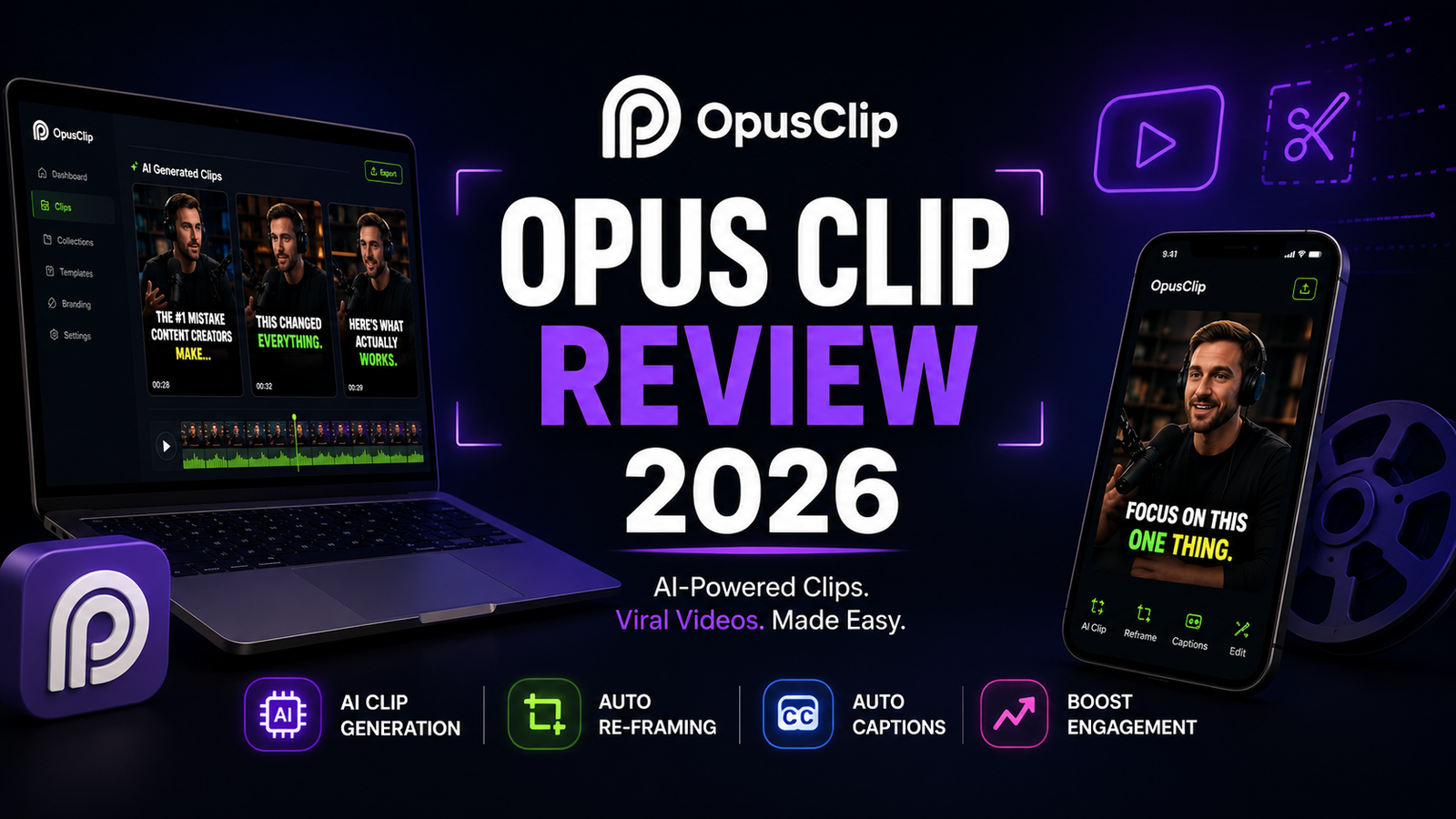
Opus Clip is a browser-based AI tool that takes long-form video, YouTube links, uploaded MP4s, and podcast recordings, and automatically cuts them into short vertical clips ready for TikTok, YouTube Shorts, Instagram Reels, and LinkedIn. Upload once, and the AI generates 10 to 25 clip candidates from an hour of footage in minutes.
The ClipAnything engine is the core technical differentiator. Most AI clipping tools rely entirely on transcripts, which means they can only detect moments based on spoken words and sentence structure. ClipAnything analyzes visual cues, audio sentiment, facial expressions, and emotional peaks simultaneously. This multimodal approach means Opus Clip can handle vlogs, sports highlights, gaming footage, and content with minimal dialogue where competitor tools that are transcript-only consistently fail.
The Virality Score is the feature that appears in every Opus Clip discussion. Each generated clip receives a 0 to 99 rating based on four factors: hook strength, emotional flow, perceived value, and trend alignment. The score is designed to help creators prioritize which clips to publish first without watching all of them.
Key Features
ClipAnything multimodal AI detection. The engine analyzes visual cues, audio dynamics, and sentiment patterns simultaneously. In practice, expect 10 to 25 clips from a one-hour video. Of those, 60 to 80 percent will be usable with minor edits. The remaining 20 to 40 percent will miss the punchline, cut mid-sentence, or start mid-thought. The AI still lacks comedic timing and nuance.
Virality Score (0 to 99). Analyzes hooks, pacing, and topic shifts to surface clips most likely to perform. The top-scored clips consistently outperform randomly selected segments in testing. However, the score often rewards high-energy delivery and keyword density rather than the genuinely interesting exchange buried in a quieter segment. Virality Score predictions are unreliable for niche or technically dense content where the AI has limited pattern data, with low-scored clips sometimes outperforming high-scored ones.
ReframeAnything for aspect ratio. AI object tracking intelligently resizes videos for 9:16, 1:1, and 16:9 without manual keyframing, keeping moving subjects centered automatically.
Auto-captions with 97 percent accuracy claim. Animated caption styling that has become a hallmark of viral short-form content across TikTok and Shorts. Accuracy holds on clean audio. Background noise or overlapping speakers reduce accuracy meaningfully.
Social scheduler. Direct publishing to TikTok, Instagram, YouTube, X, and LinkedIn from within Opus Clip. Only available on Pro and above. The Starter plan omits this feature, which is the most significant functional limitation of the $15 tier.
XML export. Pro plan includes XML export to Premiere Pro and DaVinci Resolve for creators who finish clips in dedicated editing software before publishing.
AI B-Roll. Pro plan adds AI-generated B-Roll insertion. Less useful than editorial B-Roll selection but reduces the completely static talking-head appearance on some clip types.
Pros and Cons
Pros:
- ClipAnything multimodal detection handles video types that transcript-only competitors cannot: vlogs, gaming, sports, and content with minimal dialogue
- Virality Score is directionally useful for clip prioritization; top-scored clips consistently outperform randomly selected segments in controlled testing
- Auto-captions at 97 percent claimed accuracy with animated styling produce clips that match the visual standard of the short-form content ecosystem
- ReframeAnything automatic vertical reframing eliminates manual keyframing for aspect ratio conversion
- Pro annual plan at approximately $14.50 per month covers the full feature set including scheduler, B-Roll, XML export, and team workspace
- 7-day Pro trial with 90 processing minutes requires no credit card
- Direct social publishing from the platform eliminates the export-to-schedule workflow
Cons:
- Cancel your subscription and your projects disappear in 3 days, even if you have credits left. Multiple Trustpilot reviewers document this specifically
- Opus Clip charges based on source video length, not output clips. Upload a 30-minute podcast and 30 credits are consumed regardless of whether you use 1 clip or 15
- No refunds for processed videos; the refund button is hidden and only works before processing completes
- The Starter plan at $15 per month lacks the social scheduler and multi-aspect ratio export, making it functionally limited for creators serious about the workflow
- Gaming and sports content produces more misses than marketing implies; ClipAnything’s visual analysis on fast gameplay or sports footage is noticeably weaker than on talking-head video
- Processing can be slow or hang entirely; multiple Trustpilot complaints document videos that never finish rendering
- Opus Clip is not a video editor. You cannot make precise frame-level cuts, add your own music, or work with a proper timeline. Export to CapCut or Descript for any editing beyond clip endpoint trimming
- Trustpilot 22 percent one-star rate and G2 pricing sub-score of 3.8 out of 5 reflect consistent user friction with billing transparency
Pricing Breakdown
Opus Clip’s pricing is more complex than the plan page suggests because of how credits work and what happens to projects when you cancel.
Free: $0. 60 processing minutes per month, watermarked exports, clips expire after 3 days. This is a demo more than a usable workflow. The 3-day expiry means any clips you generate without paying are gone before most publishing schedules would use them.
Starter: $15/month. 150 processing minutes per month, watermark removal, Virality Scores unlocked, 29-day storage. Missing features: social scheduler, multi-aspect ratio export beyond 9:16, AI B-Roll, team workspace. The Starter plan removes the watermark and unlocks Virality Scores, but the lack of a scheduler and multi-aspect ratio export makes it feel limited for anyone serious about the workflow.
Pro: $29/month ($14.50/month annual with a 12-month credit window). 300 processing credits per month, all aspect ratios, social scheduler for direct publishing, AI B-Roll, XML export to Premiere Pro and DaVinci Resolve, team workspace. The annual plan is the genuine sweet spot: 300 credits per month at $14.50 per month per year covers the complete Opus Clip feature set for regular publishing.
Credit math that matters: Opus Clip charges per minute of uploaded source video. Upload a 60-minute podcast on the Pro plan and 60 credits are consumed. The Pro plan’s 300 monthly credits cover approximately 5 hours of uploaded source video per month, producing an estimated 50 to 125 clip candidates before any curation.
Business: Custom pricing. For agencies processing 50-plus hours monthly. Contact Opus Clip directly for current rates.
How It Compares to Descript and CapCut
Opus Clip vs Descript
These tools do different jobs, and the comparison is most useful for creators deciding how to structure their workflow around both. Descript is a transcript-based editor: you edit video by editing text, remove filler words in one click, and make precise cuts at the word level. It does not auto-detect viral moments or generate clip candidates from long-form video. Descript does not score clips by engagement potential. It does not auto-generate shorts from a long video the way Opus Clip does. You still decide what to clip; Descript just makes the editing-after-selection part faster.
The correct workflow for most podcasters and interview creators is to use both: Opus Clip for automated clip candidate generation and Virality Score prioritization, then Descript for transcript-based refinement of the selected clips before publishing. Opus Clip handles volume; Descript handles precision. Neither substitutes for the other.
Opus Clip vs CapCut
CapCut has 300 million-plus monthly active users and almost everything is free. Auto-captions, background removal, templates, and transitions are all available without a subscription. For US creators, the important 2026 context: CapCut was removed from the US Apple App Store and Google Play Store in January 2026 following legislation related to ByteDance; the web version at capcut.com remains available for US users.
The functional comparison: CapCut is a general editing tool with AI features. You select what to clip manually, then edit it. Opus Clip is specifically designed to turn long-form content into short clips at scale without manual clip selection. For creators with an existing long-form video library who want to generate Shorts and Reels without manually identifying and cutting every moment, Opus Clip’s automation justifies the subscription. For creators who prefer manual control, or for whom the US mobile app restriction is a practical concern, CapCut’s web version covers basic clipping needs at zero cost.
Frequently Asked Questions
Does the Virality Score actually predict which clips will perform well?
Partially, with important caveats. In testing, top-scored clips consistently outperform randomly selected segments from the same video. The Virality Score system is genuinely useful as a prioritization tool, particularly for filtering 20 clip candidates down to 5 worth publishing. The limitation is that the score optimizes for patterns associated with generic virality: high energy delivery, strong hooks, and keyword density. It scores this type of content reliably. For niche technical content, educational deep dives, or dry humor where the genuinely interesting moment is a quiet exchange rather than an energetic delivery, the score frequently misses the actual best clips. The most accurate characterization is that Virality Score is a useful filter, not a prediction. Use it to deprioritize obvious misses rather than to identify certain winners.
What happens to my clips and projects if I cancel my subscription?
Project deletion occurs 3 days after cancellation, regardless of remaining credits. This is the most commonly cited frustration in Trustpilot reviews from March 2026. Specifically: cancel your subscription and your projects disappear in 3 days, even if you have credits left. The word “projects” here refers to your entire Opus Clip library, including processed clips, edited clip endpoints, and caption customizations. Before cancelling, download every clip you want to keep. Multiple users document discovering this policy only after cancelling, with no pre-cancellation warning in the UI.
Is Opus Clip Pro worth $29 per month compared to the Starter plan at $15 per month?
For most active creators, yes. The Starter plan at $15 per month lacks the social scheduler and multi-aspect ratio export, which are the two features that convert Opus Clip from a clip generator into a complete short-form content workflow. Without the scheduler, you generate clips in Opus Clip and then manually upload to each platform. Without multi-aspect ratio export, you generate 9:16 only and manually resize for other platforms. Pro at $29 per month, or approximately $14.50 per month on an annual plan, covers both features plus AI B-Roll and XML export for professional editing software. For creators posting 3 to 5 Shorts per week from existing long-form content, the time saved by the scheduler and the expanded aspect ratio options justify the $14 monthly difference over Starter in the first week of use.
Final Verdict
Opus Clip earns its market leader position in 2026 on the specific task it is designed for: turning a library of long-form videos into a consistent output of short-form clip candidates with minimal manual work. The ClipAnything multimodal detection is the strongest in the category for handling video types beyond talking-head content. The Virality Score is a useful prioritization tool when applied with appropriate skepticism about its limitations. The auto-captions at 97 percent claimed accuracy produce clips that match the visual standard of the platform.
The caveats that belong in the same sentence as those strengths: the credit model costs more per month in practice than the plan page implies, the 3-day project deletion policy on cancellation surprises nearly everyone who encounters it, and the 22 percent one-star Trustpilot rate reflects real friction with billing transparency and customer support that buyers should account for before subscribing.
The Pro annual plan at approximately $14.50 per month is the sweet spot for active creators who publish Shorts consistently and have an existing long-form video backlog to work from. The free 7-day Pro trial with 90 processing minutes and no credit card required is the right way to evaluate whether the AI clip detection quality meets your specific content type before committing.
For a comparison of how Opus Clip fits alongside a text-based editing workflow, see our Descript Review 2026. The most effective creator stack combines Opus Clip for automated clip candidate generation with Descript for transcript-based precision editing on selected clips before publishing.
Rating: 4.1 / 5 — Best AI clipping tool for automated short-form content generation. Credit model and project deletion policy warrant careful reading before subscribing.
Disclosure: This article may contain affiliate links. OnyxRanked may earn a commission on qualifying purchases or subscriptions made through links on this page. This does not affect our editorial recommendations or ratings.