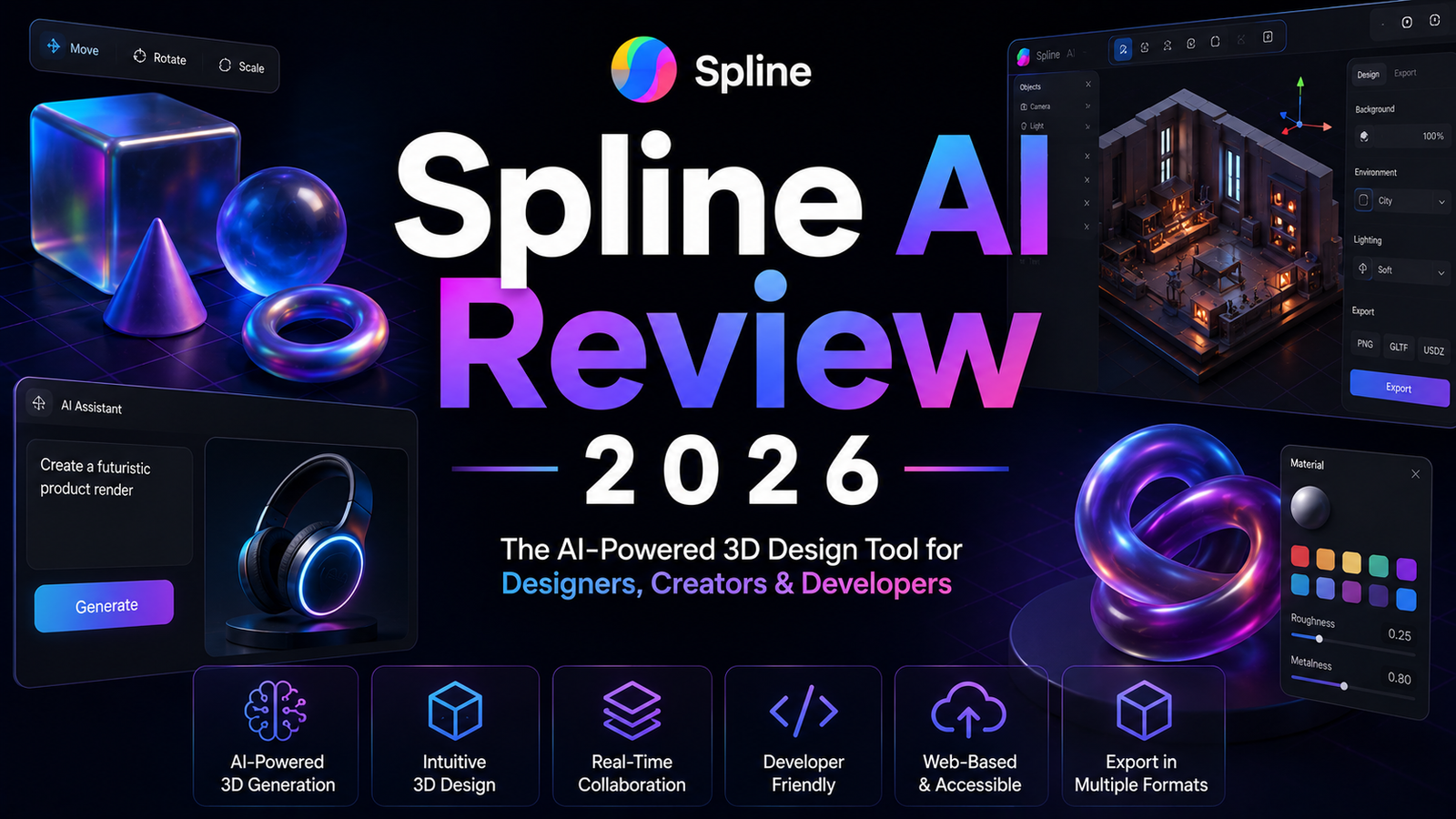
Spline AI Review 2026: The Best Tool for Interactive Web 3D?
Until recently, adding interactive 3D to a website meant one of three things: hiring a 3D generalist who could also write WebGL shaders, spending weeks learning Three.js, or settling for a pre-made 3D library that looked like everyone else’s implementation. Spline changed that equation by building a 3D design environment that speaks the same language as web design tools, outputs embed codes and React components rather than FBX files, and runs entirely in the browser without any software installation.
Spline is a collaborative 3D design tool built for the web that enables designers to create interactive 3D experiences without traditional 3D modeling expertise. It offers real-time collaboration, physics simulations, and one-click export to web formats.</cite>
Founded in 2020 and now serving hundreds of thousands of web designers and developers, Spline’s 2026 version has added AI-assisted 3D generation, AI texture generation, and AI style transfer as a $5 per seat per month add-on on top of the core platform. During testing, what stood out most was browser-based with no installation needed, making 3D design accessible to non-3D specialists.</cite> The limitation that belongs in the same sentence: not suitable for production-quality 3D modeling compared to Blender or Cinema 4D.</cite> Spline is for interactive web 3D. It is not for high-poly character work, manufacturing-grade modeling, or game engine asset production.
Plan Comparison Table
| Plan | Best For | Starting Price | Free Plan |
|---|---|---|---|
| Free | Personal projects, prototyping, and platform evaluation | $0 (with Spline watermark) | Yes |
| Starter | Working designers who need watermark removal and client-ready outputs | $12/month (annual) / $16/month (monthly) | No |
| Professional | Teams needing unlimited files, advanced scene organization, and collaboration | Higher tier pricing | No |
| AI Add-on | Any plan user wanting AI 3D generation, texture generation, and style transfer | +$5/seat/month (2,000 AI credits/month) | No |
| Enterprise | Organizations needing version history, priority support, and advanced admin | Custom pricing | No |
“Pricing is subject to change. The AI add-on is $5 per seat per month on top of any base plan and provides 2,000 AI credits per month. As of May 2026, Starter is approximately $12 per month on annual billing. Always verify current pricing directly at spline.design before purchasing.”
What Spline Is
Spline is an online 3D editor that lets users create interactive 3D experiences, objects, and scenes directly in the browser.</cite> The platform positions itself not as a 3D modeling tool in the traditional sense but as a design environment for 3D that web designers and product teams can actually use. The output is not a 3D file to be imported into a game engine or rendering pipeline. The output is a live embed code, a React component, or a URL that delivers an interactive 3D experience directly in a browser, on iOS, on Android, or on Apple’s spatial computing platforms.
This web-native output architecture is what makes Spline genuinely different from the other AI 3D tools covered in this review series. <cite index=”73-1″>Spline is not only generating 3D objects; it also gives users an editor, publishing pipeline, interactive exports, and multi-platform embedding options. The real value is not just generation speed, but the ability to keep working with the generated asset inside a usable 3D toolchain.</cite>
The AI layer added in 2025 and expanded in 2026 provides text-to-3D generation, image-to-3D generation, and AI texture and style transfer tools accessible through the $5 per seat per month AI add-on. These capabilities are available within the same browser environment where scenes are composed, interactions are defined, and web exports are generated.
Key Features
Text-to-3D and image-to-3D generation. <cite index=”73-1″>As of April 25, 2026, Spline publicly promotes text-to-3D, image-to-3D, variant remixing, dashboard and editor-based generation, and exports to web, Apple, and Android surfaces.</cite> Generated objects are placed directly into the Spline editor where they can be modified, textured, animated, and made interactive without an export-import step. One independent reviewer describes the experience: <cite index=”70-1″>”The new Spline AI features have significantly cut down my prototyping time. It is not perfect, but it gets the base geometry right most of the time.”</cite>
Interactive physics and mouse/touch event handling. Spline’s defining capability over standalone 3D generators is interactivity. Objects can be configured to respond to mouse hover, click, scroll, and touch events with physics simulations, state changes, and custom animations attached to each event. A 3D product model that orbits on hover, expands on click, and bounces realistically when dragged is built in Spline’s editor rather than written in Three.js. This event-driven interactivity layer is what makes Spline appropriate for the interactive web landing pages, product configurators, and app UI animations where it has established the strongest adoption.
State machines and animation timeline. Complex interactive behaviors are built through a state machine: define states (default, hover, active), define transitions between states, and attach animations or property changes to each transition. For product teams building multi-state UI components with 3D depth, this state machine approach translates naturally from design tool thinking into 3D behavior without requiring animation code.
Real-time collaboration with in-canvas commenting. Multiple team members can work on the same Spline file simultaneously with real-time co-editing. The platform also supports in-canvas commenting for design feedback and review.</cite> For design teams that already use Figma-style collaboration workflows, Spline’s real-time co-editing brings the same working model to 3D design.
AI texture generation and style transfer. Beyond geometry generation, the AI add-on provides AI-powered texture generation from text descriptions and style transfer that applies visual styles to existing 3D scenes. <cite index=”70-1″>Spline AI can stylize your scene with AI. You can use 3D to generate images in a variety of styles. Visualize your 3D design, pick a style as a base, apply modifiers, and refine with a prompt.</cite>
Web export ecosystem. Spline exports 3D content for web (public URLs, embed codes, custom code), Apple platforms (Swift code snippets, Xcode projects for iOS/iPadOS/macOS/visionOS), Android (Kotlin code snippets, APKs, AABs), and standard 3D file formats (GLTF, GLB, STL, USDZ). You can also export images (PNG, JPG) and videos (WebM, MP4, image sequences).</cite>
The framework integrations are specifically relevant for the web development audience: React, Next.js, Webflow, and Framer components enable Spline 3D to appear within existing web projects without custom WebGL code.
Gaussian Splat import for photorealistic capture. <cite index=”70-1″>Import and render 3D Gaussian Splat files for photorealistic 3D captures and environments.</cite> For teams that have captured real-world scenes in Luma AI or a similar NeRF/Gaussian Splat tool, Spline can display those captures as part of a larger interactive scene.
Pros and Cons
Pros:
- <cite index=”71-1″>Two things set Spline apart: browser-based with no installation needed, making 3D design accessible to non-3D specialists, and excellent web export with interactive scenes that run directly in browsers via embed or React.</cite>
- Interactive physics, state machines, and event handling built into the editor eliminates the need for custom Three.js code to achieve hover and scroll-based 3D behaviors
- Real-time collaboration for design teams in the same Figma-style workflow they already understand
- AI generation produces geometry within the editing environment, eliminating the export-import step that other generators require
- Web export to React, Next.js, Webflow, and Framer enables Spline 3D to appear in any modern web project without platform lock-in
- Free plan provides genuine evaluation capability for personal projects
- Multi-platform export to web, iOS, Android, and visionOS from one source file
Cons:
- <cite index=”71-1″>Not suitable for production-quality 3D modeling compared to Blender or Cinema 4D</cite>; high-poly character work, manufacturing-grade CAD, and complex organic modeling are outside Spline’s scope
- AI generation is optimized for web-ready lightweight objects rather than production game assets; topology is not game-engine-optimized and is less reliable than dedicated 3D generators for complex shapes
- The AI add-on at $5 per seat per month adds cost on top of the base subscription; the 2,000 monthly AI credits deplete on credit-intensive workflows
- <cite index=”70-1″>Limited in-depth customization</cite> for complex materials and shaders compared to professional DCC tools
- Performance on complex scenes can slow in the browser environment; very high-polygon imports or many simultaneous physics objects may cause frame rate issues in the web viewer
- The Starter plan at $12 per month on annual billing, plus the $5 AI add-on, brings the minimum production-capable monthly cost to $17 per seat before the AI credits are used
Pricing Breakdown
Spline’s pricing is structured as a base platform subscription with the AI features available as a separate add-on.
Free: $0. Full editor access, core 3D tools, physics simulation, basic interactions, and export to public URL with Spline watermark. This is a genuine evaluation tier where the interactive 3D capabilities can be tested without payment. The watermark on the viewer is the primary limitation for any professional use.
Starter: $12/month (annual) or $16/month (monthly). <cite index=”70-1″>Starter at $12/month billed annually is where most working designers land: it removes the watermark, provides unlimited files, and adds the material library and video uploads that matter for client work.</cite> Without the AI add-on, Starter covers the full interactive 3D design and web export workflow.
AI Add-on: +$5/seat/month. AI features are available as an add-on at $5 per seat per month, which includes 2,000 AI credits per month on Starter and Professional plans.</cite> Credits are used for AI 3D generation (text-to-3D and image-to-3D), AI texture generation, and AI style transfer. Extra credits can be purchased as needed when the monthly allocation is insufficient.
Professional: Higher than Starter. Includes unlimited scenes per file, advanced scene organization, and expanded collaboration features.</cite> Verify current Professional pricing at spline.design.
Enterprise: Custom pricing. Version history (track and restore previous versions), priority support, and advanced admin controls.</cite>
How It Compares to Tripo AI and Meshy AI
See our full Tripo AI Review 2026 and Meshy AI Review 2026 for complete breakdowns of game-ready asset generation.
The comparison between Spline and Tripo AI or Meshy AI is less about which is better and more about which workflow applies.
Spline is the right tool when the output is interactive web 3D. The defining output format is a browser-embeddable interactive scene. A 3D product that visitors can rotate, a floating UI element that responds to scroll, an onboarding animation that plays as the user navigates. These are the use cases Spline serves that no 3D asset generator addresses, because the output is a live interactive experience rather than an exportable model file.
Tripo AI and Meshy AI are the right tools when the output is a game-ready or DCC-ready asset file. Tripo’s Smart Mesh P1.0 generates clean structured quad topology in 10 seconds with 300 free monthly credits and exports FBX, GLB, OBJ, and STL directly to Unity, Unreal, and Blender. Meshy covers the complete pipeline with PBR texturing, auto-rigging, and 500-plus animation presets. Both platforms produce optimized asset files for game engine import; neither produces interactive browser-embeddable experiences.
A web designer adding a 3D hero section to a SaaS landing page should use Spline. A game developer generating 200 prop variants for a level should use Tripo AI or Meshy AI. These are different jobs and the tools are correctly matched to each.
The one use case where Spline and asset generators overlap is the designer who generates an initial shape in Spline via AI, then wants to use that geometry in a game engine. Spline’s GLTF and GLB exports can be imported into Unity or Unreal, but the topology from Spline’s AI generation is not optimized for game engine performance and will likely require retopology. For game asset generation specifically, starting in Tripo AI or Meshy AI produces better game-ready output.
Frequently Asked Questions
Does Spline require any 3D modeling experience, and can a web designer use it on day one?
<cite index=”71-1″>No, there is no need to be experienced in 3D modeling. Spline AI has a beginner-friendly interface.</cite> Web designers who are proficient in Figma or similar design tools describe Spline’s learning curve as manageable within a few sessions rather than weeks. The concepts Spline uses: objects, layers, states, and transitions map to familiar design tool thinking rather than Blender’s more technical 3D-specific vocabulary. The features that require the most learning investment are the state machine for complex multi-state interactions and the custom shader editor for advanced material effects. Physics simulation and basic animations are accessible with minimal learning time. Most web designers who need to add an interactive 3D element to a landing page or product page describe being functional in Spline within a day of first use.
Can Spline handle heavy 3D content, or is it limited to lightweight web-optimized objects?
Spline is designed for real-time web-rendered 3D, which means polygon budget matters more than in offline rendering tools. <cite index=”73-1″>Spline AI works best when the goal is to prototype, visualize, or explore 3D ideas quickly rather than produce final high-end animation assets.</cite> Complex scenes with very high polygon counts or many simultaneous physics objects can cause performance issues in the browser viewer, which affects the end-user experience on lower-end devices. For most web 3D use cases including product visualization, UI animations, landing page hero sections, and interactive onboarding, Spline’s polygon budget is more than adequate. For complex architectural walkthroughs, detailed character animations, and large environment scenes, the performance constraints of browser-based rendering become limiting and a dedicated rendering platform is more appropriate.
How does the $5 per month AI add-on credit system work, and is 2,000 credits per month enough?
The AI add-on costs $5 per seat per month and includes 2,000 AI credits monthly. Credits are used for AI 3D generation (text-to-3D and image-to-3D), AI texture generation, and AI style transfer. Extra credits can be purchased as needed.</cite> The 2,000 monthly credit allocation is adequate for designers who use AI generation to create initial geometry for a few projects per month and then iterate manually within the editor. For heavy AI generation workflows where dozens of 3D objects are generated and regenerated in rapid iteration sessions, the 2,000 monthly credits can deplete within a few intensive sessions. The most credit-efficient Spline workflow uses AI to establish initial geometry and then relies on Spline’s manual editing tools for refinement, rather than continuously regenerating new objects to find the right direction.
Final Verdict
Spline in 2026 is the clearest choice for web designers and product teams who need to create interactive 3D for websites, apps, and digital products without 3D modeling expertise. The combination of browser-based editing, interactive physics and event handling, state machines, real-time collaboration, and one-click web export creates a workflow that professional 3D tools and standalone generators do not address. Excellent web export with interactive scenes that run directly in browsers via embed or React</cite> is the specific capability that no other tool in this review series provides.
The $12 per month Starter plan plus the $5 per month AI add-on at $17 per seat monthly is the accessible paid entry point for designers doing client work. The free tier provides genuine evaluation capability for personal projects before any subscription decision.
The limitations that belong in the Final Verdict alongside the recommendation: Spline is not suitable for production game asset generation, high-poly character work, or manufacturing modeling. <cite index=”71-1″>The main trade-off: not suitable for production-quality 3D modeling compared to Blender or Cinema 4D.</cite> For those use cases, Tripo AI and Meshy AI are the appropriate tools, as detailed in our Tripo AI Review 2026 and Meshy AI Review 2026.
Rating: 4.3 / 5 — Best browser-based tool for interactive web 3D. Not a game asset generator or production modeling environment.
Disclosure: This article contains affiliate links.