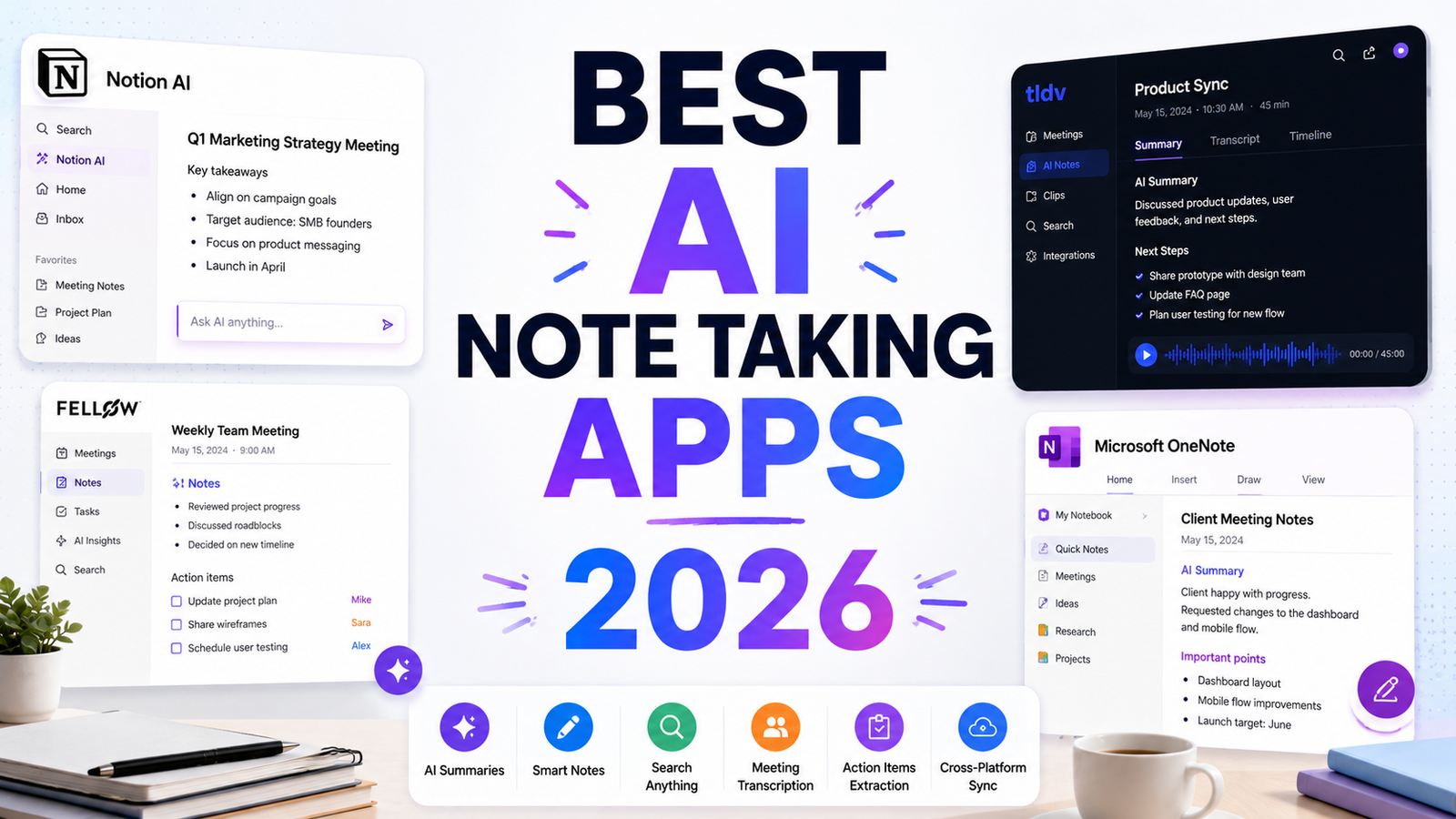
Best AI Note Taking Apps 2026: The Ones That Actually Organize Your Thoughts
The promise of AI note taking has always been the same: capture everything, find anything, connect ideas you would have missed. The reality for most people is a graveyard of note apps they have started and abandoned, each one eventually becoming another digital drawer stuffed with miscellaneous text.
The tools in this guide approach the organization problem in genuinely different ways. Some ask you to build structure manually and provide AI to assist. Some eliminate manual organization entirely, letting the AI build connections automatically. Some keep your notes local and private. Some prioritize the graph of connections between ideas over the notes themselves. Getting the right tool requires being honest about which organizational approach you will actually maintain, not which one looks compelling in a product demo.
The honest filter before choosing: do you want an AI that helps you organize, or an AI that organizes for you? The tools that help you organize (Obsidian, Notion, Roam, Logseq) reward users who invest in building their system. The tools that organize for you (Mem, Reflect) work best when you let go of manual control. Trying to use an autonomous organizer like a manual system, or a manual system like an autonomous one, produces frustration regardless of the tool’s quality.
Comparison Table: Best AI Note Taking Apps 2026
| Tool | Best For | Starting Price | Free Plan |
|---|---|---|---|
| Notion AI | Teams and individuals who want a flexible all-in-one workspace with AI writing and search | Free (limited) / $10/month (Plus) + $10 AI add-on | Yes |
| Obsidian AI | Power users who want a local-first, privacy-focused note graph with 2,000-plus community plugins | Free (personal) / $50/year (Sync) | Yes |
| Mem AI | Professionals who want AI to handle all organization so they can focus on capture | Free (limited) / $14.99/month | Yes (limited) |
| Reflect | Networked thinkers who want polished AI-first note linking without managing an Obsidian plugin stack | $10/month | No (7-day trial) |
| Roam Research | Dedicated networked note-takers who want the original block-reference and daily notes model | $15/month or $165/year | No (31-day trial) |
| Apple Notes AI | iPhone and Mac users who want free, private, good-enough AI note taking with zero friction | Free | Yes |
| Evernote AI | Users migrating off legacy Evernote who need transition support; not recommended for new users | Free (extremely limited) / $10.83/month | Yes (very limited) |
| Logseq | Technical users who want open-source, local-first, block-based networked notes for free | Free (local) / $5/month (Sync) | Yes |
“Pricing is subject to change. Always verify current pricing on the tool’s official website before purchasing.”
Detailed Reviews
1. Notion AI
Best for teams and individuals who need a flexible all-in-one workspace with AI that assists writing, summarizes documents, and searches across a structured knowledge base.
Notion AI is the most widely adopted tool in this comparison with over 30 million users globally. The AI layer adds writing assistance, document summarization, Q&A across the workspace, and AI-powered search to a base platform that already handles notes, databases, project management, and team wikis. For teams who want to share a knowledge base with AI-powered retrieval rather than relying on search terms to navigate it, Notion’s combination of structure and AI is the most complete offering at the team level.
The total pricing requires clarity: Notion Plus at $10 per user per month (annual) plus the AI add-on at $10 per user per month equals $20 per user per month for full AI functionality. At the Business plan ($18 per user per month), AI is included in the subscription rather than as an add-on.
Key features: AI writing and editing assistance across all content types, AI-powered search with Q&A across workspace documents and databases, document summarization and synthesis, database-driven note organization with properties and relations, Projects feature for connecting notes to task management, and team collaboration with permissions and version history.
Pros: Most versatile platform combining notes, databases, and AI in one subscription; team knowledge base with AI search is the strongest in this comparison for shared organizational use; Business plan at $18 per user per month includes AI without a separate add-on fee.
Cons: Full AI requires $20 per user per month on Plus tier (base plus add-on); new users commonly over-engineer their Notion workspace before capturing any notes, which delays productive use; AI is additive to Notion’s structure rather than replacing the need to organize.
Pricing: Free (limited blocks); Plus $10/user/month + AI add-on $10/user/month; Business $18/user/month (AI included); Enterprise custom.
2. Obsidian AI
Best for power users who want a local-first, extensible note-taking environment with privacy guarantees and community-built AI plugin options.
Obsidian stores all notes as plain Markdown files on the user’s own device. Nothing is sent to external servers unless Sync ($50/year) is used. For professionals handling sensitive client information, researchers with privacy requirements, and anyone for whom “my notes never leave my computer” is a hard requirement, Obsidian’s local-first architecture is the only credible option in this comparison.
The AI capabilities come from community plugins rather than native features. Smart Connections creates semantic links between notes using local AI models. Obsidian Copilot connects to OpenAI, Claude, or other models for AI assistance within the editor. The 2,000-plus community plugin library means almost any AI workflow someone has imagined has been built by a community contributor. The cost is a learning curve: Obsidian rewards investment in configuration and punishes users who want something that works immediately without setup.
Key features: Local-first Markdown storage with no cloud dependency for core features, 2,000-plus community plugins including Smart Connections and Obsidian Copilot for AI, bidirectional linking and graph view for visualizing note connections, Canvas for visual note mapping, optional Sync ($50/year) for cross-device access, and plain text format that is readable outside Obsidian forever.
Pros: Strongest privacy guarantee of any tool in this comparison; local AI processing via community plugins keeps content on-device; 2,000-plus plugins provide the most extensible ecosystem; free for personal use with no feature limitations on the core app; plain text files are durable and portable regardless of Obsidian’s future.
Cons: Steep learning curve; requires plugin configuration before AI features work; no native AI, which means AI quality depends on which model is connected and how plugins are configured; graph view is visually compelling but can become cluttered and hard to navigate as note count grows above a few hundred.
Pricing: Free for personal local use; Sync $50/year ($4/month) for cross-device; Publish $192/year for public note publishing.
3. Mem AI
Best for busy professionals who capture information faster than they can organize it and want AI to build all connections automatically.
Mem is the most autonomous organizer in this comparison. Every note is automatically analyzed, tagged, and connected to related notes by the AI without any manual effort. When writing about a client, Mem surfaces past conversations and decisions about that client automatically. When capturing a new idea, Mem shows notes that relate to it from months earlier. The premise is that the organization overhead that kills most note-taking habits is eliminated because you never have to maintain it.
The critical self-assessment before choosing Mem: if you enjoy the craft of building and maintaining a linked knowledge graph, Mem’s autonomy will feel like a loss of control. If you find that craft a time sink that eventually kills your note-taking habit, Mem is the better choice. These are different user profiles and the wrong choice produces frustration with a good tool.
Key features: Automatic tagging and connection-building without manual organization, AI-powered search that surfaces related notes contextually while writing, smart suggestions showing relevant past notes during capture, conversational memory for querying across the full note library, team collaboration with shared knowledge base, and cross-platform sync across desktop and mobile.
Pros: Eliminates manual organization entirely; contextual surfacing of related notes while writing produces unexpected connections that structured systems miss; best tool for professionals who capture frequently and organize rarely; no folder or tag maintenance required.
Cons: Free tier has strict limits that make genuine evaluation difficult; $14.99 per month for individuals is a meaningful commitment before the autonomous organization value compounds; users who want to maintain control over connections and structure will find the automation disorienting.
Pricing: Free (limited); Mem AI $14.99/month for individuals; team plans available.
4. Reflect
Best for networked thinkers who want polished AI-first note linking without managing Obsidian’s plugin ecosystem.
Reflect occupies the clean middle ground between Obsidian’s plugin-heavy flexibility and Mem’s full autonomy. The tool has no folders, categories, or tags by design: notes connect through bidirectional links, and the AI synthesizes across those connections to answer questions and surface related ideas. Apple Notes meets Roam, rebuilt with a clean interface and AI as a first-class citizen rather than an afterthought.
End-to-end encryption means notes are not readable by Reflect even on their own servers, addressing the privacy concern without requiring local-only storage. Cross-note synthesis, where the AI draws connections between multiple linked notes to answer a question, is described in independent testing as genuinely more accurate than general AI tools answering the same questions from a blank slate.
Key features: Bidirectional linking without folders or tags, AI cross-note synthesis that reasons across the entire linked knowledge graph, end-to-end encryption, daily notes for capture with automatic backlink surfacing, connection to external AI models including Claude and GPT for writing assistance, and sync across iOS, macOS, and web.
Pros: Most polished design of the networked note-taking tools in this comparison; end-to-end encryption addresses privacy without sacrificing sync; cross-note AI synthesis produces significantly better answers as the note library grows; no folder management required while retaining more user control than Mem.
Cons: No free plan; $10 per month is the minimum entry and must be paid from day one; works best with 100-plus interconnected notes, so new users see less value before the knowledge graph is populated; iOS and macOS only, no native Windows app.
Pricing: $10/month; no free plan, 7-day trial only.
5. Roam Research
Best for dedicated networked note-takers who want the original bidirectional linking and block-reference model.
Roam Research built the market for networked note-taking that Obsidian and Logseq later captured more broadly. The daily notes model, block-level backlinking, and query system are still genuinely powerful. The AI integration adds inline GPT-4 assistance within the outliner-based editor. In 2026, the honest positioning challenge is that Roam costs $15 per month for a tool that Obsidian replicates for free with plugins, and development velocity has been inconsistent compared to more actively maintained competitors.
For users already in Roam with hundreds of linked notes, the switching cost to Obsidian is real and the familiar workflow may justify the cost. For users evaluating networked note-taking for the first time, Obsidian at free or Reflect at $10 per month is the more defensible starting point.
Key features: Block-level backlinking and bidirectional references, daily notes as the default capture entry point, query system for filtering and displaying notes by attribute, inline AI assistance, outliner-based editor, and network graph visualization.
Pros: Original and most established networked note-taking system; block-reference model is the most precise linking approach in the category; passionate and knowledgeable user community; powerful query system for advanced users.
Cons: $15 per month is the highest paid note-taking subscription in this comparison for a tool with slowing development; Obsidian provides comparable functionality free; the development inconsistency creates uncertainty about the platform’s roadmap; steeper learning curve without the active plugin ecosystem that accelerates Obsidian adoption.
Pricing: $15/month or $165/year; 31-day free trial.
6. Apple Notes AI
Best for iPhone and Mac users who want free, private, always-available AI note taking that works without any setup.
Apple Intelligence in Notes, available on supported Apple devices running iOS 18 and macOS Sequoia, adds on-device AI summarization, writing tools, and Smart Summaries that condense long notes to key points. The processing happens on-device for supported models, meaning note content is not sent to Apple’s servers. For users already in the Apple ecosystem who have tried various dedicated note apps and repeatedly return to the simplicity of Apple Notes, the AI features added in 2025 and 2026 reduce the feature gap with paid alternatives significantly.
The limitation is the ceiling: Apple Notes is genuinely good enough for most everyday note-taking but provides no bidirectional linking, no cross-note AI synthesis, no team collaboration beyond iCloud sharing, and no meaningful database or structure layer.
Key features: On-device AI summarization and Smart Summaries, AI writing tools for rewriting and proofreading, image insertion and annotation, iCloud sync across Apple devices, handwriting recognition, and organization by folders and tags.
Pros: Completely free; AI features run on-device for privacy on supported hardware; zero setup friction; excellent capture speed; handwriting recognition and image annotation are strong; available on every Apple device without installation.
Cons: Apple ecosystem only; no Windows or Android; no bidirectional linking or network graph; limited team collaboration; AI features require a recent Apple device with Neural Engine support; not suitable for networked knowledge management or advanced AI retrieval across a large note library.
Pricing: Free; included with all Apple devices.
7. Evernote AI
For legacy users only: not recommended for new users in 2026 when free alternatives are significantly more capable.
Evernote pioneered digital note-taking and is included here because it remains widely searched. The honest evaluation is unfavorable for new users in 2026. The free plan is now restricted to 50 notes, 1 notebook, and 1 device, which independent reviewers consistently describe as a trial rather than a functional free tier. Notion, Obsidian, Apple Notes, and Logseq all provide more functional free access at zero cost with stronger modern features.
For users migrating off Evernote with years of notes in the platform, the export workflow is well-documented and the migration to Notion or Obsidian is achievable. The paid Personal plan at $10.83 per month provides functional note-taking with AI features but does not provide a compelling reason to choose Evernote over alternatives at similar pricing that offer more modern architectures.
Key features: Web clipper for saving articles and web content, cross-device sync, search within PDFs and images, task management, AI note summarization on paid plans, and template library.
Pros: Web clipper is still among the best for saving web content in structured form; years of refinement for PDF and image search; familiar interface for long-time users.
Cons: Free plan is essentially unusable in 2026; pricing is not competitive against alternatives with comparable features; no bidirectional linking or modern knowledge graph features; AI features are less capable than dedicated AI-first tools at similar pricing.
Pricing: Free (50 notes, 1 notebook, 1 device); Personal $10.83/month; Professional $14.17/month.
8. Logseq
Best for technical users who want open-source, local-first, block-based networked notes at zero subscription cost.
Logseq is Roam Research for people who prefer open-source software and local-first data storage. The outliner model, block-level linking, and graph view cover core networked note-taking without a subscription. All notes are stored as plain Markdown files on the user’s device. The open-source license means the software is free regardless of Logseq’s commercial future, addressing the platform risk concern that affects subscription-based tools.
In 2026, Logseq’s gaps are mobile support, which lags behind Obsidian and commercial tools, and AI features, which are newer and less polished than Obsidian’s plugin ecosystem or commercial AI-native tools. For technical users comfortable with its rough edges, Logseq provides genuine networked note-taking value at zero recurring cost.
Key features: Block-based outliner with bidirectional linking, graph view for visualizing note connections, local-first plain text storage, open-source under AGPL license, daily journal as the default capture point, queries for filtering notes, and Logseq Sync ($5/month) for cross-device access.
Pros: Completely free for local use; open-source with no vendor lock-in; block-based approach suits outline thinkers; local storage provides strong privacy; active community maintaining plugins and extensions.
Cons: Mobile experience lags Obsidian significantly; AI features are newer and less mature than competitors; learning curve comparable to Obsidian; interface feels less polished than commercial tools; development pace inconsistency creates some platform uncertainty.
Pricing: Free for local use; Sync $5/month for cross-device; open-source under AGPL.
Frequently Asked Questions
Which AI note taking app is best for privacy, and what are the real differences in how they handle data?
The strongest privacy positions are held by tools that keep notes on-device. Obsidian and Logseq store all notes as local files with no cloud dependency for core features; nothing leaves the device unless Sync is optionally enabled. Apple Notes with Apple Intelligence processes AI features on-device for supported hardware. Reflect uses end-to-end encryption, meaning notes are encrypted before leaving the device and Reflect cannot read them on their own servers. Notion and Mem use standard cloud encryption but may use anonymized content for AI model improvement; review each platform’s privacy policy and data processing terms before storing sensitive professional information. For lawyers, therapists, financial advisors, and anyone handling client-privileged material, local-first tools (Obsidian, Logseq) or end-to-end encrypted tools (Reflect) are the only appropriate choices.
Do I actually need bidirectional linking and a network graph, or is this a feature I will set up and never use?
Bidirectional linking provides compounding value after a knowledge base reaches meaningful scale, roughly 100 to 200 well-linked notes, and declines in relevance below that threshold. For someone who writes 10 to 15 quick notes per week that rarely reference each other, folders and search serve the use case adequately and the network graph provides little practical benefit over basic organization. For researchers, writers, consultants, and knowledge workers who regularly encounter ideas that connect to past thinking, the ability to navigate those connections visually and query across them with AI produces genuine insight that isolated notes cannot. The honest test before committing to Obsidian or Roam: look at your last 50 notes and count how many could reference at least two others. If the answer is most of them, networked note-taking will reward you. If the answer is a few, a simpler tool will serve you better.
What is the most cost-effective AI note taking stack for a solo knowledge worker in 2026?
Three legitimate zero-cost options cover most solo knowledge worker use cases before any payment is justified. Obsidian with Smart Connections and Obsidian Copilot plugins provides a complete AI-assisted networked knowledge base on local storage at zero cost beyond the AI model API fees for plugin use. Apple Notes with Apple Intelligence provides AI summarization and writing tools at zero cost for Apple device users. Logseq provides open-source block-based networked notes at zero cost with Sync at $5 per month for cross-device access. The first paid upgrade that adds genuine value beyond these zero-cost options is Reflect at $10 per month for users who want polished AI cross-note synthesis without managing Obsidian’s plugin configuration. Notion AI at $20 per user per month ($10 Plus plus $10 AI add-on) is justified for users who need database-driven note organization and team collaboration that Obsidian and Logseq cannot provide.
Final Recommendation
The right AI note taking app in 2026 depends on three questions: how much manual organization you will actually maintain, whether you need team features or personal-only use, and what your privacy requirements are.
For teams who need a shared knowledge base with AI search across structured content, Notion AI at $18 per user per month on Business (AI included) is the most complete team knowledge platform in the comparison.
For individuals who want the most powerful local-first, privacy-first note taking with extensible AI, Obsidian at free for personal use with optional $50/year Sync is the best combination of capability, privacy, and cost.
For professionals who hate organizing notes and want AI to handle all connections automatically, Mem AI at $14.99 per month is the most autonomous organizer available. It only works if you actually surrender manual control.
For networked thinkers who want polished AI synthesis across a linked knowledge graph without managing plugins, Reflect at $10 per month is the clearest paid recommendation for individuals.
For Apple ecosystem users who want zero-setup, free, on-device AI note taking, Apple Notes with Apple Intelligence covers everyday needs without any cost or friction.
For technical users who want open-source, block-based networked notes at zero cost, Logseq provides genuine power free.
For anyone currently paying for Evernote: export your notes and move to any of the above. The alternatives at equivalent pricing are substantially more capable.