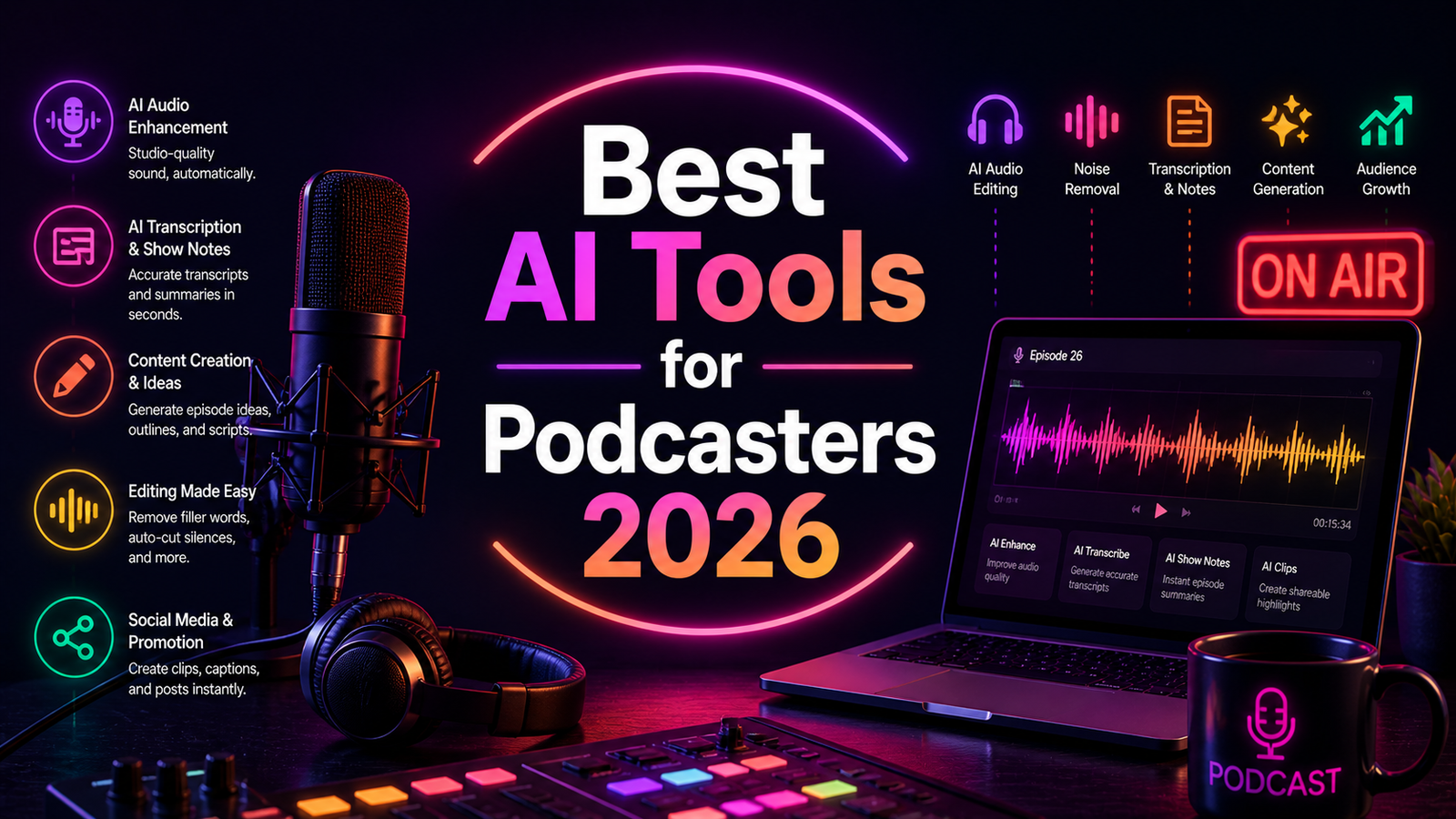
Best AI Tools for Podcasters 2026: Ranked, Reviewed and Compared
Podcasting used to have a high production floor. To sound professional, you needed a treated recording space, an audio interface, a decent condenser microphone, and the skill to operate a DAW for hours of editing per episode. The result was that most independent podcasters either sounded amateur or burned through their weekends on post-production.
AI has demolished that floor. In 2026, a podcaster with a $60 USB microphone, a quiet room, and the right AI stack can produce audio that sounds professionally produced. Background noise is removed in seconds. Filler words are detected and cut automatically. Audio levels are normalized to broadcast standards with one click. Transcripts appear alongside recordings. Show notes, chapter markers, and social clips are generated from the same session. Remote guest audio is captured locally on separate tracks regardless of connection quality.
According to Riverside.fm’s 2026 creator survey, podcasters using AI tools report saving 75 to 85 percent of their previous editing time. For a creator who was spending 4 hours editing a weekly hour-long episode, that is approximately 12 hours per month returned to recording, research, guest relations, and growth activities.
The category is also more differentiated than it appears from a distance. Some tools specialize in recording quality. Some in editing. Some in audio enhancement. Some in transcript-based workflows. Some in voice cloning and synthetic narration. Building the right stack means matching tools to the specific stages of your production that currently consume the most time.
Our Take: AI has genuinely cut podcast production time in half for independent creators. The editing tools have improved dramatically. The content generation tools are still mostly gimmicks.
Comparison Table: Best AI Tools for Podcasters 2026
| Tool | Best For | Starting Price | Free Plan |
|---|---|---|---|
| Descript | Text-based editing, filler word removal, and show notes generation | Free (1hr) / $24/month (Creator) | Yes |
| Otter.ai | Real-time interview transcription and searchable episode archives | Free (300 min/month) / $16.99/month (Pro) | Yes |
| Adobe Podcast | Free AI audio enhancement and Mic Check for any recording | Free / $9.99/month (Premium) | Yes |
| Riverside | Studio-quality remote recording with local track capture | Free (2hrs multi-track) / $15/month (Standard) | Yes |
| ElevenLabs | Voice cloning, synthetic narration, and multilingual voice generation | Free (10 min/month) / $5/month (Starter) | Yes |
| Podcastle | All-in-one browser-based recording, editing, and publishing | Free / $11.99/month (Storyteller) | Yes |
| Cleanfeed | Low-latency professional remote recording with broadcast-grade audio | Free / $15/month (Pro) | Yes |
| Auphonic | Automated final mastering, loudness normalization, and publishing | Free (2hrs/month) / $11/month (paid) | Yes |
“Pricing is subject to change. Always verify current pricing on the tool’s official website before purchasing.”
Detailed Reviews
1. Descript
Best for podcasters who want to edit audio by editing text, remove filler words automatically, and produce show notes from the same session.
Descript’s text-based editing is the most significant paradigm shift in podcast production since the DAW. Import a recording and Descript transcribes every word with a timestamp. Edit the transcript text and the audio changes accordingly: delete a sentence and it removes it from the recording. Find every “um” and “uh” in the document and delete them all in one action. The entire editing session feels closer to editing a Word document than scrubbing through a waveform.
For podcasters who have previously spent 3 to 4 hours editing a 60-minute episode, the time compression is immediate and measurable. The AI Underlord feature, Descript’s AI co-editor, generates chapters, show notes, social media clips, and newsletter summaries from the completed transcript in a single step after the edit is done.
Key Features: Word-level transcript synchronization for text-based audio and video editing, AI filler word detection and bulk removal, Studio Sound for one-click audio quality improvement from imperfect recording environments, Overdub voice cloning for seamless word corrections without re-recording, social clip generation and show notes from the transcript, and multi-track support for interview recordings.
Pros:
- Text-based editing is transformative for podcasters; most experienced users describe it as the single most time-saving tool in their stack
- Studio Sound meaningfully improves home-studio and conference-room recording quality
- Free tier with 1 hour of transcription allows genuine evaluation of the core editing workflow
- Overdub voice cloning allows fixing individual words without returning to the microphone
- Creator plan at $24 per month includes unlimited transcription covering weekly episode production volumes
Cons:
- Multi-speaker files consume transcription minutes per speaker, depleting allocations faster than expected for interview shows
- Overdub works well for short corrections; longer AI-generated passages become noticeably synthetic
- Less accurate than specialized transcription services for technical jargon and proper names
- Video podcast editing at full quality requires the Business plan
Pricing:
- Free: 1 hour transcription, watermarked exports
- Creator: $24/month ($16/month annual), unlimited transcription, full AI editing suite
- Business: $40/user/month (annual), team features, advanced video
2. Otter.ai
Best for podcasters who conduct regular interviews and want a searchable archive of every conversation alongside accurate transcripts.
Otter.ai serves podcasters primarily as a research and capture tool rather than an editing tool. OtterPilot joins Zoom, Google Meet, and Teams calls automatically, producing a live transcript throughout the recording session. For interview-format podcasts where the host needs to reference what was said in a previous episode, search across six months of guest conversations for a specific topic, or quickly identify the exact timestamp where a key quote appeared, Otter’s searchable archive provides genuine research infrastructure.
The AI-generated summaries and action items are less relevant for podcasters than for business users, but the keyword-searchable transcript archive compounds in value over time. The 2026 MCP Server integration also allows Claude and ChatGPT to query the Otter archive directly, which opens custom workflows for show note and chapter generation from transcript history.
Key Features: Real-time meeting transcription with speaker identification, searchable transcript archive across all recorded sessions, AI-generated summaries with key point extraction, Zoom, Google Meet, and Teams integration via calendar sync, MCP Server for AI tool integration with the transcript archive, and 300 free minutes per month with no credit card.
Pros:
- 300 free minutes per month is the most generous free tier in the transcription category for evaluating the product
- Searchable multi-episode archive is a genuine research asset for interview podcasters
- MCP Server integration enables Claude and ChatGPT to query transcripts for custom note generation workflows
- Strong for capturing pre-production research calls alongside episode recordings
Cons:
- 30-minute conversation cap on the free plan cuts off any episode exceeding that length
- 85 percent transcription accuracy on clean audio means technical terms and guest names require review
- Not a podcast editing tool; transcripts require export for use in Descript or other editors
- Only 3 lifetime file imports on the free plan; never resets
Pricing:
- Free: 300 minutes/month, 30-minute session max, 3 lifetime file imports
- Pro: $16.99/month ($8.33/month annual), 1,200 minutes, 90-minute sessions
- Business: $30/user/month (annual), unlimited transcription, team features
3. Adobe Podcast
Best for podcasters who want free professional-grade audio enhancement for any recording without committing to a paid subscription.
Adobe Podcast’s Enhance Speech tool is the most impressive free audio enhancement available anywhere in the podcasting tool landscape. Upload a raw recording from any source including a phone microphone, a home-office USB mic, or a field recording with ambient noise, and Enhance Speech applies AI processing that makes the result sound like it was recorded in an acoustically treated studio. The quality improvement on recordings made in imperfect environments is consistently described by independent reviewers as better than expected for a free tool.
Mic Check, another free feature, analyzes your recording environment and microphone setup before you record, identifying background noise, room echo, and gain issues before they contaminate the episode. For podcasters onboarding remote guests who may have inconsistent setups, sharing the Mic Check link before recording prevents the most common remote audio quality problems.
Adobe Podcast Premium at $9.99 per month adds remote recording, project management, an AI studio interface, and additional processing credits for high-volume enhancement use.
Key Features: Enhance Speech for AI audio enhancement on any uploaded recording (free), Mic Check for pre-recording environment analysis (free), remote multi-track recording on Premium, project-based episode management, and Adobe Creative Cloud integration for Premiere Pro and Audition users.
Pros:
- Enhance Speech is genuinely impressive and completely free with no credit card required
- Mic Check prevents the most common remote guest audio problems before recording begins
- Adobe’s AI processing model is trained on extensive professional audio data
- Natural integration with existing Adobe Creative Suite workflows for video podcasters
- Low commitment evaluation path: free access covers the most-used feature
Cons:
- Remote recording and project management require the paid Premium tier at $9.99 per month
- No editing, filler word removal, or show notes generation; enhancement-focused only
- Over-processing through Enhance Speech at maximum settings can produce unnatural speech quality
- Less suitable as a primary production platform than Descript or Podcastle for end-to-end workflows
Pricing:
- Free: Enhance Speech, Mic Check, limited processing
- Premium: $9.99/month, remote recording, projects, AI studio, additional credits
4. Riverside
Best for interview and multi-guest podcasters who need the highest possible remote recording quality regardless of internet connection stability.
Riverside solves the fundamental problem with remote podcast recording: standard video call recording captures compressed streaming audio that degrades with connection instability. Riverside records each participant’s audio and video locally on their own device, then uploads the full-quality files to the cloud after the session. The result is studio-quality audio from every participant regardless of their internet speed during the call.
Magic Editor, Riverside’s AI post-production tool, applies noise removal, filler word removal, and speaker highlighting to recordings after the session, producing a cleaned multi-track set ready for import into Descript or a DAW. Magic Clips automatically generates short social media clips from the conversation’s most engaging moments.
Key Features: Local-recording architecture for studio-quality audio from all participants, separate multi-track capture per speaker for maximum editing flexibility, Magic Editor AI post-production with noise removal and filler word detection, Magic Clips for automatic social media clip generation, 100-plus language transcription, and a free tier covering 2 hours of multi-track recording.
Pros:
- Local recording architecture is the most effective solution for remote interview audio quality available
- Multi-track capture gives editors maximum flexibility to treat each speaker’s audio independently
- Magic Clips saves significant time for podcasters maintaining social media presence alongside episodes
- Free tier provides 2 hours of multi-track recording for evaluating quality before upgrading
Cons:
- Free tier’s 2-hour multi-track allocation is a one-time total rather than a monthly reset
- Standard plan at $15 per month provides 5 hours of multi-track recording monthly, which constrains high-frequency publishers
- Video podcast features and advanced AI tools require Professional at $24 per month
- More complex setup than Cleanfeed or Podcastle for guests unfamiliar with the platform
Pricing:
- Free: 2 hours multi-track (one-time total), unlimited single-track recording
- Standard: $15/month, 5 hours multi-track per month, Magic Clips
- Professional: $24/month, 15 hours, full AI suite, 4K video
- Business: $40/month, unlimited recording, advanced team features
5. ElevenLabs
Best for podcasters experimenting with voice cloning for corrections, synthetic episode narration, or multilingual audio distribution.
ElevenLabs is not a recording or editing tool. It is a voice synthesis platform that becomes relevant for podcasters in three specific scenarios: voice cloning for fixing mistakes in recorded episodes without re-recording, generating spoken content from written scripts for episodes where a host is unavailable, and producing multilingual versions of episodes using a cloned voice that speaks other languages naturally.
The Instant Voice Cloning feature creates a passable voice clone from a short audio sample. Professional Voice Cloning, available on paid plans with extended samples, produces a higher-fidelity clone suitable for longer narration without obvious synthetic artifacts. The free tier at 10 minutes of generated audio per month is enough to evaluate clone quality before committing.
Key Features: Instant Voice Cloning from a short audio sample, Professional Voice Cloning with extended samples for higher fidelity, 32 languages for multilingual voice generation, text-to-speech for scripted episode narration, Voice Library with pre-built voices for shows without a host, and API access for automated voice generation pipelines.
Pros:
- Voice cloning quality is the strongest available in the consumer market for fixing short corrections
- Multilingual generation enables podcast localization without recording separate sessions
- Free tier with 10 minutes per month allows genuine cloning quality evaluation
- Starter plan at $5 per month is the most accessible paid entry in synthetic voice generation
Cons:
- AI-generated narration for long passages sounds noticeably synthetic even at Professional clone quality
- Not a replacement for authentic host voice in relationship-driven interview or commentary formats
- Ethical and disclosure considerations for audience transparency on AI-generated content
- Text-to-speech generation for full episodes requires careful scripting to avoid robotic cadence
Pricing:
- Free: 10 minutes/month, 3 custom voices
- Starter: $5/month, 30 minutes/month, 10 custom voices
- Creator: $22/month, 100 minutes/month, professional voice cloning
- Pro: $99/month, 500 minutes/month, highest quality cloning
6. Podcastle
Best for independent podcasters who want a complete browser-based platform handling recording, AI editing, and publishing from one interface.
Podcastle is the all-in-one option for podcasters who want to reduce the number of tools in their stack. Remote studio recording captures separate high-quality tracks per participant. The Magic Dust one-click enhancement improves audio quality with AI noise reduction. Filler word removal, automatic silence trimming, and text-based editing tools handle post-production. Built-in hosting and distribution push the final episode directly from the platform to podcast directories.
For podcasters running a show without technical audio engineering background who want professional-quality output, Podcastle’s integrated workflow from recording room to podcast feed requires fewer setup decisions than assembling separate tools for each production stage.
Key Features: Remote studio recording with separate local tracks per participant, Magic Dust one-click AI audio enhancement, automatic filler word and silence removal, text-based editing interface, AI voice generation and voice cloning for synthetic narration, built-in podcast hosting and directory distribution, and royalty-free music library.
Pros:
- Complete end-to-end workflow from remote recording to published episode in one platform
- Magic Dust one-click enhancement produces strong results for home-studio recordings
- Built-in hosting and distribution eliminates the need for a separate podcast host subscription
- Browser-based with no software installation; accessible from any device
Cons:
- Recording quality does not match Riverside or Cleanfeed for professional broadcast-standard audio
- Occasional platform glitches reported during rapid feature development cycles
- AI voice cloning and advanced editing features require Storyteller or Pro plan
- Less suitable than Descript as a primary editing platform for podcasters who prioritize granular text-based editing control
Pricing:
- Free: Core recording and editing, limited features
- Storyteller: $11.99/month ($7.99/month annual), AI editing and hosting
- Pro: $23.99/month ($14.99/month annual), full AI suite and advanced features
7. Cleanfeed
Best for radio broadcasters, journalists, and podcasters who need the lowest latency and highest fidelity remote audio connection available.
Cleanfeed is not an AI editing platform. It is the tool that audio professionals and broadcasters use when the reliability and quality of the remote audio connection is the non-negotiable priority. The platform transmits uncompressed audio over a low-latency connection in real time, meaning there is no quality degradation from compression artifacts and no perceptible delay that makes natural conversation difficult.
For podcasters who have been told by audio engineers that remote recording sounds “like a phone call,” Cleanfeed addresses that complaint at the source: the connection itself. It is used by BBC Radio, major podcasting studios, and professional audio production companies as the standard for live remote recording.
Key Features: Lossless audio transmission with minimal latency for natural conversation flow, multi-track recording with each participant captured on a separate track, browser-based access for guests requiring no software installation, and a free tier for basic two-person recording.
Pros:
- Audio connection quality is the best available for professional remote recording
- Browser-based for guests; no installation required on the guest side
- Used by professional broadcast organizations as the industry standard for remote audio
- Free tier covers basic two-person recording for evaluating the connection quality
Cons:
- No AI editing, filler word removal, or enhancement features; recording-only platform
- Video capabilities are limited and reserved for higher-tier plans
- Requires pairing with Descript, Auphonic, or a DAW for all post-production work
- Pro plan required for multi-guest recordings beyond two participants
Pricing:
- Free: Basic two-person recording, limited audio quality options
- Pro: $15/month, multi-track recording, higher audio quality, more guests
- Studio: $40/month, maximum quality, enterprise features
8. Auphonic
Best for podcasters who want automated final mastering, loudness normalization, and direct publishing to hosting platforms after editing is complete.
Auphonic is the final step in the production workflow rather than the entire workflow. After recording and editing in Descript or Riverside, uploading the finished file to Auphonic applies automatic loudness normalization to broadcast standards (LUFS targeting for Spotify, Apple Podcasts, and other platforms), noise reduction, intelligent volume balancing across multiple tracks, and metadata generation. The processed file is then automatically pushed to connected hosting platforms.
For podcasters who want their episodes to meet professional broadcast loudness standards without manually adjusting levels in a DAW, Auphonic provides the equivalent of a mastering engineer in an automated single-click step. The free tier at 2 hours of processing per month covers a solo weekly 30-minute show before requiring an upgrade.
Key Features: AI loudness normalization to broadcast platform standards (LUFS targeting), intelligent noise reduction and audio leveling, multi-track balancing for host and guest tracks, automatic chapter and metadata generation, direct integration with podcast hosting platforms for automated publishing, and credit-based or subscription-based pricing with a free tier.
Pros:
- Automated mastering to broadcast standards requires no audio engineering knowledge
- Direct publishing integration with hosting platforms compresses the post-production-to-publish pipeline
- Free tier at 2 hours per month covers a typical short-format weekly show
- Most affordable specialized audio tool at $11 per month for solo podcast volumes
- Works as a consistent final step alongside any primary editing tool
Cons:
- Not an editing or recording tool; cannot remove filler words or provide text-based editing
- Free tier at 2 hours per month depletes quickly for podcasters publishing longer episodes
- Audio enhancement quality trails Adobe Podcast’s Enhance Speech for significant problem recordings
- Less suitable as a primary production tool for podcasters without established editing software
Pricing:
- Free: 2 hours of processing per month
- Monthly subscription: $11/month (4 hours) to $99/month (100 hours)
- One-time credits: Available for podcasters with irregular processing needs
Frequently Asked Questions
Do I actually need multiple tools, or can one platform cover everything?
Most podcasters at production scale end up using two to three tools that serve distinct stages of the workflow rather than one all-in-one platform. The most commonly cited professional workflow is Riverside or Cleanfeed for recording, Descript for editing, and Auphonic for final mastering and publishing. This three-tool stack covers recording quality, text-based editing efficiency, and broadcast-standard output at a combined cost of approximately $39 to $55 per month depending on plan tiers. Podcastle is the genuine all-in-one alternative for podcasters who want to minimize tool count and are willing to trade some ceiling quality for workflow simplicity. It covers recording, editing, and publishing from one browser interface without needing separate subscriptions for each stage. The trade-off is that its recording quality ceiling is below Riverside, its editing depth is below Descript, and its mastering precision is below Auphonic. For casual and growing podcasters, that trade-off is worth the simplicity. For professional and broadcast-quality productions, the specialized stack delivers meaningfully better output at each stage.
How accurate is AI transcription for podcasts, and when does it fail?
Modern AI transcription achieves 95-plus percent accuracy for clear English speech in quiet environments with standard microphones. The failure cases are consistent and predictable: technical jargon and domain-specific terminology that is not common in the training data, proper names especially for guests with unusual spellings, strong regional accents, multiple speakers talking simultaneously, and audio quality degradation from background noise or poor microphone technique. For a technology podcast with frequent product names, brand names, and technical terms, accuracy on those specific words drops well below 95 percent even on high-quality audio. The practical workflow is to review transcripts for accuracy on proper nouns and technical terms before using them for show notes, chapter markers, or publication. AI transcription handles the bulk of correction efficiently; human review addresses the categories where it consistently struggles.
What is the best AI podcasting stack for a completely new creator with a tight budget?
The highest-value zero-cost starting point is Adobe Podcast Enhance Speech for audio quality, Descript’s free tier with 1 hour of transcription for text-based editing evaluation, and Otter.ai’s free tier at 300 minutes per month for interview transcription. That combination covers audio enhancement, editing workflow evaluation, and transcription at no cost. The first paid upgrade that delivers the clearest return on investment is Descript Creator at $24 per month, which unlocks unlimited transcription and the full AI editing suite for weekly episode production. The second is either Riverside Standard at $15 per month if remote interviews are a regular part of the show, or Adobe Podcast Premium at $9.99 per month if local recording quality is the primary concern. A complete and capable podcasting stack for a growing creator can be assembled for $24 to $40 per month that produces broadcast-quality audio, efficient editing, and professional show notes from every recording session.
Final Recommendation
The right AI podcasting stack in 2026 depends on which stage of your production consumes the most time and delivers the weakest quality today.
For editing-heavy workflows where hours of scrubbing audio is the primary bottleneck, Descript Creator at $24 per month is the single highest-impact tool available. Text-based editing alone recovers more production time than any other tool in this guide.
For remote interview shows where recording quality is the constraint, Riverside Standard at $15 per month is the most important investment. Local track capture solves a problem that no post-processing tool can fully correct after the fact.
For any podcaster who has never used Adobe Podcast Enhance Speech, try it before spending anything. Upload a raw recording and process it for free. The quality improvement will establish a clear baseline for what AI audio enhancement can achieve before any subscription decision is made.
For podcasters who want a single platform rather than a multi-tool stack, Podcastle at $11.99 per month covers recording, editing, and publishing with enough quality to produce professional-sounding episodes without technical audio knowledge.
For the final production stage regardless of which tools precede it, Auphonic at $11 per month ensures every episode meets broadcast loudness standards and publishes automatically to connected hosting platforms, completing the workflow without manual mastering steps.
Build the stack from the stage where your production suffers most, verify the improvement, and add the next tool only when the first one is part of your weekly rhythm.
As an Amazon Associate, OnyxRanked earns from qualifying purchases.