FlutterFlow Review 2026: Can You Really Ship Production Apps Without Code?
The clearest framing for FlutterFlow in 2026 is this: it is not a no-code tool. It is a low-code tool that generates real, exportable Flutter/Dart code, and that distinction is the most important thing to understand before signing up.
Bubble, Webflow, and Adalo are no-code platforms where the output is locked to the platform’s infrastructure. FlutterFlow’s output is a complete Flutter project with real Dart source code that compiles to native iOS, Android, web, and desktop apps, publishable to the App Store and Google Play, extensible by any Flutter developer, and ownable by you regardless of what happens to FlutterFlow as a company. Google acquired FlutterFlow in late 2025, deepening Firebase integration, aligning the roadmap with Flutter’s official releases, and adding the DreamFlow AI screen generator.
The consequence of that architecture is also the source of its limitation: because FlutterFlow generates real Flutter code, you need to understand real Flutter concepts to use it effectively. State management, widget hierarchies, data binding, and Firebase data modeling are not abstractions that FlutterFlow hides from you. They are concepts you will encounter and need to navigate. Founders who have never seen a database schema and designers who have never thought about widget trees will hit walls that no-code platforms do not create.
Capital One, Microsoft, IBM, and Wendy’s use FlutterFlow in production. Over 3 million apps have been created on the platform. With the right user profile, it is one of the most powerful tools in the low-code market.
Plan Comparison Table
| Plan | Best For | Starting Price | Free Plan |
|---|---|---|---|
| Free | Learning the interface and prototyping before payment | $0 (2 projects, no code export) | Yes |
| Basic | Solo founders and freelancers launching an MVP with code ownership | $39/month | No |
| Growth | Startup teams needing GitHub integration, branching, and one-click deployment | $80/month (first seat), $55/month per additional seat | No |
| Business | Agencies and multi-developer teams needing real-time collaboration | $150/month (first seat), $85/month per additional seat (up to 12) | No |
| Enterprise | Organizations needing SOC 2, SSO, and dedicated support | Custom pricing | No |
“Pricing is subject to change. Prices increased in early 2026: Basic moved from $30 to $39, Growth from $70 to $80. DreamFlow is a separate product with separate pricing not covered by FlutterFlow plans. Annual billing offers discounts. Regional pricing discounts of up to 20-25% are available for markets including India, Brazil, and KSA. Students may be eligible for discounts. Always verify current pricing directly at flutterflow.io/pricing before purchasing.”
What FlutterFlow Is
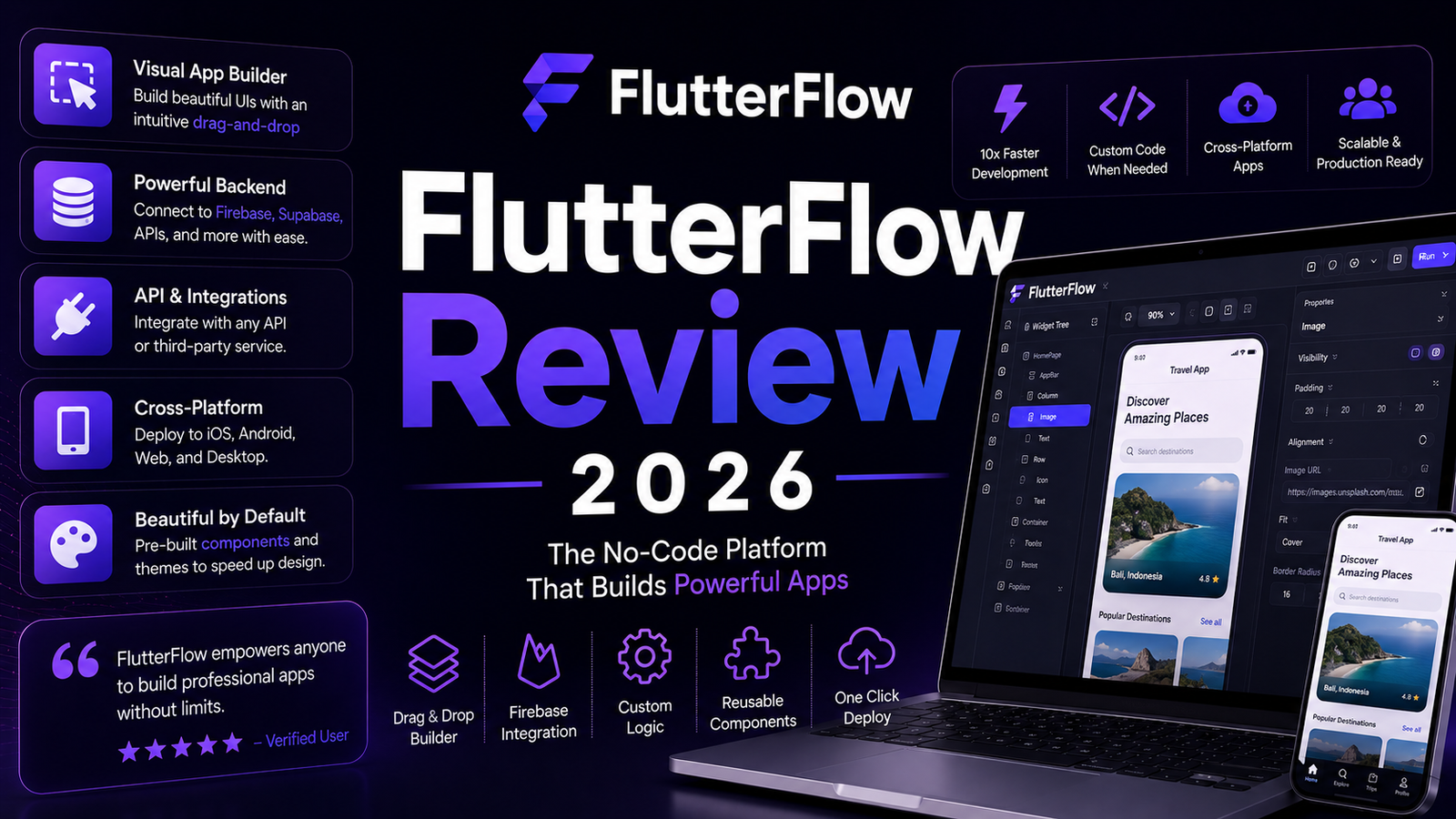
FlutterFlow is a visual low-code application builder created by former Google engineers and acquired by Google in late 2025. The platform allows users to design UI visually through a drag-and-drop builder, connect backends including Firebase, Supabase, and custom REST APIs, define navigation and app logic through visual action flows, and generate real Flutter/Dart source code from the resulting design.
The generated code is not proprietary bytecode or locked to FlutterFlow’s infrastructure. It is a standard Flutter project that any Flutter developer can open, extend, and deploy independently of FlutterFlow. Code export is available from the Basic plan upward. The Free plan allows building and previewing but does not allow downloading the source code.
The Google acquisition added three significant changes: tighter Firebase integration where authentication, Firestore, and Cloud Functions connect in minutes with guided setup, roadmap alignment with Flutter’s official release cycle to prevent version drift, and the DreamFlow AI screen generator for generating UI from natural language prompts within the FlutterFlow environment.
Key Features
Drag-and-drop visual builder generating real Dart code. Every element placed in the FlutterFlow canvas corresponds directly to Flutter widgets in the generated code. Users who understand the Flutter widget tree navigate the builder intuitively. Users who do not will encounter the same conceptual requirements in FlutterFlow that they would in Flutter directly: widget composition, layout constraints, and state. The builder is not a simplification of these concepts; it is a visual interface for them.
Real Flutter/Dart code export. The output from FlutterFlow is a complete Flutter project with proper package structure, pub.dev dependencies, and platform-specific configurations. Three published apps tested in an independent review performed identically to hand-coded Flutter apps because they are the same framework compiled by the same toolchain. This is the fundamental differentiator from Bubble, which does not produce exportable source code, and from tools like Adalo, which compiles to native code but does not provide Flutter source export.
DreamFlow AI text-to-screen generation. DreamFlow accepts natural language descriptions of screens and generates the full FlutterFlow UI structure including widgets, layout, and component configuration. One independent review reports that DreamFlow is accurate enough to replace 70 percent of manual drag-and-drop work for standard screens, with senior Flutter developers generating complete screen layouts in under 5 minutes for patterns DreamFlow recognizes. Complex interactions and custom business logic still require manual configuration after DreamFlow’s initial generation. Note from official FlutterFlow documentation: DreamFlow is a separate product with separate pricing, independent of FlutterFlow plan subscriptions.
Firebase and Supabase integration. Firebase authentication, Firestore, Cloud Functions, and Storage all connect through guided FlutterFlow integration panels rather than requiring manual Firebase SDK configuration in Dart. The Google acquisition has deepened this integration, making Firebase the most seamless backend choice. Supabase integration supports developers who prefer PostgreSQL over Firestore’s NoSQL model for relational data needs common in SaaS and fintech applications.
Figma import. Design files from Figma can be imported into FlutterFlow, converting Figma layers and components into FlutterFlow widget structures. The import is not perfectly lossless, particularly for complex Figma auto-layout configurations, but for teams whose design workflow starts in Figma, the import provides a meaningful starting point rather than rebuilding from scratch.
Version control and project branching. The Growth plan introduces GitHub integration and project branching, allowing teams to test new features in isolated branches without affecting the live production build. For teams delivering continuous updates to apps with existing users, this capability is a practical necessity rather than an optional enhancement.
Custom Dart code support. When visual configuration reaches its limits, FlutterFlow allows inserting custom Dart code directly within the generated project. Complex business logic, specialized animations, and hardware integrations that FlutterFlow’s visual builder cannot express are handled through custom code functions. This escape hatch means FlutterFlow is not a ceiling for what the app can do, but it does require Dart knowledge when that ceiling is reached.
Pros and Cons
Pros:
- Genuine Flutter/Dart code export gives full code ownership and the ability to extend with any Flutter developer, eliminating platform lock-in at the infrastructure level
- Google acquisition provides Firebase integration depth, roadmap reliability, and financial stability that independent low-code tools cannot match
- DreamFlow AI reduces standard screen construction from hours to minutes for recognizable UI patterns
- SOC 2 compliance added in 2026 for Enterprise deployments meets security requirements in regulated industries
- The true cost of a FlutterFlow app is generally 30 to 40 percent lower than traditional Flutter development for standard data-driven apps, with standard patterns seeing 55 to 70 percent faster delivery according to independent agency analysis
- Capital One, Microsoft, IBM, and Wendy’s production deployments validate the platform’s production readiness at enterprise scale
Cons:
- Requires genuine Flutter conceptual knowledge to use beyond basic prototyping; non-technical founders will encounter state management, data modeling, and widget architecture challenges that the visual interface does not abstract away
- Prices increased in early 2026 (Basic from $30 to $39, Growth from $70 to $80) with multiple G2 reviewers specifically flagging the increase; future pricing changes cannot be predicted from past stability
- Per-seat team pricing is expensive relative to alternatives: a 5-person team on Growth costs $360 per month, compared to Lovable at $25 per month for unlimited users
- No database is included in any FlutterFlow plan; Firebase or Supabase are separate costs that can produce unexpected monthly bills if Firestore reads and writes are not optimized
- Debugging is described by independent reviewers as weak; error messages in the FlutterFlow environment are less informative than debugging Flutter directly in an IDE like VS Code or Android Studio
- DreamFlow’s AI agent can fail and consume credits without producing usable output; one verified review describes the agent running overnight, consuming 100 credits, and producing nothing
- Complex custom business logic requires hand-written Dart, creating a two-tier workflow where visual development handles standard patterns and code development handles everything else
Pricing Breakdown
Free: $0. Two projects, full visual builder access, Firebase and Supabase integration, mobile and web preview, no code export, no app store publishing, no custom domains. This is an adequate platform evaluation tier that allows building and previewing real functionality without payment.
Basic: $39/month. Unlimited projects, code export via GitHub, APK file download, white-label branding removal, custom domain support, one-click publishing to App Store and Google Play, 50 AI generation requests per month. This is the minimum plan for code ownership, which is FlutterFlow’s primary value proposition. Freelancers and solo founders building for clients or launching MVPs start here.
Growth: $80/month for the first seat, $55/month for each additional seat. Everything in Basic plus GitHub integration with full repository access, project branching, automated testing, one-click localization, and higher AI generation credit allocation. For small startup teams where version control and branching are operational requirements, this is the minimum functional team tier.
Business: $150/month for the first seat, $85/month per additional seat, up to 12 seats. Real-time collaboration for teams, priority support, advanced deployment features, and enterprise-adjacent governance tools. For agencies managing multiple client projects simultaneously, the Business plan’s collaboration capability is the primary justification over multiple individual Growth subscriptions.
Enterprise: Custom pricing. SOC 2 compliance documentation, SSO, dedicated support, and tailored enterprise SLAs. Contact FlutterFlow sales for current enterprise rates.
How It Compares to Bubble and Other No-Code Builders
FlutterFlow vs Bubble
The fundamental difference is code ownership and output type. Bubble is a no-code platform where the output is a Bubble-hosted application. There is no source code to export, the application runs on Bubble’s infrastructure, and migrating away from Bubble requires rebuilding entirely. FlutterFlow generates a complete Flutter project that you own and can host anywhere.
For non-technical founders who want a web-first application and do not require native iOS and Android apps, Bubble covers a broader set of complex database relationships and conditional logic through its visual language without requiring any coding background. Bubble is genuinely no-code. FlutterFlow is low-code that requires Flutter knowledge.
For founders who want native mobile apps on iOS and Android rather than web-first applications, Bubble does not produce native mobile apps. FlutterFlow does. The output is native code compiled by Flutter, not a webview wrapper. Performance on mobile is identical to hand-coded Flutter apps because the generated code runs through the same Flutter compilation pipeline.
FlutterFlow vs Adalo
Adalo positions itself as a genuinely no-code alternative to FlutterFlow: no programming background required, native iOS and Android output, and a simpler interface for database-driven apps. The trade-off is that Adalo does not export source code at the Flutter source level. FlutterFlow’s code export provides deeper ownership, the ability to hire Flutter developers to extend the app, and the ability to take the codebase off-platform entirely.
The clearest decision rule: if you have no technical background and need a native mobile app, Adalo provides a more accessible path. If you have Flutter knowledge or can hire Flutter developers, FlutterFlow’s code ownership provides significantly more long-term flexibility.
Frequently Asked Questions
Do I need to know how to code to use FlutterFlow?
Not for basic prototypes and standard CRUD apps with Firebase backends, but yes for anything beyond standard patterns. Multiple independent reviews and platform analysts describe FlutterFlow as requiring genuine Flutter conceptual knowledge for effective use. State management, widget hierarchies, and data modeling are concepts that appear in FlutterFlow’s configuration panels even when they are presented through visual interfaces. Founders who have never worked with structured data, who do not understand the difference between a local and a remote state, or who have never debugged a network request will encounter specific limitations that visual tools cannot hide. The realistic user profile for productive FlutterFlow use is: developers who want faster UI construction, technical co-founders who understand databases and APIs, or freelancers and agencies with Flutter development backgrounds. Non-technical founders are not the target user and the platform does not successfully pretend otherwise.
Is FlutterFlow actually cheaper than hiring Flutter developers?
For standard data-driven apps with predictable patterns, yes. One independent agency analysis puts FlutterFlow development at 30 to 40 percent lower total cost than traditional Flutter development, with standard apps seeing 55 to 70 percent faster delivery. The ROI math for a developer using FlutterFlow is cited as straightforward: if FlutterFlow saves a Flutter developer 15 hours per month on a standard app, and that developer costs $80 per hour, the $70 per month Pro plan pays for itself in under an hour of saved development time. The caveat is that complex apps with custom business logic see diminishing returns as custom code integration becomes the bottleneck. FlutterFlow eliminates 60 to 70 percent of Flutter boilerplate for standard CRUD apps; the remaining 30 to 40 percent that requires custom Dart is where hand-written development time reappears.
What are the hidden costs beyond the FlutterFlow subscription?
Firebase or Supabase backend costs are the primary hidden cost that surprises new FlutterFlow users. FlutterFlow does not include a database. Firebase’s Firestore is priced on reads and writes: unoptimized queries on a growing user base can produce unexpected monthly bills that significantly exceed the FlutterFlow subscription cost itself. Supabase uses PostgreSQL with more predictable pricing, which is why it is described as the 2026 preference for SaaS and fintech projects where cost predictability matters. Third-party API costs for services like Google Maps, OpenAI, or payment processors are additional. App Store and Google Play developer account fees apply for publishing. And if DreamFlow AI credits are used extensively for screen generation, those are on a separate billing track from the FlutterFlow plan subscription.
Final Verdict
FlutterFlow in 2026 is the most powerful low-code mobile app builder for users who have Flutter knowledge or can hire Flutter developers. The genuine native code export, Google’s acquisition-driven Firebase integration, DreamFlow AI screen generation, and documented production deployments at enterprise scale make it the most capable platform in its category for the audience it was designed for.
The audience it was designed for is not “anyone who wants to build an app.” It is technical founders, Flutter developers, and agencies who want to build faster without losing code ownership. For that audience, the 55 to 70 percent faster delivery on standard apps documented in independent agency testing, combined with full source code export and genuine native performance, makes FlutterFlow’s $39 to $80 per month entry price one of the most defensible development tool subscriptions available.
For non-technical founders who need a native mobile app without coding, the honest recommendation is to start with Adalo or hire a Flutter developer. The learning curve on FlutterFlow for non-technical users is steep enough that the time investment frequently exceeds what would be saved by using the visual builder.
The 2026 price increases and the cost surprises from Firebase billing warrant the caveat that total cost modeling before committing to annual billing is a practical necessity, not an optional exercise.
Rating: 4.2 / 5 — Best low-code native app builder for technical founders and developers who want code ownership. Not suitable for non-technical users as a true no-code alternative.
Disclosure: This article may contain affiliate links. OnyxRanked may earn a commission on qualifying purchases or subscriptions made through links on this page. This does not affect our editorial recommendations or ratings.