Best AI Tools for Social Media 2026: Ranked, Reviewed and Compared
Social media used to be something you did. In 2026, it is something you manage. The difference matters. A brand with five active social channels publishing three times per week across LinkedIn, Instagram, X, Facebook, and TikTok is producing 60-plus pieces of content per month. That volume, multiplied across multiple brands for an agency, multiplied across multiple formats for a content team, produces a workload that no person can sustain manually at professional quality.
The adoption numbers confirm that the industry has accepted this reality. 85 percent of businesses now use AI for social media marketing in 2026, up from 42 percent in 2023. According to HubSpot’s State of Marketing Report, marketers using AI tools save an average of 2.5 hours per day on content creation tasks. Brands using AI scheduling tools report 25 to 40 percent engagement rate improvements versus fixed manual scheduling.
The challenge in 2026 is not finding AI social media tools. It is understanding which tools solve which problem. Scheduling platforms like Buffer and Hootsuite save distribution time. Content creation tools like Jasper and Copy.ai save writing time. Visual production tools like Canva and Predis.ai save design time. Content repurposing tools like Lately save ideation time. General AI assistants like ChatGPT save everything-else time. The best social media stack matches the tool to the actual bottleneck rather than buying the broadest platform regardless of whether it solves the right problem.
This guide covers eight tools that collectively span the full social media workflow, with honest assessments of where each delivers and where the limitations are real.
Comparison Table: Best AI Tools for Social Media 2026
| Tool | Best For | Starting Price | Free Plan |
|---|---|---|---|
| Buffer AI | Small teams wanting simple, affordable AI-assisted scheduling | Free (3 channels) / $6/month per channel | Yes |
| Hootsuite AI | Agencies and marketing teams managing multiple accounts at scale | $199/user/month (Professional) | 30-day trial |
| Canva AI | Visual content creation, social graphics, and Reels covers | Free / $15/month (Pro) | Yes |
| ChatGPT | Flexible caption writing, strategy, and content planning | Free / $20/month (Plus) | Yes |
| Copy.ai | Fast, high-volume short-form copy across multiple platforms | Free / $29/month (Chat, 5 seats) | Yes |
| Jasper | On-brand content at volume for teams managing multiple voices | $59/month (Pro) | 7-day trial |
| Lately AI | Repurposing long-form content into dozens of social posts | Custom pricing | Limited |
| Predis.ai | Complete AI post generation (image + caption) in a single click | Free / $29/month (Lite) | Yes |
“Pricing is subject to change. Always verify current pricing on the tool’s official website before purchasing.”
Detailed Reviews
1. Buffer AI
Best for solopreneurs, creators, and small teams who want affordable AI-assisted scheduling without enterprise complexity.
Buffer has been the default social media scheduler for independent creators and small businesses for years, and its 2026 AI integration adds genuine value without complicating what made it work. The AI Assistant generates caption drafts and adjusts tone across platforms, helping users move from a blank page to a publishable post faster without requiring a separate writing tool.
The pricing structure is unusually creator-friendly: the free plan covers three channels permanently, and paid plans are priced per channel at $6 per month rather than per seat. A creator managing five social accounts pays $30 per month total. An agency managing 20 client channels pays $120 per month. A solo creator with five channels pays $30 per month on Buffer versus $199 per month on Hootsuite for similar basic scheduling features, which is the clearest reason to start here before evaluating enterprise alternatives.
Key Features: AI caption drafts with tone adjustment across platforms, optimal posting time recommendations based on historical engagement analysis, multi-platform scheduling covering Instagram, LinkedIn, X, Facebook, TikTok, Pinterest, and Threads, team collaboration with approval workflows, and basic analytics with engagement and reach tracking.
Pros:
- Free plan covering three channels is the most useful free tier in the scheduling category
- Per-channel pricing scales affordably for creators and small agencies
- Simple, clean interface accessible without training time
- AI Assistant for caption generation is included across all plans
- Supports Threads and Bluesky alongside major platforms
Cons:
- AI features are basic compared to Hootsuite’s OwlyWriter or Lately’s repurposing engine; no image generation, no brand voice training
- Analytics depth trails enterprise tools significantly; no social listening capability
- Team approval workflows are functional but less advanced than Hootsuite or Sprout Social
- Not the right tool when managing 15-plus accounts simultaneously or requiring deep reporting
Pricing:
- Free: 3 channels, 10 scheduled posts per channel
- Essentials: $6/month per channel, unlimited posts, AI Assistant
- Team: $12/month per channel, team collaboration and approval workflows
- Agency: $120/month for 10 channels, advanced team features
2. Hootsuite AI (OwlyWriter)
Best for marketing agencies and growing teams that need AI-powered content generation, multi-account management, and social listening in one platform.
Hootsuite’s OwlyWriter AI has been iterating since 2023 and the 2026 version reflects that development. It generates platform-optimized captions based on topic or URL input, repurposes top-performing posts into new variations, and powers an AI content calendar that suggests posting schedules based on historical audience engagement patterns. The social listening integration means content suggestions can reflect trending topics in real time rather than operating from a static brief.
The enterprise angle is where Hootsuite earns its price premium: granular team permission controls, approval workflows, multi-brand management, competitive benchmarking in analytics, and the depth of reporting that turns raw engagement data into executive-ready insights. Hootsuite provides the broadest feature coverage in the AI social media management category, though that breadth comes at a price point that most individual users will not need to access.
Key Features: OwlyWriter AI for platform-optimized caption generation and top-post repurposing, AI content calendar with engagement-based scheduling suggestions, social listening through integrations for real-time trend monitoring, multi-account management with granular team permission controls, competitive analytics benchmarking, and an idea catalog with AI-customizable templates.
Pros:
- Most complete enterprise social media management platform; deepest feature set in the category
- OwlyWriter AI repurposing of top performers is a time-saver for teams managing consistent content calendars
- Team permission controls and approval workflows are the most mature in the category
- Competitive benchmarking analytics are available on most plans
- 30-day free trial allows thorough evaluation before committing
Cons:
- $199/user/month Professional starting price is the highest on this list and significant for smaller teams
- Interface can feel overwhelming for new users; steep learning curve relative to Buffer or Predis.ai
- OwlyWriter AI caption output frequently needs editing before publishing according to independent testers
- Overkill for individual creators and small businesses who only need basic scheduling and AI writing
Pricing:
- Professional: $199/user/month (annual), 10 social accounts
- Team: $249/user/month (annual), 20 accounts, team features
- Enterprise: Custom pricing, unlimited accounts
3. Canva AI
Best for teams and creators who need professional-quality social media graphics and visual content without a design budget.
For solo creators on a tight budget, ChatGPT plus Canva Free is a viable zero-cost social media option, and for most visual content production needs, Canva Pro at $15 per month is the highest-value design tool available. The Magic Studio suite generates social graphics, Reel covers, carousel slides, and promotional visuals from text prompts or templates. Magic Resize adapts any design to every platform’s format requirements in one click. Magic Write generates captions and copy within the design interface.
For social media specifically, Canva’s template library covers every standard format across Instagram, LinkedIn, X, Facebook, TikTok, Pinterest, and YouTube. The Brand Kit stores colors, fonts, and logos for automatic application across all designs, ensuring consistent visual identity regardless of who on the team created the post.
Key Features: Magic Studio suite including text-to-image generation, background removal, Magic Eraser, and Magic Expand, Magic Resize for single-click adaptation to every social media format, Brand Kit for storing and enforcing visual identity across team outputs, Magic Write for caption and copy generation within designs, and 140 million-plus templates organized by platform and format.
Pros:
- No design experience required; most teams reach productive use within a single session
- Pro at $15/month delivers outsized value versus professional design costs
- Brand Kit eliminates inconsistent visual identity across team-created posts
- Free plan with core templates is genuinely useful for occasional social graphics
Cons:
- AI image generation quality is below dedicated generators for complex imagery
- 500 AI credits per month on Pro shared across all Magic Studio features depletes for high-volume visual production
- Not a scheduling or analytics tool; pairs with Buffer or Hootsuite for full social workflow coverage
Pricing:
- Free: Core templates, limited Magic Studio credits
- Pro: $15/month, full Magic Studio, Brand Kit, 1TB storage, commercial rights
- Teams: $10/user/month (minimum 3 users), shared brand controls
4. ChatGPT
Best for social media managers who want a flexible AI assistant covering caption writing, strategy, and content planning without a specialized tool.
ChatGPT is not a social media management platform. It does not schedule posts, provide analytics, or integrate with social APIs. What it does is handle every text-based social media task faster than any alternative, and for professionals who already pay $20 per month for Plus, it costs nothing additional for social media use.
The practical applications are wide: generating 30 days of LinkedIn post ideas from a single brief, writing five caption variations for a product launch across Instagram, LinkedIn, and X in different tones, developing a content calendar structure for a new client, creating responses to common comment types, and researching trending topics in any niche with real-time web browsing. Custom GPTs pre-loaded with brand voice, platform guidelines, and content pillars allow generating on-brand content without repeating context in every session.
Key Features: Caption and copy generation across all social platforms, content calendar planning and ideation, Custom GPTs for building brand-specific social assistants, web browsing for trend research and current events integration, Advanced Data Analysis for reviewing engagement data from uploaded reports, and memory for persistent brand and client context.
Pros:
- Most versatile social media writing tool at $20/month; covers every text-based task without platform lock-in
- Custom GPTs eliminate repeated context-setting for recurring client or brand workflows
- Web browsing integrates current events and trends into content without switching tools
- Free tier is genuinely useful for occasional social writing support
Cons:
- No scheduling, analytics, or social API integration; pairs with a scheduling platform for full workflow coverage
- Outputs require review for brand accuracy; does not know your specific products, clients, or history without context
- No image generation that integrates directly into social post workflows
Pricing:
- Free: GPT-5.x with daily limits, no credit card required
- Plus: $20/month, full GPT-5.4, web browsing, Custom GPTs, memory
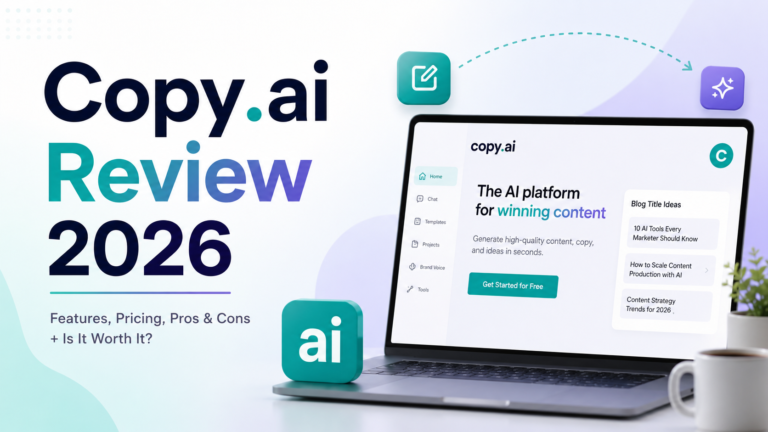
5. Copy.ai
Best for agencies and teams producing high volumes of short-form social copy across multiple clients or brands.
Copy.ai’s Chat plan at $29/month covers five seats with unlimited word generation, making it the strongest per-seat value in AI social copywriting. The platform’s social media templates span Instagram captions, LinkedIn posts, X threads, Facebook updates, TikTok scripts, and ad copy variations. The Brand Voice feature on paid plans trains the AI on existing content to maintain consistent tone without manual style specification in every prompt.
The multi-model access on paid plans routes different task types to GPT-4o, Claude, or Gemini models depending on the requirement. For agencies managing multiple client brands simultaneously, the Brand Voice library stores separate voice profiles that can be selected per client without rebuilding context.
Key Features: 90-plus social media content templates, Brand Voice for training on existing content, multi-model access routing tasks to GPT-4o, Claude, or Gemini, unlimited word generation on paid plans, and five seats included on the $29/month Chat plan.
Pros:
- Five seats at $29/month is the strongest per-seat value in AI social copywriting
- Free plan with unlimited chat-based writing is the most generous free tier in the copy category
- Multi-model access allows routing to the best model for each task type
- Low learning curve accessible to non-technical social media team members
Cons:
- Best for short-form copy; long-form LinkedIn articles and detailed content require more editing
- Brand Voice locked behind paid tiers
- No scheduling integration; pairs with a scheduling tool for complete workflow coverage
Pricing:
- Free: Unlimited chat words, 1 seat
- Chat: $29/month ($24/month annual), unlimited words, 5 seats, multi-model access
- Pro: $49/month ($36/month annual), Brand Voice, Infobase
6. Jasper
Best for established marketing teams and agencies that produce high-volume, brand-consistent social content across multiple writers.
Jasper’s Brand Voice feature is the reason it appears on lists alongside much cheaper tools. It analyzes existing content, extract a consistent tone, vocabulary, and stylistic profile, then applies that profile automatically to every piece of content generated. For teams where multiple writers contribute to the same brand’s social accounts, this structural enforcement is the feature that justifies Jasper’s higher price over general AI writing tools.
The campaign workflow compresses the brief-to-content timeline: input a campaign brief and Jasper generates aligned LinkedIn posts, Instagram captions, X copy, and Facebook updates simultaneously, all maintaining consistent positioning. For a brand launching a product across five social channels, this workflow replaces hours of manual content production.
Key Features: Brand Voice trained on existing content for team-wide consistency, 50-plus social media content templates, campaign workflow generating multi-channel assets from a single brief, Surfer SEO integration for optimizing social content for search, and API access on Business plans for custom content pipelines.
Pros:
- Best brand voice consistency for teams managing multiple contributors
- Campaign workflow significantly compresses multi-channel content production time
- 7-day free trial provides full access to evaluate whether output quality justifies the price
- API access on Business enables custom automation for high-volume agencies
Cons:
- $59/month starting price is the highest writing tool on this list; harder to justify for smaller teams
- No native scheduling or analytics integration; requires pairing with a separate platform
- Overkill for individual creators or small teams where Copy.ai or ChatGPT covers the same need at lower cost
Pricing:
- Pro: $59/month (annual) / $69/month (monthly), 1 seat, 2 Brand Voices
- Business: Custom pricing, unlimited Brand Voices, API access
7. Lately AI
Best for teams with existing long-form content who want to maximize social output from webinars, podcasts, blogs, and videos without creating from scratch.
Lately’s AI does something different from every other tool on this list. Rather than generating social posts from prompts, it analyzes existing long-form content and extracts the highest-performing phrases, hooks, and ideas, then generates dozens of platform-ready social posts from a single piece of source content. Brands using Lately report three times the content output with no additional headcount. The AI learns from engagement data over time, identifying what resonates with each specific audience and prioritizing those patterns in future extraction.
For teams that produce regular long-form content (webinars, monthly reports, podcast episodes, executive blogs) and struggle to distribute that content effectively across social channels, Lately turns a single content investment into a week’s worth of social posts.
Key Features: Long-form content analysis and social post extraction from videos, podcasts, blogs, and documents, engagement-learning model that improves extraction quality over time based on what performs for your specific audience, multi-platform publishing and scheduling, brand voice training on historical content, and team collaboration features.
Pros:
- Unique content repurposing capability that turns one piece of long-form content into 30-plus social posts
- Engagement-learning model means output quality improves with use
- Addresses a workflow gap that other tools on this list do not cover
Cons:
- Custom pricing requires direct contact with sales; no publicly listed starting rates make comparison shopping difficult
- ROI most defensible for organizations producing significant long-form content regularly; less valuable for teams starting from scratch each week
- Interface is less intuitive than Buffer or Canva for new users
Pricing:
- Custom pricing; contact Lately directly for current rates
- Best for organizations producing regular long-form content at volume
8. Predis.ai
Best for small businesses and creators who need complete social posts (image plus caption) generated in a single click without design resources.
Predis.ai generates complete social media posts from a text prompt: both the visual creative and the caption, simultaneously, in one workflow. For small businesses that lack a designer and need visually professional posts consistently, this complete-post generation is the defining value. The AI Ad Maker extends this capability to paid ad creative, generating high-converting ad images and copy from a single product description or campaign brief.
The platform supports Instagram, LinkedIn, X, Facebook, TikTok, and Pinterest, with competitive analysis features that analyze competitor accounts and suggest content ideas based on what is performing in your niche.
Key Features: Complete social post generation (image plus caption) from a text prompt, AI Ad Maker for generating ad creative and copy, competitive analysis for content strategy intelligence, multi-platform scheduling and publishing, and hashtag generation with performance predictions.
Pros:
- Only tool on this list that generates both the visual and the caption simultaneously from a single input
- AI Ad Maker creates paid social creative without a separate design workflow
- Free plan covers core features for evaluation without payment
- Competitive analysis feature surfaces content intelligence without a separate social listening tool
Cons:
- Image generation quality is competent but not at the level of dedicated design tools like Canva
- $29/month Lite plan is positioned as an entry point; full feature access requires higher tiers
- Less suitable for brands with sophisticated visual identity requirements that need precise design control
Pricing:
- Free: Limited monthly generations
- Lite: $29/month, expanded generation limits, full features
- Rise: Custom pricing for agencies and high-volume teams
Frequently Asked Questions
How many AI social media tools do I actually need?
Most social media workflows are fully covered by two to three tools rather than a comprehensive stack. The practical starting point is one scheduling platform and one content creation tool. For most individual creators and small businesses, Buffer at $6 to $18 per month per channel plus ChatGPT Plus at $20 per month handles scheduling and content generation with minimal overhead. Add Canva Pro at $15 per month when visual content production becomes a time constraint. For agencies managing multiple client accounts, Hootsuite covers scheduling and analytics while Jasper covers brand-consistent content generation across clients. The key test is whether each tool addresses a specific, documented bottleneck rather than providing general capability you might use someday. Tool proliferation without clear workflow purpose creates subscription cost and management overhead without productivity return.
Should social media content be reviewed before publishing even when AI generates it?
Yes, without exception. AI-generated social content requires human review before publishing for three reasons that no tool has yet resolved. First, AI does not know what happened in your organization, industry, or the news today; content that was appropriate to schedule last week may be tone-deaf given current events. Second, AI generates plausible-sounding content but cannot verify that specific product details, pricing, or claims in the post are accurate for your current offerings. Third, social media rewards authenticity; generic AI output that has not been refined to sound like a real human voice consistently underperforms edited content. According to Sprout Social, 55 percent of users prefer human-generated content, which means the authenticity question directly affects performance. The productive standard in 2026 is using AI for first drafts and structural planning while maintaining human judgment for accuracy, timing, and voice.
What is the most cost-effective AI social media stack for a solo creator or small business?
The highest-value zero-cost starting point is Canva free plus ChatGPT free plus Buffer free. This combination covers visual production, caption writing, and scheduling for three social channels at no cost. The first paid upgrade that delivers the most measurable return is ChatGPT Plus at $20 per month, which removes daily usage limits and adds web browsing for trend research. The second is Canva Pro at $15 per month when visual content production becomes a consistent time constraint. The third is Buffer Essentials at $6 per channel when you need more than three channels or unlimited posts. Combined at $35 to $50 per month, this three-tool stack covers the full social media workflow for a solo creator or small business without enterprise overhead. Add Lately when you have significant long-form content assets you are not fully distributing. Add Jasper only when team headcount makes brand voice consistency a documented problem that cheaper tools cannot solve.
Final Recommendation
The right AI social media stack in 2026 depends on which part of the workflow consumes the most time and whether the bottleneck is content creation, visual production, distribution, or all three.
For individual creators and solopreneurs, Buffer free plus ChatGPT free covers the full workflow at zero cost. Upgrade Buffer to Essentials at $6 per channel when you need more than three channels and add Canva Pro at $15 per month when visual content becomes a consistent constraint.
For small businesses and growing teams, the strongest mid-market combination is Buffer or Hootsuite for scheduling, Canva Pro for visuals, and either ChatGPT Plus or Copy.ai Chat for copy generation. Total cost: $55 to $114 per month depending on channel count and team size.
For agencies managing multiple client accounts at scale, Hootsuite at $199 per user per month covers scheduling, analytics, and team workflows. Jasper at $59 per month provides brand-consistent copy generation across multiple client voices. The combination addresses both the distribution and the content consistency problems at the client-account level where per-seat economics justify the investment.
For teams with significant long-form content assets they are underutilizing, Lately addresses a workflow gap that no other tool on this list covers. Its repurposing model turns existing content investment into social distribution without requiring new content creation for every post.
Start with free tiers, identify your actual bottleneck through one month of use, and add paid tools only when a specific limitation creates a measurable problem. The teams that get the most from AI social media tools in 2026 are the ones using two or three tools consistently and well, not the ones with the most subscriptions.