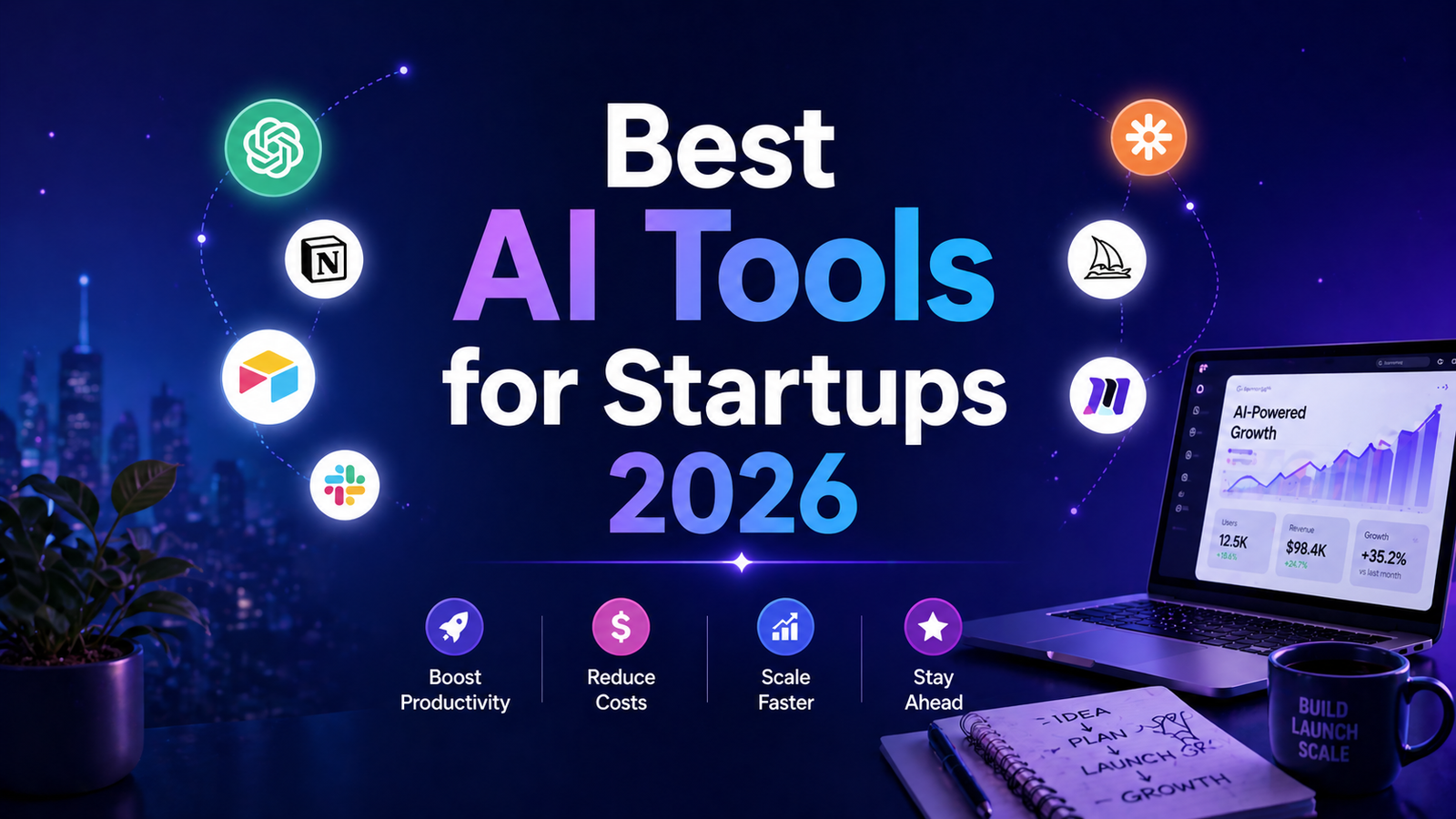
Best AI Tools for Startups 2026: Ranked, Reviewed and Compared
Startups have always competed against larger, better-resourced organizations by moving faster and spending more carefully. AI tools have changed the arithmetic in ways that favor startups specifically. A founding team of three people equipped with the right AI stack can now produce marketing content, customer research, product documentation, and sales materials at a volume that previously required a team of ten. The cost gap between a well-funded incumbent and a lean startup has narrowed measurably in the last two years.
The numbers reflect the shift. According to Salesforce’s State of AI report, 87 percent of organizations using AI report improved productivity, with SMBs seeing proportionally greater gains than large enterprises because the baseline of manual work is higher relative to their team size. A solo founder who recovers ten hours per week through AI tools has effectively added a quarter-time employee to the company without the salary, benefits, or equity.
The practical challenge for early-stage startups is that “use AI” is generic advice that does not point to specific tools for specific problems. A startup’s AI needs in 2026 cluster around five workflows: content and copy production, visual asset creation, knowledge management, meeting capture, and communication quality. The right stack covers all five without bloat.
This guide reviews eight tools that collectively address the full startup AI workflow, with pricing designed to be achievable at pre-revenue stages and value that scales as the company grows.
Comparison Table: Best AI Tools for Startups 2026
| Tool | Best For | Starting Price | Free Plan |
|---|---|---|---|
| ChatGPT | Versatile AI assistant for copy, research, strategy, and analysis | Free / $20/month (Plus) | Yes |
| Claude | Long-form writing, document analysis, and complex reasoning | Free / $20/month (Pro) | Yes |
| Notion AI | Startup knowledge base, documentation, and team wiki | Free workspace / $20/month (Business + AI) | Yes |
| Canva AI | Pitch decks, social graphics, and branded visual assets | Free / $15/month (Pro) | Yes |
| Jasper | High-volume brand-consistent marketing copy | $59/month (Pro) | 7-day trial |
| Surfer SEO | Content optimization for organic traffic growth | $99/month (Essential) | No (7-day money-back) |
| Otter.ai | Meeting transcription and searchable note-taking | Free (300 min/month) / $16.99/month (Pro) | Yes |
| Grammarly | Writing quality across every surface the team uses | Free / $12/month (Pro, annual) | Yes |
“Pricing is subject to change. Always verify current pricing on the tool’s official website before purchasing.”
Detailed Reviews
1. ChatGPT
Best for startups that need a single flexible AI tool covering every text-based task from day one.
ChatGPT is where most startups begin their AI adoption, and a significant number stay there for their first year without needing much else. At $20 per month for Plus, a startup founder gets access to GPT-5.4, real-time web browsing for competitor and market research, file upload for analyzing documents and pitch decks, image generation via GPT Image 1.5, and memory that builds context about the company over time.
The use cases compound with startup stage. Pre-launch: market research, landing page copy, email templates, and investor outreach drafts. Post-launch: product documentation, customer onboarding guides, blog drafts, social captions, and support response templates. At growth stage: campaign briefs, job descriptions, sales enablement materials, and analysis of customer feedback at volume. ChatGPT handles all of these from the same interface.
Custom GPTs allow building company-specific assistants pre-loaded with brand voice, product positioning, and tone guidelines so any team member can generate on-brand content without starting from scratch or repeating context in every session.
Key Features: GPT-5.4 with web browsing for current research, Advanced Data Analysis for uploading and analyzing spreadsheets and documents, Custom GPTs for brand-specific startup assistants, memory for persistent company context across sessions, and image generation via GPT Image 1.5.
Pros:
- Most versatile tool on this list; covers more distinct startup task types from a single subscription than any alternative
- Custom GPTs allow building company-specific assistants without technical expertise
- Free tier provides GPT-5.x access with daily limits sufficient for early evaluation
- Web browsing for competitor research and live market intelligence within conversations
- Team plan at $25 per user per month adds workspace and data privacy for growing teams
Cons:
- Output requires review for accuracy; web browsing does not guarantee factual precision
- No native integration with project management or CRM tools; output requires copy-paste into other platforms
- Daily rate limits on the free tier interrupt workflow during intensive sessions
Pricing:
- Free: GPT-5.x with daily usage limits, no credit card required
- Plus: $20/month, full GPT-5.4, web browsing, file analysis, Custom GPTs, memory
- Team: $25 to $30/user/month, shared workspace, admin controls, data privacy
2. Claude
Best for founders and startup teams whose primary work involves writing quality, document analysis, and complex reasoning.
Claude is the AI assistant that performs best specifically on the tasks startups need most: writing with genuine quality, following complex multi-step instructions reliably, and synthesizing large documents. Uploading a 50-page investor report, a dense regulatory filing, or a comprehensive customer research study and asking Claude to summarize, critique, or extract specific insights is a practical workflow on the Pro plan’s 200,000-token context window.
For early-stage founders who write a lot, investor updates, pitch narratives, product specs, strategic memos, Claude’s writing output consistently earns higher marks in blind evaluations than competing models on tonal precision and structural clarity. Anthropic’s no-training-by-default policy on paid plans provides a cleaner data privacy posture for startups handling sensitive pre-launch material.
Key Features: 200,000-token context window for analyzing long documents and large content sets, best-in-class writing quality for business and strategic communication, Projects for maintaining persistent company context across sessions, Claude Code included in Pro for technical founders, and extended thinking mode for complex analytical problems.
Pros:
- Best writing quality in the AI assistant category based on consistent blind evaluations
- 200,000-token context window handles full-length documents in one session
- Claude Code for developers is included in Pro at no additional cost
- No-training-by-default on paid plans protects pre-launch intellectual property
- Free tier provides Sonnet 4.6 access with daily limits, sufficient for moderate startup use
Cons:
- No native image generation; requires a separate tool for any visual content workflow
- Voice mode is limited compared to ChatGPT’s Advanced Voice Mode
- Daily usage limits on free and Pro tiers can frustrate intensive daily use
- Smaller integration ecosystem than ChatGPT
Pricing:
- Free: Claude Sonnet 4.6 with daily limits, no credit card required
- Pro: $20/month, Opus 4.6 access, 200K context, Projects, Claude Code, Research feature
- Team: $25/user/month (annual), minimum 5 users, no data used for training
3. Notion AI
Best for startups that want a centralized, AI-searchable workspace for their entire company knowledge base.
Notion’s value for startups is foundational before AI is even considered. It is the platform where early-stage companies typically store everything: product roadmaps, meeting notes, onboarding docs, hiring processes, investor updates, and team wikis. The Notion free plan’s unlimited pages and blocks for individuals makes it the default starting point for most founders organizing their company’s information.
The AI layer adds significant functionality when the workspace is well-organized. Ask Notion AI finds information across the entire workspace using natural language, draft documents from existing content, and summarize meeting notes and strategy documents into actionable formats. The AI Agents feature can autonomously fill database properties, generate summaries, and organize information without manual input.
For a startup’s first hire joining the company, a well-maintained Notion workspace with AI-search capability replaces weeks of knowledge transfer: every policy, process, and decision is findable by asking a natural language question.
Key Features: Natural language Q&A across all workspace content with source citations, AI-generated document drafts from existing workspace context, AI Agents for automating database and organizational tasks, real-time team collaboration on all documents, and database templates for roadmaps, hiring pipelines, and project tracking.
Pros:
- Free workspace is genuinely excellent for individual founders organizing company knowledge
- Students and .edu email users receive the Plus plan free, relevant for student founders
- AI search that references actual company documentation is more useful than generic AI responses
- The most flexible organization tool available; adapts to any startup’s information architecture
Cons:
- Full Notion AI requires the Business plan at $20/user/month following the May 2025 restructure; free users receive approximately 20 trial AI responses
- 5MB file attachment limit on lower tiers limits large document uploads
- Steep initial setup investment; productive AI use requires a well-organized workspace
Pricing:
- Free: Unlimited pages and blocks, approximately 20 AI trial responses
- Plus: $10/month (annual), free for verified students
- Business: $20/user/month (annual), full Notion AI access
4. Canva AI
Best for startups producing pitch decks, social graphics, and branded visual assets without a design budget or dedicated designer.
Every startup needs visual assets before it has the budget to hire a designer: a pitch deck for investors, social media graphics for launch, a website hero section, an email newsletter header. Canva’s Magic Studio compresses what previously required a design background into a workflow most non-designers can navigate within their first session.
Magic Design generates complete presentations from a text prompt, which makes it the fastest path from a pitch brief to a shareable deck for most early-stage teams. The Brand Kit stores logo, colors, and fonts for consistent visual identity across every asset any team member creates. At $15 per month for Pro, Canva is one of the clearest value propositions in a startup’s tool stack.
Key Features: Magic Design for AI-generated presentation decks from text prompts, Magic Studio suite including background removal, image generation, and text generation, Brand Kit for storing and enforcing visual identity, Magic Resize for single-click format adaptation across every social platform, and 140 million-plus templates covering every standard startup content type.
Pros:
- Pro at $15/month is one of the highest-value subscriptions a startup can buy for its production impact
- Brand Kit ensures visual consistency across all team-created materials from day one
- Magic Design generates investor-ready presentation structures in under 90 seconds
- Free plan is genuinely useful for basic visual content before committing to Pro
Cons:
- AI image generation quality is below dedicated generators for complex or highly stylized imagery
- 500 shared AI credits per month on Pro can deplete for teams generating high volumes of assets
- Not a content copy or strategy tool; pairs with ChatGPT or Claude for complete creative workflow coverage
Pricing:
- Free: Core templates, limited Magic Studio credits
- Pro: $15/month, full Magic Studio, Brand Kit, 1TB storage, commercial rights
- Teams: $10/user/month (minimum 3 users), shared brand controls and team collaboration
5. Jasper
Best for startups that have found product-market fit and need to scale content production without sacrificing brand voice consistency.
Jasper is not the right tool for a pre-revenue startup still finding its voice. It is the right tool for a startup that has found its voice and needs to produce marketing content at a volume that manual writing or generic AI tools cannot sustain while maintaining consistency across every channel and every team member who writes.
The Brand Voice feature analyzes existing content to establish a tonal and stylistic profile that applies automatically to every generated piece. For a startup that has spent months refining its positioning and copy, this structural consistency is worth paying for when content volume increases. The campaign workflow generates aligned blog posts, email sequences, social copy, and ad variants from a single brief.
Key Features: Brand Voice trained on existing content for team-wide consistency, campaign workflow generating multi-channel assets from a single brief, 50-plus content templates, Surfer SEO integration for real-time content optimization within the editor, and API access on Business plans.
Pros:
- Best brand voice consistency for teams managing multiple writers or high content volume
- 7-day free trial with full access for genuine evaluation
- Campaign workflow compresses multi-channel content production significantly
- Strong for startups scaling from 3 to 20 content pieces per month where consistency becomes a documented problem
Cons:
- $59/month starting price is harder to justify at pre-revenue or early post-revenue stages
- Per-seat pricing scales uncomfortably for larger teams; best at 1 to 3 seats
- No native scheduling or analytics; pairs with a distribution platform for complete content workflow
Pricing:
- Pro: $59/month (annual) / $69/month (monthly), 1 seat, 2 Brand Voices
- Business: Custom pricing, unlimited Brand Voices, API access
6. Surfer SEO
Best for startups investing in organic search as a growth channel and needing data-driven content optimization to compete for rankings.
Organic search is one of the few acquisition channels where a startup can compete with established players on quality rather than budget. Surfer SEO provides the data infrastructure that makes that competition possible: real-time content optimization scores calibrated against the top-ranking pages for any target keyword, natural language processing analysis of which terms must be included, and word count guidance based on what actually ranks.
For startups that have identified organic traffic as a priority growth channel, Surfer SEO compresses the research-to-optimized-article workflow from hours of manual SERP analysis to a structured process that writers can follow in a single session. The Topical Maps feature plans content cluster strategies for building topical authority across a subject area over time.
Key Features: Real-time Content Editor with live NLP scoring against current top-ranking competitors, Topical Map for content cluster strategy planning, AI Tracker add-on monitoring brand visibility in ChatGPT and AI-generated search results, Google Docs and WordPress integration for workflow simplicity, and 7-day money-back guarantee.
Pros:
- Gives content marketers the data framework to compete for search rankings without manual SERP research
- Google Docs integration means writers optimize within the tool they already use
- AI Tracker addresses the growing importance of GEO (generative engine optimization) visibility
- Used by major enterprise brands including FedEx and Shopify; proven at scale
Cons:
- No free trial; 7-day money-back guarantee is the only evaluation path
- Credits expire with no rollover, penalizing inconsistent publishers
- Essential plan at 30 credits per month limits output for high-frequency publishers
- Best suited for startups publishing at least 4 to 8 optimized articles per month; underused at lower volumes
Pricing:
- Essential: $99/month ($79/month annual), 30 Content Editor credits
- Scale: $219/month ($175/month annual), 100 credits, team access
- AI Tracker add-on: $95/month
7. Otter.ai
Best for startup teams that run on meetings and need searchable, actionable records without manual note-taking.
Early-stage startups run on meetings: investor calls, customer discovery interviews, team standups, partner conversations, and advisory sessions. Every one of those conversations contains information that affects product decisions, fundraising narratives, and strategic direction. Otter.ai captures all of it automatically.
OtterPilot joins Zoom, Google Meet, and Teams calls via calendar sync, produces a live transcript throughout the meeting, and delivers an AI-generated summary with key points and action items within minutes of the call ending. The searchable archive turns months of meeting history into a queryable knowledge base: finding what was said in a specific investor call six weeks ago takes seconds instead of scrolling through calendar notes.
For founding teams where every conversation contains irreplaceable information, the cost of not capturing that information is higher than any subscription fee.
Key Features: OtterPilot automatic meeting joining via calendar sync, real-time transcription with speaker identification, AI-generated meeting summaries and action item extraction, searchable archive across all meeting history, and MCP Server integration for connecting Claude and ChatGPT to the Otter transcript archive.
Pros:
- Free plan provides 300 minutes per month with no credit card required; sufficient for 3 to 5 standard meetings weekly
- Searchable archive compounds in value as the meeting history grows
- Frees founders to be present in investor and customer conversations rather than taking notes
- MCP Server integration enables Claude or ChatGPT to query the meeting archive for custom workflows
Cons:
- 30-minute conversation cap on the free plan cuts off any meeting exceeding that length
- Transcription accuracy of approximately 85 percent on clean audio; errors require review for critical record-keeping
- Language support limited to English, French, and Spanish
Pricing:
- Free: 300 minutes/month, 30-minute session max, 3 lifetime file imports
- Pro: $16.99/month ($8.33/month annual), 1,200 minutes, 90-minute sessions
- Business: $30/user/month (annual), unlimited transcription, team features
8. Grammarly
Best for every startup as a writing quality layer that works silently across every surface the team already uses.
Startup communications are high-stakes at every stage. A typo in an investor email does not lose a deal by itself, but it signals carelessness in a context where signals matter. A passive-aggressive tone in a customer support message does not need to be intentional to be damaging. An unclear job description does not need to be badly written to screen out strong candidates.
Grammarly installs once and activates across Gmail, Google Docs, Notion, Slack, LinkedIn, and essentially every web text field the team uses. Every email, product update, job post, customer message, and investor update gets real-time grammar, clarity, and tone feedback before it leaves the team. At $12 per month on annual billing for Pro, this is one of the highest-return subscriptions available to a startup on a per-impact-per-dollar basis.
Key Features: Real-time grammar, clarity, and tone correction across every integrated platform, tone detection for flagging communications that read as unintentionally aggressive or passive, GrammarlyGO for rewriting and paraphrasing (100 prompts on free, 2,000 on Pro), plagiarism detection for content produced with AI assistance, and style consistency suggestions for professional business writing.
Pros:
- Works across every surface the team writes on without any workflow change after installation
- Tone detection catches communication issues before they reach investors, customers, or candidates
- Pro at $12/month (annual) is among the lowest-cost, highest-ROI subscriptions in any startup stack
- Plagiarism checker on Pro is relevant for startups publishing AI-assisted content
Cons:
- 100 monthly AI prompts on the free plan depletes quickly for heavy GrammarlyGO users
- Not a content generation tool; improves existing writing rather than generating from scratch
- Full style suite requires Pro; free tier is correction-focused
Pricing:
- Free: Grammar, spelling, punctuation correction, 100 AI prompts/month, no credit card required
- Pro: $30/month ($12/month annual, $144 upfront)
- Business: Custom pricing for teams with centralized management and brand tone settings
Frequently Asked Questions
What is the most cost-effective AI stack for a pre-revenue startup?
The highest-leverage zero-cost starting point for any pre-revenue startup is three free tiers: ChatGPT free or Claude free for writing and research, Canva free for visual content, and Grammarly free for communication quality. This combination covers content production, visual assets, and writing quality across the team’s entire output at no cost.
The first paid upgrade that delivers the clearest return is ChatGPT Plus or Claude Pro at $20 per month. Removing daily usage limits, adding web browsing for research, and gaining file analysis capability produces immediate productivity gains that most founders recover the cost of within the first week. The second paid upgrade depends on the startup’s specific bottleneck: Canva Pro at $15 per month if visual content production is consuming significant time, Otter.ai Pro at $8.33 per month if meeting capture is a documented gap, or Grammarly Pro at $12 per month if the team produces significant external communications. A complete foundational AI stack for a pre-revenue startup can be assembled for $0 to $55 per month depending on which paid upgrades are genuinely needed.
Should startups use AI tools before they have found product-market fit?
Yes, but selectively and with the right framing. Before finding product-market fit, the highest-value AI applications are tasks that accelerate learning rather than scale output: using Claude or ChatGPT to synthesize customer interview notes, generate questions for discovery conversations, analyze competitor positioning, and draft investor update emails efficiently. The risk of premature AI-driven content scaling is producing polished output based on wrong assumptions. A startup publishing 20 AI-generated blog posts per month before understanding its customer is amplifying an unvalidated message. AI tools at the pre-PMF stage are most valuable as research and synthesis accelerators, not as content production engines. After PMF, the content production and scaling use cases become far more valuable.
How do startups maintain brand consistency when multiple team members use AI tools?
The most practical approach in 2026 combines tool configuration with a shared reference document. In ChatGPT, Custom GPTs pre-loaded with brand voice guidelines, product positioning, and tone specifications give every team member a consistent starting point without repeated context setup. In Jasper, Brand Voice trained on existing content enforces consistency structurally. In Canva, Brand Kit stores visual identity for automatic application. The supporting practice that works regardless of which tools the team uses is maintaining a short brand voice document of two to four pages covering tone adjectives, vocabulary to use and avoid, and five to ten example sentences that represent the ideal brand voice. Pasting this document into any AI tool at the start of a session costs 30 seconds and prevents most of the generic-sounding output that makes AI-generated content feel off-brand. For teams at the stage where Jasper’s price point is justified, the Brand Voice feature automates this entirely.
Final Recommendation
The right AI stack for a startup in 2026 depends on funding stage, team size, and primary content bottleneck.
For pre-revenue and early-stage startups with one to three team members, build the stack from free tiers first. ChatGPT or Claude free tier covers research, writing, and strategy. Canva free covers visual assets. Grammarly free covers communication quality. Notion free covers company knowledge management. Add Otter.ai Pro at $8.33 per month as the first paid upgrade if meeting capture is a gap. Total cost: $0 to $8.33 per month.
The first meaningful paid upgrade for most founders is ChatGPT Plus or Claude Pro at $20 per month. The removal of daily usage limits and the addition of file analysis and web browsing produces an immediate productivity step change that the majority of founders describe as one of the highest-ROI subscriptions they pay for.
For post-PMF startups scaling content output, add Canva Pro at $15 per month for visual production and Surfer SEO Essential at $79 per month (annual) for organic content optimization. For teams that have found their brand voice and need to produce at volume, Jasper Pro at $59 per month becomes justified when content consistency across multiple team members becomes a documented problem.
For startups at Series A and beyond managing a team, Grammarly Business, Notion Business with full AI, and Jasper Business address the organizational coordination challenges that individual subscriptions cannot solve.
The consistent principle across every stage: start with the tool that addresses your most acute productivity bottleneck, build the workflow, measure the outcome, and add the next tool only when the first one has proven its value. AI tools compound in value with consistent use. Two tools used daily and well will always outperform six tools used sporadically.