Notion AI Review 2026: The AI That Knows Your Entire Workspace
Most AI tools answer questions from the internet. Notion AI answers questions from your company. That single architectural difference is what makes a Notion AI review in 2026 more interesting than a simple comparison of feature counts.
When you ask Notion’s Ask AI “What did we decide about the Q3 pricing strategy?”, it searches your actual meeting notes, project pages, and databases and returns the answer with a citation to the specific page where the decision was recorded. When you deploy a Notion Agent to compile a weekly project status update, it reads the actual tasks in your databases, the actual comments from team members, and the actual notes from connected apps like Slack and Google Drive before drafting it. No other AI assistant can do any of this without manual copy-pasting because no other AI assistant lives inside your organizational memory.
The important counterpoint to that strength is the pricing restructure that changed Notion AI’s cost structure significantly in May 2025. Understanding that change is now essential before evaluating whether Notion AI belongs in your stack.
What Notion AI Is and Who It Is For
Notion AI is the AI layer built into Notion’s workspace platform. Notion began as a flexible note-taking and project management tool and evolved into one of the most widely adopted knowledge management platforms in tech companies and distributed teams. The AI layer, launched progressively from 2023 through 2026, extends this workspace into an active intelligence system rather than a passive document repository.
The Notion 3.0 update in September 2025 introduced autonomous AI Agents, representing the platform’s most significant evolution. Rather than AI that suggests content for humans to execute, Agents execute tasks autonomously: building project plans, updating database entries at scale, compiling reports from multiple sources, and answering team questions from Slack using Notion’s knowledge base as the reference, all without manual intervention at each step.
Notion AI serves these users best:
Teams already standardized on Notion who want AI that operates on their actual organizational context rather than requiring them to re-explain that context in a separate tool for every query. The workspace context is the compounding value.
Knowledge management-heavy organizations including product teams, operations teams, and consulting firms that produce, store, and reference large volumes of internal documentation as core operational activity.
Organizations with significant meeting overhead who want meeting notes, action items, and follow-up drafts generated automatically after each call rather than manually composed by attendees.
Teams with recurring documentation workflows where Custom Agents can automate scheduled tasks like weekly status updates, support ticket routing, or feedback compilation from connected apps.
Notion AI is less suited for individual professionals who primarily need AI for creative writing, coding, or general research unconnected to a managed workspace, and for organizations that do not invest in maintaining a well-structured Notion workspace, since the AI’s quality is directly proportional to the quality of the underlying documentation.
Key Features
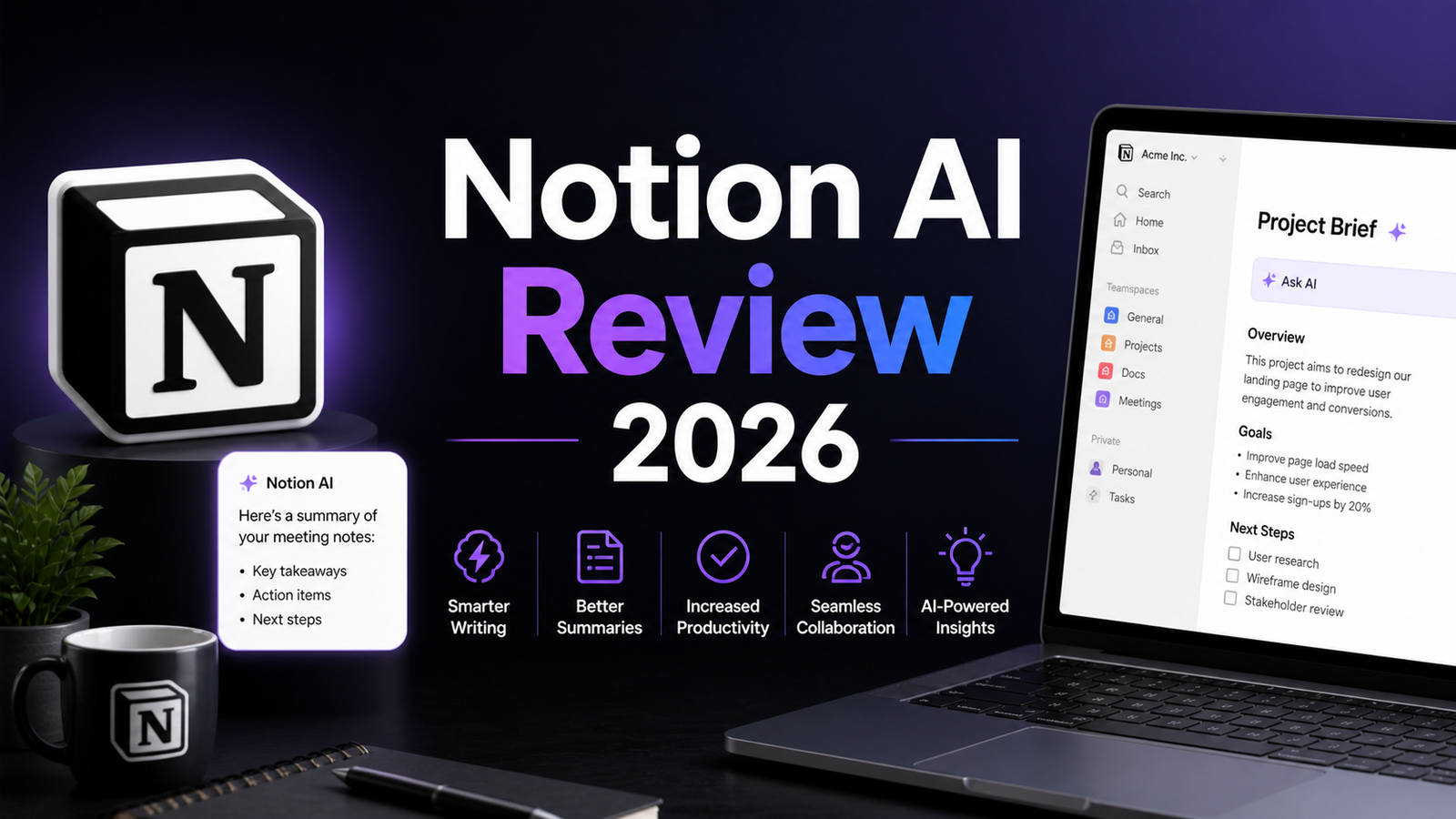
Ask Notion with Enterprise Search. The workspace Q&A feature returns answers drawn exclusively from your Notion pages, databases, wikis, and connected apps including Slack, Google Drive, and GitHub. Every answer cites the specific source page, making verification instant. For teams where finding information across a growing documentation library has become a daily friction point, Ask Notion converts search from a manual hunt into a conversational query. Business plan subscribers can expand the search scope to connected external tools, creating a unified enterprise knowledge search across the full organizational information landscape.
Notion Agent for autonomous task execution. The AI Agent launched in September 2025 can work autonomously for up to 20 minutes, executing multi-step tasks across the entire workspace. A single instruction like “Build a project launch plan for the Q4 initiative, pull the team assignments from the database, and draft a summary for the kickoff meeting” produces a structured output rather than a template for the user to populate manually. This is the feature that distinguishes Notion AI from a writing assistant: it executes rather than suggests.
Custom Agents for scheduled automation. Custom Agents extend the Agent capability to recurring workflows that run on triggers or schedules without human initiation. Teams configure agents to answer questions in Slack using the Notion knowledge base, generate weekly project status updates, route incoming support requests to the appropriate team, or compile daily feedback from multiple sources. From May 4, 2026, Custom Agents operate on a credit system at $10 per 1,000 credits, separate from the base Business plan subscription.
AI Meeting Notes. Meeting summaries are generated automatically from transcriptions of calls, capturing key discussion points, decisions, and action items and surfacing them in the Notion workspace where the relevant project pages live. For distributed teams running on video calls, this feature alone compresses the post-meeting note-taking and follow-up drafting that consumes significant time from the most organized team members.
Research Mode. Generates detailed research reports and structured summaries on topics using information from the workspace combined with current web sources. For teams preparing strategic documents, competitive analyses, or briefing materials, Research Mode compresses what would otherwise be a multi-session manual compilation.
Multi-model access. The Business plan’s AI layer routes different task types to the appropriate underlying model: GPT-5.4, Claude Opus 4.1, and o3 are all available within the Notion interface. The system selects the optimal model for each task automatically. For teams that would otherwise manage separate subscriptions to OpenAI, Anthropic, and Google to access multiple frontier models, the Business plan’s multi-model access consolidates that access with the added benefit of workspace context integration.
AI writing tools across all content. Beyond the Agent and search capabilities, Notion AI provides in-page writing assistance: drafting content from prompts, rewriting for clarity or tone, summarizing long pages, translating content, and generating outlines. These features are available at a more limited scale on the free trial and fully on the Business plan.
Pros and Cons
Pros:
- Workspace context is the defining advantage; AI answers are grounded in your actual organizational data, not generic training
- AI Agents actually execute multi-step tasks rather than suggesting what the user should do manually
- Multi-model access to GPT-5.4, Claude Opus 4.1, and o3 within one subscription without managing separate accounts
- AI Meeting Notes automates the most universally dreaded post-meeting task without any manual transcription
- Enterprise Search across Slack, Google Drive, and GitHub in addition to Notion content creates a genuine unified knowledge layer
- Zero data retention for Enterprise plans; no AI subprocessor training on customer data at any tier per contractual agreement
- AI is proportionally more valuable for teams already invested in a well-maintained Notion workspace
Cons:
- Full AI access now requires the Business plan at $20 per user per month; the May 2025 restructure eliminated the standalone $8 to $10 AI add-on for new subscribers, effectively doubling the cost for teams previously on Plus with AI
- Free and Plus plans receive only approximately 20 trial AI responses before hitting a wall; the free tier is a genuine evaluation path for the workspace but not for AI features
- Writing quality is strong but not best-in-class compared to Claude or ChatGPT for standalone creative or analytical writing tasks; the advantage is context, not prose quality
- Custom Agents moved to a credit-based model at $10 per 1,000 credits as of May 4, 2026, adding a variable cost layer on top of the base Business subscription for teams running high automation volumes
- Ask Notion does not search the open web for general queries; it is confined to the workspace and connected apps, which is the feature’s strength but also its scope limitation
- Value is directly proportional to workspace quality; teams with disorganized or sparsely populated Notion workspaces receive proportionally less AI value
Pricing Breakdown
Notion’s pricing restructure in May 2025 is the most important context for any current pricing discussion.
Free: $0. Unlimited blocks and pages for individual users, limited file uploads (5MB), 7-day version history, and approximately 20 trial AI responses before AI features require an upgrade. The Free plan is a genuinely functional workspace for individual note-taking and lightweight project management. It is not a functional AI tool after the trial responses are exhausted.
Plus: $10 per user per month (annual) or $12 per user per month (monthly). Unlimited file uploads, 30-day version history, up to 100 guests, and basic collaborative workspace features. Basic AI writing features are available, but AI Agents, Ask Notion, and full AI capabilities require Business. For teams that do not need AI, Plus is the appropriate collaborative tier.
Business: $20 per user per month (annual) or $24 per user per month (monthly). Full Notion AI access including Notion Agent, Ask Notion with Enterprise Search, AI Meeting Notes, Research Mode, Custom Agents (through May 3, 2026 free; credit-based at $10 per 1,000 credits from May 4, 2026), private teamspaces, SAML SSO, 90-day version history, and multi-model AI access. This is the minimum plan for meaningful AI functionality.
Enterprise: Custom pricing. Unlimited version history, SCIM provisioning, audit logs, dedicated support, workspace analytics, zero data retention for AI processing, and custom AI model configurations. Contact Notion’s sales team for current enterprise rates.
Custom Agent credits: $10 per 1,000 credits as an add-on to Business and Enterprise plans from May 4, 2026. Core AI features including Notion Agent, Ask Notion, and AI Meeting Notes remain included in the Business plan subscription without additional credits.
“Pricing is subject to change. Always verify current pricing on the tool’s official website before purchasing.”
How It Compares to ChatGPT and Microsoft Copilot
Notion AI vs ChatGPT
ChatGPT and Notion AI are genuinely complementary rather than directly competitive for most professional users. ChatGPT is the most capable general-purpose AI for writing, research, coding, and analytical tasks across any topic. Notion AI is the most capable organizational AI for tasks grounded in your specific workspace content. They address different problems.
The comparison becomes relevant for teams deciding whether to pay $20 per user per month for Notion Business when ChatGPT Plus is also $20 per user per month for a standalone account. The differentiation is clear: ChatGPT Plus gives a single user access to GPT-5.4 with web browsing, image generation, and Custom GPTs across any task. Notion Business gives a team access to multi-model AI grounded in the organizational workspace, with autonomous agents that execute tasks across the team’s actual projects and knowledge base. Teams that need both general-purpose AI and workspace-integrated AI typically use both rather than treating them as substitutes.
Notion AI vs Microsoft Copilot
Microsoft Copilot and Notion AI are the most direct architectural equivalents: both are AI layers embedded in a broader productivity platform that give the AI access to the organization’s existing data and documents. Both produce answers grounded in real organizational content rather than generic training data.
The meaningful differences are ecosystem dependency and feature maturity. Microsoft Copilot is deeply optimized for the Microsoft 365 suite: it is most powerful inside Teams, Outlook, Word, Excel, and SharePoint. Notion AI is most powerful inside the Notion workspace with its connected Slack, GitHub, and Google Drive integrations. For organizations standardized on Microsoft 365, Copilot’s meeting summaries inside Teams and email drafting inside Outlook require less context-switching than Notion AI would. For organizations standardized on Notion, Copilot adds no workspace context value.
Copilot’s M365 add-on pricing at $30 per user per month (requiring a separate M365 subscription) is higher than Notion Business at $20 per user per month for teams already on the Notion platform. Notion’s autonomous Agent capability is more mature than Copilot’s equivalent agentic features as of April 2026.
Frequently Asked Questions
Is there any way to access Notion AI without paying $20 per user per month?
For new subscribers, no meaningful path exists below the Business plan for full AI functionality. Free and Plus plans receive approximately 20 trial AI responses, which is useful for evaluating whether the AI quality and context-awareness justify the Business plan upgrade, but not for ongoing productive use. Grandfathered subscribers who were on the old Plus with AI add-on structure and have not cancelled retain access at their previous pricing as long as they maintain the subscription without interruption. The critical warning from Notion’s own documentation is that cancelling a grandfathered AI subscription eliminates the ability to reactivate at old pricing, requiring an upgrade to Business for future AI access. For teams evaluating Notion AI for the first time in 2026, the Business plan at $20 per user per month is the effective minimum investment.
Does the AI quality justify upgrading from Plus to Business for a team already using Notion?
The honest answer depends on how well the team’s Notion workspace is maintained and how frequently they would use AI to query and automate within it. For teams with comprehensive, well-organized workspaces where documentation is regularly updated, the Ask Notion search and AI Agents deliver genuine productivity gains that are difficult to replicate through any external AI tool given the workspace context access. For teams whose Notion workspace is sparsely populated or irregularly maintained, the AI has less to work with and the value proposition is weaker. A useful evaluation approach is to use the Business plan’s 30-day free trial, spend one week intentionally asking Ask Notion questions that the team would normally search for manually, and measure how often the answers are accurate and time-saving. That direct experience is more reliable than any feature comparison.
How does Notion AI handle sensitive organizational data and privacy?
Notion’s data practices provide meaningful privacy protections across all paid tiers. The AI subprocessors Notion works with have contractual agreements prohibiting the use of customer data to train their AI models. Notion does not use customer content to train AI models unless a user explicitly opts into a data-sharing request. Data retention for AI processing is limited, with Enterprise plans operating under zero data retention for AI-processed content. For organizations in regulated industries where data residency and processing documentation are compliance requirements, the Enterprise plan with its comprehensive security controls is the appropriate tier. Teams in highly sensitive sectors such as healthcare or financial services should review Notion’s current GDPR and compliance documentation directly before deploying AI on content that carries regulatory exposure.
Final Verdict
Notion AI in 2026 is the strongest AI tool for teams whose primary work challenge is managing, finding, and acting on organizational knowledge that already lives in a Notion workspace. The autonomous Agents, workspace-grounded search, AI Meeting Notes, and multi-model access represent a genuine productivity architecture rather than a writing assistant bolt-on.
The value proposition is strongest when three conditions are met: the team already uses Notion extensively, the workspace is actively maintained with current documentation, and the team’s daily friction involves finding information, producing recurring documentation, and coordinating across connected tools. When those conditions are met, Notion AI addresses problems that ChatGPT, Grammarly, and Microsoft Copilot cannot reach with equivalent convenience.
The May 2025 pricing restructure is the honest complication in any recommendation. Individual users and small teams that previously paid $18 per user per month for Plus with the AI add-on now face $20 per user per month for Business, a modest increase with meaningfully more AI capability. Teams that were on Plus without AI and are now evaluating whether to add AI face a doubling of their per-seat cost, which requires genuine ROI justification before committing at scale.
For teams already on Notion looking at the Business upgrade: the 30-day Business trial is the right evaluation path. Use Ask Notion and deploy an Agent on a real recurring task. The value will be evident quickly or it will not be.
Rating: 4.3 / 5