Best AI Image Generators 2026: Midjourney, DALL·E, Firefly & More Compared
AI image generation in 2026 is no longer dominated by a single platform. Midjourney leads stylistic quality, Stable Diffusion leads customization, Adobe Firefly dominates creative workflow integration, and DALL·E focuses heavily on accessibility and prompt interpretation accuracy.
But not every tool is built for every use case. Midjourney and Adobe Firefly are excellent at opposite things. Stable Diffusion gives you total control at the cost of setup time. Ideogram solves a problem the others mostly can’t. Picking the wrong tool doesn’t just waste money it costs you hours you’ll never get back trying to coax the wrong model into doing something it wasn’t designed for.
This guide cuts through the noise. We cover eight of best AI image generators available right now, with specific pricing, real strengths, honest weaknesses, and a clear answer on who each tool is actually built for.
Who Needs an AI Image Generator?
If any of the following applies to you, an AI image generator belongs in your workflow:
- Content creators and bloggers who need consistent featured images, thumbnails, and social graphics without a design budget
- Marketers and social media managers producing high volume visuals across campaigns
- E-commerce sellers who need product mockups, lifestyle images, and background replacements
- Game developers and concept artists working on character design, environment art, or game assets
- Startups and small businesses that need brand imagery without agency fees
- Developers building image generation into their own products via API
The question isn’t really whether you need one — it’s which one fits your workflow and budget.
Comparison Table: 8 Best AI Image Generators 2026
“Pricing is subject to change. Always verify current pricing on the tool’s official website before purchasing.”
| Tool | Best For | Starting Price | Free Tier |
|---|---|---|---|
| Midjourney | Artistic & cinematic quality | $10/month | No |
| DALL-E 3 (ChatGPT) | Prompt accuracy & text in images | $20/month (ChatGPT Plus) | Limited (ChatGPT free tier) |
| Adobe Firefly | Commercial safe, copyright clear images | $9.99/month (standalone) | Yes (25 credits/month) |
| Stable Diffusion | Full local control, zero per image cost | Free (self hosted) | Yes (unlimited, locally) |
| Ideogram | Typography & text in image accuracy | $20/month (Plus) | Yes (10 prompts/day) |
| Leonardo AI | Game assets, character design, multi model | $12/month (Apprentice) | Yes (150 tokens/day) |
| Canva AI | Social & marketing design integration | Included with Canva Pro ($15/month) | Yes (limited credits) |
| NightCafe | Creative exploration, multi model access | $12/month (AI Hobbyist) | Yes (5 credits/day) |
Detailed Reviews
1. Midjourney
The benchmark for pure image quality.
Midjourney remains the gold standard for AI image generation in 2026. Version 7, released in April 2025, widened the quality gap between Midjourney and every competitor. If you’ve seen a jaw dropping AI image somewhere online — dramatic cinematic lighting, hyper detailed fantasy landscape, editorial fashion shoot — there’s a good chance it came from Midjourney. Its distinctive visual identity is both a strength and a style signature: images tend toward the painterly, the atmospheric, and the cinematic in ways that other models simply don’t replicate.
The tradeoff is usability. Midjourney still operates primarily through Discord, though a web interface is now available. There’s no free trial. You’re paying from day one.
Key Features:
- Midjourney V7 model — best in class aesthetic output with exceptional lighting, texture, and compositional quality
- Relax mode (Standard plan and above) — unlimited image generation at slower speeds, making the $30/month plan effectively unlimited for most users
- Parameter system — granular control over aspect ratio, stylization level, chaos, and more via text commands
Pros:
- Consistently produces the most visually stunning output of any generator
- Strong community and public showcase for prompt inspiration
- Commercial rights included on all paid plans
Cons:
- No free trial; minimum $10/month commitment before seeing a single image
- Text rendering in images remains unreliable
- Discord based workflow has a learning curve for new users
- Images are public by default on Basic and Standard plans; Stealth Mode requires the $60/month Pro plan
Pricing:
- Basic: $10/month (~200 fast generations)
- Standard: $30/month (15 fast GPU hours + unlimited Relax mode)
- Pro: $60/month (30 fast GPU hours + Stealth Mode)
- Mega: $120/month (60 fast GPU hours, enterprise level volume)
- Annual billing saves 20% across all tiers
Best For: Marketers, content creators, concept artists, and anyone for whom visual quality is the top priority and budget is a secondary concern.
Midjourney → https://www.midjourney.com
2. DALL-E 3 (via ChatGPT)
The best at doing exactly what you ask.
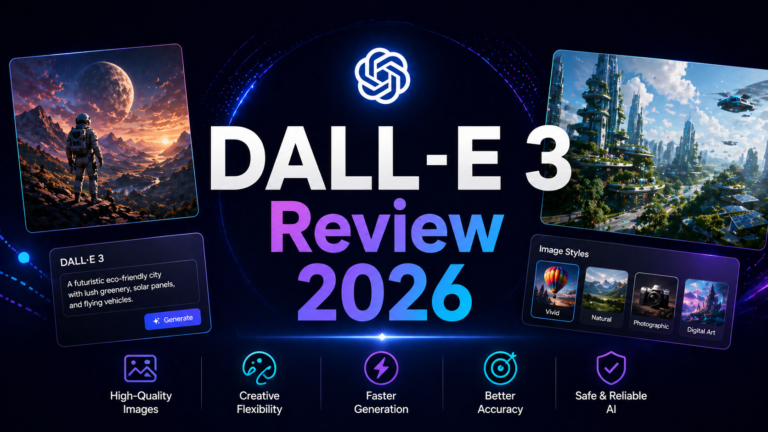
OpenAI deprecated DALL-E 3 as a standalone product in early 2025 and rebuilt image generation directly into GPT-4o. What you get now isn’t a separate image tool bolted onto a chat interface — it’s native multimodal generation that understands conversational context, lets you iterate images across turns, and accurately renders text inside images better than almost any competitor.
Where Midjourney produces stunning images that may diverge significantly from your prompt, DALL-E 3 follows your instructions. Ask for a red bicycle leaning against a blue wall with “SALE” written on a tag — you’ll get a red bicycle, a blue wall, and readable text on the tag. That level of prompt fidelity is genuinely rare and extremely useful for practical commercial work.
Key Features:
- Native GPT-4o integration — refine images through natural conversation without re prompting from scratch
- Superior text rendering — readable typography inside images, outperformed only by Ideogram for specialized text work
- Accessible on ChatGPT free tier — limited access without a subscription, making it the easiest zero cost entry point for casual users
Pros:
- Unmatched prompt adherence — you get what you describe
- Bundled with ChatGPT Plus ($20/month), which includes writing, coding, and research — strong overall value
- Clean, simple interface with no learning curve
- Good at product mockups, concept illustrations, and business visuals
Cons:
- Image aesthetics are recognizably “DALL-E” — clean and competent, not dramatic or cinematic
- Less granular style control compared to Midjourney’s parameter system
- Photorealism lags behind Midjourney and Adobe Firefly for high end work
- Not ideal if you only need images and don’t use the rest of ChatGPT
Pricing:
- Limited free access via ChatGPT free tier
- Full access with ChatGPT Plus: $20/month
- ChatGPT Pro (heavy users): $200/month
- API access: ~$0.04/image at 1024×1024
Best For: Existing ChatGPT subscribers, anyone who needs readable text in images, non technical users who want solid results without a learning curve.
DALL-E 3 → https://openai.com/dall-e-3
3. Adobe Firefly
The only fully copyright safe option.
Adobe Firefly has one advantage no other generator can claim: every image it produces is cleared for commercial use with zero copyright risk. Adobe trained the model exclusively on Adobe Stock images, openly licensed content, and public domain material. That means no ambiguity about training data, no cease and desist risk, and — for enterprise users — commercial indemnification built into the product.
For most creators, copyright concerns are theoretical. For businesses running paid advertising, producing product catalogs, or working in legally sensitive industries, they’re very real. Firefly is the answer to that problem.
Beyond the licensing story, Firefly’s Photoshop integration is genuinely excellent. Generative Fill and Generative Expand let you modify real photos with AI generated content — extend a background, remove an object, change a product color — with better results than any other tool for this specific workflow.
Key Features:
- Commercial indemnification — Adobe backs the commercial rights of images generated with Firefly on paid plans
- Photoshop integration — Generative Fill and Generative Expand work directly inside Photoshop for seamless photo editing
- Content Credentials (C2PA metadata) — every generated image carries a tamper evident record of its AI origin, increasingly important for platform compliance
Pros:
- Strongest commercial legal protection in the industry
- Best tool for AI assisted editing of real photos (not just text to image)
- Familiar Adobe interface for existing Creative Cloud users
- Free tier with 25 credits/month is genuinely useful for occasional use
Cons:
- Creative range is more conservative than Midjourney — fantastical, highly stylized work feels restrained
- Full Photoshop integration requires a Creative Cloud subscription ($55/month for full CC)
- Standalone pricing is reasonable but credits disappear faster than you’d expect at higher volumes
Pricing:
- Free: 25 credits/month
- Firefly Standard: $9.99/month (2,000 monthly credits)
- Firefly Pro: $19.99/month (4,000 monthly credits)
- Creative Cloud (full suite): $55/month (includes Firefly credits)
- Enterprise/Teams: custom pricing
Best For: Businesses, marketing agencies, e-commerce sellers, and anyone producing AI images for paid commercial use who needs legal clarity.
Adobe Firefly → https://firefly.adobe.com
4. Stable Diffusion
Maximum control, zero per image cost — if you’re willing to do the setup.
Stable Diffusion is the only major AI image generator that you can download, run on your own hardware, and use with no usage limits, no subscription, and no image going to a third party server. It’s open source. You own the model. You run it locally.
The tradeoff is real: to match the quality of Midjourney or Firefly, you need a capable NVIDIA GPU (budget $500+), comfort with command line tools or local web UIs like AUTOMATIC1111 or ComfyUI, and time to learn the model ecosystem. For technical users and developers, that’s a reasonable investment. For casual creators, it’s a significant barrier.
The upside beyond cost is control. Want to fine tune the model on your own images for custom character consistency? You can do that. Want to run 1,000 images overnight for a dataset? Nothing stops you. Want to keep your generations completely private with no cloud dependency? Stable Diffusion is the only tool that delivers that.
Key Features:
- Local execution — images never leave your machine; complete privacy and no usage limits
- LoRA and fine tuning support — train the model on your own images for precise style or character consistency
- Open ecosystem — thousands of community models, extensions, and workflows available via Civitai and Hugging Face
Pros:
- Genuinely free after hardware investment — no per image costs at any volume
- Highest degree of customization and technical control of any tool on this list
- Extensive community with shared models, styles, and workflows
- Privacy first by design — your prompts and images stay local
Cons:
- Requires a capable GPU ($500+) or paid cloud GPU time ($0.30–$1.00/hour via services like RunPod)
- Significant setup and learning curve — not beginner friendly
- Out of the box quality without fine tuning lags behind Midjourney
- Ongoing maintenance as model updates and extensions evolve
Pricing:
- Self hosted: Free (hardware cost only)
- Cloud GPU options: ~$0.30–$1.00/hour via RunPod, Vast.ai, or similar
- Stability AI API: ~$0.03–$0.07/image (for developers who don’t want to self host)
Best For: Developers, technical creators, researchers, and anyone who needs unlimited volume, complete privacy, or deep model customization.
Stable Diffusion → https://stability.ai
5. Ideogram
The specialist that wins where everyone else loses.
Ideogram does one thing better than any other AI image generator: it puts readable text inside images. While Midjourney achieves roughly 30–40% text accuracy (meaning text inside images is frequently garbled or stylistically distorted), Ideogram V3 hits 90–95% accuracy. That gap is the difference between a poster that says “GRAND OPENING” and a poster that says “GRAMD OPENIMG.”
For anyone producing social media graphics, marketing banners, logos, signage, or any image where typography is part of the design, Ideogram isn’t just a good option — it’s the correct tool. Other generators are catching up, but Ideogram still leads this specific capability by a significant margin in 2026.
Key Features:
- Best in class text rendering — reliable, kerned, readable typography inside generated images
- Style presets — photorealism, illustration, typography focused, and more, with consistent output quality
- Batch generation — generate multiple prompt variations at once on paid plans, useful for A/B testing marketing creative
Pros:
- Unmatched for any image where text must be legible
- Clean, intuitive web interface — no Discord or technical setup
- Generous free tier (10 prompts/day generating ~40 images with variations)
- Strong for logo concepts, social graphics, and poster design
Cons:
- Free tier is non commercial — paid plan required for business use
- Less versatile than Midjourney or Leonardo AI for non text artistic work
- Photorealism quality slightly behind the top tier for purely visual (text free) images
Pricing:
- Free: 10 prompts/day (non commercial)
- Plus: $20/month (1,000 priority credits/month, commercial rights)
- Pro: $60/month (3,500 priority credits, batch generation)
- Teams: $30/user/month (1,500 credits per user)
Best For: Marketers, social media managers, designers, and anyone who regularly needs images with readable text — logos, banners, signage, infographics.
Ideogram → https://ideogram.ai
6. Leonardo AI
The most flexible creative platform for volume work.
Leonardo AI’s most important fact in 2026 is that it’s now owned by Canva. In practice, that means deeper integration with Canva’s ecosystem and an Essential tier that’s included with Canva Business subscriptions making it more accessible than its standalone pricing suggests.
The platform’s real strength is breadth. Leonardo hosts both its own first party models (Phoenix, Lucid) and third party models (GPT Image, Flux, Ideogram, and others) in a single interface, alongside a canvas editor, image to image tools, upscaling, and video generation. For creators who want to switch between models on the same project without jumping between platforms, Leonardo is the most efficient workflow available.
Its free tier is the most generous of any tool on this list — 150 tokens daily, roughly 18–30 images — making it the best no cost option for regular use.
Key Features:
- Multi model hub — access Leonardo’s own models plus Flux, GPT Image, Ideogram, and others from one interface
- Canvas editor — real time sketch and generate editing, image to image transforms, and inpainting
- Character consistency tools — LoRA training and reference based generation for maintaining consistent characters across multiple images
Pros:
- Most generous free tier: 150 tokens/day without a credit card
- Best all in one platform for creators who use multiple models
- Canvas editor is genuinely powerful for iterative design work
- First party models support unlimited “Relax mode” generation on paid plans
Cons:
- “Unlimited” Relax mode doesn’t apply to third party models (GPT Image, Flux, Ideogram) — those always consume tokens
- Free generations are public; private images require a paid plan
- Interface is feature rich to the point of complexity for simple use cases
- Quality on first party models doesn’t consistently match Midjourney at the top end
Pricing:
- Free: 150 tokens/day (public generations)
- Apprentice: $12/month (8,500 monthly tokens, private generations)
- Artisan: $30/month (25,000 monthly tokens + Relax mode)
- Maestro: $60/month (60,000 monthly tokens + higher concurrency)
- Essential tier included with Canva Business
Best For: Game developers, indie creators, concept artists, and anyone who wants multi model access plus editing tools in a single platform.
Leonardo AI → https://leonardo.ai
7. Canva AI (Magic Media)
The fastest path from prompt to published design.
Canva AI isn’t the strongest image generator on this list when evaluated in isolation. Its quality sits below Midjourney, its text rendering is below Ideogram, and its customization is below Leonardo. But Canva AI isn’t trying to win the image quality race — it’s trying to eliminate the gap between generating an image and using it.
When you generate an image in Canva, you’re already inside the design tool where that image will live. You can drop it directly into a social post template, resize it for Instagram versus LinkedIn, add text and brand colors, and export — all without leaving a single interface. That integration is genuinely valuable, and for marketers producing high volumes of on brand content, it changes the productivity math significantly.
It’s also worth noting that Canva acquired Leonardo AI in 2024, so the underlying models powering Magic Media are improving on that trajectory.
Key Features:
- Seamless design integration — generated images land directly inside Canva’s template library and design workspace
- Brand Kit compatibility — generate images within your brand’s color palette and apply fonts, logos, and guidelines immediately
- AI powered editing suite — background removal, Magic Eraser, image extension, and expand tools alongside generation
Pros:
- Zero workflow friction for existing Canva users — generation and design are one step
- Brand consistency is easier to maintain than with standalone generators
- Free plan includes basic AI image generation credits
- All in one tool reduces subscription stacking
Cons:
- Image quality ceiling is lower than dedicated generators
- Free credit allocation is modest — power users hit limits quickly
- Not the right tool if you want granular prompt control or advanced model switching
Pricing:
- Free: Limited AI generation credits included with free Canva plan
- Canva Pro: $15/month (includes Magic Media credits, brand kits, and full feature access)
- Canva Teams: $10/user/month (minimum 3 users)
Best For: Social media managers, marketing teams, and small business owners who already use Canva and want image generation integrated into their existing design workflow.
Canva AI → https://www.canva.com
8. NightCafe
The community first platform for creative exploration.
NightCafe is the oldest name on this list, and in 2026 it occupies a distinct niche: it’s the most community oriented AI image generator, and it aggregates access to a wider range of models than almost any other platform. Where other tools commit you to one model ecosystem, NightCafe lets you generate with Stable Diffusion variants, FLUX.2, GPT Image 1.5, Nano Banana, and more obscure models that aren’t available elsewhere — all in one place.
The credit system is gamified in a way that genuinely rewards community participation. Daily logins, voting on other users’ images, and entering daily challenges all earn additional credits, which means active community members can generate significant volume without paying. For casual users and students, this model extends a limited free tier considerably.
The honest limitation: NightCafe’s image quality doesn’t offer a competitive edge over Leonardo AI or Midjourney for professional work. It earns its place for creative exploration and model comparison, not production volume.
Key Features:
- Multi model access — FLUX.2, Nano Banana, GPT Image 1.5, SDXL, and more in one platform
- Community credit system — earn additional generations through daily logins, voting, and challenge participation
- Style presets and model fine tuning — extensive creative options for users who want to experiment across different aesthetic directions
Pros:
- Widest model variety of any platform — best for comparing outputs across multiple models
- Community features and daily challenges make it engaging for creative exploration
- Unused credits roll over to the next month
- Good for discovering unconventional and niche AI models
Cons:
- 5 credits/day free tier is the most restrictive on this list — exhausted in 15 minutes of serious work
- Quality advantage over dedicated tools is limited for production use
- Interface is less polished than Leonardo AI or Ideogram for professional workflows
Pricing:
- Free: 5 credits/day + bonuses from community activity
- AI Hobbyist: $12/month (200 credits)
- AI Enthusiast: $24/month (500 credits)
- AI Creator: $39/month (850 credits)
- AI Artist: $62/month (1,400 credits, suited for small teams)
Best For: Hobbyists, art students, and creative professionals who want to experiment across multiple AI models and engage with an active creative community.
NightCafe → https://nightcafe.studio
Frequently Asked Questions
Can I use AI generated images commercially?
It depends on the tool and the plan. Midjourney includes commercial rights on all paid plans (with a revenue cap — companies earning over $1 million annually need Pro or Mega). Adobe Firefly provides commercial indemnification on paid plans and is the safest option for legally sensitive commercial work. DALL-E 3 via ChatGPT Plus includes commercial rights. Ideogram’s free tier is non commercial; you need a paid plan. Leonardo AI grants commercial rights to free tier users under a non exclusive license, though private generations require a paid plan. Always verify current terms of service before using any AI generated image in paid commercial work — terms evolve frequently.
Which AI image generator is best for beginners?
DALL-E 3 via ChatGPT is the easiest entry point — no new interface to learn, no Discord, and it follows plain language instructions accurately. Canva AI is ideal if you’re already a Canva user. Leonardo AI’s free tier is the most generous for beginner experimentation. Midjourney produces the best images but has the steepest learning curve and no free trial.
Do I need expensive hardware to run these tools?
No — with one exception. Every tool on this list except Stable Diffusion runs entirely in the cloud and streams results to any browser. A basic laptop and solid internet connection is all you need for Midjourney, DALL-E 3, Firefly, Ideogram, Leonardo AI, Canva AI, and NightCafe. Stable Diffusion is the exception: running it locally requires a capable NVIDIA GPU (budget $500 minimum for a used card). Alternatively, cloud GPU rental services like RunPod charge $0.30–$1.00/hour, making it accessible without a hardware investment.
Final Recommendation
There is no single best AI image generator — but there is a best one for your situation.
If image quality is your only priority: Midjourney. Nothing matches it for consistently stunning, cinematic output. The $30/month Standard plan with unlimited Relax mode is the sweet spot.
If you need legally safe commercial images: Adobe Firefly. Commercial indemnification and clean licensing are worth the cost for any business running paid advertising or producing product content at scale.
If you want the best value for a ChatGPT subscriber: DALL-E 3 is already included in your ChatGPT Plus subscription. Use it for prompt accurate, text in image work and save Midjourney for when you need the extra aesthetic quality.
If your images need readable text: Ideogram. This is non negotiable for logos, social graphics, banners, or any design where typography is part of the image.
If you want maximum control with no recurring cost: Stable Diffusion. The setup investment pays off quickly for high volume users and developers.
If you already use Canva: Canva AI is the obvious choice — generation and design in one place is genuinely efficient, and the Pro plan is already reasonably priced.
If you want to explore across multiple models: Leonardo AI offers the best multi model platform with the most generous free tier, making it the right choice for creators who don’t want to commit to a single model ecosystem.
For most creators starting out in 2026, the practical move is this: begin with Leonardo AI’s free tier for volume experimentation and a feel for what’s possible, use DALL-E 3 for anything requiring prompt precision or readable text, and upgrade to Midjourney once you’re producing work where aesthetic quality directly impacts your results.
The tools are good. They’re getting better every month. The gap between what’s free and what’s best in class has never been smaller — or more worth bridging.