Best AI Tools for Designers 2026: Ranked, Reviewed and Compared
Design used to start with a blank canvas and end after hours of iteration. In 2026, the blank canvas problem is largely solved. AI tools generate complete design starting points from text descriptions, convert rough sketches into polished wireframes, apply brand guidelines automatically, and produce responsive, publishable websites from a single prompt. The question has shifted from how to start to which tools are worth the cost.
The scale of the shift is measurable. According to a 2025 McKinsey Digital report, design teams using AI tools have reduced prototyping cycles by an average of 60 percent. The global AI design tools market is projected to hit $4.5 billion in 2026, growing at 28 percent year over year. Teams using AI UI generation tools are shipping features 40 to 60 percent faster than those wireframing manually, according to independent benchmarks published in early 2026.
AI tools are not replacing designers. They are eliminating the time spent on work that does not require design judgment: generating layout variations, applying consistent spacing, resizing assets for different platforms, and producing the initial screens that give stakeholders something to react to. What remains distinctly human is brand strategy, complex UX decision-making, and the editorial judgment that determines whether a design actually works for real users.
This guide covers eight tools that collectively address the full designer’s workflow, from image generation and visual branding through UI prototyping, website building, and professional logo creation.
Comparison Table: Best AI Tools for Designers 2026
| Tool | Best For | Starting Price | Free Plan |
|---|---|---|---|
| Canva AI | Non-designers and marketing teams needing complete visual production | Free / $15/month (Pro) | Yes |
| Adobe Firefly | Commercial-safe image generation for agency and enterprise client work | Free (25 credits) / $9.99/month (Standard) | Yes |
| Midjourney | Highest artistic quality image generation for concept art and visuals | $10/month (Basic) | No |
| Figma AI | Product design teams working in the industry-standard UI/UX environment | Free (limited) / $16/editor/month (Professional) | Yes |
| Framer AI | Designers who want to go from prompt to live published website | Free / $10/month (Mini) | Yes |
| Looka | Startups and businesses needing a complete brand kit from one tool | $20-65 one-time (logo) / $96/year (Brand Kit) | No (free preview) |
| Uizard | Non-designers and PMs who need fast UI prototypes from sketches or prompts | Free (2 projects) / $12/month (Individual) | Yes |
| Leonardo AI | High-volume image generation with custom LoRA training and daily free tokens | Free (150 tokens/day) / $12/month (Apprentice) | Yes |
“Pricing is subject to change. Always verify current pricing on the tool’s official website before purchasing.”
Detailed Reviews
1. Canva AI
Best for non-designers, marketing teams, and content creators who need to produce professional-quality visual assets across every format without design expertise.
Canva’s Magic Studio suite is the most accessible AI design platform available. The free plan provides genuine functionality for basic design work, and the Pro plan at $15 per month gives access to AI image generation, background removal, Magic Eraser, Magic Expand, outpainting, and the Brand Kit that enforces consistent visual identity across all team outputs. For teams producing social graphics, presentations, email headers, and marketing materials, Canva covers every format from one interface.
The Magic Design feature generates complete presentation decks, social media templates, and document layouts from text prompts in seconds, with style customization that adapts the output to brand colors and fonts stored in the Brand Kit. For non-designers, the constraint is a feature: Canva’s layout system prevents the spacing and alignment errors that produce unprofessional output from untrained hands.
Key Features: Magic Studio suite including text-to-image generation, Magic Eraser, background removal, Magic Expand, and Magic Resize; Magic Design for AI-generated presentations and templates; Brand Kit for storing and enforcing visual identity; 140 million-plus templates across every design format; and real-time team collaboration with shared Brand Kits.
Pros:
- Free plan is genuinely functional for basic design tasks without a credit card
- Pro at $15/month is the highest value-per-dollar subscription in the consumer design category
- Brand Kit enforcement makes design consistency achievable for non-design teams
- Covers every content format from social media to presentation to print in one subscription
Cons:
- AI image generation quality is below dedicated generators like Midjourney for complex or highly artistic imagery
- 500 shared AI credits per month on Pro can deplete for high-volume AI image generation
- Not a professional UI/UX design tool; pairs with Figma for product design workflows
Pricing:
- Free: Core templates, limited Magic Studio credits
- Pro: $15/month, full Magic Studio, Brand Kit, 1TB storage, commercial rights
- Teams: $10/user/month (minimum 3 users), shared brand controls
2. Adobe Firefly
Best for agencies, studios, and enterprise creative teams where copyright indemnification on AI-generated assets is a hard requirement.
Adobe Firefly’s defining advantage in 2026 is not output quality but legal defensibility. Trained exclusively on Adobe Stock images, openly licensed content, and public domain works, Firefly is the only major AI image generator offering commercial indemnification: Adobe accepts legal responsibility for copyright claims on Firefly-generated content used by paid subscribers. For client work, advertising, and commercial campaigns where IP clarity is non-negotiable, this guarantee has driven Firefly’s enterprise adoption more than any aesthetic advantage.
The March 2026 update to the Firefly web app introduced multi-model access, allowing users to choose between Adobe’s own Firefly models and partner models from Google, OpenAI, and Black Forest Labs (FLUX.2) within a single subscription. For Creative Cloud subscribers, Generative Fill in Photoshop and Generative Expand are the daily-use AI features that make Firefly integral to the professional design workflow.
Key Features: Commercial copyright indemnification for paid subscribers, Generative Fill and Generative Expand inside Photoshop, multi-model marketplace with Adobe, Google, OpenAI, and FLUX.2 model access, Content Credentials for AI provenance documentation, AI text effects and vector generation in Illustrator, and Firefly Video integration with Runway Gen-4.5.
Pros:
- Only major AI image generator with enterprise commercial copyright indemnification
- Photoshop Generative Fill is the most practically useful AI feature for professional photo retouching
- Multi-model marketplace provides access to third-party models within one subscription
- Unlimited standard image and vector generations on all paid plans without credit depletion
- Content Credentials provide AI provenance documentation for disclosure compliance
Cons:
- Raw artistic quality for stylized creative work trails Midjourney’s V7 and V8 Alpha
- Content guardrails restrict certain categories that create friction for some commercial design workflows
- Video generation at approximately 100 credits per 5-second clip is expensive at standard plan allocations
- Full value realized only by users already in the Adobe Creative Cloud ecosystem
Pricing:
- Free: 25 monthly generative credits (one-time at account creation)
- Standard: $9.99/month, 2,000 credits, unlimited standard generations
- Pro: $19.99/month, 4,000 credits, partner model access
- Creative Cloud plans include Firefly credits alongside all Adobe applications
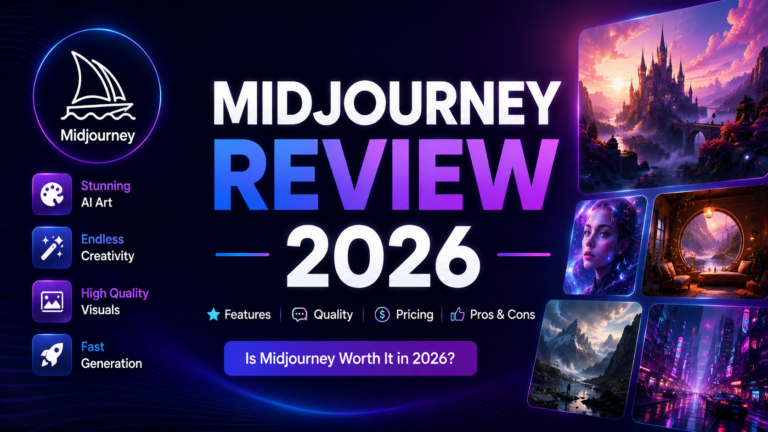
3. Midjourney
Best for designers, concept artists, and creative directors who prioritize the highest artistic quality and most visually striking AI image generation available.
Midjourney holds its benchmark position for artistic output in 2026. The V8 Alpha model, launched March 17, 2026, delivers five times faster generation than V7 at native 2K resolution, with improvements to photorealism, prompt understanding, and text rendering within images. For concept art, editorial illustration, brand campaign mood boards, and any image where visual impact is the primary metric, Midjourney’s outputs consistently outperform competing generators in independent comparisons.
The Omni Reference feature allows embedding visual elements from reference images directly into new generations, solving the character and object consistency problem that limited multi-asset AI design workflows. Style References and Style Codes enable consistent visual aesthetics across a complete campaign or design system.
Key Features: V8 Alpha with native 2K resolution, five times faster generation, Omni Reference for character and element consistency across multiple generations, Style Reference and Style Codes for campaign-wide aesthetic consistency, Draft Mode for fast low-cost iteration at approximately half the credit cost, and multi-aspect ratio support from 1:3 to 3:1.
Pros:
- Benchmark artistic quality; consistently rated highest for visual impact and aesthetic sophistication in independent comparisons
- V8 Alpha’s 2K native resolution eliminates upscaling requirements for most professional applications
- Omni Reference solves character consistency for multi-image creative campaigns
- Standard plan at $30/month with unlimited Relax Mode generation offers strong value for regular creators
Cons:
- No free tier; $10 minimum monthly commitment is a barrier for casual evaluation
- No API access prevents integration into automated design pipelines
- Public generation by default on Basic and Standard plans; Stealth Mode requires $60/month Pro plan
- Copyright training data is subject to ongoing litigation; enterprise legal review advisable for commercial applications
Pricing:
- Basic: $10/month ($8/month annual), approximately 200 Fast GPU minutes
- Standard: $30/month ($24/month annual), 15 hours Fast GPU plus unlimited Relax Mode
- Pro: $60/month ($48/month annual), 30 hours Fast GPU, Stealth Mode for private generation
4. Figma AI
Best for product design teams and UI/UX professionals working in the industry-standard collaborative design environment.
Figma is the tool that 85 percent of Fortune 500 companies use for product design, rated 4.7 out of 5 on G2 from tens of thousands of reviews. The AI features introduced through Figma Make and the AI panel integrate generation directly into the existing workflow rather than requiring context switching. Figma Make generates interactive UI prototypes from text prompts within Figma’s canvas, producing layouts, flows, and interactions that designers can refine in the same environment where they deliver production-ready designs.
The most consistently useful AI features in daily Figma use are automatic layer renaming (maintaining file hygiene across large projects without manual labeling), AI-generated copy within designs for realistic content in mockups, and background removal for image assets. The more ambitious generative features are still maturing; independent reviewers note that Figma AI’s generated designs are often optimized for demos rather than production, requiring significant cleanup before they meet the standard of designs built from scratch.
Key Features: Figma Make for interactive UI prototype generation from text prompts, automatic layer renaming for design system hygiene, AI-generated copy within designs, background removal for image assets, AI design suggestions for existing designs, and full collaborative design environment with commenting, version history, and developer handoff.
Pros:
- Industry-standard platform with the deepest collaboration and developer handoff features available
- AI features are native to the existing workflow; no context switching required
- 4.7/5 G2 rating reflects the most validated tool satisfaction in professional design
- Free plan covers up to 3 design projects for individual evaluation
- Figma Make enables rapid interactive prototype generation for stakeholder presentations
Cons:
- 33 percent price increase on Professional seats in 2025 has made Figma significantly more expensive at scale
- AI generative output often requires substantial cleanup before meeting production-ready standards
- The most valuable AI features are still in beta or early access as of April 2026
- Professional plan at $16 per editor per month plus required bundling of FigJam and Slides adds cost
Pricing:
- Free: 3 design files, limited collaboration
- Professional: $16/editor/month (annual), unlimited files, full AI features, version history
- Organization: $45/editor/month (annual), SSO, design system management
- Enterprise: Custom pricing
5. Framer AI
Best for designers who want to generate and publish complete, responsive, animated websites directly from text prompts without developer involvement.
Framer is the design-to-publish platform that has become the standard choice for portfolio sites, startup landing pages, and marketing websites where animation and visual quality are differentiators. The AI site generation from text prompts produces complete responsive websites with custom layouts, animations, and interactions that are immediately publishable to a custom domain. No separate development step required.
The visual editor maintains full design control after AI generation, allowing designers to adjust every element while Framer handles the underlying responsive code. The result is that designers can iterate on live websites the way they previously iterated in static design tools, with changes appearing in the live published version immediately.
Key Features: Complete website generation from text prompts, professional-grade visual editor with animation and interaction controls, responsive design with production-ready code generated automatically, custom domain publishing from the editor, CMS access for content-managed sites on paid plans, and real-time collaboration for design teams.
Pros:
- The most direct path from design prompt to live published website available in 2026
- Animation and interaction quality is genuinely superior to most no-code website builders
- Free plan with subdomain publishing allows full platform evaluation before paid commitment
- Mini plan at $10/month makes professional website design accessible without expensive tools or developers
Cons:
- Platform lock-in: Framer sites are difficult to migrate to other platforms once built
- Steeper learning curve than simpler website builders for users without design backgrounds
- CMS access for content-managed sites requires the Basic plan at $20/month minimum
- Less suitable for complex web applications requiring advanced functionality beyond marketing and portfolio sites
Pricing:
- Free: Subdomain publishing, limited projects
- Mini: $10/month, custom domain, basic publishing
- Basic: $20/month, custom domain, CMS
- Pro: $30/month, advanced publishing, password protection
6. Looka
Best for startups, small businesses, and entrepreneurs who need a complete brand kit in one session without a designer or agency.
Looka is the most widely trusted AI logo and brand identity tool, with a 4.6 out of 5 Trustpilot rating from over 20,000 verified reviews. The AI generates a complete brand system from minimal input: business name, industry, style preferences, and color preferences produce a logo, color palette, typography selection, business card, email signature, social media templates, and brand guidelines. The output is a complete identity package, not just a logo file.
The pricing model is more accessible than any agency alternative: logo files start at $20 for a one-time purchase in PNG format, with SVG and EPS files available for print applications at higher one-time prices. The Brand Kit subscription at $96 per year provides ongoing access to templates for social media and marketing materials that stay updated as Looka adds new formats.
Key Features: AI brand kit generation including logo, color palette, typography, and brand guidelines from minimal input, one-time logo purchase with PNG, SVG, and EPS file options, Brand Kit subscription with social media and marketing templates, hundreds of industry-specific logo style variations, and a brand guidelines document for team and vendor use.
Pros:
- 4.6/5 Trustpilot rating from 20,000-plus reviews is the strongest user satisfaction signal in the logo generator category
- One-time purchase model is more accessible than agency alternatives for startups with limited budgets
- Complete brand kit output goes beyond a logo to provide a full visual identity system
- Industry-specific style variation library covers every common business category
Cons:
- Some designs feel generic if the prompt is not sufficiently specific; the AI optimizes for competence over distinctiveness
- Less customizable than working with a human designer for highly unique or unconventional brand requirements
- SVG and EPS file access (required for print production) requires the premium logo package
- Not a UI/UX or product design tool; brand kit use case only
Pricing:
- Logo only: $20 (PNG), $65 (PNG, SVG, EPS)
- Brand Kit: $96/year, ongoing template access and brand guidelines
- Brand Kit + Web: $129/year, includes Looka website builder
7. Uizard
Best for product managers, startup founders, and non-designers who need to turn sketches or text prompts into shareable UI prototypes quickly.
Uizard has a feature no other tool in this guide matches: it converts hand-drawn sketches photographed on a phone into editable digital wireframes in seconds. Sketch a rough screen layout on paper during a brainstorming session, photograph it, and Uizard produces an editable digital version that the team can refine without rebuilding from scratch. This capability makes it the most accessible bridge between physical ideation and digital design available in 2026.
The Autodesigner 2.0 feature combines conversational AI with UI generation: describe your application and iterate through natural language instructions (“make the header darker,” “add a search bar to the top navigation”) rather than regenerating from scratch after each change. AI heatmaps through the Focus Predictor feature predict where users will look on generated screens before any user testing is conducted.
Key Features: Sketch-to-digital conversion for hand-drawn wireframes, Autodesigner 2.0 for conversational iterative UI generation, screenshot-to-editable-design conversion for any existing app, Focus Predictor AI heatmaps for predicted user attention, real-time team collaboration, and export to Figma and CSS/React components.
Pros:
- Sketch-to-digital conversion is a unique capability with no direct competitor equivalent
- Autodesigner 2.0’s conversational iteration removes the regenerate-from-scratch problem
- Free plan covers 2 projects, sufficient for evaluation and small project use
- Most accessible UI prototyping tool for non-designers and product managers without design training
Cons:
- Output quality typically requires refinement for production use; best as rapid ideation tool
- Export to Figma can require manual rebuilding of elements; not seamless handoff
- Less powerful than Figma for design teams working at professional production standards
- Limited animation support for interactive prototyping compared to Framer or Figma
Pricing:
- Free: 2 projects, basic features
- Individual: $12/month (annual), 100 credits, unlimited Figma export
- Team: $17/seat/month (annual), team collaboration, priority support
8. Leonardo AI
Best for designers and visual creators who need high-volume image generation with custom style training and the most generous daily free tier in the market.
Leonardo AI’s free plan provides 150 tokens every 24 hours with a daily reset, equating to approximately 25 to 37 images per day indefinitely at no cost. This makes it the most generous ongoing free tier in AI image generation, giving designers serious evaluation time before any financial commitment. The Phoenix model delivers strong prompt accuracy and text rendering within images, and the custom LoRA training feature allows building private style models from proprietary reference images.
For designers building brand-consistent visual asset libraries, the Consistent Character Engine maintains facial features and visual identity across multiple generations, enabling coherent character design across a complete campaign. The AI Canvas with inpainting, outpainting, and the 3D texture generation for game and product design assets extends Leonardo beyond a pure image generator into a creative production environment.
Key Features: 150 tokens daily reset free tier, Phoenix model with accurate text rendering in images, Consistent Character Engine for multi-image character consistency, custom LoRA training for proprietary brand style models, AI Canvas with inpainting and outpainting, 3D texture generation for game and product design, and Motion video animation from static images.
Pros:
- Most generous ongoing free tier in AI image generation: 150 daily tokens with 24-hour reset
- Custom LoRA training builds proprietary style models from existing brand assets
- Consistent Character Engine enables coherent series work across multiple generated images
- 3D texture generation directly serves game and product design pipelines
- Token rollover bank saves unused monthly tokens rather than expiring them on paid plans
Cons:
- Free tier generations are public by default; privacy requires Apprentice plan at $12/month
- Commercial rights require a paid plan; free tier is non-commercial use only
- Token costs vary by model and feature; monthly output prediction requires experience with the platform
- Consistent Character Engine and LoRA training not available on the free plan
Pricing:
- Free: 150 tokens/day (daily reset), non-commercial, public generations
- Apprentice: $12/month ($10/month annual), private generations, commercial rights
- Artisan: $24/month ($20/month annual), multiple LoRA training sessions, API access
- Maestro: $48/month ($40/month annual), 20 LoRA sessions, maximum concurrent generations
Frequently Asked Questions
Will AI design tools replace graphic designers and UI/UX designers?
No, and the evidence from 2026 supports this clearly. Teams using AI design tools are reporting 40 to 60 percent faster prototyping cycles, which means more design work is being produced by the same number of designers rather than fewer designers being needed. The work AI eliminates is the mechanical work: generating layout variations, applying consistent spacing, resizing assets for different platforms, and producing the initial screens that give stakeholders something to react to. What remains irreducibly human is brand strategy, complex UX decision-making involving real user research, design system architecture, and the editorial judgment that determines whether a design actually works for real users in real contexts. The designers most at risk in 2026 are those whose primary value was mechanical production work rather than strategic and systems-level thinking. Designers who use AI to eliminate mechanical work and spend more time on the strategic work are consistently more valuable than those doing either in isolation.
What does commercial use actually mean for AI design tools, and when do I need to worry about it?
Commercial use refers to using AI-generated assets in work that generates revenue or is delivered to clients as part of a paid engagement. Every tool reviewed here has different commercial rights policies across its free and paid tiers. The practical rule: free tiers almost universally restrict commercial use. Paid plans on most tools grant commercial use rights for the duration of the subscription. The most nuanced situation is copyright indemnification, which only Adobe Firefly explicitly provides: a guarantee that Adobe will cover legal defense costs if a third party claims the AI-generated output infringes their copyright. For most designers doing standard client work, the commercial rights included in paid plan subscriptions are sufficient and the copyright indemnification question is secondary. For agencies doing high-profile advertising campaigns or enterprise brands where IP clarity is a contractual requirement, Firefly’s indemnification is the deciding factor. Always verify the specific commercial rights terms for your plan tier before including AI-generated assets in any deliverable where you are being paid.
How should designers structure their AI tool stack to avoid redundant subscriptions?
The most common designer AI stack in 2026 covers three distinct workflow categories: image generation, UI/UX design, and visual production. Most designers need one tool from each category rather than multiple tools covering the same function. For image generation: Midjourney for the highest artistic quality, Leonardo AI for high-volume production with custom style training, or Adobe Firefly for commercial safety. For UI/UX design: Figma for professional teams with design system requirements, Uizard for non-designers and rapid ideation, or Framer for design-to-publish website workflows. For visual production: Canva Pro covers marketing, social, and presentation assets for most teams. The combination with the best balance of capability and cost for a freelance designer is Leonardo AI at $12 per month for image generation, Figma at $16 per month for UI work, and Canva Pro at $15 per month for visual production, at a total of $43 per month covering all three categories without redundancy. Adobe Creative Cloud subscribers already have Firefly and can substitute it for Leonardo AI, making the effective AI stack cost zero beyond the existing Creative Cloud subscription.
Final Recommendation
The right AI design stack in 2026 matches tool to workflow category without overlap.
For non-designers and marketing teams producing visual content at volume, Canva Pro at $15 per month is the single most accessible and highest-value subscription available. It covers every marketing design format with AI assistance and requires no design background.
For image generation, the choice depends on the use case. Midjourney Standard at $30 per month for designers who prioritize artistic quality above all else. Leonardo AI’s free tier or Apprentice plan at $12 per month for designers who need high-volume generation with commercial rights at the lowest price. Adobe Firefly for any context where copyright indemnification is a professional requirement.
For UI/UX design teams, Figma Professional is the industry standard that the rest of the ecosystem has built around. The price increase makes the cost-benefit calculation more deliberate than it was a year ago, but the collaboration depth and developer handoff capabilities have no serious competitor for professional product teams.
For startups and small businesses that need a brand identity before they have a designer budget, Looka’s one-time logo purchase at $20 to $65 provides a complete brand kit that competes with what previously cost $500 to $2,000 at an agency.
For product managers and founders who need to show a UI prototype to stakeholders quickly, Uizard’s free plan with sketch-to-digital conversion provides the fastest path from whiteboard sketch to shareable prototype at no cost.
Start by identifying which stage of your design workflow consumes the most time with the least creative satisfaction. That is the stage where an AI tool will deliver the most measurable return per dollar invested.