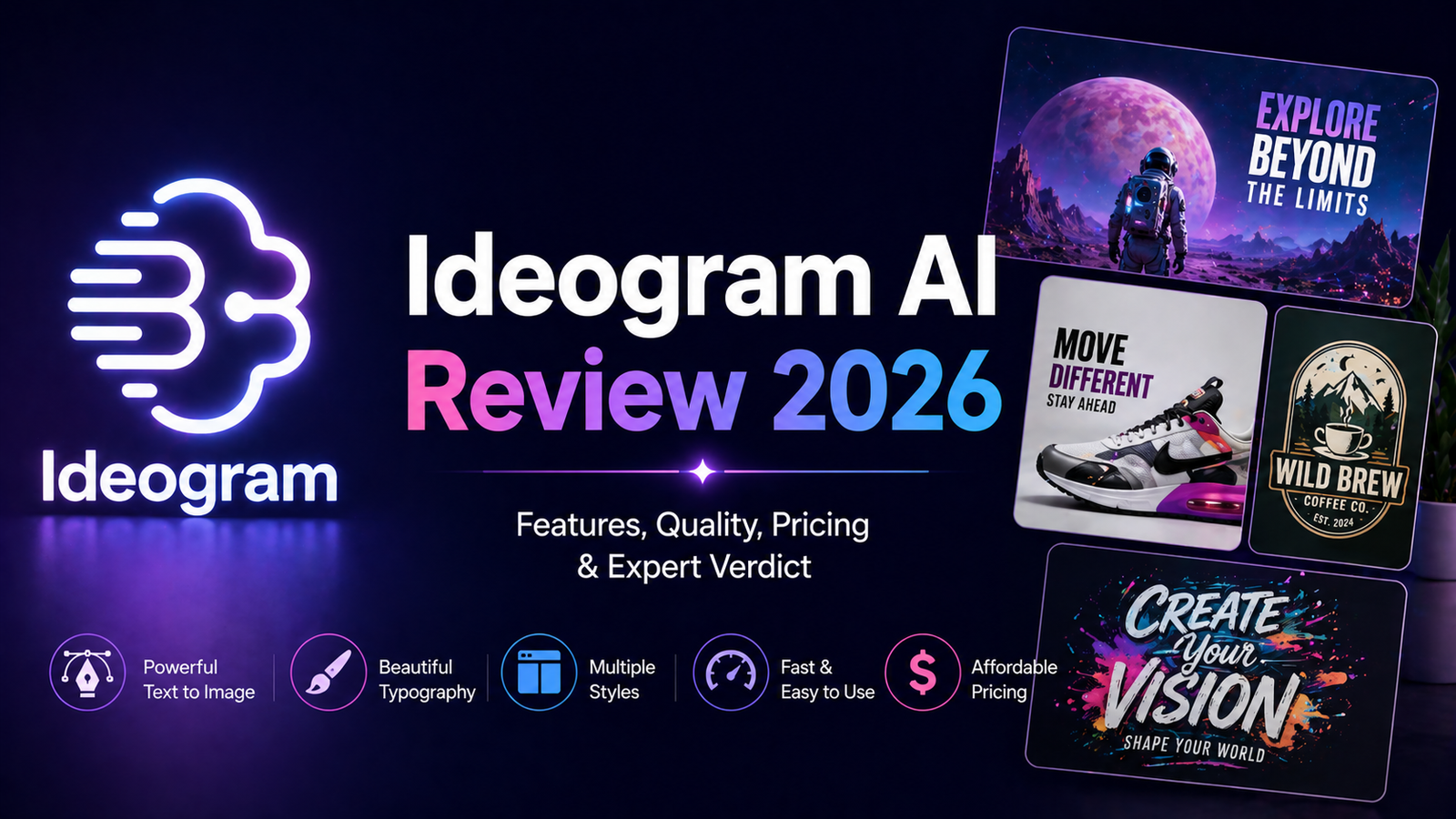
Ideogram AI Review 2026: The AI Image Generator That Actually Renders Text
Every AI image generator claims to handle text in images. Almost none of them do it reliably. Ask Midjourney to put a company name on a sign and you get decorated gibberish. Ask DALL-E and you get something readable perhaps half the time. Ask Ideogram and you get clean, accurate, publication-ready typography with approximately 90 to 95 percent accuracy across simple and multi-line text strings.
That singular capability is the reason Ideogram exists. Founded in 2022 by four former Google Brain researchers, the platform was built specifically to solve the typography problem that plagues every other AI image generator. Three major model iterations later, Ideogram 3.0 delivered in March 2025 on the promise: text in images that works reliably enough for professional design workflows.
The question in 2026 is no longer whether Ideogram handles text better than competitors. It clearly does. The question is whether that advantage justifies choosing it over Midjourney, DALL-E 3, or other tools in the broader context of your creative workflow.
What Ideogram AI Is and Who It Is For
Ideogram AI is a web and iOS-based text-to-image generation platform accessible at ideogram.ai. The Ideogram 3.0 model uses a two-stage training approach with specialized font token encoding through a variational autoencoder, treating each character as a structured token that preserves linguistic accuracy rather than as a generic visual pattern. The practical effect is that text in images is treated as typography rather than as visual decoration.
The platform includes four primary style modes: Realistic for photographic outputs, Design for layout-first compositions, General for versatile everyday generation, and Anime for stylized illustration. Each mode is optimized for different output categories, and the Design mode specifically is built to handle the kind of layout, typography, and compositional structure that makes it useful for actual marketing and branding work.
Ideogram’s strongest fit is for these users:
Graphic designers and visual marketers who regularly create social media graphics, posters, promotional materials, event collateral, and any content where readable text is part of the visual composition. The workflow advantage over Midjourney or DALL-E for this use case is substantial: what previously required Photoshop post-processing for reliable text is handled natively in Ideogram.
Small business owners and entrepreneurs who need to create branded marketing visuals quickly without a design team. Ideogram’s interface is accessible without design experience, and the text accuracy means outputs are usable for client-facing materials without extensive manual correction.
YouTube creators and social media managers producing thumbnails, title cards, and promotional graphics at volume where text legibility and brand color consistency matter.
Developers building content generation pipelines who need reliable text rendering in programmatically generated visuals through Ideogram’s API.
Ideogram is less well-suited for portrait photographers and artists who need the highest photorealistic output for human subjects, creative professionals whose work prioritizes artistic aesthetic over practical utility, or any workflow where text in images is irrelevant.
Key Features
Text rendering with 90 to 95 percent accuracy. The defining feature, and the primary reason to choose Ideogram over alternatives. Independent testing confirms text accuracy rates significantly above competing tools: approximately 90 to 95 percent for Ideogram versus roughly 30 percent for Midjourney on equivalent text-heavy prompts. Putting text in quotes within the prompt reliably signals to the model that the quoted phrase must appear as readable text in the output. Multi-line text, multiple font styles within a single image, and text in Spanish, Italian, French, and other languages all perform substantially better than alternatives.
Ideogram Canvas with Magic Fill and Extend. The Canvas editor launched in October 2024 provides an infinite creative board for organizing, generating, editing, and combining images. Magic Fill allows inpainting specific regions of a generated image through a text prompt without regenerating the full composition. Extend expands images beyond their original borders with contextually consistent content. Background removal and replacement are also native to the Canvas workflow, eliminating the need for external tools for routine editing tasks.
Style Reference and Style Codes. The Style Reference feature accepts up to three uploaded reference images to guide the visual style of a new generation, providing brand consistency across multiple assets without requiring repeated detailed style descriptions. Style Codes allow saving and reusing an exact visual style for future projects. Independent reviews describe this style replication capability as stronger than Midjourney’s style reference system for consistent brand aesthetic work.
Magic Prompt. Magic Prompt is an AI layer that expands brief input descriptions into detailed, generation-optimized prompts. Users describe an image in simple terms; Magic Prompt elaborates into the vocabulary and structure that produces the best output from the underlying model. For users without extensive AI prompting experience, this feature significantly compresses the learning curve to productive results.
Batch Generation for Pro and Team users. Pro and Team plan users can upload a CSV file with up to 500 prompts and generate all images simultaneously. For agencies producing high-volume branded content, A/B testing variants, or building image libraries, this capability eliminates the serial generation bottleneck that makes high-volume production impractical on most platforms.
Multiple aspect ratios and resolution options. Ideogram supports aspect ratios between 1:3 and 3:1, with three resolution tiers (Turbo, Default, Quality) available through the API. Outputs range from 512px portrait to 1536px landscape, covering social media formats, YouTube thumbnails, print materials, and web graphics from a single platform.
Pros and Cons
Pros:
- Best text rendering accuracy of any major AI image generator in 2026 at 90 to 95 percent; Midjourney achieves approximately 30 percent on equivalent prompts
- Design style mode handles layout, typography, and compositional structure that most image generators do not
- Style Reference and Style Codes provide brand consistency across multiple assets more reliably than alternatives
- Free tier with 10 prompts per day (approximately 40 images) provides genuine evaluation access at no cost
- Magic Fill and Extend in Canvas handle common editing tasks without requiring external software
- Pricing starts at $7 per month for Basic, significantly lower than Midjourney’s $10 minimum
- API with character consistency support for developers building consistent visual workflows
- Multi-language text support in Spanish, French, Italian, and more, enabled in Ideogram 3.0
Cons:
- Human portrait quality and face generation show visible artifacts and inconsistencies; not competitive with Midjourney V7 for photorealistic human subjects
- Multi-person scenes frequently show deformed faces and proportion issues; single subjects or distant crowd shots are safer
- Free tier downloads are compressed JPG only; PNG exports for print-quality work require a paid plan
- API pricing lacks full transparency compared to competitors; developers should verify current rates at ideogram.ai/features/api-pricing before building production workflows
- Creative artistic ceiling is lower than Midjourney for purely aesthetic or conceptual work where text is not a factor
- Free tier is more restrictive than Midjourney’s history and Leonardo AI’s daily token reset; casual evaluation requires upgrading sooner
Pricing Breakdown
Ideogram uses a prompt-based credit model where each prompt generates four image variations. Annual billing provides approximately 40 percent savings over monthly rates.
Free: $0. Approximately 10 prompts per day (roughly 40 images). Slow generation queue. JPG export only, no PNG. Access to Ideogram 3.0. No commercial use rights. Public generations only. Sufficient for evaluating generation quality before committing to a paid plan, but the JPG-only restriction limits practical professional use.
Basic: $7/month (monthly) or approximately $4.20/month (annual). 400 prompts per month (approximately 1,600 images). Priority generation queue. PNG export included. Commercial use rights. Suitable for individual creators and small business owners with moderate generation needs.
Plus: $15/month (monthly) or approximately $9/month (annual). 1,000 prompts per month (approximately 4,000 images). Priority queue, PNG export, commercial rights, and API access for programmatic integration. The most appropriate entry point for individual designers and marketers using Ideogram as a regular production tool.
Pro: $48/month (monthly) or approximately $29/month (annual). 3,000 prompts per month (approximately 12,000 images). All Plus features plus Batch Generation via CSV upload for up to 500 simultaneous prompts. Designed for agencies and high-volume content operations.
Team: $42/month per user (monthly). Team collaboration features, shared workspaces, and management tools for multi-person design teams. Per-user pricing requires evaluation against actual team usage patterns before committing.
Enterprise: Custom pricing. For organizations requiring custom model training to adhere to a distinct visual identity, minimum API volume commitments of 1 million images per month apply.
“Pricing is subject to change. Always verify current pricing on the tool’s official website before purchasing.”
How It Compares to Midjourney and DALL-E 3
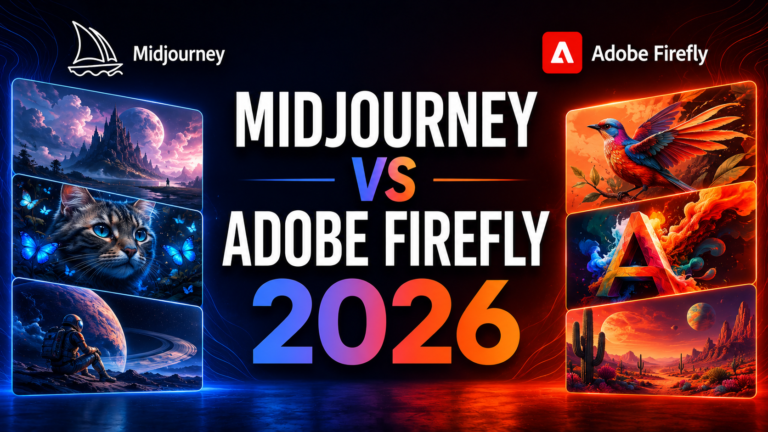
Ideogram vs Midjourney
Midjourney and Ideogram occupy different positions in the AI image generator market, and for most use cases they are not actually competing for the same job.
Midjourney V7 produces the most artistically striking, aesthetically polished images available from any consumer AI image tool. For creative and conceptual work where visual impact is the primary metric and text rendering is irrelevant, Midjourney is the benchmark. The level of artistic quality, compositional sophistication, and painterly aesthetic that V7 and V8 Alpha produce has no Ideogram equivalent.
Ideogram wins decisively on any task involving text in images. The 90 to 95 percent text accuracy versus Midjourney’s approximately 30 percent is a practical gap that cannot be bridged through prompting or iteration. A social media manager who needs a poster with a correct headline, a designer building a logo mockup with readable brand text, or a YouTuber producing a thumbnail with a legible title is better served by Ideogram for those specific outputs without question.
The practical workflow for many professional creators is using both tools for their respective strengths: Midjourney for purely visual or artistic outputs, Ideogram for any design work that incorporates typography.
Ideogram vs DALL-E 3
DALL-E 3 (being replaced by GPT Image 1.5 from May 12, 2026) and Ideogram compete more directly on the use case of practical, professional image generation for marketers and business users.
DALL-E 3’s integration with ChatGPT is its primary competitive advantage: conversational refinement, iterative editing through natural language, and inclusion in a $20 per month ChatGPT Plus subscription that provides significant additional value. For users who already pay for ChatGPT Plus, DALL-E 3 has no additional cost, which dramatically changes the comparison economics.
Ideogram wins on text rendering accuracy and design-specific style control. Independent testing puts Ideogram well ahead of DALL-E 3 for text-heavy design outputs, and the Style Reference and Style Code features provide more robust brand consistency tooling than DALL-E’s conversational editing approach for systematic design work.
For users who need both conversational AI and image generation from one subscription, ChatGPT Plus with DALL-E covers more overall value. For users whose primary image generation need is design work with reliable text, Ideogram at $15 per month outperforms DALL-E at the specific use case that defines Ideogram’s existence.
Frequently Asked Questions
How do I get reliable text in my Ideogram images?
The most reliable method is putting the text you want in quotes within your prompt. For example: “A promotional poster with the headline ‘Summer Sale 2026’ in bold white text” signals to Ideogram’s model that the quoted phrase must appear as readable text. Specifying the text placement (top, bottom, overlay on background) and font style (bold, handwritten, 3D) further improves output accuracy. Multi-line text performs well when each line is specified separately with clear content and position. For complex text-heavy layouts with multiple distinct text elements in specific positions, use the Canvas Editor to position elements precisely after initial generation rather than expecting a single prompt to handle all typography placement simultaneously. The Design style mode consistently outperforms other style modes for text-heavy composition work.
Does Ideogram include commercial use rights on the free plan?
No. The free plan restricts commercial use. Commercial rights, the ability to use generated images in client work, paid products, advertising, and any revenue-generating context, require a paid plan starting at the Basic tier at $7 per month. Additionally, free plan images are public by default and are visible to other users in the community feed. For any work involving client brand assets, proprietary product imagery, or competitive marketing materials, using the free tier creates both a commercial rights exposure and a confidentiality risk. The Basic plan at $7 per month or approximately $4.20 per month on annual billing removes both restrictions and is the minimum appropriate tier for professional use.
Is Ideogram the right choice if I also need to generate people and portraits?
Not as your primary tool for portrait work. Human face generation in Ideogram shows visible inconsistencies including unnatural skin textures, proportion issues, and artifacts that competing tools handle better. Multi-person scenes produce deformed faces with notable frequency. Single-subject portrait compositions at a distance or in design-oriented contexts are manageable, but high-quality photorealistic portrait work or any composition where human faces are a central visual element is better served by Midjourney V7 or dedicated portrait-optimized models. The practical workflow for creators who need both strong text rendering and high-quality portrait generation is using Ideogram for design-forward content with typography and Midjourney for portrait-centric work. Attempting to cover both use cases from Ideogram alone will produce frustration on the portrait side without resolving the text rendering advantage that makes Ideogram worth using in the first place.
Final Verdict
Ideogram AI has solved a problem that no other major AI image generator has solved reliably: putting readable text in generated images at the accuracy level that professional design work requires. For any creator, marketer, or business owner whose image generation workflow regularly involves text, logos, posters, social graphics, or branded marketing materials, Ideogram is not just competitive, it is the correct tool for the job.
The limits are equally clear. Artistic quality for purely visual creative work trails Midjourney. Portrait and face generation shows visible quality gaps compared to specialized tools. The free tier’s JPG-only restriction and lack of commercial rights make it more of a lead magnet than a functional free plan. And the creative ceiling for purely aesthetic or non-typographic work is lower than what dedicated artistic tools provide.
At $7 to $15 per month for the Basic and Plus plans, the value proposition for the specific use case of design work with text is difficult to argue against. For the use case where competitors have no reliable solution at any price, Ideogram delivers a reliable one at a starter price lower than Midjourney.
Rating: 4.3 / 5