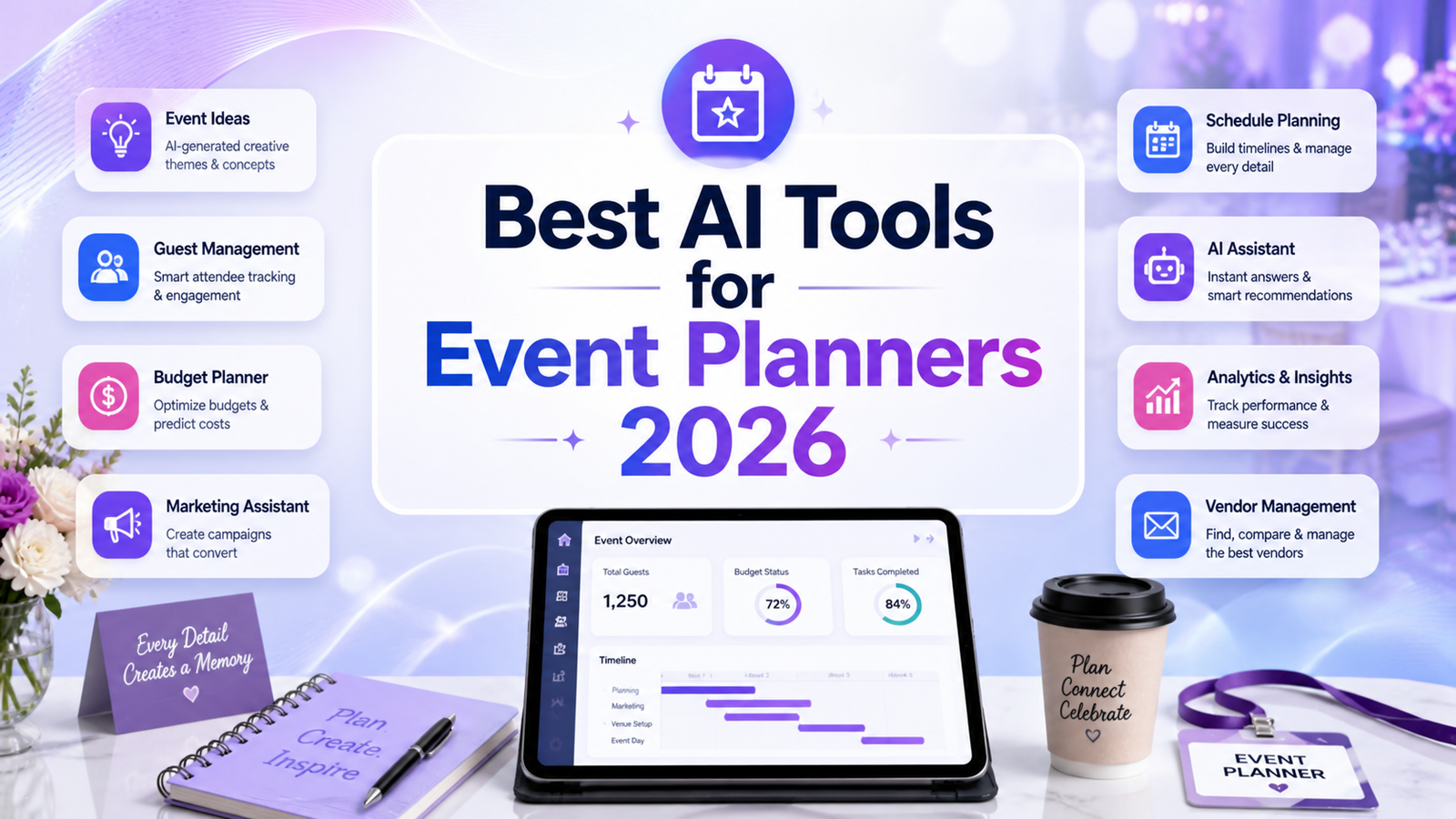
Best AI Tools for Event Planners 2026: Ranked, Reviewed and Compared
Event planning has always been a profession that runs on details: venue contracts, attendee communications, speaker schedules, vendor coordination, registration flows, post-event surveys, and ROI reports. The job has not gotten simpler in 2026. What has changed is where the hours go.
According to the Amex GBT Meetings and Events Forecast, approximately 50 percent of meeting planners worldwide had incorporated AI into their workflows by 2025. A 2026 Bizzabo survey found that 95 percent of event teams expect to increase their AI usage this year. These are not predictions. They are practitioners reporting that they have tested these tools and plan to expand their use. The planners adopting AI are not replacing their judgment. They are replacing the copy-paste-reformat-repeat cycle that consumes hours that could otherwise go into venue relationships, attendee experience design, and sponsor strategy.
The AI tools serving event planners in 2026 fall into two distinct categories. General-purpose AI assistants like ChatGPT and Claude handle content creation, communication drafting, and research tasks that previously took 30 to 45 minutes per item. Purpose-built event management platforms like Cvent, Bizzabo, and Whova have embedded AI directly into registration, networking, venue sourcing, and analytics workflows that are unique to the event industry. The most productive event planning stacks in 2026 use both categories for their respective strengths.
Comparison Table: Best AI Tools for Event Planners 2026
| Tool | Best For | Starting Price | Free Plan |
|---|---|---|---|
| ChatGPT | Event content drafting, communications, and flexible planning assistance | Free / $20/month (Plus) | Yes |
| Claude | Long event documents, program development, and complex planning analysis | Free / $20/month (Pro) | Yes |
| Canva AI | Event promotional materials, signage, social graphics, and presentations | Free / $15/month (Pro) | Yes |
| Eventbrite AI | Ticketing, registration, and event promotion for public-facing events | Free (fee-based) / $29/month (Pro) | Yes |
| Cvent AI | Enterprise event lifecycle management for large-scale corporate programs | Custom enterprise pricing | No |
| Whova | Conference and association events prioritizing attendee networking | Custom (varies by event) | No |
| Bizzabo | B2B conference management with wearable tech and CRM integration | From $17,999/year | No |
| Motion AI | Automated scheduling and task management for event planning timelines | $19/month (Pro AI, annual) | No (7-day trial) |
“Pricing is subject to change. Always verify current pricing on the tool’s official website before purchasing.”
Detailed Reviews
1. ChatGPT
Best for event planners who need a versatile AI assistant for content creation, communications, and planning research across every event type and budget level.
ChatGPT earns its place at the top of every event planner’s AI stack because the volume of writing that event planning requires is enormous and most of it is neither creative nor strategic. Event descriptions, speaker bios, email sequences for registration confirmation, reminder, and post-event follow-up, social media captions for promotional campaigns, run-of-show scripts, vendor briefing documents, attendee survey questions, and post-event reports all emerge from the same interface at a fraction of the time they previously consumed.
AI writing tools can produce a first draft of event communications in seconds that would take a planner 30 to 45 minutes to write from scratch, with editing being faster than staring at a blank page. The same dynamic applies across every content format an event planner produces.
Custom GPTs pre-loaded with event templates, brand voice guidelines, and boilerplate information about the organization and typical event formats allow any team member to generate on-brand event content without briefing the AI from scratch in every session.
Key Features: Event description and promotional copy generation, speaker bio drafting and formatting, email sequence creation for registration and follow-up communications, run-of-show and script drafting, vendor RFP and briefing documents, post-event report and survey question generation, web browsing for venue research and industry trend tracking, and Custom GPTs for event-specific brand voice assistants.
Pros:
- Free tier covers moderate content creation needs without a subscription
- Most versatile tool; handles every text-based event planning task from a single interface
- Custom GPTs eliminate repeated context for recurring event types and communication formats
- Web browsing enables live venue research, competitor event analysis, and trend monitoring
- Plus at $20/month removes daily limits for planners producing high volumes of event content
Cons:
- No native integration with event management platforms, registration systems, or CRM tools
- Cannot access attendee data, registration figures, or event analytics without manual input
- Output requires review for accuracy; venue details, pricing, and dates must be verified before publication
Pricing:
- Free: GPT-5.x with daily limits, no credit card required
- Plus: $20/month, full GPT-5.4, web browsing, Custom GPTs, file analysis, memory
2. Claude
Best for event planners developing complex programs, long-form sponsorship proposals, or comprehensive post-event analysis across large document sets.
Claude’s 200,000-token context window makes it uniquely suited for the document-intensive work that strategic event planning generates. Uploading a 60-page venue contract, a multi-year event history, all speaker abstracts for a three-day conference, and sponsorship tier documentation simultaneously and asking Claude to synthesize, draft from, or critique across all of them produces output that would take days of manual work.
For planners writing detailed grant proposals for association events, multi-page sponsorship prospectuses, or comprehensive event strategic plans, Claude’s writing quality consistently produces more polished formal output than other AI tools at the same price point. The no-training-by-default policy on paid plans matters for planners handling confidential client information, venue contract terms, or proprietary attendee data.
Key Features: 200,000-token context for analyzing full event contracts and program documentation, high-quality formal writing for sponsorship proposals and strategic plans, Projects for maintaining persistent context across a multi-month event planning cycle, Research feature for synthesizing industry benchmarks and post-event analysis, and no-training-by-default on paid plans for client-confidential planning work.
Pros:
- Best writing quality for formal event documents requiring professional precision
- Large context window handles full event program documentation in one session
- Projects maintain persistent context across the full lifecycle of a multi-month event
- No-training policy protects confidential client and venue information on paid plans
Cons:
- No native event platform integration; all document input is manual
- Daily message limits on Pro can frustrate planners during intensive pre-event production weeks
- Not a replacement for purpose-built event management tools for registration and logistics
Pricing:
- Free: Claude Sonnet 4.6 with daily limits, no credit card required
- Pro: $20/month, Opus 4.6, 200K context, Projects, Research feature
3. Canva AI
Best for event planners producing promotional materials, signage, social graphics, presentation decks, and branded visual content across every event format.
Every event generates a visual production workload: promotional graphics for social media and email campaigns, event signage and wayfinding materials, speaker slide deck templates, sponsor recognition materials, name badge designs, program booklets, and post-event highlight presentations. Canva’s Magic Studio compresses what previously required a graphic designer or hours of manual template work into a self-service workflow accessible to any team member.
The Brand Kit feature stores organization colors, fonts, and logos for automatic application across every event design, ensuring visual consistency whether the content is created by the event coordinator or a junior assistant. Magic Resize adapts any promotional graphic to every platform format in one click, eliminating the manual reformatting between Instagram, LinkedIn, Facebook, and email header dimensions.
Key Features: Magic Studio suite including text-to-image generation, background removal, Magic Resize, and Magic Eraser; Brand Kit for consistent event visual identity; Magic Design for AI-generated event presentation structures from prompts; 140 million-plus templates including event-specific formats; and real-time team collaboration with shared Brand Kits.
Pros:
- Pro at $15/month replaces what previously required a designer for most standard event materials
- Brand Kit ensures visual consistency across every event communication regardless of who created it
- Magic Resize eliminates reformatting across every promotional channel
- Free plan covers basic event graphic production before committing to Pro
Cons:
- 500 shared AI credits per month on Pro can deplete for events requiring heavy AI image generation
- Not an event management tool; pairs with registration and logistics platforms for complete workflow coverage
- AI image generation quality is below dedicated generators for complex photorealistic imagery
Pricing:
- Free: Core templates, limited Magic Studio credits
- Pro: $15/month, full Magic Studio, Brand Kit, 1TB storage, commercial rights
- Teams: $10/user/month (minimum 3 users), shared brand controls
4. Eventbrite AI
Best for public-facing events, community events, and independent event organizers who need affordable ticketing with AI-powered discovery and promotion.
Eventbrite’s AI features center on its discovery and promotion infrastructure: the platform uses AI to match events with likely attendees through its consumer-facing discovery engine, surfaces events to relevant audiences based on past attendance patterns, and provides organizers with AI-powered insights on optimal publish timing and promotional recommendations. For public-facing events where reaching new attendees rather than managing known guest lists is the primary challenge, Eventbrite’s AI-powered discovery provides distribution that independent event pages cannot replicate.
The platform is free for free events, with service fees applied to paid ticket sales. The Pro plan at $29 per month adds customizable checkout, multiple ticket types, and promotional tools that cover most independent event organizer needs at accessible pricing.
Key Features: AI-powered event discovery matching organizers with relevant audiences, smart promotional recommendations for optimal publish timing, customizable registration and ticketing with multiple ticket types, integrated payment processing, promotional tools including early bird pricing and discount codes, basic analytics and attendee reporting, and integration with Mailchimp, Zoom, and social platforms.
Pros:
- Free for free events; no upfront cost barrier for community event organizers
- AI-powered discovery engine reaches attendees beyond the organizer’s existing network
- Most accessible paid plan in the event management category at $29/month
- Recognized brand provides consumer trust that independent event pages lack
Cons:
- Service fees on paid tickets reduce per-ticket revenue versus direct payment processing
- Limited features for complex corporate or conference-format events requiring session management and networking
- Not suitable for invitation-only or closed events where broad discovery is not the goal
- Enterprise-level features require a direct contract beyond the self-serve Pro plan
Pricing:
- Free: Unlimited free events, Eventbrite service fees on paid tickets
- Pro: $29/month, customizable checkout, multiple ticket types, promotional tools
- Flex: Custom pricing for high-volume organizers
5. Cvent AI
Best for large enterprises and associations managing complex, high-volume event programs with full lifecycle automation from venue sourcing to post-event analytics.
Cvent holds a 4.3 out of 5 rating on G2 from more than 2,100 reviews and is a Gartner Magic Quadrant Leader, with the platform handling large-scale conferences using registration, venue sourcing, attendee engagement, and post-event analytics without needing to patch in a second tool. The AI features layer into this existing infrastructure: the AI Writing Assistant generates event communications in multiple tones without leaving the platform, predictive registration tools forecast attendee numbers from historical data, and natural language venue search replaces keyword filtering with conversational queries.
Cvent provides access to over 340,000 venues globally, includes on-site check-in with badge printing, and integrates with major CRM platforms like Salesforce and HubSpot. For organizations managing dozens of events annually across multiple locations, Cvent’s portfolio-level analytics and centralized planning infrastructure address organizational complexity that standalone tools cannot serve.
Key Features: AI Writing Assistant for event communications in multiple tones, predictive registration forecasting from historical patterns, natural language venue search across 340,000 global venues, customizable registration websites and mobile apps, on-site check-in and badge printing, real-time analytics and ROI tracking, and CRM integration with Salesforce and HubSpot.
Pros:
- Most comprehensive event lifecycle platform available; handles everything from venue sourcing to post-event reporting
- 340,000-plus venue database with AI-powered natural language search
- Strong enterprise analytics and CRM integration for ROI measurement
- Gartner Magic Quadrant Leader recognition reflects genuine enterprise adoption
Cons:
- Custom enterprise pricing with annual license plus per-registrant fees makes total cost unpredictable and typically high
- Steep learning curve with non-intuitive navigation; many features require additional fees beyond the base package
- No free trial or published pricing; requires a direct sales conversation before any platform evaluation
- Implementation timelines delay time-to-value for teams that need immediate platform access
Pricing:
- Custom enterprise quotes only; no published pricing or free trial
- Annual license fees plus per-registration charges typical
- Contact Cvent directly for current pricing
6. Whova
Best for associations, academic conferences, and corporate events where attendee networking and community building are the primary engagement priorities.
Whova has managed over 50,000 events and holds a 4.8-star rating across 2,300-plus reviews, with 99.98 percent crash-free performance. The platform’s AI networking features are where it most clearly differentiates from competitors: AI-powered attendee matching surfaces relevant connections based on professional background, session interests, and stated goals, making conference networking more productive than random hallway encounters. The personalized app feed curates session recommendations for each attendee based on their profile and behavior.
For organizers, Whova wraps registration, agenda management, sponsor tools, attendee tracking, and post-event analytics into a single mobile-first platform that both organizers and attendees can navigate without extensive training. AI business card scanning at check-in and session badge scanning provide on-site logistics automation that reduces volunteer staffing requirements.
Key Features: AI-powered attendee matching and networking recommendations, personalized session recommendation feeds per attendee, smart networking suggestions based on professional profiles, event registration and ticketing, agenda management with session scheduling, sponsor and exhibitor management tools, AI business card scanning, real-time analytics, and mobile app for organizers and attendees.
Pros:
- Best attendee networking AI in this comparison; most consistently praised feature across 2,300-plus reviews
- 99.98 percent crash-free performance rate is exceptional reliability for high-stakes live events
- All-in-one platform covers registration through post-event analytics
- Award-winning mobile app rated highest on App Store and Google Play among event apps
Cons:
- Attendees must download the mobile app to access full networking features; adoption requires organizer encouragement
- Steeper learning curve for organizers than simpler registration-only tools
- Custom pricing requires direct contact; no self-serve evaluation path
- Better suited for networking-centric conferences than trade shows or purely logistical corporate events
Pricing:
- Custom pricing based on event size and features
- Per-event and annual subscription options available
- Contact Whova for current rates
7. Bizzabo
Best for B2B conference teams producing mid-to-large in-person, hybrid, and virtual events where attendee data, CRM integration, and sponsor ROI measurement are strategic priorities.
Bizzabo is a Leader in the 2025 Gartner Magic Quadrant and the Customer Favorite in the 2024 Forrester Wave, with Amazon, Bloomberg, and the Financial Times among its event clients. The platform positions itself as an Event Experience Operating System, with AI embedded as a core architectural element. The Bizzabo AI Copilot provides contextual guidance within the platform interface, understanding what the organizer is working on and offering relevant help without requiring explanation of the basics.
Bizzabo’s Klik SmartBadges, wearable technology that tracks attendee networking and exhibitor interactions, have driven 400 percent increases in attendee networking and 250 percent boosts in exhibitor leads in documented deployments. For enterprise event teams whose events serve revenue and pipeline generation goals, this networking data provides measurable ROI evidence that justifies conference investment to executive stakeholders.
Key Features: AI Copilot for contextual platform guidance and task automation, Klik SmartBadge wearable technology for attendee interaction tracking, dynamic registration with personalized attendee journeys, branded mobile apps for in-person and virtual attendees, real-time analytics dashboards with pipeline and ROI reporting, CRM integration with Salesforce and HubSpot, and Bizzabo Studios for full-service creative production.
Pros:
- Gartner Magic Quadrant Leader and Forrester Customer Favorite recognition reflects genuine enterprise validation
- Klik SmartBadge networking data provides measurable ROI evidence for sponsor and executive stakeholders
- Scales from 100-person webinars to 20,000-person conferences within the same platform
- Native CRM integration connects event data directly to pipeline measurement without manual exports
Cons:
- Starting at $17,999 per year, the platform is inaccessible for small organizations or occasional events
- Customizing the website builder requires HTML/CSS knowledge; some users report limited reporting capabilities
- Implementation complexity and wearable tech logistics require meaningful operational investment
- Not appropriate for simple registration-only events where platform complexity exceeds the requirement
Pricing:
- Custom quotes starting at $17,999/year
- Annual subscription required; no monthly billing or per-event options
- Contact Bizzabo for current pricing
8. Motion AI
Best for event planners and event teams who want AI to manage their task lists and scheduling automatically rather than spending hours prioritizing manually each day.
Motion’s AI scheduler addresses one of the most consistent pain points in event planning: the chaotic scheduling reality of the weeks preceding a major event. When a project plan has 80 interdependent tasks, unexpected vendor delays, venue site visits, and stakeholder calls all arriving simultaneously, the daily planning overhead of deciding what to work on and when becomes its own time cost.
Motion ingests all tasks with priorities, deadlines, and durations, then schedules them automatically into available calendar time, rescheduling continuously as new priorities arrive or meetings extend. For event teams managing multiple simultaneous projects, the AI Project Builder generates complete event planning project structures from a brief description. The Meeting Notetaker converts discussed action items into scheduled tasks automatically after each planning call.
Key Features: Fully automated task scheduling onto the calendar with continuous re-optimization, AI Project Builder generating complete event timelines from a description, Meeting Notetaker converting call action items to scheduled tasks, team workload visibility showing capacity before assigning work, Kanban and List project views, and calendar integration with Google and Outlook.
Pros:
- Eliminates the daily planning ritual of manually deciding what to work on
- AI Project Builder creates structured event timelines from a brief project description
- Meeting Notetaker automatically schedules action items from planning calls
- Particularly useful for event teams managing multiple simultaneous events where competing priorities create scheduling chaos
Cons:
- No free plan; 7-day trial is the only evaluation path
- Pro at $19 per month on annual billing requires full calendar commitment to realize value
- Not an event management platform; handles the planner’s time, not the event’s logistics
- Complex initial setup; productive use requires rebuilding your workflow around the system
Pricing:
- Pro AI: $19/month (annual) / $29/month (monthly)
- Business AI: $29/seat/month (annual), team features and higher credit limits
Frequently Asked Questions
Do I actually need a purpose-built event platform, or can I use general AI tools like ChatGPT for everything?
It depends on event scale and complexity. For simple public events, community gatherings, or small corporate meetings under 100 attendees, general AI tools for content creation combined with Eventbrite for ticketing cover most needs at minimal cost. For conferences above 200 attendees with complex session management, networking requirements, sponsor deliverables, and post-event ROI reporting, purpose-built platforms like Whova, Cvent, or Bizzabo address workflow categories that ChatGPT cannot touch: on-site check-in, attendee networking, session scheduling, real-time analytics, and CRM integration. The most common mistake is using a purpose-built platform for simple events where it is overkill, or using only general AI tools for complex events where logistics management requires dedicated infrastructure.
How much time can AI tools realistically save an event planner per event?
Independent practitioner reports consistently indicate 30 to 50 percent reductions in administrative time for planners using AI consistently. The gains concentrate in specific workflow categories: content creation and communications (ChatGPT and Claude), visual production (Canva), attendee networking management (Whova), and post-event reporting (Cvent, Bizzabo). For a planner currently spending 15 hours per week on administrative event work, AI tools recover approximately 5 to 8 hours that can be redirected toward venue relationships, attendee experience design, and sponsor strategy. The recovery is not automatic: it requires initial setup investment to configure templates and Custom GPTs, and it requires consistent workflow adoption rather than occasional use.
What should I evaluate before choosing an enterprise event management platform?
Four factors matter most. First, integration with your existing CRM: 79 percent of organizers already have their event platform integrated with CRM or marketing automation tools, and platforms that do not push data back to Salesforce or HubSpot create manual export overhead that erodes efficiency gains. Second, event format match: some platforms are optimized for virtual, some for in-person, and hybrid support varies significantly. Evaluate against your primary event format. Third, total cost of ownership including implementation, training, and support: platforms like Cvent combine annual license fees with per-registration charges that make total cost difficult to predict without historical volume data. Fourth, attendee adoption requirements: platforms requiring dedicated app downloads see lower feature adoption than browser-based alternatives, which matters for the networking features that justify premium platform costs.
Final Recommendation
The right AI event planning stack in 2026 covers three distinct functional areas without redundant overlap: general content and communications, visual production, and event-specific management.
For every event planner regardless of scale, ChatGPT Plus or Claude Pro at $20 per month covers content creation, communications drafting, and planning research. Canva Pro at $15 per month covers visual production from promotional graphics to presentation decks. These two tools at $35 per month combined address the majority of administrative overhead for any event type before any platform investment is required.
For public-facing events needing ticketing and discovery reach, Eventbrite covers registration and promotion with a free entry point for free events and a $29 per month Pro plan that scales affordably.
For associations and academic conferences where attendee networking is the primary value proposition, Whova’s award-winning mobile app and AI networking features serve that specific need better than any competitor at its price tier.
For mid-market to enterprise B2B conference teams where CRM integration, pipeline measurement, and sponsor ROI evidence are strategic requirements, Bizzabo at $17,999 per year provides the platform depth and Klik SmartBadge data that standalone tools cannot replicate.
For large enterprise organizations managing complex event portfolios at scale, Cvent’s comprehensive venue sourcing, registration, and analytics infrastructure justifies its investment for the organizations it was built to serve.
For individual planners and small teams managing competing task priorities across multiple simultaneous events, Motion AI at $19 per month provides automated scheduling that recovers the planning overhead that event coordination itself creates.
Start with the two general tools and add platform investments only when event complexity and volume demonstrate a specific operational gap that general tools cannot fill.