Best AI Tools for Customer Success 2026: Ranked, Reviewed and Compared
Customer success used to mean reactive relationship management: call the customer when they stop logging in, hope you catch the renewal conversation before procurement does, and scramble to demonstrate ROI in the final 30 days of a contract that has been at risk for six months. In 2026, AI has made that model indefensible for any team that wants to protect net revenue retention.
The most significant shift in the customer success category this year is not any single feature. It is a paradigm change. AI agents are moving from assisting the CSM to executing complete workflows autonomously: automated onboarding that guides customers step by step through product adoption, intelligent follow-ups triggered by behavioral signals without human scheduling, proactive churn risk detection with corrective playbooks that fire before the signal becomes a cancellation conversation. Teams deploying AI effectively are reporting 30 percent churn reductions and 2x faster scaling without proportional headcount growth.
The customer success software landscape in 2026 spans a wide range: from free tiers at Totango and HubSpot to six-figure annual contracts at Gainsight Enterprise. Pricing ranges from $399 per month at the lower end to over $100,000 annually at enterprise scale. The right tool is not the most expensive one. It is the one whose implementation complexity and total cost of ownership match the team’s size, the account volume, and the operational maturity of the CS function it will support.
Comparison Table: Best AI Tools for Customer Success 2026
| Tool | Best For | Starting Price | Free Trial |
|---|---|---|---|
| Gainsight AI | Large enterprise CS operations with dedicated CS Ops teams | ~$30,000/year (custom) | No (demo) |
| Totango | Mid-market teams wanting modular CS automation with a free starting tier | Free tier / ~$50,000/year (enterprise) | Yes (free tier) |
| ChurnZero | Mid-market SaaS teams needing real-time churn signals and usage-based scoring | ~$12,000/year (custom) | Demo required |
| Intercom | CS teams managing high-volume customer communication and AI-powered support | $29/seat/month (Essential) | 14-day trial |
| Salesforce AI (Einstein) | CS organizations already standardized on Salesforce who need AI embedded in CRM | ~$50/user/month (add-on) | Demo |
| HubSpot AI (Service Hub) | Budget-conscious CS teams wanting CRM, ticketing, and AI in one connected platform | Free / $20/seat/month (Starter) | Yes (free CRM) |
| ChatGPT | CSMs needing flexible AI for QBR prep, email drafting, and customer research | Free / $20/month (Plus) | Yes |
| Mixpanel | Product analytics for CS teams that need behavioral usage data to drive health scores | Free (100K events/mo) / $28/month (Growth) | Yes |
“Pricing is subject to change. Always verify current pricing on the tool’s official website before purchasing.”
Detailed Reviews
1. Gainsight AI
Best for large enterprise CS operations with the resources to implement and maintain the most comprehensive customer success platform available.
Gainsight is the category leader for enterprise customer success. Its feature set is the deepest in the market: advanced health scoring with custom models, Journey Orchestrator for multi-step lifecycle automation, Cockpit for CSM workflow management, Revenue Intelligence for expansion and renewal tracking, and Product Experience tools for in-app engagement. The AI layer in 2026 adds predictive churn scoring, automated customer summaries, and AI-generated next-best-action recommendations across the full customer lifecycle.
The honest counterpoint to Gainsight’s capability depth is its operational overhead. Implementation typically takes 8 to 12 weeks and requires a dedicated CS Ops resource to configure and maintain health score models, playbooks, and journey automations. Customer reports put average annual cost around $30,000 per year, with more advanced configurations crossing six figures. For small and mid-market teams, this operational overhead becomes a barrier that erodes the efficiency gains the platform is supposed to deliver.
Key Features: Advanced configurable health scoring, Journey Orchestrator for multi-step lifecycle automation, AI-generated customer summaries and next-best-action recommendations, Revenue Intelligence for NRR and expansion tracking, Product Experience for in-app engagement, Cockpit for CSM workflow management, and deep Salesforce integration.
Pros:
- Most comprehensive CS platform available; handles every customer success workflow from onboarding to expansion
- AI health scoring and churn prediction models improve with accumulated historical data
- Revenue Intelligence connects CS activity to financial outcomes for executive visibility
- Natural choice for organizations already on Salesforce; the integration depth is unmatched
- Handles the highest account volumes and most complex health score models at enterprise scale
Cons:
- Average annual cost around $30,000 with enterprise configurations exceeding six figures annually
- Implementation 8 to 12 weeks; requires dedicated CS Ops for ongoing platform management
- Automation split between Rules Engine and Journey Orchestrator creates configuration complexity
- Significant overkill for teams under 200 accounts or CS organizations without dedicated operations support
Pricing:
- Custom enterprise quotes; average customer report around $30,000/year
- Advanced configurations can exceed $100,000/year depending on seats and modules
- No self-serve pricing; demo required
2. Totango
Best for mid-market teams that want modular customer success automation with a functional free tier and lower implementation complexity than enterprise alternatives.
Totango’s modular approach is its defining characteristic. The platform offers pre-built SuccessBLOCs, which are modular packages for onboarding, adoption, renewal, and expansion that include pre-configured playbooks and automations ready to deploy. For teams that want structured, repeatable CS workflows without building everything from scratch, SuccessBLOCs compress time-to-value significantly compared to configuring Gainsight’s systems from the ground up.
The Totango and Catalyst merger has expanded the product line, with the original Totango platform, Catalyst for CS-to-growth alignment, and Unison AI for advanced predictions now operating as separate but connected offerings under one company. The Zoe AI assistant provides customer health summaries through Slack on demand. The free tier makes Totango the only enterprise CS platform with a genuine zero-cost starting point, though the free tier’s analytical depth is limited compared to paid tiers.
Key Features: Pre-built SuccessBLOCs for rapid deployment of standard CS workflows, Zoe AI assistant for customer health summaries via Slack, Unison AI for predictive signals and churn scoring, modular subscription enabling teams to start small and expand, customer engagement tools including email campaigns and in-app experiences, and integrations with Salesforce, HubSpot, Segment, Mixpanel, and Slack.
Pros:
- Free tier provides a genuine starting point with zero upfront cost
- Pre-built SuccessBLOCs reduce implementation time compared to building playbooks from scratch
- Modular structure allows teams to pay only for the capabilities they actually need
- Lower operational overhead than Gainsight for mid-market teams without dedicated CS Ops
Cons:
- Interface complexity is a consistent user complaint; multi-click workflows for basic tasks slow CSM productivity
- Enterprise customer reports put average cost around $50,000 per year plus a 20 percent setup fee for new customers
- CRM data sync delays of hours rather than real-time can undermine health score accuracy
- Unison AI is a separate product line requiring separate subscription consideration
Pricing:
- Free tier available with limited features
- Enterprise pricing approximately $50,000/year plus 20% setup fee for new customers
- Modular pricing; contact Totango for current rates
3. ChurnZero
Best for mid-market SaaS teams that need real-time usage-based health scoring, automated plays, and in-app messaging in a platform built specifically for subscription businesses.
ChurnZero was built for SaaS subscription businesses and the product reflects that focus throughout. Its Journeys system maps the complete customer lifecycle from onboarding to renewal with native automations. The integration with product usage data is particularly solid, allowing teams to trigger alerts and automated plays based on real in-app behavior rather than guessed proxies. CSMs get a daily workflow view that surfaces which accounts need attention, which plays are running, and which health scores have shifted, compressing the morning review that previously required navigating multiple dashboards.
The command center approach is ChurnZero’s most consistently praised feature: rather than requiring CSMs to build their own workflow across disconnected views, the platform surfaces the right accounts at the right time based on the signals that matter. Implementation typically takes 4 to 6 weeks, significantly faster than Gainsight’s 8 to 12 week timeline, which makes it the preferred choice for teams that need value quickly.
Key Features: Real-time product usage tracking at the feature level, Journeys system for lifecycle automation from onboarding to renewal, daily CSM command center surfacing accounts needing attention, in-app messaging for reaching users within the product, AI-powered churn risk scoring, detailed account and employee analytics, and 62 integrations including Salesforce, HubSpot, Mixpanel, Segment, and Intercom.
Pros:
- Best mid-market SaaS CS platform for usage-based health scoring and real-time signals
- Command center workflow view reduces daily planning overhead for CSM teams
- 4 to 6 week implementation timeline delivers value faster than enterprise alternatives
- In-app messaging reaches users inside the product without requiring external channel coordination
- More affordable than Gainsight for comparable functionality in SaaS environments
Cons:
- Initial configuration can feel overwhelming; steep learning curve before workflow efficiency is realized
- Platform is optimized for B2B SaaS; less suitable for non-software subscription businesses
- Some reporting functions require more steps than users expect; reporting UX receives consistent criticism
- Platform fee plus per-user license ($1,400/year/user) plus per-account fees make total cost calculation complex
Pricing:
- Starting approximately $12,000/year for platform fee; user licenses and account fees additional
- Contact ChurnZero for current pricing and total cost modeling
- Demo required before pricing discussion
4. Intercom
Best for CS teams managing high-volume customer communication where AI-powered support deflection and proactive messaging are the primary operational levers.
Intercom occupies a unique position in the CS tool landscape: it is primarily a customer communication platform with strong AI capabilities rather than a customer health and lifecycle management platform. For CS teams whose primary workload is responding to customer questions, managing onboarding conversations, and driving product adoption through in-app messaging, Intercom’s Fin AI and proactive messaging suite address those workflows directly without the complexity of a full CS platform.
Fin AI, Intercom’s AI support agent, achieves 96 percent answer accuracy according to published metrics, resolving routine customer questions autonomously and freeing CSMs for higher-value conversations. The Messenger widget covers chat, email, and in-app messaging from one interface. For smaller CS teams where the ratio of accounts to CSMs is high and ticket deflection is the primary scalability lever, Intercom delivers more immediate impact than a health score platform that requires months to configure.
Key Features: Fin AI autonomous support agent with 96 percent answer accuracy, Messenger for unified chat, email, and in-app customer communication, proactive messaging and product tours for adoption, AI-powered conversation routing and prioritization, customer data platform for segmentation and targeting, and integration with Salesforce, HubSpot, and major product analytics tools.
Pros:
- Fin AI resolves routine customer questions at scale, reducing ticket volume for CS teams
- Proactive messaging and product tours drive feature adoption without manual CSM outreach
- Essential plan at $29 per seat per month is the most accessible entry point in this comparison
- 14-day free trial allows genuine platform evaluation without a sales conversation
Cons:
- Not a health score or churn prediction platform; cannot replace Gainsight or ChurnZero for lifecycle management
- Per-resolution pricing for AI interactions adds variable cost that requires volume modeling before commitment
- Best value when communication volume is high; lower-volume CS teams may find cost-to-value less compelling
- Integration with existing CS stack requires configuration; not plug-and-play with health score data
Pricing:
- Essential: $29/seat/month (annual)
- Advanced: $85/seat/month
- Expert: $132/seat/month
- Plus $0.99 per AI resolution beyond plan allocation
5. Salesforce AI (Einstein for Service)
Best for CS organizations already standardized on Salesforce who want AI embedded directly in the CRM their team already uses daily.
Salesforce Einstein for Service embeds AI directly into the Salesforce platform that many enterprise CS teams already operate from. Einstein Activity Capture automatically logs customer emails and calendar interactions to the CRM without manual data entry. Predictive CSAT scoring flags at-risk customers before survey responses confirm the problem. Einstein Copilot allows CSMs to ask Salesforce natural language questions about customer health, contract status, and usage signals without dashboard navigation. Case Classification and routing AI ensures incoming customer issues reach the right team member automatically.
For CS organizations where the challenge is not buying a new platform but getting more value from Salesforce data that already exists, Einstein provides an AI layer that operates entirely within the existing workflow. No migration, no new login, no change management for a different interface.
Key Features: Einstein Activity Capture for automatic email and calendar logging, Predictive CSAT scoring for at-risk customer identification, Einstein Copilot for natural language CRM queries, automated case classification and routing, opportunity and renewal prediction from CRM signals, and Einstein Conversation Mining for pattern identification across customer interactions.
Pros:
- Works entirely within Salesforce; zero workflow change for teams already on the platform
- Predictive scoring draws on the deepest historical CRM data in the organization
- Einstein Copilot surfaces customer health signals without dashboard navigation expertise
- AI quality improves as Salesforce data accumulates over time
Cons:
- Requires an existing Salesforce subscription; not available standalone
- Pricing complexity across multiple Einstein SKUs and Salesforce tiers makes total cost difficult to calculate
- Less purpose-built for CS than Gainsight or ChurnZero; health scoring is more basic
- Implementation requires data hygiene investment before AI predictions are accurate
Pricing:
- Einstein for Service: approximately $50/user/month add-on to existing Salesforce subscriptions
- Specific features available across different Sales and Service Cloud tiers
- Contact Salesforce for current bundled pricing
6. HubSpot AI (Service Hub)
Best for budget-conscious CS teams that want CRM, ticketing, AI-powered support, and customer feedback in one connected platform without enterprise pricing.
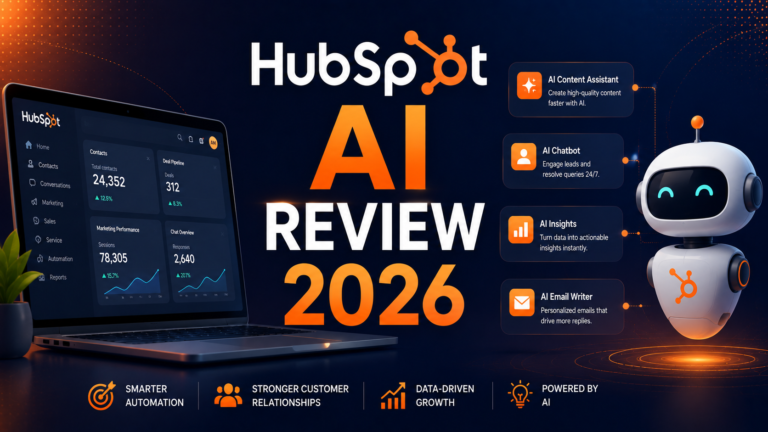
HubSpot Service Hub is the most accessible full-featured customer success platform in this comparison. The free CRM tier provides genuine customer management functionality with Breeze AI features accessible from the first paid tier. For teams with under 200 accounts that do not yet need dedicated health scoring or complex lifecycle automation, Service Hub covers case management, customer onboarding tools, knowledge base creation, feedback collection, and AI-powered communication assistance in one subscription that the majority of small to mid-size CS teams can afford.
Breeze Customer Agent handles customer questions autonomously from the knowledge base. Breeze Copilot drafts customer communications and QBR summaries. The unified data model means CS activity, marketing engagement, and sales history all inform the customer view without manual data reconciliation across separate tools.
Key Features: Breeze Customer Agent for autonomous question resolution from the knowledge base, Breeze Copilot for communication drafting and account summarization, customer portal for self-service case management, feedback surveys and NPS tracking, knowledge base for customer self-service, and unified CRM with marketing and sales data for complete customer history.
Pros:
- Free CRM covers basic CS management at zero cost; Starter at $20/seat/month is accessible for small teams
- Unified CRM data model provides complete customer context without manual data sync
- Breeze Customer Agent deflects repetitive questions without dedicated AI infrastructure
- No implementation overhead; productive from day one for teams migrating from manual tools
Cons:
- Less powerful than dedicated CS platforms for health scoring, complex lifecycle automation, and churn prediction
- Full Breeze AI capabilities require higher-tier plans; Starter plan has limited AI access
- Not suitable for CS organizations with 500-plus accounts requiring sophisticated segmentation and automation
- Does not integrate as deeply with product usage data as ChurnZero or Gainsight
Pricing:
- Free CRM: Basic CS features with limited Breeze AI
- Starter: $20/seat/month (annual)
- Professional: $100/seat/month (annual), full automation and AI suite
- Enterprise: $130/seat/month (annual)
7. ChatGPT
Best for individual CSMs and CS teams who need flexible AI for QBR preparation, customer communication drafting, and account research without enterprise tool investment.
ChatGPT’s role in customer success is adjacent to the dedicated platforms: it does not manage health scores, automate playbooks, or track product usage. What it does is handle every writing and research task that surrounds customer relationships and that currently consumes significant CSM time without requiring specialized platform access.
QBR preparation is the clearest high-value use case. A CSM with a renewal conversation in 48 hours can provide ChatGPT with the account history, usage summary, and support ticket themes, then ask it to draft a structured QBR agenda, identify risks to address proactively, and generate talking points aligned to the customer’s stated business goals. This preparation previously consumed 2 to 3 hours; with AI assistance, the same output takes 20 to 30 minutes.
Key Features: QBR agenda and talking point generation from account context, customer email drafting with tone calibration, executive summary generation from usage and support data, objection response preparation for renewal conversations, customer research for unknown accounts and new stakeholders, and Custom GPTs for building CS-specific assistants pre-loaded with product knowledge.
Pros:
- Free tier covers basic CS writing tasks without a subscription
- QBR preparation compression from hours to minutes is the highest-immediate-ROI use case for individual CSMs
- Custom GPTs allow building product-specific CS assistants without repeated context setup
- No implementation; productive within the first session for motivated CSMs
Cons:
- Cannot access CRM data, product usage metrics, or health scores without manual input
- Not a replacement for dedicated CS platforms for health scoring and lifecycle automation
- Output requires review for customer-specific accuracy before use in communications
Pricing:
- Free: GPT-5.x with daily limits, no credit card required
- Plus: $20/month, full GPT-5.4, web browsing, file analysis, Custom GPTs
8. Mixpanel
Best for CS teams that need deep behavioral product analytics to build accurate health scores and identify adoption gaps before customers disengage.
Mixpanel is not a customer success platform. It is a product analytics tool that becomes essential to CS teams that want health scores built on actual user behavior rather than proxy metrics like support ticket volume or login recency. When a CSM can see exactly which features a customer uses, which workflows they have never attempted, and how their usage trajectory has changed over the last 30 days, the health scoring conversation changes from estimation to evidence.
The free plan’s 100,000 monthly events covers early-stage teams building CS analytics infrastructure without upfront cost. The Growth plan at $28 per month provides the data depth and segmentation that CS teams need for meaningful account health analysis. Mixpanel integrates with Gainsight, ChurnZero, and other CS platforms to push behavioral signals into the health score models that drive automated playbooks.
Key Features: Real-time product usage tracking at the event and feature level, user cohort analysis for identifying adoption patterns and gaps, funnel analysis for pinpointing where customers drop off in key workflows, retention analytics showing which user behaviors predict long-term retention, A/B testing for product improvements, and integrations with Gainsight, ChurnZero, Segment, and Salesforce.
Pros:
- Free plan with 100,000 monthly events is functional for early-stage CS analytics
- Feature-level usage data is the strongest foundation for accurate health scoring
- Integration with CS platforms feeds behavioral signals directly into automated playbook triggers
- Retention analytics identify the usage patterns that predict customer longevity before CSMs notice
Cons:
- Not a CS platform; no health scores, playbooks, or CSM workflow features
- Requires technical setup to define events and track the right user actions
- Data is most valuable when integrated with a CS platform rather than used standalone
- Growing teams may find the event-based pricing model difficult to predict at scale
Pricing:
- Free: 100,000 monthly events, unlimited projects
- Growth: $28/month ($24/month annual), up to 10 million events
- Enterprise: Custom pricing for advanced governance and volume
Frequently Asked Questions
At what company size and account volume does a dedicated CS platform become necessary?
The clearest threshold from practitioner consensus in 2026 is 200 accounts per CS team. Below 200 accounts, a well-configured CRM (HubSpot Service Hub or Salesforce) often provides sufficient visibility with manual health tracking. Above 200 accounts, the manual overhead of monitoring customer health, scheduling check-ins, and identifying at-risk accounts before the signals become obvious creates its own operational risk. The other key trigger is when churn is becoming a visible financial problem: if monthly churn is above 2 percent and the CS team cannot identify which accounts are at risk 60 to 90 days in advance, the invisible cost of churned ARR typically exceeds the cost of a dedicated platform within the first year. The key decision factor beyond account volume is implementation capacity. A poorly implemented Gainsight generates less value than a well-deployed ChurnZero. Honest assessment of the team’s operational maturity and CS Ops resources should precede platform selection.
How do CS teams calculate ROI on AI-powered customer success platforms?
The most defensible ROI framework has three components. First, churn reduction value: calculate the ARR at risk from accounts with health scores below threshold, multiply by the percentage improvement in save rate the platform targets (typically 15 to 30 percent for well-implemented CS platforms), and that produces the annual revenue protection value. Second, CSM efficiency: measure the hours per week currently spent on manual account review, status reporting, and communication tasks, multiply by the number of CSMs, convert to a dollar value at fully-loaded CSM cost, and apply the efficiency improvement percentage the platform claims (typically 20 to 40 percent). Third, expansion detection: quantify the expansion opportunities identified through health scores and usage signals that would not have been identified through manual review. Teams that fully deploy and operationalize a platform often see meaningful churn improvement within 6 to 12 months, though the benefit concentration varies significantly by implementation quality.
What is the most important integration to prioritize when implementing a CS platform?
CRM integration, specifically bidirectional sync with Salesforce or HubSpot, is the most important infrastructure decision in any CS platform implementation. CS platforms that cannot reliably push health score changes, account risk flags, and renewal signals back into the CRM that the broader revenue organization uses create an information silo that reduces CS influence on renewal and expansion conversations. The second most important integration is product analytics, specifically Mixpanel, Amplitude, or Segment, because health scores built on behavioral usage data are more predictive and more actionable than health scores built on engagement proxies. The specific implementation question that most buyers fail to ask before signing is: how long does CRM data take to appear in the health score after it changes? Platforms with multi-hour sync delays undermine real-time intervention and create trust problems with the health score data that CSMs depend on for daily decision-making.
Final Recommendation
The right AI customer success tool depends primarily on team size, account volume, existing CRM environment, and operational maturity.
For large enterprises with 500-plus accounts, dedicated CS Ops resources, and Salesforce as the revenue system of record, Gainsight remains the most comprehensive CS platform available. The implementation complexity and cost are justified at scale for teams that can operate the platform at full depth.
For mid-market SaaS teams between 100 and 500 accounts that need real-time usage-based signals and faster implementation, ChurnZero at approximately $12,000 per year delivers strong functionality with 4 to 6 week time-to-value. For teams that want modular starting points at lower cost with a free entry tier, Totango’s SuccessBLOCs approach provides pre-built CS workflows that accelerate deployment.
For CS teams whose primary bottleneck is high-volume customer communication rather than health scoring, Intercom’s Fin AI and proactive messaging capabilities address communication scale at a $29 per seat monthly entry point with a 14-day trial.
For teams already on Salesforce who want AI without migrating to a separate platform, Einstein for Service adds AI health scoring and Copilot within the existing workflow.
For budget-conscious teams and those under 200 accounts, HubSpot Service Hub at $20 per seat per month with Breeze AI provides the most accessible full-featured starting point before a dedicated CS platform investment is justified.
Every team in this comparison benefits from Mixpanel or an equivalent product analytics tool feeding behavioral signals into health scores, regardless of which CS platform is deployed. The platforms are only as predictive as the data that powers their health models, and feature-level usage data is the strongest foundation available.
Start with the tool that matches your current account volume and operational capacity, not the tool you aspire to need in two years. A well-deployed simpler platform outperforms a poorly adopted enterprise platform every time.