Best AI Video Generators 2026: Ranked, Reviewed & Compared
A few years ago, creating professional video required a camera, a crew, expensive editing software, and hours of post-production work. In 2026, you can type a sentence and get a cinematic clip back in minutes. That shift is no longer experimental — it’s a production reality for marketing teams, content creators, educators, and filmmakers who need video output at a pace and cost that traditional production simply can’t match.
AI video generators have split into two distinct categories, and understanding the difference is the first step to choosing the right tool. Text-to-video generators like Runway ML, Pika, and Luma Dream Machine create entirely synthetic footage from written prompts — cinematic scenes, product visuals, B-roll, abstract sequences. Avatar-based tools like Synthesia and HeyGen use digital human presenters to deliver scripted content on camera, making them ideal for corporate training, explainer videos, and multilingual marketing. Most creators eventually use tools from both categories depending on what a project requires.
This guide covers eight of the most capable AI video generators in 2026 — with specific pricing, honest strengths and weaknesses, and a clear answer on which tool fits which workflow.
Who Needs an AI Video Generator?
- Content creators and YouTubers who need B-roll, intros, or short-form clips without a camera setup
- Marketers and social media managers producing video ads, promos, and social content at volume
- Corporate and L&D teams creating training videos, onboarding content, and internal communications at scale
- Filmmakers and directors using AI for pre-visualization, concept work, or experimental storytelling
- Small businesses and entrepreneurs who need professional video content without agency budgets
- Educators and course creators building video-based learning content without on-camera presence
Comparison Table: 8 Best AI Video Generators 2026
| Tool | Best For | Starting Price | Free Tier |
|---|---|---|---|
| Runway ML | Cinematic quality, creative control, VFX | $15/month (Standard) | Yes (125 one-time credits) |
| Synthesia | Corporate training and avatar-led business video | $18/month (Starter, annual) | Yes (Basic, 36 min/year) |
| Descript | Podcast and video editing via text | Free / $24/month (Creator, annual) | Yes |
| HeyGen | Personalized, multilingual avatar video | $29/month (Creator) | Yes (3 videos/month) |
| Pika | Social media clips, effects, fast iteration | $8/month (Basic) | Yes |
| Sora 2 | High-fidelity cinematic text-to-video | Included with ChatGPT Plus ($20/month) | Limited (ChatGPT free tier) |
| InVideo AI | Script-to-video automation for beginners | $28/month (Plus) | Yes (watermarked) |
| Luma Dream Machine | Photorealistic footage, product and lifestyle video | $7.99/month (Lite) | Yes (720p watermarked) |
“Pricing is subject to change. Always verify current pricing on the tool’s official website before purchasing.”
Detailed Reviews
1. Runway ML
The professional filmmaker’s AI video tool.
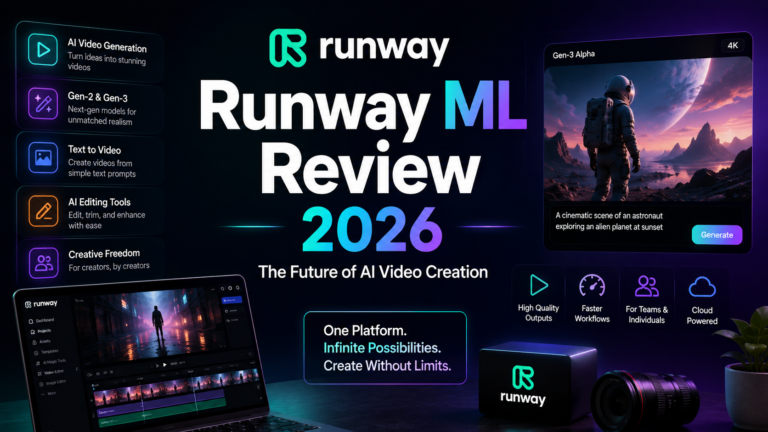
Runway ML has earned its position as the go-to AI video platform for filmmakers, VFX artists, and professional creators who need cinematic quality and granular creative control. The Gen-4.5 model holds the top benchmark score among text-to-video generators, and Runway’s editing suite — motion brushes, keyframe precision, timeline editing, and Act-Two motion capture — puts it in a different category from tools that only generate clips from prompts.
Where competitors offer a generation button and limited controls, Runway gives you a production environment. You can guide camera movement, manipulate motion within generated clips, maintain scene and character consistency across multiple generations, and export up to 4K resolution. For any creator treating AI video as a professional production tool rather than a content gimmick, Runway is the platform that rewards the investment.
Key Features:
- Gen-4.5 model — top-ranked benchmark performance for motion consistency, cinematic lighting, and visual coherence across frames
- Director Mode and motion brushes — control camera movement, object motion, and scene dynamics with precision beyond text prompts alone
- Act-Two motion capture — transfer real-world motion performance onto generated characters for precise, expressive animation
Pros:
- Best editing suite of any AI video platform — functions as a creative production environment, not just a generation tool
- Exports up to 4K resolution on paid plans
- Supports both text-to-video and image-to-video generation
- Regular model updates; consistently at or near the quality frontier
Cons:
- Free tier is limited to 125 one-time credits — enough to test but not to build a workflow
- Credit system is expensive for high-volume users; heavy users exhaust Standard plan credits quickly
- Generation speed sits in the middle range — not the fastest tool for rapid iteration
- Unlimited plan users have reported unexpected account suspensions for extreme usage
Pricing:
- Free: 125 one-time credits (720p, watermarked)
- Standard: $15/month (625 credits/month, 1080p, watermark-free)
- Pro: $35/month (2,250 credits/month, custom voices, higher resolution options)
- Unlimited: $95/month (unlimited relaxed-mode generations)
- Enterprise: Custom pricing
Best For: Filmmakers, VFX artists, creative directors, and professional content creators who need cinematic output quality and production-level editing controls.
2. Synthesia
The undisputed leader for corporate and training video at scale.
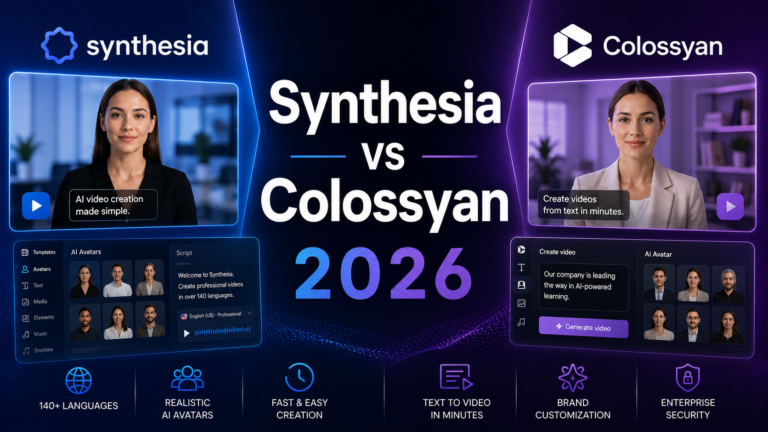
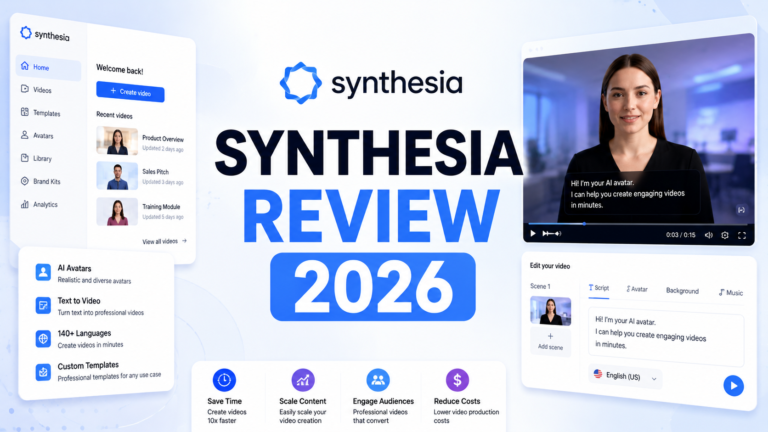
Synthesia serves over 50,000 teams including a significant portion of Fortune 100 companies, and its dominance in the enterprise video space is well-earned. The platform is built for a specific use case — creating professional, avatar-led video content for training, onboarding, internal communications, and marketing — and it executes that use case better than any competitor. With 230+ AI avatars, support for 160+ languages and voices, and a PowerPoint-to-video workflow that converts slides and speaker notes directly into polished video, Synthesia removes every friction point from corporate video production.
The 2026 update introduced an AI Playground giving all users — including the free Basic tier — access to Veo 3.1 and Sora 2 for generating video assets directly within the Synthesia environment. That integration positions Synthesia as a hybrid platform capable of both avatar-led video and high-fidelity generative footage within a single interface.
Key Features:
- 230+ AI avatars in 160+ languages — the largest avatar and language library of any platform, with natural lip-sync and realistic expression
- PowerPoint-to-video conversion — upload a presentation and receive a video draft that retains the original design and converts speaker notes to scripts
- AI Playground — generate cinematic video assets via Veo 3.1 and Sora 2 directly inside the Synthesia editor
Pros:
- Best avatar variety and multilingual capability in the market — unmatched for international content
- Highly intuitive interface; no video editing experience required
- Free Basic plan provides genuine access to core features including avatars and AI Playground
- PowerPoint import is a genuine workflow accelerator for corporate teams
Cons:
- Creative flexibility is limited compared to text-to-video tools — outputs follow structured, presenter-led formats
- Credit limits at the Starter tier (120 minutes/year) can be restrictive for active content teams
- Custom personal avatar creation is a paid add-on ($1,000/year) at annual plans only
- Enterprise-appropriate but expensive for solo creators and small teams
Pricing:
- Basic: Free (36 minutes video/year, 9 AI avatars, limited features)
- Starter: $18/month (billed annually) — 120 minutes video/year, 125+ AI avatars, API access
- Creator: $64/month (billed annually) — higher video limits, more avatars, advanced collaboration
- Enterprise: Custom pricing (unlimited video, custom avatars, SSO, dedicated support)
Best For: Corporate L&D teams, HR departments, marketing agencies, and any organization producing training, onboarding, or multilingual video content at scale.
3. Descript
The fastest path from raw recording to polished video — no editing skills required.
Descript earns its place on this list not as a generative video tool but as the AI video editor that removes the biggest bottleneck in most creators’ workflows: the editing. By treating video and audio as text — you edit the transcript to edit the media — Descript makes video production accessible to anyone who can write and read. Delete a word in the transcript and the corresponding footage disappears. It’s genuinely the most intuitive approach to video editing available, and the Underlord AI suite handles filler words, silences, audio cleanup, and clip generation automatically.
For podcasters, YouTubers, and course creators who record their own content and spend hours editing it, Descript’s ROI is immediate and measurable.
Key Features:
- Text-based video and audio editing — edit your media by editing its transcript; no timeline scrubbing required
- Underlord AI — automatic filler word removal, silence trimming, Studio Sound audio enhancement, and AI-generated short clips and trailers
- Overdub — clone your own voice to fix recording mistakes or generate new narration without re-recording
Pros:
- Most beginner-friendly video editing tool available — no prior editing experience needed
- Studio Sound audio cleanup dramatically improves recording quality in post
- Free plan includes 60 minutes of media/month — enough to evaluate the full workflow
- Annual billing saves up to 35% versus monthly pricing
Cons:
- AI credits run out quickly during intensive editing sessions
- Not a generative video tool — requires your own recorded footage as the starting point
- Full team collaboration and brand asset features require the Business plan at $65/month
- Poor value economics for sporadic or occasional creators
Pricing:
- Free: 60 minutes of media/month, 100 one-time AI credits, watermarked exports
- Hobbyist: $24/month ($16/month annual) — 10 hours media, 400 AI credits, watermark-free
- Creator: $35/month ($24/month annual) — 30 hours media, 800 AI credits, 4K export, full Underlord AI
- Business: $65/month ($50/month annual) — 40 hours media, 1,500 AI credits, team Brand Studio
- Enterprise: Custom pricing
Best For: Podcasters, YouTubers, and course creators who produce their own recorded content weekly and want AI-assisted editing without a professional software learning curve.
4. HeyGen
The best tool for personalized, multilingual avatar video at scale.
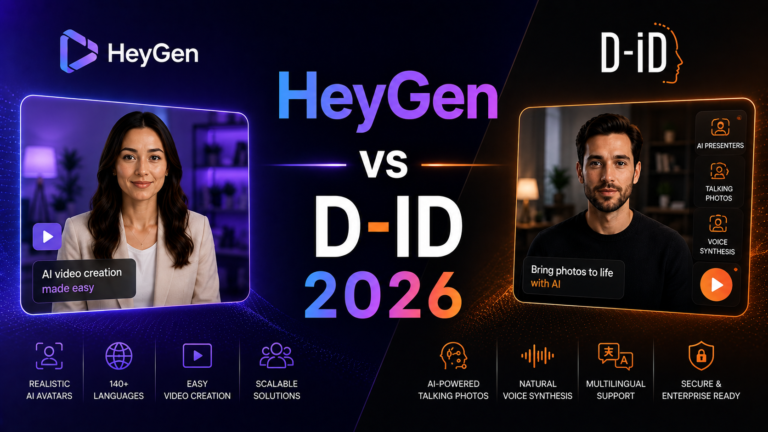
HeyGen occupies the intersection between Synthesia’s corporate focus and a more creator-friendly flexibility. Its standout capability — video translation with AI-synchronized lip movements — is the most compelling feature in the AI video space for businesses with international audiences. Upload a video of a real person speaking, select a target language, and HeyGen not only clones the speaker’s voice and tone but syncs their lip movements to the new language. The result looks as though the speaker delivered the message natively.
For marketing teams, sales organizations, and global content creators, this eliminates the cost and inauthenticity of traditional dubbing at a fraction of the price. HeyGen also excels at personalized video at scale — creating individualized video messages for thousands of prospects or customers from a single template.
Key Features:
- AI video translation with lip-sync — dub existing video into multiple languages with accurate lip movement sync, making translated content look native rather than overdubbed
- Personalized video at scale — generate customized video messages from templates for thousands of individual recipients
- Custom AI avatars — create a digital twin from a short video recording for unlimited on-demand video generation
Pros:
- Best multilingual video translation capability available — lip-sync accuracy is genuinely impressive
- Creator plan at $29/month with unlimited video generation is strong value for active users
- Intuitive interface accessible to non-technical creators
- Strong for sales, marketing, and HR use cases requiring human-presenter video at scale
Cons:
- Avatar-based format limits creative range compared to text-to-video tools
- Free plan restricts to 3 videos per month — enough to test, not to produce
- 4K export requires the Team plan at $39/seat/month
- Custom avatar creation requires review and processing time
Pricing:
- Free: 3 videos/month (watermarked, 720p)
- Creator: $29/month — unlimited video generation, 1080p export, commercial rights
- Team: $39/seat/month (minimum 2 seats) — 4K export, collaboration tools, team workspace
- Enterprise: Custom pricing (priority support, advanced avatars, API access)
Best For: Marketing and sales teams, global businesses, and content creators who need personalized or multilingual avatar-led video at scale.
5. Pika
The fastest AI video generator for social media content and creative effects.
Pika has evolved from a novelty tool into a legitimate creative studio for short-form video production. The 2.5 update delivers sharper motion, better camera control, stronger character consistency, and a suite of specialized effects tools that distinguish it from competitors. Pikaffects adds stylized visual effects, Pikaswaps enables creative scene transformations, Pikaframes introduces keyframe-guided transitions, and the Pikaformance model brings still images to life with hyper-realistic facial expressions synced to any audio.
Where Runway rewards investment in learning and precision, Pika rewards speed and creative experimentation. Generation times under 2 minutes make it the fastest text-to-video tool on this list, which matters when you’re producing volume content for social platforms where iteration speed directly impacts output quality.
Key Features:
- Pikaffects and Pikaswaps — specialized effects tools for stylized transformations, scene swaps, and creative visual treatments beyond standard generation
- Pikaformance — animate still images and characters with hyper-realistic facial expressions synchronized to any audio input
- Pikaframes — keyframe-guided transitions from still image to still image for smooth, cinematic animations
Pros:
- Fastest generation speed of any tool on this list — under 2 minutes per clip
- Most affordable paid entry point at $8/month
- Generous free tier for experimentation
- Effects toolkit is genuinely differentiated — not just a generation tool
Cons:
- Less granular creative control than Runway for professional filmmaking work
- Short clip length (3–10 seconds) limits use for longer-form narrative content
- Best suited for short-form social content — not the right tool for corporate or training video
Pricing:
- Free: Limited monthly credits (watermarked)
- Basic: $8/month — more credits, watermark-free, standard resolution
- Standard: $28/month — higher credit allocation, priority generation, 1080p
- Unlimited: $68/month — maximum credits, 4K export, fastest generation speeds
- Enterprise: Custom pricing
Best For: Social media creators, TikTok and Instagram Reels producers, marketers who need high-volume short-form video content with creative visual effects.
6. Sora 2
OpenAI’s cinematic text-to-video model — now integrated into ChatGPT.
Sora 2 is OpenAI’s most advanced video generation model, released in September 2025 and continuously updated since. It delivers cinematic-quality video with realistic physics, synchronized audio, and prompt adherence that surpasses most competitors. Where earlier AI video models struggled with physical accuracy — objects behaving implausibly, motion degrading over time — Sora 2 demonstrates a genuine understanding of cause-and-effect: a ball thrown against a wall rebounds correctly, water flows with natural physics, camera movements feel like real cinematography.
It’s important to note that the standalone Sora app is being discontinued in 2026. Sora 2 is now accessed through ChatGPT Plus and ChatGPT Pro subscriptions, making it bundled functionality rather than a separate product. For existing ChatGPT Plus subscribers, access is included — exceptional value given the quality ceiling.
Key Features:
- Realistic physics simulation — video output demonstrates genuine understanding of physical cause-and-effect, producing more plausible motion than most competitors
- Synchronized audio — generates ambient sound, sound effects, and audio that matches generated visual content
- Cameos — insert yourself or specific faces into AI-generated scenes via the dedicated Sora iOS app
Pros:
- Among the highest quality text-to-video outputs available — benchmark-leading photorealism
- Included with ChatGPT Plus at $20/month — no additional subscription required for existing users
- Synchronized audio generation is a meaningful differentiator for content requiring sound design
- Supports up to 20-second clips on Pro tier — longer than most competitors
Cons:
- Standalone Sora app is being discontinued; access now requires a ChatGPT subscription
- ChatGPT Plus credit allocation limits heavy video production workflows
- Less creative control tooling than Runway for professional production use
- API access at $0.10/second can become expensive for high-volume generation
Pricing:
- Included with ChatGPT Plus: $20/month (1,000 Sora 2 credits, ~12 videos at 720p)
- ChatGPT Pro: $200/month (10,000 Sora 2 credits, longer clips, higher quality)
- API: $0.10/second (standard) — $0.30/second (Sora 2 Pro at 720p)
Best For: Content creators and storytellers already using ChatGPT Plus who want access to top-tier text-to-video generation without an additional subscription.
7. InVideo AI
The most complete script-to-finished-video pipeline for beginners.
InVideo AI is the closest thing to a “type a prompt and get a publish-ready video” tool that actually works in 2026. Type a topic or paste a script, and the platform generates a complete video — script, footage (from its stock library or AI generation), voiceover, subtitles, background music, and transitions — with the AI handling hundreds of production decisions automatically. For non-technical creators who don’t want to learn editing software, this pipeline is genuinely transformative.
The standout differentiator in 2026 is model access: InVideo bundles both Sora 2 and Veo 3.1 into its generation pipeline from $28/month — access to both models separately would cost significantly more. For creators who need both AI-generated footage and automated production in one workflow, InVideo’s value proposition is hard to match at its price point.
Key Features:
- Full script-to-video automation — generates complete videos from a single text prompt including script, footage, voiceover, subtitles, music, and transitions
- Sora 2 and Veo 3.1 integration — both frontier generative models bundled into the production pipeline for cinematic AI footage
- Voice cloning — upload a 30-second audio sample to generate a cloned voice for consistent narration across all videos (2 clones on Plus, 5 on Max)
Pros:
- Most beginner-friendly complete video production pipeline available
- Bundled Sora 2 and Veo 3.1 access at $28/month is exceptional model-access value
- 50+ language support for multilingual content production
- Free plan available with watermarked exports for testing
Cons:
- AI-generated scripts tend toward formulaic output — plan for editorial review and rewriting
- Approximately one in four editing commands requires a retry — reliability isn’t perfect
- Unused AI generation minutes don’t roll over to the next month
- Not suited for frame-precise editing or high-end production requiring detailed control
Pricing:
- Free: 10 minutes/week of AI generation, 4 exports/week (watermarked)
- Plus: $28/month — 50 minutes/month AI generation, unlimited exports, 2 voice clones, commercial rights
- Max: $50/month — 200 minutes/month AI generation, 5 voice clones, priority rendering
- Enterprise: Custom pricing
Best For: Beginners, small business owners, marketers, and solo creators who need a fully automated video production pipeline without any editing experience or technical skills.
8. Luma Dream Machine
Photorealistic generative video at the most accessible price point.
Luma AI’s Dream Machine has built one of the most feature-complete generative video platforms available, with a philosophy that extends well beyond generation quality. Where competitors focus primarily on producing the best clips from prompts, Luma invested heavily in creative control features that make real production workflows functional: precise camera motion controls (dolly, orbit, pan, zoom that reliably execute as specified), a Reframe tool that intelligently adapts video to different aspect ratios, and Modify Video for video-to-video transformation that preserves motion while reimagining visual style.
The Ray3 model introduced 4K HDR support and improved physics simulation, producing product and lifestyle footage with a visual quality that rivals premium stock video for many use cases. At $7.99/month for the Lite plan, it’s the most affordable entry point to genuinely cinematic AI video generation on this list.
Key Features:
- Reliable camera motion controls — specify dolly, pan, orbit, zoom movements that execute consistently; “slow dolly in” actually produces a slow dolly in, every time
- Reframe — intelligent outpainting that adapts generated video to any aspect ratio without cropping; expands landscape clips to vertical TikTok format contextually
- Modify Video — video-to-video transformation that preserves the original motion and performance while reimagining visual elements, style, and environment
Pros:
- Most affordable starting price for cinematic-quality generation at $7.99/month
- Camera motion controls are the most reliable and precise of any text-to-video tool
- Reframe feature solves a genuine workflow problem for multi-platform content creators
- Ray3 model produces 4K HDR output with excellent physics simulation
Cons:
- Fine-grained prompt control for complex scenes is still developing compared to Runway
- Generation times can be variable during peak usage periods
- Clip length per generation is limited to shorter sequences for most plan tiers
- Less specialized than avatar-based tools for corporate or presenter-led content
Pricing:
- Free: 720p generation, watermarked, limited monthly credits
- Lite: $7.99/month — 1080p, watermark-free, standard credit allocation
- Plus: $20.99/month — higher credits, priority generation, 4K access
- Unlimited: $66.49/month — maximum credits, fastest generation, full 4K HDR
- Enterprise: Custom pricing ($1,672.92/year quoted for large organizations)
Best For: Filmmakers, content creators, product marketers, and creative professionals who need cinematic generative footage with precise camera control at an accessible price point.
Frequently Asked Questions
What’s the difference between text-to-video tools and avatar-based tools?
Text-to-video generators (Runway, Pika, Sora 2, Luma Dream Machine) create entirely synthetic video footage from written prompts — scenes, motion, environments, and characters generated from scratch. Avatar-based tools (Synthesia, HeyGen) use digital human presenters who deliver scripted content on camera, similar to a talking-head video but without a real person recording. The right category depends on your use case: if you need creative footage, B-roll, or visual storytelling, text-to-video is the answer. If you need a presenter-led explainer, training video, or personalized marketing message, avatar tools are more appropriate. Many production workflows use both.
Do AI-generated videos come with commercial usage rights?
Most paid plans across all major platforms include commercial usage rights — Runway Standard and above, HeyGen Creator, Synthesia Starter, Pika Basic, and InVideo Plus all explicitly include commercial rights as of 2026. Free tiers are more restrictive: most either prohibit commercial use entirely or require attribution. Always verify the specific terms of service for your plan and use case, particularly for paid advertising, client deliverables, or products you sell commercially. Terms change frequently and vary by platform.
How long does AI video generation take?
Generation time varies significantly by platform and output type. Pika is the fastest at under 2 minutes per clip. Luma Dream Machine produces clips in 30 seconds to 2 minutes. Runway ML sits in the middle range. Avatar-based videos on Synthesia and HeyGen take 5–15 minutes depending on length and resolution. Longer generative clips (10–20 seconds) on Sora 2 and Runway can take longer during peak usage periods. Enterprise plans generally provide priority processing for faster turnaround.
Final Recommendation
The right AI video generator depends entirely on what kind of video you’re making and how much production control you need.
For cinematic quality and professional production: Runway ML is the clear choice. Nothing else on this list offers the same combination of output quality, editing tools, and creative control. The $35/month Pro plan is the sweet spot for active professional use.
For corporate training and multilingual business video: Synthesia is the undisputed leader. If your team produces internal training, HR communications, or marketing content in multiple languages, Synthesia’s avatar library and language support justify the cost immediately.
For personalized or translated video at scale: HeyGen’s lip-sync translation feature is genuinely unique. For any business with international audiences or personalized video campaigns, the $29/month Creator plan is exceptional value.
For podcast and video editing: Descript. If you record your own content, there is no faster or more intuitive editing tool available. The Creator plan at $24/month (annual) pays for itself within a week of regular use.
For budget-friendly cinematic generation: Luma Dream Machine at $7.99/month delivers the best generation quality-to-price ratio on this list. Start here if you want to experiment with AI-generated footage without committing to a higher-priced tool.
For beginners who need everything automated: InVideo AI handles the entire production pipeline — script, footage, voiceover, and editing — from a single prompt. If you’re new to video and want results fast, start with the free tier.
For ChatGPT Plus subscribers: Sora 2 is already included. Use it for high-fidelity text-to-video without paying for a separate subscription.
For social media content volume: Pika at $8/month is the fastest and most affordable way to generate effects-driven short-form video for TikTok, Reels, and Shorts at scale.
“Pricing is subject to change. Always verify current pricing on the tool’s official website before purchasing.”