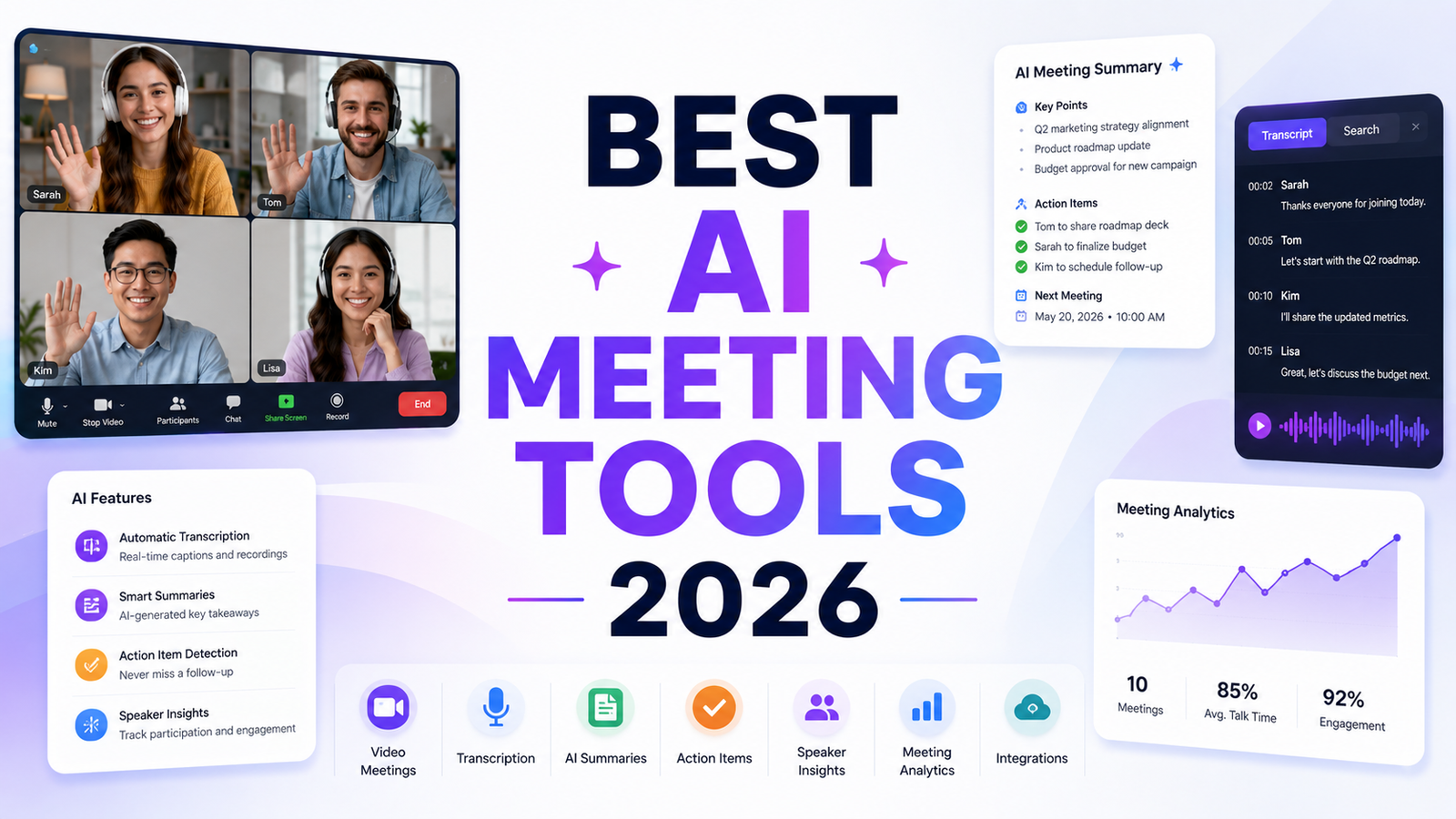
Best AI Meeting Tools 2026: We Sat Through Hours of Meetings So You Don’t Have To
The average professional spends 21.5 hours per week in meetings. That number has grown steadily for a decade and shows no sign of reversing. What has changed dramatically is what happens after the meeting ends: whether anyone remembers what was decided, whether action items actually get followed up, and whether managers have any visibility into whether their team’s customer conversations are consistent with company messaging.
AI meeting tools in 2026 handle the transcription, summarization, and action item extraction that previously required a dedicated note-taker or a rep splitting attention between listening and writing. The best tools go further: they sync directly to CRMs, flag deal risks from sales calls, track coaching metrics, and let teams search across months of meetings in seconds.
The honest caveat: transcription accuracy and summary quality have converged substantially across the category. The gaps that matter in 2026 are the free tier generosity, bot-joining versus bot-free approaches, CRM integration depth, and whether the tool is built for individual productivity or team-wide conversation intelligence.
Comparison Table: Best AI Meeting Tools 2026
| Tool | Best For | Starting Price | Free Plan |
|---|---|---|---|
| Otter.ai | Real-time transcription with AI Chat for querying meeting content | Free (300 min/month) / $8.33/month (Pro) | Yes |
| Fireflies.ai | Searchable meeting archive with topic tracking and team collaboration | Free (limited) / $10/seat/month | Yes |
| Fathom | The most generous free plan in the category: unlimited recordings, no credit card | Free / $16/month (Premium) | Yes |
| Krisp | Bot-free meeting notes plus AI noise cancellation without a visible participant | Free (60 min/day) / $8/user/month (Core) | Yes |
| TL;DV | Multi-meeting intelligence and pattern analysis across conversations | Free (unlimited recordings) / $26/user/month (Pro) | Yes |
| Meetgeek | Team collaboration with automated highlight sharing and meeting analytics | Free (3 hrs/month) / $15/user/month (Pro) | Yes |
| Avoma | Sales and customer success teams needing full conversation analytics | Free limited / $19/recorder/month (Starter) | Yes |
| Jamie | Privacy-conscious users who need local bot-free note generation | $24/month (Pro) | 5-day trial |
“Pricing is subject to change. Always verify current pricing on the tool’s official website before purchasing.”
Detailed Reviews
1. Otter.ai
Best for professionals who want real-time transcription with the ability to query meeting content conversationally after the fact.
Otter.ai is one of the most widely recognized AI meeting tools, with a focus on real-time transcription accuracy and AI Chat that lets users ask natural language questions about their meetings: “What did Sarah say about the budget?” or “What were the action items from last Tuesday’s call?” returns specific answers drawn from the transcript rather than requiring manual search.
The free plan covers 300 transcription minutes per month with three AI summaries, which is functional for occasional meeting note needs. Pro at $8.33 per month adds 1,200 monthly minutes, custom vocabulary for accurate transcription of technical terms, and deeper AI Chat capability across a library of past meetings.
Key features: Real-time transcription across Zoom, Google Meet, and Teams, AI Chat for querying meeting content, speaker identification and labeling, automated action item extraction, custom vocabulary for domain-specific accuracy, and Otter’s meeting note in Gmail integration.
Pros: Real-time transcription during the meeting is among the most accurate in the category; AI Chat capability allows queries across meeting history; custom vocabulary improves accuracy on technical and industry-specific terminology; Gmail integration captures email-scheduled meeting context.
Cons: Free plan’s 300-minute monthly cap is restrictive for professionals in frequent meetings; Fathom and TL;DV offer unlimited free recording volume; not purpose-built for sales conversation intelligence where Avoma leads.
Pricing: Free (300 min/month, 3 AI summaries); Pro $8.33/month (annual); Business $20/user/month.
2. Fireflies.ai
Best for teams who want a searchable meeting archive with topic tracking and collaboration features across shared team calls.
Fireflies.ai joins meetings as a bot participant, records and transcribes them, and builds a searchable library the team can reference. Topic tracking identifies recurring themes across a library of calls, allowing managers to see which topics come up most frequently across all customer conversations or team discussions. The collaboration layer allows teammates to comment and react to specific parts of a transcript, making shared analysis of important calls more structured than email threads about meeting recordings.
AskFred, Fireflies’ AI assistant, answers questions about meeting content, generates follow-up emails from call notes, and surfaces action items across a library of past conversations. The free tier covers unlimited meetings with limited AI features; Pro at $10 per seat per month is the most affordable team-capable paid plan on this list.
Key features: Automatic meeting recording and transcription, searchable archive with topic and keyword tracking, AskFred AI for querying meeting content and generating follow-ups, team collaboration with comments and reactions on transcripts, CRM integration with Salesforce and HubSpot, and sentiment analysis on Pro and Business plans.
Pros: Most affordable team-capable paid plan at $10 per seat per month; topic tracking across a library of calls provides conversation intelligence that individual tools do not; team collaboration on transcripts is the strongest of any tool in this comparison; 45-plus language support.
Cons: Free tier limits meeting notes even though recording is allowed; bot joining is visible to meeting participants; conversation intelligence depth at the free tier is limited compared to what Pro unlocks.
Pricing: Free (unlimited meetings, limited AI); Pro $10/seat/month; Business $19/seat/month.
3. Fathom
Best for any professional who wants unlimited meeting transcription and AI summaries with the most generous free plan in the category.
Fathom is the most direct answer to “what is the best free AI meeting tool in 2026?” Unlimited recordings and transcriptions across Zoom, Google Meet, and Microsoft Teams at no cost, with no minute caps, no credit card required, and no trial period. Where Otter caps free users at 300 minutes per month and Meetgeek caps at 3 hours, Fathom removes the ceiling entirely. The AI summaries are well-structured, with action items, key decisions, and topics clearly separated.
The Deal View feature summarizes insights across multiple calls with the same prospect, making it a Gong-like sales intelligence tool at a fraction of the price. Ask Fathom allows querying past meeting content conversationally. HubSpot and Salesforce integration syncs call notes and action items bidirectionally without manual CRM entry.
Key features: Unlimited free recordings across Zoom, Google Meet, and Teams, AI summaries with action items and key decisions, Ask Fathom for natural language queries of meeting content, Deal View for aggregated prospect intelligence across multiple calls, HubSpot and Salesforce bidirectional sync, and shareable highlight clips.
Pros: Most generous free plan in the category by a significant margin; Deal View is Gong-quality sales intelligence without Gong’s enterprise pricing; HubSpot and Salesforce sync reduces manual CRM hygiene; multiple independent reviewer roundups name Fathom the top recommendation for most professionals.
Cons: AI summary features are limited to 5 meetings per month on the free plan, though unlimited recording is included; no mobile app as of 2026; bot joining is visible to participants; conversation analytics depth at the paid tier trails Avoma for dedicated sales teams.
Pricing: Free (unlimited recordings, 5 AI summaries/month); Premium $16/month; Team $14/user/month; Business $20/user/month.
4. Krisp
Best for privacy-conscious professionals who want bot-free meeting notes alongside AI noise cancellation without adding a visible participant.
Krisp’s primary identity is noise cancellation: it removes background noise, voices of other people in the room, and audio artifacts from both your microphone and the voices you hear, making meetings clearer from both directions. The meeting notes and transcription layer added to this foundation provides a secondary differentiator: bot-free recording that processes audio locally on the device without sending a visible bot to join the meeting.
For professionals in sensitive client conversations where a visible bot participant creates friction, or for users in noisy environments where audio quality directly affects transcription accuracy, Krisp’s combined noise cancellation and bot-free transcription addresses both problems from one subscription. Salesforce integration is available on the Advanced plan at $15 per user per month.
Key features: AI noise cancellation removing background noise from both input and output audio streams, bot-free meeting note generation without a visible participant, real-time transcription and post-meeting summaries, accent conversion for clearer cross-language communication, meeting analytics, and Salesforce integration on Advanced plan.
Pros: Only tool on this list combining AI noise cancellation and bot-free meeting notes; audio quality improvement is measurable and immediate; bot-free approach eliminates participant friction in sensitive client and executive conversations; Core at $8 per user per month covers both noise cancellation and notes.
Cons: Integration ecosystem is smaller than Fireflies or Fathom; HubSpot integration not available on Core; transcription accuracy benefits significantly from the noise cancellation but can still be affected by very strong accents; 60-minute daily limit on the free tier is restrictive.
Pricing: Free (60 min/day); Core $8/user/month; Advanced $15/user/month (Salesforce integration).
5. TL;DV
Best for teams who want multi-meeting pattern analysis across customer conversations and generous free recording without per-minute caps.
TL;DV (Too Long; Didn’t View) is the most distinctively named tool in the category and the name captures its purpose: making meeting recordings actually usable rather than storing hours of video that nobody watches. The unlimited free recordings on Zoom and Google Meet, combined with AI-powered search across the meeting library, allow finding specific moments across months of calls without manual review.
The multi-meeting report feature is TL;DV’s most differentiated capability: it analyzes patterns across a corpus of conversations to surface recurring themes, objections, or topics that emerge from comparing many calls rather than reviewing each individually. For sales and customer success teams who want to understand trends across a customer segment, this capability provides intelligence that single-meeting tools cannot generate.
Key features: Unlimited free recordings on Zoom and Google Meet, multi-meeting AI reports analyzing patterns across conversations, clip creation for sharing key moments with context, 30-plus language support, CRM integration with Salesforce and HubSpot, and BANT and MEDDIC framework tracking on Business plan.
Pros: Most generous free recording tier alongside Fathom; multi-meeting pattern analysis is the strongest cross-meeting intelligence feature in this comparison; clip creation makes sharing specific moments efficient; 30-plus language support is the broadest in this comparison.
Cons: Pro at $26 per user per month and Business at $52 per user per month are the highest paid plan prices in this comparison; the jump from Pro to Business for coaching features is steep; team features require a paid plan.
Pricing: Free (unlimited recordings, 10 meeting notes); Pro $26/user/month; Business $52/user/month.
6. Meetgeek
Best for teams who want automated highlight sharing and meeting analytics without heavy sales-specific configuration.
Meetgeek combines meeting transcription with automated team communication: after a meeting ends, relevant highlights can be automatically shared to Slack or email based on topics and keywords, without requiring manual clip creation. Meeting analytics track participation patterns, talk time distribution, and topic frequency across team meetings, providing managers with data about meeting quality that anecdotal observation cannot generate.
The AI Voice Agents feature, available on the Team plan, enables sending an AI agent to attend meetings on your behalf when scheduling conflicts prevent attendance, allowing participation to be reviewed through highlights and summaries rather than real-time presence.
Key features: Automated highlight sharing to Slack and email based on topic triggers, meeting analytics for participation and topic frequency, AI Voice Agents for attending meetings by proxy, searchable transcript library, action item extraction, and integrations with 2,000-plus apps through Zapier.
Pros: Automated highlight sharing reduces the manual effort of distributing meeting insights to teams; meeting analytics provide objective data on participation quality; AI Voice Agents for proxy attendance are a genuine productivity innovation; Zapier integration covers most team tool stacks.
Cons: Free tier caps at 3 hours per month, which fills quickly for active meeting schedules; less purpose-built for sales conversation intelligence than Avoma or Fathom’s Deal View; Pro at $15 per user per month is competitive but fewer free credits than Fathom.
Pricing: Free (3 hrs/month); Pro $15/user/month; Business $29/user/month.
7. Avoma
Best for sales and customer success teams who need full conversation analytics including filler word tracking, competitive mentions, and coaching scores.
Avoma is the most sales-specific tool in this comparison. Filler word tracking shows which reps use “um,” “uh,” or “like” most frequently. Monologue detection flags calls where reps talked too long without engaging the prospect. Competitive mention tracking surfaces competitor names across a library of customer calls. Coaching scores apply AI assessment to calls against defined playbook criteria. This is the level of conversation intelligence that Gong delivers at enterprise pricing; Avoma starts at $19 per recorder per month for up to 25 users.
For sales managers who need to coach reps systematically using data from actual customer conversations rather than anecdotal call reviews, Avoma’s analytics layer provides the objective coaching inputs that general meeting tools do not generate.
Key features: Filler word tracking and monologue detection, competitive mention tracking across the call library, AI coaching scores against playbook criteria, CRM sync with Salesforce and HubSpot, deal health scoring from conversation data, and scheduling integration for the full meeting lifecycle.
Pros: Deepest conversation analytics in this comparison; coaching score and playbook adherence tracking enable systematic rep development; competitive mention tracking across all calls surfaces intelligence that manual review misses; full meeting lifecycle from scheduling through analytics.
Cons: Pricing at $19 per recorder per month and above is among the higher paid tiers in this comparison; the sales-specific analytics add complexity that general meeting users do not need; less suitable for teams whose primary need is individual productivity rather than team coaching.
Pricing: Free (limited features); Starter $19/recorder/month (annual, up to 25 users); Growth and custom plans above.
8. Jamie
Best for privacy-focused professionals who need local, bot-free note generation that does not send audio to external servers.
Jamie is the most privacy-forward tool in this comparison. It records meeting audio locally on the user’s device using macOS screen capture and audio routing, generates summaries without sending the audio to external servers for processing, and produces notes without a visible bot participant in the meeting. For professionals in legal, financial, healthcare, or executive contexts where recording consent or data privacy creates friction with bot-based tools, Jamie’s local processing architecture removes that concern.
The note quality is strong, producing structured summaries with action items and key decisions. The limitation is platform scope: Jamie works on macOS with screen capture for any in-person audio or virtual call, without requiring a supported conferencing platform. The 5-day trial allows genuine evaluation before the $24 per month Pro commitment.
Key features: Local audio processing without sending meeting audio to external servers, no visible bot participant, macOS screen capture for both virtual and in-person meetings, AI-generated structured summaries with action items, 20-plus language support, and integration with calendar for automatic meeting detection.
Pros: Most privacy-protective meeting tool in this comparison; works for in-person meetings, not just video calls; no participant friction from visible bot joining; strong note quality for legal and executive contexts.
Cons: macOS only as of 2026; Pro at $24 per month with no free plan is a cost commitment without a permanent free tier; more limited CRM integration than Fathom or Fireflies; designed for individual privacy rather than team analytics.
Pricing: 5-day trial; Pro $24/month; Growth $48/month.
Frequently Asked Questions
Should I be concerned about privacy when using a bot-based AI meeting tool?
Yes, and the concern is legitimate for specific contexts. Bot-based tools including Otter, Fireflies, Fathom, TL;DV, Meetgeek, and Avoma send a visible bot to join the meeting, which means all participants can see it is recording. Most jurisdictions require consent from all participants before recording, and the visible bot provides implicit notice. The privacy concern is not primarily about whether the tool itself is secure, but about whether the audio is processed on external servers and what the vendor’s data retention policy states. For sensitive client conversations, legal proceedings, or healthcare discussions, the bot-free local processing approach of Krisp and Jamie provides a more defensible data handling model. For standard business meetings where recording consent is established or participants are internal, the bot-based tools are generally appropriate.
What is the difference between a transcription tool and a conversation intelligence tool, and do I need both?
Transcription tools capture what was said and summarize it. Conversation intelligence tools analyze what was said to surface patterns, coaching opportunities, and deal risks. Otter, Fireflies, Fathom, and Meetgeek are primarily transcription and summarization tools. Avoma, TL;DV’s multi-meeting reports, and Fathom’s Deal View edge toward conversation intelligence. Gong and Chorus are dedicated conversation intelligence platforms. Most individual professionals need transcription: the accurate capture and summary of meeting content. Sales managers who want to coach reps systematically, track playbook adherence, and analyze trends across many customer calls need conversation intelligence. These are different problems requiring different tools, and paying for conversation intelligence without the team size and management overhead to use the analytics produces expensive transcription.
Which AI meeting tool works best for a team where only some members adopt it?
Fathom and Fireflies are the most resilient to partial adoption. Fathom’s free plan is generous enough that individual adoption has no cost barrier, and the CRM sync benefits the sales team regardless of whether every participant is a Fathom user. Fireflies’ team collaboration features work once a single meeting participant has the tool, since the recording covers the full conversation. TL;DV’s unlimited free recording allows piloting before requiring team-wide buy-in. The tools that require full team adoption to deliver their primary value are Avoma’s coaching analytics and Meetgeek’s participation metrics, both of which produce weaker insights when only a subset of team members use the platform.
Final Recommendation
For most individual professionals who want the best combination of meeting transcription quality and free plan generosity, Fathom is the clearest recommendation in 2026. Unlimited free recordings, well-structured AI summaries, CRM integration with HubSpot and Salesforce, and Deal View for sales intelligence make it the most consistently recommended tool across independent testing roundups. Start there.
For teams who need affordable conversation intelligence with topic tracking across a shared meeting library, Fireflies.ai at $10 per seat per month is the most accessible team-capable plan in the category.
For professionals whose primary concern is audio quality in noisy environments or bot-free recording in sensitive conversations, Krisp covers both noise cancellation and transcription without a visible participant in one subscription.
For sales teams who need full conversation analytics, coaching scores, and playbook adherence tracking to systematically develop rep performance, Avoma provides the deepest sales-specific intelligence at a fraction of Gong’s enterprise pricing.
For privacy-focused professionals on macOS who need local processing without external audio transmission, Jamie provides the most protective data handling model and works for in-person meetings that bot-based tools cannot capture.
Start with Fathom’s free tier on your real meetings this week. If it covers your workflow, you have the best meeting tool in the category at zero cost. If specific gaps become apparent, the comparison above maps directly to which tool addresses each one.