Otter.ai vs Fireflies.ai 2026: Which AI Meeting Assistant Actually Wins?
Two bots join your meeting. Both record, transcribe, and summarize. Both charge roughly $10 to $20 per user per month at the paid tiers. On the surface, Otter.ai and Fireflies.ai look interchangeable. Dig into the actual differences and the right choice for your specific workflow becomes clear fairly quickly.
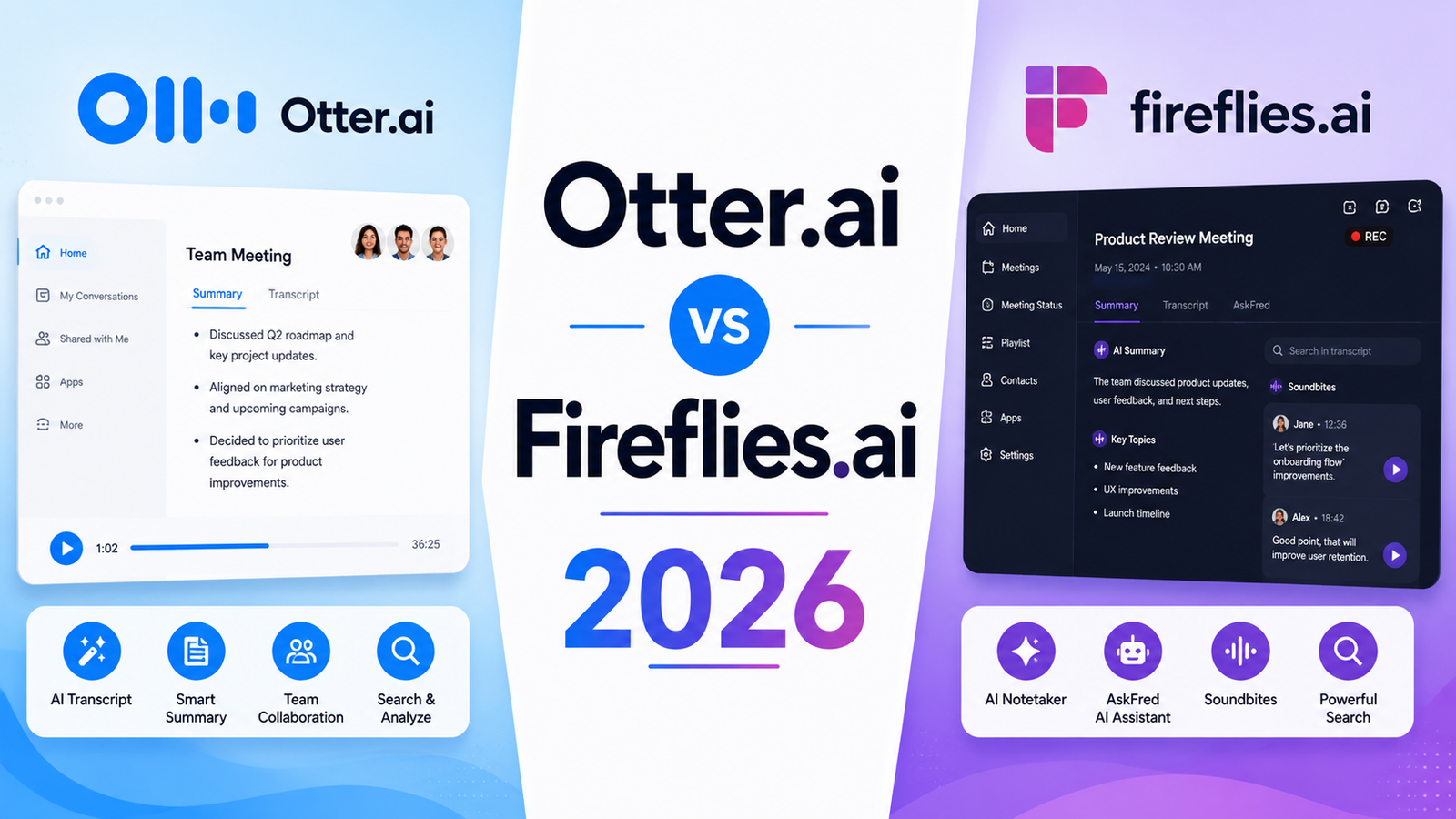
Otter is built around real-time transcription accuracy and conversational querying of meeting content. It is strongest for individuals and small teams who attend frequent meetings and want to search their meeting history with the same ease as searching email. Fireflies is built around downstream workflow value: broader platform support across 10-plus conferencing tools, 50-plus integrations, unlimited free transcription volume, and topic intelligence that surfaces patterns across a library of calls. For most business teams whose meetings feed into CRM and collaboration tool workflows, Fireflies’ integration depth and free tier generosity make it the more practical default.
Neither is wrong. The right choice depends on what happens after the meeting ends.
Side-by-Side Comparison Table
| Feature | Otter.ai | Fireflies.ai |
|---|---|---|
| Free transcription volume | 300 minutes/month | Unlimited (with 800 min storage/seat cap) |
| AI summaries on free plan | 3 per month | Limited (10 meeting notes) |
| Conferencing platforms | Zoom, Google Meet, Teams only | Zoom, Meet, Teams, Webex, BlueJeans, Skype, Dialpad, Lifesize, GoToMeeting, more |
| Real-time transcription | Yes (during meeting) | No (post-meeting processing) |
| Language support | English-focused (limited multilingual) | 60-plus languages |
| CRM integration | Salesforce, HubSpot (Business tier) | Salesforce, HubSpot, Pipedrive (Pro tier) |
| Topic tracking across meetings | Limited | Yes, keyword and topic clustering |
| Team collaboration | Highlights, comments, shared transcripts | Comments, reactions, thread sharing |
| AskFred / AI Chat | AI Chat (Otter.ai-named feature) | AskFred conversational AI queries |
| HIPAA compliance | Enterprise add-on | Enterprise included |
| Starting paid price | $8.33/month (Pro, annual) | $10/seat/month (Pro, annual) |
| Business tier | $20/user/month | $19/seat/month |
| Free tier CRM sync | No | No |
| Video recording | Yes | Yes |
| G2 / community rating | 4.3/5 (1,200-plus reviews) | 4.8/5 (800-plus reviews) |
“Pricing is subject to change. Always verify current pricing on the tool’s official website before purchasing.”
Otter.ai: Detailed Breakdown
For the full review, see our Otter.ai Review 2026.
What It Is
Otter.ai is an AI meeting transcription and note-taking platform founded in 2016 that records, transcribes, and summarizes meetings across Zoom, Google Meet, and Microsoft Teams. The platform’s OtterPilot bot joins scheduled meetings automatically and produces transcripts with speaker identification. AI Chat, available on paid tiers, lets users ask natural-language questions about meeting content: “What did we decide about the launch date?” returns the relevant transcript section rather than requiring manual search.
Key Features
Real-time live transcription. Otter’s most significant technical differentiator: it generates transcripts during the meeting, visible in real time to participants who are following along, rather than processing after the call ends. For team members who want to reference specific spoken content during the meeting itself, this real-time capability is genuinely useful.
AI Chat for meeting queries. Ask Otter questions about past meetings in conversational language. The query capability spans the individual meeting, team meetings, and meeting library depending on the plan tier. For professionals who want to retrieve specific information from a dense hour-long strategy meeting without re-reading the full transcript, AI Chat delivers the answer in seconds.
Collaboration tools. Team members can highlight specific transcript sections, add comments, and assign action items within shared meeting notes. The clean interface makes shared transcript review more structured than forwarding meeting recordings.
Search across meeting history. Full-text search across all past transcripts finds specific decisions, names, or topics across months of meetings. For teams that reference past discussions frequently, this searchability creates institutional memory that email and document storage rarely achieves.
Pros
- Real-time transcription during the meeting is the most distinctive capability in this comparison; no other tool in this list provides live in-meeting transcript visibility
- AI Chat queries deliver specific answers from past meeting content without manual search or re-reading
- Cleaner, more intuitive interface than Fireflies; described as easier to navigate by independent reviewers
- Pro plan at $8.33 per month (annual) is the most affordable meaningful paid tier in this comparison
Cons
- Free plan limits to 300 minutes per month, the most restrictive free tier in this comparison; Fireflies offers unlimited transcription on the free plan
- Conferencing platform support is limited to Zoom, Google Meet, and Teams only; Fireflies supports 10-plus platforms
- Language support is primarily English-focused; Fireflies covers 60-plus languages, a significant gap for international teams
- HIPAA compliance requires an Enterprise add-on; Fireflies includes HIPAA in Enterprise pricing without an additional cost layer
- CRM integration (Salesforce and HubSpot) requires the Business tier at $20 per user per month
Pricing
- Free: 300 min/month, 30 min per conversation, 3 AI summaries
- Pro: $8.33/month (annual) or $16.99/month, 1,200 min/month, 90 min per conversation
- Business: $20/month (annual) or $30/month, 6,000 min/month, CRM sync
- Enterprise: Custom pricing, SSO, HIPAA add-on, advanced admin controls
Fireflies.ai: Detailed Breakdown
For the full review, see our Fireflies.ai Review 2026.
What It Is
Fireflies.ai is an AI meeting intelligence platform that records, transcribes, and analyzes meetings across more than 10 conferencing platforms. Unlike Otter’s real-time approach, Fireflies processes meetings after they end, producing transcripts, AI summaries, and topic analysis within minutes of the call concluding. The platform’s AskFred AI allows conversational queries across the meeting library. Topic tracking identifies recurring themes across multiple calls, enabling pattern recognition that single-meeting review tools cannot provide.
Key Features
Unlimited free transcription (with storage cap). Fireflies’ free plan allows recording and transcribing unlimited meetings with a storage limit of 800 minutes per seat. For professionals who need to evaluate the tool on real meeting volume without a minute-count ceiling, this generosity is the most practical free tier advantage in the category.
10-plus conferencing platform support. Beyond the Zoom, Google Meet, and Teams trio that most tools support, Fireflies covers Webex, BlueJeans, Skype, Dialpad, Lifesize, GoToMeeting, and others. For teams with diverse conferencing stacks or for anyone who uses a less mainstream platform, this breadth eliminates the coverage gap that limits Otter’s applicability.
Topic tracking and keyword clustering. Fireflies identifies and tracks recurring topics and keywords across a library of meetings, surfacing which themes appear most frequently across a team’s calls. For sales managers reviewing customer conversation patterns, and for team leaders tracking whether specific initiatives are mentioned consistently, this cross-meeting intelligence is the feature that separates Fireflies from pure transcription tools.
AskFred conversational AI. Similar to Otter’s AI Chat, AskFred answers natural language questions about meeting content and can draft follow-up emails from call notes. The capability spans the full meeting library on Business and Enterprise plans.
50-plus integrations. CRM sync with Salesforce, HubSpot, and Pipedrive is available at lower tiers than Otter. Slack, Notion, Asana, and dozens of additional integrations push meeting insights directly to where teams actually work.
Pros
- Unlimited free transcription is the most generous free tier in this comparison by a significant margin
- 10-plus conferencing platform support removes the compatibility constraint that limits Otter to three platforms
- 60-plus language support covers international teams that Otter’s English-focus cannot serve
- Topic tracking across meeting library provides cross-meeting intelligence that transcription-only tools cannot generate
- G2 rating of 4.8/5 from 800-plus reviews reflects strong user satisfaction
- CRM integration available at Pro ($10/month) rather than requiring Business tier
Cons
- No real-time transcription during the meeting; processing is post-call, which limits the in-meeting use case Otter serves
- Free plan caps AI summaries at 10 meeting notes despite unlimited recording volume; the storage limit at 800 min/seat also constrains heavy users
- Bot joining is visible to participants on all tiers; no bot-free option unlike Krisp or Jamie
- Summary quality received some criticism in independent comparisons, with Otter’s summaries described as occasionally more structured
Pricing
- Free: Unlimited meetings, limited AI summaries (10 meeting notes), 800 min storage/seat
- Pro: $10/seat/month (annual), unlimited summaries, topic tracking, sentiment analysis
- Business: $19/seat/month (annual), unlimited storage, video playback, CRM integrations
- Enterprise: Custom pricing, HIPAA compliance included, SSO, advanced admin
Head-to-Head Comparison
Free Tier Generosity Fireflies wins clearly. Unlimited meeting transcription versus Otter’s 300-minute monthly cap is not a close comparison for professionals who attend multiple meetings weekly. Otter’s 300 minutes depletes in roughly three to four hours of meetings per month, which most professionals exceed within the first week. Fireflies’ unlimited recording with a storage cap allows genuine platform evaluation across real meeting volume before any payment commitment.
Real-Time Transcription Otter wins exclusively. Fireflies processes meetings after they end; it has no in-meeting transcript capability. For the specific use case of following along with a live transcript during a meeting or referencing spoken content in the moment, Otter is the only option in this comparison that delivers it.
Platform and Language Coverage Fireflies wins significantly. Ten-plus conferencing platforms versus three, and 60-plus languages versus Otter’s English-focused approach, are substantial capability gaps that matter for international teams and anyone using conferencing tools outside the Zoom, Meet, and Teams trio.
Transcription Accuracy Multiple independent comparisons in 2026 find Fireflies producing more accurate transcripts on average, with Otter’s accuracy described as strong on clear audio but less reliable with heavy accents or overlapping speakers. Both tools achieve 85 to 93 percent accuracy in typical conditions; the gap matters in high-noise or heavily accented meeting environments.
CRM Integration Accessibility Fireflies wins on accessibility. CRM sync with Salesforce and HubSpot is available at the Pro tier at $10 per seat per month. Otter requires the Business tier at $20 per user per month for the same functionality, doubling the price for teams whose primary motivation for a paid plan is CRM integration.
Interface and Usability Otter wins. Independent reviews consistently describe Otter’s interface as cleaner and more intuitive to navigate, with a shorter learning curve for new users. Fireflies’ feature density can create initial navigation friction, though most users describe proficiency within a week.
Cross-Meeting Intelligence Fireflies wins. Topic tracking and keyword clustering across a library of calls provides pattern intelligence that Otter’s per-meeting search does not match. For sales teams and managers who need to identify trends across customer conversations, this cross-meeting analysis is the differentiating capability.
Who Should Choose Each Tool
Choose Otter.ai if:
- Real-time live transcription during meetings is important for your workflow, whether for accessibility, language processing, or following complex technical discussions in real time
- Your team uses only Zoom, Google Meet, and Microsoft Teams and no other conferencing platforms
- You primarily need English-language transcription with high accuracy on clear audio
- The cleaner interface and more intuitive navigation reduce the adoption friction for non-technical team members
- Pro at $8.33 per month is a meaningful budget advantage over Fireflies at $10 per seat per month
Choose Fireflies.ai if:
- You want to evaluate the tool on real meeting volume before paying; unlimited free transcription is the decisive free tier advantage
- Your team uses conferencing platforms beyond Zoom, Meet, and Teams
- International colleagues or customers require transcription in multiple languages
- CRM integration is needed without paying Business-tier pricing; Fireflies includes this at Pro
- Cross-meeting pattern analysis and topic tracking are useful for your team’s conversation intelligence needs
- HIPAA compliance is required; Fireflies includes it in Enterprise without an add-on cost
Frequently Asked Questions
Which tool handles accented speech better, and does transcription accuracy differ significantly?
Both tools achieve 85 to 93 percent accuracy in standard conditions, but their performance with accented speech diverges. Independent testing and practitioner feedback consistently describe Fireflies as handling diverse accents more reliably than Otter, which was originally optimized for clear American English audio. For teams with international members, customers in non-English-speaking markets, or anyone conducting meetings with participants whose first language is not English, Fireflies’ 60-plus language model training provides more consistent transcription results. For teams operating primarily in standard American or British English with clear audio conditions, both tools produce comparable accuracy and the accent gap is less relevant.
Can I use both tools simultaneously and would that make sense?
Running both simultaneously is technically possible but not recommended. Both tools send a bot to join the same meeting, which means two visible bot participants, duplicate recordings, and two separate summary outputs to reconcile. The more practical scenario where both tools add value is if your team uses Otter for individual productivity and real-time reference during meetings, and evaluates Fireflies for team-wide CRM integration and topic intelligence. Testing them on different meeting types before choosing one prevents the subscription redundancy that simultaneous deployment creates. For most teams, one tool covers both individual and team needs; the choice depends on which feature set is primary.
Does either tool work for in-person meetings, not just virtual calls?
Both tools have mobile apps that can record in-person meetings using the device microphone, but neither is optimized for that use case. The core value of both tools, automatic meeting joining, live captioning, and conference platform integration, is absent for in-person scenarios. Accuracy drops noticeably when recording ambient room audio rather than directly captured audio from conferencing platform audio streams. For teams whose primary meeting type is in-person rather than virtual, bot-free tools like Jamie that are specifically designed for local audio capture, or dedicated voice recorder apps, handle the in-person use case more reliably. Both Otter and Fireflies are designed as virtual meeting assistants, and their in-person capabilities are secondary to their core virtual meeting functionality.
Final Verdict
The cleaner answer than most comparison articles deliver: Fireflies wins for most business teams in 2026 because the combination of unlimited free transcription, 10-plus platform support, 60-plus language coverage, and CRM integration at the Pro tier covers more of the real-world business meeting landscape than Otter’s more constrained approach.
Otter.ai wins for one specific user profile: professionals who attend frequent meetings in English on the three supported platforms and specifically need real-time in-meeting transcript visibility. If live transcription during the meeting is a workflow requirement, Otter is the only tool in this comparison that provides it. If it is not a requirement, Fireflies’ free tier generosity, platform breadth, and CRM integration accessibility make it the stronger default.
For the majority of users evaluating both: start on Fireflies’ free plan and run it on your actual meetings for two weeks. If you hit the storage limit, find the bot-free approach necessary, or discover that real-time transcription is essential, those are the specific signals that make Otter or another tool more appropriate for your workflow.
For alternatives that address both tools’ shared limitation of bot-joining and English-first training, read our full Otter.ai Review 2026 and Fireflies.ai Review 2026 for deeper feature breakdowns.
Otter.ai Rating: 4.0 / 5 — Best for real-time transcription and clean interface.
Fireflies.ai Rating: 4.1 / 5 — Best for most business teams with broader platform support, language coverage, and CRM integration.