Pictory AI Review 2026: Best for Turning Content Into Video?
Pictory AI does something very specific and does it well. It takes content you have already created, blog posts, scripts, articles, podcast recordings, long webinars, and turns it into short videos using stock footage, AI voiceover, and auto-generated captions. It does not generate creative visual content from scratch. It does not produce UGC-style ads. It does not replace a video editor for footage-based content. It repurposes written and long-form content into structured short video at a pace that manual production cannot match.
That distinction matters before evaluating any feature. If you are a content marketer with a blog publishing 8 to 12 articles per month and want each one to have a companion video for YouTube, LinkedIn, or social media distribution, Pictory is probably the most efficient tool available for that specific workflow. If you are a social media creator looking for an AI tool to produce compelling short-form video from filmed footage, Pictory is not the right tool and no configuration will change that.
Understanding which category you belong to before subscribing is the most important thing this review can tell you.
Plan Comparison Table
| Plan | Best For | Starting Price | Free Plan |
|---|---|---|---|
| Starter | Individual bloggers and content marketers needing article-to-video at accessible pricing | $23/month (annual) / $29/month (monthly) | No (free trial) |
| Professional | Active content teams needing higher video volume, custom branding, and team collaboration | $47/month (annual) / $59/month (monthly) | No |
| Teams | Agencies and multiple-seat teams producing consistent video volume across clients | $119/month (annual, 3 seats) | No |
| Enterprise | Large organizations needing custom volume, integrations, and dedicated support | Custom pricing | No |
“Pricing is subject to change. Pictory’s pricing has been updated multiple times. Always verify current pricing directly at pictory.ai before purchasing, and read the full refund policy before committing to annual billing.”
What Pictory AI Is
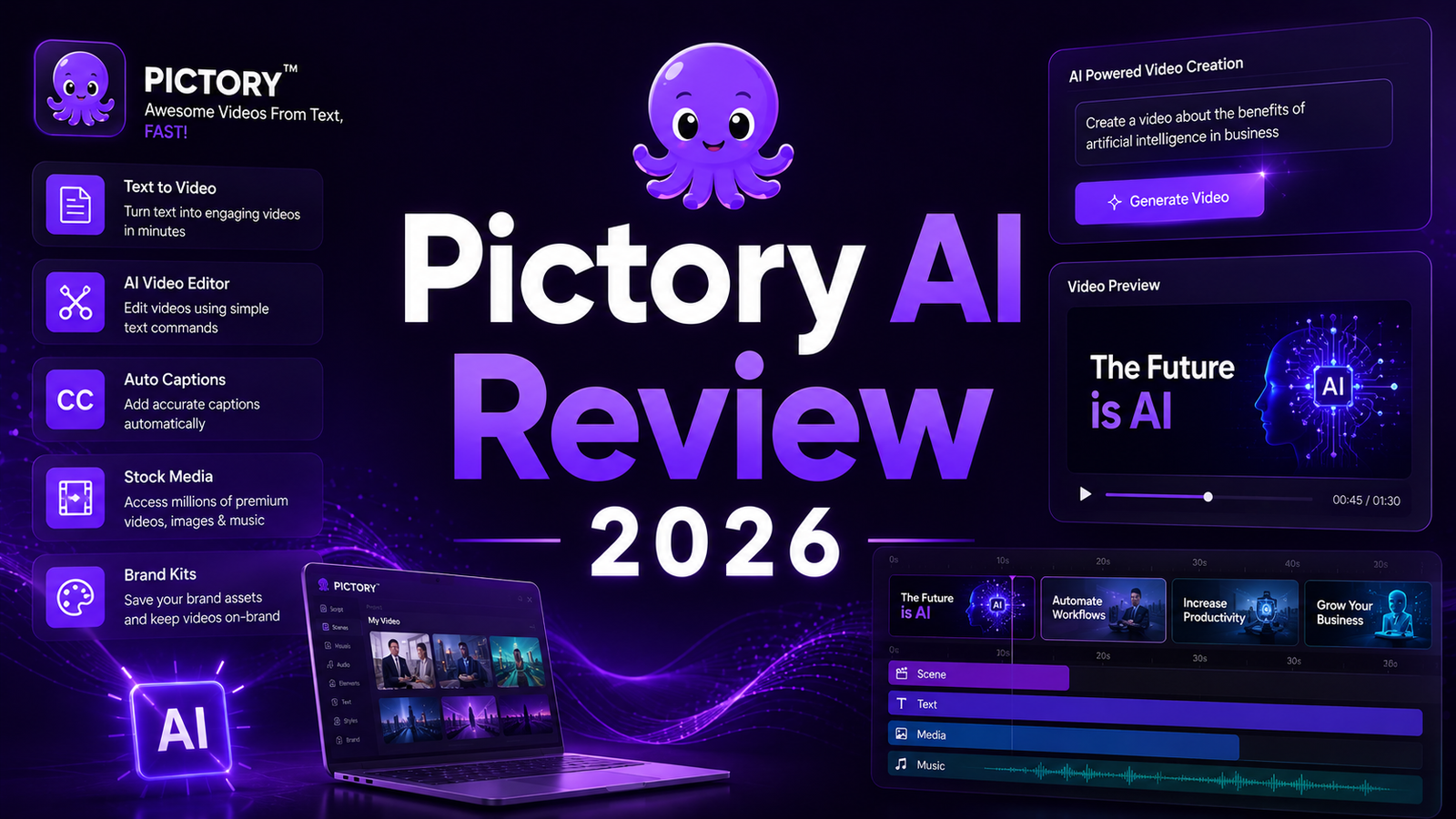
Pictory is a cloud-based AI video repurposing platform founded in 2021. The platform has four primary entry points for video creation: Script to Video for converting a written script into a narrated video, Article to Video for pasting a blog post URL and generating a video from the content, Edit Video Via Text for uploading a long recording and trimming it by editing the transcript, and Visuals to Video for combining uploaded images with narration.
The common thread is that all four workflows start with text or long-form content and end with a short structured video. Pictory’s AI handles scene division, stock footage matching from a 3 million-plus clip library, auto-caption generation, and AI voiceover narration. The human reviews the AI’s draft, adjusts stock clip selections, edits captions, swaps voiceover segments, and exports the final video.
Pictory integrates ElevenLabs AI voice technology, which is a meaningful differentiator: the voice quality on Pictory is noticeably above generic text-to-speech tools, offering realistic speech delivery in 29 languages on the Starter plan and unlimited standard voices in 7 languages on Professional and Team plans.
The creator profile where Pictory adds the clearest value: a blogger or content marketer who publishes several articles per month and wants video versions for YouTube, LinkedIn, and newsletter inclusion without hiring a video editor or learning video software. For that profile, Pictory compresses a 2 to 4 hour video production process to 20 to 40 minutes of AI-assisted production with human review.
Key Features
Script to Video. Paste a script and Pictory breaks it into scenes, matches each scene to stock footage from its library, adds AI voiceover, and generates auto-captions. The AI’s stock footage matching is contextually guided by the script’s keywords and themes, though the match quality is imperfect on abstract or highly specific topics where the stock library’s coverage is thin. Users consistently recommend reviewing and replacing 20 to 40 percent of the AI-selected clips before final export to avoid the generic stock footage aesthetic that undermines otherwise well-written scripts.
Article to Video (URL to Video). The workflow that most reviewers identify as Pictory’s most distinctive capability: paste a blog post URL and Pictory fetches the content, identifies the key points, divides them into video scenes, sources matching stock footage, and produces a structured video draft. An independent review from May 2026 describes this as “genuinely useful for bloggers: paste a blog URL, get a video” that saves hours compared to manual production. The output requires editing, but the starting point is meaningfully further along than a blank project in any standard editor.
Edit Video Via Text (transcript editing). Upload a long recording, a webinar, a podcast, an interview, and Pictory generates a transcript. Edit the transcript by deleting text and the corresponding video sections are removed automatically. This is the repurposing workflow for long-form audio and video content: an 60-minute webinar becomes 3 to 5 short highlight videos by deleting transcript sections rather than scrubbing a timeline.
Auto-captions and subtitle generation. Caption generation with burn-in or SRT export is included on all paid plans. Accuracy is adequate for standard English-language speech and degrades on heavy accents, fast delivery, or technical jargon. A manual correction pass before export is recommended for any content where precision matters.
3 million-plus stock media library. The stock footage and image library is the visual content source for every Pictory video. The library size is adequate for broad general topics, but thin on highly specific niches, regional subjects, and technical B-roll that requires conceptually appropriate footage rather than generic alternatives.
Pros and Cons
Pros:
- URL-to-video from a blog post URL is the most efficient content repurposing workflow for content marketers and bloggers producing regular written content
- ElevenLabs AI voice integration produces voiceover quality noticeably above generic TTS tools, with 29-language support on Starter
- Transcript-based editing of long recordings compresses the webinar-to-clips workflow significantly versus timeline editing
- Beginner-friendly interface that produces publishable first drafts without video editing skills or software knowledge
- Auto-captions included on all paid plans with burn-in or SRT export options
Cons:
- Stock footage aesthetic is the most consistent criticism across independent reviews. Pictory videos look like stock footage explainers regardless of the content quality, which is a format mismatch for platforms where UGC and talking-head content consistently outperforms polished B-roll
- The AI’s stock clip selection requires 20 to 40 percent manual replacement in most productions to avoid obviously mismatched or overused footage
- No filmed footage editing: Pictory cannot help creators who record themselves and want to edit that footage. It is a text-and-audio-in, stock-video-out system
- Monthly video credit caps apply on all plans: 30 videos per month on Starter, 60 on Professional. Unused credits reset monthly without rollover, creating a use-it-or-lose-it dynamic that can feel wasteful for creators with uneven monthly output
- Upgrading mid-billing cycle charges the prorated cost difference immediately; downgrading does not take effect until the next cycle and does not generate a refund for the current period
Pricing and refund caveats:
- Pictory’s refund policy as of 2026: a 14-day refund window is available, but some independent sources indicate that downloading content during the trial period may affect refund eligibility. Always read the current refund terms at pictory.ai before subscribing and clarify what actions void the refund window
- Annual billing requires full-year upfront commitment with no mid-year refund if Pictory does not fit the workflow
- The upgrade-and-downgrade policy creates a one-way cost ratchet: upgrades charge immediately, downgrades wait until the next cycle with no current-period refund
Pricing Breakdown
Starter: $23/month (annual billing) or $29/month (monthly). 30 videos per month with a 10-minute maximum per video, Starter AI voice options including ElevenLabs voices in 29 languages, 3 million-plus stock media library access, auto-captions, and standard branding. No custom brand kit on Starter.
Professional: $47/month (annual billing) or $59/month (monthly). 60 videos per month with a 20-minute maximum per video, custom brand kit with logo and color palette, expanded ElevenLabs voice options in unlimited standard voices across 7 languages, team sharing for one additional seat, and priority support. This is the minimum plan for any creator or team where consistent brand presentation across videos matters.
Teams: $119/month (annual billing, 3 seats). Everything in Professional across 3 user seats with expanded collaboration features, higher video volume, and team-level branding controls. Per-seat cost of approximately $40 per user per month makes it the most economical option for teams of 3 or more producing regular video volume.
Enterprise: Custom pricing. Volume video production, custom integrations, dedicated support, and organization-specific configurations. Contact Pictory for current enterprise rates.
Annual billing saves approximately 20 percent across all plans but requires full-year commitment without a mid-year refund option. Monthly billing is the more flexible starting point for new subscribers evaluating whether the URL-to-video workflow matches their content operation.
How It Compares to VEED and Descript
Pictory vs VEED
VEED and Pictory start from different content types and serve different creator profiles. VEED starts with footage: you bring video recordings, screen captures, or raw clips and VEED helps you edit, subtitle, and enhance them. Pictory starts with text: you bring blog posts, scripts, and long recordings and Pictory converts them into structured videos using stock footage.
The overlap is in the auto-captioning and short-clip creation workflows from long recordings, where both platforms offer transcript-based trimming of long video. VEED’s implementation is part of a broader editing environment with AI avatars, eye contact correction, and screen recording. Pictory’s implementation is deeper for the specific use case of creating multiple short clips from a single long recording as a content repurposing operation.
For social media creators who work with their own filmed footage, VEED is the more appropriate tool. For content marketers who work primarily with written content and long audio/video recordings from which they want to extract short videos, Pictory is more purpose-built for that workflow at a lower starting price.
Pictory vs Descript
Descript and Pictory share the transcript-based editing approach for long recordings, but they diverge significantly in what they produce after the editing step. Descript produces a shorter, polished version of the original footage: transcript editing removes sections from the real video, filler word removal compresses the real recording, and the output is a tighter version of the filmed content. Pictory produces a structured stock-footage video: transcript editing identifies key points, but the video output is those points illustrated with stock footage rather than the original recording.
For podcasters and video creators who want to repurpose their actual filmed content into shorter clips, Descript is the more appropriate tool because the output preserves the creator’s original footage, voice, and face. For creators who want to turn a podcast episode into a social video without using any of the original footage, Pictory’s stock-footage output works. The decision comes down to whether the original recording or stock footage is the appropriate visual format for the final output.
Frequently Asked Questions
Who specifically gets the most value from Pictory, and who should avoid it?
The clearest fit for Pictory is a content marketer, SEO blogger, or small business owner who publishes written content regularly and wants corresponding video content for YouTube, LinkedIn, or newsletter distribution without filming anything. The URL-to-video workflow genuinely saves 2 to 4 hours per video compared to manual production for that specific creator type. Avoid Pictory if you create social content by filming yourself, your products, or events: the stock footage output is the wrong format for platforms where authentic and UGC-style content performs best. Avoid it if you need precise editing control over filmed footage. Avoid it if your content is highly niche or technical where the stock footage library will produce mismatched or irrelevant B-roll that undermines the content quality.
What is the actual refund policy, and what restrictions apply?
Pictory’s refund window is cited as 14 days across independent sources, with some sources mentioning a 15-day window. The critical caveat documented independently is that downloading content during the trial period may affect refund eligibility. This means testing the platform, using credits, and downloading the resulting videos could void the refund window before the subscription period ends. The protective approach: read the current refund policy at pictory.ai before subscribing, determine exactly what actions void the refund window, and test the workflow without downloading final exports if you want to preserve the refund option. Pictory’s refund terms have changed over time, so information from reviews older than 30 to 60 days may not reflect the current policy.
Can Pictory replace a video editor for a creator who wants to produce YouTube content?
Not directly. Pictory replaces the need for a video editor in a specific type of YouTube content: stock-footage explainer videos derived from scripts or blog posts, educational talking-point videos using B-roll, and repurposed podcast content in video format. For YouTube content that involves the creator’s face, personal demonstrations, original B-roll, or any footage the creator films themselves, Pictory cannot edit that footage. It only produces video from text inputs and long audio/video recordings, using stock footage as the visual layer. A creator wanting to produce standard talking-head or vlog-style YouTube content needs a different tool. A creator wanting to produce narrated explainer videos on written topics, faceless YouTube channels, or video summaries of existing blog content will find Pictory covers the entire production workflow from a single tool.
Final Verdict
Pictory AI in 2026 is a genuinely useful tool for content repurposing at scale, provided the specific repurposing task it handles is the task you actually need done. The URL-to-video workflow that converts blog posts into structured videos saves hours per video for content marketers with active publishing schedules. The transcript-based editing of long recordings into short clips addresses the webinar and podcast repurposing workflow efficiently. The ElevenLabs voice integration produces voiceover quality that justifies the subscription for anyone who would otherwise need a separate voiceover tool.
The stock footage aesthetic is the honest limitation that belongs in every recommendation. Pictory videos look like Pictory videos: well-structured, clearly narrated, and illustrated with stock B-roll that ranges from appropriately matched to visibly generic. For YouTube SEO content, educational explainers, and internal business communications, this aesthetic is appropriate. For TikTok, Instagram, and any platform where authentic creator presence and UGC-style content drives engagement, the stock footage aesthetic is a mismatch that no amount of prompt engineering will resolve.
Read the current refund policy before subscribing and start with monthly billing until the URL-to-video workflow has been validated on your actual content. For creators who need to edit their own filmed footage into shorter content, see our Descript Review 2026 as the tool that handles that specific workflow most efficiently.
Rating: 4.1 / 5 — Best AI content repurposing tool for written-content-to-video workflows. Not suitable for filmed-footage editing or UGC-style social content.
Disclosure: This article may contain affiliate links. OnyxRanked may earn a commission on qualifying purchases or subscriptions made through links on this page. This does not affect our editorial recommendations or ratings.