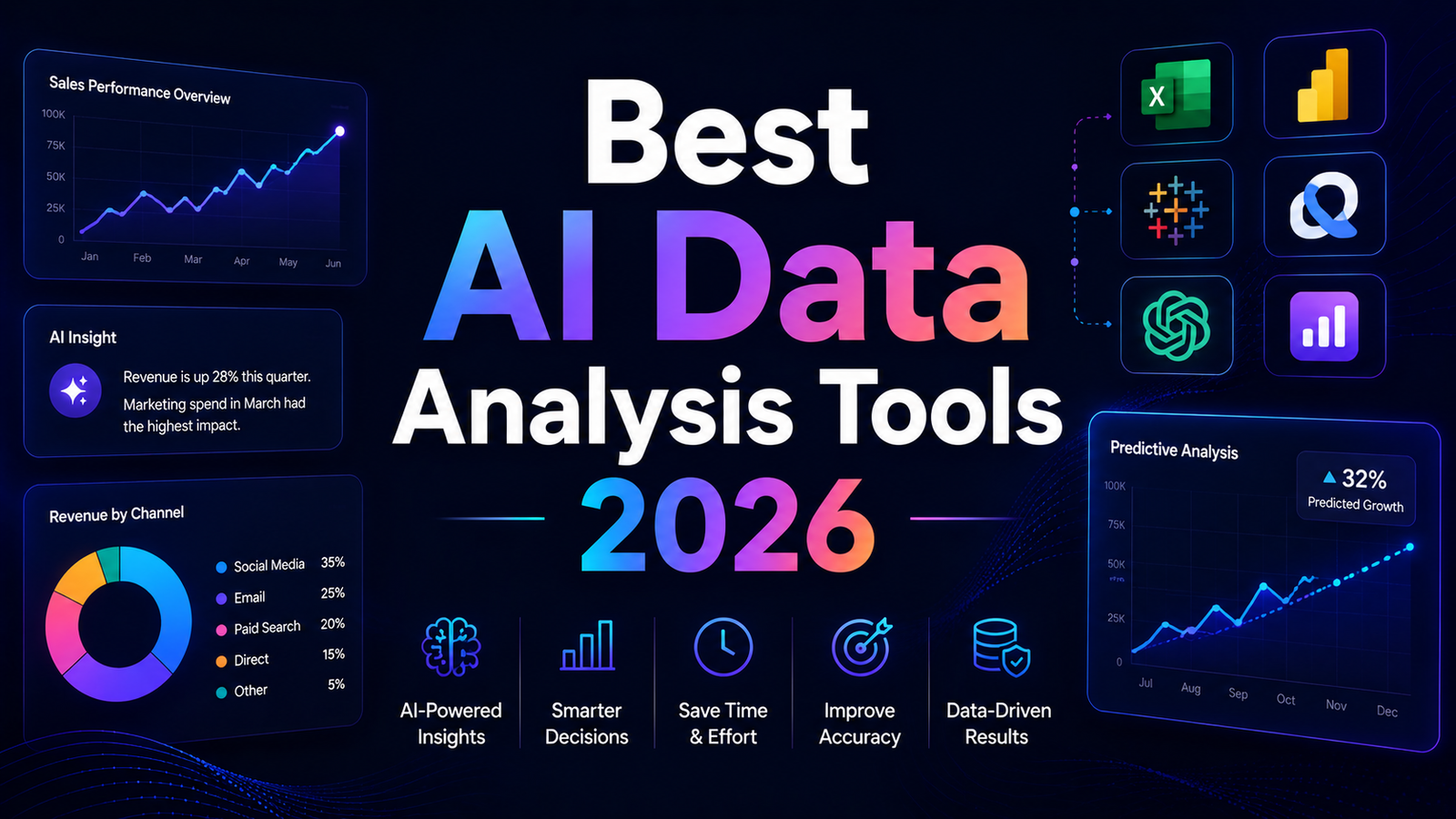
Best AI Data Analysis Tools 2026: Ranked, Reviewed and Compared
Data analysis used to be a discipline that required specialized skills to access. SQL queries, Python scripts, and complex pivot table configurations separated people who could answer data questions from people who had data questions. In 2026, AI has substantially collapsed that barrier. Natural language querying now converts plain English into database queries, visualization engines generate charts from uploaded spreadsheets without manual configuration, and enterprise BI platforms have deployed autonomous analytics agents that surface insights without waiting for an analyst request.
The scale of the shift is measurable. According to Gartner’s 2025 Magic Quadrant for Analytics and Business Intelligence Platforms, the category has moved from “querying and reporting” to “augmented analytics,” where AI handles pattern detection, anomaly identification, and insight generation automatically. Power BI reports over 30 million monthly active users globally, the most widely adopted BI platform by any measure. Both Microsoft and Salesforce have shifted their platform roadmaps from building better charts to building autonomous analytics agents that surface insights without human query initiation.
The category in 2026 is genuinely differentiated by use case. General AI assistants like ChatGPT handle flexible data analysis through code execution and uploaded files. Purpose-built conversational analysis tools like Julius AI deliver natural language querying directly to databases. Enterprise BI platforms like Tableau and Power BI handle organizational scale, governance, and dashboard distribution. Self-service dashboard tools like Polymer and Google Looker Studio serve non-technical users who need fast visual insights without SQL or scripting. Text analytics platforms like MonkeyLearn handle the specific problem of extracting structured information from unstructured text. The right tool depends entirely on the data type, the user’s technical profile, and the scale of the analysis operation.
Comparison Table: Best AI Data Analysis Tools 2026
| Tool | Best For | Starting Price | Free Plan |
|---|---|---|---|
| ChatGPT | Flexible data analysis via code execution and uploaded datasets | Free / $20/month (Plus) | Yes |
| Julius AI | Conversational natural language querying of databases and spreadsheets | Free (15 msgs/month) / $20/month (Pro) | Yes |
| Tableau AI | Enterprise-grade visualization with agentic analytics via Tableau Next | $15/user/month (Viewer) / $75/user/month (Creator) | Free Desktop edition |
| Power BI AI | Microsoft 365 organizations needing BI with Copilot at the lowest enterprise cost | $14/user/month (Pro) | Yes (Desktop) |
| Google Looker | Google Cloud organizations requiring governed semantic data modeling | $3,000–$5,000/month (Standard, 10-user minimum) | Free (Looker Studio) |
| Obviously AI | Non-technical users building predictive ML models without coding | $75/month (Starter) | 14-day trial |
| Polymer | Business users who need fast dashboard generation from uploaded spreadsheets | $25/month | 7-day trial |
| MonkeyLearn | Teams extracting structured insights from unstructured text at scale | Custom (contact sales) | Free (trial plan) |
“Pricing is subject to change. Always verify current pricing on the tool’s official website before purchasing.”
Detailed Reviews
1. ChatGPT
Best for analysts and business users who want AI-powered data analysis using uploaded files and code execution without a specialized data tool subscription.
ChatGPT’s Advanced Data Analysis feature, available on Plus and above, executes Python code against uploaded files in a sandboxed environment. Upload a CSV, Excel file, or JSON dataset, describe what you want to know, and ChatGPT writes the Python or SQL code, executes it, and returns results with charts and written interpretation. The analysis is reproducible: the code generated can be copied and run in any Python environment for verifiable outputs.
ChatGPT handles uploads up to 512 MB per file, covering most standard business datasets comfortably. For analysts who need quick exploratory data analysis on new datasets, or for non-technical users who want to answer specific data questions without learning a BI tool, this is the most accessible and lowest-cost entry point in the category. The limitation is dataset scale: Julius AI and Polymer connect to live databases where ChatGPT works with uploaded static files, and datasets over 1 million rows require a proper data warehouse regardless of which AI tool is used.
Key Features: Advanced Data Analysis with Python code execution against uploaded files, chart and visualization generation from data questions, written data interpretation alongside visualizations, support for CSV, Excel, JSON, and other common file formats, web browsing for supplementing local data with current context, and Custom GPTs for building recurring data analysis assistants.
Pros:
- Free tier provides data analysis capability without a subscription; Plus at $20/month removes daily limits
- Code execution produces reproducible results that can be verified by copying the generated Python
- Most flexible analytical tool on this list; handles any dataset format and any analysis question
- No setup, no connectors, no SQL knowledge required; upload and query in plain English
Cons:
- Static file upload only; cannot connect to live databases or data warehouses without manual exports
- 512 MB file size limit restricts very large datasets; not suitable for warehouse-scale analysis
- Not a dashboard or reporting platform; outputs are individual charts and written summaries, not shared dashboards
Pricing:
- Free: GPT-5.x with daily limits, data analysis with file upload
- Plus: $20/month, unlimited Advanced Data Analysis, full GPT-5.4
2. Julius AI
Best for non-technical business users and teams who want conversational natural language querying of connected databases and spreadsheets without SQL or Python.
Julius AI is the most accessible tool in the category for users who have data living in databases or cloud sources and want answers without writing queries. Upload a CSV, connect a Google Sheet, or point Julius at a database, ask a question in plain English, and get an answer complete with charts, statistical summaries, and an explanation of the methodology. The Notebook workflow captures analysis steps so they can be repeated on updated data, moving Julius from a one-off query tool into a recurring reporting workflow.
Julius supports 12 data connectors including MySQL, Google BigQuery, OneDrive, and Meta Ads, giving it live database connectivity that static-file-only tools lack. For teams spending hours each week building reports in spreadsheets without a dedicated data analyst, Julius pays for itself in recovered time within the first month of active use. The free plan is genuinely restrictive at 15 messages per month, which makes it more of a quality evaluation than a working tool at zero cost.
Key Features: Natural language querying with automatic chart generation, live database connectors including MySQL, BigQuery, and Meta Ads, Notebook workflow for repeatable scheduled analyses, statistical summaries with methodology explanations visible to users, auto-debugging for generated code, scheduled report delivery via email or Slack, and SOC 2 Type II and GDPR compliance for enterprise data governance.
Pros:
- Most accessible conversational data analysis tool for non-technical users in independent testing
- Live database connectors extend beyond static file upload to query real-time data sources
- Scheduled reporting via email and Slack automates recurring analysis without manual initiation
- SOC 2 Type II and GDPR compliance makes it viable for enterprise data environments
Cons:
- Free plan at 15 messages per month is too limited for genuine evaluation; Pro plan at $20/month is the realistic entry point
- Works best with datasets under 100,000 rows; very large datasets require a dedicated data warehouse
- 12 connectors is narrower than major BI platforms with hundreds of data source connections
Pricing:
- Free: 15 messages per month
- Pro: $20/month (individual), unlimited messages, database connectors
- Team: Per-seat pricing; contact Julius for current rates
3. Tableau AI
Best for enterprises and mid-market organizations that need the most powerful visualization platform with agentic AI capabilities and broad data source connectivity.
Tableau is one of the three Gartner Magic Quadrant Leaders in Analytics and Business Intelligence Platforms and leads on visualization depth, data source breadth with 100-plus native connectors, and the AI-agent narrative through Salesforce’s Agentforce ecosystem. The 2026 platform has moved from better dashboards to autonomous analytics: Tableau Next’s metadata-first architecture enables Tableau Pulse to deliver proactive, personalized insights to business users without requiring them to navigate dashboards, and Tableau Agent executes multi-step analysis tasks in response to plain language instructions.
The honest cost picture matters for evaluation: Tableau Creator at $75 per user per month is the highest per-seat cost in this comparison by a significant margin, and full AI features require the Tableau+ bundle, which is priced separately. For 50 users, Tableau costs $25,000 to $40,000 annually compared to $6,000 to $12,000 for Power BI. However, in competitive negotiations, buyers commonly achieve 20 to 30 percent discounts below list on multi-year commitments.
Key Features: Tableau Next agentic analytics with autonomous insight delivery, Tableau Pulse for personalized proactive insights without dashboard navigation, Tableau Agent for natural language multi-step analysis execution, 100-plus native data source connectors, Tableau Prep for visual data preparation, full Salesforce and Data Cloud integration, and a free Desktop edition for local analysis.
Pros:
- Benchmark visualization quality; consistently rated highest for dashboard aesthetics and analytical depth
- Tableau Next’s proactive Pulse insights reach business users without requiring active dashboard engagement
- Broadest data source connectivity of any tool reviewed
- Agentforce ecosystem integration positions Tableau well for AI-first enterprise analytics strategies
- Free Desktop edition allows local analysis without a subscription
Cons:
- Creator license at $75/user/month is the most expensive per-seat option in the comparison; full AI requires Tableau+ on top of base licensing
- 50-user deployment costs $25,000 to $40,000 annually, substantially higher than Power BI at comparable scale
- Significant training investment required; Tableau certification costs $3,000 to $5,000 per analyst
- Full AI feature value requires Salesforce/Data Cloud integration; standalone Tableau gets less of the Agentforce benefit
Pricing:
- Viewer: $15/user/month (annual)
- Explorer: $42/user/month (annual)
- Creator: $75/user/month (annual)
- Tableau+ bundle: Contact Salesforce for current pricing
4. Power BI AI
Best for organizations in the Microsoft 365 ecosystem that need enterprise BI with Copilot AI at the lowest per-seat cost among major platforms.
Power BI is the most widely adopted BI platform globally with over 30 million monthly active users, and its cost advantage over Tableau is the clearest pricing story in enterprise analytics. Power BI Pro at $14 per user per month represents roughly an 80 percent discount against Tableau Creator. Microsoft’s November 2025 update delivered Copilot as a first-class report author within Power BI, adding prompt-to-dashboard generation, smarter visual creation, and a standalone Copilot in the Power BI mobile app.
The integration with Microsoft Fabric’s OneLake delivers a genuine performance advantage: Direct Lake mode queries Delta Parquet files in OneLake without importing or caching, delivering import-mode performance at DirectQuery flexibility. For organizations already on Microsoft 365 E5, Power BI Pro is included at no additional cost, making it effectively free for existing E5 subscribers.
Key Features: Copilot for natural language report creation and data querying, Direct Lake mode through Microsoft Fabric OneLake for high-performance queries, 200-plus native data source connectors including SAP, Snowflake, and BigQuery, tight Excel integration for existing Excel users, AI-powered anomaly detection and smart narratives, mobile app with Copilot access, and enterprise governance through Microsoft Purview.
Pros:
- Most cost-effective enterprise BI platform: Pro at $14/user/month versus Tableau Creator at $75/user/month
- Free for Microsoft 365 E5 subscribers ($57/user/month) as an included application
- Copilot prompt-to-dashboard generation reduces report creation time significantly
- Direct Lake mode delivers strong performance for Microsoft Fabric users
- Largest native connector library with 200-plus sources
Cons:
- Full Copilot AI features require Fabric or Premium capacity (minimum $262/month), not just the Pro license
- Power BI is optimized for the Microsoft ecosystem; organizations on Google Cloud or AWS get less value
- Lower visualization ceiling than Tableau for complex analytical dashboards requiring custom formatting
- Implementation requires Microsoft 365 licenses adding $20 to $35/user/month for users not already on M365
Pricing:
- Power BI Desktop: Free (local analysis, no sharing)
- Power BI Pro: $14/user/month
- Power BI Premium Per User: $24/user/month, AI features per user
- Microsoft Fabric capacity: $262/month (F2) for shared Copilot AI features
5. Google Looker
Best for Google Cloud-native organizations requiring a governed semantic data modeling layer and enterprise embedded analytics.
Looker takes a fundamentally different architectural approach from Tableau and Power BI. Rather than importing and visualizing data, Looker queries source databases directly in real time through LookML, its semantic modeling language. Data teams define business logic, calculations, and joins once in LookML, and business users explore that governed data model without risk of incorrect joins or inconsistent calculations. This single source of truth architecture is Looker’s defining strength for organizations where data consistency across reports is a governance requirement.
Google Looker Studio, the free consumer-facing version, provides no-cost data visualization for Google Analytics, BigQuery, and Google Sheets users without the LookML governance layer. For marketing teams and small businesses working primarily within the Google ecosystem, Looker Studio delivers useful dashboards at zero cost.
Key Features: LookML semantic modeling layer for governed data exploration, direct in-database querying without data extraction or caching, Looker Studio (free) for Google-adjacent visual reporting, embedded analytics for building data products within other applications, 50-plus SQL dialect support including BigQuery, Snowflake, and Databricks, and tight Google Cloud integration.
Pros:
- LookML semantic layer ensures consistent calculations and joins across all reports and users
- In-database architecture means data is always fresh without scheduled refreshes
- Best embedded analytics option for teams building data products within other applications
- Looker Studio free tier covers basic Google-ecosystem reporting at zero cost
Cons:
- Steepest learning curve: requires LookML developers to build the data model before business users can explore
- Standard Edition starts at $3,000 to $5,000 per month with a 10-user minimum, the highest starting cost in this comparison
- Not practical for small teams or organizations without Google Cloud infrastructure and data engineering resources
- Looker Studio’s free version lacks AI conversational features and has limited data transformation
Pricing:
- Looker Studio: Free for Google ecosystem reporting
- Standard Edition: $3,000–$5,000/month, 10-user minimum
- Enterprise and Embed: Custom pricing
6. Obviously AI
Best for business analysts and non-technical users who need to build and deploy predictive machine learning models without writing any code.
Obviously AI is purpose-built for the predictive analytics use case that most data analysis tools address poorly: building a model that forecasts future outcomes rather than just reporting past results. Connect a dataset or upload a CSV, specify the outcome you want to predict (customer churn, sales revenue, payment default), and Obviously AI trains a machine learning model and delivers predictions with explanations for each factor’s contribution to the result.
For business analysts who previously needed a data scientist to build predictive models, Obviously AI compresses that process into a no-code workflow that produces results in minutes rather than weeks. The model explainability layer shows which variables drive predictions, giving business users confidence to act on AI-generated forecasts.
Key Features: No-code predictive model building from uploaded datasets, automated ML model selection and training, model explainability showing which features drive predictions, prediction deployment for scoring new data against trained models, integration with Google Sheets, Airtable, and major databases, and REST API for embedding predictions in other applications.
Pros:
- Unique position: the only no-code predictive ML platform in this comparison
- Non-technical users can build production-quality predictive models without a data science background
- Model explainability makes predictions actionable rather than opaque
- REST API enables embedding predictions in other business applications
Cons:
- Not a general data analysis or dashboard tool; purpose-built for prediction tasks only
- Starter plan at $75/month is higher than comparable feature access in general AI tools
- Model quality depends on data quality and size; very small datasets produce less reliable models
Pricing:
- Starter: $75/month, core ML features
- Growth: Higher tiers with expanded dataset sizes and team features
- Enterprise: Custom pricing
- 14-day free trial
7. Polymer
Best for business users who need fast dashboard generation from spreadsheet uploads without technical setup or BI tool expertise.
Polymer impressed independent testers with how quickly it turned raw CSV files into usable dashboards. After uploading sales data, it automatically created charts showing trends, distributions, and comparisons without any prompting, with the setup taking under a minute. The platform highlighted interesting patterns like seasonal spikes and outliers, helping analysts spot issues they would have missed in spreadsheets.
The flip side of Polymer’s simplicity is its limited depth. It is a data presentation and dashboard tool rather than a full analysis platform. For users whose primary need is turning a spreadsheet into a shareable, interactive dashboard without learning Tableau or building Power BI reports, Polymer delivers on that specific job quickly and without technical prerequisites.
Key Features: Automatic dashboard generation from uploaded CSV or spreadsheet files, AI pattern detection for outliers and trends without manual configuration, shareable and interactive dashboard links for stakeholder distribution, natural language questions against uploaded data, integration with Google Sheets and Airtable, and no coding or SQL required.
Pros:
- Fastest time-from-upload-to-usable-dashboard in the category; under one minute in independent testing
- AI automatically detects interesting patterns and generates visualizations without user prompting
- No technical setup; business users reach productive output without training
- 7-day free trial allows genuine quality evaluation
Cons:
- Works best with datasets under 100,000 rows; larger datasets require BI platforms with proper database connectivity
- Less analytical depth than Julius AI for complex multi-step analysis or statistical testing
- Not a live database connection tool; requires file uploads rather than direct database queries
- Limited customization for organizations with specific brand or formatting requirements
Pricing:
- Starts at $25/month for individual plans
- Team plans available at higher pricing tiers
- 7-day free trial, no credit card required
8. MonkeyLearn
Best for teams that need to extract structured insights from unstructured text data: support tickets, customer reviews, survey responses, and social media content.
MonkeyLearn addresses a specific and significant data problem that standard analytics tools handle poorly: analyzing text at scale. A company with 10,000 customer support tickets, 5,000 product reviews, or an ongoing social media monitoring program generates enormous volumes of text data that contains valuable customer intelligence but cannot be easily quantified, segmented, or visualized through traditional BI tools.
MonkeyLearn’s no-code ML models classify text by topic, extract named entities, detect sentiment, and tag content by category at scale without requiring NLP expertise. The dashboard layer visualizes the results of text analysis alongside traditional metrics. For customer experience teams, product teams, and market researchers working with large text corpora, this capability replaces manual tagging workflows that consumed significant analyst time.
Key Features: No-code text classification models for topic, intent, and category tagging, sentiment analysis at scale for customer feedback and reviews, named entity extraction identifying people, companies, and concepts in text, custom model training on proprietary text data, integration with Zendesk, Intercom, Google Sheets, and survey platforms, and visualization dashboards for text analytics results.
Pros:
- Fills a genuine gap: text analytics at scale that standard BI tools cannot handle
- No-code model training allows non-ML teams to build text classifiers on their own data
- Integrates directly with support and CRM tools where text data lives
- Replaces manual tagging workflows with automated classification
Cons:
- Custom enterprise pricing requires direct sales engagement; no self-serve pricing published
- Specialized for text analytics; not suitable as a general data analysis or BI platform
- Model quality requires meaningful training data volume; very small text datasets produce less accurate classifiers
Pricing:
- Free trial plan available
- Custom enterprise pricing based on data volume and features
- Contact MonkeyLearn for current rates
Frequently Asked Questions
Can AI data analysis tools replace a data analyst?
For simple, one-off questions they reduce workload on data analysts significantly. For anything involving data modeling, pipeline design, stakeholder requirements gathering, or cross-system data reconciliation, a human is still necessary. The accurate framing is that these tools are accelerators for existing analytical capability rather than replacements for analytical judgment. An experienced data analyst using Julius AI for exploratory analysis, ChatGPT for quick calculations, and Tableau for dashboard distribution is significantly more productive than the same analyst without those tools. A business user using Julius AI or Polymer to answer their own data questions without queuing analyst requests frees analyst capacity for higher-complexity work. Neither dynamic eliminates the need for analytical expertise; both change where that expertise is most valuably deployed. For standard queries, AI translation of natural language to data queries is increasingly accurate. For complex analytical questions with ambiguous intent, the results still need expert validation before driving decisions.
What dataset size limitations should I understand before choosing an AI data analysis tool?
ChatGPT Advanced Data Analysis handles uploads up to 512 MB and works well for standard business datasets. Julius AI and Polymer work best with datasets under 100,000 rows; larger datasets see performance limitations. For datasets over 1 million rows, none of the AI-powered tools in this guide replace a proper data warehouse with SQL access. The correct architecture for large-scale analysis is a data warehouse (Snowflake, BigQuery, Redshift) as the storage and query layer, with a BI tool (Tableau, Power BI, Looker) as the visualization and governance layer on top. AI tools like Julius AI or ChatGPT then serve as the natural language interface that allows non-technical users to query the warehouse through the BI layer without writing SQL. Understanding this stack architecture prevents the common mistake of expecting a conversational AI tool to handle enterprise data volumes for which it was not designed.
What is the most cost-effective AI data analysis setup for a small business or startup?
The highest-value zero-cost starting point for small businesses is ChatGPT Plus at $20 per month for flexible data analysis against uploaded files, combined with Google Looker Studio (free) for visual dashboards connected to Google Analytics, Google Sheets, and BigQuery. That $20 per month combination covers most small business data analysis needs without enterprise BI investment. The first paid upgrade that delivers the clearest return when dataset volume exceeds ChatGPT’s file-upload limitations is Julius AI Pro at $20 per month, adding live database connectivity and scheduled reporting that static file uploads cannot provide. For small businesses needing predictive analytics beyond descriptive reporting, Obviously AI at $75 per month is the most accessible no-code ML platform. Enterprise BI platforms like Tableau and Power BI become financially justifiable when the organization has multiple analysts, significant data governance requirements, and stakeholder reporting at organizational scale where shared dashboards and role-based access become operational necessities.
Final Recommendation
The right AI data analysis tool in 2026 depends primarily on the type of data being analyzed, the technical profile of the users, and the scale of the analysis operation.
For individual analysts and business users who want immediate, flexible data analysis without a specialized tool subscription, ChatGPT Plus at $20 per month is the most accessible starting point. Advanced Data Analysis covers most ad hoc file-based analysis needs with code execution, chart generation, and written interpretation.
For teams with live database connections and non-technical users who need to query that data in plain English, Julius AI Pro at $20 per month delivers the best conversational data analysis experience in the category.
For business users who need fast, shareable dashboards from spreadsheet data without any setup, Polymer at $25 per month converts uploaded files into interactive dashboards in under a minute.
For organizations on Microsoft 365 that need enterprise BI with AI at the lowest per-seat cost, Power BI Pro at $14 per user per month delivers Copilot-powered analytics with the broadest connector library, particularly compelling for existing E5 subscribers where Pro is included.
For organizations that need the highest visualization quality and agentic analytics capability regardless of cost, Tableau Creator with the Tableau+ bundle delivers the category’s strongest analytical platform, at a cost that requires enterprise-scale justification.
For teams needing to analyze large volumes of unstructured text, MonkeyLearn’s text classification and sentiment analysis fills a gap that standard BI tools cannot address.
For business analysts who want to build predictive ML models without coding, Obviously AI’s no-code approach is the only platform in this list purpose-built for that specific use case.
Start with the tool that addresses your most immediate analytical bottleneck. For most small businesses and individual analysts, that is ChatGPT Plus. Build from there when specific limitations become documented constraints on decision-making quality or speed.