Motion AI Review 2026: The AI Scheduler That Plans Your Entire Day. Is It Worth It?
Motion AI raised a $60 million Series C in December 2025 at a $550 million valuation. That funding followed a significant product pivot: Motion has evolved from an AI scheduling assistant into what it now calls an “AI Employee SuperApp,” expanding from calendar optimization into full workflow management with AI Employees designed to automate entire business processes, not just daily task scheduling.
The pitch is compelling. You enter your tasks, set deadlines, and Motion builds your entire workday automatically: fitting work around meetings, protecting deep focus blocks, reprioritizing when schedules change, and keeping everything on track without manual intervention. Studies suggest professionals waste an average of 3 to 4 hours per week on scheduling overhead. Motion’s value proposition is converting that overhead into productive time.
The honest qualifier: Motion requires a 2 to 4 week investment before the AI has enough context to schedule well. It has a G2 desktop rating of 4.5 out of 5 but a mobile rating of 2.7 out of 5. And the pricing, which became less transparent on the website in early 2026 after multiple changes throughout 2025, requires verification at current rates before any budget commitment.
Plan Comparison Table
| Plan | Best For | Starting Price | Free Trial |
|---|---|---|---|
| Individual (Pro AI) | Freelancers and solo professionals wanting full AI daily scheduling | ~$19/month (annual) / ~$34/month (monthly) | 7-day trial |
| Team (Business AI) | Small to medium teams needing AI scheduling plus project coordination | ~$12/user/month (annual, 5+ users) | 7-day trial |
| Enterprise | Larger organizations needing enterprise controls and custom deployment | Custom pricing | Sales demo |
“Pricing is subject to change. Motion’s pricing has changed multiple times throughout 2025 and 2026. Always verify current pricing on the tool’s official website before purchasing.”
What Motion AI Is
Motion is an AI-powered work management platform that merges your task manager, project manager, and calendar into a single interface where the AI handles the scheduling decisions you would otherwise make manually. Traditional productivity tools require you to decide when to work on what. Motion removes that decision by analyzing your tasks, deadlines, priorities, meeting schedule, and available time to automatically place work on your calendar throughout the day.
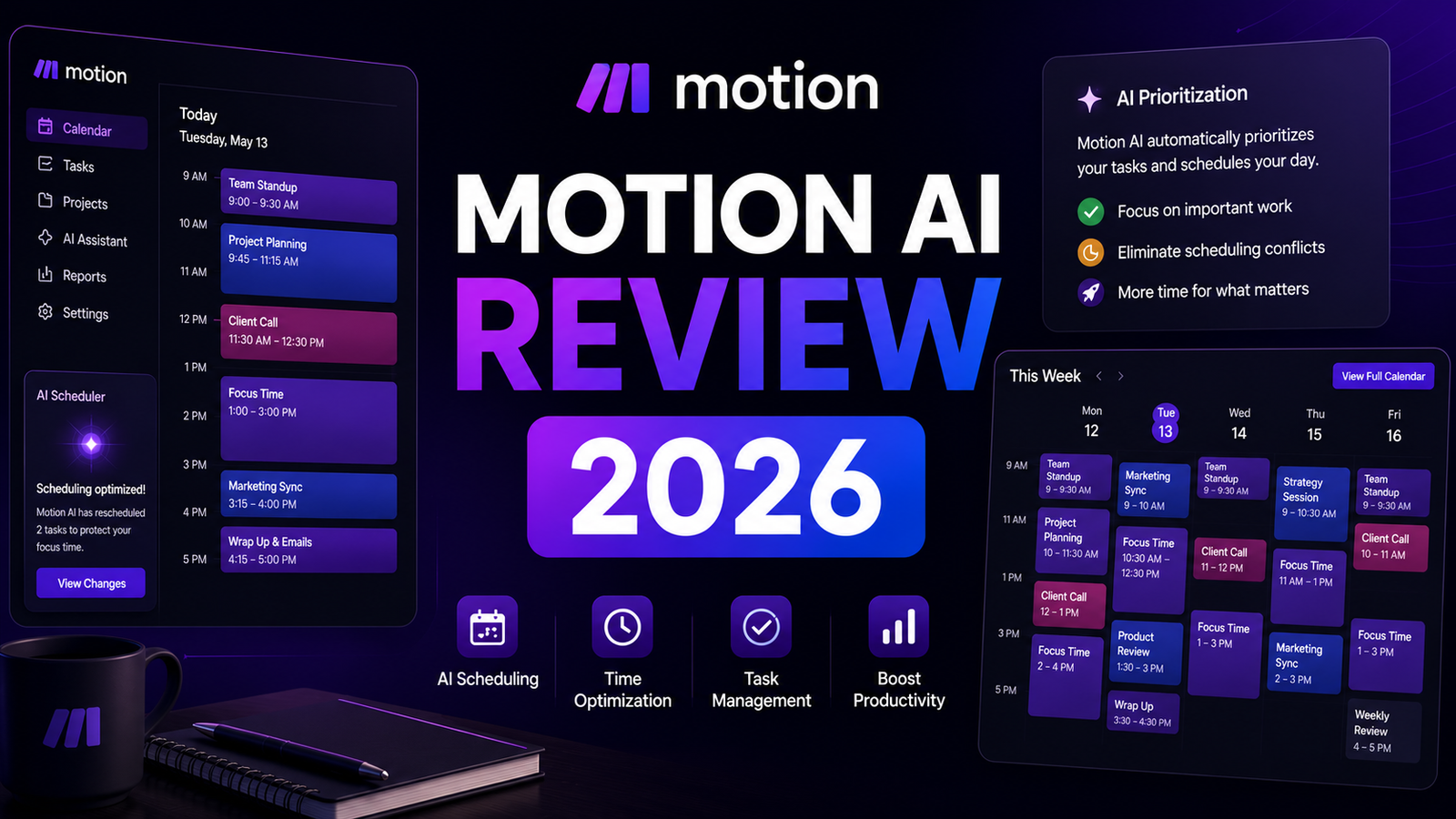
The platform covers four integrated components: an AI Calendar that fills automatically from the task list, a Task Manager where work is entered with deadlines, effort estimates, and priority signals, a Project Manager with Kanban boards and timeline views for team projects, and a Scheduling Assistant for booking meetings within constraints you define.
Motion’s user base includes solo consultants and freelancers billing at meaningful hourly rates, executives with dense meeting schedules who want AI to protect focused work time, project managers coordinating team bandwidth across multiple deliverables, and remote teams who need a shared view of actual availability rather than nominal calendar slots.
Key Features
AI Auto-Scheduler. The central capability: Motion analyzes every task in your workspace, its deadline, its effort estimate, and its priority signal (ASAP, Hard Deadline, or Soft Deadline), and places it on your calendar in the available gaps between meetings. When a meeting is added, moved, or cancelled, Motion restructures the entire day automatically without requiring manual rescheduling. This is genuinely different from time-blocking tools that require you to drag tasks to calendar slots: Motion makes those decisions and executes them continuously.
Meeting Defender. Meeting Defender protects deep work blocks by evaluating incoming meeting requests against a configurable impact score. When a meeting request would interrupt a high-priority focus block, Motion suggests alternative meeting slots that minimize scheduling disruption. For professionals who have lost mornings to a sequence of poorly timed meetings, this protection layer addresses the interruption pattern that makes AI scheduling valuable.
AI Employees and Workflow Automation (2025-2026 addition). The most significant product expansion in the 2025-2026 evolution: AI Employees that automate entire business workflows beyond calendar scheduling. These agents handle recurring workflow logic, status updates, and process steps without human initiation at each step. This expansion shifts Motion from a personal scheduling tool toward team workflow automation, which broadens the platform’s scope and justifies the higher price point for teams.
Team Motion Boards. Project boards connected to team member calendars with real-time availability visibility. When tasks are assigned, Motion accounts for each team member’s actual scheduled availability rather than nominal working hours, automatically surfacing capacity issues before they become deadline problems.
Daily AI Planner. A personalized daily agenda view that shows the AI-generated plan for the day with drag-and-drop override capability. The plan is updated continuously; when circumstances change, the Daily AI Planner reflects the current optimal schedule rather than the morning’s initial version.
Pros and Cons
Pros:
- Full daily schedule automation that eliminates the manual task-to-calendar placement that consumes significant professional time each week
- AI continuously rebuilds the schedule as priorities and meetings change, producing an always-current plan rather than a morning plan that becomes stale by afternoon
- Combines task manager, project manager, and calendar in one interface, reducing the app-switching that fragments attention
- Meeting Defender proactively protects deep work blocks from casual meeting accumulation
- G2 desktop rating of 4.5 out of 5 reflects genuine user satisfaction with the scheduling quality once the system is configured
- $60 million Series C in December 2025 signals platform investment and development velocity for 2026
Cons:
- Mobile app receives a 2.7 out of 5 G2 rating, which is significantly below the desktop experience; professionals who manage their schedule primarily on phone will encounter consistent frustration
- 2 to 4 week setup period required before the AI has enough context to schedule well; early weeks can feel worse than manual scheduling as the system learns preferences
- Pricing transparency declined in 2026; the website no longer prominently displays prices, and rates changed multiple times throughout 2025, requiring direct verification before commitment
- Unexpected charge complaints appear in user reviews; read billing terms carefully before entering payment details
- Motion is not a quick-capture tool; every task requires upfront context (how long will it take, what is the deadline, what is the priority), which adds friction for users who prefer simple task capture
- Team plan requires a minimum number of users and coordination to capture team scheduling value, making it a heavier commitment for smaller teams evaluating incrementally
Pricing Breakdown
Motion’s pricing as of early-to-mid 2026 based on available information:
Individual (Pro AI): Approximately $19 per month (annual billing) or approximately $34 per month (monthly billing). Full AI scheduling for a single user, unlimited tasks and projects, Google Calendar and Outlook sync, and the full individual feature set including Meeting Defender and Daily AI Planner.
Team (Business AI): Approximately $12 per user per month (annual billing, 5-plus users). Everything in Individual plus team project boards, shared bandwidth visibility, team meeting scheduling, and AI Employees for workflow automation across the team.
Enterprise: Custom pricing. Organization-wide deployment with enterprise controls, custom integrations, and dedicated support.
The critical pricing note: Motion has changed pricing multiple times throughout 2025 and the pricing page became less transparent in January 2026. Always verify current rates directly on Motion’s website before making a budget commitment. The rates listed above represent published pricing from the most recent available sources and may not reflect the current rates at the time you read this.
How It Compares to Reclaim AI and Notion AI
Motion vs Reclaim AI
Reclaim AI is Motion’s most direct competitor at a meaningfully lower price point. Reclaim Starter at $8 per user per month versus Motion Individual at approximately $19 per month represents a significant cost differential for the same primary use case of protecting focus time and scheduling tasks around meetings. Both tools perform automatic calendar defense for habits and focus blocks, both sync with Google Calendar and Outlook, and both handle meeting scheduling with availability awareness.
The differentiation: Motion’s AI scheduling is more aggressive and comprehensive, building the entire daily schedule automatically and continuously restructuring it as circumstances change. Reclaim takes a more habit-focused approach, scheduling recurring priorities around meetings without completely replacing the user’s planning judgment. For professionals who want full autopilot daily scheduling, Motion is the stronger tool. For professionals who want AI assistance that augments their judgment rather than replacing it, Reclaim’s lower cost and less invasive approach delivers meaningful value without the 2 to 4 week investment that Motion requires.
Motion vs Notion AI
Comparing Motion to Notion AI is useful for teams evaluating whether a dedicated scheduling AI justifies a separate subscription alongside their existing workspace tools. Notion AI at $18 per user per month on the Business plan handles writing assistance, document summarization, and AI search across the workspace. It does not build daily schedules automatically, does not protect focus time from meeting interruption, and does not continuously restructure the workday as priorities change. These are capabilities Motion specifically provides that Notion cannot replicate.
The decision question is tool specialization versus tool consolidation. If a team already uses Notion for project management and knowledge management, adding Motion creates a second subscription for scheduling capability that Notion does not cover. For teams whose primary problem is scheduling overhead and time fragmentation, Motion addresses that problem directly. For teams whose primary problem is information management and collaboration, Notion covers it and Motion adds incremental scheduling value at additional cost.
Frequently Asked Questions
Does Motion actually work, and what does the experience look like after the learning period?
The pattern across independent reviews and user accounts is consistent: the first two to four weeks are frustrating, and weeks five through eight are when the system starts delivering on its promise. The initial frustration comes from the AI scheduling tasks in ways that feel suboptimal because it does not yet understand the user’s actual constraints, preferences, and priorities. After two to four weeks of corrections, overrides, and additional context, the scheduling accuracy improves materially. Users who commit through the learning period consistently describe the experience as the AI building schedules that they would have built themselves but faster and continuously updated. Users who abandon in the first two weeks conclude the tool does not work, which is accurate for that phase but not predictive of the steady-state experience. The practical guidance: if you are evaluating Motion, the 7-day free trial is not long enough to reach the performance level that justifies the subscription. Commit to the learning period before forming a conclusion.
Who should not use Motion, and what are the clearest signals that it is the wrong tool?
Several user profiles consistently describe Motion as a poor fit. Users who rely primarily on a mobile device for task management and scheduling will encounter a mobile app that receives 2.7 out of 5 from current users, well below the desktop experience. The discrepancy is significant enough that mobile-primary users should evaluate whether the desktop-centric value justifies the subscription given that limitation. Users who prefer lightweight task capture without upfront effort estimates and deadlines will find Motion’s data requirements for every task a friction-adding burden rather than a structure-providing benefit. Users who have irregular, unstructured workflows with highly variable priorities that change multiple times per day may find the continuously restructuring AI generates more cognitive overhead reviewing schedule changes than it saves in manual planning. And users on tight subscription budgets should seriously evaluate Reclaim at $8 per month as a materially capable alternative at less than half the cost before committing to Motion’s price point.
Is the AI scheduling quality different enough from Reclaim to justify Motion’s higher price?
For the specific use case of complete daily schedule automation, yes, with a meaningful caveat. Motion’s AI is genuinely more comprehensive in how completely it takes over daily scheduling decisions. If you want the AI to build your entire day without your involvement beyond task entry, Motion’s automation is deeper than Reclaim’s. The caveat is that “more comprehensive automation” is not universally better. Many professionals find that Reclaim’s approach of scheduling habits and protecting focus blocks while leaving some planning judgment to the user produces a more balanced experience than Motion’s full-autopilot model. The $11 per month difference between Reclaim Starter and Motion Individual is approximately $132 per year. At an hourly professional rate of $50, that $132 requires 2.6 additional hours of saved time annually to justify, which Motion delivers within the first month for most users once the learning period is complete. The question is whether the full automation is worth the additional cost and the investment in setup, not whether the time savings are real.
Final Verdict
Motion is a genuinely capable AI scheduling platform that delivers on its core promise for the users it was designed to serve. If your primary productivity problem is scheduling overhead, the manual task-to-calendar placement that consumes professional time each week, and the meeting fragmentation that destroys focused work, Motion’s AI addresses those problems more comprehensively than any alternative in the category.
The honest qualifications that belong in the same breath: the mobile app in 2026 is significantly below the desktop experience by user ratings, the 2 to 4 week setup investment is real before value emerges, and the pricing transparency issues that developed in early 2026 require direct verification before any commitment. Reviews also document unexpected charge situations that require careful reading of billing terms before entering payment information.
The $19 per month Individual plan is worth the investment for solo professionals billing at meaningful hourly rates who genuinely want full daily schedule automation and are willing to invest in the setup period. The ROI is straightforward: if Motion saves 3 hours per week on scheduling overhead, the monthly subscription cost is recovered within the first day of each month for anyone billing above entry-level professional rates.
For teams, evaluate whether the team plan’s coordinated scheduling value justifies the per-user cost above Reclaim’s more accessible team pricing. For professionals who want AI assistance with scheduling rather than full AI delegation, Reclaim at $8 per month is a materially capable alternative at less than half the cost that many users will prefer.
Rating: 4.3 / 5