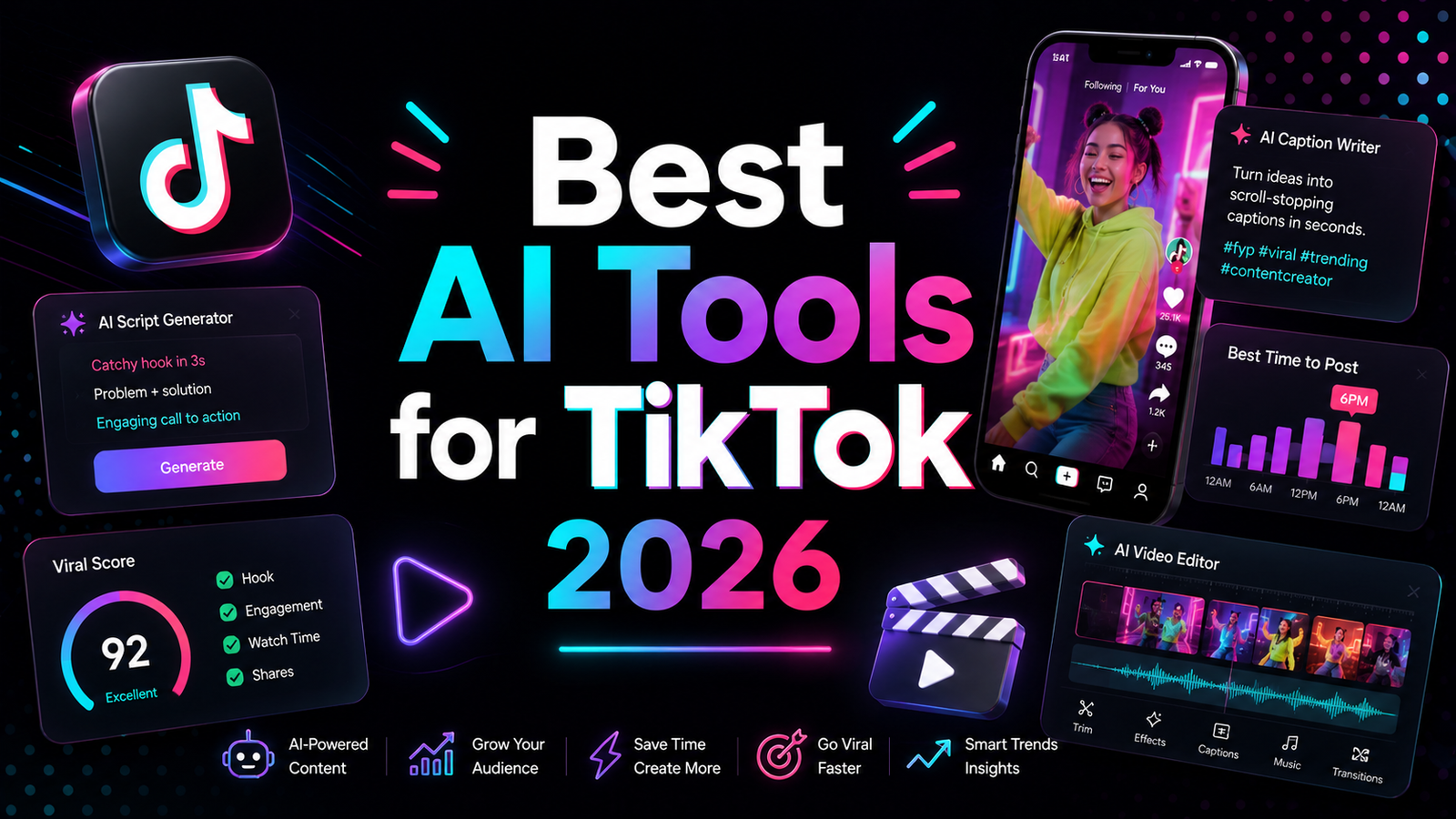
Best AI Tools for TikTok 2026: Grow Faster Without Burning Out
TikTok has a burnout problem. The algorithm rewards consistency, volume, and fast iteration. The average creator who breaks through publishes daily or near-daily. The average creator who burns out publishes at that pace for 60 to 90 days and then stops because the production overhead consumed every hour they had.
The AI tools in this guide do not solve the creative challenge of making content worth watching. What they do is compress the mechanical overhead that surrounds that creative work. Captions in 30 seconds instead of 20 minutes. Short clips from long interviews in the time it takes to brew coffee. AI voiceover that sounds professional without a recording setup. Scheduling and competitor analysis without a dedicated social media manager. For creators who have the ideas but are bottlenecked by production time, the right AI stack can realistically double publishable output without adding work hours.
The challenge in 2026 is that the tools keep changing. CapCut moved most of its AI features behind a paywall. ByteDance ToS changes raised data rights concerns for commercial creators. New tools like Captions and Submagic have matured into serious alternatives. This guide reflects where things actually stand.
Comparison Table: Best AI Tools for TikTok 2026
| Tool | Best For | Starting Price | Free Plan |
|---|---|---|---|
| CapCut | Free general-purpose editing with TikTok templates | Free / $19.99/month (Pro) | Yes (limited AI) |
| Opus Clip | Automated short clip generation from long-form video | Free (60 min/month) / $29/month (Pro) | Yes (watermarked) |
| Pictory | Repurposing blog posts, webinars, and written content into TikTok videos | $23/month (Starter) | No (trial) |
| ElevenLabs | Professional AI voiceover for faceless channels and multilingual content | Free (10K chars) / $5/month (Starter) | Yes |
| Canva | Thumbnail covers, text overlays, and branded visual content | Free / $15/month (Pro) | Yes |
| Captions | Talking-head video editing with AI captions, teleprompter, and AI twin | ~$9.99/month (Pro) | Limited |
| Submagic | Fast animated captions for short-form content in under 2 minutes | Free (3 exports) / $20/month (Pro) | Yes (limited) |
| Predis.ai | AI content generation and scheduling with competitor analysis | Free / $29/month (Starter) | Yes |
“Pricing is subject to change. Always verify current pricing on the tool’s official website before purchasing.”
Detailed Reviews
1. CapCut
Best for creators who manually select clips and want access to the most comprehensive TikTok-native template ecosystem at the lowest cost.
CapCut has 500 million-plus users and the TikTok template library that no competitor has matched in depth or trend relevance. The templates update with TikTok trends in near-real time, giving creators a starting point that generic editors do not provide. Auto-captions, background removal, and Smart Cut for silence removal remain functional on the free tier, though the most valuable AI effects, dynamic captions, and cloud storage moved to the $19.99 per month Pro subscription in the 2026 pricing restructure.
The caveats matter for TikTok creators specifically. The June 2025 Terms of Service grant ByteDance perpetual, irrevocable rights to uploaded content, which is a consideration for creators doing brand deals or client work. The US regulatory situation remains technically unresolved despite CapCut being available in US app stores as of May 2026.
Key features: TikTok-native template ecosystem with trend-aware templates, auto-captions in 25-plus languages, background removal, Smart Cut for silence removal, AI effects and transitions library.
Pros: Best free TikTok template library; auto-captions in 25-plus languages; widely understood with extensive tutorial support.
Cons: Most valuable AI features now cost $19.99/month; ByteDance ToS content rights concern for commercial creators; no AI clip detection.
Pricing: Free (limited AI); Standard ~$9.99/month; Pro ~$19.99/month.
2. Opus Clip
Best for creators with a backlog of long-form content who want to generate TikTok clip candidates without manually reviewing hours of footage.
Opus Clip automates the most time-consuming part of the repurposing workflow: finding which moments from a long video are worth clipping. The ClipAnything multimodal AI model analyzes visual cues, audio sentiment, and emotional patterns simultaneously, producing 10 to 25 clip candidates from an hour of footage. Each clip receives a Virality Score that helps prioritize which clips to publish without watching them all.
In practice, 60 to 80 percent of generated clips are usable with minor edits. The remaining 20 to 40 percent miss the punchline or cut mid-sentence. The Pro annual plan at approximately $14.50 per month covers the social scheduler for direct TikTok publishing, multi-aspect ratio export, and AI B-Roll.
Key features: ClipAnything for multimodal clip detection, Virality Score (0 to 99), animated auto-captions, ReframeAnything for 9:16 conversion, social scheduler for TikTok, and XML export.
Pros: Only tool in this comparison that automates clip candidate generation from long-form content; Virality Score provides meaningful prioritization signal; direct TikTok scheduling on Pro.
Cons: Cancel the subscription and projects delete in 3 days even with remaining credits; charges per minute of source video not per output clip; Starter plan lacks the scheduler.
Pricing: Free (60 min/month, watermarked, 3-day expiry); Starter $15/month; Pro $29/month (~$14.50/month annual).
3. Pictory
Best for content marketers, bloggers, and educators who want to turn written content into TikTok videos without filming.
Pictory converts written content into short videos using AI: paste a blog post URL and get a structured video with stock footage, AI voiceover, and auto-captions. The URL-to-video workflow saves hours for creators who maintain a blog or newsletter alongside TikTok and want to extend the reach of written content without separate production work.
For TikTok specifically, Pictory is strongest for educational and explainer content where a voiceover-over-stock-footage format is appropriate. It is less suited for personal brand content, trend-following formats, or the UGC-style talking-head content that performs best on TikTok in 2026.
Key features: Blog post or URL to video conversion, script to video generation, auto-captions and subtitles, AI voiceover from 60-plus voices, 3 million-plus stock footage library, and video summarization from long recordings.
Pros: Fastest path from written content to TikTok video for content marketers; URL-to-video workflow genuinely saves hours on blog repurposing; easy to use with no technical skill required.
Cons: Generic stock footage aesthetic is less competitive with UGC-style content that performs best on TikTok; voiceover and avatar selection are weaker than dedicated tools like ElevenLabs; limited advanced customization.
Pricing: Starter $23/month (30 videos); Professional $47/month (60 videos, custom branding); Teams $119/month. Free trial available.
4. ElevenLabs
Best for faceless TikTok channels, multilingual content, and any creator who needs professional voiceover without recording audio.
ElevenLabs is the benchmark for AI voice naturalness in 2026, used by 41 percent of Fortune 500 companies. For TikTok creators producing faceless content about finance, history, tech, or any topic that does not require on-camera presence, the difference between ElevenLabs voiceover and robotic TTS is the difference between a channel that grows and one that does not. Viewers immediately recognize and disengage from obviously synthetic voices.
The Creator plan at $22 per month unlocks Professional Voice Cloning from 10 minutes of your own recorded audio, enabling creators to produce content at scale without recording sessions while maintaining a consistent, authentic-sounding voice. The multilingual support across 29-plus languages opens international TikTok audiences from a single recorded script.
Key features: Multilingual v2 and Eleven v3 models for natural AI speech, Professional Voice Cloning on Creator plan, AI dubbing for multilingual content, 70-plus language support, and real-time conversational AI agents.
Pros: Most natural-sounding AI voice in the category; Professional Voice Cloning at $22/month is the most accessible high-quality voice cloning available; multilingual dubbing opens international TikTok audiences; free tier provides 10,000 characters per month for evaluation.
Cons: Commercial rights require minimum $5/month Starter plan; effective full-featured cost is $22/month not the headline free plan; non-English quality varies by language.
Pricing: Free (10K chars/month, no commercial rights); Starter $5/month; Creator $22/month (Professional Voice Cloning).
5. Canva
Best for cover frames, text overlay graphics, and branded visual content that makes TikTok videos more discoverable and click-worthy.
Canva is not a video editor but it belongs in the TikTok stack because TikTok optimization extends beyond the video itself. Cover frames determine whether someone taps a video on your profile. Text overlays inside videos follow design conventions that plain editing apps do not account for. Brand consistency across the 9:16 format requires design thinking that a general editor does not provide.
Canva’s Magic Resize converts a finished cover frame to multiple formats simultaneously. Background Remover isolates subjects for graphic overlays. The AI image generator creates original visual elements without stock photo licensing. For creators who post consistently and want their profile to look like a professional content operation rather than an improvised one, Canva’s brand kit and template library provide that infrastructure at $15 per month.
Key features: TikTok cover frame templates and 9:16 design tools, Magic Resize for multi-format adaptation, Background Remover, AI image generation, Brand Kit for channel-consistent visual identity, and direct export in TikTok-optimized formats.
Pros: Best design tool for TikTok cover frames and visual overlays; Brand Kit maintains channel identity without per-design decisions; free plan covers basic needs for new creators.
Cons: Not a video editor; AI image quality trails Midjourney for stylized visuals; some features require Pro.
Pricing: Free; Pro $15/month.
6. Captions
Best for talking-head TikTok creators who want AI-powered caption styling, teleprompter, and AI twin video generation on mobile.
Captions is a mobile-first AI creative studio built specifically for the talking-head video format that performs consistently on TikTok, Instagram Reels, and YouTube Shorts. The animated caption generator produces styled, animated subtitles in under 2 minutes from uploaded footage. The AI teleprompter prompts scripts during recording without external hardware. The AI Twin feature, the standout 2026 addition, creates a digital version of the creator from a selfie that can deliver scripted content in any language with lip-synced audio without the creator recording again.
For creators who publish daily and find the face-to-camera recording time itself a bottleneck, AI Twin addresses a workflow problem that no other tool in this comparison tackles.
Key features: AI animated caption generation with customizable styling, AI teleprompter for scripted recording, AI Twin for digital creator clone in any language, AI Edit for smart cuts, voice dubbing for multilingual content, and mobile-first iOS and Android apps with desktop Mirage Studio.
Pros: Best mobile-first tool for talking-head TikTok content; AI Twin is the most distinctive feature for scaling creator presence without additional recording sessions; animated captions that match the visual standard of trending TikTok content.
Cons: No permanent free plan for production-level use; desktop experience less polished than mobile; primarily useful for talking-head format and less applicable to B-roll-heavy or voiceover content types.
Pricing: Pro approximately $9.99/month; contact Captions for current plan details.
7. Submagic
Best for creators who need animated captions specifically, generated from a video upload in under 2 minutes, without a full editing workflow.
Submagic is a single-purpose tool that does one thing faster than any competitor: generates dynamic, animated captions from uploaded short-form video in under 2 minutes. The TikTok creator community has a clear consensus that captions significantly improve video completion rates and accessibility. Submagic’s focused implementation produces caption quality that rivals dedicated caption tools at a price point accessible to individual creators.
The B-roll enhancement feature adds relevant visual B-roll automatically, and the AI description generator produces TikTok descriptions and hashtag suggestions from the video content. For creators who use Captions or CapCut as their primary editing environment but want a dedicated caption quality option, Submagic covers that specific function without requiring a full workflow switch.
Key features: Dynamic animated captions generated in under 2 minutes, B-roll AI enhancement, AI description and hashtag generation for TikTok, multiple caption style templates, and direct export in TikTok-optimized format.
Pros: Fastest caption generation in the comparison; animated caption styles match current TikTok visual conventions; AI description generation reduces caption-writing time; free plan with 3 exports allows evaluation.
Cons: Single-purpose tool that requires supplementing with an editor; limited editing capability beyond caption application; Pro at $20/month is expensive for a caption-only tool when competitors like Captions include captions alongside a full editing suite.
Pricing: Free (3 exports); Pro $20/month; Business $40/month.
8. Predis.ai
Best for TikTok creators and small businesses who want AI-generated content drafts plus scheduling with built-in competitor analysis.
Predis.ai creates social media content, including TikTok videos, from simple text prompts. You describe your topic and the AI generates the video concept, caption, and hashtags simultaneously. The competitor analysis feature is the most distinctive capability: you enter a competitor’s TikTok handle and Predis surfaces which of their content formats perform best, giving content planning the analytical intelligence that manual competitive research would take hours to produce.
The Shopify and WooCommerce integration allows e-commerce TikTok accounts to import product catalogs and generate product videos automatically, which serves a use case that no other tool in this comparison addresses.
Key features: AI content generation from text prompts for TikTok videos and captions, competitor analysis for any TikTok handle, direct scheduling to TikTok and Instagram from the internal dashboard, Shopify and WooCommerce product video generation, and built-in AI photoshoot for product background removal.
Pros: Content generation plus scheduling in one tool eliminates the need for a separate scheduler; competitor analysis provides actionable intelligence for content planning; e-commerce product video generation from catalog import is unique.
Cons: Generated content can feel template-heavy compared to creator-shot footage; interface is more complex than single-purpose tools; requires customization to avoid generic-looking output.
Pricing: Free (limited); Starter $29/month; Agency $59/month.
Frequently Asked Questions
What is the minimum AI tool investment for a TikTok creator who wants to grow consistently without burning out?
The most effective zero-cost starter stack covers the two highest-leverage improvements for free: CapCut’s free tier for editing using TikTok-native templates, and Canva’s free plan for cover frame design. Adding Claude’s free tier for scripting assistance brings the stack to zero monthly cost covering editing, design, and scripting. The first paid upgrade with the clearest ROI depends on content type. For voiceover-dependent creators, ElevenLabs Starter at $5 per month provides commercial-rights audio quality that the free tier of any TTS tool cannot match. For creators with a long-form content backlog, Opus Clip Starter at $15 per month automates clip generation that would otherwise consume several hours per week manually. Most creators producing daily TikTok content find that one or two of these additions, at $15 to $35 per month total, provides the majority of available AI time savings.
Does AI-generated content perform as well as creator-shot content on TikTok?
For specific content formats, yes. Educational content, financial analysis, news commentary, and informational niches where the information is the value and the presenter is secondary show minimal performance difference between well-produced AI voiceover content and creator-shot content, provided the visual quality and caption styling are competitive. For personality-driven content, lifestyle content, humor, and any format where the creator’s authentic presence is the reason viewers return, AI-generated content consistently underperforms. TikTok’s algorithm evaluates completion rate, shares, and comments. Content that holds viewer attention and generates authentic responses, regardless of production method, performs. Content that feels generic or robotic, regardless of whether it is AI-generated, does not. The practical guidance: use AI tools to reduce production time on content formats where your presence is the value, and use AI generation for formats where information is the value.
Is CapCut still the best free TikTok editor in 2026 given the pricing changes?
For TikTok template access specifically, yes. No competitor has matched CapCut’s TikTok-native template library, and the trend-aware templates that update with TikTok’s viral formats provide a starting point that significantly reduces ideation and styling time. The free tier for manual editing with basic AI assistance remains functional. The caveats that changed the recommendation strength: most AI features moved behind $19.99 per month Pro, the ByteDance ToS content rights concern applies to commercial creators, and the US regulatory situation warrants local backup of important projects. For creators whose primary need is the template ecosystem and manual editing tools, the free tier remains the best zero-cost option. For creators who specifically need the AI caption and effects features that moved to Pro, Captions at $9.99 per month provides a comparable AI feature set without the ByteDance data considerations.
Final Recommendation
The complete TikTok AI stack in 2026 is built in layers as each bottleneck becomes the binding constraint.
Foundation (free): CapCut free tier for editing and TikTok templates, Canva free plan for cover frames, and Claude or ChatGPT free tier for scripting. This covers editing, design, and scripting at zero cost.
Voiceover or faceless channel ($5 to $22/month): Add ElevenLabs Starter at $5/month for commercial-rights AI voiceover, or Creator at $22/month when Professional Voice Cloning becomes the priority. ElevenLabs is the single highest-impact paid addition for faceless TikTok channels where audio quality determines whether viewers stay or leave.
Clip generation from long-form (+$15 to $29/month): Add Opus Clip when a backlog of long-form video makes automated clip generation worth $15 per month. The Starter plan removes watermarks; Pro adds the TikTok scheduler.
Talking-head optimization (+$9.99/month): Add Captions when mobile-first animated captions and AI Twin for scaled content generation become workflow priorities.
Content planning (+$29/month): Add Predis.ai when competitor analysis and content generation from prompts become more efficient than manual content planning.
For most individual TikTok creators, the $27 to $37 per month stack covering CapCut free plus ElevenLabs Starter plus Opus Clip Starter covers the majority of the production overhead that causes burnout without overspending before the channel demonstrates consistent growth.
Disclosure: This article contains affiliate links. OnyxRanked may earn a commission on qualifying purchases or subscriptions made through links on this page, including the ElevenLabs affiliate link (try.elevenlabs.io/7k8loss9icnl). This does not affect our editorial recommendations or ratings.