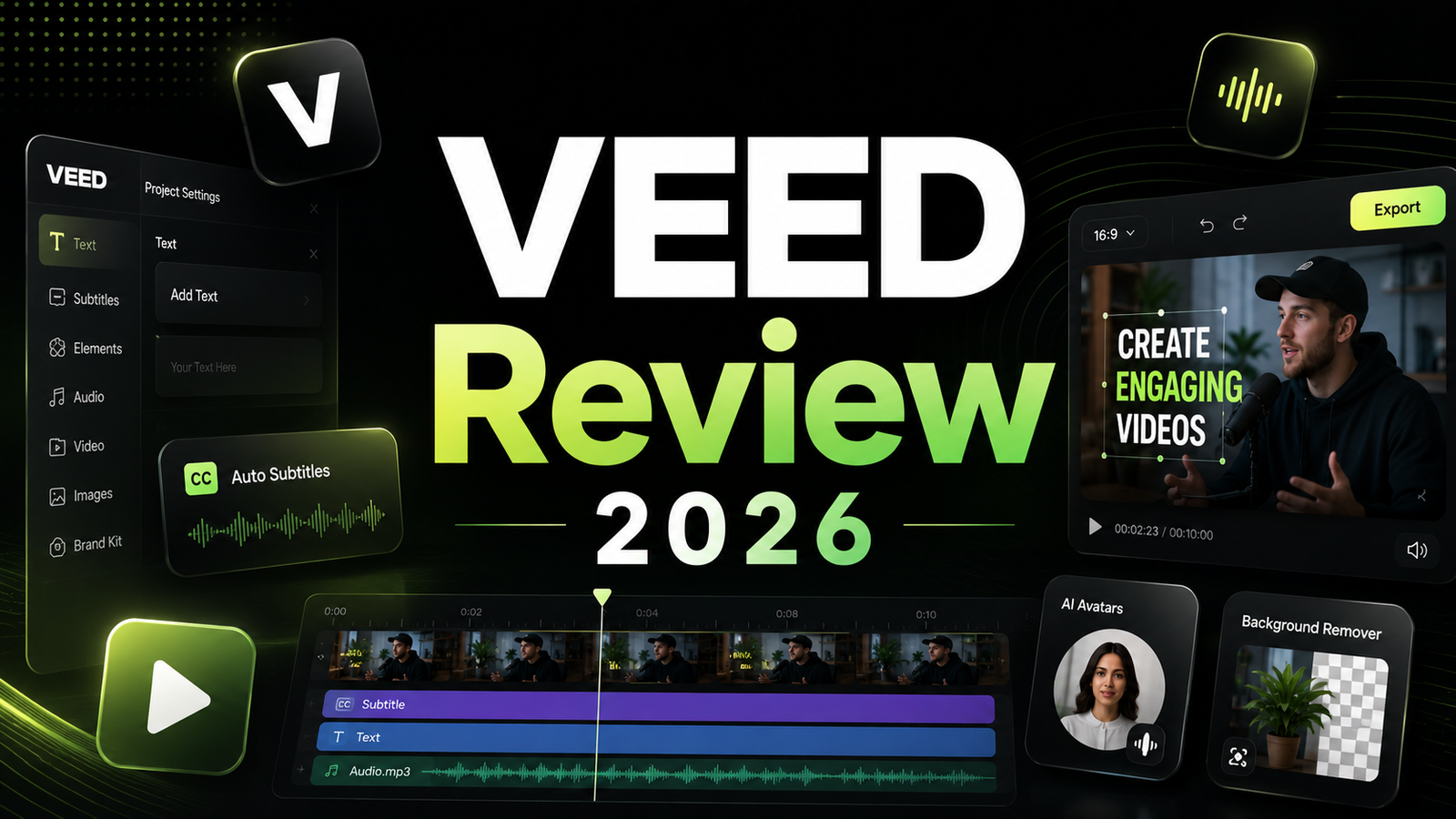
VEED Review 2026: The Browser Video Editor That Wants to Do Everything
The pitch is straightforward: professional video production without downloading software, without a steep learning curve, and without the need for multiple separate tools. VEED positions itself as a browser-based all-in-one workspace covering video editing, auto-subtitles in 100-plus languages, AI avatars, screen recording, text-to-video generation, voice cloning, and team collaboration, all accessible from any device with a browser.
More than 4 million users use VEED, with G2 scores of 9.1 for ease of use and 9.3 for ease of setup reflecting genuine strength in accessibility. For TikTok, Reels, and Shorts creators, one reviewer’s description captures the experience: “It’s so effortless to make a reel with all the necessary features available without bothering about complex timelines.”
What that same reviewer likely did not mention: the billing complaints that appear consistently across Trustpilot reviews, the credit system for AI features that depletes faster than the plan page suggests, the 4K export locked to the highest paid tier, and the browser-based architecture that becomes unstable on large files. VEED is a genuinely good tool for the creator it was designed for, and a source of genuine frustration for the creator it was not.
This review covers both.
Plan Comparison Table
| Plan | Best For | Starting Price | Free Plan |
|---|---|---|---|
| Free | Platform evaluation and occasional short-form content | $0 (VEED watermark, 720p, 30 min source/month) | Yes |
| Lite | Individual creators needing watermark-free 1080p exports | $12-19/month (pricing varies; verify at VEED) | No |
| Pro | Professionals needing 4K export, full AI feature access, and Gen-AI video | $29-49/month (pricing varies; verify at VEED) | No |
| Business | Agencies and teams needing 5 seats, brand kits, and centralized billing | $59/month | No |
“Pricing is subject to change. VEED’s pricing structure has changed multiple times. Always verify current pricing directly at veed.io before purchasing, and read the cancellation policy carefully before committing to annual billing.”
What VEED Is
VEED is a browser-based video creation platform founded in 2018 and headquartered in London. The platform covers video editing, automatic subtitle generation in 100-plus languages, AI avatar presenter videos, screen recording with webcam overlay, text-to-video generation from scripts, voice cloning, eye contact correction, and background removal, all accessible without software installation from a browser.
The architecture decision to be browser-only is both VEED’s primary advantage and its primary limitation. Zero installation, accessible from any device, and cloud-synchronized storage are genuine benefits for creators who work across machines or need to quickly produce content without a dedicated workstation. Browser-based rendering that struggles on large or high-bitrate files, no offline mode, and the risk of lost work during browser crashes are the consistent downside reported in user reviews.
VEED is specifically designed for social media content creators, marketing teams, and small businesses who need to produce short-form video consistently. It is not designed for professional film editors, colorists, or anyone working with high-bitrate 4K footage who needs frame-level precision and local hardware stability. The clearest signal of who VEED serves: the platform opens within seconds of loading, and you can start editing without watching a tutorial.
Key Features
Auto-subtitles in 100-plus languages. VEED’s subtitle generation is its most consistently praised feature across every review source examined. Upload a video, click “Auto Subtitle,” and VEED generates captions in the video’s spoken language within seconds, with accuracy that holds on clear audio and degrades predictably with background noise or overlapping speakers. Export options include burned-in captions or SRT files for uploading to platforms separately. Subtitle translation into 100-plus languages is available on paid plans, enabling the same video to reach multiple language audiences from one production session.
AI eye contact correction. A feature unique to VEED among browser-based editors: AI analyzes the footage and digitally adjusts the speaker’s gaze to maintain apparent eye contact with the camera even when reading from a teleprompter or looking away from the lens. For creators recording with a script or reference notes nearby, this removes the fixed-eye-contact requirement that makes scripted recording more mechanical and improves the naturalness of the final output.
AI avatars and text-to-video generation. VEED provides a library of AI avatars that deliver scripts as presenter videos without filming. Text-to-video generation converts scripts into videos using the avatar library with lip-synced delivery. This feature competes directly with Synthesia for the educational and explainer content use case. The avatar quality is described as “solid but not enterprise-grade” relative to Synthesia and HeyGen in independent comparisons. Gen-AI video generation counts against credit allowances on all plans, and choosing premium AI models depletes credits significantly faster than the plan page’s advertised limits suggest.
Screen recording with webcam overlay. VEED’s built-in screen recorder captures screen, webcam, and audio simultaneously without a separate application. For tutorial creators, developers, and any creator whose content involves on-screen demonstration, this eliminates the Loom or OBS step from the workflow. The recording quality is functional for social media and internal communications; it does not match dedicated screen recording software for technical screencasts.
Brand kit and team features on Business. The Business plan at $59 per month adds team seats, centralized brand kits covering fonts, colors, logo, and intro templates per client or brand, team folder organization, and 500 GB of cloud storage. For a small agency managing multiple client accounts, the brand kit per client eliminates the per-video brand setup that accumulates to significant production time.
Translation minutes and credit system. All AI-intensive features on VEED operate through credit or time-based allowances rather than unlimited usage. Translation minutes are capped per plan. Gen-AI video generation depletes from a monthly credit pool. Unused credits expire at billing cycle renewal. This credit structure produces the most common billing surprise for VEED users: subscribing to a plan based on its listed feature set, then discovering that actual usage depletes allowances faster than expected when using premium AI models or high-volume subtitling.
Pros and Cons
Pros:
- G2 ease of use score of 9.1 from 1,550-plus reviews and ease of setup score of 9.3 reflect genuine platform accessibility for non-technical creators
- Auto-subtitle generation in 100-plus languages is the strongest feature in the comparison class for creators producing multilingual content
- AI eye contact correction is unique to VEED among browser-based editors and measurably improves scripted recording naturalness
- No software installation; browser-based access from any device with immediate project loading
- Free plan allows genuine platform evaluation including auto-captions on 30 minutes of source video per month
- Business plan at $59/month provides per-client brand kits and team collaboration that serve agency workflows at a flat rate
- Screen recording with webcam overlay eliminates a separate recording tool for tutorial and demo content
Cons:
- Billing complaints appear consistently across Trustpilot: users report surprise annual renewal charges, difficult cancellation processes, and slow refund responses. Read the cancellation policy carefully before committing to annual billing
- AI credit system depletes faster than advertised: premium AI model selections for text-to-video can consume credits at rates that make the listed monthly allowance misleading for heavy AI users
- 4K export locked to Pro tier; the Lite plan at entry pricing caps at 1080p with no middle-ground option
- Browser-based architecture becomes unstable on large files; users report lost work from browser crashes during rendering of longer or higher-bitrate projects
- Stop paying and lose access to projects and stored assets, including past work; no perpetual license option for asset ownership
- Performance on large files and complex timelines is inconsistent compared to desktop editors; the browser architecture imposes limits that local hardware does not
Pricing Breakdown
VEED’s pricing structure has changed enough times that independent sources report different figures, and the disparity is meaningful enough that the plan table above uses a range with a recommendation to verify directly. The structure below reflects the most commonly reported 2026 pricing.
Free: $0. VEED watermark on all exports, 720p maximum resolution, 30 minutes of source video per month for auto-captioning, 10-minute maximum per export, screen recording included. The free plan is a genuine evaluation tool rather than a purely cosmetic demo. The watermark and resolution cap make it unsuitable for any professional or branded output, but it allows testing all core editing features on real projects before payment.
Lite: Reported at $12 to $19/month depending on billing cycle and promotion. Watermark removal, 1080p export, expanded subtitle generation, and no watermark on exports. Limited AI feature access. Suitable for individual creators whose primary need is subtitle generation and basic editing without 4K output.
Pro: Reported at $29 to $49/month. Full AI feature access including text-to-video, AI avatars, eye contact correction, voice cloning, background removal, 4K export, and expanded translation minutes. The 4K export lock to this tier is the pricing decision most cited as frustrating by users who want 4K without the full Pro premium. Credit allowances for AI features apply at this tier; usage of premium AI models depletes credits at higher rates than standard models.
Business: $59/month. Five team seats, centralized brand kits, team folder organization, 500 GB cloud storage, and all Pro features for all team members. The flat team rate is more economical than Pro per-seat pricing for teams of three or more active users.
The billing caveat that belongs in every pricing section: Multiple Trustpilot users report difficulty cancelling annual subscriptions and slow refund responses for unused subscription periods. One independent review recommends starting with monthly billing before committing to annual to preserve the ability to cancel without a significant unused period. Review the current cancellation policy at veed.io before providing payment details.
How It Compares to Descript and Pictory
VEED vs Descript
Descript and VEED overlap most directly for talking-head creators who use subtitles and need browser-accessible editing. Descript’s primary advantage is its transcript-based editing workflow: you edit video by editing the transcript text, remove all filler words in one click, and make precise cuts without timeline scrubbing. For interview-based content and educational videos where removing specific phrases matters more than template styling, Descript’s approach compresses editing time more significantly than VEED’s timeline-based editor.
VEED’s advantage over Descript is feature breadth on a single subscription: AI avatars, screen recording, eye contact correction, and the text-to-video generation layer are all in VEED without additional tools. Descript is a sharper tool for the specific job of transcript-based editing. VEED is the broader platform for creators whose workflow spans multiple content types from one subscription.
For social media creators producing short-form content where subtitle styling and fast iteration matter more than transcript precision, VEED’s ease of use and aspect ratio presets are a better fit. For interview hosts, podcasters, and conversational video producers where the editing precision of transcript-based cutting saves the most time, Descript is the more efficient choice.
VEED vs Pictory
Pictory converts written content, blog posts, scripts, and URLs, into videos using stock footage, AI voiceover, and auto-captions. VEED starts with footage you bring and helps you edit and enhance it. The distinction matters for workflow: Pictory is strongest for creators who produce written content first and want to extend it to video format. VEED is strongest for creators who record footage and want browser-based editing, subtitling, and AI enhancement without switching tools.
For content marketers with a blog and newsletter, Pictory’s URL-to-video workflow saves more time than VEED’s manual editing approach on the same blog-to-video task. For social media creators who record themselves or their screen, VEED’s editing environment is more capable than Pictory’s for raw footage enhancement. They target different starting points in the content creation workflow.
Frequently Asked Questions
Is VEED actually free, and what can you do on the free plan?
VEED offers a permanent free plan with meaningful limitations. The free plan allows screen recording, video editing up to 10 minutes per export, auto-captioning on up to 30 minutes of source video per month, and 720p export, all with a VEED watermark on every output. For testing whether VEED’s interface and workflow fit your production process, the free plan provides enough functionality to make an informed decision. For any content that will be published under your brand, used for client work, or shared on social media where the watermark would be visible, the free plan is insufficient without upgrading. The free plan is a genuine evaluation tool rather than a sustainable production tool.
What specific billing issues should I know about before subscribing?
Independent review aggregation from Trustpilot finds a consistent pattern: users are surprised by automatic annual renewals, find the cancellation process confusing or multi-step, and report slow response times when requesting refunds for unused subscription periods. The most protective approach before subscribing: read the current cancellation and refund policy at veed.io, start with monthly billing rather than annual to preserve cancellation flexibility, set a calendar reminder before the renewal date if you are on annual billing, and contact VEED support before the renewal date if you decide not to continue rather than trying to obtain a refund after the charge. These are not unique to VEED among subscription software, but the pattern appears with enough frequency in independent reviews to warrant explicit attention before payment.
Is VEED suitable for professional video editors or only for content creators?
VEED is designed for content creators, marketing teams, and small businesses producing social media content, not for professional film editors working with high-resolution footage and complex timelines. The browser-based architecture that makes VEED accessible to non-technical users also imposes limitations that professional editors will find constraining: no offline mode, instability on large or high-bitrate files, browser crash risk during rendering, and no frame-level precision editing comparable to Premiere Pro or DaVinci Resolve. Professional editors who want a quick browser-based tool for simple subtitle tasks or social media cuts will find VEED functional for those specific tasks. Professional editors looking for a production environment for complex or high-resolution projects should use local software.
Final Verdict
VEED is the right tool for its intended audience: social media content creators, marketing teams, and small businesses who want browser-based video editing with strong subtitle generation, AI presenter avatars, and a broad feature set accessible without software installation. The G2 scores of 9.1 for ease of use from 1,550-plus reviews reflect genuine strength in its primary use case. The auto-subtitle generation in 100-plus languages is the strongest single feature in the browser-based editor category for multilingual content.
The billing transparency concern is real and documented enough to be a genuine buyer consideration rather than a footnote. Start with monthly billing, read the cancellation policy before subscribing, and set a reminder before any annual renewal date. These steps do not change VEED’s product quality, but they prevent the subscription management friction that accounts for a disproportionate share of the negative reviews the platform receives.
For creators who need transcript-based precision editing for interview or podcast-style content, read our Descript Review 2026 as the workflow comparison that is most relevant to that production style. For creators who need text-to-video generation from written content rather than footage-first editing, Pictory is the more appropriate starting point.
VEED sits between those two specialized approaches as the generalist browser editor that covers the most workflow surface area from one subscription. For the creator who values breadth of accessible features over depth in any specific area, VEED Pro at its current pricing is a defensible subscription for active social media production.
Rating: 4.1 / 5 — Strong for browser-based social media content production. Read the billing terms before subscribing.
Disclosure: This article may contain affiliate links. OnyxRanked may earn a commission on qualifying purchases or subscriptions made through links on this page. This does not affect our editorial recommendations or ratings.