TubeBuddy Review 2026: Is It Still the Best YouTube SEO Tool?
TubeBuddy has been a browser extension for YouTube creators since 2014. It is YouTube-certified, used by over 15 million creators, and sits inside YouTube Studio itself rather than requiring a separate tab. The pitch has not changed much in a decade: keyword research, SEO scoring, thumbnail A/B testing, and bulk processing for managing existing video libraries, all from within the interface where creators already work.
The honest 2026 update: yes, it is still the best value YouTube SEO tool for most individual creators, but with a meaningful reframe of what the value actually is. Tags, which were TubeBuddy’s most visible feature in its early years, matter significantly less in 2026. Video tags are not that relevant in 2026. YouTube doesn’t consider them much for ranking your videos. The real value of TubeBuddy in 2026 is keyword research applied to titles and descriptions, thumbnail A/B testing with actual statistical data, and bulk processing for channels with large video libraries. Creators who subscribe primarily for tags are slightly misusing the tool.
That reframe does not diminish TubeBuddy’s value. It clarifies it.
Plan Comparison Table
| Plan | Best For | Starting Price | Free Plan |
|---|---|---|---|
| Free | Very limited evaluation; not practical for systematic keyword research | $0 | Yes (limited daily caps) |
| Pro | Growing individual creators who need keyword research and SEO Studio | ~$4.50/month (annual) / ~$7.50/month (monthly) | No |
| Legend | Active creators who need A/B testing, bulk processing, and unlimited features | ~$27/month (annual) / ~$36/month (monthly) | No |
| Enterprise | Teams and multi-channel operations needing enterprise controls | Custom pricing | No |
RisingStarBuddy discount: Channels with under 1,000 subscribers receive approximately 50% off the Pro plan, dropping annual billing to approximately $1.75 to $2.25 per month.
“Pricing is subject to change. Always verify current pricing directly at tubebuddy.com before purchasing.”
What TubeBuddy Is
TubeBuddy is a browser extension that installs in Chrome, Firefox, and Edge, and integrates directly into YouTube and YouTube Studio. When installed, TubeBuddy adds data overlays to the YouTube interface: keyword scores alongside YouTube search results, SEO scorecards on video edit pages, bulk processing tools in the channel management interface, and A/B testing controls on published videos.
The YouTube-certified status is meaningful: TubeBuddy has official access to YouTube’s API and data infrastructure, which means its keyword data and SEO scores draw from legitimate YouTube data rather than third-party approximations. For creators who want confidence that keyword research reflects actual YouTube search patterns rather than Google keyword data applied to YouTube, the certification matters.
TubeBuddy serves three distinct creator profiles with different feature needs. New and growing creators who need keyword research to identify what people actually search for before creating a video. Established creators who want to optimize existing published videos and test thumbnails and titles with real performance data. Agencies and large channels who need bulk processing to update metadata across hundreds or thousands of videos without manual work.
Key Features
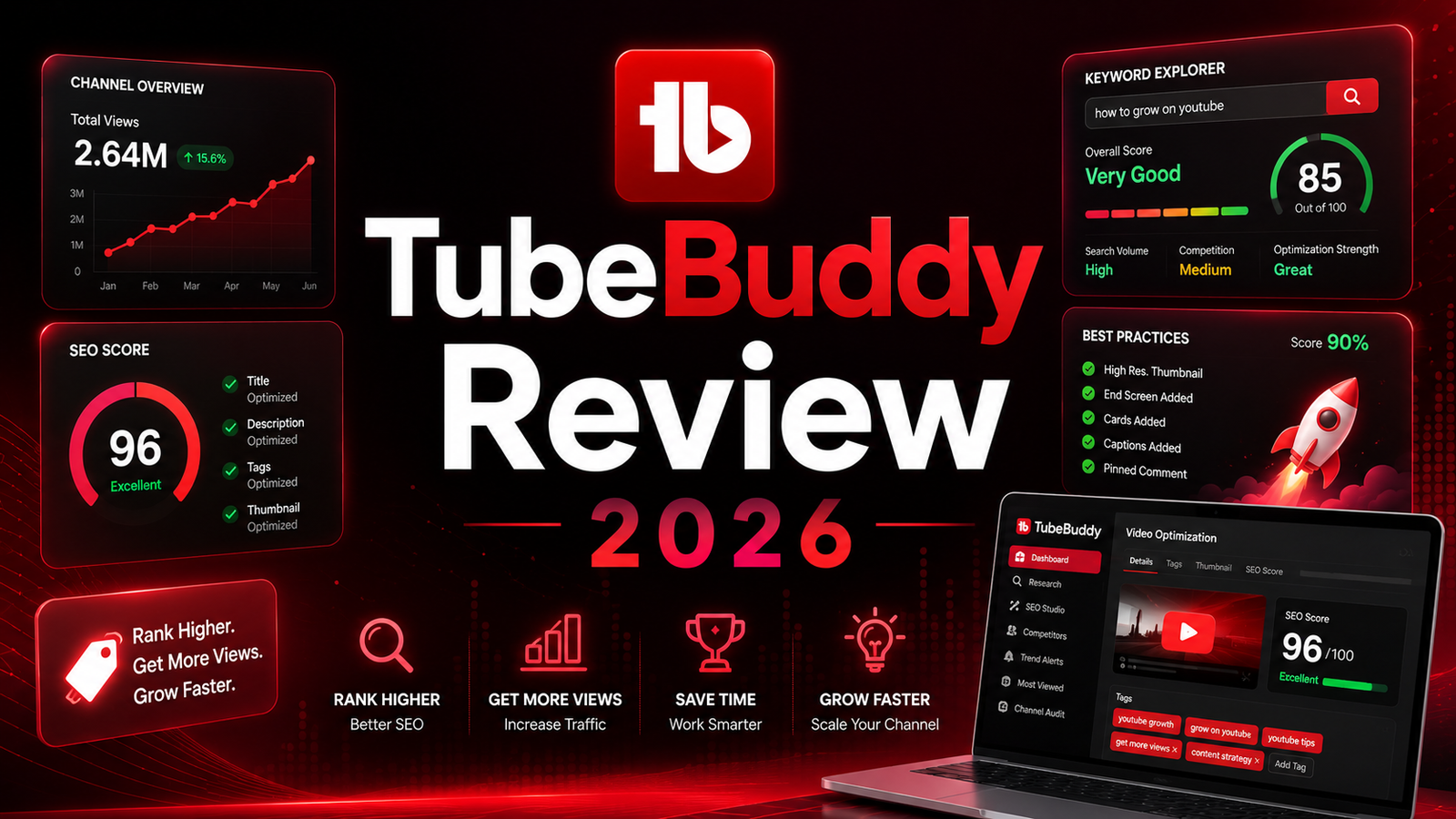
Keyword Explorer. TubeBuddy’s keyword research provides a composite score for each target term, combining search volume, competition level, and optimization strength for the creator’s own channel. The score is actionable rather than purely informational: it distinguishes between high-volume terms that are too competitive for a small channel and lower-volume terms where the channel has a realistic chance of ranking. The channel-specific component of the score is the differentiator from generic keyword tools: TubeBuddy factors in your channel’s authority relative to what is currently ranking for each keyword.
SEO Studio. SEO Studio walks through optimizing a video’s title, description, and tags against a target keyword with a live SEO score updating as changes are made. This is the feature where TubeBuddy’s 2026 reframe applies most directly: the score rewards keyword placement in titles and descriptions more meaningfully than tag optimization, reflecting how YouTube’s ranking signals have evolved. Tags are still prompted and scored, but their weight in the overall SEO score has declined relative to the title-level keyword placement that drives modern YouTube discoverability.
Thumbnail A/B Testing. This is TubeBuddy’s clearest competitive advantage over every other YouTube tool in 2026: TubeBuddy’s A/B testing for thumbnails and titles is something no other major tool offers. Publish two or more thumbnail or title variants on a live video, and TubeBuddy measures click-through rate performance across real impressions and automatically promotes the winning variant after statistical significance is reached. The difference between a 4 percent CTR and a 7 percent CTR on the same video title compounds across a channel’s entire library over time. Testing and iterating to higher CTR is the optimization lever that most directly affects channel growth, and TubeBuddy is the only tool that provides the data infrastructure to do it systematically.
Bulk Processing. Update titles, descriptions, tags, end screens, cards, and default settings across hundreds of videos simultaneously rather than one at a time. For channels with large existing libraries where a brand refresh, a keyword strategy update, or a template change requires editing dozens of videos, bulk processing reduces what would be days of manual work to a single batch operation. This feature is available on Legend and is the primary reason Legend is the appropriate plan for channels with 100-plus videos.
Competitor Research and Scorecard. TubeBuddy displays SEO scorecards on any YouTube video page, showing how well optimized a competitor’s video is. Channel comparison tools track competitor performance over time. For creators doing competitive research before producing a video, this in-page intelligence reduces the context-switching between YouTube and a separate research tool.
Pros and Cons
Pros:
- YouTube-certified browser extension that integrates directly into YouTube Studio where creators already work; no context-switching to a separate application
- Thumbnail A/B testing with statistical significance tracking is unique to TubeBuddy among major YouTube tools
- RisingStarBuddy discount brings Pro to approximately $1.75 to $2.25 per month annually for channels under 1,000 subscribers, the most affordable legitimate YouTube keyword research at any price
- Bulk processing for large video libraries saves days of manual metadata work on channels with significant back catalogs
- Channel-specific keyword scoring factors in the creator’s authority relative to current competition, providing more actionable research than generic volume metrics
- TubeBuddy Legend at approximately $27 per month annually costs approximately 40 percent less than VidIQ Max for comparable or better operational optimization features
Cons:
- Free plan is more restrictive than VidIQ’s free tier: TubeBuddy’s free tier includes only basic SEO guidance with limited daily/weekly search caps that make systematic keyword research impractical without upgrading
- The most valuable features including A/B testing and unlimited bulk processing are locked behind Legend at approximately $27 per month; the jump from Pro ($4.50) to Legend ($27) is steep for the creator who needs only one of those features
- TubeBuddy does not generate content ideas, suggest video topics, or provide AI-driven ideation; creators who need content strategy assistance alongside SEO optimization require VidIQ or supplementary AI tools
- Some users report that the UI, while functional, looks dated compared to newer tools and can feel cluttered with overlays across the YouTube interface
- Customer service ratings are mixed, with CheckThat.ai noting that TubeBuddy “consistently receives poor ratings for customer service” in comparison research
Pricing Breakdown
TubeBuddy’s pricing is a progressive unlock model where each tier adds specific capabilities.
Free: $0. Basic SEO guidance, very limited Keyword Explorer with daily caps, and a handful of minor utility tools. The free plan is insufficient for systematic keyword research. Use it for two weeks to evaluate the interface, then upgrade to Pro if TubeBuddy’s approach fits your workflow.
Pro: Approximately $4.50/month (annual) or $7.50/month (monthly). Unlocks Keyword Explorer with full search access, SEO Studio for scoring video optimization, channel health scorecard, basic bulk processing, unlimited canned responses, and channel backups. For channels under 1,000 subscribers using the RisingStarBuddy discount code, Pro drops to approximately $1.75 to $2.25 per month annually. This is the plan that provides TubeBuddy’s primary keyword research and SEO scoring value. Beginners (0-10K subscribers): Pro tier at $4.50/month (or $2.25/month with RisingStarBuddy) provides genuine value. The keyword research and SEO tools accelerate learning and help establish good optimization habits.
Legend: Approximately $27/month (annual) or $36/month (monthly). Everything in Pro plus thumbnail and title A/B testing, unlimited bulk processing for all metadata types, scheduled publishing, brand alerts, video A/B testing, and advanced bulk processing controls. This is the plan for channels with large video libraries and for creators who want to optimize CTR systematically through A/B testing. A/B testing at Legend tier is the cheapest way to get proper A/B testing, and the 20-40% CTR improvement typically pays for itself quickly.
Enterprise: Custom pricing. Multi-channel management, team access, and enterprise governance features. Contact TubeBuddy for current rates.
How It Compares to VidIQ and TubeAnalytics
TubeBuddy vs VidIQ
The clearest summary from TubeBuddy’s own comparative analysis, which is broadly confirmed by independent sources: TubeBuddy wins on price, A/B testing, bulk workflow tools, and YouTube integration. VidIQ wins on in-tool AI ideation and structured creator coaching.
VidIQ’s Daily Ideas feature generates content topic suggestions tailored to the creator’s channel, which TubeBuddy does not offer. VidIQ’s AI-driven content planning tools provide structured creator coaching that TubeBuddy explicitly does not replicate. For creators who want an AI tool to help them decide what to make, VidIQ serves that need more directly.
TubeBuddy’s advantage is operational: A/B testing that no VidIQ plan offers at any price, bulk processing for existing library management, and pricing that is consistently approximately 40 percent lower than VidIQ at comparable tiers. Many successful creators use TubeBuddy Legend ($23.19/month) for bulk operations plus vidIQ’s free tier for supplementary analytics, getting comprehensive capability at 59% of vidIQ Max’s cost. For creators who already use Claude, ChatGPT, or another AI tool for content ideation outside of YouTube tools, VidIQ’s AI ideation advantage shrinks considerably.
TubeBuddy vs TubeAnalytics
TubeAnalytics is a more recent analytics-focused platform that provides deep performance data and benchmarking across YouTube channels. The comparison is less direct than TubeBuddy vs VidIQ: TubeAnalytics is primarily an analytics and benchmark intelligence tool rather than an SEO optimization and workflow tool. For creators whose primary need is understanding how their channel performs relative to industry benchmarks and competitive segments, TubeAnalytics addresses that specific need. For creators whose primary need is keyword research, title and thumbnail optimization, and back-catalog management, TubeBuddy covers the SEO optimization workflow that TubeAnalytics complements rather than replicates.
Frequently Asked Questions
Do video tags still matter on YouTube in 2026, and is TubeBuddy less useful because of this?
Tags matter significantly less in 2026 than they did in TubeBuddy’s early years. YouTube’s algorithm has shifted toward understanding video content from titles, descriptions, closed captions, and viewer behavior signals, with tags playing a much smaller role in ranking than was the case in 2018 to 2020. TubeBuddy has adapted its SEO Studio to weight title and description optimization more heavily than tag optimization, which is the correct response to that algorithm evolution. The practical implication: TubeBuddy’s value in 2026 is keyword research applied to titles and descriptions first, and tags second. Creators who use TubeBuddy primarily to generate tag lists are getting less value than creators who use it to validate keyword choices for titles and apply those keywords systematically in descriptions.
Is TubeBuddy worth it for a channel that is just starting and has fewer than 1,000 subscribers?
Yes, specifically because of the RisingStarBuddy discount. At approximately $1.75 to $2.25 per month annually with the discount code, TubeBuddy Pro provides YouTube-certified keyword research at the lowest cost available from any legitimate YouTube keyword tool. The value of starting with good keyword habits early compounds differently than adding SEO tools after a channel has already published 50 videos with suboptimal keywords in the titles. Using TubeBuddy’s keyword scores to validate that a target keyword has adequate search volume and manageable competition before creating the video is the most efficient optimization intervention for any early-stage channel.
Can I run TubeBuddy and VidIQ simultaneously on the same channel?
Technically yes, and some creators do, but the practical experience becomes cluttered. Both tools add overlays to the YouTube interface, meaning two separate data boxes appear alongside every YouTube search result, video page, and channel view. Many creators who try running both simultaneously settle on one for day-to-day workflow and access the other occasionally. The hybrid approach that multiple independent sources describe is using TubeBuddy Legend for bulk processing and A/B testing alongside VidIQ’s free tier for supplementary analytics, avoiding the duplication of paid features across both platforms while capturing the distinct advantages of each tool.
Final Verdict
TubeBuddy in 2026 remains the best value YouTube SEO tool for individual creators and the only tool with thumbnail and title A/B testing at any price. The algorithm evolution that has reduced tags’ importance has not diminished TubeBuddy’s core value; it has redirected that value toward keyword research applied to titles and descriptions, where the optimization signal is stronger than it has ever been.
For channels under 1,000 subscribers: the RisingStarBuddy discount makes Pro at approximately $2 per month the most cost-efficient YouTube keyword research available anywhere. At that price, the keyword Explorer access pays for itself with the first video that ranks because of a better title keyword choice.
For active channels with 50-plus published videos: Legend at approximately $27 per month is justified by the A/B testing capability alone. A 20 to 40 percent CTR improvement across the top 10 videos on a monetized channel generates more revenue than the subscription costs in the first month it is applied.
For creators who primarily need content ideation and AI-generated topic suggestions: VidIQ is the more appropriate starting point. TubeBuddy does not generate ideas; it helps optimize the videos you have decided to make.
Rating: 4.3 / 5 — Best value YouTube optimization tool. Unique A/B testing capability. Tags matter less than they used to; the real value is in keyword research for titles and descriptions.
Disclosure: This article may contain affiliate links. OnyxRanked may earn a commission on qualifying purchases or subscriptions made through links on this page. This does not affect our editorial recommendations or ratings.