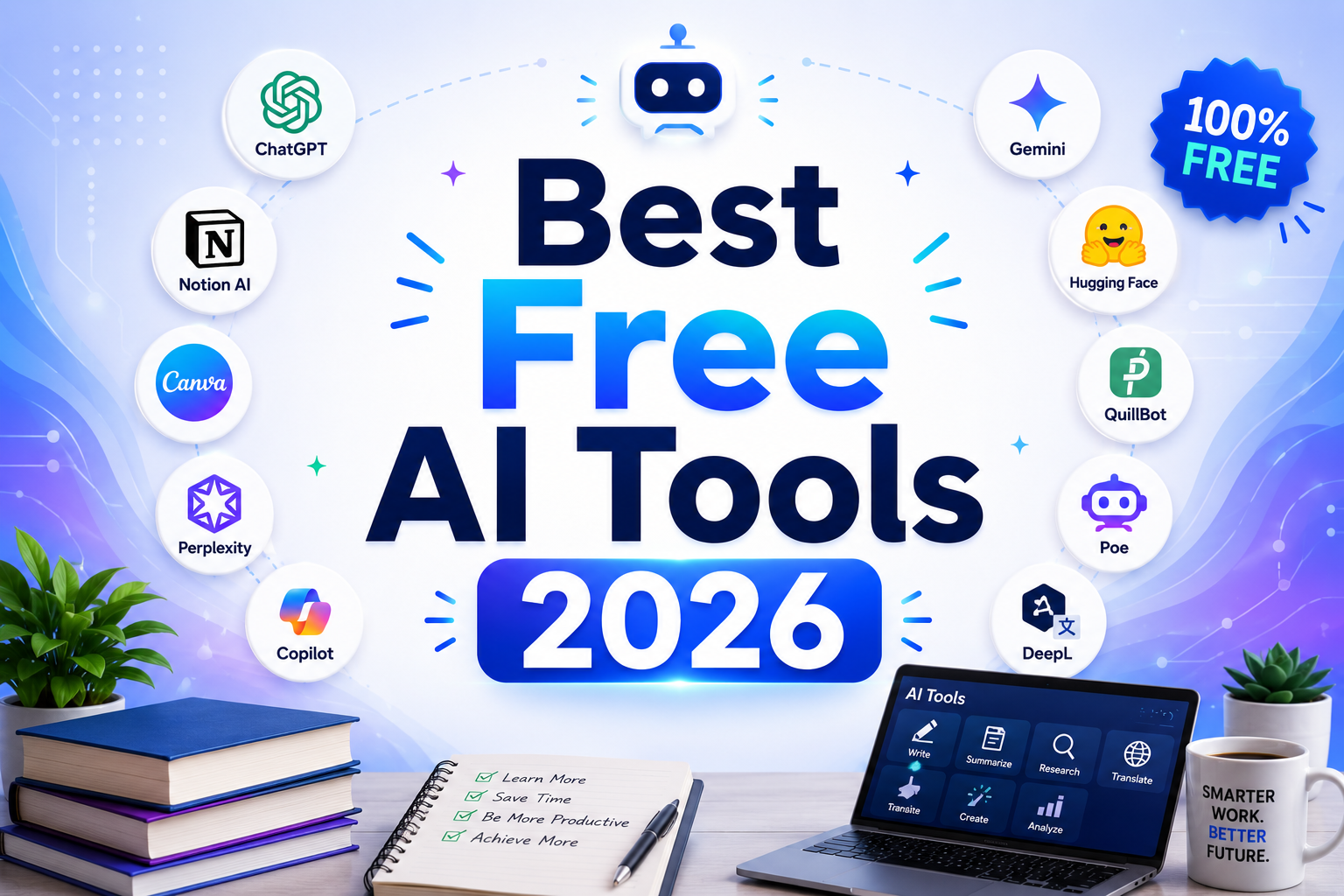
Best Free AI Tools 2026: The Free Platforms Actually Worth Using
The phrase “free AI tool” has been stretched so far that it barely means anything anymore. Search for free AI tools and you will find results dominated by time-limited trials that auto-charge after seven days, “free plans” that require a credit card to activate, credit systems that expire after a one-time signup bonus, and tools that unlock their core feature only after you enter billing information.
Genuinely free is different. A genuinely free plan provides ongoing access, renews without payment, requires no credit card to start, and delivers enough functionality to be useful before you ever consider upgrading. That is the only definition this article uses.
Free trials are time-limited access to a paid plan. They are valuable for evaluation, but they are not free tools. A tool that requires your credit card upfront and charges you automatically after fourteen days is a paid tool with a trial period attached. Treating free trials as free access is how people end up charged for services they forgot they signed up for.
Our Take: Free AI tools have improved faster than paid AI tools over the last two years. In 2026, many of the best free platforms are no longer limited trials or stripped-down demos. They’re legitimate alternatives capable of handling real work without requiring a subscription.
Comparison Table: Best Free AI Tools 2026
| Tool | Category | Free Tier Limits | Paid Plan |
|---|---|---|---|
| ChatGPT | AI assistant | GPT-4o with rate limits, unlimited GPT-4o mini | $20/month (Plus) |
| Claude | AI assistant | Claude Sonnet 4.6 with daily message limits | $20/month (Pro) |
| Perplexity | AI search | Unlimited standard searches, ~5 Pro searches/day | $20/month (Pro) |
| Canva | Design | Core templates, limited AI credits (~50 lifetime image gens) | $15/month (Pro) |
| Grammarly | Writing quality | Basic grammar/spelling, 100 AI prompts/month | $12/month (Pro, annual) |
| Leonardo AI | Image generation | 150 tokens/day (resets every 24 hours), public images | $12/month (Apprentice) |
| Notion | Productivity | Unlimited pages/blocks for individuals, ~20 AI trial responses | $20/month (Business with AI) |
| Otter.ai | Transcription | 300 minutes/month, 30-min per conversation max, 3 lifetime file imports | $8.33/month (Pro, annual) |
“Pricing is subject to change. Always verify current pricing on the tool’s official website before purchasing.”
Detailed Reviews
1. ChatGPT Free
Best for: General-purpose AI assistance, writing, brainstorming, and everyday tasks
ChatGPT’s free tier is the most widely used AI plan in the world and with good reason. You do not need a credit card to sign up, and access to GPT-4o is included, not the older GPT-3.5 that free users received in earlier years. The free tier gives you real access to a powerful model with enough daily capacity for casual and moderate professional use.
What is actually free: GPT-4o access with rate limits, meaning you can use it freely until OpenAI’s system detects heavy usage and temporarily routes you to GPT-4o mini. GPT-4o mini is also available on the free tier with effectively unlimited access. Web browsing and limited image generation are included. No credit card is required and the account never expires.
Limitations: The most significant limitation is rate limiting during high-demand periods. If you use ChatGPT heavily throughout the day, you will see the message indicating a switch to GPT-4o mini. The free tier lacks persistent memory across sessions by default, meaning each conversation starts without knowledge of previous interactions. Advanced voice mode, extended thinking, and Custom GPTs with premium capabilities require Plus. File analysis capacity and image generation volume are reduced compared to paid plans.
When to upgrade: When you consistently hit the GPT-4o rate limit during your working day and need uninterrupted access to the top model. When you need memory across sessions for recurring tasks. When Advanced Data Analysis for uploading spreadsheets and code files becomes a regular part of your workflow.
2. Claude Free
Best for: Long-form writing, complex reasoning, document analysis, and thoughtful responses
Claude’s free tier provides access to Claude Sonnet 4.6, which is a high-quality model capable of sophisticated analysis, long-form writing, and extended reasoning tasks. Anthropic does not require a credit card to sign up at claude.ai, and the free plan is ongoing with no expiration.
What is actually free: Access to Claude Sonnet 4.6, which handles the full range of tasks including writing, coding, analysis, document review, and conversation. The context window on the free tier is generous enough for analyzing substantial documents and maintaining long conversations. No credit card, no trial period, no one-time credit system.
Limitations: The daily message limit is real and varies based on server load and usage patterns. Heavy users will hit the limit within a few hours of intensive use on any given day. Claude Pro’s access to Opus 4.6, Anthropic’s most powerful model, is unavailable on the free tier. Extended thinking mode, priority availability during peak hours, and higher message limits all require a paid subscription. There is no memory across sessions on the free plan.
When to upgrade: When you need the more powerful Opus model for complex reasoning tasks. When you regularly hit the daily message limit during a normal working day. When you need priority access and lower wait times during peak usage periods.
3. Perplexity Free
Best for: Research, fact-checking, sourced answers, and real-time information lookup
Perplexity functions as an AI-powered search engine: it retrieves information from the web in real time and synthesizes it into cited answers. Unlike ChatGPT or Claude, which answer from training data, Perplexity always searches before responding, making it far more reliable for current events, recent news, and factual research tasks. The free plan is one of the most genuinely useful in the AI market.
What is actually free: Unlimited standard searches with source citations, powered by Perplexity’s standard AI model. This is not throttled to a small daily number. You can run dozens of research queries per day without hitting the limit. No credit card required, no expiration, no one-time credits. The cited sources appear with every answer, which makes it useful for verifying information in a way that credit-based AI tools often do not offer.
Limitations: The free plan provides approximately five Pro searches per day using more powerful models (GPT-4o, Claude, or Gemini). Pro searches handle complex multi-step questions better and produce more nuanced answers than standard searches. File upload for document analysis, extended research modes, and the ability to use your own API keys all require the Pro plan. The standard model on the free tier is sufficient for most research tasks but can produce less precise answers on highly technical topics.
When to upgrade: When you consistently run out of the daily Pro search allocation before completing your research tasks. When you need to upload documents for analysis within the research workflow. When you work in fields requiring the deepest model capabilities for technical or specialized research.
4. Canva Free
Best for: Social media graphics, presentations, and visual content creation without design experience
Canva’s free plan is one of the most generous design tools available at no cost. Access to over two million templates, the core drag-and-drop editor, and a substantial library of free images, fonts, and graphics gives individuals and small teams the ability to produce professional-looking visual content without a design background or budget.
What is actually free: The full Canva editor, 2 million-plus templates across all standard formats, the core Magic Studio AI features including limited background removal and basic Magic Write text generation. Approximately 50 lifetime AI image generations are available on the free plan, though this number is not prominently stated on the platform. The free plan does not expire and does not require a credit card.
Limitations: The 50 lifetime AI image generation figure is a hard ceiling, not a monthly replenishment. Free users cannot access the full Magic Studio AI suite including Magic Eraser, full Magic Expand, and the AI video generation features. The Brand Kit, bulk resize (Magic Resize), premium templates, and background removal at full capacity all require Pro. Many of the most visually distinctive templates are marked with the crown symbol and locked behind Pro.
When to upgrade: When you need consistent AI image generation on a monthly basis rather than a one-time trial. When Brand Kit for maintaining consistent visual identity across projects becomes important. When Magic Resize for adapting designs across every social media format saves significant weekly time.
5. Grammarly Free
Best for: Grammar correction, spelling, and basic writing quality across all your regular apps
Grammarly’s free plan works differently from most free AI tiers because it operates across your entire digital writing surface rather than within a dedicated app. It integrates with Gmail, Google Docs, Microsoft Word, LinkedIn, Slack, Chrome, and most text fields in any web browser. Every email, social post, document, and message you write benefits from real-time correction without any additional action.
What is actually free: Basic grammar, spelling, and punctuation correction in real time across every integrated surface. 100 monthly AI prompts through GrammarlyGO for rewriting, paraphrasing, and drafting assistance. The free plan is permanent, requires no credit card, and works across all integrated platforms without configuration beyond the initial browser extension or app installation.
Limitations: The 100 monthly AI prompt limit depletes quickly for users who rely on GrammarlyGO for regular rewriting and drafting. Advanced clarity suggestions, tone detection, vocabulary enhancement, and the full range of style recommendations are gated behind Pro. Plagiarism checking, which is valuable for teams producing AI-assisted content, requires Pro. The free plan also lacks the Grammarly style guide and brand tone features for teams.
When to upgrade: When 100 AI prompts per month are not sufficient for your writing workflow. When tone detection for client-facing communications becomes important. When plagiarism checking is needed for AI-assisted content before publication.
6. Leonardo AI Free
Best for: AI image generation for social media, creative projects, and visual content
Leonardo AI is one of the most generous free AI image generators available. The platform resets 150 tokens every 24 hours for all free users, with each standard image generation costing approximately 5 to 8 tokens. That means free users can generate between 20 and 30 images per day, every day, indefinitely. No other major AI image platform offers comparable ongoing daily generation at no cost.
What is actually free: 150 tokens daily that reset every 24 hours, access to core generation models including Phoenix, and the standard web-based generation interface with no account expiration. Unused daily tokens do not roll over, but they also do not permanently deplete your allocation. Commercial use rights are included on the free plan, meaning images you generate can be used in paid projects. No credit card is required to create an account and start generating.
Limitations: The most significant limitation is that all free-tier generations are public. Your generated images appear in Leonardo’s community gallery and can be viewed and used by other platform users. If you need private generations for client work or proprietary visual content, a paid plan is required. The Consistent Character Engine and LoRA model training, which are Leonardo’s most distinctive differentiating features, are not available on the free plan. Premium models and priority queue access also require a paid subscription.
When to upgrade: When image privacy for client work or commercial confidentiality is required. When you need the Consistent Character Engine for character design across multiple images. When daily 150-token generation limits become insufficient for production volume requirements.
7. Notion Free
The honest story: Notion is on this list with an important caveat that most free tool guides skip.
Best for: Personal notes, databases, and productivity organization for individual users
Notion’s free plan is genuinely excellent for personal use. Individual users get unlimited pages and unlimited blocks, meaning you can build as much content as you want without hitting a wall. The database, calendar, and template features are fully functional, and the platform works well for personal knowledge management, study notes, project planning, and content organization.
What is actually free: Unlimited pages and blocks for individuals, core Notion functionality including databases, calendars, templates, and up to 10 guests. No credit card required and no expiration.
The critical limitation on AI: Notion AI is not part of the free plan. Each new workspace receives approximately 20 complimentary AI responses to evaluate the feature. Once those are used, AI features require upgrading to the Business plan at $20/user/month, as of Notion’s May 2025 pricing restructure. The standalone AI add-on that previously cost $8/month is no longer available on lower-tier plans. This means the Notion free plan is excellent as a productivity and organization tool, but it is not an AI tool in any ongoing sense. Include it in your free stack for its workspace capabilities, not for AI assistance.
When to upgrade: When team collaboration beyond 10 guests becomes necessary. When AI features including Ask Notion, AI Agents, and meeting summary automation justify the Business plan cost. When the 5MB file upload limit for individual attachments becomes a regular constraint.
8. Otter.ai Free
Best for: Meeting transcription and note-taking for occasional use
Otter.ai’s free plan provides real-time transcription with AI summaries and chat for meetings held via Zoom, Google Meet, and Microsoft Teams. For individuals who attend a moderate number of meetings per month and need searchable transcripts without manual note-taking, the free plan delivers genuine value.
What is actually free: 300 transcription minutes per month, real-time transcription with AI summaries, 20 AI chat queries per month for querying transcript content, and basic integration with video conferencing platforms. No credit card required and the plan does not expire.
Limitations: The 300-minute monthly cap is the most significant constraint. That equates to approximately five one-hour meetings per month. Each individual conversation is capped at 30 minutes, meaning any meeting longer than 30 minutes will have its transcript cut off at that point. The 3 lifetime file import limit is particularly restrictive: you get three total file uploads across the entire life of your free account, not three per month. This limit never resets. Only your 25 most recent conversations are retained in your history; older transcripts are automatically deleted. Transcription is limited to English on the free plan.
When to upgrade: When you regularly attend more than five one-hour meetings per month and need complete transcripts. When meetings routinely exceed 30 minutes and mid-conversation cutoffs make transcripts unusable. When importing existing audio or video files for transcription is a regular workflow requirement.
Frequently Asked Questions
Are these tools actually free forever, or will they start charging at some point?
All eight tools on this list have permanent free plans as of April 2026. They are not time-limited trials. However, free plan features and limits do change. Otter.ai reduced its free minutes from 600 to 300 per month in late 2022. Notion moved AI features from a standalone add-on to requiring the Business plan in May 2025. The core access remains free, but the feature set and limits evolve as companies refine their monetization. The most reliable approach is to check each tool’s official pricing page before building a workflow around its free tier limits, since the limits verified today may change in future months.
Is the free tier of ChatGPT really as capable as paid tools?
For casual and moderate professional use, yes. GPT-4o on the free tier is the same underlying model available on Plus. The difference is not model quality but access consistency: free users get rate-limited when demand is high, and Claude Pro and ChatGPT Plus users get priority access during peak hours. For someone using AI a few times per day, the free tiers of both ChatGPT and Claude are more than sufficient. For someone running ten or more substantive conversations per workday, or who needs immediate responses during peak hours, the paid tier becomes a professional necessity rather than a luxury. The practical test is to use the free tier seriously for two weeks and note how often you hit the rate limit during your actual working day.
Can I build a complete free AI workflow from these tools?
Yes, with realistic expectations. A solid free AI stack for 2026 looks like this: use ChatGPT or Claude free for writing, reasoning, and analysis tasks. Use Perplexity free for research and current information. Use Leonardo AI free for image generation at 150 tokens per day. Use Canva free for design and visual content assembly. Use Grammarly free as a background quality layer across all written output. Use Notion free as a personal knowledge base for organizing notes and projects. Use Otter.ai free for transcribing key meetings up to your monthly minute limit. The gaps in a fully free stack are: image privacy (Leonardo requires paid for private generations), high-volume meeting transcription (Otter’s 300 minutes run out fast for active professionals), and deep AI integration within a productivity workspace (Notion AI requires Business plan). For most students, freelancers, and professionals with light-to-moderate AI needs, the free stack is sufficient. For daily professional power users, expect to upgrade one or two tools after the first month.
Final Recommendation
The most important decision in building a free AI stack is being honest about which tools are genuinely useful on their free tier and which ones need an asterisk.
ChatGPT and Claude are the two tools every free-tier user should start with. Both provide access to genuinely capable AI models without a credit card, and together they cover the vast majority of practical AI tasks. Use ChatGPT for versatility, quick tasks, and everyday writing. Use Claude when a task demands careful reasoning, long document analysis, or more nuanced prose.
Perplexity is the best free research tool available. Nothing else at zero cost combines real-time web search with cited, synthesized answers this effectively. It deserves a permanent spot in any free AI workflow.
Leonardo AI offers the most generous daily image generation of any free tool in the market, with the important caveat that all generations are public. If image privacy is not a concern, 150 daily tokens resets a real and usable creative output.
Grammarly free is the silent productivity improvement that works in the background across every surface you already write on. Install it once and forget about it.
Notion free is excellent as an organizational tool and personal knowledge base. Be clear-eyed that the AI features on the free plan amount to approximately 20 trial responses rather than ongoing AI capability.
Otter.ai free is genuinely useful for occasional meeting transcription. Anyone attending more than five meetings per month or running meetings longer than 30 minutes should evaluate whether the Pro plan at $8.33/month (annual) is worth it before the second month.
The single best move for someone building a completely free AI toolkit in 2026: sign up for ChatGPT, Claude, and Perplexity in the same session. All three require only an email address, none require a credit card, and together they cover most professional AI needs before you need to consider spending anything at all.
“Pricing is subject to change. Always verify current pricing on the tool’s official website before purchasing.”