Framer AI Review 2026: The Website Builder That Actually Designs for You?
Every website builder claims you can build a beautiful site without code. Squarespace says it. Wix says it. WordPress with a page builder says it. What none of them delivers is a tool that makes designers feel like they are actually designing, rather than dragging pre-made blocks around a grid and hoping the result looks intentional.
Framer AI is different. The canvas feels closer to Figma than to any traditional website builder. Animations are first-class citizens, not afterthoughts added through plugins and the AI generation workflow that matured through 2025 and 2026 has turned Framer from a designer’s prototyping environment into a legitimate production platform. The company overhauled its pricing in October 2025, consolidating seven tiers down to five, and launched Framer Convert in March 2026 with A/B testing built directly into the platform.
After spending time across multiple plan tiers on real projects, ranging from portfolio sites and SaaS landing pages to content-driven blogs, here is the honest assessment.
Plan Comparison Table
| Plan | Best For | Starting Price | Free Trial |
|---|---|---|---|
| Free | Exploring the platform and publishing a basic site with Framer branding | $0 | Yes (permanent) |
| Basic | Simple single-page sites or minimal personal projects | $10/month (annual) / $15/month (monthly) | Free tier |
| Pro | Designers, marketers, and founders building real sites with CMS and custom domains | $30/month (annual) / $40/month (monthly) | Free tier |
| Scale | High-traffic marketing sites needing staging, A/B testing, and analytics history | $100/month (annual only) | Free tier |
| Enterprise | Agencies and large organizations needing multiple sites, SSO, and priority support | Custom pricing | Sales demo |
“Pricing is subject to change. Always verify current pricing on the tool’s official website before purchasing.”
What Framer AI Is
Framer started as a code-based prototyping tool for designers. The pivot to a full website builder came in 2022, and the AI layer arrived in 2024. In 2026, Framer is the most design-forward AI website builder available: a platform that combines visual editing freedom comparable to Figma with AI-powered site generation and a CMS that handles standard content needs.
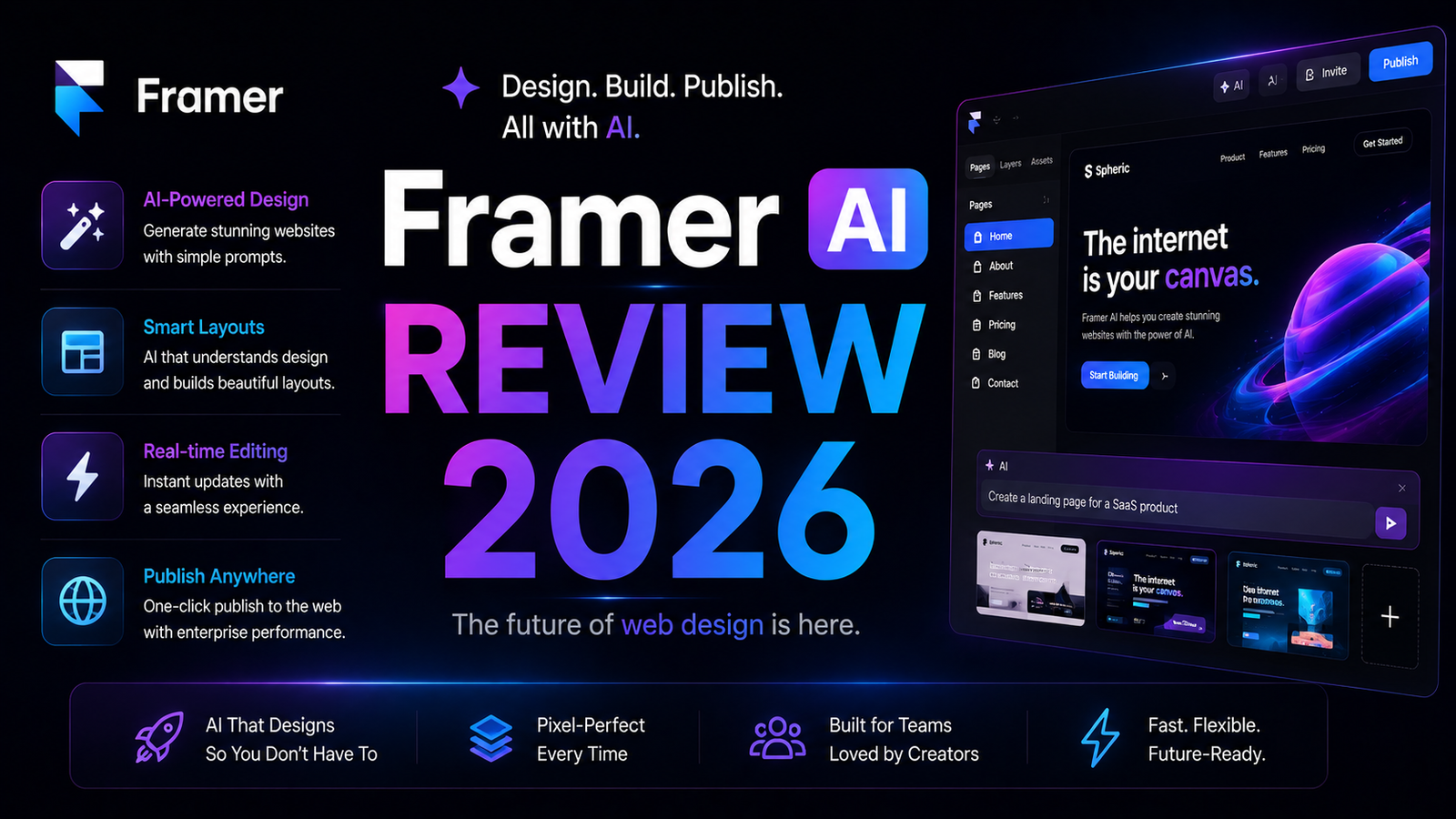
The AI toolkit expanded significantly in 2025 and 2026. Wireframer generates AI wireframes from a text description. Workshop applies AI-assisted design iteration to existing pages. The core AI generation feature takes a plain-English description of a site and produces a multi-page, responsive, visually polished website ready for editing. Unlike pure AI generators that produce generic-looking results, Framer’s AI outputs reflect professional design sensibility: proper typography hierarchy, consistent spacing, intentional visual structure.
Framer is specifically suited for marketing sites, landing pages, portfolios, agency client work, and SaaS brand websites. It is not designed for SaaS product interfaces, app dashboards, complex e-commerce with inventory management, or any backend-dependent application. Users who try to force product design workflows into Framer consistently describe frustration. Within its intended scope, it executes better than anything comparable in 2026.
Key Features
AI site generation from a text prompt. Describe what you want in plain English. Framer generates a complete, multi-page, responsive website with starter content and visual structure. The output is not a generic template; it reflects the description’s intent with appropriate layout, imagery placeholders, and copy structure. Critically, the generated site is immediately editable in Framer’s visual editor, so the AI output is a starting point for refinement rather than a final product requiring workarounds to modify.
Figma-caliber visual editor. The canvas is freeform: elements can be placed anywhere without grid constraints, with Figma-comparable design tools for typography, spacing, color, and layer management. For designers who come to Framer from Figma, the learning curve is minimal. For users coming from grid-based builders like Squarespace or WordPress, the freeform canvas requires adjustment. Independent reviewers consistently describe Framer’s animation and interaction capabilities as the strongest available in a no-code environment, with scroll-triggered animations, hover states, and transition effects that would require JavaScript in competing tools.
Wireframer for AI wireframe generation. Before building a site, Wireframer generates structural wireframes from a description, enabling rapid ideation across layout options. For client presentations, stakeholder alignment, and design exploration before committing to visual direction, this AI wireframing layer accelerates the pre-build phase.
Workshop for AI-assisted design iteration. Workshop applies AI suggestions to existing pages: proposing layout improvements, typography adjustments, and content restructuring while preserving the existing design direction. For refining AI-generated sites or improving manually built pages, Workshop accelerates the iteration cycle.
CMS for content-driven sites. Framer’s CMS handles collections, dynamic pages, filtering, and rich text content. For blogs, portfolios, case study libraries, and straightforward content structures, the CMS is functional. The limitation is depth: complex relational data, multiple content types with interdependencies, and database-like structures exceed what Framer’s CMS handles well. For those requirements, Webflow’s more mature CMS is the appropriate platform.
Framer Convert for A/B testing (March 2026). Launched in March 2026, Convert allows creating up to 5 page variants and tracking conversions without code. This A/B testing capability is available on Scale plan only at $50 per 500K events. For high-traffic marketing teams optimizing conversion rates on landing pages, this feature eliminates a third-party tool from the stack.
Performance and SEO optimization. Framer automatically optimizes for page speed, generating clean HTML and CSS with proper meta structure. Sites consistently score high on Core Web Vitals without manual optimization. Custom domain support, redirects, and sitemap generation are included from the Basic plan.
Pros and Cons
Pros:
- Best-looking AI-generated websites of any website builder tested in 2026; design quality exceeds every comparable platform on visual polish
- Figma-caliber design freedom without requiring code; the only no-code builder where designers feel like they are designing
- Animation and interaction capabilities are unmatched in no-code tools; scroll animations and hover effects that require code elsewhere
- Free tier is genuinely usable for evaluation and basic sites, not a crippled preview
- October 2025 pricing overhaul simplified the plan structure from seven tiers to five
- A/B testing through Framer Convert eliminates Optimize or other third-party testing tools for Scale plan users
- Performance scores are consistently strong without manual optimization
Cons:
- Not for everyone: if you have never used a freeform design tool, the learning curve is steeper than Squarespace or Wix and can feel disorienting before it clicks
- CMS is limited: complex content structures, multiple relational content types, and deep filtering requirements exceed Framer’s CMS capabilities
- Hidden bandwidth costs: overages billed at $40 per 100GB without warnings, which can produce unexpected charges during high-traffic campaigns
- Basic plan at $10 per month is too restricted (single CMS collection) to be useful for real projects; Pro at $30 is the practical minimum for most actual use cases
- No native e-commerce; selling products requires embedding Shopify Buy Button or similar external tools rather than a built-in cart and checkout
- Scale plan A/B testing add-on at $50 per 500K events adds meaningful cost for high-traffic teams beyond the already high $100 per month Scale subscription
- Not suitable for SaaS product design, app interfaces, or backend-dependent applications despite the builder’s visual appeal for those aesthetics
Pricing Breakdown
Free: $0. Publish a site with a Framer subdomain and Framer branding. Access to AI generation, visual editor, and CMS with visitor limits. Genuinely useful for evaluation and personal projects. Framer branding on the published site is the primary limitation.
Basic: $10/month (annual) or $15/month (monthly). Custom domain, removes Framer branding, 1 CMS collection, and 1 editor seat. This plan is too restrictive for most real projects. A blog, portfolio with case studies, or any content-driven site immediately needs multiple CMS collections. Most independent reviewers recommend skipping Basic and going directly to Pro.
Pro: $30/month (annual) or $40/month (monthly). Unlimited CMS collections, 3 editor seats, staging environment, rollback, localization support, and analytics. This is the minimum practical plan for professional work. For most designers, marketers, and founders building real sites, Pro covers everything needed.
Scale: $100/month (annual only). Everything in Pro plus Framer Convert A/B testing add-on access, multiple domains, extended analytics history, and higher bandwidth allocation. Appropriate for high-traffic marketing sites where conversion optimization justifies the cost. The bandwidth overage charges at $40 per 100GB apply at this tier; monitor traffic closely during campaigns.
Enterprise: Custom pricing. Multiple sites, SSO, dedicated support, and custom SLA terms. Contact Framer for current enterprise rates.
How It Compares to Webflow and Wix AI
Framer vs Webflow
The most important distinction: Framer is simpler and more design-opinionated; Webflow is more powerful and more complex. Webflow’s CMS is significantly more capable for complex relational content structures that Framer’s CMS cannot handle. Webflow’s e-commerce is native and robust; Framer has no native e-commerce. Webflow’s logic layer supports conditional visibility and database-like behavior that Framer does not.
Framer wins on the design experience: the canvas and animation tools produce more visually sophisticated results faster for marketing sites and landing pages. For a designer building a brand website or a portfolio, Framer is the more pleasurable and productive environment. For a team building a content-heavy editorial site, a membership platform, or any project requiring Webflow’s logic depth, Webflow is the appropriate platform regardless of Framer’s design advantage.
The pricing comparison for a solo creator: Framer Pro at $30 per month versus Webflow CMS at $23 per month annually. Framer is slightly more expensive at the comparable tier for individual projects. The decision is use case and learning curve. Framer is faster to proficiency for designers who think visually. Webflow provides more long-term capability for content-intensive or functionality-driven projects.
Framer vs Wix AI
Wix AI and Framer serve fundamentally different audiences, and the comparison is most useful for non-designers deciding between them. Wix’s ADI (Artificial Design Intelligence) generates a website from a questionnaire and creates a result that is easier to edit for someone with no design background. The output is more constrained but also harder to make look wrong. Framer’s AI generation produces more visually sophisticated results but gives users more control over elements that, if misused, produce less polished outcomes.
For a small business owner with no design experience who needs a functional website and will not be making frequent design decisions, Wix is the more accessible platform with better templates for standard business types (restaurant, salon, retail). For a designer, marketer, or founder who wants design control and is building a brand-forward site, portfolio, or landing page, Framer’s output quality and animation capabilities are meaningfully superior.
Frequently Asked Questions
Is Framer’s AI generation good enough to use as a starting point for a client site, or does it need too much editing?
For marketing sites, landing pages, and portfolio contexts, the AI generation is a genuinely useful starting point that saves meaningful time. Independent reviewers and practitioners describe it as producing a strong foundation that needs refinement, not a complete rebuild. The typical workflow is: generate from a description, accept or regenerate sections that miss the brief, then refine typography, swap placeholder imagery, adjust spacing, and add brand-specific content. Most designers describe reaching a client-presentable draft in a fraction of the time building from scratch would take. The caveat is that AI generation quality varies with prompt specificity; vague descriptions produce generic-feeling outputs, while specific prompts that describe tone, audience, and visual direction produce results that are closer to the final intent.
Who should skip Framer entirely and use something else?
Three clear cases where Framer is the wrong tool. First, anyone building a SaaS product interface, app dashboard, or UI flow: Framer’s canvas is for websites, not product design. The component system and interaction model do not map well to app-like interfaces. Second, anyone needing native e-commerce: if your site sells products with inventory management, a cart, and checkout, Framer requires embedding an external tool like a Shopify Buy Button and the result is less integrated than platforms built for commerce. Third, anyone who needs a backend: Framer produces frontend-only sites. If your project requires user authentication, a database, form submissions to a backend, or server-side logic, Framer does not handle that natively and the workaround complexity grows proportionally with the backend requirements.
Does the free plan let me properly evaluate whether Framer is worth upgrading to?
Yes, more than most platforms. The free tier gives access to AI generation, the full visual editor, CMS with limited collections, and the ability to publish a live site with a Framer subdomain. The limitations that the free plan does not show are: bandwidth overage costs at scale, multiple CMS collections in action, and the staging and rollback features that Pro provides. For evaluating whether Framer’s design approach, AI generation quality, and editor feel match your workflow, the free tier is sufficient. For evaluating whether Pro’s specific features are worth $30 per month, building a real project on the free tier until you hit the CMS collection limit is the most informative path. That limit will surface quickly on any content-driven project.
Final Verdict
Framer AI in 2026 is the best website builder for people who think visually and want professional-quality results faster than building from scratch. The AI generation produces more polished outputs than any comparable platform tested. The design editor gives designers genuine creative control rather than the constrained drag-and-drop that most builders call design. The animation and interaction tools make every Framer site feel more sophisticated than equivalent sites built on competing platforms.
The honest limitations deserve equal weight. Skip the Basic plan; it is too restricted for real use. Budget for potential bandwidth overages if you run high-traffic campaigns on Scale. Accept that the CMS will constrain you if your content needs are complex. And if your project needs e-commerce, a backend, or SaaS product interfaces, Framer is the wrong tool regardless of how good it looks.
For the use case Framer is built for: marketing sites, portfolios, landing pages, agency client work, and brand websites, it is genuinely the best platform available in 2026. Start on the free plan, build something real, and upgrade to Pro at $30 per month when the Framer subdomain and CMS limits become the constraint. For most professional marketing and brand website projects, that is the entire evaluation and adoption path.
Rating: 4.3 / 5